Streamline Your Home Inspection Time Tracking with Paperform
Home inspection professionals juggle multiple appointments, detailed report writing, extensive photo editing, and client communications every day. Tracking billable hours accurately across each property inspection is essential for profitability, client transparency, and understanding where your time actually goes. This Home Inspection Time Allocation Report template gives you a simple, professional way to log every minute spent on each inspection job—from the moment you arrive at a property to the final report delivery.
Why Home Inspectors Need Dedicated Time Tracking
Unlike many professions where time tracking is straightforward, home inspections involve multiple distinct phases: on-site inspection time, travel to and from properties, photo organization and editing, detailed report writing, client follow-ups, and sometimes re-inspections. Without a clear system to capture these activities, it's easy to underestimate how long jobs actually take, leading to underpricing services or losing track of billable hours.
This template helps you:
- Track time by inspection phase so you know exactly how long report writing versus on-site work takes
- Link hours to specific properties for accurate client billing and job costing
- Identify time sinks like excessive photo editing or report revisions that could be streamlined
- Build historical data to better estimate future quotes and inspection fees
- Simplify invoicing by having all your hours documented in one place
What Makes This Template Perfect for Inspection Professionals
Built specifically for home inspection businesses, property inspectors, and building inspection specialists, this form captures the unique workflow of your industry:
- Property address fields with full address autocomplete for accurate location logging
- Date and time selectors to record exactly when the inspection occurred
- Dedicated time fields for on-site inspection duration, report writing hours, photo editing time, and travel
- Inspection type dropdown to differentiate between pre-purchase inspections, pre-listing inspections, new construction, reinspections, and specialty inspections
- Client reference fields to keep time logs connected to the right jobs
- Notes section for flagging unusual circumstances, complex issues, or factors that extended the timeline
The form uses calculation fields to automatically total your hours, giving you an instant view of time invested per inspection without manual math.
How This Form Fits Into Your Daily Workflow
After completing an inspection and finalizing your report, simply open this form on your phone, tablet, or computer and fill out the details while they're fresh. The on-brand, mobile-friendly design means you can log hours from your vehicle between appointments or from your home office during evening report writing sessions.
For solo inspectors, this becomes your personal time log that feeds directly into invoicing and helps you see patterns in how you spend your working hours.
For inspection firms with multiple inspectors, you can collect submissions from your entire team into one organized database, making it simple to review productivity, allocate resources, and ensure every job is properly documented for billing.
Connect Your Time Tracking to the Rest of Your Business Stack
Paperform makes it effortless to keep your time logs connected to the tools you already use:
- Send submissions to Google Sheets or Airtable for running totals, pivot tables, and monthly time reports
- Integrate with QuickBooks, FreshBooks, or Xero to streamline invoicing based on logged hours
- Trigger Slack or email notifications when inspectors submit their time so office managers can review and approve
- Use Stepper workflows to automatically create invoices, update your CRM, or flag jobs that took longer than estimated
With Stepper, Paperform's AI-native workflow builder, you can turn every time log submission into a multi-step process—like automatically calculating fees based on hours, sending approval requests, updating job status in your project management tool, and generating client invoices without jumping between systems.
Design That Matches Your Professional Brand
This template comes pre-styled with a clean, professional look suitable for construction and property services industries, but you can easily customize fonts, colors, button styles, and backgrounds to match your inspection business branding. Embed it on your internal team portal, use it as a standalone time tracking page, or share it via direct link with your inspection team.
Because Paperform's editor works like a document, you can quickly adjust questions, add new fields (like mileage tracking or equipment used), or remove sections that don't apply to your workflow—all without touching a line of code.
Built for Growing Inspection Businesses
Whether you're a solo home inspector building your practice or an established inspection firm managing a team across multiple markets, this time tracking template scales with your business. Add conditional logic to show different questions based on inspection type, set up automatic email summaries, or integrate with scheduling tools to cross-reference inspection appointments with time logs.
For firms managing multiple inspectors or client brands, Paperform's Agency+ plan offers role-based permissions and centralized billing, while SOC 2 Type II compliance and secure data handling give you peace of mind that your business records are protected.
Ready to Take Control of Your Inspection Time?
Stop relying on memory, scattered notes, or guesswork when it comes to tracking the hours you invest in each inspection. This template gives you a clear, professional system that takes seconds to complete and provides lasting value for pricing, billing, and business insights.
Paperform is trusted by over 500,000 teams worldwide and offers enterprise-grade security with SOC 2 Type II compliance—giving professional service providers like home inspectors the tools they need without the complexity. Get started today and bring clarity to how you spend your most valuable resource: your time.



More templates like this
Electrical Contractor Complaint Form
Report electrical code violations, inspection failures, and safety hazards from contractor work. Document issues with photos, details, and compliance concerns for resolution.
Lead Paint Inspection & Work Area Containment Form
Comprehensive lead paint inspection form for contractors and property owners to document testing results, worker protection protocols, and waste disposal procedures in compliance with EPA and OSHA regulations.
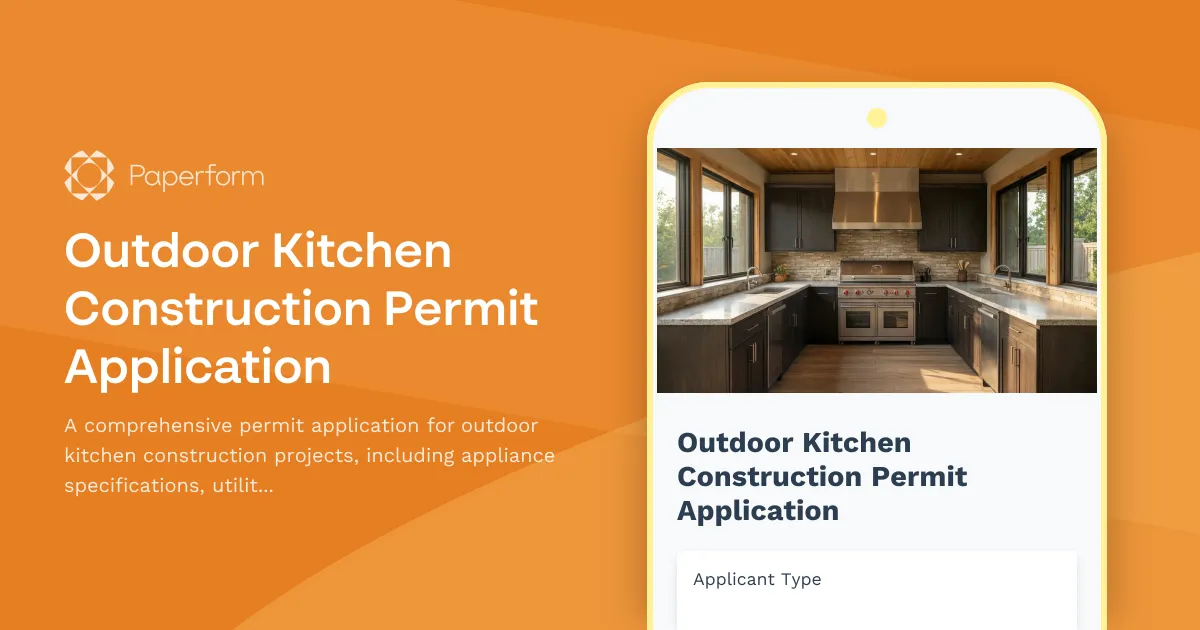
Outdoor Kitchen Construction Permit Application
A comprehensive permit application for outdoor kitchen construction projects, including appliance specifications, utility requirements, materials, and code compliance verification.
Radon Mitigation System Installation Permit Application
Apply for a permit to install a radon mitigation system with detailed fan specifications, vent routing, monitoring devices, and post-mitigation testing requirements.
Residential Exterior Stairway Permit Application
Apply for a permit to construct or modify exterior residential stairs. Includes automated rise and run calculations, landing requirements, handrail specifications, and safety compliance checks.
Basement Finishing Permit Application
A comprehensive permit application form for basement finishing projects that includes egress window requirements, ceiling height verification, moisture barrier specifications, and electrical circuit planning.

Fire Escape Installation and Modification Permit Application
Professional permit application for fire escape installation or modification with load testing requirements, exit capacity calculations, and code compliance verification for commercial and residential buildings.
HVAC Service Call Time Entry Form
Track detailed time breakdown for HVAC service calls including diagnostics, repairs, parts runs, and customer education time.
Insulation Installation Checklist
Professional insulation installation checklist covering R-value requirements, vapor barriers, air sealing verification, and energy code compliance for residential and commercial projects.
Move-In/Move-Out Maintenance Inspection Form
Professional property inspection form for documenting condition at move-in or move-out, assessing damages, calculating repair costs, and processing security deposits.
Post-Disaster Building Assessment Form
Comprehensive structural damage assessment form for post-disaster building evaluation, emergency repair prioritization, insurance documentation, and occupancy safety determination.
Residential Basement Waterproofing Permit Application
Apply for a residential basement waterproofing permit with detailed specifications for membranes, drainage systems, sump pumps, and foundation inspection coordination.