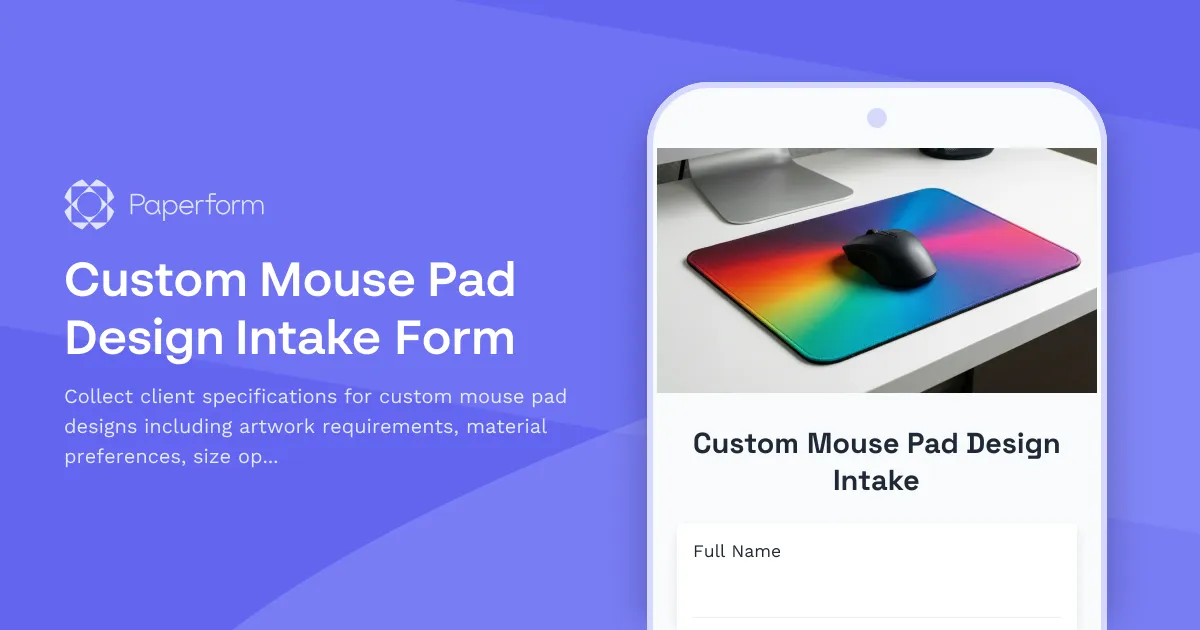
Design Your Perfect Custom Mouse Pad
Whether you're a creative agency producing branded merchandise, a gaming company launching limited edition gear, or a designer taking on custom mouse pad projects, you need a streamlined way to capture every detail that matters. Our Custom Mouse Pad Design Intake Form is built specifically for creative professionals who want to turn client ideas into perfectly executed products—without the back-and-forth email chaos.
Why Creative Professionals Love This Template
Custom mouse pads might seem simple, but the details matter. Surface texture affects mouse tracking. Dimensions impact desk ergonomics. Edge stitching influences durability. And artwork specifications determine whether the final product looks professional or pixelated.
This intake form captures everything you need upfront: precise size requirements, material preferences (cloth, hard surface, hybrid), edge finishing options, ergonomic considerations like wrist rest integration, and comprehensive artwork specifications including color profiles, bleed requirements, and file formats.
For design agencies and creative studios, this form becomes your standardized briefing process. Instead of piecing together requirements from scattered emails and chat messages, you get structured data that feeds directly into your production workflow. For print shops and merchandise producers, it reduces revision rounds and ensures files arrive print-ready. For freelance designers, it positions you as a detail-oriented professional who understands the technical requirements of custom products.
What Makes This Form Essential for Creative Workflows
The form starts by capturing basic project information and quantity needs, then dives into the specifics that determine both aesthetics and functionality. Clients specify their preferred mouse pad type (standard, extended, gaming, or desk mat), exact dimensions, and material choices that affect everything from glide characteristics to washability.
Artwork collection is structured and thorough. The form guides clients through providing high-resolution files, explains DPI requirements for different sizes, captures color space preferences (RGB for digital proofing, CMYK for print), and collects any brand guidelines or Pantone color specifications. Conditional logic shows additional questions based on previous answers—extended mouse pads might need to know about keyboard clearance, while gaming mouse pads trigger questions about RGB lighting compatibility.
Ergonomic considerations are often overlooked but critical for customer satisfaction. The form asks about wrist rest preferences, desk height, and primary use case (gaming, graphic design, office work) to ensure the final product supports comfort during long sessions.
Automate Your Creative Production with Paperform + Stepper
This template shines when you connect it to your broader creative workflow. Use Stepper to automatically route new submissions to your design team, create project folders in Google Drive or Dropbox with proper naming conventions, and generate production briefs that combine client specifications with your internal checklists.
Set up approval workflows where clients review digital proofs before production begins, automatically send mockups via email with embedded preview images, and trigger notifications when files need revision. All of this happens without you manually copying information between tools or risking details getting lost in translation.
For agencies managing multiple client brands, use Paperform's conditional logic to apply the correct brand guidelines automatically, and leverage Papersign to capture electronic signatures on production approval documents and copyright transfer agreements—keeping everything tied to the original intake submission for a complete audit trail.
Payments, Deposits, and Rush Order Handling
The form includes built-in payment functionality, so you can collect deposits or full payment at intake. Set up tiered pricing based on quantity, size, and rush production timelines. Use Paperform's calculation engine to automatically adjust pricing when clients select premium materials like micro-textured cloth or hard aluminum surfaces.
For rush orders, conditional pricing can add express production fees, and logic can trigger different fulfillment workflows in Stepper—ensuring urgent projects get priority routing while standard orders follow your normal production queue.
Perfect for These Creative Professionals
- Design agencies creating branded merchandise for clients
- Print shops offering custom mouse pad services
- Gaming companies launching limited edition peripherals
- Freelance designers taking custom orders via social media or portfolio sites
- Promotional product companies streamlining bulk order intake
- Esports teams and content creators designing signature merchandise
Designed for Conversion and Brand Experience
This template uses Paperform's document-style editor to create an intake form that feels professional and thorough—not like a sterile data collection survey. Add your brand colors, logo, and custom fonts. Include example images of previous work to inspire clients and set quality expectations. Embed the form on your website, share it via link, or set it up on a custom domain as a dedicated order portal.
The guided question flow keeps clients focused without overwhelming them, and smart field validation prevents common mistakes like uploading low-resolution artwork or specifying impossible dimensions.
Your Technical Production Brief, Automatically Generated
Every submission becomes a structured production brief. Export data to Google Sheets or Airtable for production tracking, sync orders into your project management tool, or push specifications directly into your fulfillment system via Stepper workflows.
Paperform's AI Insights can analyze batches of submissions to identify trending size preferences, popular material choices, and common design requests—helping you optimize inventory and anticipate customer needs.
Secure, Scalable, and Built for Growing Studios
With SOC 2 Type II compliance, your client data and artwork files stay secure. Role-based permissions mean your design team sees submissions instantly while keeping financial information restricted to admin users. As your creative business grows, Paperform scales with you—from solo freelancer to full-scale production studio.
Start capturing better creative briefs today. This Custom Mouse Pad Design Intake Form template eliminates confusion, reduces revision rounds, and lets you focus on what you do best: creating exceptional custom products that clients love.



More templates like this
Custom Notebook Cover Design Brief
A professional intake form for custom notebook design projects, capturing client preferences for cover design, binding style, page layout, paper quality, and personalization details.
Band Merchandise Design Brief
A comprehensive design brief form for bands and musicians to brief merchandise designers on custom apparel, accessories, and product design projects.
Book Cover Design Brief for Self-Publishing Authors
A comprehensive intake form for authors commissioning book cover designs. Capture genre, target audience, comparable titles, format requirements, and creative direction in one streamlined brief.
Custom Christmas Ornament Design Brief
A professional intake form for custom Christmas ornament design projects, capturing theme preferences, personalization details, material specifications, and packaging requirements.
Custom Foil Stamp Design Brief
A professional intake form for custom foil stamping projects, capturing design requirements, metallic finish preferences, paper substrate specifications, and quantity needs.
Custom Keychain Design Brief
Professional intake form for custom keychain orders including logo specifications, material preferences, hardware options, and quantity requirements.
Custom Mirror Compact Design Brief
A professional intake form for custom mirror compact orders. Collect client details, artwork specifications, mirror quality preferences, size requirements, and protective case options.
Custom Phone Case Design Intake Form
Capture client requirements for custom phone case designs including device compatibility, artwork specifications, material preferences, and protective features.
Custom Pop-Up Card Design Intake Form
A comprehensive intake form for custom pop-up card projects, capturing mechanism specifications, dimensions, assembly requirements, and design preferences to ensure flawless execution.
Commercial Architecture Photography Intake Form
A comprehensive intake form for architecture photographers capturing commercial properties, covering shoot requirements, location details, exterior and interior specifications, twilight photography needs, and image licensing terms.
Custom Enamel Mug Design Brief
A comprehensive design intake form for custom enamel mug projects, capturing artwork specifications, color requirements, capacity preferences, and packaging details to ensure your creative vision translates perfectly to the final product.
Custom Enamel Pin Design Brief
A comprehensive design brief form for custom enamel pin projects, capturing all specifications including size, colors, metal finish, and backing preferences to streamline the creative process.