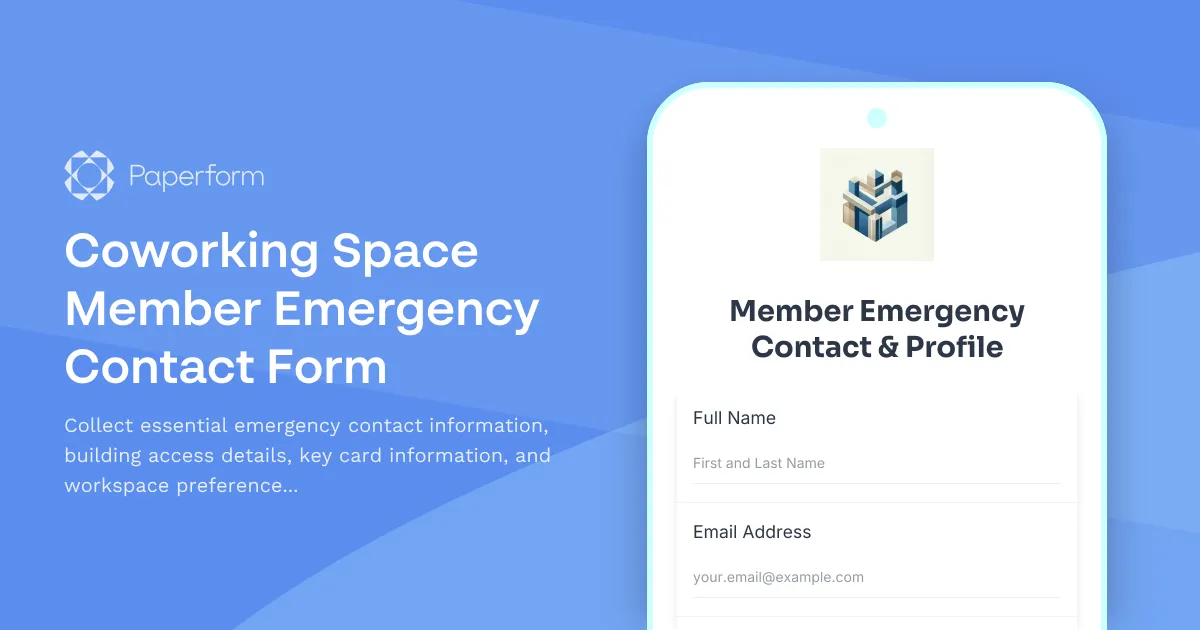
Keep Your Coworking Community Safe and Connected
For coworking space operators, having accurate emergency contact information and member preferences isn't just about compliance—it's about building a safe, responsive community where members feel looked after. This Coworking Space Member Emergency Contact Form template helps you gather everything you need to respond quickly in emergencies, manage building access effectively, and personalize each member's workspace experience.
Why Emergency Contacts Matter in Shared Workspaces
Coworking spaces bring together freelancers, remote workers, startups, and established businesses under one roof. With members coming and going at all hours, having up-to-date emergency contact information is essential for:
- Rapid response during medical emergencies or building incidents
- Notifying the right people if a member has an accident or health issue onsite
- Managing after-hours access and security concerns
- Coordinating workspace preferences to improve member satisfaction
- Maintaining accurate records for insurance and liability purposes
This template goes beyond basic contact details to capture building access hours, key card assignments, preferred workspace locations, and any accommodations members might need—creating a comprehensive member profile that supports both safety and service.
What's Included in This Template
This form template is designed specifically for coworking space operators and includes:
Member Information
- Full name and contact details
- Company or business name (for professional members)
- Membership type and plan
- Preferred communication method
Emergency Contact Details
- Primary and secondary emergency contacts
- Relationship to member
- Multiple phone numbers and contact methods
- Medical information and allergies (optional but important)
Building Access & Security
- Access hours and schedule preferences
- Key card or fob number assignment
- Parking permit details
- After-hours access requirements
- Security code information (if applicable)
Workspace Preferences
- Preferred workspace type (hot desk, dedicated desk, private office)
- Floor or zone preferences
- Equipment needs (monitor, standing desk, etc.)
- Noise level preferences
- Accessibility requirements
Additional Information
- Dietary restrictions (for catered events)
- Communication preferences for community updates
- Emergency evacuation assistance needs
- Any special accommodations
Perfect for Modern Coworking Spaces
Whether you're running a boutique coworking space, a large multi-floor facility, or a network of locations, this template adapts to your needs. It's ideal for:
- Coworking space operators managing member safety and building access
- Property managers overseeing shared office environments
- Community managers who need quick access to member preferences and emergency details
- Flexible workspace providers offering hot desks, dedicated desks, and private offices
- Startup incubators and accelerators with member communities
Streamline with Paperform's Smart Features
This form template leverages Paperform's powerful features to make data collection seamless:
- Conditional logic shows or hides fields based on membership type (hot desk members might not need parking details, while private office members do)
- Auto-calculations for access hours and schedule preferences
- File uploads for emergency contact cards, parking permits, or medical documentation
- Custom branding to match your coworking space's visual identity
- Mobile-friendly design so members can complete the form from their phones before their first visit
Automate Your Member Onboarding with Stepper
Once a member submits their emergency contact form, you can use Stepper to automate what happens next:
- Send welcome emails with building access instructions and community guidelines
- Create member profiles in your CRM or property management system
- Assign key card numbers and notify security or front desk staff
- Update your workspace management platform with member preferences
- Schedule follow-up check-ins 30 days after onboarding
- Trigger Slack notifications to your community team when new members join
This means less manual data entry for your team and a smoother, more professional onboarding experience for members.
Security and Compliance You Can Trust
Member information—especially emergency contacts and medical details—is sensitive. Paperform is SOC 2 Type II compliant and offers enterprise-grade security features including:
- Data encryption in transit and at rest
- Role-based access controls for your team
- SSO for secure team login
- GDPR compliance tools
- Regular security audits
Your members' information stays private, secure, and accessible only to authorized staff.
Designed for Member Experience
In the competitive coworking industry, member experience is everything. This form template helps you:
- Reduce onboarding friction with a clean, intuitive form that takes just a few minutes to complete
- Show you care by collecting preferences and accommodations upfront
- Enable quick emergency response, giving members and their families peace of mind
- Personalize the workspace based on individual preferences and work styles
- Build trust through professional, organized member management
When members see that you've thought through every detail—from emergency protocols to desk preferences—they're more likely to renew and recommend your space to others.
Integrate with Your Existing Tools
Paperform connects seamlessly with the tools coworking spaces already use:
- CRMs like HubSpot, Salesforce, or Pipedrive for member relationship management
- Property management software like OfficeRnD, Nexudus, or Cobot
- Communication tools like Slack, Microsoft Teams, or Discord for community engagement
- Google Sheets or Airtable for easy member directory management
- Email marketing platforms like Mailchimp or ConvertKit for community newsletters
Plus, with Stepper or native integrations, you can connect to thousands of other apps and build custom workflows without code.
Get Started in Minutes
This template is ready to use right out of the box—just customize the fields to match your specific membership types, building access policies, and workspace options. You can:
- Add or remove fields based on your space's unique requirements
- Adjust conditional logic for different membership tiers
- Customize success messages and confirmation emails
- Embed the form on your website or member portal
- Share via direct link for mobile-first onboarding
With Paperform's doc-style editor, making changes is as simple as editing a document. No coding required.
Why Coworking Spaces Choose Paperform
Trusted by coworking spaces, property managers, and workspace operators worldwide, Paperform offers:
- Beautiful, on-brand forms that match your space's aesthetic
- No-code flexibility for community managers who need to move fast
- Powerful automation to reduce administrative overhead
- Enterprise security to protect sensitive member information
- Responsive support when you need help or have questions
Whether you're onboarding your first members or managing a portfolio of locations, this emergency contact form template helps you create a safer, more organized, and more professional coworking community.
Ready to improve your member onboarding? Start with this template and customize it to fit your coworking space's unique needs. Your members—and your team—will thank you.



More templates like this
Commercial Building Evacuation Roll Call
Emergency headcount and status confirmation form for multi-tenant commercial buildings during evacuations, tracking occupants, floor locations, and assistance needs.
Apartment Complex Fire Evacuation Check-In Form
A critical emergency form for apartment residents to quickly check in during fire evacuations, report their status, and provide essential safety information to emergency responders.
Emergency Evacuation Check-In Form
A professional evacuation accountability form for corporate office buildings to conduct headcounts, verify employee safety, and confirm assembly point attendance during emergency situations.

Shopping Mall Missing Person Report
Report a missing person at your shopping center with detailed descriptions, last known location, witness information, and security footage requests to help reunite families quickly.
Contractor Emergency Contact Form
A comprehensive emergency contact form for construction contractors, capturing project site details, safety certifications, workers' compensation information, and emergency contacts for site personnel.

Corporate Event Emergency Contact Form
Collect emergency contact details, dietary restrictions, accessibility needs, and hotel information from corporate event attendees to ensure their safety and comfort.
Coworking Space Emergency Member Services Form
A business continuity form for coworking spaces to manage member services during emergencies, including workspace access alternatives, meeting room adjustments, and amenity disruptions.
Emergency Housing Application for Wildfire Evacuees
Fast-track housing application for families displaced by wildfires, including emergency placement, pet accommodation, and temporary school enrollment assistance.
Extreme Weather Remote Work Request Form
Request temporary remote work arrangements during severe weather conditions. Ensure employee safety while maintaining business continuity with clear emergency contacts and safety protocols.
Natural Disaster Damage Assessment Form
A comprehensive form for municipalities to assess infrastructure damage after natural disasters, request emergency declarations, and coordinate with FEMA for federal assistance and recovery resources.
Property Inspection Business Continuity Form
Ensure uninterrupted property inspection services during disruptions with automated appointment rescheduling, report delivery coordination, and deadline protection for clients.
Shopping Mall Evacuation Check-In Form
Emergency evacuation headcount and status tracking form for shopping mall personnel, store employees, security, maintenance staff, and customer assistance coordination during crisis situations.