Streamline Your Co-working Space Visitor Bookings with Paperform
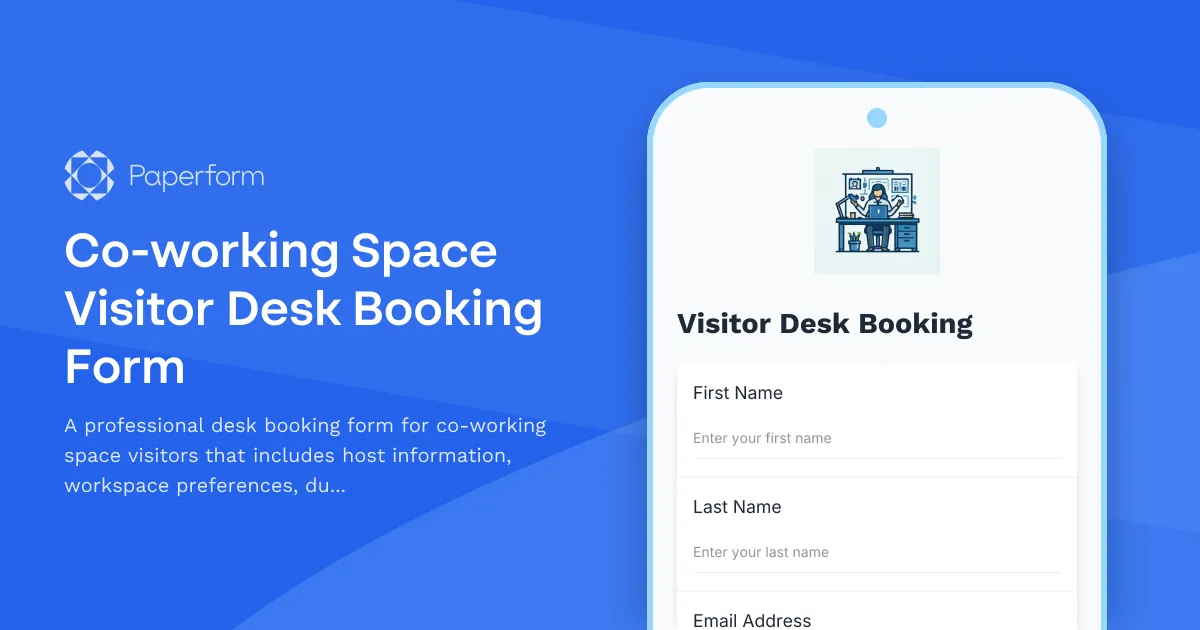
Managing visitor desk bookings in a busy co-working environment can quickly become chaotic. Between coordinating with host employees, tracking available workspaces, issuing building access badges, and ensuring a smooth visitor experience, there's a lot to juggle. That's where this Co-working Space Visitor Desk Booking Form template comes in.
Why Your Co-working Space Needs a Dedicated Visitor Booking System
Modern co-working spaces and flexible offices thrive on collaboration and community. Whether you're hosting clients, contractors, freelancers, or visiting team members, providing a seamless booking experience reflects your brand's professionalism and operational efficiency.
A well-designed visitor desk booking form eliminates the back-and-forth emails, reduces front desk bottlenecks, and gives your community managers complete visibility over who's using your space and when. This template captures everything you need: visitor details, host employee information, preferred workspace type, booking duration, and building access requirements—all in one streamlined workflow.
What This Template Includes
This Paperform template is specifically designed for co-working spaces, flexible offices, corporate hybrid workspaces, and shared office environments that regularly host external visitors or traveling team members. Key features include:
- Visitor information capture: Collect full name, email, phone number, and company details for security and communication purposes
- Host employee identification: Link each visitor to their sponsoring employee or host for accountability and coordination
- Workspace type selection: Let visitors choose between hot desks, private offices, meeting rooms, or quiet zones based on their needs
- Flexible duration options: Offer hourly, half-day, full-day, or multi-day booking options with clear date and time selection
- Building access badge request: Streamline security by capturing badge requirements, photo uploads, and ID verification upfront
- Special requirements field: Accommodate accessibility needs, equipment requests, or parking arrangements
- Automatic confirmation: Send visitors and hosts instant booking confirmations with all the details they need
Perfect for These Industries and Roles
This template is ideal for:
- Co-working space managers and community managers who need to track visitor bookings and maintain security protocols
- Facilities managers in corporate offices managing hot-desking programs for external visitors or remote employees
- Property managers overseeing flexible office spaces or serviced office buildings
- Office administrators coordinating client visits, contractor access, and inter-office travel
- Workspace operations teams at tech companies, creative agencies, consulting firms, and hybrid work environments
Whether you're running a WeWork-style co-working brand, managing a corporate innovation hub, or coordinating a flexible workspace for a growing startup, this template adapts to your workflow.
Automate Your Visitor Management with Stepper
Once a visitor books a desk, the real magic happens with Stepper—Paperform's AI-native workflow automation platform. Here's how you can take this form from simple booking to complete visitor management system:
- Auto-notify host employees: Send the host an immediate notification when their visitor books, including all arrival details and special requests
- Update your workspace management system: Push booking data to Airtable, Google Sheets, or your facility management software to track desk availability in real-time
- Trigger badge creation: Automatically create a visitor badge record in your access control system or send badge details to your front desk team
- Send pre-arrival instructions: Schedule reminder emails with building access codes, parking information, WiFi credentials, and amenity details
- Sync with calendar systems: Block out reserved desks in Google Calendar or Outlook so your team knows which spaces are occupied
- Collect post-visit feedback: Follow up automatically after the booking ends to gather feedback and improve the visitor experience
With Stepper, you're not just collecting booking requests—you're building an intelligent visitor flow that reduces manual work and creates a premium experience for everyone who walks through your doors.
Why Paperform is the Right Choice for Workspace Booking Forms
Unlike rigid booking systems or clunky facility management tools, Paperform gives you complete control over your visitor experience. The form looks professional and on-brand (you can match your co-working space's visual identity perfectly), works seamlessly on mobile devices, and captures exactly the information you need without overwhelming your visitors.
The conditional logic features mean you can show or hide fields based on booking type—for example, only asking for parking details if someone selects a multi-day booking, or showing equipment rental options for private office bookings. And because Paperform integrates with Slack, CRMs, Google Workspace, and thousands of other tools, you can connect this form to your existing operations without starting from scratch.
Trusted by over 500,000 teams worldwide and SOC2 Type II & GDPR compliant, Paperform provides the security and reliability that modern workspace operators need. Your visitor data is protected, your booking records are secure, and your team has full visibility over who's coming and going.
Get Started in Minutes
Simply customize this template with your workspace types, booking duration options, and access badge requirements. Add your logo and brand colors, embed it on your website or member portal, or share the direct link with host employees. Within minutes, you'll have a professional visitor booking system that elevates your co-working space operations and delivers a fantastic first impression to every guest.
Whether you're managing a boutique co-working space or overseeing a multi-floor corporate campus, this template helps you stay organized, keep your space secure, and create a welcoming environment for visitors and members alike.



More templates like this
Facilities Management Desk Booking & Workspace Reservation Form
Streamline desk reservations, hot desk bookings, and assigned seating while integrating building systems monitoring, vendor coordination, and emergency response protocols into your workspace management.
Executive Office & VIP Workspace Relocation Request Form
A comprehensive relocation request form for executive and VIP workspace moves, including privacy requirements, custom furniture specifications, secure storage, and priority scheduling.
Post-Move Office Setup Issue Reporting Form
Report issues with your new workspace after an office move or relocation. Submit problems related to furniture, equipment, IT setup, or facilities with photos and urgency tracking for quick resolution.
Reserved Parking Spot Assignment Request
Request a reserved parking spot with options for disability accommodations, vehicle registration, and preferred location selection.
Collaborative Workspace Security Recording Consent Form
A comprehensive consent form for coworking spaces and shared workspaces to obtain member permission for security camera and audio recording, ensuring theft deterrence and incident investigation compliance.
Coworking Space Member Data Consent Form
A professional consent form for coworking spaces to collect member permissions for space usage tracking, amenity preferences, event communications, mail handling, and community networking.
Electric Vehicle Charging Station Parking Reservation
Reserve EV charging station parking spots with estimated charging time and automated payment setup for workplace or facility charging access.
Janitorial Service Request Form
Professional janitorial service request form for office buildings to specify cleaning areas, frequency requirements, special needs, and obtain accurate service quotes.
Office Building Found Item Report
A professional form for reporting found items in office buildings, with detailed location tracking, item description, and automated building management notification.
Office Move Building Access and Security Coordination Form
Coordinate building access, badge transfers, and security system updates for office moves and relocations. Streamline employee access permissions, visitor management, and security integrations in one form.
Office Move Utility Setup and Transfer Coordination Form
Streamline your office relocation with this comprehensive utility setup and transfer form. Coordinate electricity, internet, water, gas, HVAC, and vendor services in one place.
Office Relocation Access Control & Key Inventory Form
Track and manage physical keys, keycards, and access control assignments during office moves and relocations with comprehensive security audit trails.