
Batch Plant Installation Work Order Form Template
Installing a batch plant is a complex, multi-phase project that requires careful coordination between site preparation, structural installation, equipment alignment, and system commissioning. Whether you're setting up a concrete batching plant, asphalt plant, or aggregate processing facility, this Batch Plant Installation Work Order template helps construction managers, site supervisors, and installation teams document every critical phase from foundation preparation through final calibration verification.
Why use Paperform for batch plant installation work orders?
Paperform gives construction and industrial installation teams a professional, mobile-friendly form that works on tablets and smartphones right on the job site. Instead of juggling clipboards, PDFs, and email chains, your team can complete detailed work orders in the field, attach photos of foundation prep or alignment measurements, and automatically route submissions to project managers, engineers, and safety officers.
With conditional logic, the form adapts based on plant type and installation phase, showing only relevant questions for foundation work, silo placement, conveyor systems, or control panel setup. This keeps work orders focused and reduces errors.
Perfect for construction contractors, plant manufacturers, and industrial projects
This template is built for:
- Construction contractors managing batch plant installations for concrete, asphalt, or aggregate operations
- Plant manufacturers and OEMs providing turnkey installation services
- Project managers coordinating multi-trade teams across foundation, mechanical, electrical, and commissioning phases
- Site supervisors documenting daily progress, equipment placement, and safety compliance
- Industrial maintenance teams overseeing upgrades, relocations, or expansions of existing plants
What's included in this batch plant installation work order?
The form captures everything needed to plan, execute, and verify a successful batch plant installation:
Project & site information:
- Project name, location, and site contact details
- Plant type (concrete, asphalt, aggregate) and model specifications
- Installation phase selection with conditional sections
Foundation preparation:
- Excavation and grading verification
- Concrete foundation specifications and pour documentation
- Rebar placement and anchor bolt positioning
- Curing time and foundation inspection sign-off
Silo placement & structural installation:
- Silo quantity, capacity, and placement coordinates
- Crane and rigging equipment used
- Vertical alignment and leveling measurements
- Structural bolt torque verification
Conveyor alignment & mechanical systems:
- Conveyor belt type, length, and drive specifications
- Belt tracking and alignment checks
- Idler and pulley inspection
- Safety guard installation confirmation
Control system setup:
- PLC and control panel installation location
- Electrical conduit and wiring runs
- Sensor calibration (load cells, moisture probes, temperature)
- Communication system testing (SCADA, remote monitoring)
Calibration verification & commissioning:
- Batch accuracy testing and tolerance verification
- Scale calibration and certification
- System integration testing (material flow, batching cycles)
- Safety interlock and emergency stop testing
Documentation & sign-off:
- Photo uploads for critical installation phases
- Equipment serial numbers and warranty information
- Completion sign-off by installer and site supervisor
- Punch list items and outstanding work
Automate your installation workflow with Stepper
Once a work order is submitted, you can use Stepper to automate the entire post-installation workflow:
- Send instant notifications to project managers, engineers, and quality control teams
- Create follow-up tasks in project management tools like Procore, Buildertrend, or Monday.com
- Generate installation reports and send them to clients automatically
- Update equipment databases with serial numbers, calibration dates, and warranty info
- Schedule follow-up inspections and maintenance check-ins
This means less manual data entry, fewer missed steps, and better documentation for warranty claims, compliance audits, and future service calls.
Mobile-friendly for on-site teams
Batch plant installations happen outdoors, in active construction zones, and across multiple shifts. This form works seamlessly on smartphones and tablets, so installers, crane operators, and electricians can update progress, upload photos, and document measurements without heading back to the office trailer.
Built for safety and compliance
The form includes sections for safety checks, hazard identification, and equipment certification—helping you maintain OSHA compliance, meet manufacturer installation standards, and create a clear audit trail for inspections and project close-out.
Who this template is for
This batch plant installation work order is ideal for:
- Construction project managers overseeing industrial plant installations
- General contractors coordinating mechanical, electrical, and structural trades
- Plant equipment manufacturers providing installation and commissioning services
- Industrial engineers managing facility expansions and equipment upgrades
- Site supervisors documenting daily progress and ensuring quality control
Get started in minutes
With Paperform, you can customize this template to match your plant models, installation procedures, and company branding. Add your logo, adjust field labels, set up email notifications, and integrate with your existing project management tools—all without writing a single line of code.
Whether you're installing a new ready-mix concrete plant, relocating an asphalt batch facility, or commissioning an aggregate processing system, this template helps you capture every detail, keep teams aligned, and deliver installations on time and on spec.
Trusted by construction and industrial teams worldwide, this template is SOC 2 Type II compliant and ready to use on any device.



More templates like this

Industrial Heat Treating Furnace Installation Form
Professional installation planning form for industrial heat treating furnaces covering refractory curing, burner setup, temperature uniformity surveys, quench systems, and atmosphere control configuration.

Commercial Process Piping Permit Application
Apply for a commercial process piping permit for industrial facilities. Complete application includes material specifications, welding procedures, pressure testing requirements, and ASME compliance documentation.

Industrial Air Compressor Installation Form
Complete industrial air compressor installation form covering foundation preparation, electrical service requirements, cooling systems, condensate drainage, and performance testing specifications.

Industrial Grinding Booth Installation Request Form
A comprehensive installation form for industrial grinding booths including dust collection systems, explosion-proof fixtures, spark containment measures, and airflow specifications for safe metalworking operations.
Material Silo and Bulk Storage Installation Checklist
A comprehensive checklist for documenting silo installation, foundation design, aeration systems, level indication, dust venting, and discharge rate verification for bulk material storage projects.
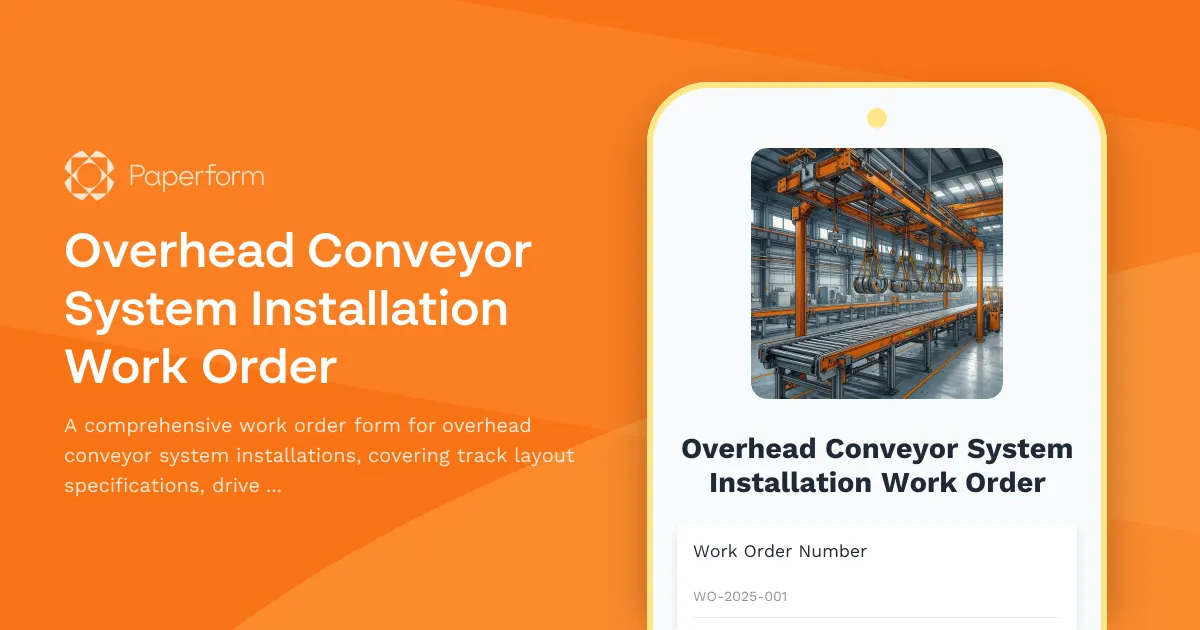
Overhead Conveyor System Installation Work Order
A comprehensive work order form for overhead conveyor system installations, covering track layout specifications, drive placement, carrier spacing, loading station setup, and speed verification.

Pneumatic Tube System Installation Work Order
Professional work order form for pneumatic tube system installations, covering station locations, tube routing, blower specifications, control programming requirements, and carrier travel testing procedures.

Cathodic Protection System Installation Checklist
A comprehensive checklist for cathodic protection system installation covering anode placement, rectifier sizing, electrical connections, soil resistivity testing, and effectiveness monitoring to ensure proper corrosion protection.

Concrete Warranty Claim Form
Professional concrete warranty claim form for documenting mix design specifications, compressive strength testing, cracking patterns, curing conditions, and structural assessments.

Fire Sprinkler Installation Project Plan
A comprehensive project planning form for fire sprinkler system installations, including hydraulic calculations, pipe specifications, head placement details, and testing protocols for contractors and fire protection professionals.
Industrial Partition Wall Installation Form
A comprehensive form for managing industrial partition wall installations, covering anchorage details, panel assembly, door integration, fire rating verification, and acoustic testing requirements.

Material Handling Equipment Installation Form
A comprehensive installation form for material handling equipment that covers floor load verification, anchor placement, electrical requirements, safety features, and operator training documentation.