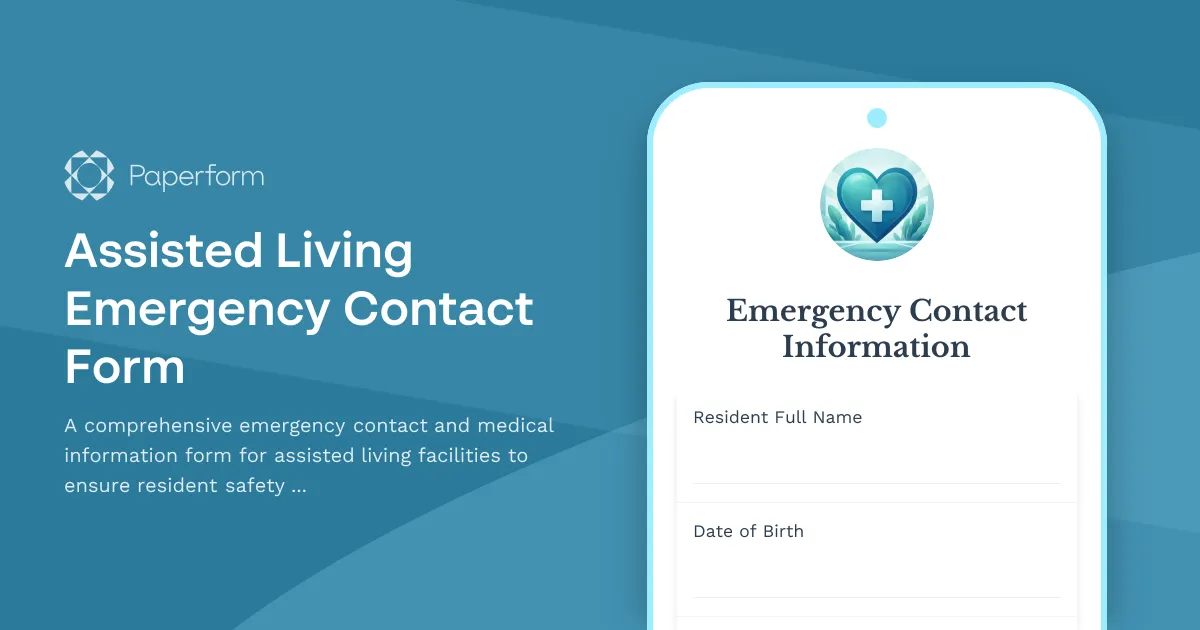
Professional Emergency Contact Forms for Assisted Living Facilities
When an emergency occurs in an assisted living facility, having accurate, up-to-date contact and medical information can be the difference between a swift, appropriate response and a dangerous delay. This Assisted Living Emergency Contact Form template helps your facility maintain comprehensive resident profiles that empower staff, first responders, and healthcare providers to act quickly and confidently during critical situations.
Why Assisted Living Facilities Need Digital Emergency Contact Forms
Traditional paper-based emergency contact systems create unnecessary risk. Forms get filed away, information becomes outdated, and when an emergency strikes, staff waste precious minutes searching through filing cabinets or flipping through binders. Paperform transforms this critical process into a streamlined digital workflow that keeps your residents safer and your facility more compliant.
This template is specifically designed for assisted living facilities, senior care communities, memory care units, and residential care homes that need to collect and maintain detailed emergency information including mobility assessments, cognitive status evaluations, wandering risk factors, and hospital preferences—all in one centralized, accessible location.
What Makes This Template Essential for Senior Care
Unlike generic contact forms, this assisted living emergency contact template captures the nuanced medical and safety information that matters most when caring for elderly residents:
- Multiple emergency contacts with relationship details and availability preferences
- Mobility level assessments to inform evacuation procedures and transfer protocols
- Cognitive status evaluations that help first responders communicate appropriately with residents
- Wandering risk indicators for memory care and dementia patients who may pose elopement concerns
- Preferred hospital and physician information to ensure continuity of care
- Current medications and allergies for accurate emergency medical treatment
- Special medical equipment needs like oxygen, wheelchairs, or hearing aids
- DNR status and advance directives documentation
This level of detail ensures that when 911 is called, when a resident experiences a medical emergency, or when an evacuation is necessary, your staff has every piece of information they need at their fingertips.
Built for Healthcare Administrators and Care Coordinators
Whether you're an admissions coordinator, care manager, nursing director, or facility administrator, this form template eliminates the paperwork burden while improving the quality of information you collect. The conditional logic ensures families only see relevant follow-up questions, the clear section organization makes the form feel manageable rather than overwhelming, and the professional healthcare-appropriate design builds trust with families during what's often an emotional transition.
For healthcare administrators and compliance officers, digital forms with Paperform mean better audit trails, easier updates when information changes, and the ability to export resident data to your care management software or EMR system through native integrations with tools like Google Sheets, Airtable, or via webhooks to your facility management platform.
Streamline Your Intake and Update Processes
This form works beautifully as part of your resident onboarding process, but it's equally valuable for annual updates, post-hospitalization re-assessments, or any time a resident's condition or contacts change. You can embed the form on your resident portal, send it via email to family members, or have staff complete it during intake interviews on a tablet.
When information is submitted, you can use Stepper (stepper.io) to automatically route the data where it needs to go—updating your facility management system, sending notifications to the nursing team, creating a digital emergency card for the resident's file, or triggering a review by your medical director for high-risk residents. This automation means less manual data entry, fewer transcription errors, and more time for your staff to focus on actual resident care.
Security and Compliance for Sensitive Health Information
Emergency contact forms contain sensitive personal and medical information that must be protected. Paperform is SOC 2 Type II compliant and GDPR compliant, offering the security controls that healthcare-adjacent organizations need. You can set up role-based access so only authorized staff can view submissions, use SSO for secure login, and store data in your preferred region for compliance with local regulations.
Please note: While Paperform offers strong security features, it is not a HIPAA-compliant solution. If your facility requires HIPAA compliance for all forms, please consult with your compliance officer about your specific requirements.
Real-World Benefits for Senior Care Communities
Facilities using digital emergency contact forms with Paperform report:
- Faster emergency response times because staff can access critical information from any device
- Improved accuracy with fewer blank fields and illegible handwriting issues
- Better family engagement as relatives can update information remotely without scheduling appointments
- Reduced administrative burden through automated data routing and integrations
- Stronger compliance documentation with timestamped submissions and complete audit trails
- More confident staff who know they have reliable information during high-stress situations
Whether you're managing a small residential care home or a large senior living campus, this emergency contact form template adapts to your needs. Customize sections to match your facility's specific protocols, add your branding to build family confidence, and integrate with the care management tools you already use.
Get Started in Minutes
With Paperform's intuitive form builder, you can launch this emergency contact form today. The template includes all essential fields for assisted living facilities, professionally organized into logical sections. Simply review the questions, adjust any wording to match your facility's terminology, add your logo, and share the form with families or admissions staff.
For facilities with more complex workflows, connect this form to Stepper to build multi-step processes—like sending follow-up reminders to families who haven't completed the form, routing high-risk assessments to your care team for review, or automatically generating emergency contact cards that print at your nurses' station.
Trusted by senior care facilities nationwide, this Paperform template helps you collect the critical information you need to keep residents safe, respond effectively in emergencies, and provide families with peace of mind that their loved ones are in capable, prepared hands.



More templates like this
Hospice Patient Emergency Contact Form
A comprehensive hospice emergency contact form that captures patient comfort care preferences, spiritual support details, funeral arrangements, and family notification hierarchy for end-of-life care coordination.
Memory Care Unit Missing Resident Report Form
A comprehensive form for memory care facilities to report missing residents with Alzheimer's or dementia, including identifying information, favorite locations, photos, and community alert coordination.
Burn Rehabilitation Emergency Contact Form
A comprehensive emergency contact form for burn rehabilitation patients that captures burn injury details, graft locations, scar management protocols, and plastic surgeon contact information for emergency care coordination.
Home Health Aide Wellness Check Form
A comprehensive wellness check form designed for home health aides to report concerns about isolation, patient decline, family dynamics stress, and connect with supervisors for support.
Hospice Caregiver Wellness Check Form
A compassionate wellness check form for hospice caregivers to assess emotional support needs, respite care requirements, grief counseling interest, and connect with vital resources.
Hospice Missing Patient Report Form
A compassionate and detailed form for reporting missing hospice patients with terminal illness, including DNR status, comfort care requirements, and family notification protocols.
Nursing Home Missing Resident Report
A comprehensive form for reporting missing residents in nursing homes and assisted living facilities, including cognitive status, mobility assessment, and emergency contacts.
Senior Care Facility Resident Wellness Check Form
A comprehensive daily wellness assessment for senior care facilities to track resident health, activities of daily living, medication compliance, social engagement, and trigger family notifications when needed.
Addiction Recovery Program Emergency Contact Form
Comprehensive emergency contact form for addiction recovery programs to collect sponsor information, relapse triggers, treatment status, and critical support contacts for participant safety.
Animal-Assisted Therapy Emergency Contact Form
Collect essential emergency contact information, animal-related medical history, and safety protocols for animal-assisted therapy participants.
Assisted Living Facility Evacuation Form
A comprehensive evacuation check-in form for assisted living facilities to account for residents, track medical needs, mobility requirements, and emergency contact information during evacuations.
Assisted Living Facility Missing Resident Report
Report a missing resident from an assisted living facility, including cognitive impairment details, search coordination, and Silver Alert activation to ensure swift and safe recovery.