The following information is for users on the Platform only. This does not apply to Legacy Stepper users.
How do automation credits work?
Automation credits power the automated work your forms and workflows do for you, including integrations, emails, calendar bookings, and Stepper workflow steps.
Each plan comes with an automation credit allowance that resets monthly at the start of every usage cycle. If you need more, you can purchase an add-on to increase your monthly allowance.
Automation credits are used by:
- Integrations that run on a submission
- Notification and custom emails your forms send
- Calendar appointments booked through a form
- Steps your Stepper workflows run
If you run out of credits, any workflows that depend on them will automatically pause until your allowance resets or you add more.
How do steps work?
A step is a single action in a workflow. For example:
- Updating a CRM
- Sending an email
- Posting a Slack message
Steps work the same way under the Platform. You can see how many steps are included in your plan on the pricing page.
Where can I see my automation credit balance and buy more?
You can view your remaining automation credits on the Stepper Dashboard or your Billing page.
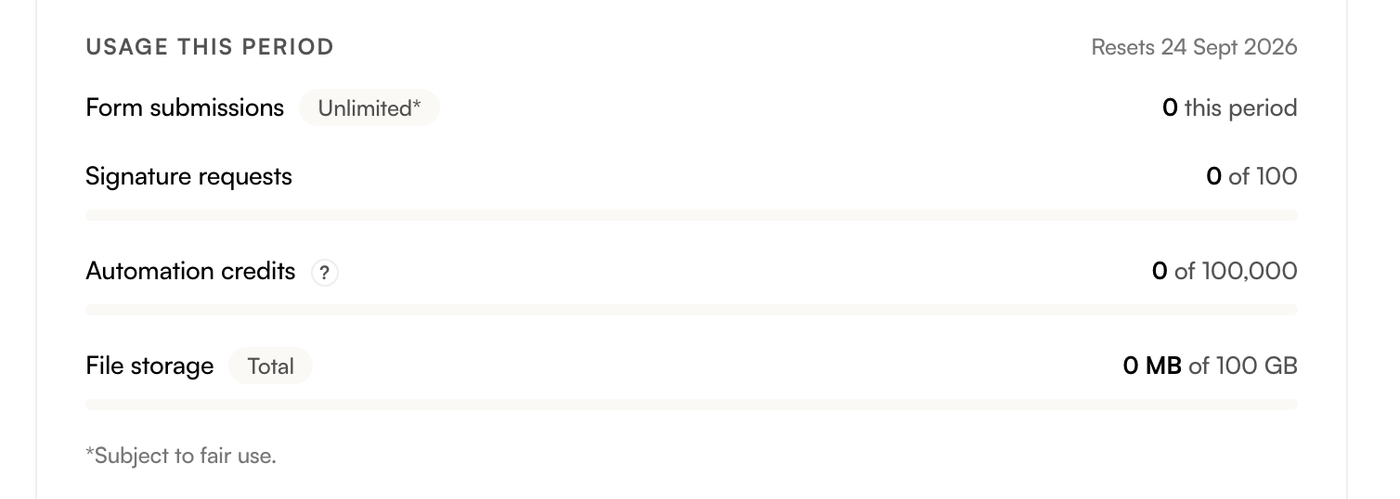
You can purchase an additional credit add-on directly from the Stepper Dashboard by clicking "Buy more credits" or via the Billing page. Additional automation credits renew automatically each period.
Gotchas
- Submission webhooks don't use automation credits.
- Automation credits reset monthly, regardless of billing frequency (e.g. yearly or monthly).