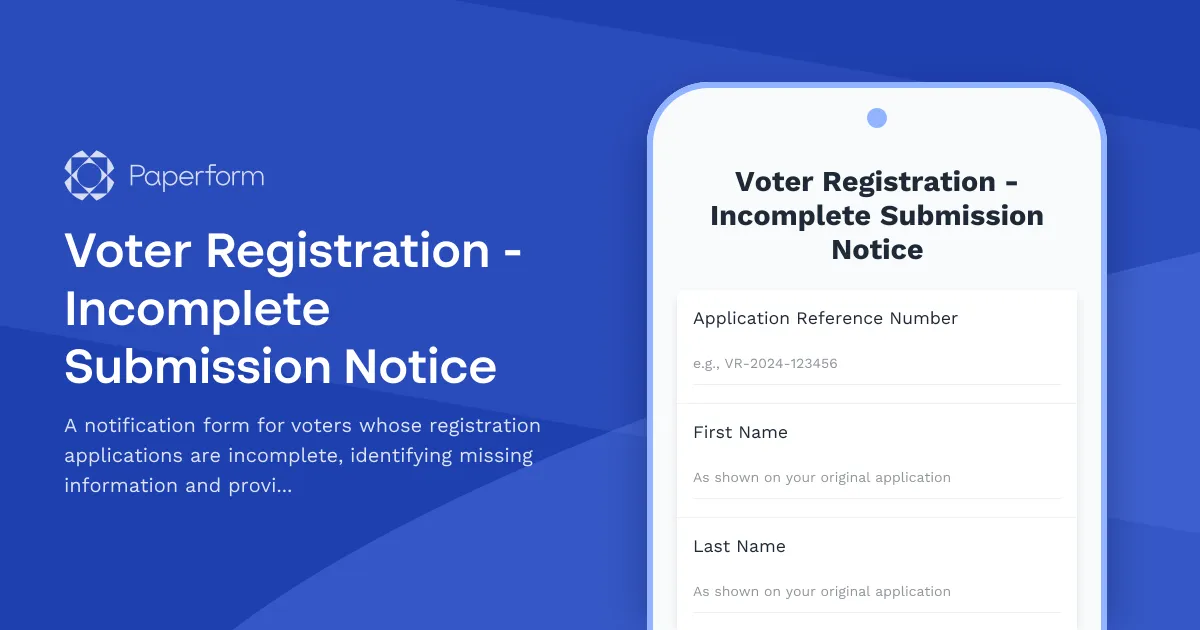
Voter Registration Incomplete Submission Notice Form
When voter registration applications are submitted with missing or incomplete information, election officials need an efficient way to notify applicants and collect the required details. This Voter Registration Incomplete Submission Notice form template from Paperform streamlines the process of identifying gaps in voter registration submissions and gathering the missing information needed to complete the registration.
Why Use This Form for Voter Registration Follow-Up?
Election boards, county clerks, and voter registration offices handle thousands of applications during registration drives and before election deadlines. Many submissions arrive incomplete—missing signatures, proof of residency, citizenship documentation, or other required fields. This form helps officials:
- Quickly identify which applicant needs follow-up through reference numbers and personal identifiers
- Clearly communicate what information is missing using checkboxes and conditional fields
- Collect missing documentation through secure file uploads
- Provide resubmission instructions tailored to local requirements
- Track completion status and maintain records for compliance
By digitizing this traditionally paper-based notification and response process, your office can reduce processing times, minimize back-and-forth communications, and help more eligible voters complete their registration before deadlines.
Perfect for Election Officials and Voter Registration Offices
This form template is designed for:
- County election boards managing voter registration processing
- State election offices coordinating registration campaigns
- Municipal clerks handling local voter rolls
- Voter registration organizations conducting community outreach
- Board of elections staff processing mail-in and online registrations
The form accommodates various scenarios where registration applications need correction or completion, including missing proof of address, unsigned forms, illegible information, or incomplete citizenship documentation.
How This Form Works
The form begins by collecting the applicant's identifying information (name, date of birth, reference number) to match the response with the original incomplete submission. Election officials can then indicate which specific fields or documents are missing using a comprehensive checklist.
Conditional logic reveals relevant upload fields or text responses based on what's missing—for example, if "Proof of Residency" is selected, the form displays a file upload field specifically for that document along with examples of acceptable proof.
Clear instructions guide applicants through the resubmission process, including deadlines, acceptable document formats, and alternative submission methods if they cannot complete the form online. The form can also collect contact preferences for follow-up and send automated confirmation emails upon successful resubmission.
Streamline Voter Registration with Paperform
Paperform's document-style editor makes it easy to create professional, accessible forms that reflect your office's branding and comply with accessibility standards important for civic forms. You can:
- Customize the theme to match your county or state election office branding
- Add conditional logic to show only relevant follow-up questions based on what's missing
- Collect secure file uploads for identity documents, proof of residency, and signatures
- Send automated confirmation emails acknowledging receipt of the completed information
- Export submissions to your voter registration database or case management system
With Paperform's integration capabilities, you can connect submissions to your existing workflow tools. Use Stepper (stepper.io) to automate the process further—automatically route completed forms to the appropriate staff member for review, update your voter registration database, send status notifications, and flag applications approaching deadline for priority processing.
For offices managing multiple concurrent registration drives or serving diverse populations, Paperform supports multi-language capabilities and accessibility features that ensure all eligible voters can complete their registration regardless of technical barriers.
Compliance and Security for Sensitive Information
Voter registration data includes personally identifiable information (PII) that requires careful handling. Paperform is SOC 2 Type II certified and GDPR compliant, providing the security standards necessary for government data collection. The platform offers data residency controls, secure file uploads, and encryption both in transit and at rest.
You can set up role-based access controls to ensure only authorized election staff can view submissions, and all form activity is logged for audit purposes. This makes it easier to demonstrate compliance with state and federal voter registration privacy requirements.
Save Time and Improve Registration Completion Rates
Manual follow-up on incomplete voter registration applications is time-consuming and often results in missed deadlines. By implementing this digital form, your office can:
- Reduce processing time from days to hours
- Improve completion rates with clear, accessible instructions
- Minimize phone and in-person inquiries by providing self-service resubmission
- Maintain better records of incomplete applications and follow-up attempts
- Meet registration deadlines more consistently by accelerating the correction process
Whether you're preparing for a major election cycle or managing year-round registration, this form template helps ensure that eligible voters don't fall through the cracks due to administrative hurdles.
Get Started with This Template
This voter registration incomplete submission notice form is ready to customize with your specific requirements, deadlines, and acceptable documentation types. Paperform's intuitive editor lets you modify questions, adjust conditional logic, and add your office's specific instructions without any coding required.
Start using this template today to modernize your voter registration follow-up process and help more citizens successfully complete their registration.



More templates like this
Absentee Ballot Application Form
Apply for an absentee ballot with voter registration verification, reason selection, and secure signature upload. Simple online submission for voters unable to vote in person.
Accessible Format Voter Registration Request Form
Request voter registration materials in accessible formats including braille, large print, or audio to ensure equal access to the electoral process.
Accessible Voter Registration Form
A fully accessible voter registration form designed for all voters, featuring screen reader optimization, clear language, and straightforward navigation to ensure everyone can exercise their right to vote.
Automatic Voter Registration Opt-Out Form
Opt out of automatic voter registration in states with AVR programs. Submit your decision to decline voter registration and confirm your choice.
Ballot Drop Box Location Suggestion Form
A civic engagement form for community members to suggest secure, accessible ballot drop box locations to improve voter access and participation.
College Campus Voter Registration Coordinator Application
Apply to become a voter registration coordinator on your campus. Help students register to vote, organize registration drives, and promote civic engagement.
College Student Voter Registration Form
Online voter registration form designed for college students, including campus and permanent address options, absentee ballot requests, and election information.

Confidential Address Program Enrollment Form for Domestic Violence Survivors
Secure enrollment form for domestic violence survivors seeking confidential address protection through the state's Address Confidentiality Program (ACP).
County Voter Registration Transfer Form
Update your voter registration when moving within the state. Automatic precinct reassignment ensures your information is current for upcoming elections.
Crossover Voter Registration Form for Primary Elections
Change your party affiliation for upcoming primary elections. This form allows registered voters to update their party registration to participate in a different party's primary election, subject to state deadlines and eligibility requirements.
Curbside Voter Registration Assistance Request
A streamlined form for voters with mobility limitations to request curbside assistance for voter registration, with appointment scheduling and accessibility accommodation documentation.
Early Voting Site Worker Registration Form
Register to work at early voting sites with shift preferences, location assignments, and equipment training tracking for poll workers and election officials.