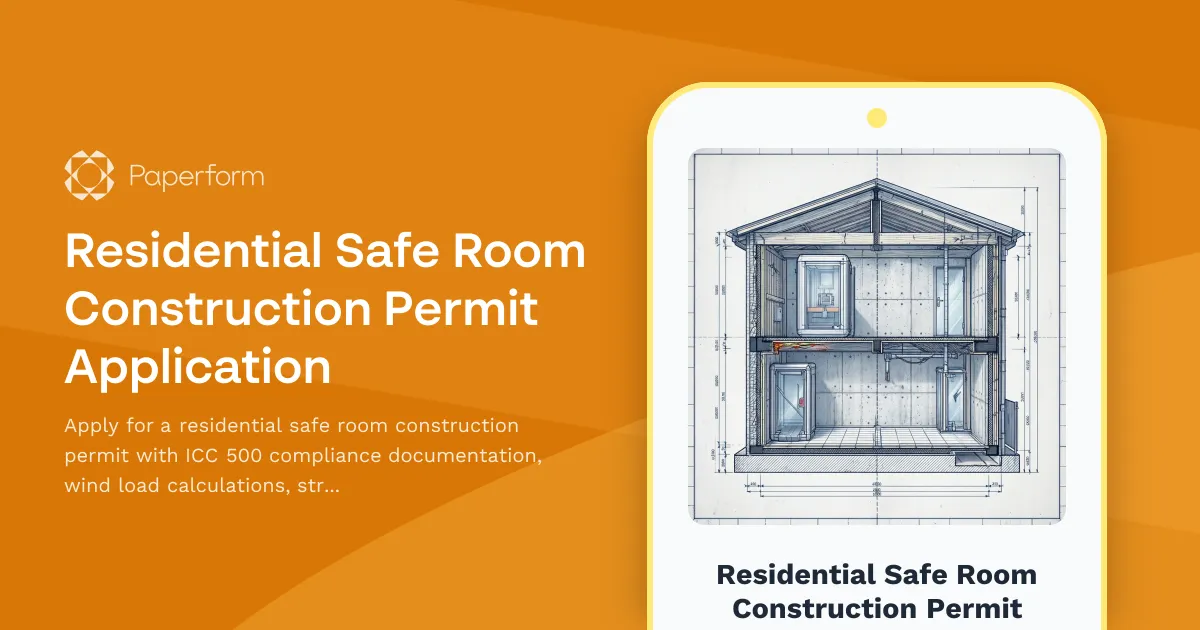
Residential Safe Room Construction Permit Application Form
Building a residential safe room or storm shelter requires careful planning, precise engineering specifications, and compliance with ICC 500 standards. This Residential Safe Room Construction Permit Application form streamlines the permit process for homeowners, contractors, and engineers, ensuring all critical structural, safety, and ventilation requirements are documented and submitted for municipal review.
Whether you're installing an above-ground safe room, underground storm shelter, or reinforced closet space, this form captures the wind load calculations, wall and ceiling specifications, door hardware details, ventilation requirements, and ICC 500 compliance documentation needed for approval.
Why Use This Safe Room Permit Form?
Safe room construction is highly regulated to ensure life-safety protection during severe weather events, particularly tornadoes and hurricanes. Municipal building departments require detailed engineering data, material specifications, and compliance certifications before issuing permits. This form template organizes all necessary information into a single, clear submission that reduces back-and-forth with permit offices and accelerates approval timelines.
Key benefits include:
- ICC 500 compliance tracking – Document adherence to International Code Council standards for residential safe rooms
- Wind load calculation submission – Capture engineering data for design wind speeds and structural loads
- Material and hardware specifications – Detail wall assemblies, ceiling construction, door hardware, and anchoring systems
- Ventilation and habitability requirements – Ensure adequate air supply and environmental controls
- Contractor and engineer verification – Collect licenses, certifications, and professional stamps
- Property and site information – Record parcel data, addresses, and existing structure details
Who Should Use This Form?
This permit application form is designed for:
- General contractors and builders specializing in storm shelters and safe room construction
- Structural engineers preparing permit packages for residential clients
- Homeowners acting as owner-builders for safe room projects
- Municipal building departments streamlining safe room permit intake
- Architects and designers coordinating permit submissions with engineering teams
How Paperform Streamlines Construction Permit Applications
Paperform transforms traditional paper-based permit applications into efficient digital workflows that save time for contractors, engineers, and building officials. Instead of mailing or hand-delivering incomplete applications, you can collect all required information, attachments, and certifications online, with conditional logic ensuring every necessary field is completed before submission.
With Paperform, you can:
- Accept engineering drawings and calculations via secure file upload fields
- Calculate permit fees automatically based on project scope, square footage, and occupancy ratings
- Route submissions to the right department using conditional email notifications
- Collect digital signatures from property owners, engineers, and contractors using Papersign
- Trigger workflow automation with Stepper to notify inspectors, schedule site visits, and update project management systems
This form template includes payment fields for permit fees, making it easy to accept credit card, ACH, or other payment methods via Stripe, PayPal, or Square—eliminating the need for separate invoicing or payment processing.
Automation for Building Departments and Contractors
Beyond simple form submission, Paperform integrates with the tools construction professionals already use. Connect this permit form to:
- Project management platforms like Procore, Buildertrend, or CoConstruct to automatically create permit records
- CRMs such as HubSpot or Pipedrive to track permit status and follow up on incomplete applications
- Document management systems like SharePoint, Dropbox, or Google Drive to organize plans, calculations, and inspection reports
- Email and communication tools including Outlook, Gmail, and Slack to notify stakeholders when permits are submitted, approved, or require revisions
With Stepper, you can build multi-step workflows that trigger when a safe room permit is submitted—automatically sending confirmation emails, assigning plan review tasks, scheduling inspections, and updating spreadsheets or databases without manual data entry.
What's Included in This Template
This residential safe room permit form includes sections for:
- Applicant and property information – Owner, contractor, and site details
- Safe room specifications – Type, location, size, and occupancy
- Structural engineering data – Wind load calculations, wall/ceiling assemblies, foundation details
- Door and hardware specifications – ICC 500-compliant door systems and locking mechanisms
- Ventilation and utilities – Air supply, electrical, and environmental controls
- ICC 500 compliance certification – Engineer statements and supporting documentation
- Plan and calculation uploads – Structural drawings, wind load reports, and manufacturer certifications
- Permit fee calculation and payment – Automated fee calculation based on project parameters
Industry Compliance and Best Practices
Residential safe rooms must meet or exceed ICC 500 standards, which define design criteria for wind resistance, impact protection, and occupant safety. This form helps ensure compliance by prompting applicants to provide:
- Design wind speed and load calculations based on local hazard maps
- Wall and ceiling assembly details including reinforcement, anchoring, and material specifications
- Impact-resistant door and frame systems rated for debris impact
- Ventilation and air quality systems for extended occupancy periods
- Professional engineer certification verifying all calculations and designs
By digitizing the permit application process with Paperform, building departments can maintain consistent standards, reduce processing time, and improve public safety outcomes.
Get Started with Your Safe Room Permit Form
Whether you're a contractor submitting permits regularly or a building department modernizing intake processes, Paperform offers the flexibility, security, and automation tools to make residential safe room permitting faster and more reliable. With SOC 2 Type II compliance, role-based permissions, and secure file handling, you can trust Paperform to manage sensitive construction data and homeowner information.
Start with this template and customize it to match your municipality's specific requirements, fee schedules, and approval workflows—no coding required.



More templates like this
Roofing Permit Application
Professional roofing permit application with material specs, structural calculations, and contractor verification for building departments and permit authorities.
Building Envelope Air Sealing Permit Application
A comprehensive permit application form for building envelope air sealing projects during energy retrofits, including blower door testing requirements, material specifications, ventilation verification, and utility rebate documentation.
Commercial Stairway Construction Permit Application
A professional permit application for commercial stairway construction projects, including technical specifications, rise and run calculations, handrail requirements, and accessibility compliance verification.
Deck and Porch Construction Permit Application
Apply for a building permit for deck or porch construction with built-in structural calculations, frost line compliance checks, and safety requirement documentation.
HVAC Installation Permit Application
Professional HVAC installation permit application with system specifications, energy efficiency calculations, ductwork details, and contractor licensing verification. Streamline your permit approval process with this comprehensive form.
Masonry Veneer Installation Permit Application
Apply for a masonry veneer installation permit with detailed tie spacing, weep holes, flashing, expansion joints, and structural backup specifications required for code compliance.
Residential Balcony Construction Permit Application
Apply for a residential balcony construction permit with detailed structural specifications, load calculations, and design requirements for safe installation.
Residential Carport Construction Permit Application
Apply for a residential carport construction permit with detailed specifications for foundation, structure, materials, and compliance requirements.
Sewer Lateral Replacement Permit Application
A comprehensive permit application form for sewer lateral replacement projects, including excavation details, pipe specifications, and restoration requirements.
Structural Reinforcement Permit Application for Seismic Retrofit
A comprehensive permit application form for seismic retrofitting projects including structural reinforcement details, anchor specifications, shear wall additions, and special inspection requirements.
Accessibility Ramp Construction Permit Application
A comprehensive permit application for constructing ADA-compliant accessibility ramps, including slope calculations, landing specifications, handrail requirements, and compliance verification.
Commercial Awning and Canopy Permit Application
Apply for a commercial awning or canopy permit with wind load calculations, drainage specifications, fire rating requirements, and zoning compliance documentation.