No-Code Form Builder
Build online forms that look great and do more — collect payments, book appointments, run surveys, and automate follow-ups. No code. No developer.
Use for free or upgrade for higher limits.
Paperform is a no-code form builder that works like a document editor — click anywhere, type anything, drop in fields. You can build contact forms, payment forms, surveys, quizzes, appointment schedulers, and landing pages without writing a single line of code. Forms include built-in conditional logic, calculations, and connections to Stripe, PayPal, HubSpot, Google Sheets, and 2,000+ other tools. A forever free plan is available.
Build your first form in minutes

Sign up free
Create your Paperform account. No credit card needed — the forever free plan gets you started immediately.

Pick a template or start fresh
Choose from [30,000+ free form templates](https://paperform.co/templates/) or open the editor and build from scratch. Either way, you're live in minutes.

Customise to match your brand
Change fonts, colours, backgrounds, and layouts. Add your logo. Your form should look like you made it, not like a form.

Share or embed
Copy a link and share it anywhere, or embed the form on your website with one line of code. Submissions start rolling in immediately.
Everything a no-code form builder should do — and then some
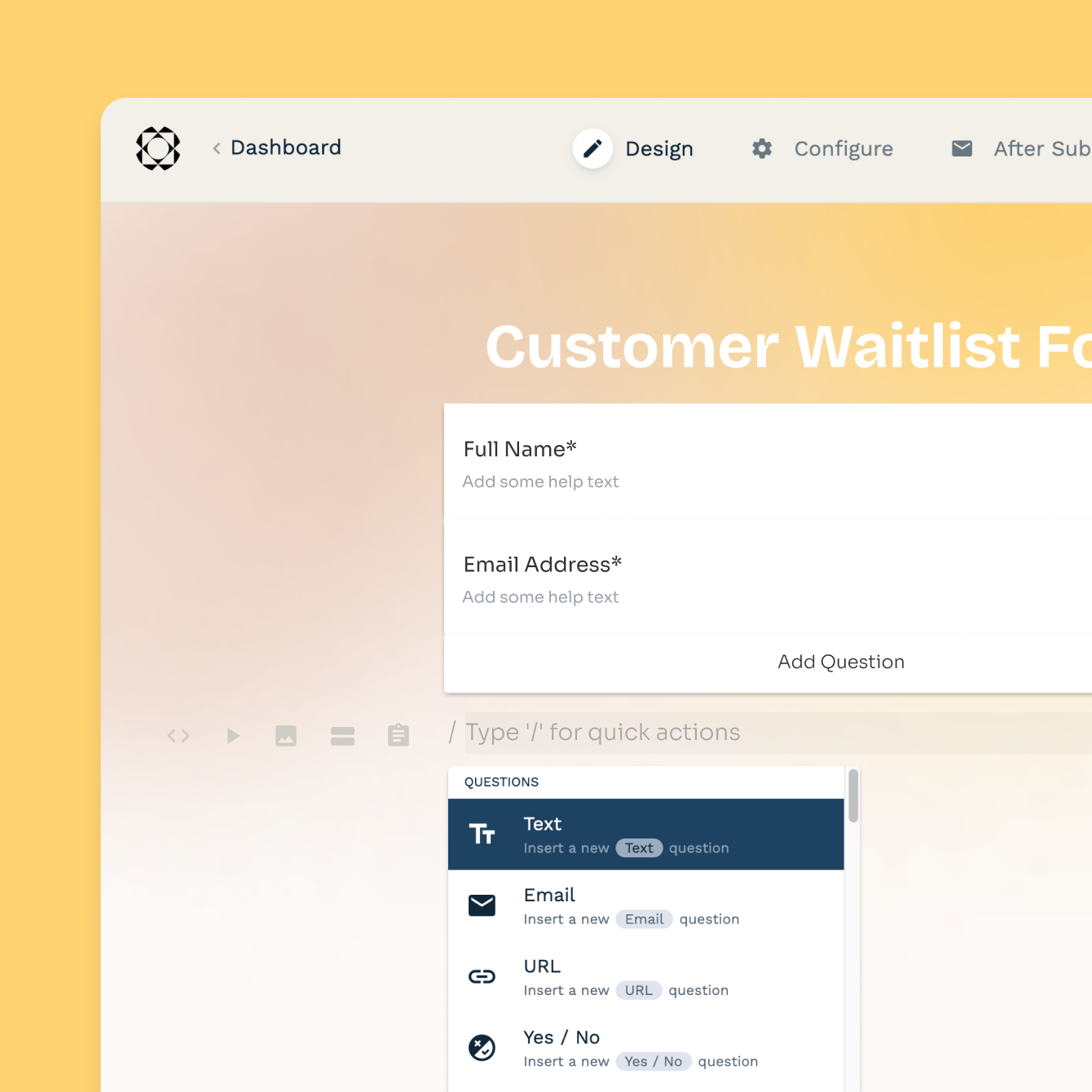
An editor that actually makes sense
Most form builders make you drag fields into a rigid grid. Paperform's editor works like a document — click anywhere on the page, type, and fields appear exactly where you want them. Add images, headings, products, and custom fields without touching a settings panel. If you can write a Google Doc, you can build a Paperform form.
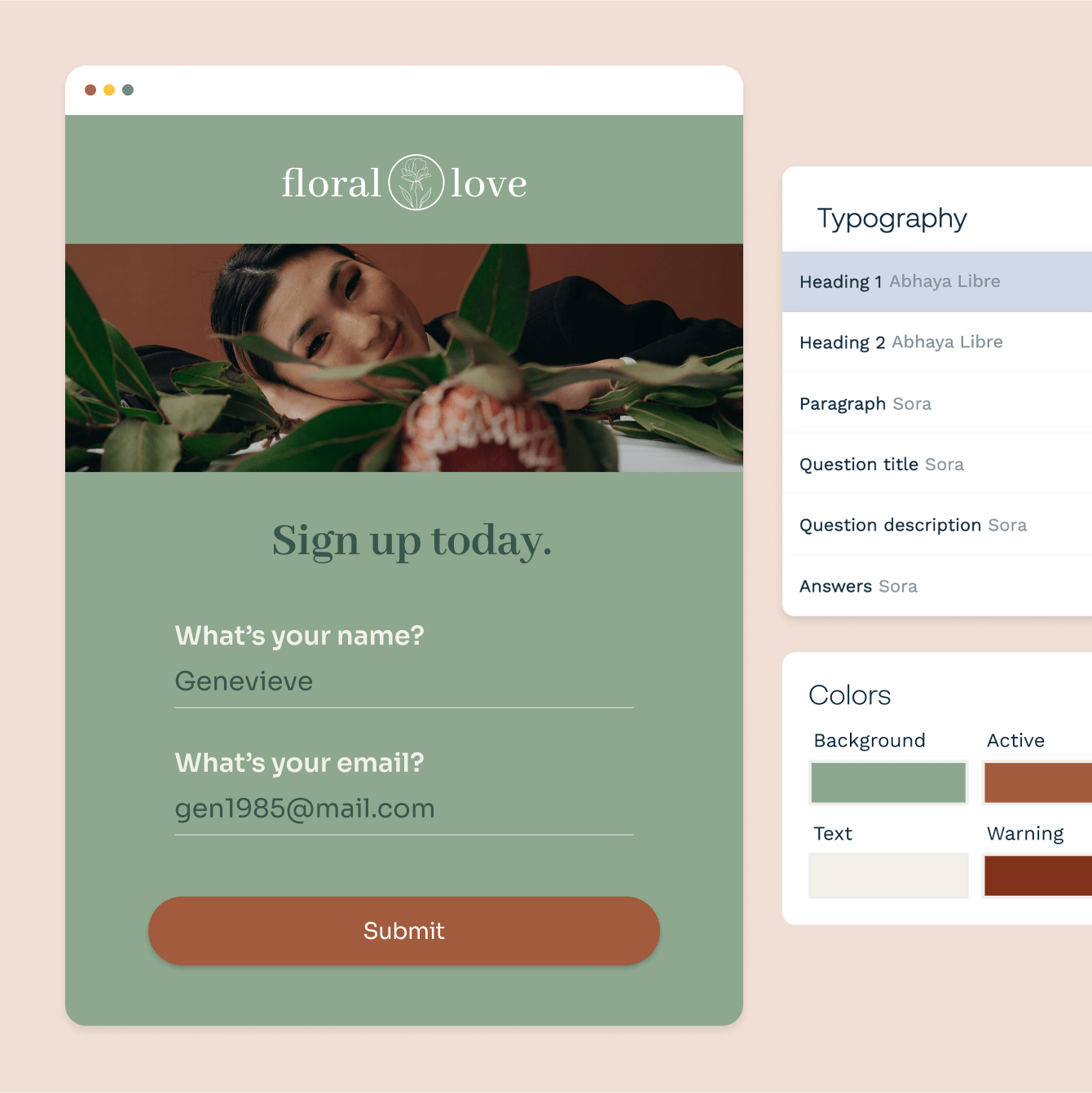
Make it look like your brand, not a generic form
Every font, colour, background image, and button style is yours to control. Apply a custom theme across all your forms in one click, or design each page individually. Paperform forms look like branded landing pages — not the default blue-and-white boxes your respondents have seen a thousand times.
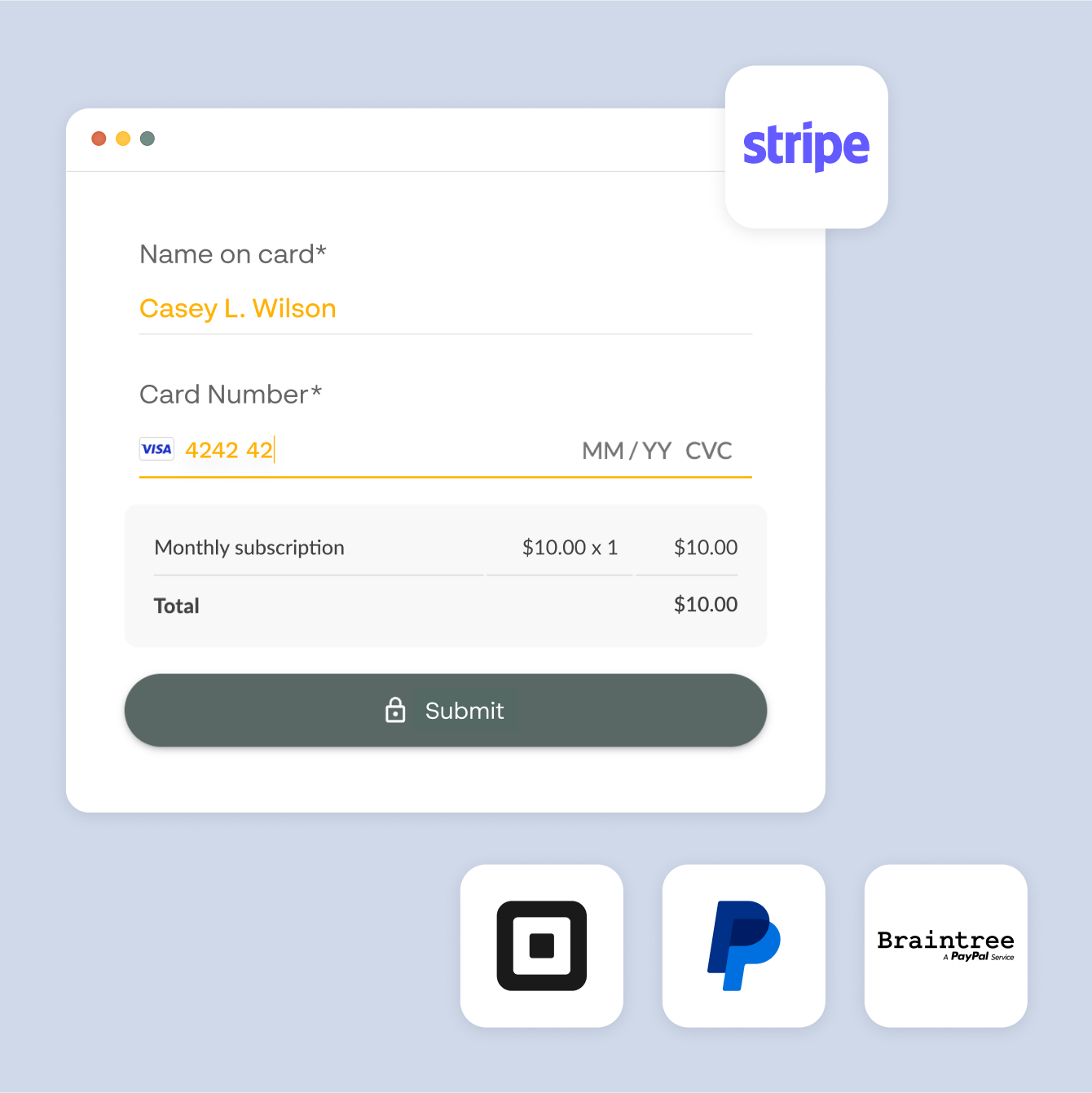
Payments, bookings, and calculations — no extra apps needed
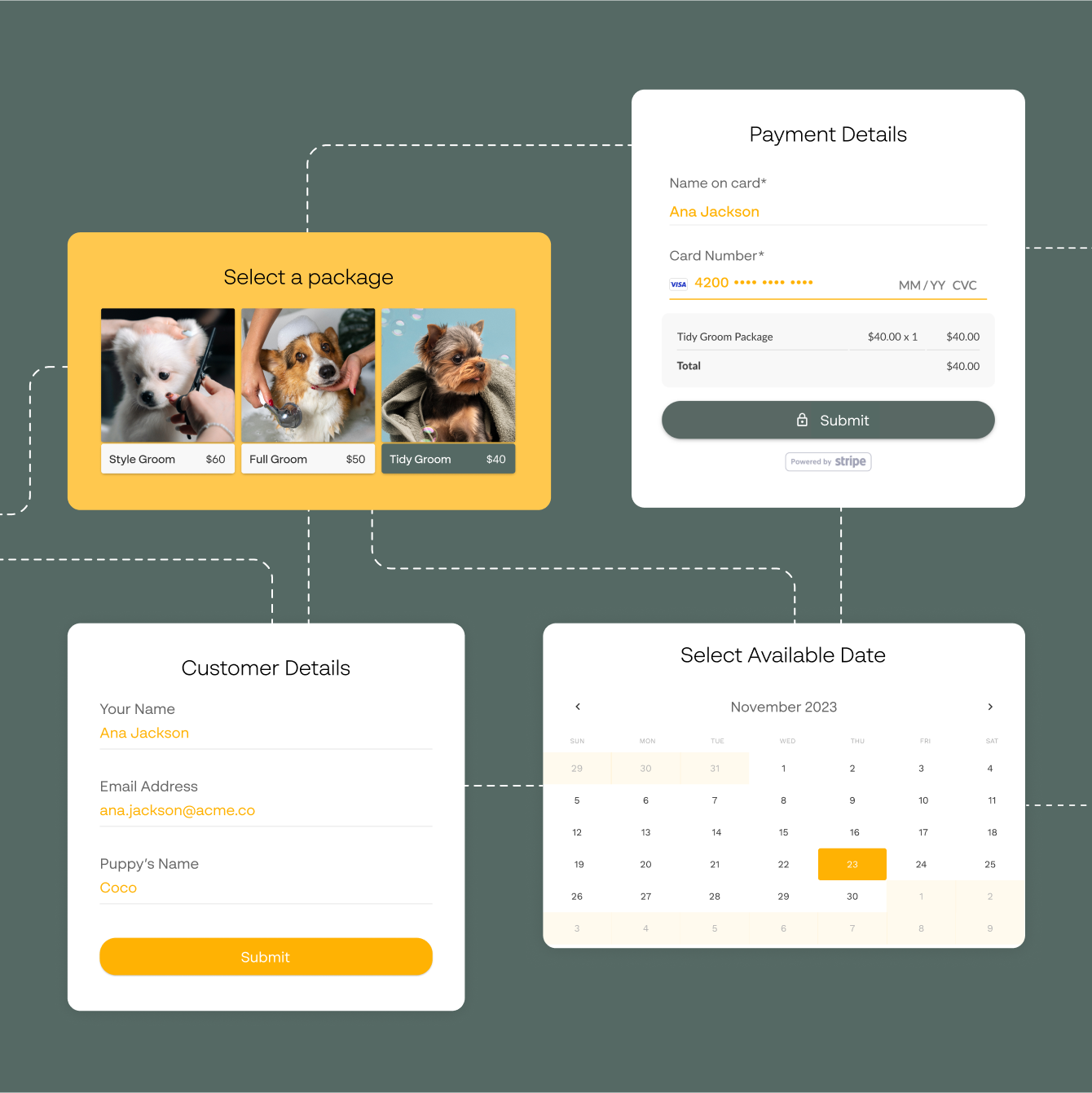
Most form builders send you to a third-party plugin the moment you need something beyond a contact form. Paperform has payment collection, appointment scheduling, and real-time calculations built directly into the editor. Sell products, collect deposits, book meetings, or calculate quotes — all from one form, without stitching tools together.
Smart logic that responds to every answer
Show or hide fields based on what someone selects, skip irrelevant sections, change the form's destination URL based on a score — conditional logic in Paperform is set up by clicking checkboxes, not writing if/else statements. Build forms that feel personal without writing a single rule in code.
Forever Free plan · No code needed · SOC 2 Type II & SSO · Trusted by 500K+ businesses
30,000+ form templates to choose from
From contact forms and surveys to payment pages, appointment bookers, and client onboarding forms — each template is fully customisable and ready to use in minutes.
Connect your forms to the tools you already use
Paperform connects with HubSpot, Mailchimp, Google Sheets, Slack, Notion, Airtable, and 2,000+ other tools — with no extra coding. Every submission can trigger an email, update a CRM record, or add a row to a spreadsheet automatically.
No-Code Form Builder FAQs
1. What is a no-code form builder?
A no-code form builder is a tool that lets you create online forms without writing any code. You use a visual editor to add fields, set logic, and customise the design. Paperform's editor works like a document — click anywhere to add a field, heading, image, or product. No developer or technical knowledge needed.
2. Do I need any coding skills to use Paperform?
No. Paperform is built for non-technical users. The editor works like typing in a document — you click where you want a field, choose the field type, and it appears. There are no code panels, no templates you have to wrestle with, and no developer dependencies.
3. What types of forms can I build without code?
You can build contact forms, payment forms, order forms, surveys, quizzes, polls, appointment booking forms, event registration forms, client onboarding forms, lead generation forms, job applications, and more. Paperform also supports calculation-based forms for quotes and pricing pages.
4. Can I accept payments in a no-code form?
Yes. Paperform has built-in integrations with Stripe, PayPal, Braintree, Square, and Google Pay. Add a payment field to any form, connect your processor, and you're ready to collect one-off payments, subscriptions, or donations — no code, no separate billing platform.
5. Can I add conditional logic to my form without coding?
Yes. Paperform's conditional logic is fully visual — you set rules by selecting options from dropdowns, not by writing code. You can show or hide fields based on previous answers, skip sections, change the success page, or route respondents to different outcomes based on their responses.
6. Can I embed a no-code form on my website?
Yes. Every Paperform form has a shareable link and an embed code. Copy the embed snippet and paste it into your website, landing page, or CMS. The form adapts to the width of the container automatically.
7. Are Paperform forms mobile-friendly?
Yes. Every form adapts automatically to the screen size it's viewed on. No separate mobile layout to configure.
8. Is there a free no-code form builder?
Yes. Paperform has a forever free plan that gives you access to the editor, templates, and core features. Upgrade for higher submission limits, custom domains, and advanced features like Stripe payments and priority support.
9. How is Paperform different from Google Forms or Typeform?
Google Forms is free but offers minimal design control and no built-in payments or logic branching. Typeform is conversational but structured around one-question-at-a-time flows. Paperform gives you a freeform document-style editor, full brand customisation, built-in payments and calculations, and conditional logic — without needing to choose between design and functionality.
Build your first form — no code required.
Paperform works like a document editor. If you can type, you can build a form. Start free, no credit card needed.
Start building for free