Google Forms vs HubSpot Forms: Which Is Better in 2026?
Google Forms and HubSpot Forms are both free, both widely used, and both deeply misunderstood. Google Forms is the tool everyone knows -- dead simple, truly unlimited, and completely generic. HubSpot Forms are the tool marketers gravitate toward -- CRM-connected, automation-ready, and designed to turn anonymous visitors into tracked leads. The word "forms" appears in both names, but they serve different masters.
This comparison matters because the choice between them reveals what you actually need forms for. If you're collecting data (surveys, feedback, RSVPs), Google Forms is hard to beat at zero cost. If you're generating leads (contact capture, demo requests, content downloads), HubSpot Forms do things Google Forms physically cannot. Understanding that distinction saves you from using the wrong tool and building workarounds for features the other platform includes natively.
Quick Verdict
Choose Google Forms if:
- You need free, unlimited forms with no strings attached
- Surveys, quizzes, and basic data collection are your primary use
- You're in the Google Workspace ecosystem
- You don't need CRM integration or marketing automation
- Simplicity and speed matter more than lead tracking
Choose HubSpot Forms if:
- Lead generation and contact tracking are the primary goals
- You want automatic CRM contact creation from form submissions
- You need marketing automation triggered by form responses
- Progressive profiling and smart fields matter for your conversion funnel
- You're already using or plan to use HubSpot CRM
Feature Comparison
The feature gap here isn't about better or worse -- it's about purpose. Google Forms is a data collection tool. HubSpot Forms is a lead capture tool. The table below makes the philosophical difference concrete.
| Feature | Google Forms | HubSpot Forms |
|---|---|---|
| Form Building | ||
| Document-style editor | No | No |
| AI form creation | Yes | No |
| Field types | 11 | No |
| Multi-page forms | Yes | Yes starter |
| Guided mode (one question at a time) | No | No |
| Conditional logic | Yes | Yes professional |
| Calculations field | No | No |
| AI calculations assistant | No | No |
| Scoring | Yes | No |
| Answer piping | No | No |
| Pre-filling and hidden fields | Yes | Yes |
| Save and resume | No | No |
| Auto-close by number | Yes | No |
| Auto-close by date | Yes | No |
| Appointment/booking field | No | No |
| Signature field | No | No |
| Color picker field | No | No |
| API-powered dropdowns | No | No |
| Google address search | No | No |
| File uploads | Yes | Yes |
| Question types | No | Yes |
| Payments | ||
| Stripe payments | No | Yes starter |
| PayPal payments | No | No |
| Square payments | No | No |
| Braintree payments | No | No |
| Google Pay | No | No |
| Product sales (eCommerce) | No | No |
| Subscriptions | No | No |
| Coupons and discounts | No | No |
| Custom pricing rules | No | No |
| Tax calculations | No | No |
| Quotes/invoices | No | No |
| Refunds | No | No |
| 3D Secure | No | No |
| Design & Customization | ||
| Template gallery | 20+ | Yes |
| Rich media (images, GIFs, videos) | Yes | No |
| Unsplash and Giphy integration | No | No |
| Image editor | No | No |
| Adobe Creative Cloud | No | No |
| Language translation | No | No |
| Advanced theming | No | Yes starter |
| Custom form URL | No | No |
| Custom domains | No | No |
| Custom HTML & CSS | No | Yes starter |
| Remove branding | No | Yes starter |
| Custom email domains | Yes Business Starter | No |
| Analytics | ||
| Submission results and reports | Yes | Yes |
| AI report insights | No | No |
| Paperform analytics | No | No |
| Google Analytics & Facebook Pixel | No | Yes |
| Custom analytics scripts | No | No |
| Partial submissions | No | No |
| Drop-off analysis | No | No |
| Conversion analytics | No | Yes professional |
| Collaboration | ||
| Multi-user accounts | Yes | Yes |
| User permissions and management | Yes | Yes starter |
| Advanced permissions & admin | Yes Business Starter | Yes enterprise |
| Form sharing (templates) | Yes | Yes |
| Spaces and tag management | No | No |
| Workspace organization | No | No |
| Security | ||
| SOC 2 Type II | Yes | Yes |
| GDPR compliant | Yes | Yes |
| SSL encryption | Yes | Yes |
| Two-factor authentication | Yes | Yes |
| Enforce 2FA for all users | Yes Business Starter | No |
| SSO (SAML) | Yes Business Plus | Yes enterprise |
| reCAPTCHA | No | No |
| Local data residency | Yes Business Plus | No |
| Custom S3 storage (BYO) | No | No |
| HIPAA compliant | No | No |
| Data residency | No | Yes enterprise |
| Custom S3 storage | No | No |
| Integrations & API | ||
| Native integrations | No | Yes |
| Zapier | Yes | Yes starter |
| Make (Integromat) | Yes | Yes starter |
| Webhooks | No | Yes starter |
| Standard API | Yes | No |
| Business API | No | No |
| WordPress plugin | No | Yes |
| oEmbed support | No | No |
| API | No | Yes |
| Embed options | No | Yes |
Where Google Forms Wins

Truly Unlimited and Free
Google Forms offers unlimited forms, unlimited submissions, and unlimited respondents at zero cost. No submission caps, no form limits, no feature gates, no upgrade prompts. HubSpot's free tier caps at 1,000 form submissions per month and displays HubSpot branding on every form. For high-volume data collection (large surveys, organisation-wide feedback, public polls), Google Forms' genuinely unlimited free tier is unmatched. You'll never hit a paywall, never see an "upgrade to continue" message, and never worry about submission overages.
Superior Survey and Quiz Features
Google Forms has dedicated survey and quiz functionality: auto-grading, point values per question, answer explanations, score release timing, response shuffling, and built-in response analytics with automatic charts and summaries. HubSpot Forms have no quiz mode, no auto-grading, and no built-in response visualisation beyond basic CRM reporting. For educators, trainers, researchers, and anyone running assessments, Google Forms provides purpose-built tools that HubSpot lacks entirely.
Zero Learning Curve
Open Google Forms, type a question, choose a question type, share the link. Done. The entire tool can be learned in under five minutes. HubSpot Forms require understanding CRM concepts -- contacts, properties, lifecycle stages, form types, submission behaviour -- before you can effectively use them. Even creating a basic form in HubSpot involves navigating the Marketing Hub interface, which is designed for marketers, not casual users. For non-technical users who need a form right now, Google Forms is immediately productive.
Google Ecosystem Integration
Responses flow into Google Sheets automatically. Forms live in Google Drive. Teachers assign forms through Google Classroom. Collaboration works through Google's sharing permissions. For the hundreds of millions of people already working in Google Workspace, Google Forms is native -- no accounts to create, no tools to learn, no integrations to configure. HubSpot exists outside this ecosystem. Connecting HubSpot to Google tools requires middleware or manual processes.
Where HubSpot Forms Wins
Automatic CRM Contact Creation
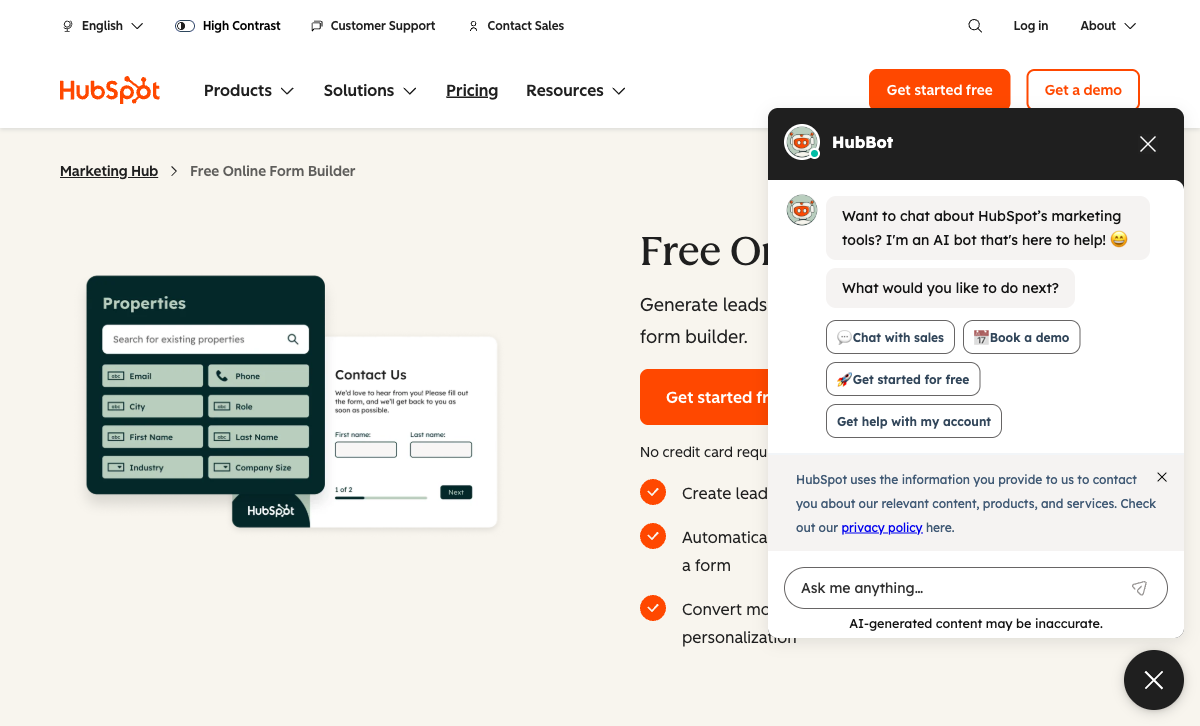
Every HubSpot form submission creates or updates a contact in HubSpot CRM. Name, email, company, phone -- all mapped automatically to contact properties. Returning visitors are recognised and their existing records updated. No manual data entry, no CSV imports, no middleware. Google Forms dumps data into a spreadsheet. To get Google Forms data into any CRM, you need Zapier ($19.99/month+), Make, or manual exports. For businesses that need to track and follow up with every person who fills out a form, HubSpot eliminates an entire workflow layer.
Marketing Automation
HubSpot form submissions trigger automated workflows: send a follow-up email immediately, enrol the contact in a nurture sequence, assign a sales rep, create a task, update a deal stage, notify a Slack channel. The marketing automation engine is directly wired to form submissions. Google Forms has no automation capability whatsoever. A form submission in Google Forms is an event that goes nowhere -- it lands in a spreadsheet and waits for a human to notice it. For time-sensitive lead response (where contacting a lead within 5 minutes increases conversion 9x), HubSpot's automation is transformative.
Progressive Profiling
HubSpot Forms can dynamically show different questions to returning visitors based on what's already in their CRM record. If you already have someone's email and company, the form hides those fields and asks for job title and budget instead. This reduces form friction while enriching contact profiles over time. Google Forms shows identical fields to every visitor every time. For B2B marketing where every additional form field reduces conversion rates by 3-5%, progressive profiling meaningfully impacts lead volume.
Professional Embedding Options
HubSpot Forms embed on any website via JavaScript, with options for inline forms, pop-ups, slide-ins, dropdown banners, and embedded forms. They work on WordPress, Webflow, Squarespace, and custom sites. Google Forms embed via iframe, which is functional but limited -- you can't control styling, the form always looks like a Google Form, and pop-up/slide-in options don't exist natively. For marketing teams that need forms on landing pages, blog posts, and product pages, HubSpot's embedding flexibility is superior.
Where Google Forms Falls Short
- No CRM or lead tracking: Data goes to Google Sheets. No contact records, no follow-up automation, no lead scoring. For lead generation, it's a dead end.
- No marketing automation: Form submissions trigger nothing. No emails, no notifications, no workflows. Every follow-up action is manual.
- Minimal design customisation: Header image, accent colour, and font selection. That's it. Forms look like Google Forms -- recognisable and generic.
- No payment processing: Zero ability to collect payments through forms.
- No conditional logic depth: Section-level branching only. No field-level show/hide, no calculations, no complex rules.
Where HubSpot Forms Falls Short
- 1,000 submission cap on free tier: Google Forms has no cap. For high-volume data collection, HubSpot's limit forces an upgrade.
- HubSpot branding on free forms: "Powered by HubSpot" appears on every free form. Removal requires paid Marketing Hub ($20/month+).
- No payment processing: Despite being a marketing platform, HubSpot Forms can't collect payments directly. Commerce Hub is a separate product.
- CRM complexity for simple use cases: Creating a basic feedback form requires navigating CRM concepts. Overkill for non-marketing data collection.
- Expensive ecosystem: HubSpot Forms are free, but the platform's real power lives in paid tiers ($20-$890/month). The free forms are a gateway to an expensive ecosystem.
- Limited design options: Forms are functional but visually basic. No document-style editing, no rich media between fields, no landing-page-quality output.
Pricing Comparison
Both tools are free at the entry level. The cost divergence happens when you need features beyond basic form creation -- and it diverges dramatically.
| Tier | Google Forms | HubSpot Forms | Key Difference |
|---|---|---|---|
| Free | Unlimited forms, unlimited submissions, 15 GB shared storage | Unlimited forms, 1,000 submissions/mo, CRM tracking, HubSpot branding | Google is unlimited; HubSpot adds CRM but caps submissions |
| Entry Paid | Google Workspace: $7/user/mo (no extra form features) | Marketing Hub Starter: $20/mo -- remove branding, more automation | Google's paid tier doesn't improve forms; HubSpot's unlocks marketing features |
| Professional | N/A -- Google Forms stays the same at every tier | Marketing Hub Professional: $890/mo -- full automation, A/B testing, smart content | Google maxes out early; HubSpot's ceiling (and cost) is dramatically higher |
Google Forms
HubSpot Forms
| Product | Plan | Monthly Price | Annual Price (per month) | Free Plan | Free Trial | Limits |
|---|---|---|---|---|---|---|
| Google Forms | Free (Personal) | Free | Free | Yes | 14 days | forms: Unlimited, submissions: Unlimited, storage: 15 GB (shared across Google Drive), users: 1, file uploads: Included in 15 GB storage |
| Google Forms | Business Starter | $7/mo | $7/mo billed annually | forms: Unlimited, submissions: Unlimited, storage: 30 GB per user, users: Up to 300, file uploads: Included in storage | ||
| Google Forms | Business Standard | $14/mo | $14/mo billed annually | forms: Unlimited, submissions: Unlimited, storage: 2 TB per user, users: Up to 300, file uploads: Included in storage | ||
| Google Forms | Business Plus | $22/mo | $22/mo billed annually | forms: Unlimited, submissions: Unlimited, storage: 5 TB per user, users: Up to 300, file uploads: Included in storage | ||
| HubSpot Forms | Free | Free | Free | Yes | 14 days | forms: Unlimited, submissions: Unlimited, users: 2 |
| HubSpot Forms | Marketing Hub Starter | $20/mo | $20/mo billed annually | forms: Unlimited, submissions: Unlimited, users: Per seat | ||
| HubSpot Forms | Marketing Hub Professional | $890/mo | $890/mo billed annually | forms: Unlimited, submissions: Unlimited, users: 3 included (additional seats extra) | ||
| HubSpot Forms | Marketing Hub Enterprise | $3600/mo | $3600/mo billed annually | forms: Unlimited, submissions: Unlimited, users: 5 included (additional seats extra) |
What Users Say
Google Forms is so ubiquitous that it rarely gets formal reviews -- it's like reviewing email. Users appreciate that it's free and simple; they complain when they need features it doesn't have. HubSpot Marketing Hub (which includes Forms) averages 4.4/5 on G2 with praise for CRM integration and automation, but consistent criticism of pricing complexity and the learning curve for new users.
Consider Paperform: Design Meets Lead Capture
If Google Forms is too basic but HubSpot Forms are too tied to one CRM, Paperform offers a compelling middle path. Starting at $24/month, Paperform creates forms that look like designed landing pages -- not generic form widgets -- with 5 payment gateways (Stripe, PayPal, Square, Braintree, Google Pay), an Excel-style calculation engine, and native integrations with HubSpot CRM, Google Sheets, and 2,000+ other tools.
Paperform's document-style editor feels as intuitive as Google Forms (type content, add fields inline) but produces professional output that converts better than either Google Forms or HubSpot's basic form builder. The native HubSpot integration means you get CRM contact creation without being locked into HubSpot's form tool. Add e-signatures (Papersign) and workflow automation (Stepper) at no extra cost. See our Paperform vs Google Forms and Paperform vs HubSpot Forms comparisons.
The Verdict
Google Forms is the right choice when you need free, simple data collection. Surveys, quizzes, RSVPs, feedback forms, polls -- anything where the goal is gathering responses without marketing complexity. The unlimited free tier, zero learning curve, and Google ecosystem integration make it the default choice for millions of users. It will never generate leads, process payments, or create branded experiences -- but for basic data collection, nothing beats free and simple.
HubSpot Forms is the right choice when lead generation is the goal. If every form submission needs to become a CRM contact, trigger a follow-up email, and enter a marketing funnel, HubSpot Forms do this natively. The free tier is capable for small teams; the paid tiers unlock serious marketing automation. The trade-off is ecosystem lock-in and escalating costs as your needs grow.
Neither is a great general-purpose form builder. Google Forms is too basic for professional use. HubSpot Forms are too CRM-centric for anything beyond lead capture. If you need versatile forms that handle surveys, payments, design, and integrations, explore dedicated form builders. See our Google Forms alternatives, HubSpot Forms alternatives, or the full best form builders ranking.
Frequently Asked Questions
Can I use Google Forms for lead generation?
You can collect contact information with Google Forms, but it lacks every feature that makes lead generation effective. There's no CRM integration (data goes to Google Sheets), no automated follow-up emails, no lead scoring, no progressive profiling, and no lifecycle stage tracking. You'd need to manually export contacts from Sheets and import them into a CRM or email tool. HubSpot Forms handle all of this automatically -- every submission creates a CRM contact and can trigger nurture workflows. For serious lead gen, Google Forms creates busywork that HubSpot eliminates.
Is HubSpot Forms really free or is it a bait-and-switch?
HubSpot Forms are genuinely free with the HubSpot CRM Free tier -- unlimited forms, up to 1,000 submissions per month, full CRM contact creation, and basic automation. The catch isn't hidden but it's real: HubSpot branding appears on all free forms, advanced features (A/B testing, smart content, advanced automation) require paid Marketing Hub plans that start at $20/month and escalate to $890/month at the Professional tier. The free tier works for early-stage businesses, but HubSpot is designed to make you want the paid features as you grow. It's not a bait-and-switch -- it's a well-designed growth funnel.
Which is better for surveys: Google Forms or HubSpot Forms?
Google Forms is better for surveys. It has dedicated quiz/survey features (auto-grading, point values, response summaries, built-in analytics), a simpler interface for question creation, and no CRM overhead cluttering the experience. HubSpot Forms treat every submission as a lead/contact event, which adds unnecessary complexity for anonymous surveys or internal feedback. Google Forms also integrates natively with Google Sheets for analysis. For customer satisfaction surveys, employee feedback, event polls, or academic research, Google Forms is the more natural fit. HubSpot Forms are better when you specifically need to identify and track the people responding.
Can I connect Google Forms to HubSpot CRM?
Not natively. Google Forms has no built-in HubSpot integration. You'd need to use Zapier, Make, or a similar automation tool to push Google Forms responses into HubSpot CRM -- which adds cost ($19.99/month for Zapier Starter), configuration overhead, and a potential point of failure. HubSpot Forms connect to HubSpot CRM with zero configuration because they're the same platform. If HubSpot CRM is your system of record for contacts, using HubSpot Forms eliminates the middleware entirely. If you want a better form builder that still connects to HubSpot, Paperform offers a native HubSpot integration with far superior design and payment capabilities.
Sources & References
- Best Free Form Builders in 2026 — EmailToolTester, 2026
- HubSpot Marketing Hub Reviews — G2, 2026
Last updated March 21, 2026
Ready to try Paperform?
Create beautiful forms, payment pages, and workflows — no code required.