Paperform vs HubSpot Forms: Which Is Better in 2026?
These are two very different products. Paperform is a standalone form builder with a document-style editor, five payment gateways, an Excel-style calculation engine, and built-in e-signatures and workflow automation. HubSpot Forms is a feature inside HubSpot's CRM platform: basic as a form builder, but powerful once connected to HubSpot's marketing, sales, and service ecosystem. They serve different needs, and the right choice depends on your tech stack and use case.
Which one builds better forms isn't really in question (Paperform wins that easily). The decision turns on whether your organisation lives inside HubSpot deeply enough that native CRM integration outweighs everything HubSpot Forms lacks. For most businesses, it doesn't. For HubSpot-centric marketing teams, though, the native pipeline has genuine value that's hard to replicate with an external tool.
Quick Verdict
Choose Paperform if:
- You need a capable standalone form builder (not tied to a CRM)
- You need payment processing (5 gateways vs Stripe-only on paid plans)
- You need calculations, scoring, e-signatures, or eCommerce
- You want forms that look like designed landing pages
- You use a CRM other than HubSpot (or no CRM at all)
Choose HubSpot Forms if:
- Your team already operates inside HubSpot CRM daily
- Auto-creating CRM contacts and triggering sequences from forms is critical
- You need progressive profiling to build contact profiles over time
- Budget is zero and you only need basic lead capture with HubSpot branding
Feature Comparison
Side-by-side across every feature category. Paperform is highlighted for reference.
| Feature | Paperform | HubSpot Forms |
|---|---|---|
| Form Building | ||
| Document-style editor | Yes | No |
| AI form creation | Yes | No |
| Field types | 26+ | No |
| File uploads | Yes | Yes |
| Multi-page forms | Yes | Yes starter |
| Guided mode (one question at a time) | Yes | No |
| Conditional logic | Yes | Yes professional |
| Calculations field | Yes essentials | No |
| AI calculations assistant | Yes essentials | No |
| Scoring | Yes essentials | No |
| Answer piping | Yes | No |
| Pre-filling and hidden fields | Yes essentials | Yes |
| Save and resume | Yes | No |
| Auto-close by number | Yes essentials | No |
| Auto-close by date | Yes pro | No |
| Appointment/booking field | Yes | No |
| Signature field | Yes | No |
| Color picker field | Yes | No |
| API-powered dropdowns | Yes business | No |
| Google address search | Yes business | No |
| Question types | No | Yes |
| Form unpublishing | No | Yes |
| Automatic lead enrichment | No | Yes professional |
| Automatic deal creation from forms | No | Yes professional |
| Payments | ||
| Stripe payments | Yes | Yes starter |
| PayPal payments | Yes | No |
| Square payments | Yes | No |
| Braintree payments | Yes | No |
| Google Pay | Yes | No |
| Product sales (eCommerce) | Yes essentials | No |
| Subscriptions | Yes essentials | No |
| Coupons and discounts | Yes essentials | No |
| Custom pricing rules | Yes essentials | No |
| Tax calculations | Yes | No |
| Quotes/invoices | Yes | No |
| Refunds | Yes | No |
| 3D Secure | Yes | No |
| Design & Customization | ||
| Template gallery | 30,000+ | Yes |
| Rich media (images, GIFs, videos) | Yes | No |
| Unsplash and Giphy integration | Yes | No |
| Image editor | Yes | No |
| Adobe Creative Cloud | Yes | No |
| Language translation | Yes | No |
| Advanced theming | Yes pro | Yes starter |
| Custom form URL | Yes pro | No |
| Custom domains | Yes pro | No |
| Custom HTML & CSS | Yes pro | Yes starter |
| Remove branding | Yes pro | Yes starter |
| Custom email domains | Yes business | No |
| Analytics | ||
| Submission results and reports | Yes | Yes |
| AI report insights | Yes pro | No |
| Paperform analytics | Yes pro | No |
| Drop-off analysis | Yes pro | No |
| Google Analytics & Facebook Pixel | Yes essentials | Yes |
| Custom analytics scripts | Yes pro | No |
| Partial submissions | Yes pro | No |
| Conversion analytics | No | Yes professional |
| Collaboration | ||
| Multi-user accounts | Yes pro | Yes |
| User permissions and management | Yes pro | Yes starter |
| Advanced permissions & admin | Yes enterprise | Yes enterprise |
| Form sharing (templates) | Yes | Yes |
| Spaces and tag management | Yes | No |
| Workspace organization | No | No |
| Security | ||
| SOC 2 Type II | Yes | Yes |
| GDPR compliant | Yes | Yes |
| SSL encryption | Yes | Yes |
| Two-factor authentication | Yes | Yes |
| Enforce 2FA for all users | Yes business | No |
| SSO (SAML) | Yes business | Yes enterprise |
| reCAPTCHA | Yes | No |
| Local data residency | Yes enterprise | No |
| Custom S3 storage (BYO) | Yes business | No |
| HIPAA compliant | No | No |
| Data residency | No | Yes enterprise |
| Custom S3 storage | No | No |
| Integrations & API | ||
| Native integrations | 2,000+ | Yes |
| Zapier | Yes | Yes starter |
| Make (Integromat) | Yes | Yes starter |
| Webhooks | Yes pro | Yes starter |
| Standard API | Yes pro | No |
| Business API | Yes business | No |
| WordPress plugin | Yes | Yes |
| oEmbed support | Yes | No |
| API | No | Yes |
| Embed options | No | Yes |
Where Paperform Wins

Payment Processing (5 Gateways vs Stripe-Only)
This is the widest gap between the two platforms. Paperform connects five payment gateways (Stripe, PayPal, Square, Braintree, and Google Pay) on every plan, including free. It includes full eCommerce capabilities: product management, subscriptions, coupons, discount codes, tax calculations, and refund processing.
HubSpot Forms supports payment collection only via Stripe, and only on paid Marketing Hub plans. There's no product catalog, no subscription management, no coupons, and no multi-gateway support. If your forms collect money in any capacity (orders, donations, event registrations, service bookings) Paperform offers 5x the gateway flexibility at a fraction of the cost.
The Calculation Engine
Paperform's Excel-style calculations have no equivalent in HubSpot Forms. These formulas compute dynamic pricing, risk scores, quiz results, tax amounts, and conditional totals, and they drive logic across questions, pages, emails, integrations, and success pages. A consultant can build a project pricing calculator, a SaaS company can create a plan configurator, and an insurance broker can generate dynamic quotes. HubSpot Forms has basic conditional show/hide but nothing that computes values or drives pricing in real time.
Design Freedom
Paperform's document-style editor lets you build forms that look like professionally designed landing pages. Text, images, videos, and form fields coexist freely on the page. Custom CSS, custom domains, Unsplash and Giphy integration, and advanced theming give you full control over brand presentation.
HubSpot Forms offers basic field styling with no custom CSS on the free plan, no custom domains for forms, no rich media embedding, and HubSpot branding on every free-tier form. Multiple reviewers note that HubSpot's forms are "not as flexible as dedicated design tools." For businesses where form design is part of the brand experience, the gap is significant.
Built-in Platform Products
Paperform includes Papersign (e-signatures for contracts and consent forms) and Stepper (multi-step workflow automation) at no additional cost. HubSpot has workflows, but they require Marketing Hub Professional at $890/month, over 18x Paperform's Pro plan, and HubSpot has no e-signature capability at all. For businesses that need forms, signatures, and automation together, Paperform consolidates all three into one platform.
Templates and Standalone Value
Paperform offers 30,000+ professionally designed templates spanning eCommerce, bookings, payments, and document workflows. HubSpot Forms has a limited set of basic lead generation templates, useful for contact forms and newsletter signups but lacking the variety that dedicated form builders provide for specialised industries.
More importantly, Paperform works as a complete standalone product, so you don't need to buy into an ecosystem to get full value. Every feature works on its own or integrates with any tool via 2,000+ connections. Whether you use Salesforce, Pipedrive, Monday.com, or no CRM at all, Paperform adapts to your stack. HubSpot Forms only delivers full value inside HubSpot.
Where HubSpot Forms Wins
Native CRM Integration
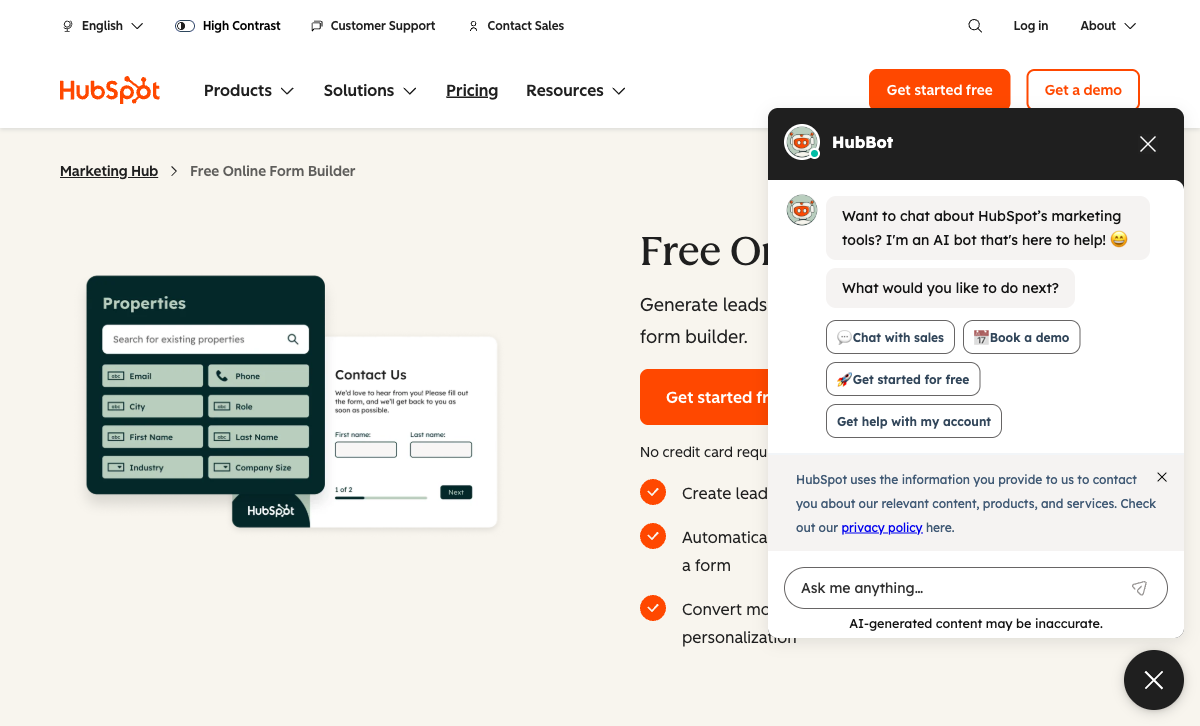
This is HubSpot Forms' genuine advantage. Every form submission automatically creates or updates a contact in HubSpot CRM, with no integration setup, no Zapier, and no API calls. Submissions trigger workflows, lead scoring, sales notifications, and marketing sequences natively. For teams that live inside HubSpot CRM daily, this low-friction data flow is valuable and hard to replicate with external tools. The form-to-CRM pipeline is HubSpot's strongest feature, and the main reason organisations accept the platform's form-building limitations.
Progressive Profiling
On Marketing Hub Professional ($890/month), HubSpot Forms can progressively ask different questions on return visits to build richer contact profiles over time. If a contact already provided their company name, the form swaps that field for a different question on the next visit. Paperform doesn't offer this, and for B2B lead nurturing inside HubSpot it's a meaningful differentiator.
Unlimited Free Submissions
HubSpot's free plan includes unlimited forms and unlimited submissions, though with HubSpot branding and limited field types. For organisations on a zero-dollar budget that only need basic lead capture feeding into HubSpot CRM, the free tier is genuinely usable. Paperform's free plan includes 30 submissions/month: far more feature-rich, but volume-limited.
Marketing Automation Stack
HubSpot Forms is just one piece of a comprehensive marketing platform. Forms connect to email marketing, landing pages, ad tracking, social publishing, chatbots, live chat, and reporting, all within HubSpot. For marketing teams that need an integrated campaign stack rather than just forms, HubSpot's breadth goes well beyond what any standalone form builder offers. The trade-off is that the forms themselves stay basic; HubSpot put its investment into the surrounding ecosystem rather than the form builder.
Enterprise Security and Scale
HubSpot is a publicly traded company (NYSE: HUBS) founded in 2006 with 10,000+ employees. It offers SOC 2 Type II, SSO, data residency, and enterprise SLAs. For large organisations where vendor stability and public-company governance are procurement requirements, HubSpot's scale carries weight. With 200,000+ customers globally and over $2B in annual revenue, HubSpot is among the most established marketing technology companies in the world.
Where Paperform Falls Short
- No native CRM: Paperform doesn't have a built-in CRM. It integrates with HubSpot, Salesforce, Pipedrive, and others via Zapier, Make, and API, but the connection is never as seamless as HubSpot's native form-to-CRM pipeline.
- No progressive profiling: Paperform's conditional logic is rule-based and respondent-driven, not visitor-history-based. There's no way to show different fields based on what a returning visitor previously submitted.
- No HIPAA compliance: Neither Paperform nor HubSpot Forms offers HIPAA on form-specific plans (HubSpot's HIPAA is at the platform level on Enterprise).
- Smaller brand footprint: With ~498 total reviews versus HubSpot's thousands, Paperform is less established in enterprise procurement conversations where brand recognition matters.
Where HubSpot Forms Falls Short
- Very basic form builder: Limited to ~15 standard CRM field types. No calculations, no scoring, no answer piping, no appointment booking, no colour picker, no signatures. Forms are functional but generic, closer to data collection widgets than designed experiences.
- Extremely expensive beyond free: Removing branding requires Starter ($20/seat/month). Advanced forms with dependent fields, progressive profiling, and A/B testing require Professional at $890/month. Enterprise is $3,600/month. The jump from free to functional is the steepest in the form builder market.
- Stripe-only payments on paid plans: No PayPal, Square, Braintree, or Google Pay. No eCommerce features (products, subscriptions, coupons, tax, refunds). Paperform offers 5 gateways with full eCommerce on the free plan.
- Complete CRM lock-in: Forms are a feature within HubSpot's CRM, not a standalone product. Switching CRMs means rebuilding every form. Data lives inside HubSpot's ecosystem with limited portability.
- No eSignature or dedicated workflow automation for forms: HubSpot workflows exist but require Professional ($890/month) and are CRM-focused, not form-focused. No e-signature capability at all.
- Limited form-specific analytics: No drop-off tracking, no field-level analytics, no partial submissions. Advanced reporting requires a $200/month add-on. G2 reviewers note "tracking is a huge gap."
Pricing Comparison

HubSpot Forms is free for basic use, but the moment you need anything beyond basic lead capture, the pricing gap inverts dramatically:
| Need | Paperform | HubSpot Forms | Key Difference |
|---|---|---|---|
| Basic forms | Free: 30 submissions, 5 payment gateways, calculations | Free: unlimited submissions, HubSpot branding, basic fields | HubSpot has volume; Paperform has features |
| Remove branding | Essentials: $24/mo (annual) | Starter: $20/seat/mo | Comparable, but Paperform includes payments and eCommerce |
| Advanced forms | Pro: $49/mo (annual) — calculations, CSS, analytics, API | Professional: $890/mo — progressive profiling, A/B testing | Paperform Pro costs 18x less than HubSpot Professional |
| Enterprise | Business: $99/mo (annual) — SSO, 10K submissions, API | Enterprise: $3,600/mo — predictive scoring, custom objects | Paperform Business is 36x less than HubSpot Enterprise |
All Paperform prices shown are annual billing rates. HubSpot prices are per-seat; additional seats increase cost further.
Paperform
HubSpot Forms
| Product | Plan | Monthly Price | Annual Price (per month) | Free Plan | Free Trial | Limits |
|---|---|---|---|---|---|---|
| Paperform | Free | Free | Free | Yes | 14 days | forms: Unlimited, submissions: 30/month, storage: 100 submissions, users: 1, file uploads: 100 MB |
| Paperform | Essentials | $29/mo | $24/mo billed annually | forms: Unlimited, submissions: 100/month, storage: 1,000 submissions, users: 1, file uploads: 1 GB | ||
| Paperform | Pro | $59/mo | $49/mo billed annually | forms: Unlimited, submissions: 1,000/month, storage: 10,000 submissions, users: 3, file uploads: 10 GB | ||
| Paperform | Business | $129/mo | $99/mo billed annually | forms: Unlimited, submissions: 10,000/month, storage: 100,000 submissions, users: 5, file uploads: 100 GB | ||
| HubSpot Forms | Free | Free | Free | Yes | 14 days | forms: Unlimited, submissions: Unlimited, users: 2 |
| HubSpot Forms | Marketing Hub Starter | $20/mo | $20/mo billed annually | forms: Unlimited, submissions: Unlimited, users: Per seat | ||
| HubSpot Forms | Marketing Hub Professional | $890/mo | $890/mo billed annually | forms: Unlimited, submissions: Unlimited, users: 3 included (additional seats extra) | ||
| HubSpot Forms | Marketing Hub Enterprise | $3600/mo | $3600/mo billed annually | forms: Unlimited, submissions: Unlimited, users: 5 included (additional seats extra) |
What Users Say
Paperform averages 4.8/5 across ~498 reviews, with particularly high marks for customer support (4.7-4.9) and ease of use. HubSpot Forms benefits from HubSpot's overall platform reviews, but form-specific feedback on G2 consistently notes the builder is "basic" and "not as flexible as dedicated design tools." The pricing jump from free to Professional is a recurring complaint: users feel trapped between a limited free plan and a $890/month commitment with little middle ground.
See Them in Action
Who Should Switch from HubSpot Forms to Paperform?
If you're currently using HubSpot Forms and hitting any of these walls, Paperform is worth evaluating:
- You need payment forms: Collecting money through forms is a core Paperform capability with five gateways on every plan. HubSpot's Stripe-only payment on paid plans is severely limited.
- You're frustrated by the $890/month jump: HubSpot's pricing cliff between Starter ($20/seat) and Professional ($890/month) is the steepest in the market. Paperform Pro at $49/month includes comparable form features.
- Your forms need to do more than capture leads: Calculations, dynamic pricing, e-signatures, booking forms, and quizzes with scoring are all beyond HubSpot Forms. Paperform handles them all.
- You use multiple CRMs or no CRM: If your forms feed into Salesforce, Pipedrive, or a custom system rather than HubSpot, there's no reason to use HubSpot Forms. Paperform connects to all of them equally.
Who Should Stay on HubSpot Forms?
If you're deep in HubSpot's ecosystem and the following are true, HubSpot Forms remains the practical choice:
- Your marketing team lives in HubSpot daily and the auto-contact creation workflow is critical
- You use HubSpot sequences, lead scoring, and progressive profiling that depend on form submission data
- Your forms are basic lead capture (name, email, company) and don't need payments, calculations, or design
- You have Marketing Hub Professional or Enterprise already and the forms are included in your existing spend
The Verdict
Paperform is the better form builder for nearly every use case. It offers five payment gateways versus Stripe-only, 30,000+ templates versus a handful, built-in e-signatures and workflow automation, an Excel-style calculation engine, and a design-forward editor that produces forms HubSpot can't match. At $29/month for Essentials versus $890/month for HubSpot Professional, the value gap is enormous.
HubSpot Forms wins in one specific scenario: your organisation already lives inside HubSpot CRM and the native form-to-contact pipeline with progressive profiling and sequence triggering matters more than form capabilities. If you need basic lead capture feeding directly into HubSpot without any integration setup, and you're fine with basic field types and HubSpot branding, the free plan is genuinely useful.
Both platforms represent stable long-term bets, through very different models. Paperform has been bootstrapped and profitable since its founding in 2016, with growth funded by revenue rather than investors. HubSpot is a public company (NYSE: HUBS) founded in 2006 with over $2B in annual revenue: massive scale, but form-specific innovation has taken a back seat to platform-level CRM features. For more options, see our complete HubSpot Forms alternatives analysis or the full best form builders ranking.
Frequently Asked Questions
Can I use HubSpot Forms without a HubSpot CRM account?
No. HubSpot Forms is a feature within the HubSpot platform, not a standalone product. You need a HubSpot account (free or paid) to create forms, and every submission creates or updates a contact in HubSpot CRM. If you don't want a CRM or already use a different one (Salesforce, Pipedrive, etc.), HubSpot Forms adds unnecessary complexity. Paperform is a standalone form builder that integrates with any CRM via native connectors, Zapier, Make, or API, with no platform lock-in required.
Is HubSpot Forms really free?
The free plan is genuinely free with unlimited forms and submissions, but it comes with HubSpot branding on every form and limited field types. Removing the branding requires Marketing Hub Starter at $20/seat/month. Advanced features like progressive profiling, A/B testing, and dependent fields require Marketing Hub Professional at $890/month, over 18x Paperform's Pro plan ($49/month). The free plan works for basic lead capture inside HubSpot, but the jump to advanced features is steep.
Can Paperform send form data to HubSpot CRM?
Yes. Paperform integrates with HubSpot CRM via a native connector, Zapier, Make, and webhooks. You can create or update HubSpot contacts, companies, and deals from form submissions. The difference is that Paperform also connects to 2,000+ other apps at the same time, so your forms aren't locked into a single ecosystem. You get CRM integration plus payment processing, calculations, e-signatures, and workflow automation that HubSpot Forms can't match.
Which is better for payment forms: Paperform or HubSpot Forms?
Paperform wins decisively. Paperform connects five payment gateways (Stripe, PayPal, Square, Braintree, Google Pay) on all plans including free, with full eCommerce features: subscriptions, coupons, tax calculations, refunds, and product management. HubSpot Forms supports payment collection only via Stripe, and only on paid Marketing Hub plans. There's no product catalog, no subscription management, no coupons, and no multi-gateway support. For any form that collects money, Paperform is the clear choice.
Does HubSpot Forms have conditional logic?
Basic conditional logic (show/hide fields) is available on free forms, but dependent fields and progressive profiling require Marketing Hub Professional at $890/month. HubSpot Forms has no calculations, no scoring within forms, no answer piping, and no conditional page routing. Paperform includes advanced conditional logic, Excel-style calculations that power dynamic pricing and scoring, and answer piping on all plans, including free.
Sources & References
- HubSpot Forms Review: Pros, Cons, and Alternatives — EmailToolTester, 2025
- Best Online Form Builder to Use in 2026 — Top 20 Tools — EmailToolTester, 2026
- HubSpot Marketing Hub Pricing — HubSpot, 2026
Last updated June 25, 2026
Ready to try Paperform?
Create beautiful forms, payment pages, and workflows — no code required.