Google Forms vs HubSpot Forms: Which Is Better in 2026?
Google Forms and HubSpot Forms look like they compete, but they barely share a problem. Google Forms is the tool you reach for when you need a form in the next two minutes — unlimited, unremarkable, and so familiar that most people have filled one out without noticing. HubSpot Forms is the tool you reach for when you're already inside HubSpot and you want every submission to become a tracked contact the instant it lands. One is a free utility. The other is a lead-capture funnel with its own pricing ladder.
The honest framing is this: both products are "basic form builders" in the sense that neither is especially flexible, beautiful, or powerful on its own. Where they differ is what happens after submission. Google Forms hands you a spreadsheet. HubSpot Forms hands you a contact record wired into an enterprise marketing stack you're either excited about or paying $890 a month for begrudgingly. This page is for anyone trying to work out which of those endings fits their situation — and whether either is the right call at all.
Quick Verdict
Choose Google Forms if:
- You want genuinely unlimited free submissions with no branding on the form
- Your primary use is surveys, quizzes, RSVPs, or internal feedback
- You live in Google Workspace and responses going to Sheets is a feature, not a limitation
- You need auto-grading or quiz scoring out of the box
- Speed and zero learning curve outrank CRM integration
Choose HubSpot Forms if:
- HubSpot CRM is already — or is about to be — your source of truth
- Lead capture, lead scoring, and automation matter more than form design
- You want progressive profiling that asks returning visitors new questions
- Your forms need to feed nurture sequences and sales notifications without glue code
- You can justify paying for Marketing Hub to unlock the features worth having
Feature Comparison
The table below aligns both tools across form building, design, analytics, and payments. A lot of the rows look identical at a glance — "basic" versus "basic" — because neither product is positioned as a flexible form builder. The differences show up in where the basics live: free and forever in Google's case, tiered behind Marketing Hub in HubSpot's.
| Feature | Google Forms | HubSpot Forms |
|---|---|---|
| Form Building | ||
| Document-style editor | No | No |
| AI form creation | Yes | No |
| Field types | 11 | No |
| Multi-page forms | Yes | Yes starter |
| Guided mode (one question at a time) | No | No |
| Conditional logic | Yes | Yes professional |
| Calculations field | No | No |
| AI calculations assistant | No | No |
| Scoring | Yes | No |
| Answer piping | No | No |
| Pre-filling and hidden fields | Yes | Yes |
| Save and resume | No | No |
| Auto-close by number | Yes | No |
| Auto-close by date | Yes | No |
| Appointment/booking field | No | No |
| Signature field | No | No |
| Color picker field | No | No |
| API-powered dropdowns | No | No |
| Google address search | No | No |
| File uploads | Yes | Yes |
| Question types | No | Yes |
| Form unpublishing | No | Yes |
| Automatic lead enrichment | No | Yes professional |
| Automatic deal creation from forms | No | Yes professional |
| Payments | ||
| Stripe payments | No | Yes starter |
| PayPal payments | No | No |
| Square payments | No | No |
| Braintree payments | No | No |
| Google Pay | No | No |
| Product sales (eCommerce) | No | No |
| Subscriptions | No | No |
| Coupons and discounts | No | No |
| Custom pricing rules | No | No |
| Tax calculations | No | No |
| Quotes/invoices | No | No |
| Refunds | No | No |
| 3D Secure | No | No |
| Design & Customization | ||
| Template gallery | 20+ | Yes |
| Rich media (images, GIFs, videos) | Yes | No |
| Unsplash and Giphy integration | No | No |
| Image editor | No | No |
| Adobe Creative Cloud | No | No |
| Language translation | No | No |
| Advanced theming | No | Yes starter |
| Custom form URL | No | No |
| Custom domains | No | No |
| Custom HTML & CSS | No | Yes starter |
| Remove branding | No | Yes starter |
| Custom email domains | Yes Business Starter | No |
| Analytics | ||
| Submission results and reports | Yes | Yes |
| AI report insights | Yes Business Standard | No |
| Paperform analytics | No | No |
| Google Analytics & Facebook Pixel | No | Yes |
| Custom analytics scripts | No | No |
| Partial submissions | No | No |
| Drop-off analysis | No | No |
| Conversion analytics | No | Yes professional |
| Collaboration | ||
| Multi-user accounts | Yes | Yes |
| User permissions and management | Yes | Yes starter |
| Advanced permissions & admin | Yes Business Starter | Yes enterprise |
| Form sharing (templates) | Yes | Yes |
| Spaces and tag management | No | No |
| Workspace organization | No | No |
| Security | ||
| SOC 2 Type II | Yes | Yes |
| GDPR compliant | Yes | Yes |
| SSL encryption | Yes | Yes |
| Two-factor authentication | Yes | Yes |
| Enforce 2FA for all users | Yes Business Starter | No |
| SSO (SAML) | Yes Business Plus | Yes enterprise |
| reCAPTCHA | No | No |
| Local data residency | Yes Business Plus | No |
| Custom S3 storage (BYO) | No | No |
| HIPAA compliant | No | No |
| Data residency | No | Yes enterprise |
| Custom S3 storage | No | No |
| Integrations & API | ||
| Native integrations | No | Yes |
| Zapier | Yes | Yes starter |
| Make (Integromat) | Yes | Yes starter |
| Webhooks | No | Yes starter |
| Standard API | Yes | No |
| Business API | No | No |
| WordPress plugin | No | Yes |
| oEmbed support | No | No |
| API | No | Yes |
| Embed options | No | Yes |
Strengths of Google Forms

Truly free, truly unlimited
Google Forms is free for anyone with a Google account, with no submission cap, no form cap, no branding shown to respondents beyond a small Google footer, and no "upgrade" nag screens. Google Workspace plans at $7–$22/user/mo add storage and admin controls but do not change Forms itself. HubSpot's free plan caps marketing contacts and shows HubSpot branding on every embedded form until you reach Marketing Hub Starter. For any use case where form count or submission volume is unpredictable, that "you will never hit a wall" property is genuinely valuable and surprisingly rare.
Quiz mode and built-in reporting
Google Forms is the only one of the two with a real quiz engine: per-question point values, automatic grading, answer keys, score release options, and immediate result summaries. Combined with Google Classroom integration, it is the de facto tool for educators globally. HubSpot Forms have nothing in this category — scoring inside HubSpot refers to lead scoring, which operates on contact attributes post-submission, not on quiz answers. If the form's job is to test, assess, or grade, Google wins before the comparison starts.
Real-time collaboration and near-zero ramp-up
Multiple editors can work in the same Google Form simultaneously, with the same live-cursor experience Google Docs users already know. There's no "admin" concept to learn, no role hierarchy, and no pricing tier to unlock collaboration. For small teams and classrooms, this is the closest thing to frictionless form editing on the market. HubSpot Forms live inside HubSpot, so collaboration assumes every editor has a HubSpot seat — which on a paid plan is billed per user and governed by HubSpot's role permissions.
Deep Google Workspace gravity
Responses flow into Google Sheets with one click; Sheets then connect to Looker Studio for dashboards, Apps Script for automation, Drive for file storage, and Gmail for notifications. For organisations already running on Google, the integration isn't a feature — it's the absence of friction. HubSpot exists outside that gravity well; getting HubSpot Forms data into Sheets requires a native-ish connector and still leaves you curating two systems of record.
Strengths of HubSpot Forms
CRM wiring with zero integration work
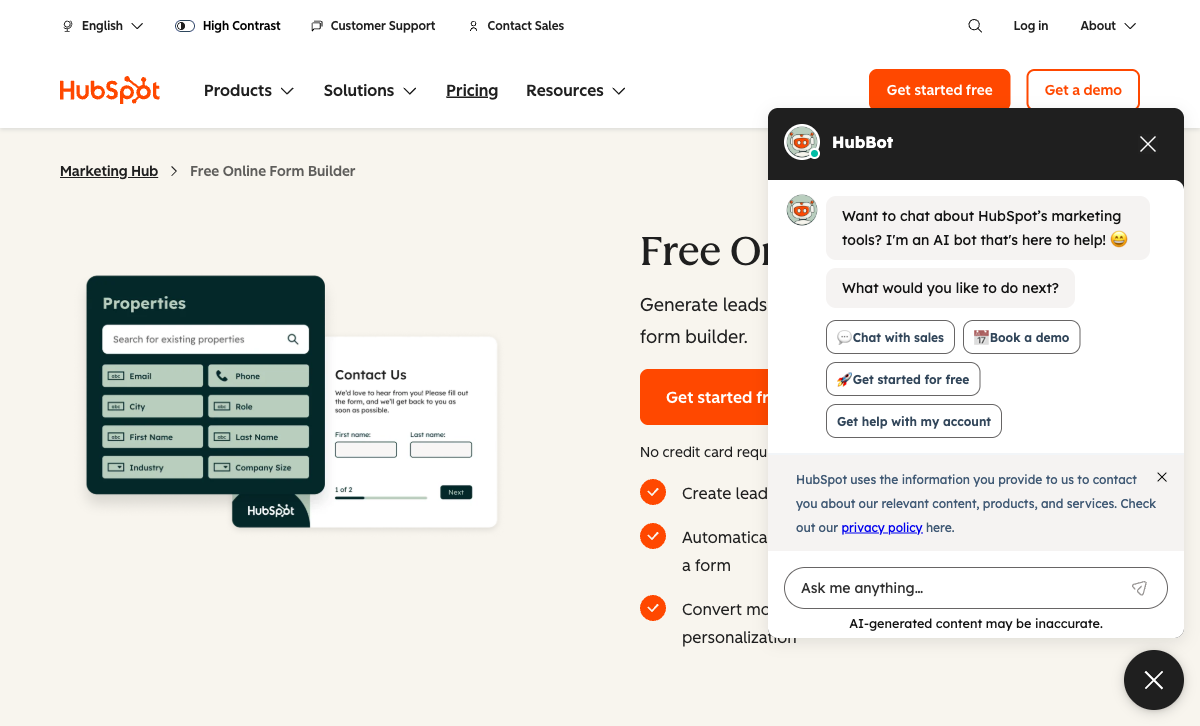
Every HubSpot form submission creates or updates a contact in HubSpot CRM and maps to the properties you already have. Returning visitors are recognised by cookie and their existing records are enriched. For a marketing team running demos, webinars, or gated content, that eliminates an entire class of plumbing — no Zapier steps, no field-mapping dashboards, no drifted data between tools. This is the singular reason most companies pick HubSpot Forms over anything else, and it's a real reason.
Workflow triggers on submit
A form submission in HubSpot is an event that can trigger a workflow: send an email, assign a sales rep, create a task, update deal stage, ping a Slack channel, set a lifecycle stage. Google Forms treats a submission as a row and a notification email — anything further is your problem. For teams whose lead-response time materially affects conversion (every industry study confirms faster responses win more deals), HubSpot's automation is the meaningful upgrade over Google.
Progressive profiling and smart fields
On Marketing Hub Professional, HubSpot Forms can show different questions to returning visitors based on what's already in the CRM. If the record has a job title, ask about budget. If it has budget, ask about timeline. Over three or four form fills, you build a rich contact profile without ever showing a 20-field form. Google Forms shows the same fields to everyone, every time. This is the feature that justifies HubSpot Forms' existence in a lot of enterprise B2B stacks — and it's unavailable anywhere free.
Form types the marketing team actually wants
HubSpot Forms can render as embedded forms, pop-ups, slide-ins, or dropdown banners, all configured inside HubSpot with no additional tooling. Google Forms effectively has one render mode: iframe. For marketing-led sites where exit-intent pop-ups and inline lead magnets are part of the playbook, HubSpot's native variety is a real advantage — even if the form designs themselves are visually unremarkable.
Where Google Forms Falls Short
- No CRM and no native automation. Submissions go to a spreadsheet and stop. Any downstream action — CRM update, follow-up email, Slack notification — requires a third-party tool and usually a subscription.
- No payment processing, at all. Despite being a Google product, there's no Google Pay support inside Forms, no Stripe hook, no way to sell anything. Paid events, deposits, or order forms are immediately off the table.
- Section-level branching only. You can jump between sections based on a multiple-choice answer, but you can't show or hide individual questions, chain conditions, or drive logic from calculated values.
- ~11 field types and fixed design. No signature field, no appointment booking, no color picker, no API-powered dropdowns. Customisation is limited to a header image, a theme colour, and four font choices. Every Google Form looks like a Google Form.
- No custom domain, no white-label. Forms are permanently hosted on docs.google.com with a forms.gle short link. If your brand matters on the form, Google Forms will undermine it.
- No partial submissions or drop-off analytics. If someone abandons halfway, you have no record and no insight into where they dropped off.
Where HubSpot Forms Falls Short
- Advanced features live behind expensive tiers. Progressive profiling, smart forms, A/B testing, and conditional logic require Marketing Hub Professional at $890/mo for three seats — over 18× the cost of most standalone form builders' Pro plans.
- HubSpot branding on free forms. Every free-plan form embeds "Powered by HubSpot". Removal requires Marketing Hub Starter at $20/seat/mo.
- Payments only via Stripe, only on paid plans. No PayPal, Square, Braintree, or Google Pay. No subscriptions, no coupons, no tax handling, no product catalogue. It's a payment link, not commerce.
- Form design is functional, not beautiful. Basic CSS access on Starter, no rich media between fields, no document-style editor. Forms look like HubSpot forms — which is fine for lead capture but a weakness for public-facing brand experiences.
- CRM complexity for non-marketing use cases. Creating a simple anonymous feedback form still forces you through CRM property concepts, form types, and submission-behavior settings. Overkill if you're not doing marketing.
- Vendor lock-in by design. HubSpot Forms aren't a standalone product — they're a feature of Marketing Hub. Switching CRMs later means rebuilding every form.
- Not HIPAA compliant. HubSpot explicitly excludes PHI. Google Workspace (and therefore Google Forms on eligible plans with a BAA) can handle HIPAA workloads; HubSpot cannot.
Pricing Comparison
At the free tier, Google Forms is the more generous of the two — no submission cap, no branding on the form itself, no feature gating. The divergence starts the moment you want features. Google's paid tiers don't add to Forms; they add to Workspace. HubSpot's paid tiers are where HubSpot Forms actually becomes powerful — and where the bill climbs fast.
| Tier | Google Forms | HubSpot Forms | What it actually buys you |
|---|---|---|---|
| Free | Unlimited forms, unlimited submissions, 15 GB Drive storage | Unlimited forms, CRM contact creation, HubSpot branding on forms, 2 users | Google: volume without strings. HubSpot: the CRM ladder begins. |
| Entry paid | Workspace: $7/user/mo — adds business email, admin, storage (not Forms features) | Marketing Hub Starter: $20/seat/mo — remove branding, Stripe payments, simple automation | Google's paid tier leaves Forms unchanged. HubSpot's starts unlocking the product. |
| Professional | N/A — Forms is identical at every Workspace tier | Marketing Hub Professional: $890/mo for 3 seats — smart forms, progressive profiling, full workflows | The features most people associate with "HubSpot Forms" live here. |
| Enterprise | Enterprise Workspace (custom) — DLP, Vault, advanced compliance | Marketing Hub Enterprise: $3,600/mo for 5 seats — SSO, data residency, custom objects | Both are credible at scale; cost structures are very different. |
Google Forms
HubSpot Forms
| Product | Plan | Monthly Price | Annual Price (per month) | Free Plan | Free Trial | Limits |
|---|---|---|---|---|---|---|
| Google Forms | Free (Personal) | Free | Free | Yes | 14 days | forms: Unlimited, submissions: Unlimited, storage: 15 GB (shared across Google Drive), users: 1, file uploads: Included in 15 GB storage |
| Google Forms | Business Starter | $8.4/mo | $7/mo billed annually | forms: Unlimited, submissions: Unlimited, storage: 30 GB per user, users: Up to 300, file uploads: Included in storage | ||
| Google Forms | Business Standard | $16.8/mo | $14/mo billed annually | forms: Unlimited, submissions: Unlimited, storage: 2 TB per user, users: Up to 300, file uploads: Included in storage | ||
| Google Forms | Business Plus | $26.4/mo | $22/mo billed annually | forms: Unlimited, submissions: Unlimited, storage: 5 TB per user, users: Up to 300, file uploads: Included in storage | ||
| HubSpot Forms | Free | Free | Free | Yes | 14 days | forms: Unlimited, submissions: Unlimited, users: 2 |
| HubSpot Forms | Marketing Hub Starter | $20/mo | $20/mo billed annually | forms: Unlimited, submissions: Unlimited, users: Per seat | ||
| HubSpot Forms | Marketing Hub Professional | $890/mo | $890/mo billed annually | forms: Unlimited, submissions: Unlimited, users: 3 included (additional seats extra) | ||
| HubSpot Forms | Marketing Hub Enterprise | $3600/mo | $3600/mo billed annually | forms: Unlimited, submissions: Unlimited, users: 5 included (additional seats extra) |
What Users Say
Google Forms draws the review-platform equivalent of "so ubiquitous nobody reviews it" — Capterra rates it 4.7/5 across 11,000+ reviews, praising ease of use and value; G2 rates it 4.6/5 as part of Google Workspace. Complaints cluster around limited design, no payments, and shallow analytics. HubSpot Marketing Hub (the umbrella product that includes Forms) sits at 4.4/5 on G2 with 13,000+ reviews — praise centers on CRM integration and automation, and criticism focuses overwhelmingly on pricing complexity and the learning curve. Neither product is reviewed as a form builder specifically because neither is sold primarily as one.
The Third Option: Paperform
If you've read this far and concluded that Google Forms is too primitive but HubSpot Forms is too tied to one CRM (and too expensive once the useful features unlock), Paperform is the middle path a lot of teams end up on. Starting at $29/month, it has a document-style editor that produces forms people actually enjoy filling out, Excel-style calculations powering logic across questions and emails, 26+ field types including signatures and appointment booking, and five payment gateways (Stripe, PayPal, Square, Braintree, Google Pay) with full eCommerce — subscriptions, coupons, products, tax rules.
Critically, Paperform doesn't force a CRM choice on you. The native HubSpot integration means every submission becomes a HubSpot contact — the same CRM outcome HubSpot Forms gives you — without locking you into HubSpot's form builder. It also connects to Salesforce, Pipedrive, Google Sheets, and 2,000+ other tools through native connectors, Zapier, Make, and webhooks. Papersign (eSignatures) and Stepper (AI-native workflow automation) are included at no extra cost. For deeper side-by-sides, see our Paperform vs Google Forms and Paperform vs HubSpot Forms comparisons.
The Verdict
Google Forms wins whenever the job is "collect answers". Surveys, quizzes, RSVPs, class polls, internal feedback — anywhere the output is data rather than a lead. The unlimited free tier, the quiz engine, and the Google Workspace gravity make it the default choice for millions of users for good reason. It will never be the right tool for lead generation, payments, or brand-critical forms, and that's fine — it doesn't pretend to be.
HubSpot Forms wins whenever the job is "turn this submission into a tracked contact". If HubSpot is already your CRM, the free form tier is the path of least resistance, and the paid tiers unlock real marketing automation. The trade-off is ecosystem lock-in and pricing that goes from $0 to $890/mo as soon as you want the features the product is actually known for. For teams already committed to HubSpot, that math usually works; for everyone else, it's a lot to pay for forms.
Neither is a good general-purpose form builder. If you need forms that handle design, payments, signatures, appointments, or anything beyond "submit and store", start with dedicated options — see our Google Forms alternatives, HubSpot Forms alternatives, or the best form builders ranking for 2026.
Frequently Asked Questions
Is Google Forms or HubSpot Forms better for lead generation?
HubSpot Forms is purpose-built for lead generation; Google Forms is not. HubSpot creates a CRM contact the moment someone submits, kicks off nurture workflows, fires a lead-assignment notification, and can pre-fill fields for returning visitors through progressive profiling. Google Forms drops responses into a spreadsheet and stops there — there's no contact record, no lifecycle stage, no follow-up automation. To replicate HubSpot's lead gen flow from Google Forms you'd need Zapier ($19.99/mo+), a CRM of your choice, and an email tool to glue it all together. For serious B2B lead capture, HubSpot Forms eliminates the middleware; for anonymous feedback, Google Forms stays out of the way.
Does Google Forms have a submission cap like HubSpot Forms?
No — and this is one of Google Forms' biggest practical advantages. Google Forms has no submission cap on any plan, including the free personal tier. HubSpot's free CRM tier limits marketing contacts and shows "Powered by HubSpot" branding on every form, and high-volume use eventually pushes you toward Marketing Hub Starter ($20/seat/mo) or higher. For a public survey expecting 10,000+ responses, university course feedback, or an open community poll, Google Forms is the more predictable choice — no upgrade prompts, no branding on the form, and no risk of hitting a wall mid-campaign.
Can HubSpot Forms do quizzes, scoring, and auto-grading like Google Forms?
No. Google Forms has a dedicated quiz mode with point values per question, automatic grading, answer keys, score release timing, and built-in response summaries — all free. HubSpot has lead scoring (a different concept: ranking contacts for sales prioritisation), but HubSpot Forms themselves have no quiz mode, no auto-grading, and no per-answer point logic. Teachers, trainers, and anyone running assessments or certification exams should stay with Google Forms or move to a form builder that supports Excel-style calculations and conditional scoring.
Can I connect Google Forms to HubSpot CRM without using HubSpot Forms?
Not natively. Google Forms has no direct HubSpot integration. The typical bridge is Zapier, Make, or a Google Apps Script that calls the HubSpot API on form submission. That works, but it adds a monthly subscription, a configuration step, and a failure point between the submission and the CRM. HubSpot Forms skip this entirely because they are the CRM entry point. If you want a real form builder with a native HubSpot connection — so you get Google Forms' flexibility and HubSpot's CRM plumbing — Paperform integrates directly with HubSpot without any middleware.
Which is cheaper long-term: Google Forms or HubSpot Forms?
Google Forms is dramatically cheaper at every tier because its feature set doesn't change when you pay. Google Forms is free forever, and even Google Workspace plans ($7–$22/user/mo) don't add form-specific features — you pay for email, storage, and admin tools. HubSpot Forms are free in name, but advanced features are gated: removing branding requires Marketing Hub Starter ($20/seat/mo), progressive profiling and smart forms require Professional ($890/mo for 3 seats), and custom reporting is a $200/mo add-on. A team that just needs "forms" pays zero with Google. A team that wants form automation and CRM wiring pays $890/mo with HubSpot.
Can Google Forms or HubSpot Forms collect payments?
Neither is a good payment tool. Google Forms has no payment processing at all — it's one of its most-cited limitations. HubSpot Forms added HubSpot Payments on Starter plans, but only via Stripe, with no PayPal, Square, Braintree, or Google Pay, no subscription logic, no coupons, no tax handling, and no product catalogue — it's a payment link tacked onto a form, not an eCommerce engine. If you need to collect payments through a form, both options will frustrate you quickly. A dedicated form builder with multi-gateway payments is the better fit here.
Is HubSpot Forms HIPAA compliant?
No. HubSpot is not HIPAA compliant and explicitly states it should not be used to collect protected health information (PHI). Google Forms, through Google Workspace, can be used with a Business Associate Agreement (BAA) on eligible plans — making it the technically compliant choice between the two for healthcare use. However, neither is purpose-built for clinical intake. Healthcare teams typically need signature capture, appointment scheduling, and payment processing alongside HIPAA — features both tools lack.
Sources & References
- Google Forms vs HubSpot Forms Usage & Pricing Comparison — wmtips, 2026
- HubSpot Surveys vs Google Forms: Which is Best for Your Business? — Aspiration Marketing, 2026
- HubSpot Marketing Hub Reviews — G2, 2026
- Google Forms Review: Pros, Cons & Real-World Use Cases — BrightSEO Tools, 2025
- Full HubSpot Review: Features, Pricing, Pros & Cons — LaGrowthMachine, 2026
- Google Forms Tutorial for Beginners (2M+ views) — Kevin Stratvert (YouTube), 2023
Updates
We re-audit the form builders we compare on a regular cadence and log every change here — a public record of what changed and when.
- Updated June 4, 2026 — Refreshed HubSpot Marketing Hub's G2 review count from 12,000+ to 13,000+ to reflect the June 2026 competitor data audit.
Last updated June 25, 2026
Ready to try Paperform?
Create beautiful forms, payment pages, and workflows — no code required.