Best Form Builders for SaaS Companies in 2026
Paperform is the best form builder for most SaaS companies, because submissions and seats are unlimited on paid plans while nearly every rival charges more as your product grows. HubSpot Forms wins for demand-gen teams already on HubSpot CRM. Typeform wins for in-product feedback. Paperform is not HIPAA compliant.
SaaS companies buy form software differently from everyone else, and the reason is volume curves. A local business fills out a hundred contact forms a month for years. A SaaS product with product-led growth can go from 400 signups to 40,000 in two quarters, and the number of people who need to build or edit a form grows with headcount rather than revenue. Both of those are billing levers on most of the tools in this category, which means the vendor you pick at Series A quietly becomes a line item you resent at Series B.
We ranked seven tools on the five dimensions that actually decide a SaaS shortlist: what the pricing model meters, how deep the logic and calculation engine goes, how many payment processors are native, integration and API reach, and what the compliance page will survive in a customer security review. Pricing, feature and compliance data was re-read live from each vendor's pricing page on 22 September 2026.
One more thing sets this audience apart. Very few of a SaaS company's forms are just forms. A trial request routes by company size. An onboarding intake has to produce a scoped order form and get it signed. A churn survey has to reach the right CSM within the hour. The ranking below weights how much of that a tool can complete on its own, because the alternative is a stack you maintain: a form tool, a signature vendor, an automation platform and an engineer who remembers how they connect.
| Feature | Paperform | HubSpot Forms | Typeform | Fillout | Airtable Forms | Jotform | SurveyMonkey |
|---|---|---|---|---|---|---|---|
| Form Building | |||||||
| Document-style editor | Yes | No | No | No | No | No | No |
| AI form creation | Yes | No | Yes | Yes | No | Yes starter | Yes |
| Field types | 26+ | No | 20+ | 50+ | Yes | 30+ (starter) | 15+ |
| File uploads | Yes | Yes | Yes basic | Yes | No | Yes starter | Yes |
| Multi-page forms | Yes | Yes starter | Yes basic | Yes | No | Yes starter | Yes |
| Payments | |||||||
| Stripe payments | Yes | Yes starter | Yes basic | Yes | No | Yes starter | Yes Individual Advantage |
| PayPal payments | Yes | No | No | No | No | Yes starter | Yes Individual Advantage |
| Square payments | Yes | No | No | No | No | Yes starter | No |
| Braintree payments | Yes | No | No | No | No | Yes starter | No |
| Google Pay | Yes | No | No | No | No | Yes starter | No |
| Design & Customization | |||||||
| Template gallery | 30,000+ | Yes | 1,500+ | Yes | No | 20,000+ (starter) | 400+ |
| Rich media (images, GIFs, videos) | Yes | No | Yes | Yes | Yes | Yes starter | Yes |
| Unsplash and Giphy integration | Yes | No | Yes | No | No | No | No |
| Image editor | Yes | No | No | No | No | No | No |
| Adobe Creative Cloud | Yes | No | No | No | No | No | No |
| Analytics | |||||||
| AI report insights | Yes pro | No | Yes business | No | No | No | Yes Individual Advantage |
| Paperform analytics | Yes pro | No | No | Yes business | No | No | No |
| Drop-off analysis | Yes pro | No | Yes business | No | No | No | No |
| Google Analytics & Facebook Pixel | Yes pro | Yes | Yes basic | Yes | No | No | No |
| Custom analytics scripts | Yes pro | No | Yes basic | Yes business | No | No | No |
| Collaboration | |||||||
| Form sharing (templates) | Yes | Yes | Yes | Yes | Yes | No | Yes Team Advantage |
| Spaces and tag management | Yes | No | No | Yes | No | No | No |
| Workspace organization | No | No | Yes | No | Yes | No | No |
| Form sharing | No | No | No | No | No | Yes starter | No |
| Assign forms | No | No | No | No | No | Yes enterprise | No |
| Security | |||||||
| Enforce 2FA for all users | Yes business | No | No | Yes team | No | No | Yes enterprise |
| reCAPTCHA | Yes | No | Yes business | Yes starter | No | Yes starter | Yes |
| Local data residency | Yes enterprise | No | No | Yes enterprise | No | No | Yes enterprise |
| Custom S3 storage (BYO) | Yes business | No | No | Yes | No | No | No |
| HIPAA compliant | No | Yes enterprise | Yes enterprise | No | No | Yes gold | No |
| Integrations & API | |||||||
| Native integrations | 4,000+ | Yes | 120+ (basic) | 50+ | No | 150+ (starter) | 200+ |
| Standard API | Yes pro | No | No | Yes | No | No | Yes Individual Advantage |
| Business API | Yes business | No | No | No | No | No | Yes enterprise |
| WordPress plugin | Yes | Yes | Yes | Yes | No | Yes starter | No |
| oEmbed support | Yes | No | No | Yes | No | No | No |
 #1 Paperform: Best for SaaS Workflows That Start With a Form
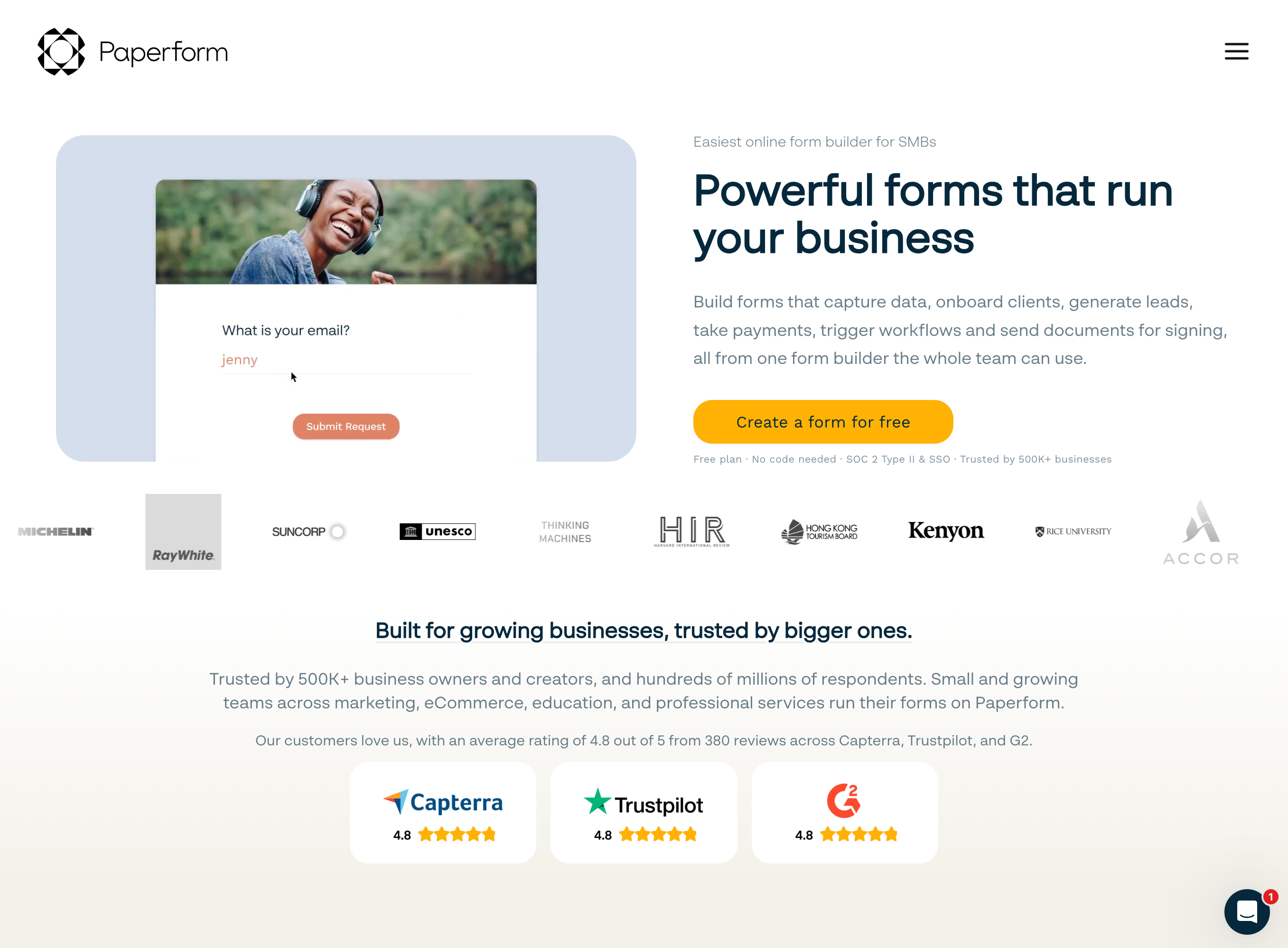
Paperform earns the top spot on this page for a reason specific to software companies: neither of the two numbers that grow fastest at a SaaS business moves the invoice. Pro is $59/month, or $49/month billed annually, with unlimited submissions and unlimited team members under a fair use policy. Business is $149/month, or $124/month annually, adding 10 workspaces, SSO and the Business API. A waitlist that takes 300 signups and one that takes 300,000 cost the same, and putting the whole product team in the account costs nothing extra.
The second argument is consolidation, and it maps unusually well onto SaaS onboarding. A prospect completes a scoping form, the calculation engine prices the plan from seat count and usage tier, Papersign sends the resulting order form for signature and files the executed copy against the original submission, and Stepper runs the provisioning handoff, the CRM update and the internal notification. That is one vendor, one renewal and one audit trail rather than three. Every other tool on this list solves the first step and hands you the rest.
The calculation engine is the technical differentiator worth testing during a trial. Formulas are Excel-style, and they do not just total an order. They control which questions and pages a respondent sees, which conditional email fires, what payload each integration receives and what the success page says, which is how a single form serves enterprise and self-serve prospects without branching into two forms. Payments run through five gateways (Stripe, PayPal, Square, Braintree and Google Pay) with subscriptions, coupons, tax rules and inventory handled in the form. There are 4,000+ integrations, a REST API on Pro and a Business API above it.
Paperform was founded in 2016, is bootstrapped and profitable, and holds SOC 2 Type II along with GDPR and CCPA. It is not HIPAA compliant and signs no BAAs, and it has no ISO 27001 certification, so a health-tech SaaS should look at Jotform or Airtable Enterprise instead. There is a 7-day trial with no card required.
- Pricing: Free ($0). Pro $59/month, $49/month billed annually. Business $149/month, $124 annually. Enterprise on quote.
- Best for: SaaS teams where the form kicks off onboarding, provisioning or a signed contract.
- Key limitation: No HIPAA or ISO 27001, highest paid entry price here, and Stepper automation runs are metered in credits.
 #2 HubSpot Forms: Best for Demand Gen Already Running on HubSpot
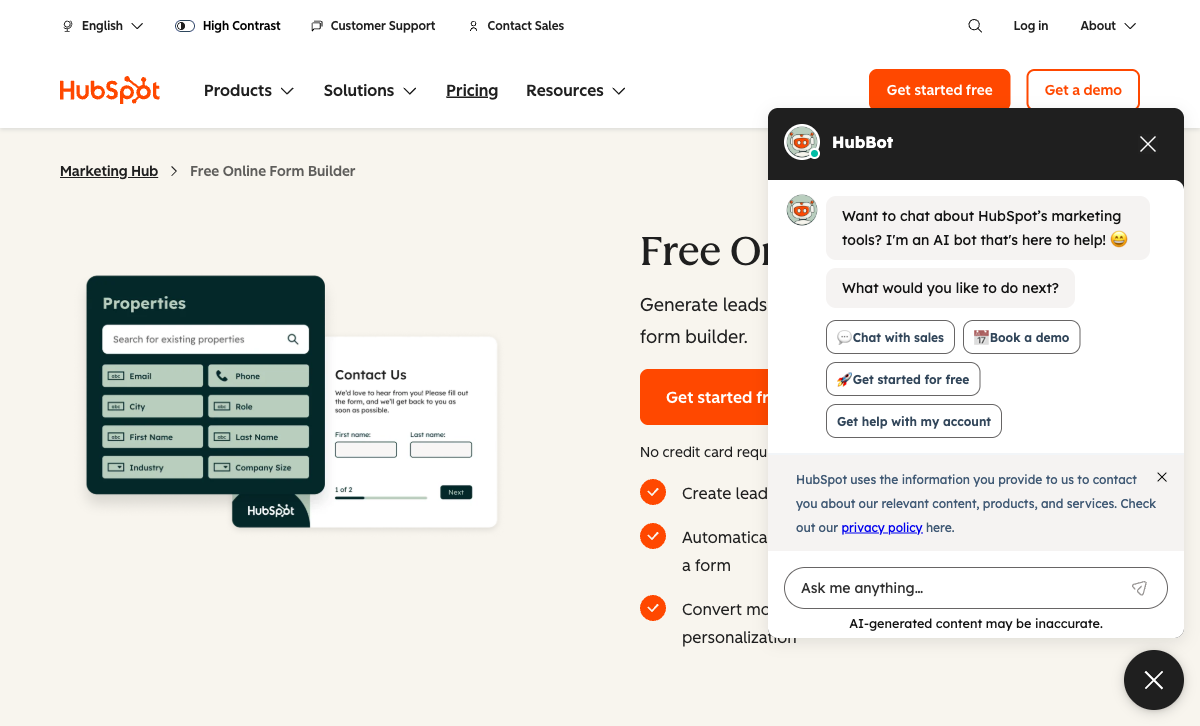
HubSpot Forms ranks second because for one very common SaaS job it is simply the correct tool and we are not going to pretend otherwise. If your demand-gen motion already lives in HubSpot CRM, a native form writes into the contact record with no mapping layer, no sync lag and no webhook to babysit. Progressive profiling asks a returning visitor for the next field rather than the same one, smart content adapts to lifecycle stage, and the submission triggers HubSpot workflows directly. Submissions are unlimited on every tier, including the free one.
The bill is where SaaS buyers get caught. Seats are priced individually at $20 each on Starter, and Professional includes three Core Seats at $890/month with each additional seat at $45 and a mandatory $3,000 one-time onboarding fee. Enterprise starts at $3,600/month with five seats and $75 for each one after. Marketing contacts are tiered on top, and AI and agent runs now draw on metered HubSpot Credits. Every axis of a good quarter moves the invoice.
As a form product specifically it is thin. There are no calculation fields at all, payments are Stripe-backed HubSpot Payments with no PayPal, Square or Braintree, there are no recurring payments on forms, no tax calculation and no 3D Secure, and design control is minimal. A/B testing and smart forms sit on Professional. HubSpot is HIPAA-capable only on Enterprise with a BAA and sensitive data settings turned on, so the tiers most form buyers are on do not qualify. The 1,600+ marketplace integrations are HubSpot-wide rather than form-specific.
- Pricing: Free. Starter $20/seat/month. Marketing Hub Professional $890/month plus $3,000 onboarding. Enterprise from $3,600/month.
- Best for: Lead capture on the marketing site when HubSpot is already the system of record.
- Key limitation: No calculations, Stripe-only payments, per-seat pricing, and the capable tier costs $890/month.
 #3 Typeform: Best for In-Product Feedback Response Rates
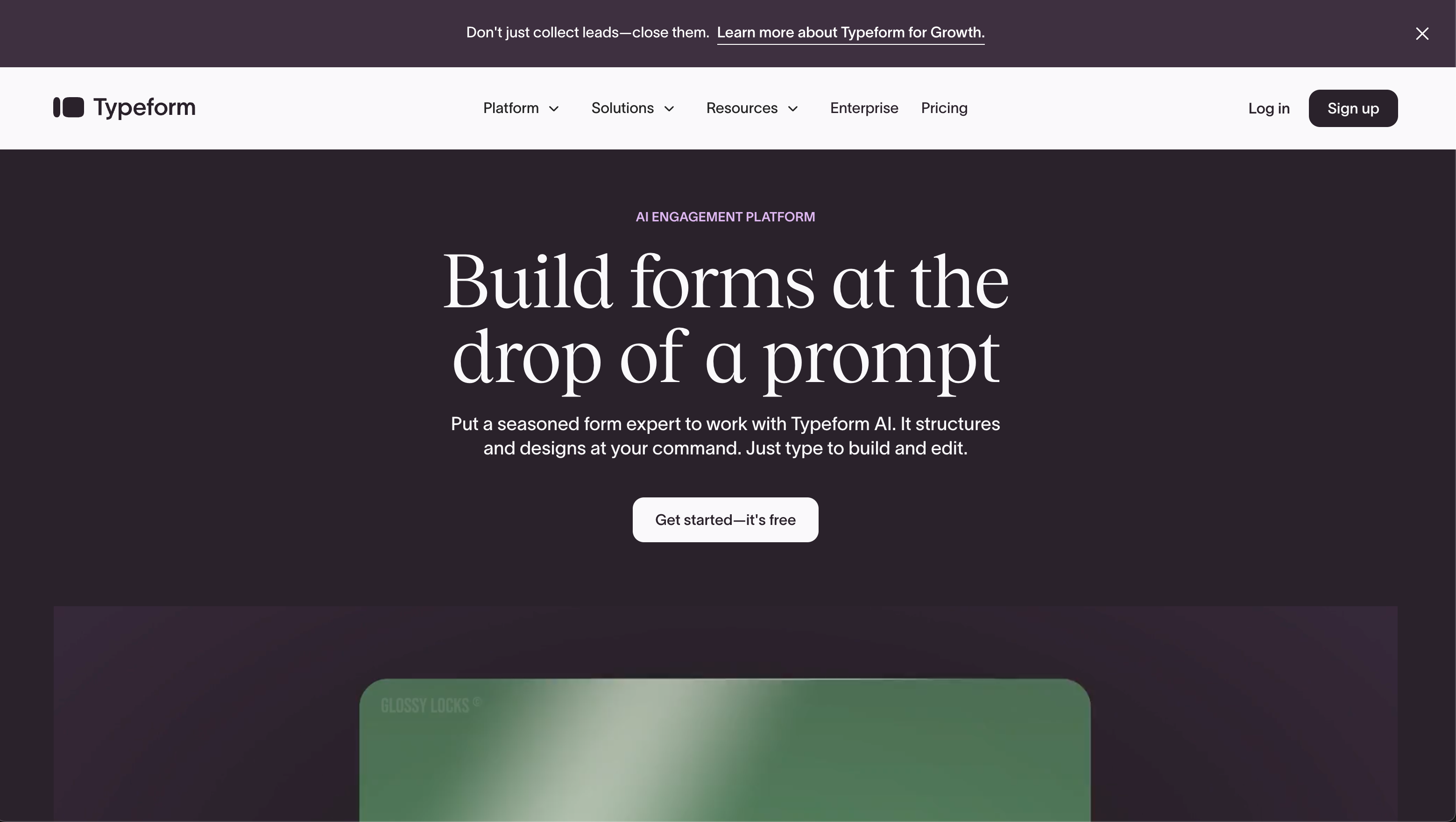
Typeform is third because response rate is a real metric and it wins on that metric. The one-question-at-a-time format suits an in-app intercept better than anything else here, the AI builder produces a usable draft from a prompt, and the 2026 Winter Release added Growth Flow workflows, a Signature question type and native recurring payments through Stripe. For a product team running continuous discovery, completion rate is often worth more than feature depth.
Then you read the plan limits, and for a SaaS company they are hard to accept. Basic is $39/month, or $28 billed annually, and stops at 100 responses a month with one user. Plus is $79/$56 for 1,000 responses and three users. Business is $129/$91 for 10,000 responses and five users. Growth Flow is $379/month, or $266 billed annually, and carries the same 10,000 responses and five seats as Business; the premium buys enrichment and Smart Insights, not headroom. Every published tier meters both response volume and team size, which are precisely the two things a growing software company cannot hold still.
On capability, calculations exist but are logic-and-scoring rather than a spreadsheet engine, and payments are Stripe only with no tax calculation. Typeform is stronger than Paperform on compliance breadth: HIPAA on Enterprise, ISO 27001, ISO 27017, ISO 27018, PCI DSS and an ISO/IEC 42001 AI management certification earned in June 2026, which is a genuine advantage in a security review. Native integrations number 120+. Our Paperform vs Typeform page works through the metering question in full.
- Pricing: Free (10 responses/month). Basic $39/$28. Plus $79/$56. Business $129/$91. Growth Flow $379/$266.
- Best for: Product and research teams who need people to finish the survey.
- Key limitation: Responses and seats capped on every plan, Stripe-only payments, shallow calculations.
 #4 Fillout: Best for Early-Stage SaaS on a Tight Budget
Fillout is the cheapest credible option on this page at $15/month billed annually, and unlike most budget tools it does not charge for people. Seats are unlimited on every tier including Free, which for a ten-person startup removes an entire category of internal friction. It holds SOC 2 Type 2, covers 50+ native integrations with a particularly strong Airtable connector that can update existing records, and bundles scheduling, PDF generation, payments, workflows and signatures into one product.
The meter is on responses instead, and that is the part to model before you commit. Free carries 1,000 submissions a month, Starter 2,000 at $19/$15, Pro 5,000 at $49/$40, and unlimited arrives only at Business, $89/month or $75 billed annually. Going from Pro to Business is an 87% price increase, and the alternative is a bulk submission pack whose price Fillout does not publish. Under the Zite rebrand the metering has spread further: AI credits come from a shared pool and workflow runs are counted, with the serious quotas parked in a $250/month Team bundle. Lead-gen essentials sit in a separate $100/month Conversion Kit.
Payments are Stripe only, with no PayPal, Square or Braintree. Fillout is not HIPAA compliant and does not list CCPA or ISO 27001. It was founded in 2022 and now operates inside a parent app platform, which is a short track record if the form sits in your revenue path. A Hackceleration review published this year praised the all-in-one breadth while noting a learning curve on the advanced features. For a seed-stage company that is a reasonable trade; for a Series B one it is worth planning past.
- Pricing: Free (1,000 submissions/month). Starter $19/$15. Pro $49/$40. Business $89/$75. Team bundle $300/$250.
- Best for: Pre-seed and seed teams who need unlimited seats and a low floor.
- Key limitation: Response caps below $75/month, Stripe-only payments, no HIPAA, and a four-year-old vendor.
See Them in Action
Two independent walkthroughs covering the builders at opposite ends of this ranking.
 #5 Airtable Forms: Best for Internal Intake That Feeds a Base
Airtable Forms has no submission cap and costs nothing extra if you already pay for Airtable, which is why so many SaaS ops teams end up using it. Form submitters and read-only collaborators are never billed; you pay only for users with edit rights on a base. Submissions land as structured records you can immediately view as a kanban board, link to other tables, filter into a roadmap and hit with automations. For a feature request queue, a bug intake or an internal access request, that is a better ending than a spreadsheet export.
It ranks fifth because the form itself is deliberately the thin part. There are no payments of any kind, single-page layout only, limited design control, and calculations are base-side formulas rather than anything the respondent sees. The Professional's Toolkit review published in August 2026 scored it 3.7/5 and made the same point: the value is that the data lands in a relational base, not that the form is good. Compliance is strong, with SOC 2 Type 2, ISO/IEC 27001:2022, ISO/IEC 27701:2019, TX-RAMP Level 2 and HIPAA on Enterprise.
The cost model is per-editor: $24/month per user, or $20 billed annually, on Team, and $54/$45 on Business, with records per base, AI credits and automation runs all separately limited. For a SaaS company where a dozen people need edit access, that adds up quickly against a flat unlimited-seat plan. See form builders for Airtable if you want the base without the form-view limits.
- Pricing: Free. Team $24/user/month, $20 annually. Business $54/$45. Enterprise Scale custom.
- Best for: Internal intake that has to become a record in a base your team already works in.
- Key limitation: No payments, single-page forms only, per-editor pricing, minimal respondent-facing logic.
 #6 Jotform: Best for Regulated SaaS and Payment Breadth
Jotform is the compliance and payments answer on this list, and for a health-tech or fintech SaaS it should probably be the shortlist. HIPAA with a signed BAA arrives on Gold at $129/month, or $99 billed annually, alongside ISO 27001, PCI DSS Level 1, FERPA, StateRAMP and HECVAT. It supports 40+ payment gateways with no added transaction fees, which no other tool here approaches, plus 150+ native integrations, 20,000+ templates and its own Tables, Sign, Apps and Workflows products.
It sits sixth for this specific audience because of seats. Starter, Bronze at $39/$34, Silver at $49/$39 and Gold at $129/$99 are all single-user plans. A SaaS company with a marketing manager, a CS lead and an ops person who each need to edit a form has no self-serve path; multi-user means an Enterprise quote and a sales call. Submissions, forms, form views, storage, fields per form and signed documents are all metered on top, so Bronze's forms stop accepting responses at 1,000 a month.
The other reservation is consistency. The feature list is enormous after two decades of building, and independent reviews recurrently note that individual features do not always behave as advertised. Research.com's 2026 review is a fair read on where the polish is uneven. Jotform is a genuinely strong product and a stable, bootstrapped company; it is just priced for a single administrator rather than a software team. Our Jotform alternatives guide covers where teams usually go when they hit the seat wall.
- Pricing: Starter free (100 submissions/month). Bronze $39/$34. Silver $49/$39. Gold $129/$99. Enterprise on quote.
- Best for: SaaS handling PHI or needing unusual payment processors.
- Key limitation: Single-user on every self-serve tier, and almost every usage dimension is metered.
 #7 SurveyMonkey: Best for Formal Research, Not for Operational Forms
SurveyMonkey has the best analytics of any tool on this page and it is not close. The AI Analysis Suite answers questions about your data in plain English, and cross-tabulation, sentiment analysis, word clouds and industry benchmarks come standard, with NPS, CSAT and CES built in and 400+ methodologically sound templates behind them. There is a 335M-person panel for sale if you need a market read rather than a customer read, and Claude, ChatGPT and Gemini integrations for building and querying surveys conversationally.
It is last here because almost none of that helps with the forms a SaaS company runs every day. There are no calculation fields, so no dynamic pricing or scoring inside the form. Payments exist but are limited and plan-gated. Pricing is the bigger obstacle: since September 2026 every paid plan is an annual commitment with no monthly option, Individual Advantage is $384/year, Team Advantage is $30 per user per month with a three-user floor (so $1,080 a year before anyone uses it), Enterprise requires five seats, and responses carry an annual cap with $0.15 charged for each one over it. A Featurebase pricing breakdown published this year walks through those overage mechanics in detail.
Worth knowing on vendor stability: SurveyMonkey is now owned by private equity firm STG, and the removal of month-to-month billing in September 2026 is the kind of change that follows. It holds SOC 2, ISO 27001, PCI DSS 4.0, Section 508 and HIPAA on Enterprise, with 200+ integrations. If your research function needs it, buy it for that and run your operational forms somewhere else.
- Pricing: Basic free. Individual Advantage $384/year. Team Advantage $30/user/month, 3-user minimum. Annual billing only.
- Best for: Dedicated research and voice-of-customer programmes.
- Key limitation: No calculations, annual-only commitments, seat minimums and $0.15 per response over the cap.
The Five Dimensions That Decide a SaaS Shortlist
Pricing model
Two of the seven tools here meter neither submissions nor seats on a paid plan: Paperform on Pro and Business, and Fillout on Business at $75/month annual. Everything else charges you for growth in one direction or both. Typeform caps responses and seats on all five published plans. Jotform meters submissions and gives one user until Enterprise. Airtable and HubSpot charge per editor. SurveyMonkey caps annual responses, bills $0.15 over, and requires three seats on Team plans. The useful exercise before signing anything is to price your shortlist at three times today's volume with five more colleagues in the account.
Integrations and API
Native integration counts run from roughly 50 to 4,000+. Paperform lists 4,000+ with a REST API on Pro and a Business API above it. HubSpot's marketplace holds 1,600+ apps, though they are CRM-wide rather than form-specific. SurveyMonkey has 200+, Jotform 150+, Typeform 120+ and Fillout 50+ with a standout Airtable connector. Airtable Forms has no integrations of its own, since data lands in a base and the base's automations take over. Every tool here exposes webhooks and an API on paid plans, which matters more to a SaaS buyer than the headline count.
Conditional logic and calculations
All seven branch on an answer; only one runs a spreadsheet engine across the whole form. Paperform's Excel-style calculations control question and page visibility, conditional emails, integration payloads and success-page content, with an AI assistant for writing the formulas. Typeform and Fillout have calculation fields adequate for scoring and simple pricing. Airtable's formulas live in the base, not in front of the respondent. HubSpot Forms and SurveyMonkey have no calculation fields at all, which rules both out of any usage-based or seat-based pricing form.
Payments
Jotform supports 40+ payment processors. Paperform supports five (Stripe, PayPal, Square, Braintree and Google Pay) with subscriptions, coupons, tax rules and inventory handled inside the form. SurveyMonkey supports Stripe and PayPal on selected plans. Typeform, Fillout and HubSpot Forms are Stripe only, and HubSpot adds no recurring payments, no tax calculation and no 3D Secure on forms. Airtable Forms takes no payments whatsoever. For a SaaS company selling an annual contract off a form, recurring payment support and tax handling narrow this field fast.
Compliance
All seven are GDPR compliant and all seven hold a SOC 2 attestation. Five can be made HIPAA compliant: Typeform (Enterprise), Airtable (Enterprise), Jotform (Gold and above), SurveyMonkey (Enterprise) and HubSpot (Enterprise only, with a BAA and sensitive data settings enabled). Paperform and Fillout cannot, and Paperform signs no BAAs. ISO 27001 is held by Typeform, Airtable, Jotform and SurveyMonkey, and not by Paperform, Fillout or HubSpot itself. If you sell into healthcare, that paragraph decides your shortlist before any feature does.

Full Pricing Comparison
Every published tier across all seven tools. Annual rates are shown where vendors publish them separately, and HubSpot's figures are the USD list rates rather than promotional ones.
Paperform
HubSpot Forms
| Product | Plan | Monthly Price | Annual Price (per month) | Free Plan | Free Trial | Limits |
|---|---|---|---|---|---|---|
| Paperform | Free | Free | Free | Yes | 7 days | forms: Unlimited, submissions: 30/month, storage: Unlimited, users: Unlimited, file uploads: 100 MB |
| Paperform | Pro | $59/mo | $49/mo billed annually | forms: Unlimited, submissions: Unlimited, storage: Unlimited, users: Unlimited, file uploads: 10 GB | ||
| Paperform | Business | $149/mo | $124/mo billed annually | forms: Unlimited, submissions: Unlimited, storage: Unlimited, users: Unlimited, file uploads: 100 GB | ||
| HubSpot Forms | Free | Free | Free | Yes | 14 days | forms: Unlimited, submissions: Unlimited, users: 2 |
| HubSpot Forms | Marketing Hub Starter | $20/mo | $20/mo billed annually | forms: Unlimited, submissions: Unlimited, users: Per seat | ||
| HubSpot Forms | Marketing Hub Professional | $890/mo | $800/mo billed annually | forms: Unlimited, submissions: Unlimited, users: 3 Core Seats included (additional Core Seats from $45/mo) | ||
| HubSpot Forms | Marketing Hub Enterprise | $3600/mo | $3600/mo billed annually | forms: Unlimited, submissions: Unlimited, users: 5 Core Seats included (additional Core Seats from $75/mo) | ||
| Typeform | Free | Free | Free | Yes | No | forms: 10, submissions: 10/month, users: 1 |
| Typeform | Basic | $39/mo | $28/mo billed annually | forms: Unlimited, submissions: 100/month, users: 1 | ||
| Typeform | Plus | $79/mo | $56/mo billed annually | forms: Unlimited, submissions: 1,000/month, users: 3 | ||
| Typeform | Business | $129/mo | $91/mo billed annually | forms: Unlimited, submissions: 10,000/month, users: 5 | ||
| Typeform | Growth Flow | $379/mo | $266/mo billed annually | forms: Unlimited, submissions: 10,000/month, users: 5 | ||
| Typeform | Talent | $169/mo | $119/mo billed annually | forms: Unlimited, users: HR teams | ||
| Fillout | Free | Free | Free | Yes | No | forms: Unlimited, submissions: 1,000/month, storage: N/A, users: Unlimited, file uploads: 20 MB per file |
| Fillout | Starter | $19/mo | $15/mo billed annually | forms: Unlimited, submissions: 2,000/month, storage: N/A, users: Unlimited, file uploads: 20 MB per file | ||
| Fillout | Pro | $49/mo | $40/mo billed annually | forms: Unlimited, submissions: 5,000/month, storage: N/A, users: Unlimited, file uploads: 20 MB per file | ||
| Fillout | Business | $89/mo | $75/mo billed annually | forms: Unlimited, submissions: Unlimited, storage: N/A, users: Unlimited, file uploads: 1 GB+ | ||
| Fillout | Team bundle | $300/mo | $250/mo billed annually | forms: Unlimited, submissions: Unlimited, storage: 1,000,000 records, users: Unlimited, file uploads: 1 GB+ | ||
| Airtable Forms | Free | Free | Free | Yes | 14 days | None listed |
| Airtable Forms | Team | $24/mo | $20/mo billed annually | None listed | ||
| Airtable Forms | Business | $54/mo | $45/mo billed annually | None listed | ||
| Airtable Forms | Enterprise Scale | Custom | Custom | None listed | ||
| Jotform | Starter | Free | Free | Yes | No | forms: 5, submissions: 100/month, storage: 100 MB, users: 1 |
| Jotform | Bronze | $39/mo | $34/mo billed annually | forms: 25, submissions: 1,000/month, storage: 1 GB, users: 1 | ||
| Jotform | Silver | $49/mo | $39/mo billed annually | forms: 50, submissions: 2,500/month, storage: 10 GB, users: 1 | ||
| Jotform | Gold | $129/mo | $99/mo billed annually | forms: 100, submissions: 10,000/month, storage: 100 GB, users: 1 | ||
| SurveyMonkey | Basic (Free) | Free | Free | Yes | No | forms: Unlimited, submissions: Limited per survey (exact number now only shown after sign-up/login), storage: N/A, users: 1 |
| SurveyMonkey | Individual Advantage | Free | $32/mo billed annually | forms: Unlimited, submissions: 15,000 per year, storage: N/A, users: 1 | ||
| SurveyMonkey | Individual Premier | Free | $99/mo billed annually | forms: Unlimited, submissions: 40,000 per year, storage: N/A, users: 1 | ||
| SurveyMonkey | Team Advantage | Free | $30/mo billed annually | forms: Unlimited, submissions: 50,000 per year (shared), storage: N/A, users: 3 minimum | ||
| SurveyMonkey | Team Premier | Free | $92/mo billed annually | forms: Unlimited, submissions: 100,000 per year (shared), storage: N/A, users: 3 minimum |
Full Feature Comparison
Every tracked capability across the seven tools, grouped by category.
| Feature | Paperform | HubSpot Forms | Typeform | Fillout | Airtable Forms | Jotform | SurveyMonkey |
|---|---|---|---|---|---|---|---|
| Form Building | |||||||
| Document-style editor | Yes | No | No | No | No | No | No |
| AI form creation | Yes | No | Yes | Yes | No | Yes starter | Yes |
| Field types | 26+ | No | 20+ | 50+ | Yes | 30+ (starter) | 15+ |
| File uploads | Yes | Yes | Yes basic | Yes | No | Yes starter | Yes |
| Multi-page forms | Yes | Yes starter | Yes basic | Yes | No | Yes starter | Yes |
| Guided mode (one question at a time) | Yes | No | Yes | No | No | Yes starter | Yes |
| Conditional logic | Yes | Yes professional | Yes basic | Yes | Yes | Yes starter | Yes Individual Advantage |
| Calculations field | Yes pro | No | Yes plus | Yes | No | Yes starter | No |
| AI calculations assistant | Yes pro | No | No | No | No | No | No |
| Scoring | Yes pro | No | Yes plus | Yes | No | Yes starter | Yes |
| Answer piping | Yes | No | Yes basic | Yes | No | Yes starter | Yes Individual Advantage |
| Pre-filling and hidden fields | Yes pro | Yes | Yes basic | Yes | Yes | Yes starter | Yes Individual Advantage |
| Save and resume | Yes | No | No | Yes | No | Yes starter | Yes Individual Advantage |
| Auto-close by number | Yes pro | No | Yes basic | Yes | No | Yes starter | Yes Individual Advantage |
| Auto-close by date | Yes pro | No | Yes basic | Yes | No | Yes starter | Yes Individual Advantage |
| Appointment/booking field | Yes | No | Yes basic | Yes starter | No | Yes starter | No |
| Signature field | Yes | No | Yes basic | Yes starter | No | Yes starter | No |
| Color picker field | Yes | No | No | No | No | No | No |
| API-powered dropdowns | Yes business | No | No | No | No | No | No |
| Google address search | Yes business | No | No | Yes conversion-kit | No | No | No |
| AI form shortening (Breeze Intelligence) | No | Yes professional | No | No | No | No | No |
| AI agents (Agent Hub / Agent Builder) | No | Yes starter | No | No | No | No | No |
| Question types | No | Yes | No | No | No | No | No |
| Form unpublishing | No | Yes | No | No | No | No | No |
| Automatic lead enrichment | No | Yes professional | No | No | No | No | No |
| Automatic deal creation from forms | No | Yes professional | No | No | No | No | No |
| Question display logic | No | No | Yes basic | No | No | No | No |
| AI follow-up questions | No | No | Yes business | No | No | No | No |
| AI extended thinking & memory | No | No | Yes growth | No | No | No | No |
| Typeform AI connectors | No | No | Yes growth | No | No | No | No |
| Workflow / automation builder | No | No | Yes growth | No | No | No | No |
| AI-moderated research (Research Flow) | No | No | Yes enterprise | No | No | No | No |
| Video questions | No | No | Yes basic | No | No | No | No |
| AI agent in the form editor (Form Agent) | No | No | No | Yes | No | No | No |
| Drag-and-drop builder | No | No | No | No | No | Yes starter | No |
| Form widgets | No | No | No | No | No | Yes starter | No |
| Template gallery | No | No | No | No | No | 20,000+ (starter) | No |
| AI chat survey editing | No | No | No | No | No | No | Yes |
| Payments | |||||||
| Stripe payments | Yes | Yes starter | Yes basic | Yes | No | Yes starter | Yes Individual Advantage |
| PayPal payments | Yes | No | No | No | No | Yes starter | Yes Individual Advantage |
| Square payments | Yes | No | No | No | No | Yes starter | No |
| Braintree payments | Yes | No | No | No | No | Yes starter | No |
| Google Pay | Yes | No | No | No | No | Yes starter | No |
| Product sales (eCommerce) | Yes pro | No | No | Yes | No | Yes starter | No |
| Subscriptions | Yes pro | No | Yes basic | Yes | No | Yes starter | No |
| Coupons and discounts | Yes pro | No | No | Yes | No | Yes starter | No |
| Custom pricing rules | Yes pro | No | No | Yes | No | Yes starter | No |
| Tax calculations | Yes | No | No | No | No | Yes starter | No |
| Quotes/invoices | Yes | No | No | No | No | No | No |
| Refunds | Yes | No | No | No | No | No | No |
| 3D Secure | Yes | No | Yes basic | No | No | No | No |
| 40+ payment gateways | No | No | No | No | No | Yes starter | No |
| No transaction fees | No | No | No | No | No | Yes starter | No |
| Design & Customization | |||||||
| Template gallery | 30,000+ | Yes | 1,500+ | Yes | No | 20,000+ (starter) | 400+ |
| Rich media (images, GIFs, videos) | Yes | No | Yes | Yes | Yes | Yes starter | Yes |
| Unsplash and Giphy integration | Yes | No | Yes | No | No | No | No |
| Image editor | Yes | No | No | No | No | No | No |
| Adobe Creative Cloud | Yes | No | No | No | No | No | No |
| Language translation | Yes | No | Yes basic | No | No | Yes starter | Yes Individual Premier |
| Advanced theming | Yes pro | Yes starter | Yes plus | Yes starter | Yes business | Yes starter | Yes Individual Advantage |
| Custom form URL | Yes pro | No | Yes plus | Yes pro | No | No | Yes Individual Advantage |
| Custom domains | Yes pro | No | Yes enterprise | Yes business | No | Yes enterprise | No |
| Custom HTML & CSS | Yes pro | Yes starter | Yes business | Yes pro | No | Yes starter | No |
| Remove branding | Yes pro | Yes starter | Yes plus | Yes pro | Yes business | Yes bronze | Yes Individual Advantage |
| Custom email domains | Yes business | No | No | Yes pro | No | No | No |
| Adobe CC | No | No | No | No | No | No | No |
| Redirect after submit | No | No | No | No | Yes team | No | No |
| Form themes | No | No | No | No | No | Yes starter | No |
| Analytics | |||||||
| Submission results and reports | Yes | Yes | Yes | Yes | Yes | Yes starter | Yes |
| AI report insights | Yes pro | No | Yes business | No | No | No | Yes Individual Advantage |
| Paperform analytics | Yes pro | No | No | Yes business | No | No | No |
| Drop-off analysis | Yes pro | No | Yes business | No | No | No | No |
| Google Analytics & Facebook Pixel | Yes pro | Yes | Yes basic | Yes | No | No | No |
| Custom analytics scripts | Yes pro | No | Yes basic | Yes business | No | No | No |
| Partial submissions | Yes pro | No | Yes plus | Yes business | No | No | Yes Individual Advantage |
| Conversion analytics | No | Yes professional | No | No | No | No | No |
| Cross-form Insights dashboard | No | No | Yes business | No | No | No | No |
| Form analytics | No | No | No | No | No | Yes starter | No |
| Field data validation | No | No | No | No | Yes team | No | No |
| Google Analytics integration | No | No | No | No | No | Yes starter | No |
| Benchmarks | No | No | No | No | No | No | No |
| Collaboration | |||||||
| Multi-user accounts | Yes pro | Yes | Yes plus | Yes | Yes | Yes bronze | Yes Team Advantage |
| User permissions and management | Yes pro | Yes starter | Yes plus | Yes | Yes team | Yes enterprise | Yes Team Advantage |
| Advanced permissions & admin | Yes enterprise | Yes enterprise | Yes enterprise | Yes team | Yes enterprise | Yes enterprise | Yes enterprise |
| Form sharing (templates) | Yes | Yes | Yes | Yes | Yes | No | Yes Team Advantage |
| Spaces and tag management | Yes | No | No | Yes | No | No | No |
| Workspace organization | No | No | Yes | No | Yes | No | No |
| Form sharing | No | No | No | No | No | Yes starter | No |
| Assign forms | No | No | No | No | No | Yes enterprise | No |
| Review Sessions | No | No | No | No | No | No | Yes Team Advantage |
| Persistent Magic Link | No | No | No | No | No | No | Yes Team Advantage |
| Security | |||||||
| SOC 2 Type II | Yes | Yes | Yes | Yes | Yes | Yes enterprise | Yes |
| GDPR compliant | Yes | Yes | Yes | Yes | Yes | Yes starter | Yes |
| SSL encryption | Yes | Yes | Yes | Yes | Yes | Yes starter | Yes |
| Two-factor authentication | Yes | Yes | Yes | Yes | Yes | Yes starter | Yes |
| Enforce 2FA for all users | Yes business | No | No | Yes team | No | No | Yes enterprise |
| SSO (SAML) | Yes business | Yes enterprise | Yes enterprise | Yes enterprise | Yes business | Yes enterprise | Yes enterprise |
| reCAPTCHA | Yes | No | Yes business | Yes starter | No | Yes starter | Yes |
| Local data residency | Yes enterprise | No | No | Yes enterprise | No | No | Yes enterprise |
| Custom S3 storage (BYO) | Yes business | No | No | Yes | No | No | No |
| HIPAA compliant | No | Yes enterprise | Yes enterprise | No | No | Yes gold | No |
| Data residency | No | Yes enterprise | No | No | Yes enterprise | Yes enterprise | No |
| Custom S3 storage | No | No | No | No | No | No | No |
| ISO 27001 | No | No | Yes | No | No | No | No |
| PCI DSS | No | No | Yes | No | No | Yes starter | No |
| HIPAA compliance / BAA | No | No | No | No | No | No | No |
| Audit logs | No | No | No | Yes enterprise | No | No | No |
| Enforce 2FA | No | No | No | No | Yes enterprise | No | No |
| Custom S3 | No | No | No | No | No | No | No |
| 256-bit SSL | No | No | No | No | No | Yes starter | No |
| Form encryption | No | No | No | No | No | Yes starter | No |
| Integrations & API | |||||||
| Native integrations | 4,000+ | Yes | 120+ (basic) | 50+ | No | 150+ (starter) | 200+ |
| Zapier | Yes | Yes starter | Yes basic | Yes | Yes | Yes starter | Yes |
| Make (Integromat) | Yes | Yes starter | Yes basic | Yes | Yes | Yes starter | Yes |
| Webhooks | Yes pro | Yes starter | Yes basic | Yes | Yes team | Yes starter | Yes Individual Advantage |
| Standard API | Yes pro | No | No | Yes | No | No | Yes Individual Advantage |
| Business API | Yes business | No | No | No | No | No | Yes enterprise |
| WordPress plugin | Yes | Yes | Yes | Yes | No | Yes starter | No |
| oEmbed support | Yes | No | No | Yes | No | No | No |
| API | No | Yes | Yes basic | No | Yes | Yes starter | No |
| Embed options | No | Yes | Yes | No | Yes | Yes starter | No |
| Claude / MCP server | No | No | Yes basic | No | No | No | No |
| AI data enrichment | No | No | Yes growth | No | No | No | No |
| Automations integrations (Contacts & Automations) | No | No | Yes growth | No | No | No | No |
| Smartsheet integration | No | No | No | No | No | Yes starter | No |
| Canvas LMS integration | No | No | No | No | No | Yes enterprise | No |
| Salesforce AppExchange | No | No | No | No | No | Yes starter | No |
| Mobile apps | No | No | No | No | No | Yes starter | No |
| Claude (Anthropic) integration | No | No | No | No | No | No | Yes Individual Advantage |
| ChatGPT integration | No | No | No | No | No | No | Yes |
| Gemini integration | No | No | No | No | No | No | No |
| HRIS integrations (Workday, BambooHR) | No | No | No | No | No | No | Yes |
Review Ratings Across Platforms
Aggregated ratings from G2, Capterra, GetApp, Trustpilot and TrustRadius, weighted by review count so small samples do not distort the picture.
How We Ranked These for SaaS Companies
Five weighted criteria, applied identically to all seven tools and chosen for how software companies actually use forms:
- Growth economics (30%): What gets metered, and what happens to the invoice when volume triples or the team doubles. Submission caps, seat pricing, seat minimums, overage rates and annual-only commitments were all scored against the vendor. This weighting is heavier here than on our general rankings because SaaS volume curves are steeper than almost any other sector's.
- Workflow completion (25%): How much of a real SaaS process a tool finishes without help. Calculation engines, eSignatures, approval routing and automation shipped in the subscription scored highest. Needing a second and third vendor to reach a signed order form scored lowest.
- Data and system reach (20%): Native CRM write-back, integration count, webhook and API availability, and whether the API is gated behind an upgrade or a sales call.
- Security review readiness (15%): SOC 2, ISO 27001, HIPAA availability and the tier it requires, SSO, 2FA and data residency options, taken from published trust documentation rather than marketing pages.
- Vendor stability (10%): Company age, funding model, profitability, ownership changes and visible development momentum. A form wired into your onboarding flow is a five-year dependency.
Every tool was tested against four jobs a SaaS company runs: a demo request that routes by company size, a multi-page onboarding intake that ends in a signature, a seat-based pricing form with proration, and a churn survey that notifies an owner. Pricing was read live from each vendor's pricing page on 22 September 2026; where a vendor geo-serves currency, the published USD rate is quoted and any uncertainty is recorded in our underlying data.
For a wider field, see our best form builders ranking of twelve tools, or the narrower guides for startups, enterprises and web developers.
Frequently Asked Questions
Should a SaaS company use its CRM's native forms or a dedicated form builder?
Use the CRM's forms for the top of the funnel and a dedicated builder for everything behind the login. HubSpot Forms writes straight into the contact record, supports progressive profiling and drives HubSpot workflows with no mapping layer, which is genuinely hard to beat for a demo request or a gated asset.
It stops being the right tool the moment the form has to calculate something, take a payment, produce a signed order form or branch across several pages. HubSpot Forms has no calculation fields, no PayPal, Square or Braintree, no recurring payments on forms and no tax handling, and smart forms with A/B testing sit on Marketing Hub Professional at $890/month plus a required $3,000 onboarding fee. Most SaaS teams end up running both, with the CRM form on the marketing site and something like Paperform behind the product.
What happens to my form bill when a product launch goes well?
On most of these tools, it goes up. Typeform caps responses on all five published plans, including Growth Flow at $266/month billed annually, which carries the same 10,000 responses as the $91 Business plan. Jotform's Bronze plan stops accepting submissions at 1,000 a month. Fillout caps Starter at 2,000 responses and Pro at 5,000, and the fix is an 87% jump to Business at $75/month annual or a bulk submission pack at a price Fillout does not publish. SurveyMonkey bills $0.15 for every response over the annual allowance.
Paperform and Fillout's Business tier are the two places on this list where a viral week costs the same as a quiet one. Paperform's Pro plan carries unlimited submissions and unlimited seats under fair use at $59/month, or $49/month billed annually.
Which of these tools can a SaaS team roll out to everyone without buying seats?
Paperform and Fillout. Both include unlimited team members on every paid plan, so product, support, sales and ops can all build without a procurement conversation each time.
The rest price people. Airtable charges per user with edit rights: $20 per user per month on Team and $45 on Business, billed annually. HubSpot's Starter is $20 per seat, Professional includes three Core Seats and charges $45 for each extra, Enterprise $75. SurveyMonkey Team Advantage is $30 per user per month with a three-user floor. Jotform is the sharpest edge here, since Starter, Bronze, Silver and Gold are all single-user and a second editor means an Enterprise quote. For a company that ships software with a team of fifteen, that detail matters more than the headline price.
Can any of these form builders run an in-product NPS or churn survey properly?
Yes, and they split by what you want to do with the answer. SurveyMonkey has the strongest instrument: built-in NPS, CSAT and CES, cross-tabulation, sentiment analysis and industry benchmarks, plus 400+ methodologically sound templates. If the output is a research readout, that is the tool.
Typeform gets the highest completion rates because the one-question-at-a-time format suits an in-app intercept. Paperform is the better choice when the score has to do something: Excel-style calculations can bucket an NPS response, show or hide follow-up pages by segment, fire different conditional emails for detractors and promoters, and change what gets pushed to each integration. Airtable Forms works if the survey feeds a base your product team already reads.
Which form builders here will survive a customer's security review?
All seven claim GDPR compliance and all seven hold a SOC 2 attestation, which clears the first page of most vendor questionnaires. Beyond that they diverge. ISO 27001 is held by Typeform, Airtable, Jotform and SurveyMonkey, and not by Paperform, Fillout or HubSpot itself.
HIPAA is the real filter. Typeform (Enterprise), Airtable (Enterprise), Jotform (Gold and above), SurveyMonkey (Enterprise) and HubSpot (Enterprise, with a BAA and sensitive data settings enabled) can be made HIPAA compliant. Paperform and Fillout cannot, and Paperform signs no Business Associate Agreements. If your SaaS handles protected health information, Paperform is the wrong answer and Jotform or Airtable Enterprise is the right one.
What does a SaaS company actually need a form builder to do beyond collecting data?
Four jobs come up on nearly every SaaS roadmap: a demo or trial request that routes by company size, an onboarding intake that collects scoping detail and then triggers an order form for signature, a payment or upgrade form with proration or seat-based pricing, and an offboarding or churn survey that reaches the right person internally.
Only the first is really a form. The other three are workflows, and the honest test when shortlisting is to count how many products you need to complete each one. On most of this list the answer is three: a form tool, a signature vendor and Zapier or an internal service on top. Paperform is the one entry where forms, Papersign eSignatures and Stepper workflow automation arrive in a single subscription on every plan, which is why it heads this ranking.
Is Paperform a safe vendor for something in our production funnel?
It has been shipping since 2016, it is bootstrapped, and it is profitable, which is an unusual combination in this category and a relevant one when you are wiring a tool into revenue. It holds SOC 2 Type II, GDPR and CCPA compliance, lists 4,000+ integrations, and offers a REST API on Pro plus a Business API on Business at $124/month annual.
The caveats worth knowing before you commit: no HIPAA and no BAAs, no ISO 27001, the highest paid entry price of the seven tools here at $49/month billed annually, and Stepper automation runs are metered in credits (20,000/month on Pro) with overflow charged at $10 per additional 10,000. Review volume is also modest next to the incumbents, roughly 498 reviews against SurveyMonkey's 23,000-plus, though the average rating is higher.
We are pre-seed and counting every dollar. What should we start on?
Fillout. It is $15/month billed annually for Starter, includes unlimited seats at every tier, holds SOC 2 Type 2, and its free plan carries 1,000 submissions a month, which covers a landing page waitlist and an early feedback loop without a card. At that stage the argument for anything pricier is weak and we would not make it.
The thing to watch is what happens at traction. Fillout was founded in 2022 and now trades inside the Zite app platform, AI features draw on a shared credit pool, and the lead-gen essentials sit behind a separate $100/month Conversion Kit. Plan the migration path before responses pass 5,000 a month rather than after. Our form builders for startups guide goes deeper on the early-stage tradeoffs.
Sources & References
- HubSpot Forms Review (2026): Features, Pricing & Limitations — Knock AI, 2026
- SurveyMonkey Pricing Guide 2026: Costs, Plans, and Hidden Fees — Featurebase, 2026
- Fillout Review 2026: We Tested Everything (Builder, Integrations, Automations & Real ROI) — Hackceleration, 2026
- Airtable Forms (2026): Collect Data Straight Into Your Database — The Professional's Toolkit, August 2026
- Jotform Review 2026: Pricing, Features, Pros & Cons, Ratings & More — Research.com, 2026
Updates
We re-audit the form builders we compare on a regular cadence and log every change here — a public record of what changed and when.
- Updated September 22, 2026 — Full rebuild against a live pricing re-audit of all seven tools. Ranking reweighted around seat and submission economics for SaaS growth curves. Paperform's lineup updated (Pro $59/month, $49 annual, unlimited submissions and seats); Fillout and SurveyMonkey added; HubSpot Professional onboarding fee, Typeform Growth Flow limits and SurveyMonkey's annual-only billing change all reflected.
Last updated September 22, 2026
Ready to try Paperform?
Create beautiful forms, payment pages, and workflows — no code required.