You don't have to be Amazon or one of the other big e-commerce players to make waves this Black Friday. Whether you're using Paperform to sell coffee, services or a side hustle, you can launch killer sales too—no matter the size of your store.
1. Coupons
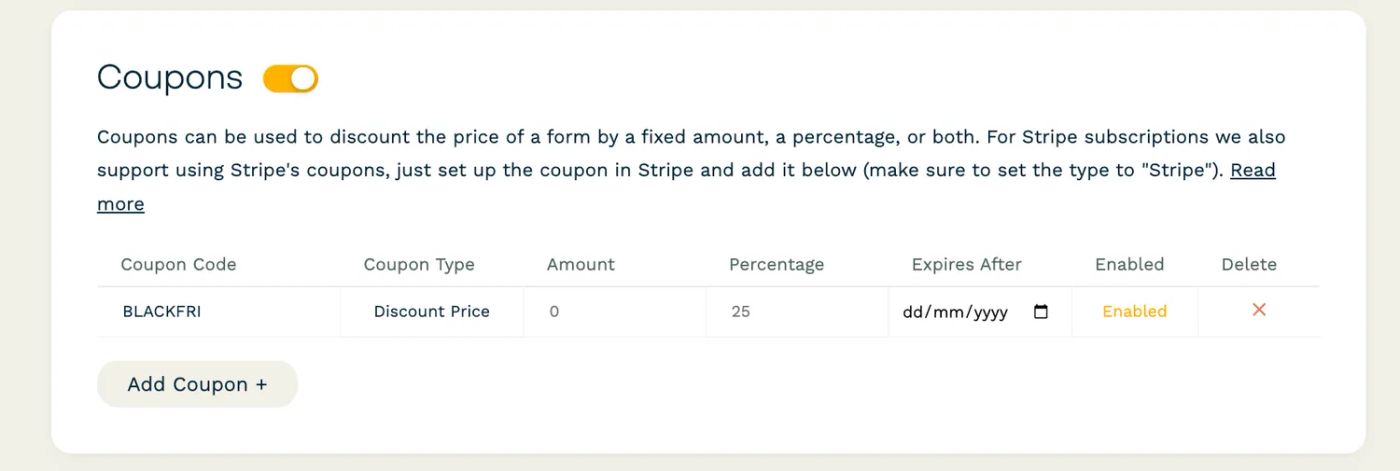
With Paperform, you can whip up enticing coupons in no time. Whether it’s a percentage off or a fixed amount discount, setting them up is a breeze:
- Head over to Configure → Payments in your form editor.
- Toggle on “Coupons” and click “Add Coupon” to start crafting your offer.
- Fill in the details
- Watch as your customers flock to your deals* (*flocking not guaranteed)
You can even set coupons to expire right after Black Friday, so they’re exclusive to the big day. Once set up, your customers can apply the discounts at checkout, making their shopping experience—and your sales—smoother than ever.
2. Subscription discounts
Got subscriptions or recurring services? Link Paperform to your Stripe account and easily sling those Black Friday discounts onto your subscription models. To set up Stripe subscriptions:
- Linking your Paperform account to Stripe
- Add subscription fields within your form. This allows customers to sign up for your services or products regularly right from the form.
- Tailor your subscription offerings to fit your Black Friday promotions.
Whether you want to offer a special rate, a unique bundle for new subscribers, or anything in between, it's completely up to you.
Our guide on Discounts for subscriptions is super helpful if you need more help.
3. Custom pricing rules
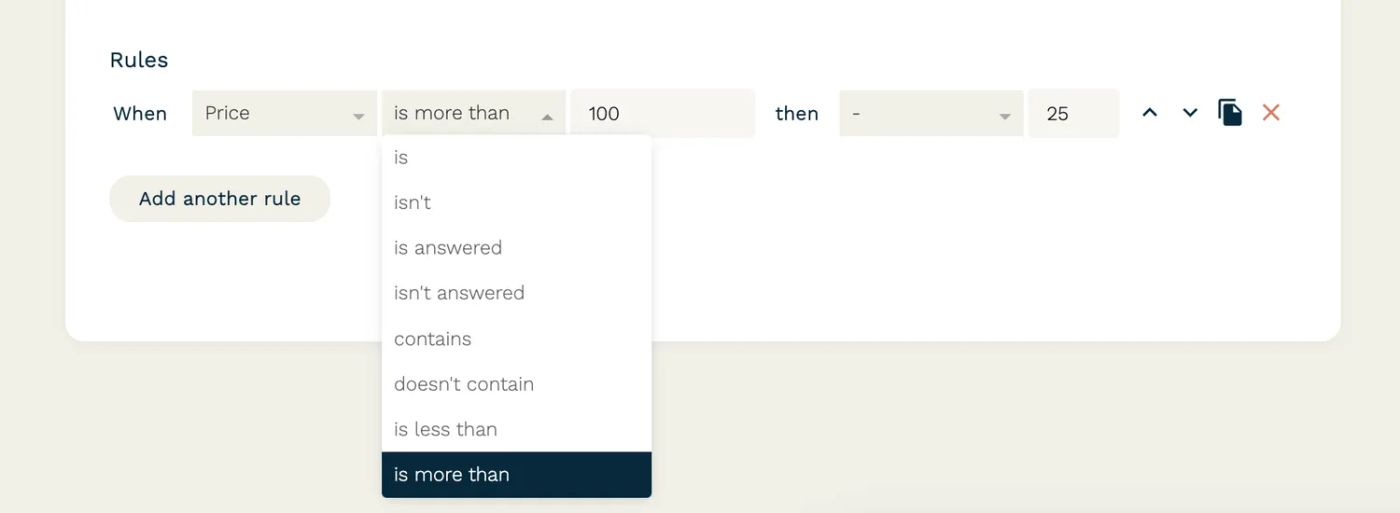
Get creative with our Custom Pricing Rules. This nifty feature lets you play around with pricing based on specific conditions. Think along the lines of “spend over $100 and get $15 off” – exciting, right? Setting this up is as simple as:
- Open your form in the editor, navigate to Configure → Payments, and enable "Custom Pricing Rules."
- If desired, you can add an extra fixed price or percentage fee to the total cost.
- Choose a name for the line item that will represent all adjustments made by Custom Pricing Rules at checkout. This label will show up as a single line item summarizing the price changes.
- Add your pricing rules and set them up as you like.
💡 Tip: You can add multiple rules, but remember they're applied in the order they’re listed. Each rule consists of two parts: condition (defines when the rule will be activated) and action (specifies what change the rule will make to the price).
4. Calculations
Calculations in Paperform are like having a smart, automated assistant within your form. They allow you to set up special pricing and offers that change based on what your customers choose or enter into the form.
Here are some creative ways to use Calculations for Black Friday promotions:
- Volume discounts: Automatically apply a discount when customers purchase in larger quantities.
- Time-limited offers: Set up deals that change throughout Black Friday, like early bird specials or midnight sales.
- Location-based promotions: Offer special discounts or shipping benefits based on the customer’s location.
- Bundle pricing: Create bundle deals, applying discounts when customers select a specific combination of products.
To set up calculations:
- In your form editor, navigate to the Calculations section
- Define conditions for your discounts or special offers
- Test the setup to double-check check everything works
Ready, steady, sale
With Paperform's e-commerce features, whipping up your own awesome deals is as easy. Dive in, get creative, and watch the sales roll in. We're looking forward to seeing what you achieve.
Related reading