Paperform vs Google Forms vs Typeform: Which Form Builder Wins in 2026?
Google Forms wins on free, frictionless data collection; Typeform wins on conversational design; and Paperform wins as the all-rounder that takes payments, runs calculations, and builds on-brand forms in any layout. Choose Google Forms for free internal surveys, Typeform for short brand-led lead capture, and Paperform when one form has to capture, charge, and automate at once. Paperform starts at $24/month, below Typeform.
These three sit at three corners of the form-builder market, and the choice between them comes down to how much you need the form to do. Google Forms is the tool you already have: free with any Google account and built into Workspace. Typeform turned the survey into a conversational brand moment, one beautiful question at a time. Paperform is the SMB all-rounder, with a document-style editor that produces landing-page-quality forms, plus payments, an Excel-style calculation engine, eSignatures, and workflow automation built in. None is universally "best," but only one of them is designed to handle a customer-facing form from first answer to signed contract.
Below we put all three side by side on the five dimensions that actually decide a purchase (pricing, integrations and API, conditional logic, payments, and compliance) using current figures pulled from each product, then map out when to choose which.
Quick verdict: who each one is for
 Paperform
Best for: growing businesses whose forms also need to take payments, run calculations, and look on-brand: one platform replacing a survey tool plus a checkout plus an eSignature subscription.
 Google Forms
Best for: zero-budget internal surveys, quizzes, and RSVPs run by teams already inside Google Workspace, where nobody pays and branding doesn't matter.
 Typeform
Best for: short, customer-facing lead and feedback forms where conversational presentation drives completion, Stripe is the only processor needed, and the per-response price is justified by conversions.
Three philosophies, side by side
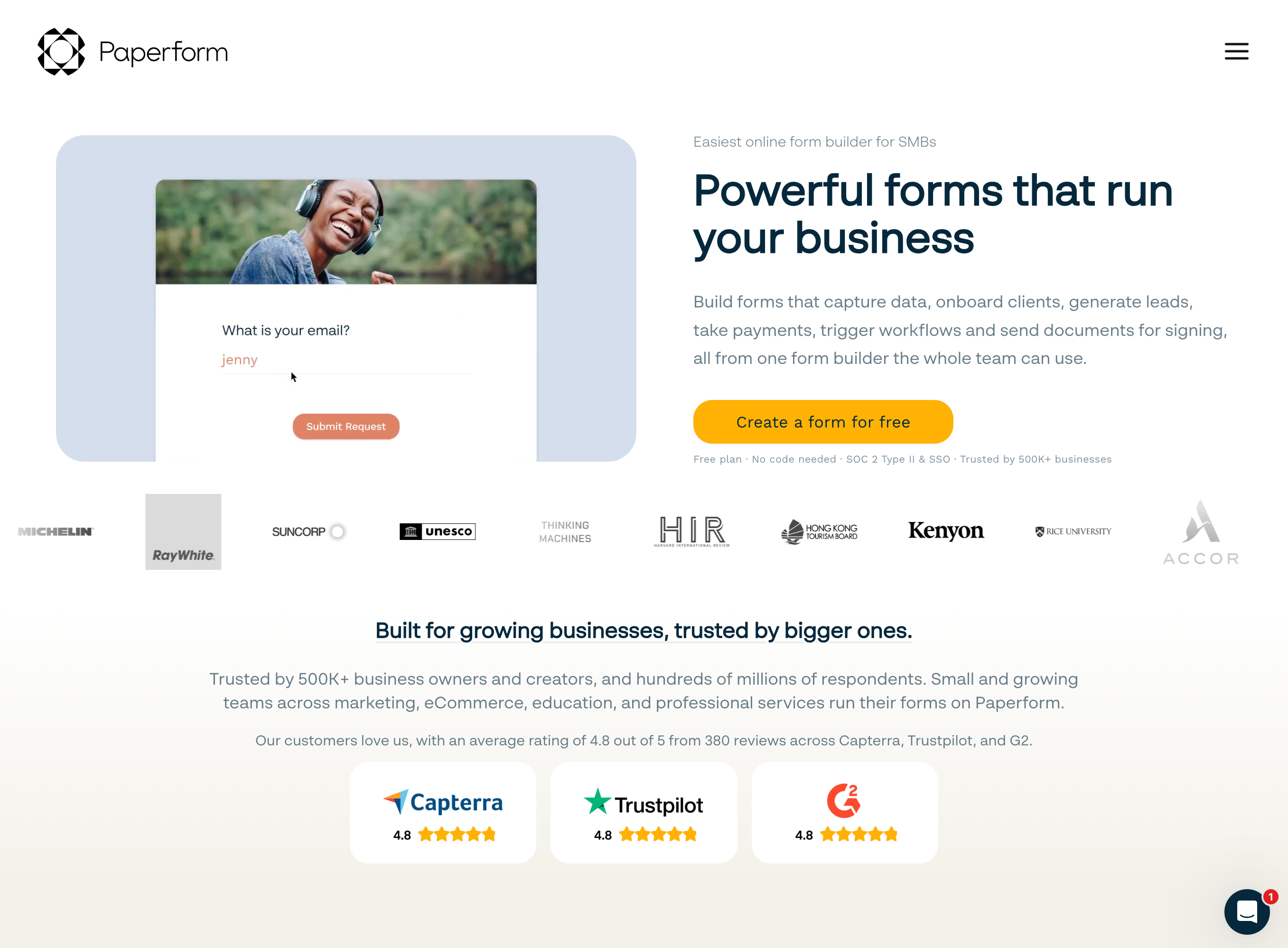
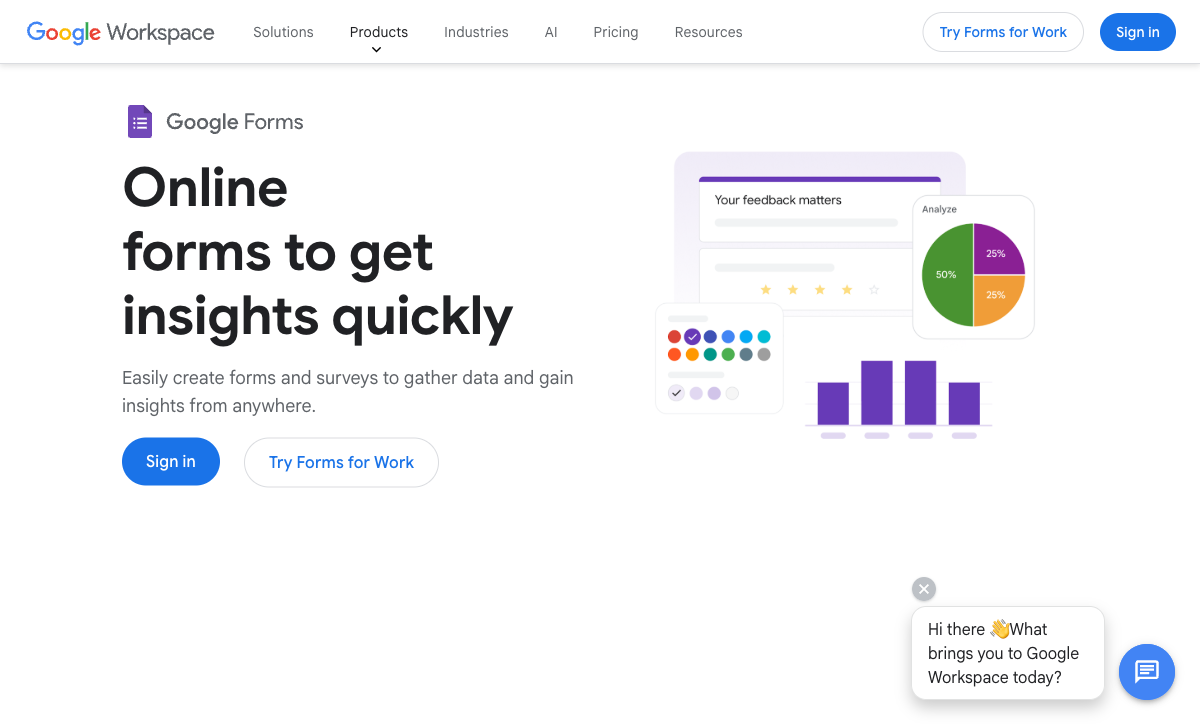
The quickest way to see the difference is to look at them. Ask each tool to do the same simple thing, collect a handful of answers, and you get three completely different respondent experiences.
Feature comparison
Every category across all three, side by side. The payments, customization, and platform-products rows are where the all-rounder gap opens up.
| Feature | Paperform | Google Forms | Typeform |
|---|---|---|---|
| Form Building | |||
| Document-style editor | Yes | No | No |
| AI form creation | Yes | Yes | Yes |
| Field types | 26+ | 11 | 20+ |
| File uploads | Yes | Yes | Yes basic |
| Multi-page forms | Yes | Yes | Yes basic |
| Guided mode (one question at a time) | Yes | No | Yes |
| Conditional logic | Yes | Yes | Yes basic |
| Calculations field | Yes essentials | No | Yes plus |
| AI calculations assistant | Yes essentials | No | No |
| Scoring | Yes essentials | Yes | Yes plus |
| Answer piping | Yes | No | Yes basic |
| Pre-filling and hidden fields | Yes essentials | Yes | Yes basic |
| Save and resume | Yes | No | No |
| Auto-close by number | Yes essentials | Yes | Yes basic |
| Auto-close by date | Yes pro | Yes | Yes basic |
| Appointment/booking field | Yes | No | Yes basic |
| Signature field | Yes | No | Yes basic |
| Color picker field | Yes | No | No |
| API-powered dropdowns | Yes business | No | No |
| Google address search | Yes business | No | No |
| AI follow-up questions | No | No | Yes business |
| AI extended thinking & memory | No | No | Yes growth |
| Workflow / automation builder | No | No | Yes growth |
| AI-moderated research (Research Flow) | No | No | Yes enterprise |
| Video questions | No | No | Yes basic |
| Payments | |||
| Stripe payments | Yes | No | Yes basic |
| PayPal payments | Yes | No | No |
| Square payments | Yes | No | No |
| Braintree payments | Yes | No | No |
| Google Pay | Yes | No | No |
| Product sales (eCommerce) | Yes essentials | No | No |
| Subscriptions | Yes essentials | No | Yes basic |
| Coupons and discounts | Yes essentials | No | No |
| Custom pricing rules | Yes essentials | No | No |
| Tax calculations | Yes | No | No |
| Quotes/invoices | Yes | No | No |
| Refunds | Yes | No | No |
| 3D Secure | Yes | No | Yes basic |
| Design & Customization | |||
| Template gallery | 30,000+ | 20+ | 1,500+ |
| Rich media (images, GIFs, videos) | Yes | Yes | Yes |
| Unsplash and Giphy integration | Yes | No | Yes |
| Image editor | Yes | No | No |
| Adobe Creative Cloud | Yes | No | No |
| Language translation | Yes | No | Yes basic |
| Advanced theming | Yes pro | No | Yes plus |
| Custom form URL | Yes pro | No | Yes plus |
| Custom domains | Yes pro | No | No |
| Custom HTML & CSS | Yes pro | No | Yes business |
| Remove branding | Yes pro | No | Yes plus |
| Custom email domains | Yes business | Yes Business Starter | No |
| Analytics | |||
| Submission results and reports | Yes | Yes | Yes |
| AI report insights | Yes pro | Yes Business Standard | Yes business |
| Paperform analytics | Yes pro | No | No |
| Drop-off analysis | Yes pro | No | Yes business |
| Google Analytics & Facebook Pixel | Yes essentials | No | Yes basic |
| Custom analytics scripts | Yes pro | No | Yes basic |
| Partial submissions | Yes pro | No | Yes plus |
| Collaboration | |||
| Multi-user accounts | Yes pro | Yes | Yes plus |
| User permissions and management | Yes pro | Yes | Yes plus |
| Advanced permissions & admin | Yes enterprise | Yes Business Starter | Yes enterprise |
| Form sharing (templates) | Yes | Yes | Yes |
| Spaces and tag management | Yes | No | No |
| Workspace organization | No | No | Yes |
| Security | |||
| SOC 2 Type II | Yes | Yes | Yes |
| GDPR compliant | Yes | Yes | Yes |
| SSL encryption | Yes | Yes | Yes |
| Two-factor authentication | Yes | Yes | Yes |
| Enforce 2FA for all users | Yes business | Yes Business Starter | No |
| SSO (SAML) | Yes business | Yes Business Plus | Yes enterprise |
| reCAPTCHA | Yes | No | Yes business |
| Local data residency | Yes enterprise | Yes Business Plus | No |
| Custom S3 storage (BYO) | Yes business | No | No |
| HIPAA compliant | No | No | Yes enterprise |
| ISO 27001 | No | No | Yes |
| PCI DSS | No | No | Yes |
| Integrations & API | |||
| Native integrations | 2,000+ | No | 120+ (basic) |
| Zapier | Yes | Yes | Yes basic |
| Make (Integromat) | Yes | Yes | Yes basic |
| Webhooks | Yes pro | No | Yes basic |
| Standard API | Yes pro | Yes | No |
| Business API | Yes business | No | No |
| WordPress plugin | Yes | No | Yes |
| oEmbed support | Yes | No | No |
| API | No | No | Yes basic |
| Embed options | No | No | Yes |
| Claude / MCP server | No | No | Yes basic |
| AI data enrichment | No | No | Yes growth |
The five dimensions that decide it
Strip away the homepage impressions and most decisions come down to five questions. Here's where each tool lands on every one.
Pricing
Google Forms is free at any scale; Paperform's paid plans start at $24/month (annual) and Typeform's at $28/month (annual). Google Forms has no Forms-specific paid tier; Google Workspace (from $7/user/month annual) adds storage and admin controls but no new form features. At the entry tier, Paperform Essentials ($24/mo) and Typeform Basic ($28/mo) both cover 100 responses a month, but Paperform unlocks calculations, eCommerce, and coupons at that price while Typeform reserves logic and analytics for higher plans. Paperform is the cheapest paid option of the three and gives the most capability per dollar.
Integrations & API
Paperform reaches 2,000+ integrations, Typeform 120+ native connectors, and Google Forms roughly 20, all inside the Google ecosystem. All three expose a REST API. Paperform and Typeform both support webhooks; Google Forms does not. Google Forms is a walled garden: flawless inside Workspace (Sheets, Drive, Classroom) but reliant on Zapier, Make, or Apps Script for anything outside Google. Paperform adds Stepper, an AI-native workflow builder, on top of its native connectors, Zapier, and Make.
Conditional logic
Paperform runs an Excel-style calculation engine and field-level logic; Typeform gates advanced logic and calculations to its Plus tier ($56/month annual); Google Forms supports section-level branching only. Google Forms can route someone to a different section based on a multiple-choice answer, but cannot show or hide individual questions or run a calculation. Typeform's visual logic is capable but locked into its one-at-a-time format. Paperform's calculations carry across question visibility, conditional emails, integrations, and success pages, the most powerful logic of the three.
Payments
Paperform supports five payment gateways (Stripe, PayPal, Square, Braintree, Google Pay), Typeform supports exactly one (Stripe), and Google Forms supports none. Paperform pairs those gateways with a full eCommerce engine (products, subscriptions, coupons, custom pricing rules, tax, quotes, and refunds) available from the free plan. Typeform works only if Stripe is your processor and has no eCommerce features. Google Forms cannot collect money at all.
Compliance (HIPAA / GDPR / SOC 2)
All three are GDPR and SOC 2 compliant. Typeform is HIPAA compliant on its Business tier with a BAA; Google Forms inherits Workspace HIPAA coverage but the Forms product lacks the audit controls most healthcare teams require; Paperform is not HIPAA compliant. Google Forms and Typeform add ISO 27001 (and Google Forms adds FedRAMP, SOC 1, and SOC 3 via Google's infrastructure); Paperform is SOC 2 Type II certified with a dedicated Trust Center, GDPR and CCPA compliant. For protected health information specifically, treat Typeform Business as the floor among these three, and don't put PHI into Google Forms or Paperform.
Paperform: one form that captures, charges, and automates
Paperform's advantage over the other two is range. Where Google Forms is built for the simplest job and Typeform for one specific format, Paperform's document-style editor lets you build a form like editing a page, mixing headings, paragraphs, images, video, and questions in any order, then choose the layout to match: classic, multi-page, or a one-question-at-a-time Guided Mode that matches the conversational style Typeform built its name on. You're not locked into that format the way Typeform locks you in. Forms publish on your own custom domain with your branding, not a docs.google.com URL, and customers report conversion lifts after switching to Guided Mode. It holds a 4.8 average across G2, Capterra, GetApp, and Trustpilot.
What sets it apart most is what happens after a respondent starts filling in. Five payment gateways and a full eCommerce engine mean a Paperform form can take money (products, subscriptions, coupons, tax, refunds) without a separate checkout. An Excel-style calculation engine drives scoring, dynamic pricing, and routing across the whole form. And Papersign (eSignatures) and Stepper (AI-native workflow automation) are bundled in at no extra cost, turning a submission into a signed contract or a routed approval. Paperform is bootstrapped and profitable, founded in 2016, SOC 2 Type II certified, with 2,000+ integrations and 30,000+ templates, the largest library in the category. The honest caveats: there's no mobile app for building forms, and it is not HIPAA compliant, so regulated healthcare teams collecting PHI should look elsewhere.
Google Forms: free, familiar, and deliberately bare
Google Forms earns its place by being already there. It is genuinely free at unlimited scale, with the only ceiling being the 15 GB shared with the rest of your Google Drive, and it carries the lowest learning curve of any tool here: anyone who can use Google Docs can build a usable form in one sitting, and a team can co-edit it in real time on the same engine that powers Docs. For schools, nonprofits, and internal teams already inside Workspace, that combination of zero cost and zero friction is unmatched, and it shows in a 4.7 Capterra rating across more than 11,000 reviews. Quizzes, RSVPs, and internal feedback are its sweet spot.
Google Forms is a utility rather than a platform, though, and its limits arrive fast. Customization stops at a header image, an accent color, and four fonts; every form is unmistakably a Google Form with branding you can't remove. There are no payments, no field-level logic, no calculations, no webhooks, no custom domain, and no eSignatures or workflow automation, plus roughly 20 integrations, nearly all Google-only. The Forms roadmap has also moved slowly for years; recent additions like Gemini-powered text summaries require a paid Workspace plan and don't change the core ceiling. It works right up until a form needs to touch a customer, take money, or feed a business process.
Typeform: a beautiful format, with a narrow lane
Typeform is the best-looking tool here, and for the right job that matters. Its one-question-at-a-time conversational format, smooth animations, and careful typography produce forms that feel like a brand experience rather than a survey, and the company reports completion rates well above the traditional-form average. It is trusted by 95% of the Fortune 500, integrates cleanly with marketing tools like HubSpot, Klaviyo, and Salesforce, and has leaned hard into AI for form creation and response analysis. For a short, high-stakes lead or feedback form, Typeform's presentation can genuinely move the numbers.
That polish has a price, and it's the recurring theme in its reviews: 46% of reviewers cite pricing negatively. The free plan allows just 10 responses a month, Basic ($28/mo annual) covers only 100, and even reCAPTCHA spam protection sits behind the Business tier ($91/mo annual). The conversational format is also the only format: there's no traditional layout, so a 30-field intake form forces respondents through 30 separate screens. Payments are Stripe-only with no eCommerce, there's no standalone eSignature product, and workflow automation (Growth Flow) starts at $199/month. As a venture-funded company that has raised $193M, Typeform faces the monetization pressure that explains both the gating and the shrinking free tier. It does one specific job very well, and charges steeply for everything outside it.
See it in action
If you'd rather watch than read, this independent beginner's walkthrough covers how the most capable of the three, Paperform, actually builds a form. It's a useful way to judge how much extra you get over Google Forms' simplicity and Typeform's single format.
Pricing comparison
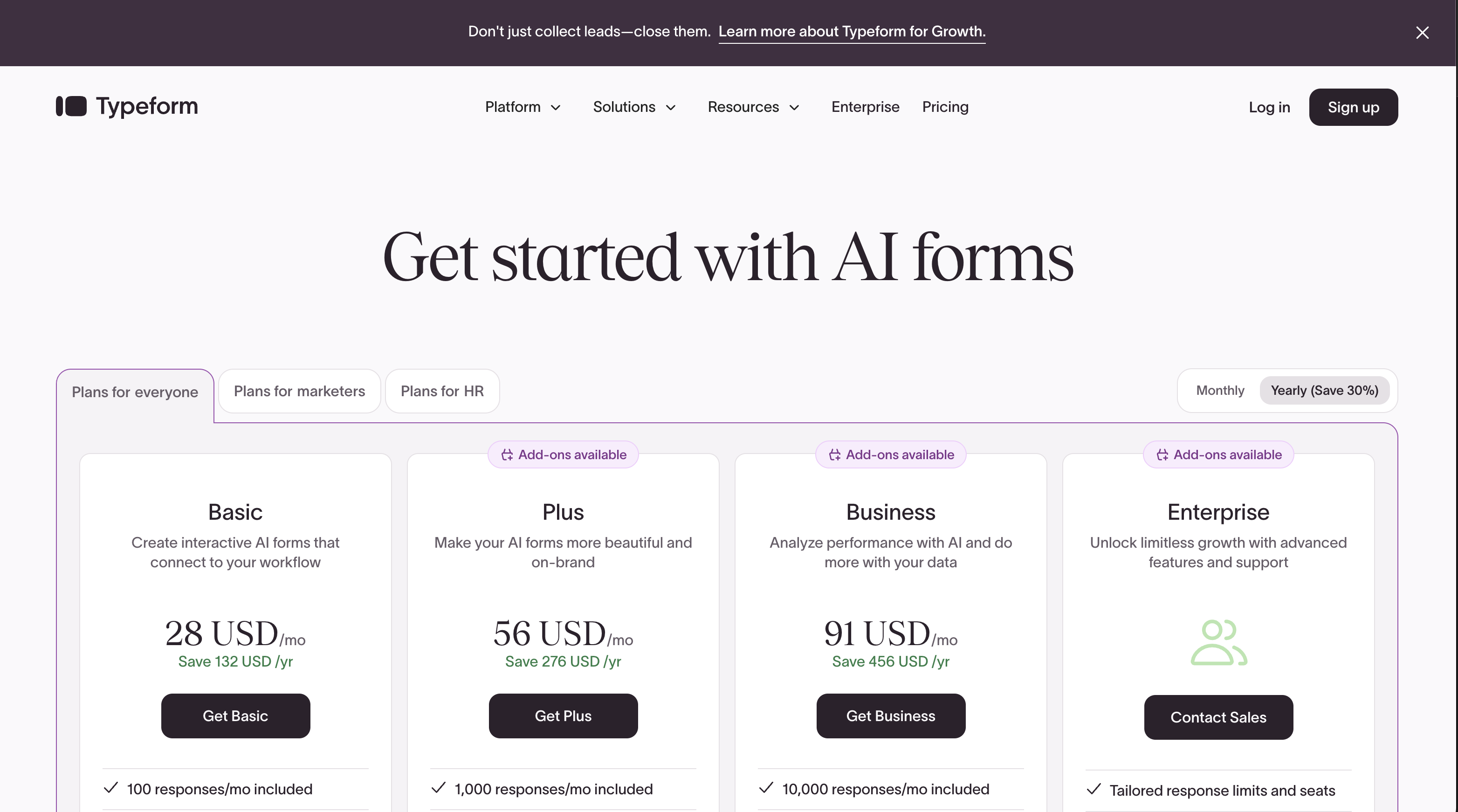
Watch how each tool meters as closely as the headline price. Google Forms doesn't meter at all; Paperform meters by submissions with generous per-tier ceilings; Typeform meters by responses, so cost climbs directly with usage and features unlock plan by plan. At the same ~$25 entry point, Paperform Essentials and Typeform Basic both cover 100 responses, but Paperform switches on calculations, eCommerce, and coupons there, whereas Typeform's equivalent price buys design quality rather than capability.
Paperform
Google Forms
| Product | Plan | Monthly Price | Annual Price (per month) | Free Plan | Free Trial | Limits |
|---|---|---|---|---|---|---|
| Paperform | Free | Free | Free | Yes | 14 days | forms: Unlimited, submissions: 30/month, storage: 100 submissions, users: 1, file uploads: 100 MB |
| Paperform | Essentials | $29/mo | $24/mo billed annually | forms: Unlimited, submissions: 100/month, storage: 1,000 submissions, users: 1, file uploads: 1 GB | ||
| Paperform | Pro | $59/mo | $49/mo billed annually | forms: Unlimited, submissions: 1,000/month, storage: 10,000 submissions, users: 3, file uploads: 10 GB | ||
| Paperform | Business | $129/mo | $99/mo billed annually | forms: Unlimited, submissions: 10,000/month, storage: 100,000 submissions, users: 5, file uploads: 100 GB | ||
| Google Forms | Free (Personal) | Free | Free | Yes | 14 days | forms: Unlimited, submissions: Unlimited, storage: 15 GB (shared across Google Drive), users: 1, file uploads: Included in 15 GB storage |
| Google Forms | Business Starter | $8.4/mo | $7/mo billed annually | forms: Unlimited, submissions: Unlimited, storage: 30 GB per user, users: Up to 300, file uploads: Included in storage | ||
| Google Forms | Business Standard | $16.8/mo | $14/mo billed annually | forms: Unlimited, submissions: Unlimited, storage: 2 TB per user, users: Up to 300, file uploads: Included in storage | ||
| Google Forms | Business Plus | $26.4/mo | $22/mo billed annually | forms: Unlimited, submissions: Unlimited, storage: 5 TB per user, users: Up to 300, file uploads: Included in storage | ||
| Typeform | Free | Free | Free | Yes | No | forms: 10, submissions: 10/month, users: 1 |
| Typeform | Basic | $39/mo | $28/mo billed annually | forms: Unlimited, submissions: 100/month, users: 1 | ||
| Typeform | Plus | $79/mo | $56/mo billed annually | forms: Unlimited, submissions: 1,000/month, users: 3 | ||
| Typeform | Business | $129/mo | $91/mo billed annually | forms: Unlimited, submissions: 10,000/month, users: 5 | ||
| Typeform | Growth Flow | $379/mo | $266/mo billed annually | forms: Unlimited, submissions: Expanded, users: Expanded | ||
| Typeform | Talent | $169/mo | $119/mo billed annually | forms: Unlimited, users: HR teams |
What users say
The ratings land in a tight band, but they're measuring different things. Paperform's pool is smaller, yet its 4.8 average, with standout marks for support (4.9 on GetApp and Trustpilot) and value for money, reflects a product people actively choose and stay with. Typeform's reviews split cleanly between admiration for its design and frustration with its cost, with value for money its lowest score. Google Forms accumulates fewer traditional software reviews; its reputation rests on hundreds of millions of users for whom it simply works, which is a verdict on fitness for simple jobs rather than competitiveness on features.
The verdict: a decision tree
- Choose Google Forms if the form is internal, the budget is zero, and you don't need payments, branding, calculations, custom domains, or any connection outside Google Workspace. Surveys, quizzes, RSVPs, and quick feedback are exactly what it's for.
- Choose Typeform if the form is short, customer-facing, and revenue-attached, presentation is what drives completion, Stripe is your only payment processor, the per-response price is justified by the conversion lift, and you can live inside its one-question-at-a-time format.
- Choose Paperform if a single form needs to do more than one thing: capture data and take payments, run calculations, sit on your own brand and domain, then hand off to an eSignature or an automated workflow, for the lowest paid entry price of the three.
The dividing line comes down to scope. Google Forms and Typeform are each excellent at one narrow job: free internal collection and short conversational capture, respectively. The trouble starts when a growing business needs both jobs done well at once, plus payments and logic on top. That's the gap Paperform was built to close. Rather than running a free survey tool for internal use, a checkout for orders, and a separate eSignature subscription for contracts, you build it all in one form the whole team can use. For deeper head-to-head detail, see Paperform vs Google Forms and Paperform vs Typeform; if you're only weighing the other two, see Google Forms vs Typeform; and for the wider field, the best form builders ranking covers every option.
Frequently Asked Questions
Is Paperform a good Google Forms alternative if I also wanted Typeform-style forms?
Yes. Paperform is one of the few tools that covers both jobs at once. Google Forms gives you free, frictionless data collection; Typeform gives you a polished one-question-at-a-time experience; and Paperform's document-style editor and Guided Mode give you both in a single form you actually own. Where Google Forms locks you to a docs.google.com URL with Google branding you can't remove, and Typeform locks you to its conversational format on a $28/month-plus plan, Paperform lets you publish a classic, multi-page, or one-question-at-a-time form on your own custom domain. Customers report conversion lifts after moving to Guided Mode. See Paperform vs Google Forms and Paperform vs Typeform for the head-to-head detail.
Can Google Forms or Typeform take payments, and how does Paperform compare?
Google Forms cannot collect a single dollar; it has no payment capability of any kind. Typeform supports exactly one processor, Stripe. Paperform supports five gateways (Stripe, PayPal, Square, Braintree, Google Pay) with a full eCommerce engine built into the form. If a respondent needs to pay, Google Forms is ruled out immediately, and Typeform only works if Stripe happens to be your processor. Paperform adds products, subscriptions, coupons, custom pricing rules, tax, quotes, and refunds, all from the free plan up, which is why payment-heavy use cases like order forms, deposits, and donations push people away from the other two and toward Paperform.
Which is cheapest for real use — Paperform, Google Forms, or Typeform?
It depends on what "use" means. Google Forms is free at unlimited scale, Paperform's paid plans start at $24/month (annual), and Typeform's start at $28/month (annual) for just 100 responses. If your form is a basic internal survey with no payments, branding, or logic, Google Forms is genuinely unbeatable on price. The moment you need anything beyond that, such as payments, custom domains, calculations, or removable branding, Google Forms stops being an option and the real contest is Paperform versus Typeform. There, Paperform is both cheaper at entry ($24 vs $28) and far broader in what each dollar buys, since Typeform's lower tiers gate logic, analytics, and even spam protection behind higher plans.
Does Paperform or Typeform have more advanced conditional logic and calculations?
Paperform. Paperform runs an Excel-style calculation engine that drives logic across question and page visibility, conditional emails, integrations, and success pages; Typeform gates advanced logic and calculations to its Plus tier ($56/month annual); Google Forms supports only section-level branching with no calculations at all. Typeform's visual logic mapping is genuinely good for short branching surveys, but because the format only ever shows one question at a time, complex multi-condition logic is hard to reason about, and you have to reach the Plus plan to use it. Paperform's calculations are available from the Essentials tier and an AI assistant helps non-technical users write the rules. For scoring quizzes, dynamic pricing, and routing, Paperform is the most capable of the three.
Is Paperform, Google Forms, or Typeform HIPAA compliant for healthcare data?
Of the three, only Google Forms and Typeform offer HIPAA, and both with caveats. Typeform is HIPAA compliant on its Business tier ($91/month annual) with a signed BAA. Google Forms inherits Google Workspace's HIPAA coverage, but the Forms product itself lacks the audit logging and granular access controls most healthcare teams need, so it is risky for protected health information. Paperform is not HIPAA compliant. All three are GDPR and SOC 2 compliant; Google Forms and Typeform add ISO 27001, and Paperform is SOC 2 Type II certified with a dedicated Trust Center. If PHI is a hard requirement, Typeform Business is the safest of these three; for non-regulated forms, Paperform's SOC 2 Type II posture is enterprise-grade. See our best form builders for healthcare guide for HIPAA-first options.
Why would a team move off Google Forms to Paperform or Typeform?
Because Google Forms is a utility, not a platform, and teams outgrow it the moment a form has to do real work. Google Forms has no payments, no field-level logic, no custom domain, no webhooks, roughly 20 mostly Google-only integrations, and branding you cannot remove. Teams that hit those walls split two ways: brand-led marketers who care most about presentation tend to look at Typeform, while teams that need payments, calculations, eSignatures, and workflow automation in one place tend to look at Paperform. Paperform's 2,000+ integrations, five payment gateways, and bundled Papersign (eSignatures) and Stepper (workflow automation) cover far more of what Google Forms can't do than Typeform's design-first feature set.
Which of Paperform, Google Forms, and Typeform is the safest long-term bet as a company?
All three are structurally sound, but for different reasons. Google Forms is backed by Alphabet and serves billions of accounts, so it isn't disappearing, though Google has a documented habit of freezing investment in smaller products, and the Forms roadmap has moved slowly for years. Typeform has raised $193M through Series C; venture funding creates pressure for aggressive monetization, which is why its free tier was cut to just 10 responses a month. Paperform is bootstrapped and profitable, founded in 2016 with no outside funding and no investor exit clock, the same kind of independent durability that makes a vendor a safe platform bet. For a tool you plan to build business workflows on, bootstrapped profitability and Big Tech backing are both reassuring; venture-funded monetization pressure is the one to watch.
Sources & References
- The 13 best online form builder apps — Zapier, 2026
- Best Online Form Builder to use in 2026 | Top 20 Tools — EmailToolTester, 2026
- Google Forms Review — TechRadar, 2025
- Typeform Review 2026: We Tested Everything — Hackceleration, 2026
- Best Typeform Alternatives: Comparison in 2026 — Tally, 2026
Last updated June 25, 2026
Ready to try Paperform?
Create beautiful forms, payment pages, and workflows — no code required.