Paperform vs Google Forms vs Jotform: Which Form Builder Wins in 2026?
Google Forms wins on free, frictionless internal surveys; Jotform wins on raw breadth, with 40+ payment gateways and HIPAA forms; and Paperform wins as the all-rounder, bridging Google Forms' simplicity and Jotform's capability with a document-style editor, an Excel-style calculation engine, and built-in payments. Choose Google Forms for free internal data collection, Jotform when HIPAA or an obscure payment gateway is mandatory, and Paperform for anything customer-facing.
These three sit at different points on the same spectrum. Google Forms is the tool you already have: free, instant, and built into Google Workspace, but capped at basic data collection. Jotform is the 20-year veteran that has accumulated more features than anyone else in the category, at the cost of polish and consistency. Paperform aims to give a growing business the design and ease of a simple tool alongside the payments, logic, and automation of a heavyweight, without forcing a choice between the two.
Below, all three are compared on the dimensions that actually decide a purchase (pricing, integrations and API, conditional logic, payments, and compliance) using current figures pulled from each product, then mapped to when each one is the right call.
Quick verdict: who each one is for
 Paperform
Best for: growing businesses that need one tool to look good, take payments, run real logic, and feed workflows: lead capture, client onboarding, order forms, and bookings done properly.
 Google Forms
Best for: zero-budget internal work like staff surveys, quizzes, RSVPs, and quick data collection for any team already living inside Google Workspace.
 Jotform
Best for: operations teams with a non-negotiable checklist item (HIPAA forms, a niche regional payment gateway, or offline mobile collection) and willing to trade polish for coverage.
Three approaches to the same job
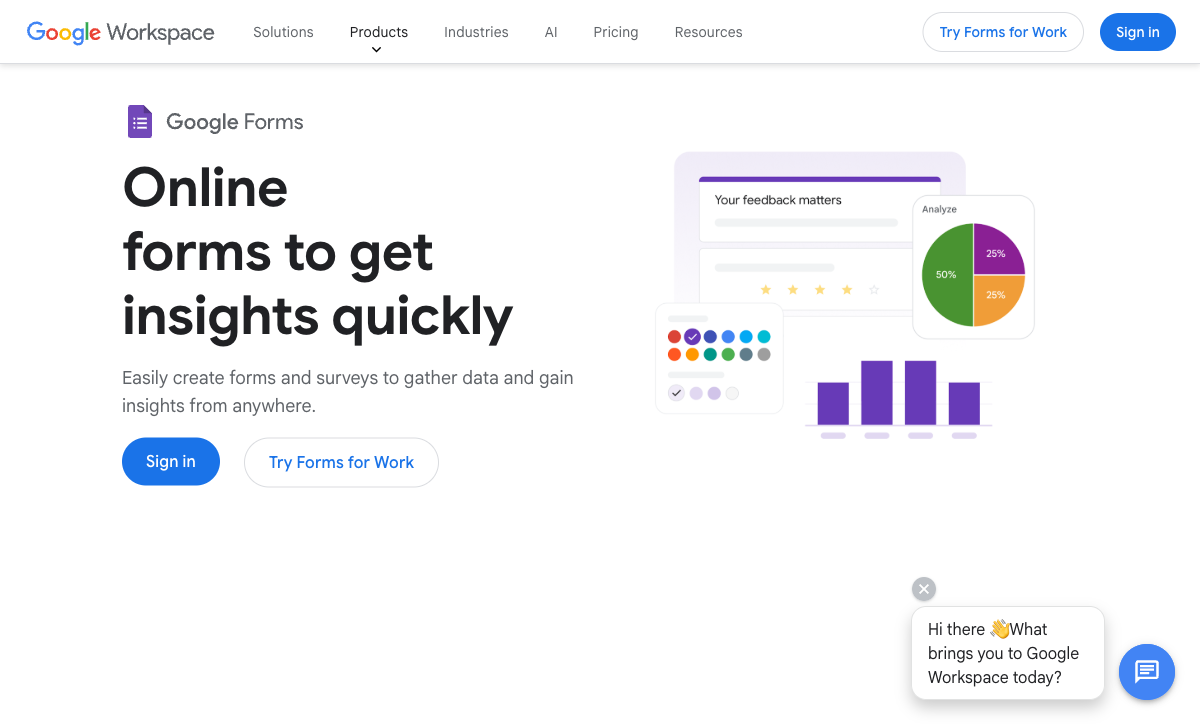
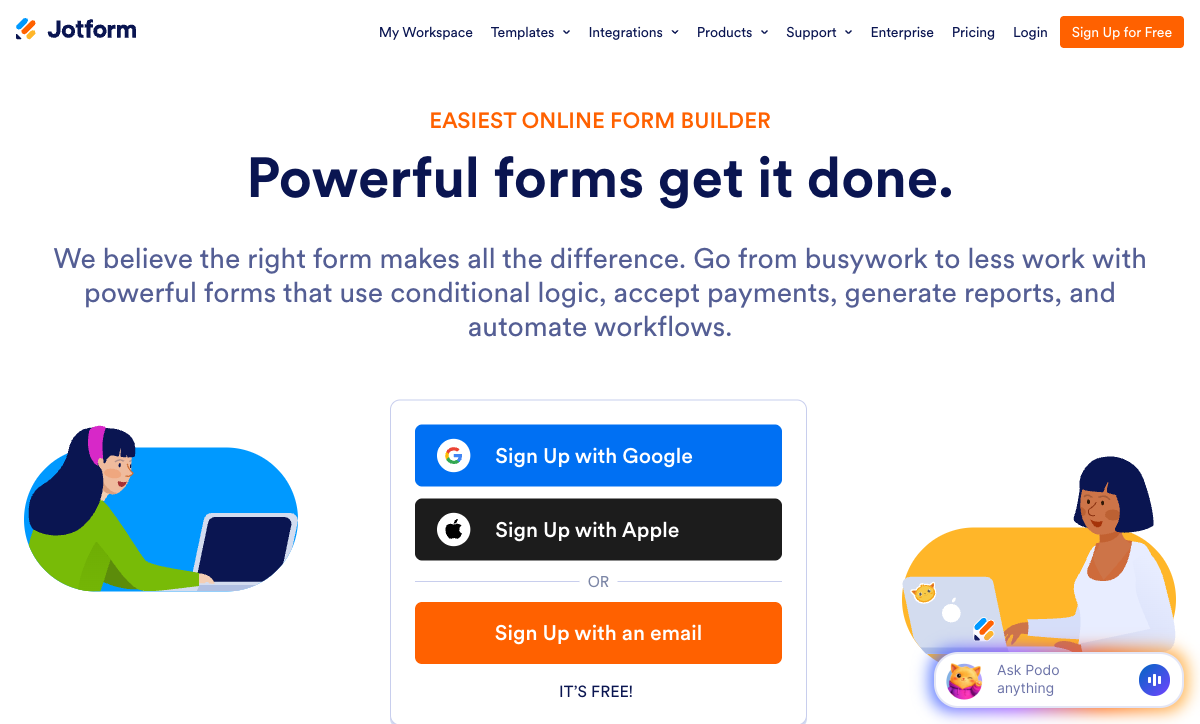
The quickest way to see the difference is to look at them. Asked to collect a handful of answers, each tool produces a different respondent experience and a different ceiling on what the form can become.

Feature comparison
Every category across all three, side by side. The payments, customization, conditional logic, and platform rows are where a simple price-and-familiarity decision turns into a capability decision.
| Feature | Paperform | Google Forms | Jotform |
|---|---|---|---|
| Form Building | |||
| Document-style editor | Yes | No | No |
| AI form creation | Yes | Yes | Yes starter |
| Field types | 26+ | 11 | 30+ (starter) |
| File uploads | Yes | Yes | Yes starter |
| Multi-page forms | Yes | Yes | Yes starter |
| Guided mode (one question at a time) | Yes | No | Yes starter |
| Conditional logic | Yes | Yes | Yes starter |
| Calculations field | Yes essentials | No | Yes starter |
| AI calculations assistant | Yes essentials | No | No |
| Scoring | Yes essentials | Yes | Yes starter |
| Answer piping | Yes | No | Yes starter |
| Pre-filling and hidden fields | Yes essentials | Yes | Yes starter |
| Save and resume | Yes | No | Yes starter |
| Auto-close by number | Yes essentials | Yes | Yes starter |
| Auto-close by date | Yes pro | Yes | Yes starter |
| Appointment/booking field | Yes | No | Yes starter |
| Signature field | Yes | No | Yes starter |
| Color picker field | Yes | No | No |
| API-powered dropdowns | Yes business | No | No |
| Google address search | Yes business | No | No |
| Drag-and-drop builder | No | No | Yes starter |
| Form widgets | No | No | Yes starter |
| Template gallery | No | No | 20,000+ (starter) |
| Payments | |||
| Stripe payments | Yes | No | Yes starter |
| PayPal payments | Yes | No | Yes starter |
| Square payments | Yes | No | Yes starter |
| Braintree payments | Yes | No | Yes starter |
| Google Pay | Yes | No | Yes starter |
| Product sales (eCommerce) | Yes essentials | No | Yes starter |
| Subscriptions | Yes essentials | No | Yes starter |
| Coupons and discounts | Yes essentials | No | Yes starter |
| Custom pricing rules | Yes essentials | No | Yes starter |
| Tax calculations | Yes | No | Yes starter |
| Quotes/invoices | Yes | No | No |
| Refunds | Yes | No | No |
| 3D Secure | Yes | No | No |
| 40+ payment gateways | No | No | Yes starter |
| No transaction fees | No | No | Yes starter |
| Design & Customization | |||
| Template gallery | 30,000+ | 20+ | 20,000+ (starter) |
| Rich media (images, GIFs, videos) | Yes | Yes | Yes starter |
| Unsplash and Giphy integration | Yes | No | No |
| Image editor | Yes | No | No |
| Adobe Creative Cloud | Yes | No | No |
| Language translation | Yes | No | Yes starter |
| Advanced theming | Yes pro | No | Yes starter |
| Custom form URL | Yes pro | No | No |
| Custom domains | Yes pro | No | Yes enterprise |
| Custom HTML & CSS | Yes pro | No | Yes starter |
| Remove branding | Yes pro | No | Yes bronze |
| Custom email domains | Yes business | Yes Business Starter | No |
| Form themes | No | No | Yes starter |
| Analytics | |||
| Submission results and reports | Yes | Yes | Yes starter |
| AI report insights | Yes pro | Yes Business Standard | No |
| Paperform analytics | Yes pro | No | No |
| Drop-off analysis | Yes pro | No | No |
| Google Analytics & Facebook Pixel | Yes essentials | No | No |
| Custom analytics scripts | Yes pro | No | No |
| Partial submissions | Yes pro | No | No |
| Form analytics | No | No | Yes starter |
| Google Analytics integration | No | No | Yes starter |
| Collaboration | |||
| Multi-user accounts | Yes pro | Yes | Yes bronze |
| User permissions and management | Yes pro | Yes | Yes enterprise |
| Advanced permissions & admin | Yes enterprise | Yes Business Starter | Yes enterprise |
| Form sharing (templates) | Yes | Yes | No |
| Spaces and tag management | Yes | No | No |
| Form sharing | No | No | Yes starter |
| Assign forms | No | No | Yes enterprise |
| Security | |||
| SOC 2 Type II | Yes | Yes | Yes enterprise |
| GDPR compliant | Yes | Yes | Yes starter |
| SSL encryption | Yes | Yes | Yes starter |
| Two-factor authentication | Yes | Yes | Yes starter |
| Enforce 2FA for all users | Yes business | Yes Business Starter | No |
| SSO (SAML) | Yes business | Yes Business Plus | Yes enterprise |
| reCAPTCHA | Yes | No | Yes starter |
| Local data residency | Yes enterprise | Yes Business Plus | No |
| Custom S3 storage (BYO) | Yes business | No | No |
| HIPAA compliant | No | No | Yes gold |
| 256-bit SSL | No | No | Yes starter |
| Data residency | No | No | Yes enterprise |
| Form encryption | No | No | Yes starter |
| PCI DSS | No | No | Yes starter |
| Integrations & API | |||
| Native integrations | 2,000+ | No | 150+ (starter) |
| Zapier | Yes | Yes | Yes starter |
| Make (Integromat) | Yes | Yes | Yes starter |
| Webhooks | Yes pro | No | Yes starter |
| Standard API | Yes pro | Yes | No |
| Business API | Yes business | No | No |
| WordPress plugin | Yes | No | Yes starter |
| oEmbed support | Yes | No | No |
| API | No | No | Yes starter |
| Salesforce AppExchange | No | No | Yes starter |
| Embed options | No | No | Yes starter |
| Mobile apps | No | No | Yes starter |
The five dimensions that decide it
Headline impressions aside, most buying decisions come down to five questions. Here's where each tool lands on every one.
Pricing
Google Forms is free at any scale; Paperform's paid plans start at $24/month (annual) and Jotform's at $34/month (annual). Google Forms has no Forms-specific paid tier; Google Workspace ($7/user/month annual) adds storage and admin controls but no new form features. Paperform Essentials ($24/mo annual) is the lowest priced entry point of the three and includes calculations, products, and subscriptions; Jotform Bronze ($34/mo annual) covers 1,000 submissions with every feature unlocked but caps you at 25 forms. Paperform offers unlimited forms on every plan, including free, while Jotform caps forms on all of them.
Integrations & API
Paperform reaches 2,000+ integrations, Jotform 150+ native connections, and Google Forms roughly 20, all Google-ecosystem. Google Forms has no webhooks; Paperform and Jotform both expose a REST API and webhooks. Google Forms is a walled garden: brilliant inside Workspace (Sheets, Drive, Classroom), dependent on Zapier, Make, or Apps Script for anything else. Paperform adds Stepper, built-in AI-native workflow automation, so multi-step processes don't require a separate automation tool.
Conditional logic
Paperform runs an Excel-style calculation engine and field-level logic on every plan including free; Jotform offers field-level logic and calculations from its free Starter plan; Google Forms supports section-level branching only. Google Forms can route someone to a different section based on a multiple-choice answer but cannot show or hide individual questions or calculate anything. Jotform's logic is capable but, per reviewers, can behave inconsistently on busy forms. Paperform extends logic beyond the form, into emails, integrations, and pricing, and treats reliability as a quality-over-quantity priority.
Payments
Jotform supports 40+ payment processors, Paperform supports five (Stripe, PayPal, Square, Braintree, Google Pay) with a full eCommerce engine, and Google Forms supports none. Jotform wins on raw gateway count, which helps with a niche regional processor, but caps payment submissions per plan (100/month on Bronze). Paperform's five gateways cover the vast majority of real checkouts and pair with products, subscriptions, coupons, and tax. Google Forms cannot collect money at all.
Compliance (HIPAA / GDPR / SOC 2)
All three are GDPR and SOC 2 compliant, and Paperform is SOC 2 Type II certified. Jotform is HIPAA compliant on its Gold tier and above; Google Forms inherits Workspace HIPAA coverage but the Forms product lacks the audit controls most healthcare teams need; and Paperform is not HIPAA compliant today. Jotform also carries ISO 27001 and PCI DSS, and Google Forms adds FedRAMP, SOC 1, and SOC 3 through Google's infrastructure. For protected health information specifically, Jotform Gold is the only one of the three that is genuinely usable, so don't put PHI into Google Forms or Paperform.
Paperform: the all-rounder that doesn't make you choose
Paperform exists to close the gap this comparison keeps running into: Google Forms' simplicity and Jotform's capability rarely come in one package. Its document-style editor lets you build a form the way you'd write a document, mixing headings, images, and questions inline, so the output looks like a landing page rather than a survey. A Guided Mode renders that same form one question at a time, conversational-style, when presentation matters. Underneath sits an Excel-style calculation engine that runs scoring, pricing, and routing logic across questions, pages, emails, and integrations, available on every plan including free, plus five payment gateways with a full eCommerce engine. It is rated 4.8 across Capterra, G2, and Trustpilot, with customer support that consistently scores 4.7–4.9.
The honest caveats: Paperform is the youngest and smallest of the three (founded 2016, 11–50 staff), so its brand footprint and total review count are lighter than Google's billions of accounts or Jotform's 35M+ users. It has no dedicated mobile editing app. And the one that matters most against Jotform: it is not HIPAA compliant, which rules it out for collecting protected health information. For everything outside regulated healthcare, it covers the widest practical surface of the three, with forms that convert, payments that work, reliable logic, and Papersign (eSignatures) plus Stepper (workflow automation) bundled in at no extra cost.
Google Forms: the free default with a hard ceiling
Google Forms often wins by default rather than on features, and that's fine for what it is. It is genuinely free (unlimited forms, unlimited responses, the only limit being the 15 GB shared with the rest of your Google Drive) and it carries the lowest learning curve of any tool here. Anyone who can use Google Docs builds a usable form in their first sitting, multiple people can co-edit in real time, and for schools, nonprofits, and internal teams already inside Workspace, that combination of zero cost and zero friction is hard to argue with. It carries a 4.7 Capterra rating across more than 11,000 reviews.
The ceiling arrives the moment a form has to face the outside world. Customization stops at a header image, an accent color, and four fonts; every form is unmistakably a Google Form on a docs.google.com URL with branding you can't remove. There are no payments, no field-level logic, no calculations, no webhooks, no custom domain, and no eSignatures or workflow automation. It works right up until a form needs to touch a customer, take money, or feed a process, which is exactly where both Paperform and Jotform begin. For a deeper head-to-head, see Paperform vs Google Forms.
Jotform: the broadest toolkit, with rough edges
Jotform's pitch is breadth, and on a feature checklist it delivers more than anything else in this comparison. Founded in 2006 and bootstrapped to roughly $144.9M in annual revenue, it has spent two decades accumulating capability: 40+ payment gateways, 150+ integrations, native iOS and Android apps for offline collection, a Salesforce AppExchange listing, HIPAA forms on Gold, and 20,000+ templates. Unusually, every feature is available on the free Starter plan, and only the limits scale with price. It is the #1 Online Form Builder on G2, with a 4.7 rating across nearly 5,000 reviews there.
Two decades of accumulation come at a cost: not every part is equally polished. Reviewers regularly report that advanced widgets, custom fields, and complex conditional logic behave inconsistently, and that the interface grows visually crowded as forms get complex; support response times draw frequent complaints. The ceilings are real, too. Even the Gold plan ($99/mo) caps you at 100 forms, and every individual plan from Starter to Gold is single-user, so real collaboration requires Enterprise. You get the most options of any tool here, but not all of them work as smoothly as the spec sheet suggests. For the direct matchup, see Paperform vs Jotform.
See Paperform in action
Paperform is the one tool here that tries to do everything the other two split between them, so it's worth watching how it actually builds. This independent walkthrough covers the document-style editor, fields, and logic end to end.
Pricing comparison

Read the caps as carefully as the headline price. Google Forms doesn't meter at all; Jotform meters submissions and forms with per-tier ceilings; Paperform meters submissions but keeps forms unlimited on every plan. At the entry tier, Paperform Essentials ($24/mo annual) undercuts Jotform Bronze ($34/mo annual) while including calculations and product sales, and Papersign and Stepper come bundled rather than as separate line items.
Paperform
Google Forms
| Product | Plan | Monthly Price | Annual Price (per month) | Free Plan | Free Trial | Limits |
|---|---|---|---|---|---|---|
| Paperform | Free | Free | Free | Yes | 14 days | forms: Unlimited, submissions: 30/month, storage: 100 submissions, users: 1, file uploads: 100 MB |
| Paperform | Essentials | $29/mo | $24/mo billed annually | forms: Unlimited, submissions: 100/month, storage: 1,000 submissions, users: 1, file uploads: 1 GB | ||
| Paperform | Pro | $59/mo | $49/mo billed annually | forms: Unlimited, submissions: 1,000/month, storage: 10,000 submissions, users: 3, file uploads: 10 GB | ||
| Paperform | Business | $129/mo | $99/mo billed annually | forms: Unlimited, submissions: 10,000/month, storage: 100,000 submissions, users: 5, file uploads: 100 GB | ||
| Google Forms | Free (Personal) | Free | Free | Yes | 14 days | forms: Unlimited, submissions: Unlimited, storage: 15 GB (shared across Google Drive), users: 1, file uploads: Included in 15 GB storage |
| Google Forms | Business Starter | $8.4/mo | $7/mo billed annually | forms: Unlimited, submissions: Unlimited, storage: 30 GB per user, users: Up to 300, file uploads: Included in storage | ||
| Google Forms | Business Standard | $16.8/mo | $14/mo billed annually | forms: Unlimited, submissions: Unlimited, storage: 2 TB per user, users: Up to 300, file uploads: Included in storage | ||
| Google Forms | Business Plus | $26.4/mo | $22/mo billed annually | forms: Unlimited, submissions: Unlimited, storage: 5 TB per user, users: Up to 300, file uploads: Included in storage | ||
| Jotform | Starter | Free | Free | Yes | No | forms: 5, submissions: 100/month, storage: 100 MB, users: 1 |
| Jotform | Bronze | $39/mo | $34/mo billed annually | forms: 25, submissions: 1,000/month, storage: 1 GB, users: 1 | ||
| Jotform | Silver | $49/mo | $39/mo billed annually | forms: 50, submissions: 2,500/month, storage: 10 GB, users: 1 | ||
| Jotform | Gold | $129/mo | $99/mo billed annually | forms: 100, submissions: 10,000/month, storage: 100 GB, users: 1 |
What users say
All three land in a tight 4.6–4.8 band, but the reviews say different things. Jotform has by far the largest pool of paid-software reviews and tops G2's Online Form Builder category, with praise for breadth and recurring complaints about support speed and reliability. Google Forms accumulates millions of reviews on the strength of working for simple jobs. Paperform's review pool is the smallest of the three, a function of being younger and less broadly known, but its average rating (4.8) and support scores (4.7–4.9) sit at the top of the group.
The verdict: a decision tree
- Choose Google Forms if the form is internal, the budget is zero, and you don't need payments, branding, calculations, or any connection outside Google Workspace. Staff surveys, quizzes, and RSVPs are its sweet spot.
- Choose Jotform if you have a hard requirement it uniquely satisfies, such as HIPAA-compliant forms (Gold and up), a niche regional payment gateway among its 40+, or offline mobile collection, and you'll trade some polish and support speed for that coverage.
- Choose Paperform if the form is customer-facing, needs to look on-brand, takes payments, runs real calculations, or feeds a workflow: anything that sits between Google Forms' ceiling and Jotform's complexity, which is where most growing businesses actually operate.
The bottom line
The awkward thing about this category is that the best parts are usually split across products: Google Forms has the price, Jotform has the breadth, and a growing business typically needs more than one of those at once. Paperform is built for that middle ground, with a document-style editor that produces landing-page-quality forms, a Guided Mode that matches the conversational style competitors built their names on, an Excel-style calculation engine, and five payment gateways with full eCommerce, plus Papersign (eSignatures) and Stepper (AI-native workflow automation) bundled in. It is SOC 2 Type II certified, bootstrapped and profitable, and starts at $24/month annual.
Two honest caveats keep the recommendation grounded: if HIPAA is mandatory, Jotform Gold is the pick of these three; and if every form is a throwaway internal survey, Google Forms' free tier is hard to beat. For the bulk of real business forms in between, Paperform resolves the trade-off the other two force on you.
For head-to-head detail, see Paperform vs Google Forms and Paperform vs Jotform. Comparing just the other two? See Google Forms vs Jotform. For the wider field, the best form builders ranking covers every option.
Frequently Asked Questions
Is Paperform better than Google Forms and Jotform for taking payments?
It depends on what "better" means for your use case. Jotform supports the most payment processors at 40+, while Paperform supports five (Stripe, PayPal, Square, Braintree, Google Pay) and Google Forms supports none. If your business runs on an obscure regional gateway, Jotform's sheer count wins. But raw gateway count rarely decides a sale: Stripe, PayPal, Square, and Braintree cover the overwhelming majority of real-world checkouts, and Paperform pairs them with a full eCommerce engine (products, subscriptions, coupons, tax, and custom pricing rules driven by its calculation engine) without the per-plan payment-submission caps Jotform imposes (100/month on Bronze, 1,000/month on Gold). Google Forms is ruled out the moment money is involved.
Which is easiest to use: Paperform, Google Forms, or Jotform?
Google Forms is the easiest to start with, and the easiest to outgrow. Anyone who can use Google Docs can build a basic survey in minutes, since there's almost nothing to learn. Jotform sits at the other extreme: its drag-and-drop builder exposes every one of its features at once, and reviewers consistently describe the interface as visually crowded once conditional logic and widgets are involved. Paperform's document-style editor lands in between. You build a form by writing a document and dropping questions inline, which feels natural to non-technical users while still supporting calculations, logic, and payments. So for a two-question quiz, use Google Forms; for anything a customer will see, Paperform is the lower-friction path to a polished result.
Can Paperform or Jotform do conditional logic that Google Forms cannot?
Yes, and the gap is large. Google Forms only supports section-level branching ("go to section based on answer"); it cannot show or hide individual questions or run any calculation. Jotform offers genuine field-level logic and calculation fields, available from its free Starter plan, though reviewers note that complex logic gets glitchy on busy forms. Paperform goes furthest: its Excel-style calculation engine runs scoring, pricing, and routing logic across questions, pages, emails, and integrations, not just inside the form, and it's available on every plan including free. If your form needs to do arithmetic, score answers, or price an order dynamically, Google Forms can't, Jotform can but inconsistently, and Paperform treats it as a core feature.
Is Paperform or Jotform HIPAA compliant, and what about Google Forms?
This is the one dimension where Paperform loses to Jotform. Jotform offers HIPAA-compliant forms with a signed BAA on its Gold tier ($99/month annual) and Enterprise; Paperform is not HIPAA compliant today; and Google Forms inherits Google Workspace's HIPAA coverage but the Forms product itself lacks the audit logging and access controls most healthcare teams require for PHI. All three are GDPR and SOC 2 compliant: Paperform is SOC 2 Type II certified, Jotform adds ISO 27001 and PCI DSS, and Google Forms adds FedRAMP through Google's infrastructure. If collecting protected health information is a hard requirement, Jotform Gold is the clear pick of these three. For everything outside regulated healthcare, Paperform's compliance posture is sufficient for the vast majority of business forms.
Why would I pay for Paperform when Google Forms is free and Jotform has a free plan?
Because "free" only stays free until the form has to do real work. Google Forms is genuinely free at any scale, and Jotform's free Starter plan unlocks every feature (capped at 5 forms and 100 submissions a month), but neither produces a customer-facing experience that converts. Google Forms can't take payments, can't be branded, and can't run field-level logic; Jotform's output looks like a form rather than a landing page and its support draws frequent complaints. Paperform's paid plans start at $24/month (annual), below both Typeform and Jotform Bronze ($34/month), and bundle in Papersign (eSignatures) and Stepper (workflow automation) that would otherwise be separate subscriptions. You pay for Paperform when the form represents your brand, takes money, or feeds a business process, which is exactly where free tools stop being free in any meaningful sense.
How many integrations do Paperform, Jotform, and Google Forms each have?
Paperform reaches 2,000+ integrations, Jotform lists 150+ native connections, and Google Forms offers roughly 20, almost all of them inside Google's own ecosystem. Google Forms is a walled garden: Sheets, Drive, Calendar, and Classroom connect instantly, but anything outside Google relies on Zapier, Make, or custom Apps Script, and it has no webhooks at all. Jotform and Paperform both expose a REST API and webhooks and reach CRMs and marketing tools directly. Paperform extends further with Stepper, its built-in AI-native workflow automation, so multi-step processes triggered by a submission don't require a separate automation subscription the way Jotform's deeper workflows often do.
Which is the most independent, long-term-stable company — Paperform, Jotform, or Google Forms?
All three are structurally sound, but in different ways. Jotform has run for 20 years, bootstrapped and profitable, on roughly $144.9M annual revenue with no venture capital, making it one of the most financially durable independent companies in the category. Paperform is also bootstrapped and profitable, founded in 2016 and trusted by 500,000+ businesses, though it is a smaller and younger company with a lighter brand footprint than the others. Google Forms is backed by Alphabet and won't disappear, but Google has a documented history of freezing investment in smaller products, and Forms has seen relatively little development for years. For a vendor that is both independent and actively investing in its product, Paperform and Jotform both beat the "default that Google may neglect" risk that comes with Forms.
Sources & References
- Google Forms vs. Jotform: Which should you use? — Zapier, 2026
- The 13 best online form builder apps — Zapier, 2026
- Jotform Review 2026: Pricing, Features, Pros & Cons, Ratings & More — Research.com, 2026
- Best Online Form Builder to use in 2026 | Top 20 Tools — Email Tool Tester, 2026
- Google Forms Review — TechRadar, 2025
Last updated June 26, 2026
Ready to try Paperform?
Create beautiful forms, payment pages, and workflows — no code required.