Google Forms vs Jotform vs Microsoft Forms: Which Form Builder Wins in 2026?
Google Forms and Microsoft Forms are the free, office-suite-bundled tools; Jotform is the paid one you buy for capability. Choose Google Forms if you live in Google Workspace, Microsoft Forms if you live in Microsoft 365, and Jotform when you need payments, field-level logic, an API, or HIPAA forms that neither free tool offers. If you need that capability and a form that looks like your brand, Paperform beats all three.
Two of these three are less standalone products than features of a suite. Google Forms ships free with a Google account and exists to feed data into Sheets and Classroom. Microsoft Forms ships free with Microsoft 365 and exists to feed data into Teams, Excel, and SharePoint. They are mirror images built for opposite office suites, and for the surveys, quizzes, and internal data collection they were designed for, both are excellent and cost nothing extra. Jotform is the only one of the three you actually pay for, and it earns that price by doing the things a bundled office-suite tool was never built to do.
So the decision really comes down to one question: is a free office-suite form enough, or do you need a dedicated platform? Below we settle it on the five dimensions that decide a purchase: pricing, integrations and API, conditional logic, payments, and compliance, with current figures from each product. Then we map out exactly when to pick which, and what to reach for when none of the three quite fits.
Quick verdict: who each one is for
 Google Forms
Best for: Google Workspace teams running unlimited free surveys, quizzes, and feedback forms that sync to Sheets and never need to leave the Google ecosystem.
 Jotform
Best for: teams that have outgrown a free office-suite tool and need payments, an API, HIPAA forms, or offline mobile collection, and can live with occasional rough edges.
 Microsoft Forms
Best for: Microsoft 365 organizations collecting internal feedback, polls, and auto-graded quizzes inside Teams, Excel, and SharePoint, where no external integration is needed.
Two bundled tools and one platform
The split is visible the moment you open them. Google Forms and Microsoft Forms are deliberately minimal, built to be reached for inside a suite you already use. Jotform is the only one that looks and behaves like a product you'd evaluate on its own merits.
Feature comparison
Every category across all three, side by side. The payments, API, and integrations rows are where the two free office-suite tools fall away and Jotform stands alone.
| Feature | Google Forms | Jotform | Microsoft Forms |
|---|---|---|---|
| Form Building | |||
| Document-style editor | No | No | No |
| AI form creation | Yes | Yes starter | Yes copilot |
| Field types | 11 | 30+ (starter) | No |
| Multi-page forms | Yes | Yes starter | Yes |
| Guided mode (one question at a time) | No | Yes starter | No |
| Conditional logic | Yes | Yes starter | Yes |
| Calculations field | No | Yes starter | No |
| AI calculations assistant | No | No | No |
| Scoring | Yes | Yes starter | Yes |
| Answer piping | No | Yes starter | No |
| Pre-filling and hidden fields | Yes | Yes starter | No |
| Save and resume | No | Yes starter | No |
| Auto-close by number | Yes | Yes starter | Yes |
| Auto-close by date | Yes | Yes starter | Yes |
| Appointment/booking field | No | Yes starter | No |
| Signature field | No | Yes starter | No |
| Color picker field | No | No | No |
| API-powered dropdowns | No | No | No |
| Google address search | No | No | No |
| File uploads | Yes | Yes starter | No |
| Drag-and-drop builder | No | Yes starter | No |
| Form widgets | No | Yes starter | No |
| Template gallery | No | 20,000+ (starter) | No |
| Payments | |||
| Stripe payments | No | Yes starter | No |
| PayPal payments | No | Yes starter | No |
| Square payments | No | Yes starter | No |
| Braintree payments | No | Yes starter | No |
| Google Pay | No | Yes starter | No |
| Product sales (eCommerce) | No | Yes starter | No |
| Subscriptions | No | Yes starter | No |
| Coupons and discounts | No | Yes starter | No |
| Custom pricing rules | No | Yes starter | No |
| Tax calculations | No | Yes starter | No |
| Quotes/invoices | No | No | No |
| Refunds | No | No | No |
| 3D Secure | No | No | No |
| 40+ payment gateways | No | Yes starter | No |
| No transaction fees | No | Yes starter | No |
| Design & Customization | |||
| Template gallery | 20+ | 20,000+ (starter) | Yes |
| Rich media (images, GIFs, videos) | Yes | Yes starter | Yes |
| Unsplash and Giphy integration | No | No | No |
| Image editor | No | No | No |
| Adobe Creative Cloud | No | No | No |
| Language translation | No | Yes starter | Yes |
| Advanced theming | No | Yes starter | No |
| Custom form URL | No | No | No |
| Custom domains | No | Yes enterprise | No |
| Custom HTML & CSS | No | Yes starter | No |
| Remove branding | No | Yes bronze | No |
| Custom email domains | Yes Business Starter | No | No |
| Form themes | No | Yes starter | No |
| Analytics | |||
| Submission results and reports | Yes | Yes starter | Yes |
| AI report insights | Yes Business Standard | No | Yes |
| Paperform analytics | No | No | No |
| Google Analytics & Facebook Pixel | No | No | No |
| Custom analytics scripts | No | No | No |
| Partial submissions | No | No | No |
| Form analytics | No | Yes starter | No |
| Google Analytics integration | No | Yes starter | No |
| Collaboration | |||
| Multi-user accounts | Yes | Yes bronze | Yes |
| User permissions and management | Yes | Yes enterprise | Yes |
| Advanced permissions & admin | Yes Business Starter | Yes enterprise | Yes enterprise |
| Form sharing (templates) | Yes | No | Yes |
| Spaces and tag management | No | No | No |
| Form sharing | No | Yes starter | No |
| Assign forms | No | Yes enterprise | No |
| Security | |||
| SOC 2 Type II | Yes | Yes enterprise | Yes |
| GDPR compliant | Yes | Yes starter | Yes |
| SSL encryption | Yes | Yes starter | Yes |
| Two-factor authentication | Yes | Yes starter | Yes |
| Enforce 2FA for all users | Yes Business Starter | No | Yes enterprise |
| SSO (SAML) | Yes Business Plus | Yes enterprise | Yes |
| reCAPTCHA | No | Yes starter | No |
| Local data residency | Yes Business Plus | No | Yes enterprise |
| Custom S3 storage (BYO) | No | No | No |
| HIPAA compliant | No | Yes gold | No |
| 256-bit SSL | No | Yes starter | No |
| Data residency | No | Yes enterprise | No |
| Form encryption | No | Yes starter | No |
| PCI DSS | No | Yes starter | No |
| Integrations & API | |||
| Native integrations | No | 150+ (starter) | No |
| Zapier | Yes | Yes starter | No |
| Make (Integromat) | Yes | Yes starter | No |
| Webhooks | No | Yes starter | No |
| Standard API | Yes | No | No |
| Business API | No | No | No |
| WordPress plugin | No | Yes starter | No |
| oEmbed support | No | No | Yes |
| API | No | Yes starter | No |
| Salesforce AppExchange | No | Yes starter | No |
| Embed options | No | Yes starter | No |
| Mobile apps | No | Yes starter | No |
| 2000+ integrations | No | No | No |
The five dimensions that decide it
Headline impressions aside, most decisions come down to five questions. Here is where each tool lands.
Pricing
Google Forms is free at any scale; Microsoft Forms is free with a Microsoft 365 plan (Business Basic $6/user/month annual, rising to $7 on July 1, 2026); Jotform's paid plans start at $34/month (annual). Google Forms has no Forms-specific paid tier: unlimited forms and responses come with any Google account, capped only by your 15 GB of shared Drive storage. Microsoft Forms isn't sold separately at all; you get it as a bundled feature of M365, where it allows up to 5 million responses per form. Jotform Bronze ($34/mo annual) covers 1,000 submissions a month with every feature unlocked. The two free tools win on raw cost; Jotform's price buys capability they structurally can't offer.
Integrations & API
Jotform offers 150+ native integrations and a public REST API with webhooks; Google Forms has roughly 20 (all Google) plus an API but no webhooks; Microsoft Forms has roughly 20 (all Microsoft) and no public API or webhooks at all. Both office-suite tools are walled gardens: excellent inside their own suite (Sheets/Drive/Classroom for Google, Teams/Excel/SharePoint for Microsoft) and nearly silent outside it. Anything external means Zapier, Make, Apps Script, or Power Automate. Jotform is the only one of the three that reaches CRMs and marketing tools natively and can be wired into a system programmatically.
Conditional logic
Jotform offers field-level logic and calculation fields from its free plan; Microsoft Forms offers branching plus built-in quiz scoring but no general calculations; Google Forms supports section-level branching only. Google Forms can route someone to a different section based on an answer but can't show or hide individual questions. Microsoft Forms adds auto-graded quiz scoring, genuinely useful for education, but stops short of pricing or routing calculations. Jotform is the most capable, with the caveat that complex logic on a busy form gets visually crowded and, per reviewers, occasionally unreliable.
Payments
Jotform supports 40+ payment processors; Google Forms and Microsoft Forms support none. Jotform covers Stripe, PayPal, Square, Authorize.net, Mollie, and dozens of regional gateways with no added transaction fees, though payment submissions are capped per plan. Neither office-suite tool can collect a cent without bolting on a separate, disconnected payment tool, which makes this the clearest single-factor disqualifier in the comparison. If a form needs to take money, it's Jotform or nothing among these three.
Compliance (HIPAA / GDPR / SOC 2)
All three are GDPR, SOC 2, and ISO 27001 compliant. Microsoft Forms and Google Forms inherit HIPAA coverage through their parent suite's BAA; Jotform offers HIPAA-compliant forms with a BAA only on its Gold tier ($99/month annual) and Enterprise. For an organization already on a qualifying Microsoft 365 plan, Microsoft Forms is the cheapest HIPAA-eligible route here. Microsoft adds FERPA and FedRAMP through its infrastructure; Google Forms adds FedRAMP, SOC 1, and SOC 3; Jotform adds PCI DSS for payment data. The practical caveat for PHI is that both office-suite tools lack the granular audit controls a serious healthcare workflow expects, so treat them as the bare floor.
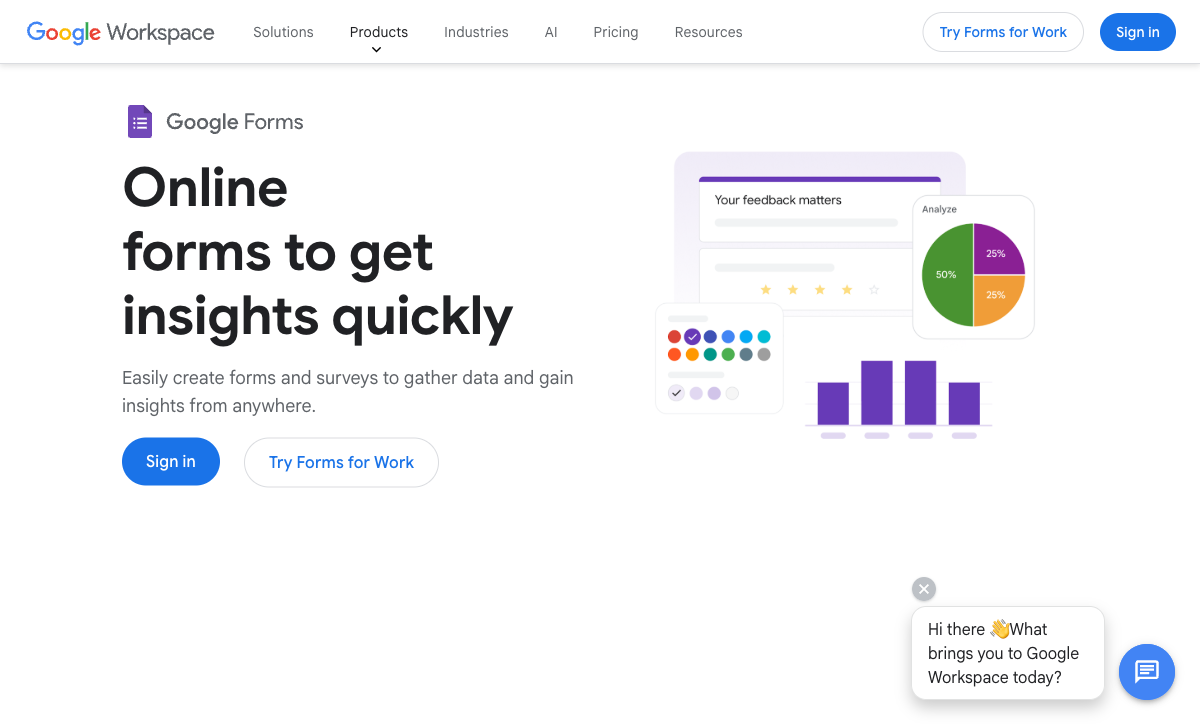
Google Forms: free, familiar, and unbeatable for surveys
Google Forms wins decisions by being already there. It is genuinely free, with unlimited forms and unlimited responses, the only ceiling being the 15 GB shared with the rest of your Google Drive, and it has the lowest learning curve of anything here. Anyone who can use Google Docs builds a working form on first contact, and several people can co-edit one in real time on the same engine that powers Docs. Responses land in a Google Sheet with one click, charts generate automatically, and for schools and internal teams already in Workspace, that zero-cost, zero-friction combination is hard to argue with. It earns a 4.7 Capterra rating across more than 11,000 reviews.
The ceiling arrives the moment a form needs to do more than collect answers. Customization stops at a header image, an accent color, and four fonts; every form is unmistakably a Google Form on a docs.google.com URL you can't rebrand or move to a custom domain. There are no payments, no field-level logic, no webhooks, and no eSignatures. Compared to Microsoft Forms it at least exposes an API, but in practice anything outside Google still routes through Zapier or Apps Script. It is the right tool right up to the point a form has to touch a customer, take money, or feed an external business process.
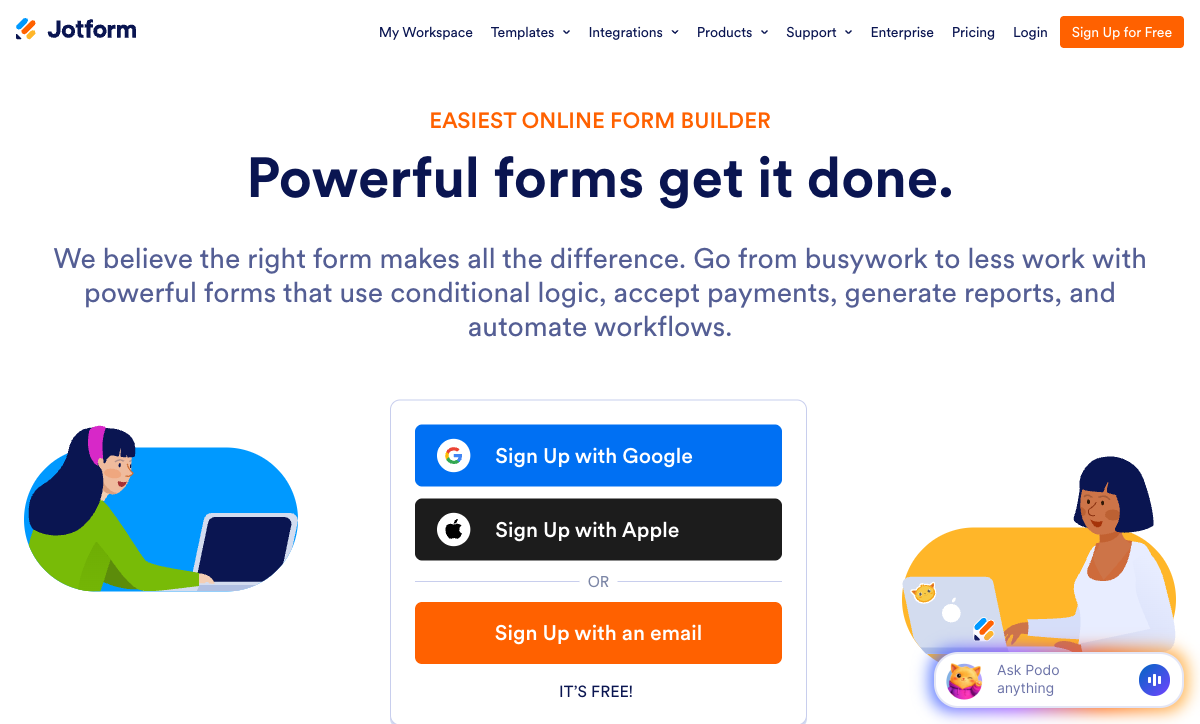
Jotform: the only real platform of the three
Against two bundled office-suite features, Jotform is the one product here built to stand on its own. Founded in 2006 and bootstrapped to roughly $144.9M in annual revenue, it has spent two decades adding the things Google Forms and Microsoft Forms structurally don't have: 40+ payment gateways, 150+ integrations, a public API with webhooks, native iOS and Android apps for offline collection, a Salesforce AppExchange listing, e-signatures, and 20,000+ templates. Every feature is available on the free Starter plan; only the limits (5 forms, 100 submissions) scale with price. It is the #1 Online Form Builder on G2, holding a 4.7 rating across nearly 5,000 reviews.
The cost of twenty years of accumulation is that not every part is equally polished. Reviewers consistently report that advanced widgets, custom fields, and complex conditional logic can be glitchy or behave inconsistently, and that the interface grows visually crowded as forms get complex. Support response times draw frequent complaints. There are hard ceilings too: even the Gold plan ($99/mo annual) caps you at 100 forms, and every individual plan from Starter to Gold is single-user, with true multi-user collaboration reserved for Enterprise. Where the two free tools give you too little, Jotform sometimes gives you more levers than pull cleanly.
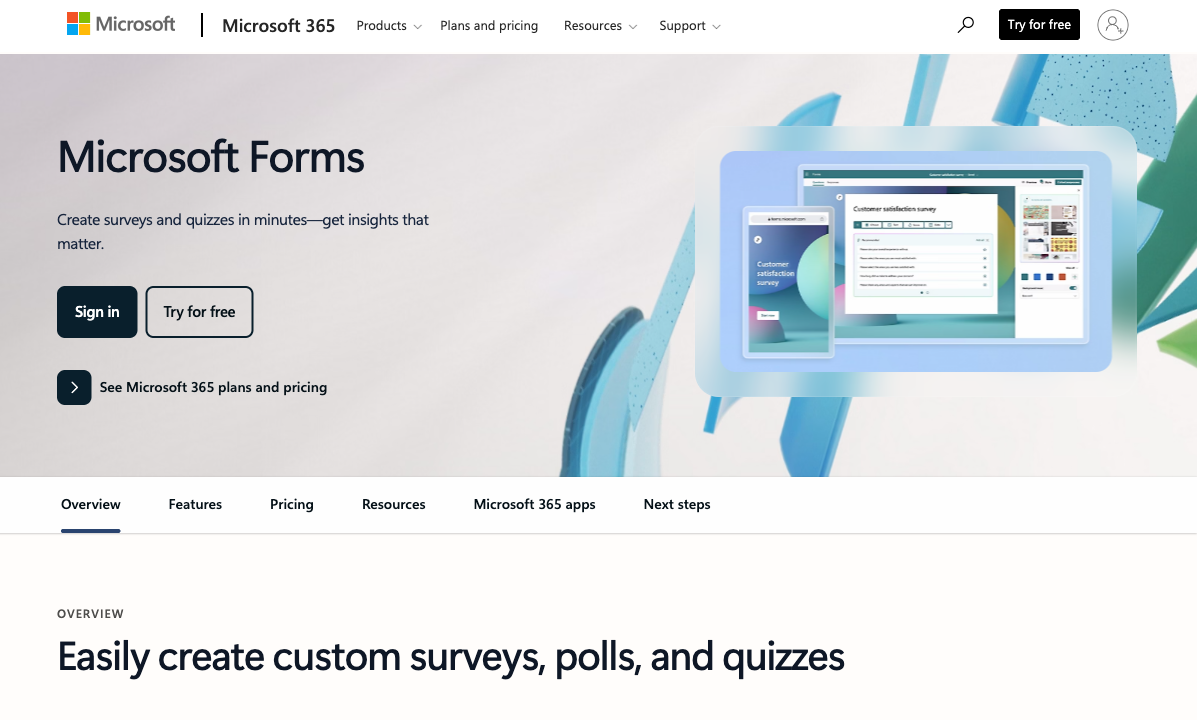
Microsoft Forms: a Teams sidekick, not a form builder
Microsoft Forms exists to keep Microsoft 365 users from leaving Microsoft 365. For that narrow job it does well: it's included free with every M365 plan, launches a poll inside a Teams meeting in seconds, auto-syncs results to Excel, embeds in SharePoint, and supports up to 5 million responses per form with built-in quiz auto-grading that educators rely on. If your form is an internal pulse survey, a meeting poll, or a graded knowledge check and everyone involved already has an M365 login, it's the path of least resistance, and it carries a respectable 4.6 Capterra rating, albeit across a much smaller pool of reviews (around 325) than the others.
But it is the most limited tool in this comparison by a clear margin, because it was never designed to be a standalone product. There is no public API and no webhooks, so automation means Power Automate or nothing. There are no payments, no custom domains, no branding removal, no eSignatures, no calculation fields, and only about 22 templates. Customization barely extends past a theme color and a header image, and reviewers routinely call the interface dated. Outside the Microsoft ecosystem it is effectively inert: a convenient feature of a suite you already pay for, rather than a form builder you'd choose on its own.
See them in action
If you'd rather watch than read, this independent walkthrough covers how the most ecosystem-locked of the three, Microsoft Forms, actually builds and behaves day to day. It's a useful baseline for judging how much extra Jotform's paid platform is really giving you.
Pricing comparison
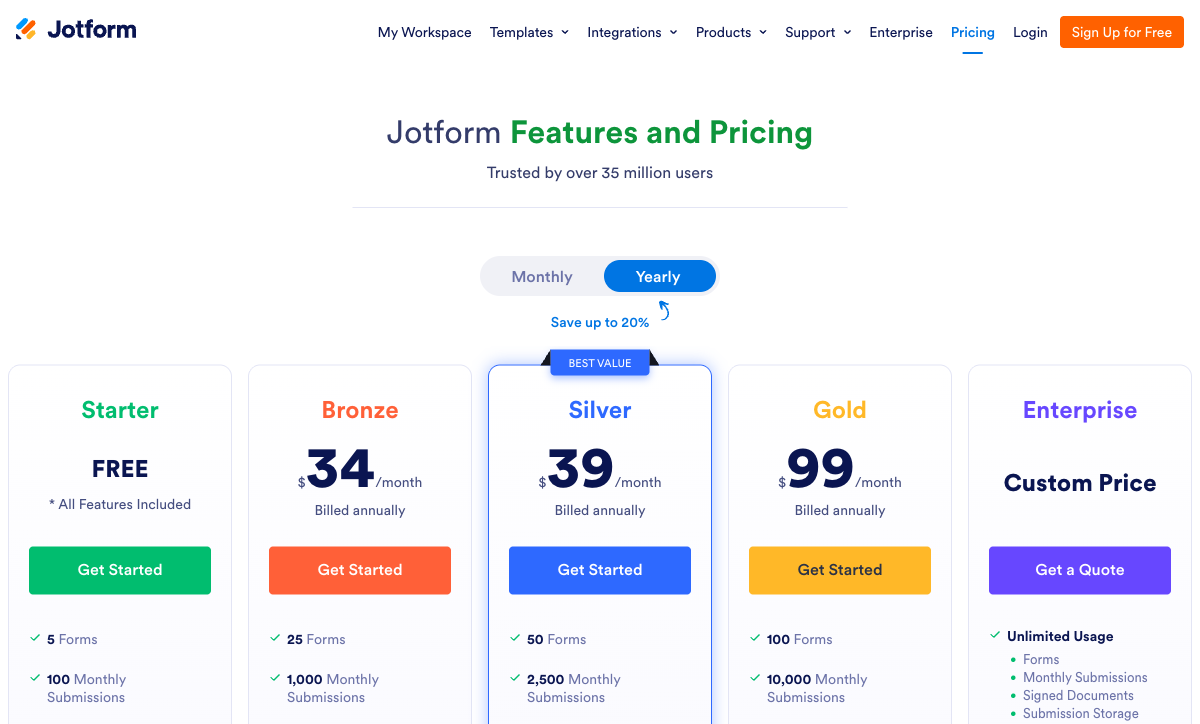
Two of the three are free, so the pricing story isn't really a number contest. The real cost question is whether the free tools' limits force you onto Jotform anyway. Google Forms charges nothing and never meters responses. Microsoft Forms is free if you already pay for Microsoft 365, and that suite price ($6/user/month annual, rising to $7 in July 2026) buys far more than forms. Jotform only makes sense once a free tool's missing capability, such as payments, an API, or HIPAA, actually blocks you; then Bronze at $34/month (annual) for 1,000 monthly submissions is the entry point.
Google Forms
Jotform
| Product | Plan | Monthly Price | Annual Price (per month) | Free Plan | Free Trial | Limits |
|---|---|---|---|---|---|---|
| Google Forms | Free (Personal) | Free | Free | Yes | 14 days | forms: Unlimited, submissions: Unlimited, storage: 15 GB (shared across Google Drive), users: 1, file uploads: Included in 15 GB storage |
| Google Forms | Business Starter | $8.4/mo | $7/mo billed annually | forms: Unlimited, submissions: Unlimited, storage: 30 GB per user, users: Up to 300, file uploads: Included in storage | ||
| Google Forms | Business Standard | $16.8/mo | $14/mo billed annually | forms: Unlimited, submissions: Unlimited, storage: 2 TB per user, users: Up to 300, file uploads: Included in storage | ||
| Google Forms | Business Plus | $26.4/mo | $22/mo billed annually | forms: Unlimited, submissions: Unlimited, storage: 5 TB per user, users: Up to 300, file uploads: Included in storage | ||
| Jotform | Starter | Free | Free | Yes | No | forms: 5, submissions: 100/month, storage: 100 MB, users: 1 |
| Jotform | Bronze | $39/mo | $34/mo billed annually | forms: 25, submissions: 1,000/month, storage: 1 GB, users: 1 | ||
| Jotform | Silver | $49/mo | $39/mo billed annually | forms: 50, submissions: 2,500/month, storage: 10 GB, users: 1 | ||
| Jotform | Gold | $129/mo | $99/mo billed annually | forms: 100, submissions: 10,000/month, storage: 100 GB, users: 1 | ||
| Microsoft Forms | Free (Personal Microsoft Account) | Free | Free | Yes | 1 month | forms: 400, submissions: 200/form, storage: N/A, users: 1 |
| Microsoft Forms | Microsoft 365 Business Basic | $7.2/mo | $6/mo billed annually | forms: 400, submissions: 5,000,000/form, storage: 1 TB OneDrive, users: Per user | ||
| Microsoft Forms | Microsoft 365 Business Standard | $15/mo | $12.5/mo billed annually | forms: 400, submissions: 5,000,000/form, storage: 1 TB OneDrive, users: Per user | ||
| Microsoft Forms | Microsoft 365 Business Premium | $26.4/mo | $22/mo billed annually | forms: 400, submissions: 5,000,000/form, storage: 1 TB OneDrive, users: Per user |
What users say
All three rate well, but the volume and the substance differ. Jotform has by far the largest pool of paid-software reviews and tops G2's Online Form Builder category, with praise for breadth and recurring complaints about support speed and reliability. Google Forms rests its reputation on hundreds of millions of users for whom it simply works: fewer traditional software reviews, but an overwhelming verdict on fitness for simple jobs. Microsoft Forms scores well (4.6 on Capterra) but across the smallest review base, and its reviews echo the same theme as its feature list: easy and free inside Microsoft 365, limited the moment you ask for more.
The verdict: a decision tree
- Choose Google Forms if your team is in Google Workspace, the form is a survey, quiz, RSVP, or internal feedback request, the budget is zero, and you never need payments, branding, or anything outside Google.
- Choose Microsoft Forms if your organization runs on Microsoft 365, the form lives inside Teams, Excel, or SharePoint, you want auto-graded quizzes, and you genuinely never need an API, payments, or an external integration.
- Choose Jotform if you've outgrown a free office-suite tool and need multiple payment gateways, a public API with webhooks, HIPAA forms (Gold and up), or offline mobile collection, and you'll accept occasional rough edges and slower support for that breadth.
The mistake to avoid is forcing a free tool past its limits: running a paid order form through Google Forms with a payment link taped on, or trying to wire Microsoft Forms into an external CRM that has no API to connect to. The free tools are superb for the internal jobs they were built for. The moment a form has to face a customer, take money, or talk to systems outside your office suite, you're paying for a real platform — and the only question left is which one.
The tie-breaker: Paperform is the platform without the bloat
This comparison really has two free tools and one paid one, and the moment you need the paid tier's capability, Jotform isn't your only option. Paperform covers the same gap Google Forms and Microsoft Forms can't reach, but with a form that looks like your brand rather than a survey, and an editor that stays clean as the form grows complex.
The two office-suite tools collect zero payments; Paperform runs five gateways (Stripe, PayPal, Square, Braintree, Google Pay) with full eCommerce, including products, subscriptions, coupons, and tax. Microsoft Forms has no API and Google Forms has no webhooks, while Paperform exposes an open REST API plus 2,000+ integrations and built-in Stepper workflow automation. All three top out at section branching or quiz scoring, whereas Paperform's Excel-style calculation engine runs scoring, pricing, and routing logic across questions, pages, emails, and integrations. Its document-style editor produces landing-page-quality forms, and Guided Mode can render them one question at a time, neither of which a bundled office tool attempts.
Paperform is SOC 2 Type II certified and GDPR compliant, bootstrapped and profitable like Jotform, with 30,000+ templates (the largest library in the category) and Papersign (eSignatures) plus Stepper bundled at no extra cost. Paid plans start at $24/month annual, below Jotform's $34 Bronze. One honest caveat: Paperform isn't HIPAA compliant today, so if PHI is a hard requirement, Microsoft Forms (via an M365 BAA) or Jotform Gold are the safer regulated choices.
For head-to-head detail, see Paperform vs Google Forms, Paperform vs Jotform, and Paperform vs Microsoft Forms. Comparing just two of these three? See Google Forms vs Jotform, Jotform vs Microsoft Forms, or Google Forms vs Microsoft Forms. For the wider field, the best form builders ranking covers every option.
Frequently Asked Questions
Is Microsoft Forms or Google Forms better if my team is already on Microsoft 365 or Google Workspace?
Pick whichever office suite you already pay for; that single fact decides it. Microsoft Forms is included free with every Microsoft 365 plan (Business Basic is $6/user/month annual, rising to $7 on July 1, 2026) and lives natively inside Teams, Excel, SharePoint, and Power Automate. Google Forms is free with any Google account and pipes straight into Sheets, Drive, and Classroom. Both are designed to keep you inside their parent ecosystem and offer little reason to switch suites just for forms. The real divergence is reach: Microsoft Forms has no public API and no webhooks at all, so automation outside Microsoft means Power Automate or nothing, whereas Google Forms at least exposes an API (though it still leans on Zapier or Apps Script for anything beyond Google). If you need a form that escapes either walled garden to handle payments, CRMs, or a custom domain, Paperform is built to live anywhere with 2,000+ integrations and an open REST API.
Which of Google Forms, Jotform, and Microsoft Forms can actually collect payments?
Only one of the three. Jotform supports 40+ payment processors natively, including Stripe, PayPal, Square, Authorize.net, Mollie and dozens of regional gateways, with no added transaction fees, although payment submissions are capped per plan (100/month on Bronze, 1,000/month on Gold). Google Forms and Microsoft Forms both have zero payment capability: no Stripe field, no PayPal, nothing. If a form has to take money, both office-suite tools are immediately disqualified and you're choosing Jotform by default. For a payment-capable form that also looks like your brand, Paperform runs five gateways (Stripe, PayPal, Square, Braintree, Google Pay) with a full eCommerce engine (products, subscriptions, coupons and tax) and live calculations updating totals as the respondent fills the form.
Why does Microsoft Forms have no API while Jotform and Google Forms do?
Because Microsoft Forms was never built as a standalone product. It is a feature inside Microsoft 365, not a platform, so there is no public REST API and no webhooks. The only sanctioned automation path is Power Automate, which requires its own licensing and setup. Jotform and Google Forms both expose a REST API; Jotform also supports webhooks, while Google Forms does not. This is the clearest structural difference between the three: Jotform is the only one of the trio you can wire into an external system without a connector platform doing the heavy lifting. If programmatic access matters, Microsoft Forms is the weakest option here by a wide margin, and Paperform's API plus native Stepper workflow automation cover what all three leave on the table.
Does Jotform, Google Forms, or Microsoft Forms have stronger conditional logic and calculations?
Jotform is the only one of the three with field-level conditional logic and calculation fields, both available on the free Starter plan. Google Forms offers section-level branching only: it can send a respondent to a different page based on a multiple-choice answer, but it cannot show or hide individual questions or run any calculation. Microsoft Forms sits in between, with branching logic and built-in quiz scoring (handy for auto-graded assessments) but no general-purpose calculation fields for pricing, routing, or scoring outside a quiz context. The catch with Jotform is consistency: reviewers regularly report that complex logic and custom widgets behave unpredictably on busy forms. For calculation logic that runs reliably across questions, pages, emails, and integrations on every plan, Paperform's Excel-style engine is purpose-built for exactly that.
Can I collect protected health information (HIPAA) with Google Forms, Jotform, or Microsoft Forms?
All three can be HIPAA compliant, but the conditions differ. Microsoft Forms inherits HIPAA coverage through a Microsoft 365 BAA, making it the cheapest HIPAA-eligible option of the three for organizations already on a qualifying M365 plan. Jotform offers HIPAA-compliant forms with a signed BAA only on its Gold tier ($99/month annual) and Enterprise — its lower paid plans cannot legally collect PHI. Google Forms inherits Google Workspace's HIPAA coverage, but the Forms product specifically lacks the granular access controls and audit logging most healthcare teams expect, so it's a weak choice for PHI even where technically covered. All three also carry GDPR, SOC 2, and ISO 27001. For PHI workflows that need payments or signatures too, see our best form builders for healthcare guide.
For more than a basic survey, is Jotform worth paying for over free Google Forms or Microsoft Forms?
It depends entirely on whether your form has to do anything beyond collecting answers. Google Forms and Microsoft Forms are genuinely free and excellent for surveys, quizzes, RSVPs, and internal data collection; for those jobs, paying for Jotform adds little. The moment you need payments, field-level logic, custom branding on a custom domain, native CRM connections, webhooks, or offline mobile collection, the two free tools hit a wall and Jotform's $34/month (annual) Bronze plan becomes the floor. The honest trade-off is that Jotform buys you capability but inherits twenty years of accumulated complexity, and reviewers cite slow support and a cluttered interface. If you want that breadth without the bloat, and a cleaner editor, compare Paperform and Jotform directly.
Which is the safest long-term bet: Google Forms, Jotform, or Microsoft Forms?
All three are structurally durable, for different reasons. Google Forms is backed by Alphabet and Microsoft Forms by Microsoft; neither parent is going anywhere, though both have a habit of under-investing in their smaller bundled tools, and Forms is a bundled feature rather than a flagship for either. Jotform is the outlier: bootstrapped, profitable, twenty years old, and running on roughly $144.9M in annual revenue with no venture capital, which makes it one of the most financially independent companies in the category. With the two office-suite tools the worry is stagnation rather than survival; with Jotform it's that the sheer breadth leaves rough edges. None is a risky bet on survival.
Sources & References
- Google Forms vs. Jotform: Which should you use? — Zapier, 2026
- Microsoft Forms vs Google Forms (2026): Which Is Better? — Stackby, 2026
- Jotform vs Microsoft Forms in 2026 — Jotform, 2026
- Microsoft Forms review — TechRadar, 2025
- Google Forms Review — TechRadar, 2025
Last updated June 26, 2026
Ready to try Paperform?
Create beautiful forms, payment pages, and workflows — no code required.