Google Forms vs Gravity Forms: Which Should You Use in 2026?
On the face of it, this is a strange comparison: a free Google product that opens in a browser tab and a paid WordPress plugin that lives on your own server. But both keep showing up in the same searches for one reason — they're the tools people end up with by virtue of the ecosystem they're already in. If you have a Google account, you already have Google Forms. If you have a WordPress site, you already have (or will quickly find) Gravity Forms. Neither is chosen on pure merit; both are gravitational pulls.
That framing matters because it changes the question. It's not "which is the better form builder" — it's "which ecosystem does your work already live in, and is that ecosystem's form tool good enough for what you need?" This page works through the real trade-offs: what Google Forms can't do at any price, what Gravity Forms can't do without a WordPress stack behind it, and where both quietly fall short compared to dedicated form builders.
Quick Verdict
Choose Google Forms if:
- You want instant setup with zero hosting, installs, or maintenance
- Your forms are surveys, quizzes, RSVPs, or internal data collection
- Responses going to Google Sheets is useful rather than limiting
- Real-time co-editing with teammates matters
- Cost is a hard constraint — free needs to mean free forever
Choose Gravity Forms if:
- You already run WordPress and want forms native to the site
- You need Stripe, PayPal, or Square payments on forms (Pro plan, $159/yr)
- Full data ownership in your own database is a hard requirement
- You have a developer who can use 500+ hooks and the Add-On Framework
- Unlimited submissions on an annual license beats per-submission SaaS pricing
Feature Comparison
The feature delta between these two isn't a simple "more vs less" — Gravity Forms has payments, signatures (on Elite), and webhooks that Google Forms lacks, while Google Forms has quiz mode, real-time collaboration, and Google Sheets/Classroom wiring that Gravity Forms can't touch. The table below aligns them across every major category.
| Feature | Google Forms | Gravity Forms |
|---|---|---|
| Form Building | ||
| Document-style editor | No | No |
| AI form creation | Yes | No |
| Field types | 11 | No |
| Multi-page forms | Yes | Yes Basic |
| Guided mode (one question at a time) | No | Yes Elite |
| Conditional logic | Yes | Yes Basic |
| Calculations field | No | Yes Basic |
| AI calculations assistant | No | No |
| Scoring | Yes | Yes Elite |
| Answer piping | No | Yes Basic |
| Pre-filling and hidden fields | Yes | Yes Basic |
| Save and resume | No | Yes Basic |
| Auto-close by number | Yes | No |
| Auto-close by date | Yes | No |
| Appointment/booking field | No | No |
| Signature field | No | Yes Elite |
| Color picker field | No | No |
| API-powered dropdowns | No | No |
| Google address search | No | No |
| File uploads | Yes | No |
| Drag-and-drop builder | No | Yes Basic |
| 30+ field types | No | Yes Basic |
| Payments | ||
| Stripe payments | No | Yes Pro |
| PayPal payments | No | Yes Pro |
| Square payments | No | Yes Pro |
| Braintree payments | No | No |
| Google Pay | No | Yes Pro |
| Product sales (eCommerce) | No | Yes Basic |
| Subscriptions | No | Yes Pro |
| Coupons and discounts | No | Yes Elite |
| Custom pricing rules | No | No |
| Tax calculations | No | No |
| Quotes/invoices | No | No |
| Refunds | No | Yes Pro |
| 3D Secure | No | Yes Pro |
| Design & Customization | ||
| Template gallery | 20+ | Yes Basic |
| Rich media (images, GIFs, videos) | Yes | Yes Basic |
| Unsplash and Giphy integration | No | No |
| Image editor | No | No |
| Adobe Creative Cloud | No | No |
| Language translation | No | Yes Basic |
| Advanced theming | No | Yes Basic |
| Custom form URL | No | No |
| Custom domains | No | No |
| Custom HTML & CSS | No | Yes Basic |
| Remove branding | No | Yes Basic |
| Custom email domains | Yes Business Starter | Yes Elite |
| Analytics | ||
| Submission results and reports | Yes | Yes Basic |
| AI report insights | Yes Business Standard | No |
| Paperform analytics | No | No |
| Google Analytics & Facebook Pixel | No | Yes Elite |
| Custom analytics scripts | No | Yes Basic |
| Partial submissions | No | Yes Elite |
| Collaboration | ||
| Multi-user accounts | Yes | Yes Basic |
| User permissions and management | Yes | Yes Basic |
| Advanced permissions & admin | Yes Business Starter | No |
| Form sharing (templates) | Yes | Yes Basic |
| Spaces and tag management | No | No |
| Security | ||
| SOC 2 Type II | Yes | No |
| GDPR compliant | Yes | Yes Basic |
| SSL encryption | Yes | Yes Basic |
| Two-factor authentication | Yes | No |
| Enforce 2FA for all users | Yes Business Starter | No |
| SSO (SAML) | Yes Business Plus | No |
| reCAPTCHA | No | Yes Basic |
| Local data residency | Yes Business Plus | Yes Basic |
| Custom S3 storage (BYO) | No | No |
| Integrations & API | ||
| Native integrations | No | No |
| Zapier | Yes | Yes Pro |
| Make (Integromat) | Yes | No |
| Webhooks | No | Yes Elite |
| Standard API | Yes | Yes Basic |
| Business API | No | No |
| WordPress plugin | No | Yes Basic |
| oEmbed support | No | No |
| 50+ official add-ons | No | Yes Basic |
| Stepper workflow automation | No | No |
Strengths of Google Forms

Free, unlimited, no infrastructure required
Google Forms asks nothing of you: no domain, no hosting account, no plugin updates, no database backups, no license keys. Sign into a Google account and build. Submission volume is uncapped on the free tier, and paid Workspace plans ($7–$22/user/mo) don't change the Forms feature set — they add storage and admin tools. Gravity Forms starts at $59/year for one site and climbs to $259/year for Elite, plus whatever you pay for WordPress hosting (realistically $10–$50+/month for production sites). For the "I just need a form" use case, Google Forms is the only one of these two that doesn't come with an operations cost.
Quizzes and auto-grading are first-class
Google Forms' quiz mode — automatic grading, per-question points, answer keys, feedback, and score-release timing — is included for every user on the free tier and integrates with Google Classroom for assignments. Gravity Forms puts quizzes behind its Elite plan ($259/year) via a Quiz add-on that takes more configuration and lacks the classroom workflows teachers rely on. For any education, training, or assessment use case, Google Forms is meaningfully better and cheaper.
Real-time multi-editor collaboration
Multiple people can edit the same Google Form at the same time, with the live-cursor experience familiar from Google Docs. There is no "seat" concept, no editor role hierarchy, and no additional cost. Gravity Forms lives in the WordPress admin and inherits WordPress's user roles — collaboration means multiple users logging into one WordPress install, with no real-time co-editing. For teams that iterate on forms together, Google's model is genuinely better, not just cheaper.
Near-zero learning curve
Google Forms is deliberately limited, and that limitation is a feature. Eleven field types, one layout, a handful of themes. Anyone who has ever filled out a form can build one in minutes. Gravity Forms is a WordPress plugin built for developers and agencies — it rewards investment but demands it. For a non-technical team member who needs a form today, Google Forms is immediately productive; Gravity Forms is not.
Strengths of Gravity Forms
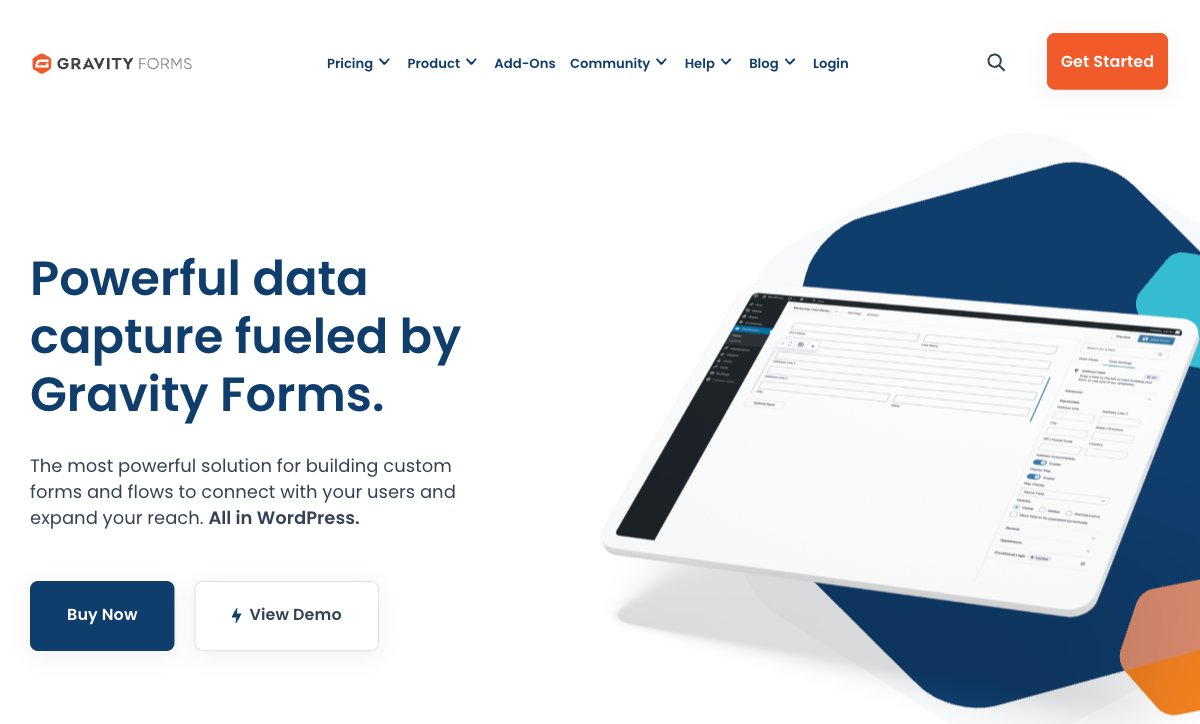
Payments on forms — something Google Forms simply cannot do
From the Pro plan ($159/year) upward, Gravity Forms ships with Stripe, PayPal, Square, and Mollie integrations, and Elite adds coupons and discount codes. Google Forms has zero payment capability — no Google Pay, no Stripe hook, no workaround. If the form's job involves money (orders, deposits, registrations, donations), Gravity Forms is the only credible option between these two. It's still not an eCommerce engine — no subscription management, no multi-gateway orchestration, no full tax stack — but it's a genuine payment form, and Google Forms isn't.
Full data ownership in your own database
Every Gravity Forms submission is a row in your WordPress database, stored wherever your host is. You control the backup cadence, the retention policy, the access list, and the physical location of the data. Google Forms data sits on Google's infrastructure under Google's data processing terms. For regulated industries, public-sector contracts, or any organisation where "where does this data live" has a specific acceptable answer, Gravity Forms' self-hosted model is a qualitatively different guarantee.
Developer extensibility through hooks and add-ons
Gravity Forms exposes 500+ WordPress actions and filters, a REST API, and an Add-On Framework designed for custom integrations. A third-party ecosystem (Gravity Wiz, GravityKit, CosmicGiant) fills every niche the core product leaves open — advanced calculations, approval workflows, CRM connectors, nested repeaters. Google Forms offers Google Apps Script, which is powerful but operates outside Forms rather than extending it. For teams with a developer and a list of custom requirements, Gravity Forms' ceiling is dramatically higher.
WordPress-native: forms are part of the site, not an embed
Gravity Forms forms live on your domain, use your theme's typography, and integrate with WordPress user roles, custom post types, and other plugins. Google Forms embeds via iframe — it always looks like a Google Form sitting inside your page, with Google's styling and Google's domain in the URL bar when a respondent completes it. For brand-conscious, WordPress-first sites, this alone is often the deciding factor.
Where Google Forms Falls Short
- No payment processing whatsoever. Not Google Pay, not Stripe, not anything. It's the single most consistent limitation cited across TechRadar, Zapier, and most Google Forms review round-ups.
- ~11 field types and minimal design. No signature field, no appointment booking, no API-powered dropdowns, no color picker. Customisation stops at header image, theme colour, background colour, and four font choices.
- Section-level branching only. Logic is limited to "jump to this section based on that answer". No per-question show/hide, no calculations that affect logic, no chained conditions.
- Hosted on Google's domain, with Google branding. Forms live on docs.google.com with a Google footer. No custom domain, no white-label. Your brand ends at the link you paste.
- No drop-off or partial-submission analytics. If a respondent abandons mid-form, you see nothing — no half-completed row, no insight into which question lost them.
- No webhooks or deep automation. Integration depth outside Google's own ecosystem depends on Apps Script, Zapier, or Make — all of which add cost or complexity.
Where Gravity Forms Falls Short
- WordPress is a mandatory prerequisite. No hosted version, no standalone form page, no embed on non-WordPress sites. You inherit the entire cost and maintenance burden of a WordPress stack before the first form exists.
- Key features are gated behind Elite ($259/year). Signatures, conversational forms, surveys, quizzes, partial entries, webhooks, coupons, and Google Analytics integration all require the top tier. The Basic plan has no payments at all.
- No AI form creation, no AI assistance. Gemini showed up in Google Forms via Workspace; Gravity Forms has no AI feature set in its core product, no AI form generation, no AI summarisation of responses.
- Not HIPAA compliant; no SOC 2. No BAA offered. Entries are not encrypted at rest by default in the WordPress database. Compliance sits with the site owner and their hosting choices.
- Basic calculations only. Native math uses merge tags; anything beyond simple arithmetic (conditionals, nested formulas, IF logic) requires the third-party Gravity Wiz "Advanced Calculations" perk.
- Limited templates and design polish. Fewer than 20 built-in form templates, two built-in themes, no media library, no Unsplash or Giphy, no visual editor beyond drag-and-drop field placement.
- Dated admin UI. Reviews (FatLab, IsItWP, WP Mayor) consistently note Gravity Forms' admin interface feels stuck in an earlier WordPress era compared to newer plugins.
Pricing Comparison
Direct pricing comparison is misleading because the cost structures are so different. Google Forms charges nothing, ever. Gravity Forms charges an annual license — plus you're paying for WordPress hosting, WordPress maintenance, and potentially a developer to get the most out of it. The table below shows the headline prices; the real total cost of ownership for Gravity Forms is higher than the sticker.
| Tier | Google Forms | Gravity Forms | What the money buys |
|---|---|---|---|
| Entry | $0 — unlimited forms, unlimited submissions, all features | Basic: $59/yr — 1 site, no payments, 16+ basic add-ons | Google gives you everything. Gravity Forms Basic is the license floor and doesn't include payments. |
| Mid | Workspace Business Starter: $7/user/mo (Forms unchanged) | Pro: $159/yr — 3 sites, Stripe/PayPal/Square, Zapier | Google's paid tiers don't extend Forms. Gravity Forms Pro is where payments unlock. |
| Full | Workspace Business Standard: $14/user/mo (Forms unchanged) | Elite: $259/yr — unlimited sites, signatures, quizzes, webhooks, coupons | Google Forms is identical at every tier. Elite is where Gravity Forms becomes Gravity Forms. |
| Hidden cost | Your Google account, which you likely already have | WordPress hosting ($10–$50+/mo), plugin management, backups, security | Gravity Forms' true annual cost is license + hosting + maintenance time. |
Google Forms
Gravity Forms
| Product | Plan | Monthly Price | Annual Price (per month) | Free Plan | Free Trial | Limits |
|---|---|---|---|---|---|---|
| Google Forms | Free (Personal) | Free | Free | Yes | 14 days | forms: Unlimited, submissions: Unlimited, storage: 15 GB (shared across Google Drive), users: 1, file uploads: Included in 15 GB storage |
| Google Forms | Business Starter | $8.4/mo | $7/mo billed annually | forms: Unlimited, submissions: Unlimited, storage: 30 GB per user, users: Up to 300, file uploads: Included in storage | ||
| Google Forms | Business Standard | $16.8/mo | $14/mo billed annually | forms: Unlimited, submissions: Unlimited, storage: 2 TB per user, users: Up to 300, file uploads: Included in storage | ||
| Google Forms | Business Plus | $26.4/mo | $22/mo billed annually | forms: Unlimited, submissions: Unlimited, storage: 5 TB per user, users: Up to 300, file uploads: Included in storage | ||
| Gravity Forms | Basic | Not listed | $59/mo billed annually | No | No | forms: Unlimited, submissions: Unlimited, storage: WordPress database (self-hosted), users: Unlimited (WordPress users) |
| Gravity Forms | Pro | Not listed | $159/mo billed annually | forms: Unlimited, submissions: Unlimited, storage: WordPress database (self-hosted), users: Unlimited (WordPress users) | ||
| Gravity Forms | Elite | Not listed | $259/mo billed annually | forms: Unlimited, submissions: Unlimited, storage: WordPress database (self-hosted), users: Unlimited (WordPress users) | ||
| Gravity Forms | Nonprofit | Not listed | $129/mo billed annually | forms: Unlimited, submissions: Unlimited, storage: WordPress database (self-hosted), users: Unlimited (WordPress users) |
What Users Say
Google Forms sits at 4.7/5 on Capterra across 11,000+ reviews with praise overwhelmingly focused on ease of use and value — complaints cluster on limited customisation and the missing payment capability. Gravity Forms carries a 4.7/5 on G2 and a 4.6/5 on Capterra with far fewer total reviews; the patterns are inverted. Gravity Forms users love its extensibility and power, but reviewers from WPMayor, FatLab, and IsItWP consistently call out a steeper learning curve, dated admin UI, and the implicit cost of WordPress itself. The reviews tell the same story the products do: Google optimises for simplicity; Gravity Forms optimises for power inside WordPress.
The Honest Third Option: Paperform
If you've concluded that Google Forms is too basic — payments, signatures, calculations, design — but adopting WordPress specifically to run Gravity Forms is a non-starter, Paperform is the path most teams end up taking. Starting at $29/month, it's a fully hosted SaaS (no WordPress, no hosting, no plugin updates) with a document-style editor that produces forms people actually enjoy filling out, and an Excel-style calculation engine that powers logic across questions, pages, emails, integrations, and success pages — meaningfully deeper than Gravity Forms' merge-tag math and Google Forms' no-math-at-all.
Unlike Gravity Forms, payments are included on every plan (including the free tier) through five gateways: Stripe, PayPal, Square, Braintree, and Google Pay. Unlike Google Forms, there's no "go to section X" ceiling on logic — conditional rules operate at the question level with calculated values. Paperform is also bootstrapped and profitable since 2016, trusted by 500,000+ teams, and SOC 2 Type II certified — compliance Gravity Forms doesn't offer. For deeper side-by-sides, see Paperform vs Google Forms, Paperform vs Gravity Forms, or the broader best form builders ranking for 2026.
The Verdict
Google Forms is the right answer when "I have a Google account and I need a form right now" is the whole context. Surveys, quizzes, RSVPs, internal feedback, classroom assessments — anything where the output is data, not revenue, and the audience doesn't need the form to feel on-brand. It will never collect payments, never let you use a custom domain, never run a real calculation. That's fine for what it does.
Gravity Forms is the right answer when "I run a production WordPress site and I need forms that are part of it" is the whole context. Payments, data ownership, developer hooks, deep site integration — all genuinely strong. But it doesn't exist outside WordPress, and it charges like a commercial plugin because it is one. Outside its niche, it's not a general-purpose alternative to any SaaS form builder.
If neither sounds quite right — if you want payments but not WordPress, or design but not WordPress, or calculations but not a developer — the real answer is a hosted form builder. See our Google Forms alternatives and Gravity Forms alternatives for a wider shortlist.
Frequently Asked Questions
Do I need a WordPress site to use Gravity Forms?
Yes — and there is no workaround. Gravity Forms is a self-hosted plugin that installs inside WordPress. There is no hosted version, no standalone form URL, and no way to run it without a WordPress stack (domain, hosting, WordPress core, plugin updates). Google Forms has the opposite profile: anyone with a Google account has it instantly, no hosting required. If you're already on WordPress, Gravity Forms is the more powerful choice; if you're not, adopting WordPress specifically to run a form plugin almost never makes sense — a hosted form builder is a far lighter path.
Is it worth paying $159+/year for Gravity Forms when Google Forms is free?
Only if you need features Google Forms structurally cannot provide — the main ones being payment processing (Stripe, PayPal, Square on Gravity Forms Pro; zero on Google Forms), data ownership on your own server, and integration depth with your WordPress site (themes, user accounts, custom post types). If your forms are surveys, quizzes, RSVPs, or internal feedback, paying Gravity Forms' $159/year is money spent fixing a problem you don't have. If your forms need to collect money or sit inside a production WordPress site, Gravity Forms' license is small compared to the cost of the alternative workarounds.
Can Google Forms collect payments like Gravity Forms does?
No. Google Forms has no payment capability at all — no Stripe hook, no PayPal field, no Google Pay, no product catalogue. It's one of the most frequently cited limitations in Google Forms reviews, and it's unchanged since launch. Gravity Forms adds Stripe, PayPal, Square, and Mollie on the Pro plan ($159/year) and adds coupons on Elite ($259/year). It's still not a full commerce engine (no subscriptions management, limited tax logic), but it's a genuine payment form; Google Forms is not.
Which is better for quizzes: Google Forms or Gravity Forms?
Google Forms, for most people, by a wide margin. Quiz mode is a first-class feature in Google Forms — per-question points, automatic grading, answer keys, feedback, and Google Classroom integration, all free. Gravity Forms has a Quiz add-on, but it's gated behind the Elite plan ($259/year) and takes more configuration to set up. For classroom assessments, training quizzes, or lead-magnet scorecards, Google Forms is the cheaper and simpler option. Gravity Forms' quiz makes sense only if you're already on Elite for other reasons.
Does Gravity Forms store data more safely than Google Forms?
"Safer" depends on what you're worried about. Google Forms inherits Google Workspace's SOC 2, ISO 27001, and HIPAA-eligible infrastructure (with a BAA on supported plans) — the operational security is world-class, but the data lives on Google's servers under Google's policies. Gravity Forms stores submissions in your WordPress database, giving you full control of location, backups, and retention — but the security of that database is entirely on you. Neither is offline-default: Gravity Forms does not encrypt entries at rest by default, and it does not offer a BAA for HIPAA. If data residency and ownership matter more than turnkey compliance, Gravity Forms wins. If you want the compliance work already done, Google Forms is the safer default.
How does Gravity Forms compare to Google Forms on design customisation?
Gravity Forms has a ceiling roughly as high as WordPress itself — forms inherit your theme's typography and colours, and a developer can restyle anything through CSS or filters. Out of the box, though, the admin UI and front-end styling feel dated, and there's no media library, no Unsplash/Giphy, and no rich visual editor. Google Forms is worse but also simpler: a header image, a theme colour, a background colour, and four font choices. Both will produce visibly unfussy forms. If design matters for the form (public-facing order pages, client-facing intake), neither is a strong choice — dedicated builders with document-style editors produce noticeably better output.
Which company is more stable — Google Forms or Gravity Forms?
Both are unusually stable by different measures. Google Forms is backed by Alphabet, a ~$2T public company that has run Forms since 2008 — the risk isn't bankruptcy, it's Google quietly deprioritising a free product (Google has a well-documented history of sunsetting minor tools). Gravity Forms was also founded in 2008 by Rocketgenius, Inc., is bootstrapped and profitable, and hasn't changed ownership in 17+ years — the risk isn't a pivot, it's the product's admin UI feeling stuck in its era. Both companies are well past the typical "will this be here next year" concern; the stability profiles are different rather than one being clearly safer.
Sources & References
- Gravity Forms Review: Is It Still Worth the Price in 2026? — FatLab Web Support, 2026
- Gravity Forms Review 2026 — IsItWP — IsItWP, 2026
- Google Forms Review: Pros, Cons & Real-World Use Cases — BrightSEO Tools, 2025
- Google Forms Review (4/5) — TechRadar, 2025
- Gravity Forms on G2 (4.7/5) — G2, 2026
- Google Forms Full Tutorial (Kevin Stratvert, 2M+ views) — YouTube, 2023
Last updated June 25, 2026
Ready to try Paperform?
Create beautiful forms, payment pages, and workflows — no code required.