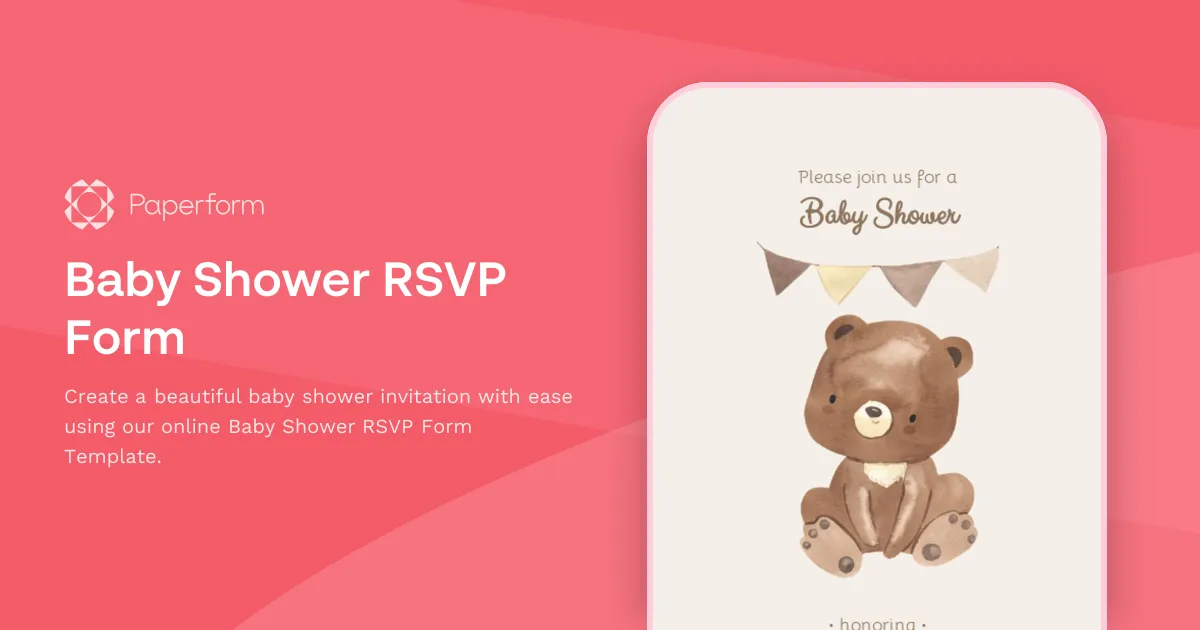
Baby Shower RSVP Form Template
When organizing a baby shower for your friend or relative, you need a way to collect attendance information from guests so you can organize everything properly for the event. If messaging all your friends one by one and trying to keep track of everything over multiple email threads sounds like a big hassle, don't worry–the Baby Shower RSVP Form Template is here to help.
This baby shower invitation template is a perfect solution for creating a beautiful baby shower invitation landing page that your guests would genuinely enjoy filling out. Simply add your event details to the template, and quickly and securely collect responses from your baby shower guest list.
The RSVP registration form asks for the guest's contact details such as name, email address, and attendance. You can easily add a list of questions such as dietary restrictions, meal preferences, baby shower games, gift options, or anything else that's relevant to your upcoming event.
If you already have an event theme in mind, you can change the look and feel of your RSVP form to match the style of your event. Once you're happy with your baby shower invitation, simply send this form to your guests as an email invitation, and the party planning can begin!
[FAQ]
When to organize a baby shower?
Usually, baby showers are held in the third trimester of pregnancy when the mum-to-be is between 28 and 35 weeks pregnant. That's the ideal time because she'll still have the energy to host a party and it also gives her enough time to exchange any duplicate gifts and fill the nursery with cute baby shower gifts.
How to make a baby shower invitation?
You can design the event invitation from scratch or take advantage of a range of templates like the Baby Shower RSVP Form Template. It'll save you tons of time and help you collect all the necessary information from your guests such as their contact details, meal preferences, and RSVP.
Should I send baby shower invitations electronically or on paper?
While making baby shower invitations on paper adds an unbeatable personal touch to your invitation, sending them via regular mail is expensive and very time-consuming so we recommend using digital invitations. Electronic invitations also help you keep track of the RSVP responses.
What to write on the baby shower RSVP invitation?
Good things to include on a baby shower RSVP form are:
- Date, time, and location of the event
- Baby's name, or if the baby doesn't have any name yet, then the parents' names
- RSVP options
- Any questions or special requirements regarding food and drinks
The Baby Shower RSVP Form Template already includes all the above-mentioned details, so all you have to do is edit the questions on the RSVP form to fit your event.
Can I send confirmation emails to my baby shower RSVP form respondents?
Yes, this template has an automatic email notification feature that lets you send confirmation and reminder emails to your baby shower guest list. To add the automatic emails, simply head over to "After Submission > Emails" settings and click on "Add email".
Then, craft the email subject and body to provide your message, including the baby shower details (time, date, location) and anything else you'd like to remind your guests before the event.
Key Features
This template is designed to help you collect information efficiently and professionally. It includes carefully crafted questions and fields that gather all the essential details you need.
Why Use This Template
- Save time: Start with a pre-built structure instead of creating from scratch
- Professional design: Looks polished and trustworthy to respondents
- Easy customization: Modify fields, colors, and branding to match your needs
- Mobile-friendly: Works seamlessly on all devices
How to Use This Template
- Click "Use this template" to import it into your Paperform account
- Customize the questions and fields to match your specific requirements
- Adjust the design and branding to reflect your organization
- Share the form link or embed it on your website
- Start collecting responses and managing submissions
Customization Options
Paperform's visual editor makes it easy to:
- Add or remove questions
- Change colors, fonts, and images
- Set up conditional logic to show/hide fields
- Configure email notifications and integrations
- Accept payments if needed
Get started today and create a professional form in minutes.


