Best Zoho Forms Alternatives for 2026
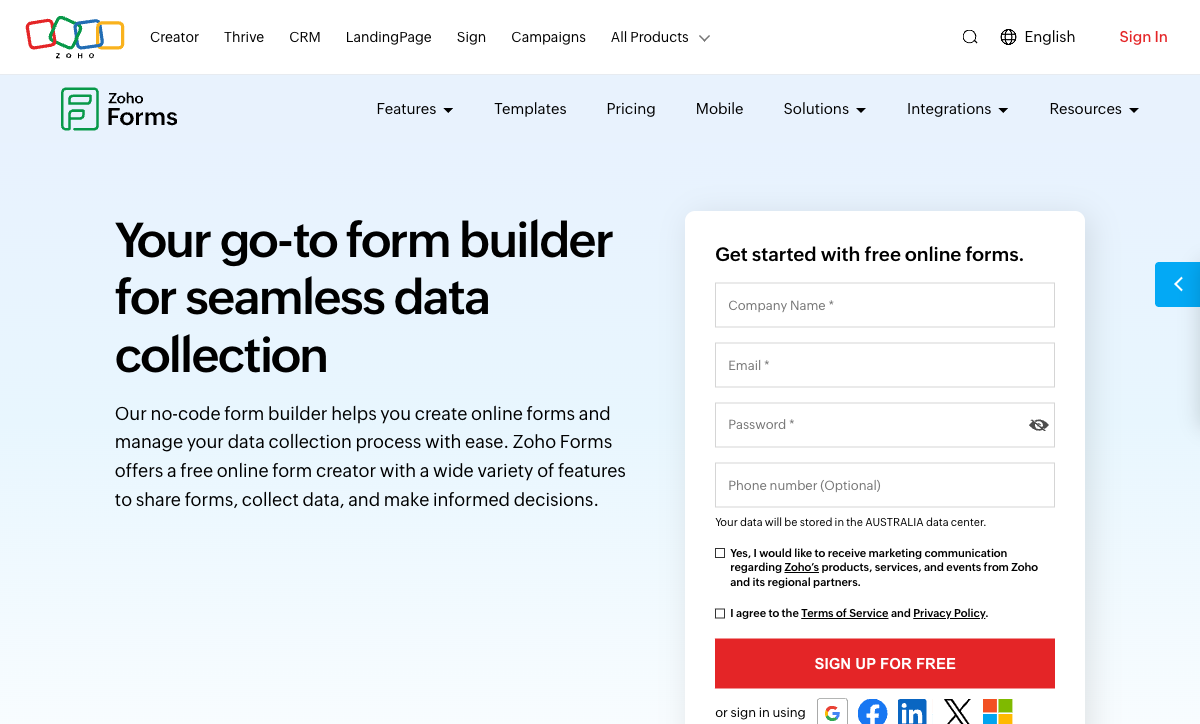
Zoho Forms makes perfect sense inside the Zoho universe. It talks natively to Zoho CRM, Zoho Desk, Zoho Projects, Zoho Sign, and 40+ other Zoho products. For organisations that standardised on Zoho's suite, the form builder slots in without friction. Data flows seamlessly between apps, and the per-user pricing is remarkably competitive.
Outside that universe, the picture changes. Third-party integrations are limited compared to what standalone form builders offer. The free plan caps at 3 forms and 500 submissions — among the most restrictive free tiers in the market. Design customisation is basic, with no custom CSS on lower plans and no customisation at all on the free tier. A 60-field limit per form constrains complex use cases. And the form builder itself lacks features that dedicated tools treat as standard: no document-style editing, no guided conversational mode, no appointment booking, and analytics only on the Standard plan ($25/month) or higher.
If you've decided to build your forms outside the Zoho ecosystem — or you're one of the many teams that chose Zoho Forms only because it came bundled with your Zoho subscription — these alternatives offer more capability per dollar with integrations that connect to everything, including Zoho.
| Feature | Zoho Forms | Paperform | Jotform | Google Forms | Typeform | Cognito Forms | HubSpot Forms | Formstack |
|---|---|---|---|---|---|---|---|---|
| Form Building | ||||||||
| Document-style editor | No | Yes | No | No | No | No | No | No |
| AI form creation | Yes basic | Yes | Yes starter | Yes | Yes | No | No | Yes forms |
| Field types | Yes | 26+ | 30+ (starter) | 11 | 20+ | 20+ | No | 15 |
| Guided mode (one question at a time) | No | Yes | Yes starter | No | Yes | No | No | Yes forms |
| Calculations field | Yes basic | Yes essentials | Yes starter | No | Yes plus | Yes | No | Yes forms |
| Payments | ||||||||
| Stripe | Yes | No | No | No | No | No | No | No |
| PayPal | Yes | No | No | No | No | No | No | No |
| Google Pay | No | Yes | Yes starter | No | No | No | No | No |
| Product sales | Yes basic | No | No | No | No | No | No | No |
| Subscriptions | No | Yes essentials | Yes starter | No | Yes basic | No | No | No |
| Design & Customization | ||||||||
| Template gallery | Yes | 30,000+ | 20,000+ (starter) | 20+ | 1,500+ | Yes | Yes | Yes forms |
| Rich media | Yes | No | No | No | No | No | No | No |
| Image editor | No | Yes | No | No | No | No | No | No |
| Language translation | Yes standard | Yes | Yes starter | No | Yes basic | Yes pro | No | No |
| Advanced theming | Yes basic | Yes pro | Yes starter | No | Yes plus | Yes pro | Yes starter | Yes forms |
| Analytics | ||||||||
| Submission results | Yes | No | No | No | No | No | No | No |
| Form analytics | Yes standard | No | Yes starter | No | No | No | No | No |
| Partial submissions | No | Yes pro | No | No | Yes plus | No | No | Yes forms |
| Submission results and reports | No | Yes | Yes starter | Yes | Yes | Yes | Yes | Yes forms |
| AI report insights | No | Yes pro | No | No | Yes business | No | No | No |
| Collaboration | ||||||||
| Multi-user | Yes standard | No | No | No | No | No | No | No |
| Permissions | Yes standard | No | No | No | No | No | No | No |
| Advanced permissions | Yes professional | No | No | No | No | No | No | No |
| Form sharing | Yes | No | Yes starter | No | No | No | No | No |
| Multi-user accounts | No | Yes pro | Yes bronze | Yes | Yes plus | Yes pro | Yes | Yes forms |
| Security | ||||||||
| SOC 2 | Yes | No | No | No | No | No | No | No |
| GDPR | Yes | No | No | No | No | No | No | No |
| SSL | Yes | No | No | No | No | No | No | No |
| 2FA | Yes | No | No | No | No | No | No | No |
| SSO SAML | Yes professional | No | No | No | No | No | No | No |
| Integrations & API | ||||||||
| Make (Integromat) | No | Yes | No | Yes | Yes basic | Yes | Yes starter | No |
| Webhooks | Yes standard | Yes pro | Yes starter | No | Yes basic | Yes | Yes starter | Yes forms |
| Standard API | Yes basic | Yes pro | No | Yes | No | No | No | Yes forms |
| Business API | No | Yes business | No | No | No | No | No | Yes enterprise |
| WordPress | Yes | No | No | No | No | No | No | No |
| Additional Products | ||||||||
| Jotform Tables | No | No | Yes starter | No | No | No | No | No |
| Jotform Sign | No | No | Yes starter | No | No | No | No | No |
| Jotform Apps | No | No | Yes starter | No | No | No | No | No |
| Jotform Workflows | No | No | Yes starter | No | No | No | No | No |
| Jotform Report Builder | No | No | Yes starter | No | No | No | No | No |
 #1 Paperform — Best Ecosystem-Independent Alternative

Where Zoho Forms derives its value from belonging to the Zoho ecosystem, Paperform derives its value from belonging to none. Its 2,000+ integrations via native connectors, Zapier, and Make connect to any stack — including Zoho CRM, Zoho Desk, and other Zoho products when needed. You get the data flow without the lock-in. Switch CRMs next year, and your forms keep working.
The form-building experience is the starkest upgrade from Zoho. Paperform's document-style editor produces forms that double as branded pages — mixing headings, images, video, and fields on a single canvas. Zoho's builder is functional but constrained, with basic styling options and no rich media capabilities on lower tiers. The calculation engine is another dimension Zoho doesn't compete on: Paperform's Excel-style formulas drive dynamic pricing, scoring, conditional routing, email customisation, and integration payloads from a single field type. Five payment gateways (including Google Pay and Braintree, which Zoho doesn't support) work on every plan, and Papersign handles e-signatures without needing a separate Zoho Sign subscription.
- Strengths over Zoho Forms: 2,000+ integrations without ecosystem lock-in, document-style editor, Excel-style calculations, 5 payment gateways on free plan, Papersign e-signatures included, custom domains, AI form creation
- Limitations: No offline mobile data collection, no native Zoho app integration (requires Zapier/Make), higher starting price than Zoho's $10/month Basic
- Best for: Teams that need powerful forms connecting to any stack without being locked into a single software ecosystem
 #2 Jotform — Broadest Feature Set with Mobile App

Zoho Forms' standout feature is its mobile data collection with offline support. Among mainstream form builders, Jotform comes closest to replicating this with its own mobile app that supports offline submissions on certain plans. Beyond mobile, Jotform's feature breadth covers every gap Zoho Forms leaves: 40+ payment gateways (vs Zoho's Stripe and PayPal), e-signatures, PDF generation, approval workflows, and a 20,000+ template library.
The free tier is more generous than Zoho's in forms allowed (5 vs 3) but more restrictive in submissions (100/month vs 500/month). Paid plans start at $39/month — more than Zoho's $10/month Basic but with significantly more capability included. Jotform is bootstrapped with $144.9M in annual revenue, making it one of the most financially stable form builders available. For Zoho Forms users who valued the mobile app experience and need a comparable option outside Zoho, Jotform is the strongest candidate. See Jotform alternatives for more.
- Strengths over Zoho Forms: Mobile app with some offline support, 40+ payment gateways, 20,000+ templates, HIPAA compliance, e-signatures and PDF generation, platform-independent
- Limitations: Higher price ($39/month vs $10/month), free plan limited to 100 submissions, no native Zoho ecosystem integration, mobile offline less robust than Zoho's
- Best for: Teams that valued Zoho's mobile features and want the broadest standalone form builder with a comparable mobile experience
 #3 Google Forms — Best Free Alternative for Simple Needs

Zoho Forms' free plan limits you to 3 forms and 500 submissions. Google Forms gives you unlimited forms, unlimited responses, and automatic Google Sheets integration — all completely free. For teams that used Zoho Forms primarily for internal surveys, quick feedback, or basic data collection, Google Forms eliminates every free-plan restriction while adding zero complexity.
The trade-off is capability. Google Forms has no payments, no calculations, no conditional logic depth, no design control beyond colour themes, and no integrations outside Google's ecosystem. It's a pure data collection tool. But for the specific use case of "I need more than 3 free forms and I don't need advanced features," Google Forms is the most straightforward path out of Zoho's restrictive free tier. Connect to Zoho CRM via Zapier if needed. For a broader comparison, see Google Forms alternatives.
- Strengths over Zoho Forms: Completely free and unlimited, zero learning curve, Google Sheets auto-integration, no 3-form or 500-submission caps
- Limitations: No payments, no calculations, no e-signatures, minimal design control, no third-party integrations beyond Google ecosystem
- Best for: Teams that only need basic data collection and want to escape Zoho's free-plan restrictions without paying
 #4 Typeform — Best for Design-Forward Customer-Facing Forms

Zoho Forms' design options are basic — no custom CSS on lower plans, no rich media, no document-style layout. Typeform swings to the opposite extreme with its one-question-at-a-time conversational format that makes every form feel like a polished brand interaction. For marketing teams, customer experience surveys, and lead qualification flows, the visual impact is immediate and substantial.
The practical limitations are equally significant. Typeform's free plan allows just 10 responses per month (vs Zoho's 500). Payment processing requires the $83/month Business plan and only works with Stripe. There are no calculations, no complex conditional workflows, and no offline mobile capability. Typeform is a specialist tool for short, beautiful engagement forms — not a general-purpose Zoho replacement. If your Zoho Forms usage included payments, data processing, or high-volume submissions, Paperform or Jotform are better fits.
- Strengths over Zoho Forms: Far superior visual design, conversational one-question format, higher engagement on short forms, modern brand impression
- Limitations: 10 free responses/month (vs Zoho's 500), $83/month for payments, no calculations, no offline mobile, VC-funded pricing pressure
- Best for: Marketing teams creating short, visually stunning engagement forms outside the Zoho ecosystem
Full Feature Comparison
Every feature across Zoho Forms and its alternatives, grouped by category.
| Feature | Zoho Forms | Paperform | Jotform | Google Forms | Typeform | Cognito Forms | HubSpot Forms | Formstack |
|---|---|---|---|---|---|---|---|---|
| Form Building | ||||||||
| Document-style editor | No | Yes | No | No | No | No | No | No |
| AI form creation | Yes basic | Yes | Yes starter | Yes | Yes | No | No | Yes forms |
| Field types | Yes | 26+ | 30+ (starter) | 11 | 20+ | 20+ | No | 15 |
| Multi-page forms | Yes | Yes | Yes starter | Yes | Yes basic | Yes | Yes starter | Yes forms |
| Guided mode (one question at a time) | No | Yes | Yes starter | No | Yes | No | No | Yes forms |
| Conditional logic | Yes | Yes | Yes starter | Yes | Yes basic | Yes | Yes professional | Yes forms |
| Calculations field | Yes basic | Yes essentials | Yes starter | No | Yes plus | Yes | No | Yes forms |
| AI calculations assistant | No | Yes essentials | No | No | No | No | No | No |
| Scoring | No | Yes essentials | Yes starter | Yes | Yes plus | Yes | No | No |
| Answer piping | Yes basic | Yes | Yes starter | No | Yes basic | Yes | No | Yes forms |
| Pre-filling and hidden fields | Yes | Yes essentials | Yes starter | Yes | Yes basic | Yes | Yes | Yes forms |
| Save and resume | Yes basic | Yes | Yes starter | No | No | Yes pro | No | Yes forms |
| Auto-close by number | Yes | Yes essentials | Yes starter | Yes | Yes basic | Yes | No | No |
| Auto-close by date | Yes | Yes pro | Yes starter | Yes | Yes basic | Yes | No | No |
| Appointment/booking field | No | Yes | Yes starter | No | Yes basic | No | No | No |
| Signature field | Yes | Yes | Yes starter | No | No | Yes team | No | Yes suite |
| Color picker field | No | Yes | No | No | No | No | No | No |
| API-powered dropdowns | No | Yes business | No | No | No | Yes | No | Yes forms |
| Google address search | No | Yes business | No | No | No | Yes | No | No |
| File uploads | No | Yes | Yes starter | Yes | Yes basic | Yes | Yes | No |
| Drag-and-drop builder | No | No | Yes starter | No | No | No | No | Yes forms |
| Form widgets | No | No | Yes starter | No | No | No | No | No |
| Template gallery | No | No | 20,000+ (starter) | No | No | No | No | No |
| AI follow-up questions | No | No | No | No | Yes business | No | No | No |
| Video questions | No | No | No | No | Yes basic | No | No | No |
| Question types | No | No | No | No | No | No | Yes | No |
| Payments | ||||||||
| Stripe | Yes | No | No | No | No | No | No | No |
| PayPal | Yes | No | No | No | No | No | No | No |
| Square | No | No | No | No | No | No | No | No |
| Braintree | No | No | No | No | No | No | No | No |
| Google Pay | No | Yes | Yes starter | No | No | No | No | No |
| Product sales | Yes basic | No | No | No | No | No | No | No |
| Subscriptions | No | Yes essentials | Yes starter | No | Yes basic | No | No | No |
| Coupons | No | No | No | No | No | No | No | No |
| Custom pricing | Yes basic | No | No | No | No | No | No | No |
| Tax calculations | No | Yes | Yes starter | No | No | Yes | No | No |
| Quotes/invoices | Yes standard | Yes | No | No | No | Yes team | No | No |
| Refunds | No | Yes | No | No | No | No | No | No |
| 3D Secure | No | Yes | No | No | Yes basic | No | No | No |
| Stripe payments | No | Yes | Yes starter | No | Yes basic | Yes | Yes starter | Yes forms |
| PayPal payments | No | Yes | Yes starter | No | No | Yes team | No | Yes forms |
| Square payments | No | Yes | Yes starter | No | No | Yes team | No | No |
| Braintree payments | No | Yes | Yes starter | No | No | No | No | No |
| Product sales (eCommerce) | No | Yes essentials | Yes starter | No | No | Yes | No | No |
| Coupons and discounts | No | Yes essentials | Yes starter | No | No | Yes | No | Yes forms |
| Custom pricing rules | No | Yes essentials | Yes starter | No | No | Yes | No | Yes forms |
| 40+ payment gateways | No | No | Yes starter | No | No | No | No | No |
| No transaction fees | No | No | Yes starter | No | No | No | No | No |
| Design & Customization | ||||||||
| Template gallery | Yes | 30,000+ | 20,000+ (starter) | 20+ | 1,500+ | Yes | Yes | Yes forms |
| Rich media | Yes | No | No | No | No | No | No | No |
| Unsplash/Giphy | No | No | No | No | No | No | No | No |
| Image editor | No | Yes | No | No | No | No | No | No |
| Adobe CC | No | No | No | No | No | No | No | No |
| Language translation | Yes standard | Yes | Yes starter | No | Yes basic | Yes pro | No | No |
| Advanced theming | Yes basic | Yes pro | Yes starter | No | Yes plus | Yes pro | Yes starter | Yes forms |
| Custom form URL | No | Yes pro | No | No | Yes plus | No | No | Yes forms |
| Custom domains | No | Yes pro | Yes enterprise | No | No | No | No | Yes forms |
| Custom HTML/CSS | Yes standard | No | No | No | No | No | No | No |
| Remove branding | Yes basic | Yes pro | Yes bronze | No | Yes plus | Yes pro | Yes starter | Yes forms |
| Custom email domains | No | Yes business | No | Yes Business Starter | No | No | No | No |
| Rich media (images, GIFs, videos) | No | Yes | Yes starter | Yes | Yes | Yes | No | Yes forms |
| Unsplash and Giphy integration | No | Yes | No | No | Yes | No | No | No |
| Adobe Creative Cloud | No | Yes | No | No | No | No | No | No |
| Custom HTML & CSS | No | Yes pro | Yes starter | No | Yes business | Yes pro | Yes starter | Yes forms |
| Form themes | No | No | Yes starter | No | No | No | No | No |
| Analytics | ||||||||
| Submission results | Yes | No | No | No | No | No | No | No |
| AI insights | No | No | No | No | No | No | No | No |
| Form analytics | Yes standard | No | Yes starter | No | No | No | No | No |
| GA/FB Pixel | No | No | No | No | No | No | No | No |
| Custom scripts | No | No | No | No | No | No | No | No |
| Partial submissions | No | Yes pro | No | No | Yes plus | No | No | Yes forms |
| Submission results and reports | No | Yes | Yes starter | Yes | Yes | Yes | Yes | Yes forms |
| AI report insights | No | Yes pro | No | No | Yes business | No | No | No |
| Paperform analytics | No | Yes pro | No | No | No | No | No | Yes forms |
| Drop-off analysis | No | Yes pro | No | No | Yes business | No | No | No |
| Google Analytics & Facebook Pixel | No | Yes essentials | No | No | Yes basic | Yes pro | Yes | Yes forms |
| Custom analytics scripts | No | Yes pro | No | No | Yes basic | No | No | No |
| Google Analytics integration | No | No | Yes starter | No | No | No | No | No |
| Conversion analytics | No | No | No | No | No | No | Yes professional | No |
| Collaboration | ||||||||
| Multi-user | Yes standard | No | No | No | No | No | No | No |
| Permissions | Yes standard | No | No | No | No | No | No | No |
| Advanced permissions | Yes professional | No | No | No | No | No | No | No |
| Form sharing | Yes | No | Yes starter | No | No | No | No | No |
| Spaces/tags | No | No | No | No | No | No | No | No |
| Multi-user accounts | No | Yes pro | Yes bronze | Yes | Yes plus | Yes pro | Yes | Yes forms |
| User permissions and management | No | Yes pro | Yes enterprise | Yes | Yes plus | Yes team | Yes starter | Yes forms |
| Advanced permissions & admin | No | Yes enterprise | Yes enterprise | Yes Business Starter | Yes enterprise | Yes enterprise | Yes enterprise | Yes enterprise |
| Form sharing (templates) | No | Yes | No | Yes | Yes | Yes | Yes | Yes forms |
| Spaces and tag management | No | Yes | No | No | No | No | No | Yes forms |
| Assign forms | No | No | Yes enterprise | No | No | No | No | No |
| Workspace organization | No | No | No | No | Yes | No | No | No |
| Security | ||||||||
| SOC 2 | Yes | No | No | No | No | No | No | No |
| GDPR | Yes | No | No | No | No | No | No | No |
| SSL | Yes | No | No | No | No | No | No | No |
| 2FA | Yes | No | No | No | No | No | No | No |
| Enforce 2FA | No | No | No | No | No | No | No | No |
| SSO SAML | Yes professional | No | No | No | No | No | No | No |
| reCAPTCHA | Yes | Yes | Yes starter | No | Yes business | Yes | No | Yes forms |
| Data residency | Yes | No | Yes enterprise | No | No | No | Yes enterprise | No |
| Custom S3 | No | No | No | No | No | No | No | No |
| SOC 2 Type II | No | Yes | Yes enterprise | Yes | Yes | No | Yes | No |
| GDPR compliant | No | Yes | Yes starter | Yes | Yes | Yes | Yes | Yes forms |
| SSL encryption | No | Yes | Yes starter | Yes | Yes | Yes | Yes | Yes forms |
| Two-factor authentication | No | Yes | Yes starter | Yes | Yes | Yes | Yes | Yes forms |
| Enforce 2FA for all users | No | Yes business | No | Yes Business Starter | No | No | No | Yes enterprise |
| SSO (SAML) | No | Yes business | Yes enterprise | Yes Business Plus | Yes enterprise | Yes enterprise | Yes enterprise | Yes enterprise |
| Local data residency | No | Yes enterprise | No | Yes Business Plus | No | No | No | No |
| Custom S3 storage (BYO) | No | Yes business | No | No | No | No | No | No |
| HIPAA compliant | No | No | Yes gold | No | Yes enterprise | No | No | No |
| 256-bit SSL | No | No | Yes starter | No | No | No | No | No |
| Form encryption | No | No | Yes starter | No | No | No | No | No |
| PCI DSS | No | No | Yes starter | No | Yes | No | No | No |
| ISO 27001 | No | No | No | No | Yes | No | No | No |
| Custom S3 storage | No | No | No | No | No | No | No | No |
| Integrations & API | ||||||||
| 2000+ | No | No | No | No | No | No | No | No |
| Zapier | Yes basic | Yes | Yes starter | Yes | Yes basic | Yes | Yes starter | Yes forms |
| Make (Integromat) | No | Yes | No | Yes | Yes basic | Yes | Yes starter | No |
| Webhooks | Yes standard | Yes pro | Yes starter | No | Yes basic | Yes | Yes starter | Yes forms |
| Standard API | Yes basic | Yes pro | No | Yes | No | No | No | Yes forms |
| Business API | No | Yes business | No | No | No | No | No | Yes enterprise |
| WordPress | Yes | No | No | No | No | No | No | No |
| oEmbed | Yes | No | No | No | No | No | No | No |
| Native integrations | No | 2,000+ | 150+ (starter) | No | 120+ (basic) | No | Yes | No |
| WordPress plugin | No | Yes | Yes starter | No | Yes | Yes | Yes | Yes forms |
| oEmbed support | No | Yes | No | No | No | Yes | No | No |
| API | No | No | Yes starter | No | Yes basic | No | Yes | No |
| Salesforce AppExchange | No | No | Yes starter | No | No | No | No | No |
| Embed options | No | No | Yes starter | No | Yes | No | Yes | No |
| Mobile apps | No | No | Yes starter | No | No | No | No | No |
| 2000+ integrations | No | No | No | No | No | No | No | No |
| Additional Products | ||||||||
| Jotform Tables | No | No | Yes starter | No | No | No | No | No |
| Jotform Sign | No | No | Yes starter | No | No | No | No | No |
| Jotform Apps | No | No | Yes starter | No | No | No | No | No |
| Jotform Workflows | No | No | Yes starter | No | No | No | No | No |
| Jotform Report Builder | No | No | Yes starter | No | No | No | No | No |
| Jotform AI Agents | No | No | Yes starter | No | No | No | No | No |
| Jotform Store Builder | No | No | Yes starter | No | No | No | No | No |
Pricing Comparison
Zoho Forms' per-user value is strong within the Zoho ecosystem. Here's how standalone alternatives compare on cost and features-per-dollar.
Paperform
Zoho Forms
| Product | Plan | Monthly Price | Annual Price (per month) | Free Plan | Free Trial | Limits |
|---|---|---|---|---|---|---|
| Zoho Forms | Free | Free | Free | Yes | 15 days | forms: 3, submissions: 500/month, storage: 200 MB, users: 1 |
| Zoho Forms | Basic | $12/mo | $10/mo billed annually | forms: Unlimited, submissions: 10,000/month, storage: 500 MB, users: 1 | ||
| Zoho Forms | Standard | $30/mo | $25/mo billed annually | forms: Unlimited, submissions: 25,000/month, storage: 2 GB, users: 10 | ||
| Zoho Forms | Professional | $60/mo | $50/mo billed annually | forms: Unlimited, submissions: 75,000/month, storage: 5 GB, users: 25 | ||
| Zoho Forms | Premium | $110/mo | $90/mo billed annually | forms: Unlimited, submissions: 150,000/month, storage: 10 GB, users: 100 | ||
| Paperform | Free | Free | Free | Yes | 14 days | forms: Unlimited, submissions: 30/month, storage: 100 submissions, users: 1, file uploads: 100 MB |
| Paperform | Essentials | $29/mo | $24/mo billed annually | forms: Unlimited, submissions: 100/month, storage: 1,000 submissions, users: 1, file uploads: 1 GB | ||
| Paperform | Pro | $59/mo | $49/mo billed annually | forms: Unlimited, submissions: 1,000/month, storage: 10,000 submissions, users: 3, file uploads: 10 GB | ||
| Paperform | Business | $129/mo | $99/mo billed annually | forms: Unlimited, submissions: 10,000/month, storage: 100,000 submissions, users: 5, file uploads: 100 GB | ||
| Jotform | Starter | Free | Free | Yes | No | forms: 5, submissions: 100/month, storage: 100 MB, users: 1 |
| Jotform | Bronze | $39/mo | $34/mo billed annually | forms: 25, submissions: 1,000/month, storage: 1 GB, users: 1 | ||
| Jotform | Silver | $49/mo | $39/mo billed annually | forms: 50, submissions: 2,500/month, storage: 10 GB, users: 1 | ||
| Jotform | Gold | $129/mo | $99/mo billed annually | forms: 100, submissions: 10,000/month, storage: 100 GB, users: 1 | ||
| Google Forms | Free (Personal) | Free | Free | Yes | 14 days | forms: Unlimited, submissions: Unlimited, storage: 15 GB (shared across Google Drive), users: 1, file uploads: Included in 15 GB storage |
| Google Forms | Business Starter | $7/mo | $7/mo billed annually | forms: Unlimited, submissions: Unlimited, storage: 30 GB per user, users: Up to 300, file uploads: Included in storage | ||
| Google Forms | Business Standard | $14/mo | $14/mo billed annually | forms: Unlimited, submissions: Unlimited, storage: 2 TB per user, users: Up to 300, file uploads: Included in storage | ||
| Google Forms | Business Plus | $22/mo | $22/mo billed annually | forms: Unlimited, submissions: Unlimited, storage: 5 TB per user, users: Up to 300, file uploads: Included in storage | ||
| Typeform | Free | Free | Free | Yes | No | forms: 10, submissions: 10/month, users: 1 |
| Typeform | Basic | $39/mo | $28/mo billed annually | forms: Unlimited, submissions: 100/month, users: 1 | ||
| Typeform | Plus | $79/mo | $56/mo billed annually | forms: Unlimited, submissions: 1,000/month, users: 3 | ||
| Typeform | Business | $129/mo | $91/mo billed annually | forms: Unlimited, submissions: 10,000/month, users: 5 | ||
| Typeform | Growth Pro | $379/mo | $266/mo billed annually | forms: Unlimited, submissions: Expanded, users: Expanded | ||
| Cognito Forms | Individual (Free) | Free | Free | Yes | 14 days | forms: Unlimited, submissions: 100/month, storage: 100 MB, users: 1 |
| Cognito Forms | Pro | $19/mo | $16/mo billed annually | forms: Unlimited, submissions: 2,000/month, storage: 1 GB, users: 2 | ||
| Cognito Forms | Team | $39/mo | $33/mo billed annually | forms: Unlimited, submissions: 10,000/month, storage: 10 GB, users: 5 | ||
| Cognito Forms | Enterprise | $129/mo | $109/mo billed annually | forms: Unlimited, submissions: Unlimited, storage: 100 GB, users: 20 | ||
| HubSpot Forms | Free | Free | Free | Yes | 14 days | forms: Unlimited, submissions: Unlimited, users: 2 |
| HubSpot Forms | Marketing Hub Starter | $20/mo | $20/mo billed annually | forms: Unlimited, submissions: Unlimited, users: Per seat | ||
| HubSpot Forms | Marketing Hub Professional | $890/mo | $890/mo billed annually | forms: Unlimited, submissions: Unlimited, users: 3 included (additional seats extra) | ||
| HubSpot Forms | Marketing Hub Enterprise | $3600/mo | $3600/mo billed annually | forms: Unlimited, submissions: Unlimited, users: 5 included (additional seats extra) | ||
| Formstack | Forms | $99/mo | $83/mo billed annually | No | 14 days | forms: 25, submissions: 1,000/form, storage: 2 GB, users: 1, file uploads: 2 GB |
| Formstack | Suite | $299/mo | $250/mo billed annually | forms: 100, submissions: 5,000/form, storage: 10 GB, users: 3, file uploads: 10 GB |
Review Ratings Across Platforms
Zoho Forms' ratings reflect its position as a component within the broader Zoho ecosystem.
Verdict: Which Zoho Forms Alternative Should You Choose?
The decision hinges on how central Zoho is to your operations. If you're moving away from the Zoho ecosystem entirely, Paperform is the strongest all-round replacement — it connects to 2,000+ apps (including Zoho products via Zapier), offers dramatically better form design, calculation-powered logic, and 5 payment gateways without tying you to any single software ecosystem. Bootstrapped and profitable, it's a safe long-term bet.
If mobile data collection with offline support is non-negotiable, Jotform comes closest to replicating Zoho's distinctive mobile app experience while adding 40+ payment gateways and 20,000+ templates. For teams that just need free, unlimited data collection without Zoho's 3-form cap, Google Forms is the simplest escape route. And for design-forward marketing forms, Typeform's conversational format produces the most visually striking output — though it sacrifices everything Zoho Forms does well behind the scenes.
Zoho Forms is a capable tool within its ecosystem. The question is whether that ecosystem lock-in is worth the trade-offs in design quality, feature depth, and integration flexibility. For most teams evaluating alternatives in 2026, the answer points to standalone form builders that work with everything — including Zoho, when you need it.
Frequently Asked Questions
Why are people leaving Zoho Forms in 2026?
The most common complaints are ecosystem lock-in and limited standalone value. Zoho Forms shines when connected to Zoho CRM, Zoho Desk, Zoho Projects, and the rest of Zoho's 40+ apps. Outside that ecosystem, its integrations are notably weaker than dedicated form builders. The free plan caps at just 3 forms and 500 submissions — barely enough to evaluate the product. And the form builder itself lacks advanced features that standalone tools include by default: no document-style editor, no guided conversational mode, no appointment booking, a 60-field limit per form, and minimal design customisation on lower tiers.
Can I connect a different form builder to Zoho CRM?
Yes. Paperform connects to Zoho CRM via Zapier and Make, automatically creating or updating CRM records when forms are submitted. Jotform has a Zapier integration that maps form fields to Zoho CRM modules. Cognito Forms connects through Zapier and Make as well. The connection isn't as seamless as Zoho Forms' native integration (which pre-populates fields from CRM data), but it covers the core workflow: form submission creates or updates a CRM contact with mapped field data. For most teams, the trade-off is worth it — better forms feeding the same CRM.
Does Zoho Forms offer a usable free plan?
Barely. The free plan limits you to 3 forms, 500 submissions, 200MB storage, 1 user, and 10 payment submissions. By comparison, Paperform's free plan includes unlimited forms, conditional logic, 5 payment gateways, and 2,000+ integrations. Cognito Forms offers unlimited forms with calculations, Stripe payments, and e-signatures for free. Google Forms is completely free with unlimited everything. Zoho Forms' free tier is essentially a trial masquerading as a free plan — it's too restrictive for any real use case beyond initial evaluation.
Which Zoho Forms alternative has the best mobile data collection?
Credit where due: Zoho Forms has one of the best mobile data collection experiences available, with a native iOS/Android app supporting offline data capture, QR scanning, geolocation tagging, and image capture. No alternative on this list matches its offline mobile capability. Jotform has a mobile app with some offline features. Paperform forms are fully responsive and work well on mobile browsers but there's no dedicated mobile app for offline scenarios. If offline field data collection is critical, Zoho Forms' mobile app may be worth keeping even if you switch primary form builders for web use cases.
How does Zoho Forms pricing compare to standalone alternatives?
Zoho Forms' paid plans are affordable: Basic at $10/month (annual), Standard at $25/month, Professional at $50/month. The per-user value is strong — Professional includes 25 users for $50/month total, which is $2/user/month. But standalone form builders often include more features at similar prices: Paperform Essentials at $24/month includes Excel-style calculations, 5 payment gateways, 2,000+ integrations, custom domains, and AI form creation. Cognito Forms Pro at $19/month includes calculations and expanded limits. Zoho Forms' pricing is competitive within Zoho, but the features-per-dollar ratio favours dedicated form builders for non-Zoho organisations.
Is there a Zoho Forms alternative with better form design?
Paperform is the strongest design-first alternative. Its document-style editor mixes rich content (headings, images, video) with form fields on a single canvas, producing forms that look like branded landing pages. Typeform's conversational one-question format creates visually striking forms with minimal effort. Both dramatically outclass Zoho Forms' builder, which offers basic styling with no custom CSS on lower plans, no rich media embedding, and no customisation at all on the free tier. If form appearance matters — for client-facing forms, brand experiences, or marketing — Paperform and Typeform are leagues ahead of Zoho.
Who owns Zoho Forms?
Zoho Forms is part of Zoho Corporation, a Chennai-based company founded in 1996 by Sridhar Vembu. Zoho is entirely bootstrapped and profitable — rare for a company of its scale (10,000+ employees, 100M+ users across all products). This makes Zoho one of the most financially stable software companies in the world. The stability extends to Zoho Forms, but it also means Forms is a small product within a massive portfolio. It receives incremental updates rather than the focused attention that standalone form builders like Paperform or Jotform dedicate to their core product.
Can I use Zoho Sign with a different form builder?
Yes, but with limitations. Zoho Sign is a separate product from Zoho Forms, and it doesn't have native integrations with most third-party form builders. You'd need Zapier or Make to trigger a Zoho Sign document from a non-Zoho form submission. Alternatively, Paperform includes Papersign — its own built-in e-signature product — at no extra cost. Jotform also includes e-signatures natively. If e-signatures are important, switching to a form builder with built-in signing capability is simpler than maintaining a separate Zoho Sign subscription.
What's the best Zoho Forms alternative for non-Zoho organisations?
Paperform is the best general-purpose alternative. It offers 2,000+ integrations via native connectors, Zapier, and Make — connecting to any CRM, email platform, or business tool without ecosystem dependency. Its document-style editor, Excel-style calculations, 5 payment gateways, and Papersign e-signatures replace Zoho Forms' core capabilities while adding design quality and calculation power that Zoho doesn't match. For teams currently locked into Zoho's ecosystem, Paperform provides an independent platform that still connects to Zoho apps via Zapier when needed — but doesn't require them.
Is Zoho Forms the only form builder with offline mobile support?
No, but it's one of the best. Jotform offers offline form submission through its mobile app on certain plans. Some enterprise tools and specialised field data collection apps (like Fulcrum or Device Magic) also support offline capture. But among mainstream form builders, Zoho Forms' offline mobile experience — with QR scanning, geolocation, and image capture — is genuinely distinctive. If offline data collection is a must-have, test Jotform's implementation and compare. If it's just a nice-to-have, any SaaS form builder's mobile-responsive forms will work fine on cellular connections.
Sources & References
- Best Online Form Builder to Use in 2026 — Top 20 Tools — EmailToolTester, 2026
- Zoho Forms Reviews — G2, 2026
- The 13 Best Online Form Builder Apps — Zapier, 2025
Last updated March 21, 2026
Ready to try Paperform?
Create beautiful forms, payment pages, and workflows — no code required.