Typeform vs Wufoo: Modern vs Legacy (2026)
Typeform and Wufoo represent two eras of form building. Typeform is the modern, design-forward platform — known for its one-question-at-a-time conversational format, AI-powered form creation, and interactive experiences that feel more like conversations than surveys. Wufoo is the legacy — one of the original online form builders, acquired by SurveyMonkey in 2011, and largely frozen in time since.
The honest assessment: Typeform is the better product on almost every dimension. Wufoo's only advantages are lower pricing and multi-user plans at entry tiers. If you're evaluating form builders today, Wufoo is hard to recommend unless budget is the sole deciding factor — and even then, there are better options.
Quick Verdict
Choose Typeform if:
- You want beautiful, conversational forms that boost completion rates
- You need AI-powered form creation and modern design tools
- You want strong CRM and marketing integrations (HubSpot, Salesforce)
- Brand experience and visual design matter for your forms
- You need logic jumps, calculator fields, and interactive features
Choose Wufoo if:
- Budget is the primary concern and you need the cheapest option
- You need multi-user access at lower price tiers
- Your forms are simple and traditional layout is preferred
- You're already on Wufoo and migration cost exceeds the benefit
Feature Comparison
Side-by-side — a modern platform vs a legacy product. The gap is wide.
| Feature | Typeform | Wufoo |
|---|---|---|
| Form Building | ||
| Document-style editor | No | No |
| AI form creation | Yes | No |
| Field types | 20+ | Yes |
| File uploads | Yes basic | Yes starter |
| Multi-page forms | Yes basic | Yes starter |
| Guided mode (one question at a time) | Yes | No |
| Conditional logic | Yes basic | Yes starter |
| Calculations field | Yes plus | No |
| AI follow-up questions | Yes business | No |
| Scoring | Yes plus | No |
| Answer piping | Yes basic | No |
| Pre-filling and hidden fields | Yes basic | Yes starter |
| Save and resume | No | No |
| Auto-close by number | Yes basic | Yes starter |
| Auto-close by date | Yes basic | Yes starter |
| Appointment/booking field | Yes basic | No |
| Signature field | No | No |
| Color picker field | No | No |
| Video questions | Yes basic | No |
| 400+ templates | No | Yes |
| Payments | ||
| Stripe payments | Yes basic | Yes professional |
| PayPal payments | No | Yes professional |
| Square payments | No | Yes professional |
| Braintree payments | No | Yes professional |
| Google Pay | No | No |
| Product sales (eCommerce) | No | No |
| Subscriptions | Yes basic | No |
| Coupons and discounts | No | No |
| Custom pricing rules | No | No |
| Tax calculations | No | No |
| Quotes/invoices | No | No |
| Refunds | No | No |
| 3D Secure | Yes basic | No |
| Authorize.net payments | No | Yes professional |
| Design & Customization | ||
| Template gallery | 1,500+ | Yes |
| Rich media (images, GIFs, videos) | Yes | No |
| Unsplash and Giphy integration | Yes | No |
| Language translation | Yes basic | No |
| Advanced theming | Yes plus | Yes starter |
| Custom form URL | Yes plus | Yes starter |
| Custom domains | No | No |
| Custom HTML & CSS | Yes business | Yes starter |
| Remove branding | Yes plus | Yes starter |
| Custom email domains | No | No |
| Theme designer | No | Yes |
| Analytics | ||
| Submission results and reports | Yes | Yes |
| AI report insights | Yes business | No |
| Drop-off analysis | Yes business | No |
| Google Analytics & Facebook Pixel | Yes basic | No |
| Custom analytics scripts | Yes basic | No |
| Partial submissions | Yes plus | No |
| Google Analytics integration | No | Yes professional |
| Collaboration | ||
| Multi-user accounts | Yes plus | Yes professional |
| User permissions and management | Yes plus | Yes professional |
| Advanced permissions & admin | Yes enterprise | No |
| Form sharing (templates) | Yes | No |
| Workspace organization | Yes | No |
| Form sharing | No | Yes |
| Security | ||
| SOC 2 Type II | Yes | Yes |
| GDPR compliant | Yes | Yes |
| HIPAA compliant | Yes enterprise | No |
| SSL encryption | Yes | Yes |
| Two-factor authentication | Yes | No |
| SSO (SAML) | Yes enterprise | No |
| reCAPTCHA | Yes business | Yes |
| ISO 27001 | Yes | No |
| PCI DSS | Yes | Yes |
| Field encryption | No | Yes professional |
| Password protection | No | Yes professional |
| Integrations & API | ||
| Native integrations | 120+ (basic) | Yes starter |
| Zapier | Yes basic | Yes starter |
| Make (Integromat) | Yes basic | No |
| Webhooks | Yes basic | Yes starter |
| API | Yes basic | Yes |
| WordPress plugin | Yes | Yes |
| Embed options | Yes | Yes |
Where Typeform Wins

Conversational Form Design
Typeform's one-question-at-a-time format is its signature feature — and it genuinely works. By presenting questions sequentially with animations and transitions, Typeform creates an experience that feels like a conversation rather than a data entry task. The company claims 3.5x higher completion rates compared to traditional forms. Wufoo uses the standard multi-field layout that every form builder offered in 2010. For lead generation, customer feedback, quizzes, and any use case where respondent engagement matters, Typeform's conversational approach is a meaningful advantage.
Visual Design Quality
Typeform forms are objectively beautiful. Custom themes, background images and videos, brand fonts, media embedding, and layout options create forms that look like designed experiences. Typeform invests heavily in design — it's the platform's core differentiator. Wufoo's design capabilities are dated — basic colour customisation, limited themes, and an interface that hasn't been meaningfully updated in years. For brand-conscious businesses, marketing teams, and customer-facing forms, Typeform's visual quality is in a different league.
AI Form Creation
Typeform offers AI-powered form creation — describe what you need in natural language, and the AI generates a complete form with appropriate question types, logic, and design. This accelerates form creation significantly, especially for common use cases. Wufoo has no AI capabilities. In a market where AI is becoming table stakes, Wufoo's absence of any AI features signals the platform's stagnation.
Logic Jumps and Branching
Typeform's logic jumps allow sophisticated branching — route respondents to different questions based on their answers, create personalised paths, and build interactive experiences like quizzes, assessments, and product recommenders. Wufoo has basic conditional logic (show/hide rules) but nothing approaching Typeform's branching sophistication. For forms where the path matters as much as the destination, Typeform's logic engine is far more capable.
Modern Integration Ecosystem
Typeform integrates natively with HubSpot, Salesforce, Slack, Mailchimp, Google Sheets, Notion, Airtable, and dozens more. Plus Zapier, Make, webhooks, and a full API for custom connections. The integration ecosystem is actively maintained and expanding. Wufoo's integrations are limited and stagnant — basic Mailchimp, Zapier, and a handful of others. For modern marketing and sales stacks, Typeform connects more broadly and reliably.
Calculator and Hidden Fields
Typeform supports calculator fields for scoring, pricing, and dynamic results, plus hidden fields for tracking UTM parameters, user IDs, and campaign data. These features enable lead scoring, ROI calculators, quiz scoring, and personalised results pages. Wufoo lacks calculator fields entirely and has limited hidden field support. For marketing teams that need data enrichment and dynamic scoring, Typeform delivers capabilities Wufoo doesn't have.
Active Development and Roadmap
Typeform ships regular updates — AI features, new integrations, design improvements, and performance enhancements. The product has a visible roadmap and active development team. Wufoo's last major feature update is difficult to pinpoint — the product has been in maintenance mode under SurveyMonkey for years. Choosing a platform means choosing a future, and Typeform's future includes continued investment. Wufoo's doesn't.
Where Wufoo Wins
Lower Pricing
Wufoo is genuinely cheaper. The Starter plan at $14.08/month (annual) includes 5 users and 1,000 entries/month. Typeform's Basic at $25/month allows only 1 user and 100 responses/month. For teams that need multiple users and higher submission volume at the lowest possible cost, Wufoo's pricing is more accessible. However, the lower price reflects the product's limited feature set — you're paying less because you're getting less.
Multi-User Access at Lower Tiers
Wufoo includes 5 users on the Starter plan and 10 on Professional. Typeform's lower tiers are single-user, with multi-user access requiring the Business plan ($83/month) for 3 seats. For small teams where multiple people need to create and manage forms, Wufoo's user-per-dollar ratio is better. This is a genuine advantage for budget-constrained teams.
Simplicity
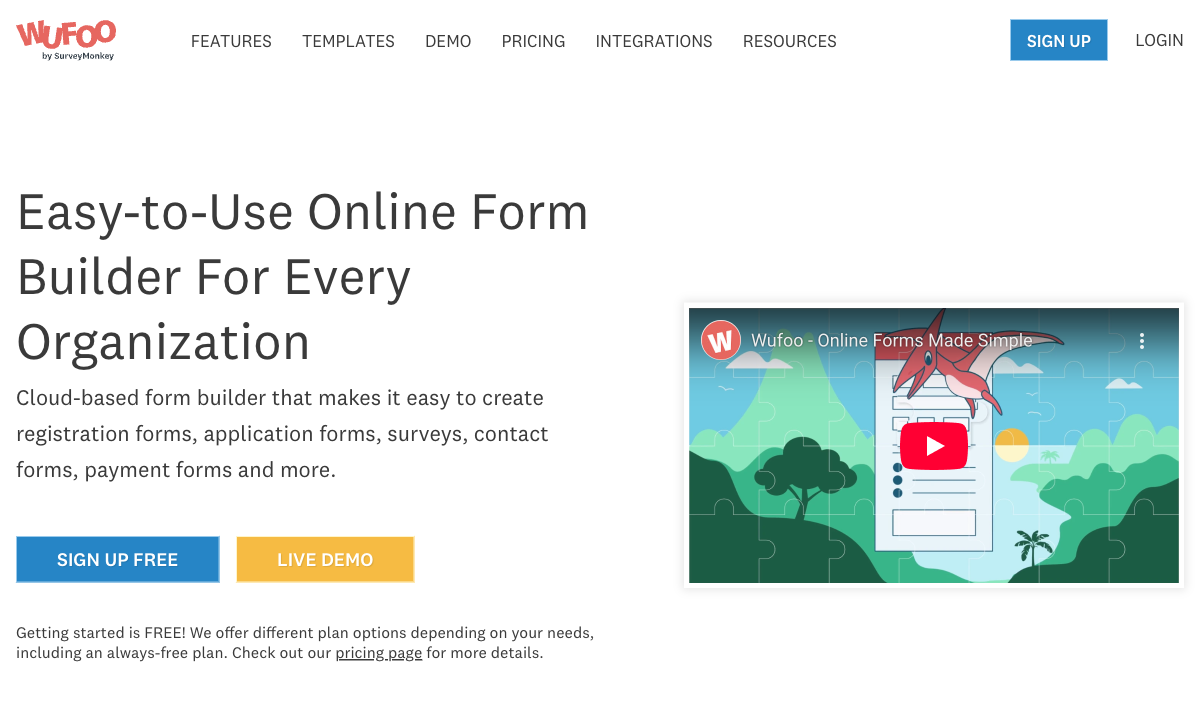
Wufoo is dead simple. The traditional form builder requires no learning curve — drag fields, set options, publish. There's no conversational format to configure, no complex logic to design, no AI to understand. For users who want a straightforward, no-surprises form builder for basic data collection, Wufoo's simplicity is an advantage by default. It does less, but what it does is uncomplicated.
Payment Processing
Wufoo supports Stripe, PayPal, and Authorize.net for payment collection on forms. Typeform also supports payment collection through Stripe, but Wufoo has offered payment processing longer and supports a slightly wider set of legacy processors. For basic payment forms, both work — but Wufoo has a minor edge in gateway variety.
Where Typeform Falls Short
- Expensive for what you get: Typeform's Basic plan ($25/mo) limits you to 100 responses/month. The per-response cost is high compared to competitors offering 1,000+ responses at similar price points.
- Response limits on every plan: Even the Business plan ($83/mo) caps at 10,000 responses/month. High-volume data collection gets expensive quickly.
- One-question format isn't always better: The conversational approach works for lead gen and surveys but can feel tedious for forms where respondents want to see all fields at once (applications, registrations, order forms).
- Limited payment processing: Stripe integration exists but Typeform isn't built for eCommerce — no product catalogues, no subscription management, no coupons or discounts.
- No free plan worth using: 10 responses/month makes the free tier essentially a demo. Not usable for production.
- Venture-funded with $193M raised: Typeform has raised significant capital with Series C funding. The pressure to monetise aggressively is visible in the tight response limits and premium pricing.
Where Wufoo Falls Short
- Stagnant product: Minimal development since the 2011 SurveyMonkey acquisition. The feature set, design, and interface feel frozen in 2015. No AI, no modern design tools, no conversational formats.
- Dated design: Forms built with Wufoo look dated. Limited themes, basic customisation, and no modern design tools mean customer-facing forms won't impress.
- No AI features: No AI form creation, no smart suggestions, no automated logic. In a market where AI is becoming standard, Wufoo offers nothing.
- Limited conditional logic: Basic show/hide rules exist but are primitive compared to Typeform's logic jumps, branching paths, and calculator fields.
- Uncertain future: As a legacy product within SurveyMonkey (Momentive), Wufoo's long-term future is unclear. The product receives minimal investment, and there's risk of sunsetting or feature reduction.
- 10-field limit on free plan: Wufoo's free plan limits forms to 10 fields — restrictive for anything beyond the simplest contact form.
- No modern integrations: Missing native connections to tools like Notion, Airtable, and modern CRMs. The integration list hasn't grown meaningfully in years.
Pricing Comparison
Wufoo is cheaper at every tier, but the price reflects the product gap:
| Tier | Typeform | Wufoo | Key Difference |
|---|---|---|---|
| Free | 1 user, 10 responses/mo, 10 questions | 5 forms, 100 entries/mo, 10 fields | Wufoo's free tier is more usable (10x the responses) |
| Entry | Basic: $25/mo — 1 user, 100 responses | Starter: $14.08/mo — 5 users, 1K entries | Wufoo costs 44% less with 10x the responses and 5x the users |
| Mid-Tier | Plus: $50/mo — 3 users, 1K responses | Professional: $29.08/mo — 10 users, 5K entries | Wufoo: 42% cheaper, 5x responses, 3x users |
| Business | Business: $83/mo — 5 users, 10K responses | Advanced: $74.08/mo — 25 users, 25K entries | Wufoo: slightly cheaper with 2.5x responses and 5x users |
Typeform
Wufoo
| Product | Plan | Monthly Price | Annual Price (per month) | Free Plan | Free Trial | Limits |
|---|---|---|---|---|---|---|
| Typeform | Free | Free | Free | Yes | No | forms: 10, submissions: 10/month, users: 1 |
| Typeform | Basic | $39/mo | $28/mo billed annually | forms: Unlimited, submissions: 100/month, users: 1 | ||
| Typeform | Plus | $79/mo | $56/mo billed annually | forms: Unlimited, submissions: 1,000/month, users: 3 | ||
| Typeform | Business | $129/mo | $91/mo billed annually | forms: Unlimited, submissions: 10,000/month, users: 5 | ||
| Typeform | Growth Pro | $379/mo | $266/mo billed annually | forms: Unlimited, submissions: Expanded, users: Expanded | ||
| Wufoo | Free | Free | Free | Yes | No | forms: 5, submissions: 100/month, storage: N/A, users: 1 |
| Wufoo | Starter | $16.25/mo | $16.25/mo billed annually | forms: 10, submissions: 1,000/month, storage: 1 GB, users: 1 | ||
| Wufoo | Professional | $33.25/mo | $33.25/mo billed annually | forms: Unlimited, submissions: 5,000/month, storage: 5 GB, users: 5 | ||
| Wufoo | Advanced | $83.25/mo | $83.25/mo billed annually | forms: Unlimited, submissions: 25,000/month, storage: 10 GB, users: 20 | ||
| Wufoo | Ultimate | $210.25/mo | $210.25/mo billed annually | forms: Unlimited, submissions: 200,000/month, storage: 20 GB, users: 60 |
What Users Say
Typeform reviews praise the design quality and conversational format — users consistently highlight how "beautiful" and "engaging" the forms feel. Criticism focuses on response limits and pricing. Wufoo reviews acknowledge simplicity and ease of use but frequently mention the dated interface and lack of modern features. Long-time Wufoo users express frustration with stagnation: "it was great in 2012 but hasn't evolved." The sentiment gap reflects the product gap — Typeform inspires; Wufoo functions.
Consider Paperform
If Typeform's response limits and pricing frustrate you, or if Wufoo's stagnation concerns you, Paperform offers a compelling alternative. Paperform's document-style editor creates forms that look like designed landing pages — beautiful, but without the one-question-at-a-time constraint that makes Typeform awkward for longer forms. Respondents can see all fields at once or navigate guided sections.
Paperform's Excel-style calculation engine goes far beyond Typeform's calculator fields — powering dynamic pricing, risk scores, quiz results, tax calculations, and conditional totals across questions, pages, emails, integrations, and success pages. At $24/month (annual) with a free plan, five payment gateways, 2,000+ integrations, and 30,000+ templates, Paperform delivers more features than Typeform at a lower price — and vastly more than Wufoo at any price. Founded in 2016, bootstrapped and profitable. See our full ranking for details.
The Verdict
Typeform is the better product by a wide margin. Modern design, conversational format, AI form creation, sophisticated logic jumps, active development, and a robust integration ecosystem make it the obvious choice between these two. If you value design quality and respondent engagement, Typeform delivers an experience Wufoo cannot approach.
Wufoo's only advantage is price. Lower per-user costs and more generous response limits at entry tiers make it cheaper for teams that need basic form building without design ambition. But "cheaper" carries risk — Wufoo's stagnant development, uncertain future under SurveyMonkey, and dated feature set mean you're building on a platform that may not exist in its current form for much longer.
From a stability perspective, Typeform has raised $193M (Series C) and was founded in 2012 — active development and significant investment. Wufoo was founded in 2006 and acquired by SurveyMonkey for $35M in 2011 — a 20-year-old product, but one that's been in maintenance mode for over a decade. Age doesn't equal vitality. For new projects, Typeform is the safer bet. For existing Wufoo users, migration is worth considering before the platform stagnates further.
Frequently Asked Questions
Is Wufoo still being actively developed?
Barely. Wufoo was acquired by SurveyMonkey (now Momentive) in 2011 for $35 million and has received minimal development since. The interface looks largely unchanged from 2015, the feature set hasn't kept pace with modern form builders, and the platform lacks AI features, modern design tools, and advanced logic that competitors have added. SurveyMonkey appears to maintain Wufoo as a legacy product rather than actively investing in it. If you need a platform that's evolving, Wufoo is not it.
Does Typeform have a free plan?
Yes, but it's limited. Typeform's free plan allows 1 user, 10 questions per form, and 10 responses per month. The 10-response limit makes it essentially a trial rather than a usable free tier. Wufoo's free plan allows 5 forms with 100 entries/month and 10 fields per form — more responses but fewer fields and forms. Neither free plan is particularly generous compared to competitors like Jotform (100 submissions) or Paperform (30 submissions, unlimited forms).
Which is better for lead generation?
Typeform, significantly. The one-question-at-a-time format is designed for engagement — Typeform claims 3.5x higher completion rates than traditional forms. For lead capture, quizzes, product recommenders, and interactive surveys where you want to keep respondents moving through the form, Typeform's conversational approach is more effective. Wufoo's traditional multi-field layout works for straightforward data collection but isn't optimised for conversion. Typeform also offers CRM integrations (HubSpot, Salesforce) and marketing tool connections that Wufoo's integration ecosystem can't match in depth.
Is Wufoo cheaper than Typeform?
Yes. Wufoo's Starter plan is $14.08/month (annual) for 5 users and 1,000 entries/month. Typeform's Basic plan is $25/month (annual) for 1 user and 100 responses/month. Wufoo gives you more responses per dollar and includes multiple users at lower tiers. However, "cheaper" doesn't mean "better value" — Wufoo's stagnant feature set means you're paying less for a product that does less. The savings evaporate when you account for what Typeform's modern platform delivers in design, logic, and integrations.
Which has better integrations?
Typeform. It offers native integrations with HubSpot, Salesforce, Slack, Mailchimp, Google Sheets, Zapier, Make, and dozens more — plus webhooks and a full API. Typeform's integration ecosystem is actively maintained and expanding. Wufoo has basic integrations with Mailchimp, Zapier, and a handful of others, but the ecosystem has stagnated alongside the product. For modern marketing and sales stacks, Typeform connects more broadly and reliably.
Sources & References
- Typeform vs Wufoo: Comparison — G2, 2026
- Wufoo Pricing — Wufoo, 2026
- Typeform Pricing Plans — Typeform, 2026
Last updated March 21, 2026
Ready to try Paperform?
Create beautiful forms, payment pages, and workflows — no code required.