Best Typeform Alternatives for 2026
Typeform made conversational forms mainstream. The one-question-at-a-time format looks beautiful, keeps respondents focused, and drives strong completion rates on short surveys. But that elegant simplicity comes with a price — literally and functionally. At $39/month for 100 responses with no payment processing, and $91/month before you get CAPTCHA or custom CSS, the cost escalates quickly for features most competitors include by default.
The bigger issue is format rigidity. Every Typeform is locked into the conversational one-question-per-screen layout. For short surveys and quizzes, that's an asset. For longer applications, order forms, client intake documents, or anything with more than 10 fields, it becomes a liability — respondents can't skip ahead, review previous answers at a glance, or see how much remains. When you need forms that do more than collect text responses, the one-trick format starts working against you.
The alternatives below solve both problems: they offer more features at lower prices, and they give you layout flexibility Typeform doesn't. For a direct head-to-head, see our Paperform vs Typeform comparison. For how Typeform stacks up against another major competitor, see Jotform vs Typeform.

| Feature | Typeform | Paperform | Jotform | Google Forms | SurveyMonkey | Cognito Forms | Formstack | Gravity Forms |
|---|---|---|---|---|---|---|---|---|
| Form Building | ||||||||
| Document-style editor | No | Yes | No | No | No | No | No | No |
| AI form creation | Yes | Yes | Yes starter | Yes | Yes | No | Yes forms | No |
| Field types | 20+ | 26+ | 30+ (starter) | 11 | 15+ | 20+ | 15 | No |
| File uploads | Yes basic | Yes | Yes starter | Yes | Yes | Yes | No | No |
| Guided mode (one question at a time) | Yes | Yes | Yes starter | No | Yes | No | Yes forms | Yes Elite |
| Payments | ||||||||
| Stripe payments | Yes basic | Yes | Yes starter | No | Yes Individual Advantage | Yes | Yes forms | Yes Pro |
| PayPal payments | No | Yes | Yes starter | No | Yes Individual Advantage | Yes team | Yes forms | Yes Pro |
| Square payments | No | Yes | Yes starter | No | No | Yes team | No | Yes Pro |
| Braintree payments | No | Yes | Yes starter | No | No | No | No | No |
| Google Pay | No | Yes | Yes starter | No | No | No | No | Yes Pro |
| Design & Customization | ||||||||
| Template gallery | 1,500+ | 30,000+ | 20,000+ (starter) | 20+ | 500+ | Yes | Yes forms | Yes Basic |
| Unsplash and Giphy integration | Yes | Yes | No | No | No | No | No | No |
| Language translation | Yes basic | Yes | Yes starter | No | Yes Individual Premier | Yes pro | No | Yes Basic |
| Advanced theming | Yes plus | Yes pro | Yes starter | No | Yes Individual Standard | Yes pro | Yes forms | Yes Basic |
| Custom form URL | Yes plus | Yes pro | No | No | Yes Individual Standard | No | Yes forms | No |
| Analytics | ||||||||
| AI report insights | Yes business | Yes pro | No | No | Yes Individual Standard | No | No | No |
| Drop-off analysis | Yes business | Yes pro | No | No | No | No | No | No |
| Google Analytics & Facebook Pixel | Yes basic | Yes essentials | No | No | No | Yes pro | Yes forms | Yes Elite |
| Custom analytics scripts | Yes basic | Yes pro | No | No | No | No | No | Yes Basic |
| Partial submissions | Yes plus | Yes pro | No | No | Yes Individual Standard | No | Yes forms | Yes Elite |
| Collaboration | ||||||||
| Advanced permissions & admin | Yes enterprise | Yes enterprise | Yes enterprise | Yes Business Starter | Yes enterprise | Yes enterprise | Yes enterprise | No |
| Form sharing (templates) | Yes | Yes | No | Yes | Yes Team Advantage | Yes | Yes forms | Yes Basic |
| Workspace organization | Yes | No | No | No | No | No | No | No |
| Spaces and tag management | No | Yes | No | No | No | No | Yes forms | No |
| Form sharing | No | No | Yes starter | No | No | No | No | No |
| Security | ||||||||
| SOC 2 Type II | Yes | Yes | Yes enterprise | Yes | Yes | No | No | No |
| HIPAA compliant | Yes enterprise | No | Yes gold | No | No | No | No | No |
| Two-factor authentication | Yes | Yes | Yes starter | Yes | Yes | Yes | Yes forms | No |
| SSO (SAML) | Yes enterprise | Yes business | Yes enterprise | Yes Business Plus | Yes enterprise | Yes enterprise | Yes enterprise | No |
| reCAPTCHA | Yes business | Yes | Yes starter | No | Yes | Yes | Yes forms | Yes Basic |
| Integrations & API | ||||||||
| Native integrations | 120+ (basic) | 2,000+ | 150+ (starter) | No | 200+ | No | No | No |
| Make (Integromat) | Yes basic | Yes | No | Yes | Yes | Yes | No | No |
| Webhooks | Yes basic | Yes pro | Yes starter | No | Yes Individual Standard | Yes | Yes forms | Yes Elite |
| API | Yes basic | No | Yes starter | No | No | No | No | No |
| WordPress plugin | Yes | Yes | Yes starter | No | No | Yes | Yes forms | Yes Basic |
| Additional Products | ||||||||
| Jotform Tables | No | No | Yes starter | No | No | No | No | No |
| Jotform Sign | No | No | Yes starter | No | No | No | No | No |
| Jotform Apps | No | No | Yes starter | No | No | No | No | No |
| Jotform Workflows | No | No | Yes starter | No | No | No | No | No |
| Jotform Report Builder | No | No | Yes starter | No | No | No | No | No |
 Paperform — Best Overall Typeform Alternative

The most common reason people leave Typeform is price versus features — and Paperform addresses that gap directly. Paperform's Guided Mode delivers the same one-question-at-a-time conversational experience Typeform is known for, but unlike Typeform, you can also build traditional multi-field forms, document-style pages, and hybrid layouts from the same editor. You're not locked into a single format. A photographer can use Guided Mode for a client enquiry and a traditional layout for a detailed booking form — both from one account.
Where the comparison breaks open is payments and calculations. Paperform connects five payment gateways (Stripe, PayPal, Square, Braintree, Google Pay) on every plan including free. Typeform only supports Stripe and restricts payments to the $91/month Business tier. Paperform's Excel-style calculation engine powers dynamic pricing, scoring systems, tax calculations, and conditional logic that flows across questions, pages, emails, and success pages — a capability Typeform has no equivalent for at any tier. At $24/month for Essentials versus Typeform's $39/month Basic, you get more features for less money.
The platform also includes Papersign for e-signatures and Stepper for multi-step workflow automation at no additional cost — standalone products bundled into the subscription. Typeform has no e-signature capability and no built-in workflow engine beyond basic Zapier triggers. Bootstrapped and profitable since 2016 with no venture capital pressure, Paperform's pricing reflects sustainable economics rather than VC-funded growth targets. For a detailed side-by-side, see our full Paperform vs Typeform comparison.
Strengths over Typeform
- Five payment gateways on all plans — Stripe, PayPal, Square, Braintree, Google Pay versus Typeform's Stripe-only at $91/month
- Guided Mode + traditional layouts — matches the conversational experience without locking you into it
- Excel-style calculation engine — dynamic pricing, scoring, and conditional logic Typeform cannot replicate
- Built-in e-signatures (Papersign) and workflow automation (Stepper) at no extra cost
- 30,000+ templates versus Typeform's ~1,500
Key limitations
- No HIPAA compliance (Typeform offers this on enterprise plans)
- No adaptive AI questioning (Typeform's Interaction AI dynamically adjusts follow-ups)
- Smaller brand footprint — less established in enterprise procurement conversations
Best for: Teams that want Typeform's conversational experience plus payments, calculations, and layout flexibility at a lower price.
 Jotform — Best for Template Variety and Payment Gateways

Where Typeform offers design polish with a narrow feature set, Jotform takes the opposite approach — massive breadth across 20,000+ templates, 40+ payment gateways, conditional logic, e-signatures, PDF generation, and approval workflows. If your frustration with Typeform is feature limitations rather than aesthetics, Jotform likely has what you need. The card-based layout option provides a conversational-style experience, though it's less refined than Typeform's or Paperform's implementations.
Jotform is also one of the safest long-term bets in the industry. Bootstrapped with $144.9M in annual revenue and 35+ million users, it has the financial stability of a company that doesn't need to extract VC returns through price hikes. The free tier (5 forms, 100 submissions/month) is more generous than Typeform's 10-response limit. For users who need HIPAA compliance — which Typeform offers but at enterprise pricing — Jotform provides it on standard paid plans.
Strengths over Typeform
- 40+ payment gateways versus Typeform's Stripe-only integration
- 20,000+ templates spanning every industry and use case
- HIPAA compliance available on paid plans
- Generous free plan — 5 forms, 100 submissions/month (versus Typeform's 10 responses)
Key limitations
- Interface can feel overwhelming — features exist but aren't always easy to find
- Design quality doesn't match Typeform's polish out of the box
- Performance can lag under complex forms
Best for: Users who need a specific niche template or broad payment gateway coverage that Typeform can't provide.
 Google Forms — Best Free Alternative

If your primary complaint about Typeform is cost, Google Forms is the nuclear option — completely free, unlimited forms, unlimited responses, automatic Google Sheets integration. No per-response pricing, no tier restrictions, no credit card required. For internal surveys, quick feedback collection, and data gathering where aesthetics don't matter, it eliminates Typeform's cost entirely. The trade-off is everything Typeform does well: no conversational format, minimal design control, no payments, and roughly 11 field types.
The use case for Google Forms as a Typeform replacement is narrow but legitimate: if you were paying Typeform $39-91/month primarily for basic surveys where engagement design doesn't impact results (internal team surveys, HR feedback, event RSVPs), Google Forms delivers the same functional outcome at zero cost. You lose the beautiful one-question presentation and respondent engagement metrics, but for forms where the data matters more than the experience, the savings are hard to argue with.
Strengths over Typeform
- Completely free — unlimited everything, no per-response pricing
- Zero learning curve for Google Workspace users
- Native Google Sheets integration for instant data analysis
Key limitations
- No payment processing whatsoever
- Minimal branding and design customisation
- No conversational format — forms are basic multi-field layouts
- Limited conditional logic and no calculations
Best for: Internal data collection, quick surveys, and anyone whose Typeform frustration is purely financial.
 SurveyMonkey — Best for Professional Survey Research
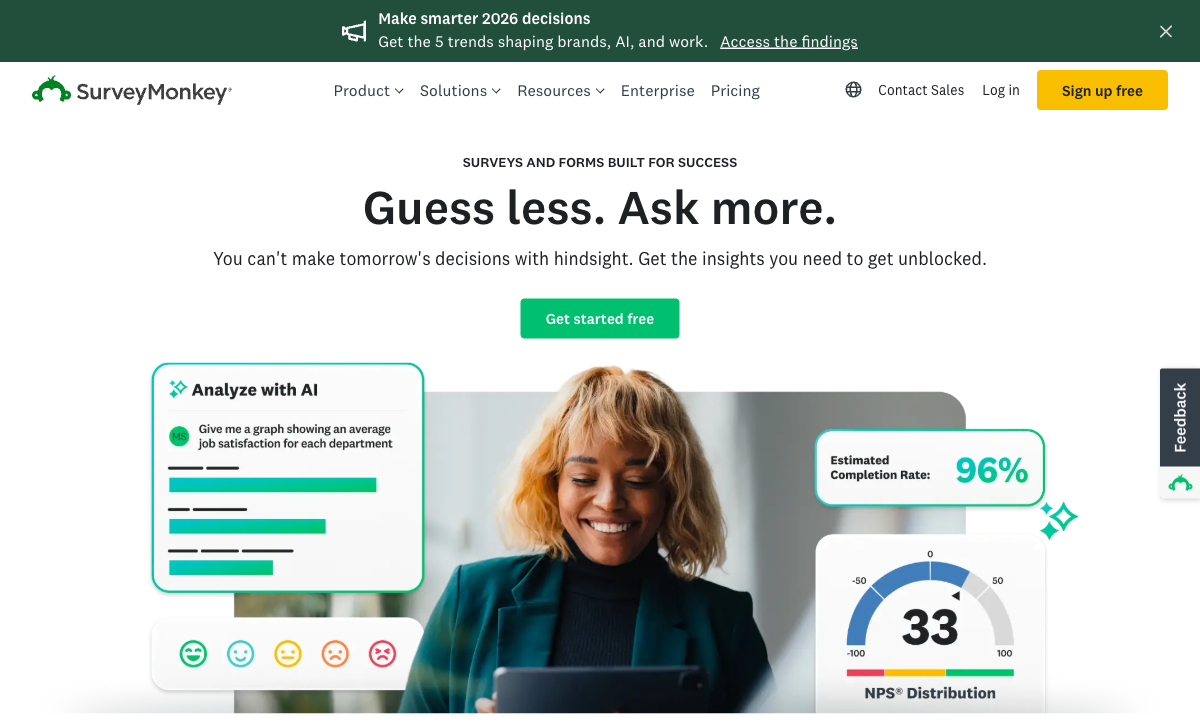
If you're leaving Typeform specifically because you need more sophisticated survey research tools, SurveyMonkey is the upgrade. Its question bank, AI-powered survey suggestions, benchmarking data, and paid respondent panels (SurveyMonkey Audience) are features neither Typeform nor any general-purpose form builder can match. For market research, employee engagement studies, and academic surveys, SurveyMonkey's methodology depth justifies moving away from Typeform's conversational format. The downside: it's even more expensive than Typeform ($25-75+/month) and equally inflexible outside of surveys.
The distinction matters: Typeform makes surveys look good; SurveyMonkey makes surveys work well from a methodology perspective. If completion rate is your metric, Typeform's conversational format wins. If statistical validity, cross-tabulation, and benchmark comparisons are your metrics, SurveyMonkey's research tools are superior. Neither is good for payment forms, lead capture, or multi-purpose form building — for that, look at Paperform or Jotform above.
Strengths over Typeform
- Professional survey methodology — question banks, benchmarks, skip logic, and panel access
- Advanced analytics with cross-tabulation, filtering, and statistical significance
- HIPAA compliance for healthcare survey research
Key limitations
- More expensive than Typeform for equivalent response volumes
- Not useful for non-survey use cases (no payments, no eCommerce, no lead capture)
- Free tier is unusable — 10 questions, 25 responses
Best for: Market research teams and HR departments who need survey science, not just survey design.
Full Feature Comparison
Every feature across all alternatives, grouped by category. Typeform included for reference, Paperform highlighted.
| Feature | Typeform | Paperform | Jotform | Google Forms | SurveyMonkey | Cognito Forms | Formstack | Gravity Forms |
|---|---|---|---|---|---|---|---|---|
| Form Building | ||||||||
| Document-style editor | No | Yes | No | No | No | No | No | No |
| AI form creation | Yes | Yes | Yes starter | Yes | Yes | No | Yes forms | No |
| Field types | 20+ | 26+ | 30+ (starter) | 11 | 15+ | 20+ | 15 | No |
| File uploads | Yes basic | Yes | Yes starter | Yes | Yes | Yes | No | No |
| Multi-page forms | Yes basic | Yes | Yes starter | Yes | Yes | Yes | Yes forms | Yes Basic |
| Guided mode (one question at a time) | Yes | Yes | Yes starter | No | Yes | No | Yes forms | Yes Elite |
| Conditional logic | Yes basic | Yes | Yes starter | Yes | Yes Individual Standard | Yes | Yes forms | Yes Basic |
| Calculations field | Yes plus | Yes essentials | Yes starter | No | No | Yes | Yes forms | Yes Basic |
| AI follow-up questions | Yes business | No | No | No | No | No | No | No |
| Scoring | Yes plus | Yes essentials | Yes starter | Yes | Yes | Yes | No | Yes Elite |
| Answer piping | Yes basic | Yes | Yes starter | No | Yes Individual Standard | Yes | Yes forms | Yes Basic |
| Pre-filling and hidden fields | Yes basic | Yes essentials | Yes starter | Yes | Yes Individual Standard | Yes | Yes forms | Yes Basic |
| Save and resume | No | Yes | Yes starter | No | Yes Individual Standard | Yes pro | Yes forms | Yes Basic |
| Auto-close by number | Yes basic | Yes essentials | Yes starter | Yes | Yes Individual Standard | Yes | No | No |
| Auto-close by date | Yes basic | Yes pro | Yes starter | Yes | Yes Individual Standard | Yes | No | No |
| Appointment/booking field | Yes basic | Yes | Yes starter | No | No | No | No | No |
| Signature field | No | Yes | Yes starter | No | No | Yes team | Yes suite | Yes Elite |
| Color picker field | No | Yes | No | No | No | No | No | No |
| Video questions | Yes basic | No | No | No | No | No | No | No |
| AI calculations assistant | No | Yes essentials | No | No | No | No | No | No |
| API-powered dropdowns | No | Yes business | No | No | No | Yes | Yes forms | No |
| Google address search | No | Yes business | No | No | No | Yes | No | No |
| Drag-and-drop builder | No | No | Yes starter | No | No | No | Yes forms | Yes Basic |
| Form widgets | No | No | Yes starter | No | No | No | No | No |
| Template gallery | No | No | 20,000+ (starter) | No | No | No | No | No |
| 30+ field types | No | No | No | No | No | No | No | Yes Basic |
| Payments | ||||||||
| Stripe payments | Yes basic | Yes | Yes starter | No | Yes Individual Advantage | Yes | Yes forms | Yes Pro |
| PayPal payments | No | Yes | Yes starter | No | Yes Individual Advantage | Yes team | Yes forms | Yes Pro |
| Square payments | No | Yes | Yes starter | No | No | Yes team | No | Yes Pro |
| Braintree payments | No | Yes | Yes starter | No | No | No | No | No |
| Google Pay | No | Yes | Yes starter | No | No | No | No | Yes Pro |
| Product sales (eCommerce) | No | Yes essentials | Yes starter | No | No | Yes | No | Yes Basic |
| Subscriptions | Yes basic | Yes essentials | Yes starter | No | No | No | No | Yes Pro |
| Coupons and discounts | No | Yes essentials | Yes starter | No | No | Yes | Yes forms | Yes Elite |
| Custom pricing rules | No | Yes essentials | Yes starter | No | No | Yes | Yes forms | No |
| Tax calculations | No | Yes | Yes starter | No | No | Yes | No | No |
| Quotes/invoices | No | Yes | No | No | No | Yes team | No | No |
| Refunds | No | Yes | No | No | No | No | No | Yes Pro |
| 3D Secure | Yes basic | Yes | No | No | No | No | No | Yes Pro |
| 40+ payment gateways | No | No | Yes starter | No | No | No | No | No |
| No transaction fees | No | No | Yes starter | No | No | No | No | No |
| Design & Customization | ||||||||
| Template gallery | 1,500+ | 30,000+ | 20,000+ (starter) | 20+ | 500+ | Yes | Yes forms | Yes Basic |
| Rich media (images, GIFs, videos) | Yes | Yes | Yes starter | Yes | Yes | Yes | Yes forms | Yes Basic |
| Unsplash and Giphy integration | Yes | Yes | No | No | No | No | No | No |
| Language translation | Yes basic | Yes | Yes starter | No | Yes Individual Premier | Yes pro | No | Yes Basic |
| Advanced theming | Yes plus | Yes pro | Yes starter | No | Yes Individual Standard | Yes pro | Yes forms | Yes Basic |
| Custom form URL | Yes plus | Yes pro | No | No | Yes Individual Standard | No | Yes forms | No |
| Custom domains | No | Yes pro | Yes enterprise | No | No | No | Yes forms | No |
| Custom HTML & CSS | Yes business | Yes pro | Yes starter | No | No | Yes pro | Yes forms | Yes Basic |
| Remove branding | Yes plus | Yes pro | Yes bronze | No | Yes Individual Standard | Yes pro | Yes forms | Yes Basic |
| Custom email domains | No | Yes business | No | Yes Business Starter | No | No | No | Yes Elite |
| Image editor | No | Yes | No | No | No | No | No | No |
| Adobe Creative Cloud | No | Yes | No | No | No | No | No | No |
| Form themes | No | No | Yes starter | No | No | No | No | No |
| Analytics | ||||||||
| Submission results and reports | Yes | Yes | Yes starter | Yes | Yes | Yes | Yes forms | Yes Basic |
| AI report insights | Yes business | Yes pro | No | No | Yes Individual Standard | No | No | No |
| Drop-off analysis | Yes business | Yes pro | No | No | No | No | No | No |
| Google Analytics & Facebook Pixel | Yes basic | Yes essentials | No | No | No | Yes pro | Yes forms | Yes Elite |
| Custom analytics scripts | Yes basic | Yes pro | No | No | No | No | No | Yes Basic |
| Partial submissions | Yes plus | Yes pro | No | No | Yes Individual Standard | No | Yes forms | Yes Elite |
| Paperform analytics | No | Yes pro | No | No | No | No | Yes forms | No |
| Form analytics | No | No | Yes starter | No | No | No | No | No |
| Google Analytics integration | No | No | Yes starter | No | No | No | No | No |
| Collaboration | ||||||||
| Multi-user accounts | Yes plus | Yes pro | Yes bronze | Yes | Yes Team Advantage | Yes pro | Yes forms | Yes Basic |
| User permissions and management | Yes plus | Yes pro | Yes enterprise | Yes | Yes Team Advantage | Yes team | Yes forms | Yes Basic |
| Advanced permissions & admin | Yes enterprise | Yes enterprise | Yes enterprise | Yes Business Starter | Yes enterprise | Yes enterprise | Yes enterprise | No |
| Form sharing (templates) | Yes | Yes | No | Yes | Yes Team Advantage | Yes | Yes forms | Yes Basic |
| Workspace organization | Yes | No | No | No | No | No | No | No |
| Spaces and tag management | No | Yes | No | No | No | No | Yes forms | No |
| Form sharing | No | No | Yes starter | No | No | No | No | No |
| Assign forms | No | No | Yes enterprise | No | No | No | No | No |
| Security | ||||||||
| SOC 2 Type II | Yes | Yes | Yes enterprise | Yes | Yes | No | No | No |
| GDPR compliant | Yes | Yes | Yes starter | Yes | Yes | Yes | Yes forms | Yes Basic |
| HIPAA compliant | Yes enterprise | No | Yes gold | No | No | No | No | No |
| SSL encryption | Yes | Yes | Yes starter | Yes | Yes | Yes | Yes forms | Yes Basic |
| Two-factor authentication | Yes | Yes | Yes starter | Yes | Yes | Yes | Yes forms | No |
| SSO (SAML) | Yes enterprise | Yes business | Yes enterprise | Yes Business Plus | Yes enterprise | Yes enterprise | Yes enterprise | No |
| reCAPTCHA | Yes business | Yes | Yes starter | No | Yes | Yes | Yes forms | Yes Basic |
| ISO 27001 | Yes | No | No | No | No | No | No | No |
| PCI DSS | Yes | No | Yes starter | No | No | No | No | No |
| Enforce 2FA for all users | No | Yes business | No | Yes Business Starter | Yes enterprise | No | Yes enterprise | No |
| Local data residency | No | Yes enterprise | No | Yes Business Plus | Yes enterprise | No | No | Yes Basic |
| Custom S3 storage (BYO) | No | Yes business | No | No | No | No | No | No |
| 256-bit SSL | No | No | Yes starter | No | No | No | No | No |
| Data residency | No | No | Yes enterprise | No | No | No | No | No |
| Form encryption | No | No | Yes starter | No | No | No | No | No |
| Integrations & API | ||||||||
| Native integrations | 120+ (basic) | 2,000+ | 150+ (starter) | No | 200+ | No | No | No |
| Zapier | Yes basic | Yes | Yes starter | Yes | Yes | Yes | Yes forms | Yes Pro |
| Make (Integromat) | Yes basic | Yes | No | Yes | Yes | Yes | No | No |
| Webhooks | Yes basic | Yes pro | Yes starter | No | Yes Individual Standard | Yes | Yes forms | Yes Elite |
| API | Yes basic | No | Yes starter | No | No | No | No | No |
| WordPress plugin | Yes | Yes | Yes starter | No | No | Yes | Yes forms | Yes Basic |
| Embed options | Yes | No | Yes starter | No | No | No | No | No |
| Standard API | No | Yes pro | No | Yes | Yes Individual Standard | No | Yes forms | Yes Basic |
| Business API | No | Yes business | No | No | Yes enterprise | No | Yes enterprise | No |
| oEmbed support | No | Yes | No | No | No | Yes | No | No |
| Salesforce AppExchange | No | No | Yes starter | No | No | No | No | No |
| Mobile apps | No | No | Yes starter | No | No | No | No | No |
| 2000+ integrations | No | No | No | No | No | No | No | No |
| 50+ official add-ons | No | No | No | No | No | No | No | Yes Basic |
| Stepper workflow automation | No | No | No | No | No | No | No | No |
| Additional Products | ||||||||
| Jotform Tables | No | No | Yes starter | No | No | No | No | No |
| Jotform Sign | No | No | Yes starter | No | No | No | No | No |
| Jotform Apps | No | No | Yes starter | No | No | No | No | No |
| Jotform Workflows | No | No | Yes starter | No | No | No | No | No |
| Jotform Report Builder | No | No | Yes starter | No | No | No | No | No |
| Jotform AI Agents | No | No | Yes starter | No | No | No | No | No |
| Jotform Store Builder | No | No | Yes starter | No | No | No | No | No |
Pricing Comparison
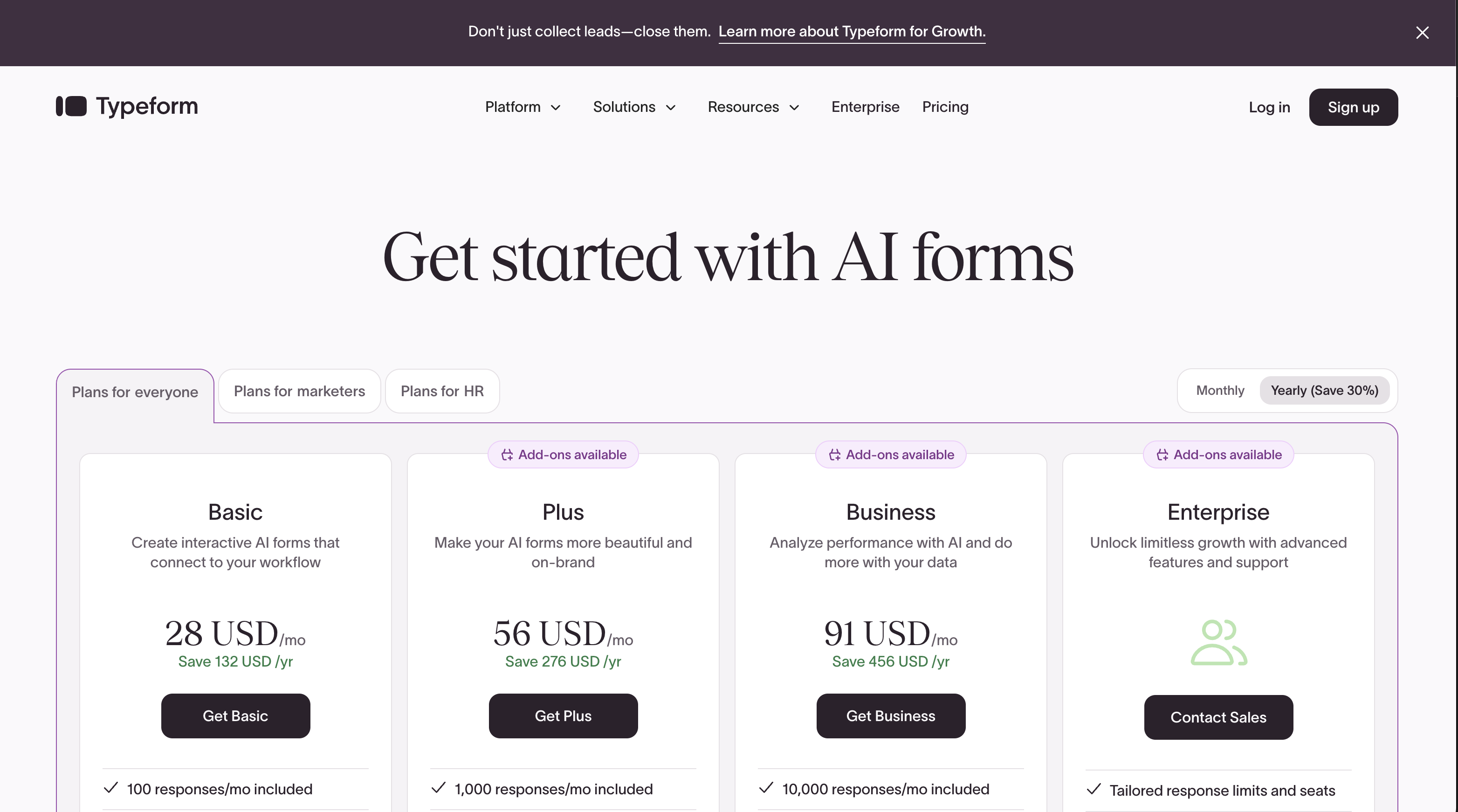
Typeform's pricing is among the highest in the form builder market. Here's how the alternatives compare at every tier.
Paperform
Typeform
| Product | Plan | Monthly Price | Annual Price (per month) | Free Plan | Free Trial | Limits |
|---|---|---|---|---|---|---|
| Typeform | Free | Free | Free | Yes | No | forms: 10, submissions: 10/month, users: 1 |
| Typeform | Basic | $39/mo | $28/mo billed annually | forms: Unlimited, submissions: 100/month, users: 1 | ||
| Typeform | Plus | $79/mo | $56/mo billed annually | forms: Unlimited, submissions: 1,000/month, users: 3 | ||
| Typeform | Business | $129/mo | $91/mo billed annually | forms: Unlimited, submissions: 10,000/month, users: 5 | ||
| Typeform | Growth Pro | $379/mo | $266/mo billed annually | forms: Unlimited, submissions: Expanded, users: Expanded | ||
| Paperform | Free | Free | Free | Yes | 14 days | forms: Unlimited, submissions: 30/month, storage: 100 submissions, users: 1, file uploads: 100 MB |
| Paperform | Essentials | $29/mo | $24/mo billed annually | forms: Unlimited, submissions: 100/month, storage: 1,000 submissions, users: 1, file uploads: 1 GB | ||
| Paperform | Pro | $59/mo | $49/mo billed annually | forms: Unlimited, submissions: 1,000/month, storage: 10,000 submissions, users: 3, file uploads: 10 GB | ||
| Paperform | Business | $129/mo | $99/mo billed annually | forms: Unlimited, submissions: 10,000/month, storage: 100,000 submissions, users: 5, file uploads: 100 GB | ||
| Jotform | Starter | Free | Free | Yes | No | forms: 5, submissions: 100/month, storage: 100 MB, users: 1 |
| Jotform | Bronze | $39/mo | $34/mo billed annually | forms: 25, submissions: 1,000/month, storage: 1 GB, users: 1 | ||
| Jotform | Silver | $49/mo | $39/mo billed annually | forms: 50, submissions: 2,500/month, storage: 10 GB, users: 1 | ||
| Jotform | Gold | $129/mo | $99/mo billed annually | forms: 100, submissions: 10,000/month, storage: 100 GB, users: 1 | ||
| Google Forms | Free (Personal) | Free | Free | Yes | 14 days | forms: Unlimited, submissions: Unlimited, storage: 15 GB (shared across Google Drive), users: 1, file uploads: Included in 15 GB storage |
| Google Forms | Business Starter | $7/mo | $7/mo billed annually | forms: Unlimited, submissions: Unlimited, storage: 30 GB per user, users: Up to 300, file uploads: Included in storage | ||
| Google Forms | Business Standard | $14/mo | $14/mo billed annually | forms: Unlimited, submissions: Unlimited, storage: 2 TB per user, users: Up to 300, file uploads: Included in storage | ||
| Google Forms | Business Plus | $22/mo | $22/mo billed annually | forms: Unlimited, submissions: Unlimited, storage: 5 TB per user, users: Up to 300, file uploads: Included in storage | ||
| SurveyMonkey | Basic (Free) | Free | Free | Yes | No | forms: Unlimited, submissions: 25 per survey, storage: N/A, users: 1 |
| SurveyMonkey | Individual Standard | $99/mo | $39/mo billed annually | forms: Unlimited, submissions: 1,000 per month, storage: N/A, users: 1 | ||
| SurveyMonkey | Individual Advantage | Free | $32/mo billed annually | forms: Unlimited, submissions: 15,000 per year, storage: N/A, users: 1 | ||
| SurveyMonkey | Individual Premier | Free | $99/mo billed annually | forms: Unlimited, submissions: 40,000 per year, storage: N/A, users: 1 | ||
| SurveyMonkey | Team Advantage | Free | $30/mo billed annually | forms: Unlimited, submissions: 50,000 per year (shared), storage: N/A, users: 3 minimum | ||
| SurveyMonkey | Team Premier | Free | $92/mo billed annually | forms: Unlimited, submissions: 100,000 per year (shared), storage: N/A, users: 3 minimum | ||
| Cognito Forms | Individual (Free) | Free | Free | Yes | 14 days | forms: Unlimited, submissions: 100/month, storage: 100 MB, users: 1 |
| Cognito Forms | Pro | $19/mo | $16/mo billed annually | forms: Unlimited, submissions: 2,000/month, storage: 1 GB, users: 2 | ||
| Cognito Forms | Team | $39/mo | $33/mo billed annually | forms: Unlimited, submissions: 10,000/month, storage: 10 GB, users: 5 | ||
| Cognito Forms | Enterprise | $129/mo | $109/mo billed annually | forms: Unlimited, submissions: Unlimited, storage: 100 GB, users: 20 | ||
| Formstack | Forms | $99/mo | $83/mo billed annually | No | 14 days | forms: 25, submissions: 1,000/form, storage: 2 GB, users: 1, file uploads: 2 GB |
| Formstack | Suite | $299/mo | $250/mo billed annually | forms: 100, submissions: 5,000/form, storage: 10 GB, users: 3, file uploads: 10 GB | ||
| Gravity Forms | Basic | Not listed | $59/mo billed annually | No | 14 days | forms: Unlimited, submissions: Unlimited, storage: WordPress database (self-hosted), users: Unlimited (WordPress users) |
| Gravity Forms | Pro | Not listed | $159/mo billed annually | forms: Unlimited, submissions: Unlimited, storage: WordPress database (self-hosted), users: Unlimited (WordPress users) | ||
| Gravity Forms | Elite | Not listed | $259/mo billed annually | forms: Unlimited, submissions: Unlimited, storage: WordPress database (self-hosted), users: Unlimited (WordPress users) | ||
| Gravity Forms | Nonprofit | Not listed | $129/mo billed annually | forms: Unlimited, submissions: Unlimited, storage: WordPress database (self-hosted), users: Unlimited (WordPress users) |
Review Ratings Across Platforms
Weighted average ratings from G2, Capterra, Trustpilot, and other major review sites.
Who Should Stay With Typeform?
Not every Typeform user needs to switch. The platform genuinely excels in specific scenarios, and for these use cases, the alternatives above may not be better — just different.
- Short engagement surveys (under 10 questions): If your primary use case is NPS surveys, post-purchase feedback, or quick lead qualification forms where completion rate is the most important metric, Typeform's conversational format remains the best in class. Paperform's Guided Mode comes close, but Typeform's format is more refined for this specific interaction pattern.
- HIPAA-compliant healthcare forms: Typeform offers HIPAA compliance with BAA on enterprise plans, alongside SOC 2 Type II and ISO 27001. Paperform does not currently offer HIPAA. If you're collecting Protected Health Information through forms, Typeform (or Jotform/Cognito Forms) is a safer choice.
- Enterprise procurement where brand matters: Typeform is trusted by 95% of the Fortune 500 with $141M in 2024 revenue. In enterprise procurement processes where vendor name recognition affects buying decisions, Typeform's brand carries weight that smaller platforms can't match.
- Adaptive AI questioning: Typeform's Interaction AI dynamically adjusts follow-up questions based on previous responses — a capability no alternative currently matches. For research-oriented surveys where adaptive questioning improves data quality, this is a genuine differentiator.
How We Evaluated Typeform Alternatives
We assessed each alternative against Typeform's specific strengths and weaknesses, focusing on five criteria:
- Format flexibility (25%): Can the alternative match Typeform's conversational experience while also offering traditional layouts? Platforms that support both formats score highest because they eliminate the rigidity that drives users away from Typeform.
- Payment processing (25%): Gateway variety, pricing tier availability, and eCommerce depth. Typeform's Stripe-only payment on the $91/month Business plan is its most restrictive limitation — alternatives that include payments on lower tiers score significantly higher.
- Price-to-feature ratio (20%): What you get per dollar compared to Typeform's equivalent tier. Alternatives that include features Typeform gates behind expensive plans (CAPTCHA, CSS, payments) at lower prices score highest.
- Design quality (15%): Typeform's visual polish is a genuine strength. Alternatives need to produce professional-looking forms to be a credible replacement, even if the aesthetic approach differs.
- Platform stability (15%): Company age, funding model, and long-term viability. Bootstrapped profitable companies score highest; VC-dependent platforms that may raise prices carry more risk.
The Verdict: Which Typeform Alternative Should You Choose?
For most users leaving Typeform, Paperform is the strongest replacement. It matches the conversational experience through Guided Mode, adds five payment gateways versus Typeform's Stripe-only, includes an Excel-style calculation engine with no equivalent in Typeform, and costs $24/month versus $39/month at the entry tier. You get more features, more layout flexibility, and a lower price — the trifecta that Typeform's pricing model can't match.
Choose Jotform if you need maximum template variety (20,000+) or a specific payment gateway Paperform doesn't support. Choose Google Forms if cost is the only factor and you don't need payments, branding, or design quality. Choose SurveyMonkey if professional survey research with methodology tools is your primary need.
The only scenarios where Typeform remains the best choice: short engagement surveys under 10 questions where the conversational format is critical, or healthcare use cases requiring HIPAA compliance. For everything else, the alternatives deliver more value per dollar. See our full best form builders ranking for additional options.
One final note on timing: Typeform has raised $193M in venture capital. VC-backed companies face ongoing pressure to increase revenue per customer, which historically manifests as price increases and free-plan reductions. If you're considering a switch, moving to a bootstrapped, profitable alternative like Paperform ($0 raised, profitable since 2016) or Jotform ($144.9M revenue, zero funding) reduces the risk of future pricing surprises.
Frequently Asked Questions
Why are so many people looking for Typeform alternatives in 2026?
The two recurring complaints are price and format rigidity. Typeform's Basic plan costs $39/month for just 100 responses with no payment processing — features like CAPTCHA, custom CSS, and drop-off analytics are locked behind the $91/month Business tier. And every form is forced into the one-question-at-a-time format, which works for short surveys but becomes tedious for applications, registrations, and order forms longer than 10 fields. Users who outgrow either constraint need a platform that offers more flexibility per dollar.
Can any Typeform alternative match the conversational form experience?
Yes. Paperform's Guided Mode presents one question per screen with smooth transitions — functionally identical to Typeform's conversational format. The difference is Paperform also offers a traditional multi-field layout, and you can switch between both from the same form. Jotform offers a card-based layout as well, though it's less polished. No other alternative locks you into a single presentation format the way Typeform does.
What is the cheapest Typeform alternative with payment processing?
Paperform includes five payment gateways (Stripe, PayPal, Square, Braintree, Google Pay) on its free plan — 30 submissions/month at zero cost. Cognito Forms also offers Stripe payments on its free tier with 100 submissions/month. Typeform restricts payment processing to its $91/month Business plan, making it one of the most expensive options for accepting payments through forms.
Is Typeform worth the price compared to alternatives?
Only for a narrow use case. If you exclusively build short engagement surveys (under 10 questions) and prioritise completion rates above all else, Typeform's conversational format justifies the premium. For every other use case — payment forms, order pages, applications, registrations, client intake — alternatives like Paperform and Jotform deliver more features at lower prices. Paperform's Essentials plan ($24/month) includes payments, calculations, and e-signatures that Typeform doesn't offer at any tier.
Which Typeform alternative has the best integrations?
Most modern form builders connect to 1,000+ apps through Zapier or Make, so raw numbers are less meaningful than native depth. Paperform offers 2,000+ integrations through Zapier/Make plus native connections to five payment gateways, Slack, and major CRMs. Jotform has 150+ native integrations and 40+ payment gateways. HubSpot Forms (if you're in that ecosystem) has the deepest single-platform CRM integration. Typeform itself has solid Zapier coverage but fewer native integrations than Paperform or Jotform.
Can I migrate my existing Typeform forms to an alternative?
There's no one-click migration tool between Typeform and other platforms, but all major alternatives support CSV data export and Zapier connections. Export your Typeform response data as CSV, then rebuild forms in your new platform. Most users find that Paperform's document-style editor or Jotform's template library (20,000+ templates) makes rebuilding faster than expected. Integrations connected via Zapier can be repointed to any alternative with minimal reconfiguration.
Does Typeform have a free plan?
Technically yes, but it's barely usable. Typeform's free tier is capped at 10 forms, 10 responses per month, and 10 questions per form — with no payment processing, no hidden fields, and mandatory Typeform branding. By comparison, Paperform's free plan offers unlimited forms, 30 responses/month, five payment gateways, calculations, and conditional logic. Google Forms is completely free with unlimited everything. Cognito Forms offers 100 free submissions/month with logic, calculations, and Stripe payments.
Which Typeform alternative is best for longer, complex forms?
Paperform excels here because its document-style editor lets you place text, images, videos, and form fields on the same page — long forms read like guided documents rather than endless question lists. Jotform handles complex multi-page forms well with its drag-and-drop builder. Formstack is purpose-built for enterprise workflows with approval routing and document generation. Typeform's one-question-at-a-time format actively works against longer forms — respondents can't skip ahead, review answers, or see overall progress clearly.
What's the best Typeform alternative for surveys specifically?
For professional survey research with methodology tools, question banks, and respondent panels, SurveyMonkey is the clear leader. For branded surveys with payment collection and advanced logic, Paperform combines survey capabilities with eCommerce features Typeform lacks. For simple, free surveys, Google Forms handles unlimited responses at zero cost. Typeform's advantage is specifically short, high-engagement surveys under 10 questions — beyond that niche, alternatives offer more capability per dollar.
Is Typeform a safe long-term platform choice?
Typeform has raised $193M in venture capital and generated $141M in revenue in 2024 — it's not going anywhere soon. However, VC-funded companies face pressure to increase revenue, which historically manifests as price increases and free-plan reductions. Bootstrapped alternatives like Paperform (profitable since 2016) and Jotform ($144.9M revenue, zero outside funding) have no investor pressure to raise prices. For long-term platform stability, self-funded profitable companies are generally safer bets.
Sources & References
- Best Online Form Builder to Use in 2026 — Top 20 Tools — EmailToolTester, 2026
- The 13 Best Online Form Builder Apps — Zapier, 2025
- Best 120 Free Online Form Builder Software Picks — G2, 2026
- Typeform Review 2026: We Tested Everything — Hackceleration, 2026
Last updated March 21, 2026
Ready to try Paperform?
Create beautiful forms, payment pages, and workflows — no code required.