SurveyMonkey vs Zoho Forms: Which Is Better in 2026?
SurveyMonkey (founded 1999) is the most recognisable name in online surveys — a 25-year-old platform built for research, analytics, and professional survey methodology. Zoho Forms (launched 2016) is the form builder within the Zoho business suite — built for data collection that feeds into Zoho CRM, Zoho Desk, and 45+ other Zoho apps, with a strong mobile and offline focus.
The core difference: SurveyMonkey excels at survey research and analysis. Zoho Forms excels at operational data collection that flows into a business ecosystem. Your choice depends on whether you need research insights or operational workflow.
Quick Verdict
Choose SurveyMonkey if:
- You need professional survey research (NPS, CSAT, market research)
- Statistical analysis, benchmarking, and reporting are priorities
- You want pre-validated question banks and survey templates
- Your surveys are standalone research projects
Choose Zoho Forms if:
- Your business runs on the Zoho ecosystem
- You need native CRM integration for lead capture
- You need offline mobile data collection for field teams
- You want payment processing and approval workflows
Feature Comparison
| Feature | SurveyMonkey | Zoho Forms |
|---|---|---|
| Form Building | ||
| Document-style editor | No | No |
| AI form creation | Yes | Yes basic |
| Field types | 15+ | Yes |
| Multi-page forms | Yes | Yes |
| Guided mode (one question at a time) | Yes | No |
| Conditional logic | Yes Individual Standard | Yes |
| Calculations field | No | Yes basic |
| AI calculations assistant | No | No |
| Scoring | Yes | No |
| Answer piping | Yes Individual Standard | Yes basic |
| Pre-filling and hidden fields | Yes Individual Standard | Yes |
| Save and resume | Yes Individual Standard | Yes basic |
| Auto-close by number | Yes Individual Standard | Yes |
| Auto-close by date | Yes Individual Standard | Yes |
| Appointment/booking field | No | No |
| Signature field | No | Yes |
| Color picker field | No | No |
| API-powered dropdowns | No | No |
| Google address search | No | No |
| File uploads | Yes | No |
| Payments | ||
| Stripe payments | Yes Individual Advantage | No |
| PayPal payments | Yes Individual Advantage | No |
| Square payments | No | No |
| Braintree payments | No | No |
| Google Pay | No | No |
| Product sales (eCommerce) | No | No |
| Subscriptions | No | No |
| Coupons and discounts | No | No |
| Custom pricing rules | No | No |
| Tax calculations | No | No |
| Quotes/invoices | No | Yes standard |
| Refunds | No | No |
| 3D Secure | No | No |
| Stripe | No | Yes |
| PayPal | No | Yes |
| Square | No | No |
| Braintree | No | No |
| Product sales | No | Yes basic |
| Coupons | No | No |
| Custom pricing | No | Yes basic |
| Design & Customization | ||
| Template gallery | 500+ | Yes |
| Rich media (images, GIFs, videos) | Yes | No |
| Unsplash and Giphy integration | No | No |
| Image editor | No | No |
| Adobe Creative Cloud | No | No |
| Language translation | Yes Individual Premier | Yes standard |
| Advanced theming | Yes Individual Standard | Yes basic |
| Custom form URL | Yes Individual Standard | No |
| Custom domains | No | No |
| Custom HTML & CSS | No | No |
| Remove branding | Yes Individual Standard | Yes basic |
| Custom email domains | No | No |
| Rich media | No | Yes |
| Unsplash/Giphy | No | No |
| Adobe CC | No | No |
| Custom HTML/CSS | No | Yes standard |
| Analytics | ||
| Submission results and reports | Yes | No |
| AI report insights | Yes Individual Standard | No |
| Paperform analytics | No | No |
| Google Analytics & Facebook Pixel | No | No |
| Custom analytics scripts | No | No |
| Partial submissions | Yes Individual Standard | No |
| Submission results | No | Yes |
| AI insights | No | No |
| Form analytics | No | Yes standard |
| GA/FB Pixel | No | No |
| Custom scripts | No | No |
| Collaboration | ||
| Multi-user accounts | Yes Team Advantage | No |
| User permissions and management | Yes Team Advantage | No |
| Advanced permissions & admin | Yes enterprise | No |
| Form sharing (templates) | Yes Team Advantage | No |
| Review Sessions | Yes Team Advantage | No |
| Persistent Magic Link | Yes Team Advantage | No |
| Spaces and tag management | No | No |
| Multi-user | No | Yes standard |
| Permissions | No | Yes standard |
| Advanced permissions | No | Yes professional |
| Form sharing | No | Yes |
| Spaces/tags | No | No |
| Security | ||
| SOC 2 Type II | Yes | No |
| GDPR compliant | Yes | No |
| SSL encryption | Yes | No |
| Two-factor authentication | Yes | No |
| Enforce 2FA for all users | Yes enterprise | No |
| SSO (SAML) | Yes enterprise | No |
| reCAPTCHA | Yes | Yes |
| Local data residency | Yes enterprise | No |
| Custom S3 storage (BYO) | No | No |
| SOC 2 | No | Yes |
| GDPR | No | Yes |
| SSL | No | Yes |
| 2FA | No | Yes |
| Enforce 2FA | No | No |
| SSO SAML | No | Yes professional |
| Data residency | No | Yes |
| Custom S3 | No | No |
| Integrations & API | ||
| Native integrations | 200+ | No |
| Zapier | Yes | Yes basic |
| Make (Integromat) | Yes | No |
| Claude (Anthropic) integration | Yes Individual Standard | No |
| Webhooks | Yes Individual Standard | Yes standard |
| Standard API | Yes Individual Standard | Yes basic |
| Business API | Yes enterprise | No |
| WordPress plugin | No | No |
| oEmbed support | No | No |
| 2000+ | No | No |
| WordPress | No | Yes |
| oEmbed | No | Yes |
Where SurveyMonkey Wins
Survey Research Methodology
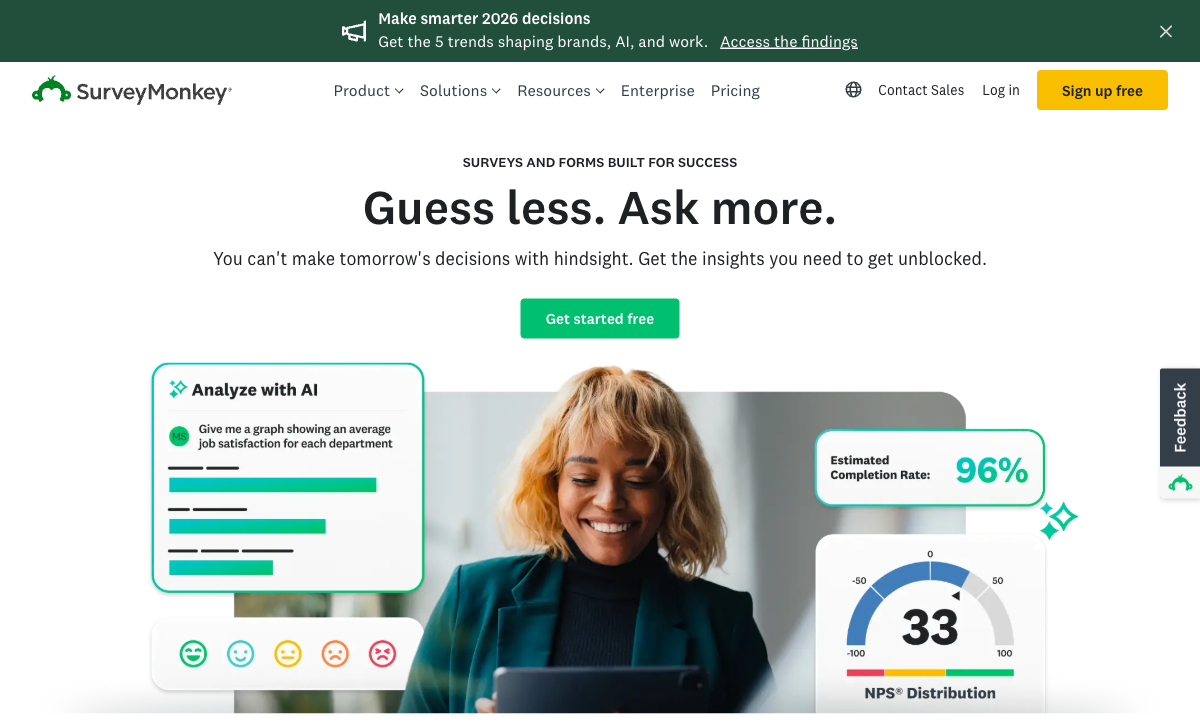
SurveyMonkey was built for survey science. Pre-validated question banks, question randomisation to reduce order bias, quota management for representative sampling, and response quality filters that flag careless respondents. Zoho Forms is a data collection tool — it captures responses but doesn't help you design statistically valid research. For NPS benchmarking, employee engagement studies, or market research, SurveyMonkey's methodology features are essential.
Analytics and Reporting
Built-in cross-tabulation, sentiment analysis, word clouds, statistical significance testing, and industry benchmark comparisons. SurveyMonkey turns raw survey data into actionable insights without requiring a spreadsheet. Zoho Forms provides basic submission reports and simple charts. For data analysis within the survey tool, SurveyMonkey is categorically ahead.
Brand Recognition and Response Rates
SurveyMonkey is the most widely recognised survey brand in the world. Respondents trust it — they know what a SurveyMonkey link looks like. This familiarity can improve response rates for external surveys, particularly customer research and market studies. Zoho Forms is less recognised outside the Zoho ecosystem, which may affect open rates on cold survey invitations.
Where Zoho Forms Wins
Zoho Ecosystem Integration
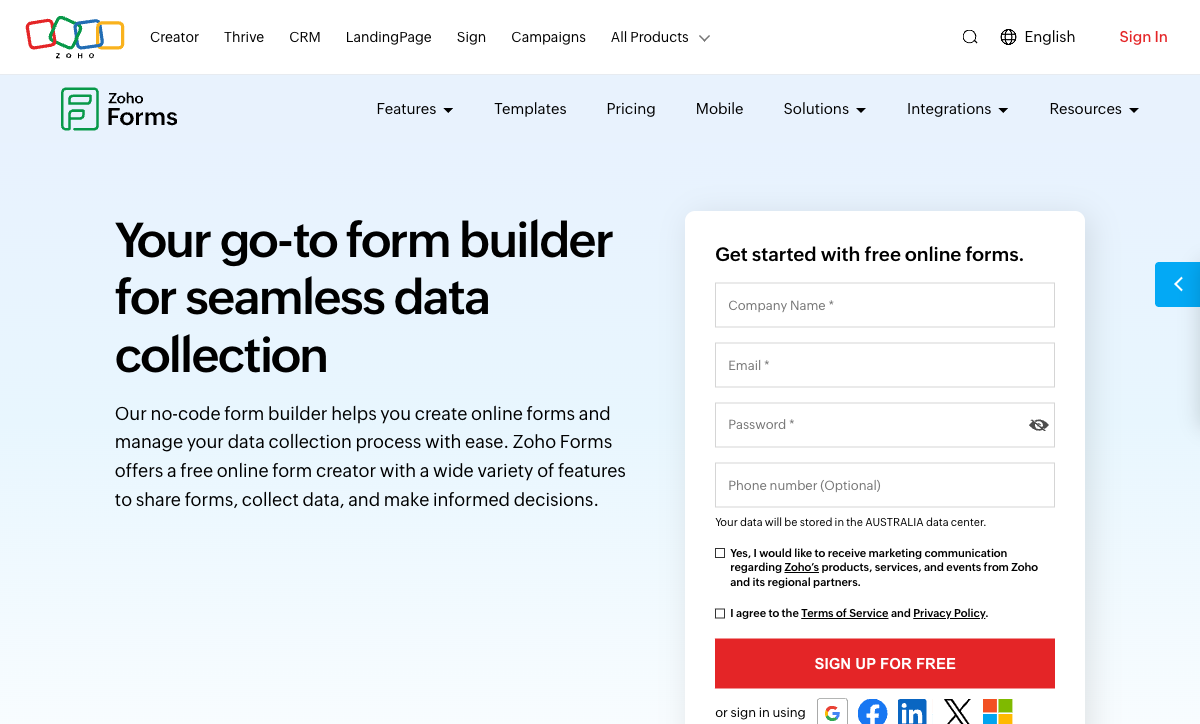
Form submissions flow directly into Zoho CRM, Zoho Desk, Zoho Projects, Zoho Sheet, and 45+ other Zoho apps — no middleware required. For businesses running on Zoho, this native connectivity eliminates the Zapier tax. SurveyMonkey integrates with external tools (Salesforce, HubSpot, Slack) but has no Zoho-native connections. If your business runs on Zoho, Zoho Forms is the natural form layer.
Offline Mobile Data Collection
Zoho Forms' mobile app works without internet — forms load offline, submissions queue locally, and data syncs when connectivity returns. Essential for field teams, event registration, site inspections, and trade shows. SurveyMonkey's mobile app focuses on survey management, not offline field collection. For mobile-first data capture scenarios, Zoho Forms is measurably superior.
Payment Processing
Zoho Forms supports payment collection via PayPal and Stripe on paid plans. SurveyMonkey has no native payment processing — it's a survey tool, not a transaction platform. For registration forms with fees, donation pages, or order forms, Zoho Forms can handle the payment. SurveyMonkey cannot.
Better Value for SMBs
Zoho Forms' free tier (3 forms, 500 submissions) is more generous than SurveyMonkey's (10 questions, 25 responses per survey). Zoho's Basic plan ($10/month) includes unlimited forms and 10,000 submissions. SurveyMonkey's Individual Standard starts at $39/month and focuses on survey features most SMBs don't use. For small businesses that need data collection rather than research, Zoho Forms delivers more practical value per dollar.
Where Both Fall Short
- No calculation engine: Neither supports dynamic pricing, conditional math, or scored assessments with computed outcomes.
- No e-signatures: Neither offers built-in e-signature collection for contracts or agreements.
- Limited design control: SurveyMonkey forms look like SurveyMonkey. Zoho Forms look functional but generic. Neither produces visually distinctive brand experiences.
- Ecosystem dependencies: SurveyMonkey works independently but is limited as a general form tool. Zoho Forms is most valuable within the Zoho ecosystem. Neither is a truly versatile standalone platform.
Pricing Comparison
SurveyMonkey
Zoho Forms
| Product | Plan | Monthly Price | Annual Price (per month) | Free Plan | Free Trial | Limits |
|---|---|---|---|---|---|---|
| SurveyMonkey | Basic (Free) | Free | Free | Yes | No | forms: Unlimited, submissions: 25 per survey, storage: N/A, users: 1 |
| SurveyMonkey | Individual Standard | $99/mo | $39/mo billed annually | forms: Unlimited, submissions: 1,000 per month, storage: N/A, users: 1 | ||
| SurveyMonkey | Individual Advantage | Free | $32/mo billed annually | forms: Unlimited, submissions: 15,000 per year, storage: N/A, users: 1 | ||
| SurveyMonkey | Individual Premier | Free | $99/mo billed annually | forms: Unlimited, submissions: 40,000 per year, storage: N/A, users: 1 | ||
| SurveyMonkey | Team Advantage | Free | $30/mo billed annually | forms: Unlimited, submissions: 50,000 per year (shared), storage: N/A, users: 3 minimum | ||
| SurveyMonkey | Team Premier | Free | $92/mo billed annually | forms: Unlimited, submissions: 100,000 per year (shared), storage: N/A, users: 3 minimum | ||
| Zoho Forms | Free | Free | Free | Yes | 15 days | forms: 3, submissions: 500/month, storage: 200 MB, users: 1 |
| Zoho Forms | Basic | $12/mo | $10/mo billed annually | forms: Unlimited, submissions: 10,000/month, storage: 500 MB, users: 1 | ||
| Zoho Forms | Standard | $30/mo | $25/mo billed annually | forms: Unlimited, submissions: 25,000/month, storage: 2 GB, users: 10 | ||
| Zoho Forms | Professional | $60/mo | $50/mo billed annually | forms: Unlimited, submissions: 75,000/month, storage: 5 GB, users: 25 | ||
| Zoho Forms | Premium | $110/mo | $90/mo billed annually | forms: Unlimited, submissions: 150,000/month, storage: 10 GB, users: 100 |
SurveyMonkey's free tier is severely limited (10 questions, 25 responses). Paid plans start at $39/month (Individual Standard). Zoho Forms' free tier is more usable (3 forms, 500 submissions), with paid plans from $10/month. For businesses that need forms rather than research surveys, Zoho Forms offers significantly better value.
User Ratings
The Verdict
Use SurveyMonkey for survey research. NPS studies, customer satisfaction benchmarking, employee engagement surveys, market research — anything where statistical validity and analysis matter. SurveyMonkey's 25 years of survey expertise show in its methodology features and analytics.
Use Zoho Forms for operational data collection. Lead capture, registration forms, field data collection, payment forms — anything that feeds into a business workflow, especially if that workflow runs on Zoho. The offline mobile app and native Zoho CRM integration make it the practical choice for Zoho-ecosystem businesses.
For a broader view, see our SurveyMonkey alternatives or Zoho Forms alternatives.
Consider Paperform
If you need both survey capabilities and operational forms in one tool, Paperform bridges the gap. It handles surveys, payment forms, lead capture, and scored assessments with an Excel-style calculation engine, five payment gateways, and 2,000+ integrations — including both Zoho and SurveyMonkey-style use cases. Bootstrapped and profitable since 2016.
Try Paperform free | Paperform vs SurveyMonkey | Paperform vs Zoho Forms
Frequently Asked Questions
Can Zoho Forms replace SurveyMonkey for customer surveys?
For basic customer surveys (feedback forms, contact forms, event registration), yes — Zoho Forms handles these well, especially if you already use Zoho CRM to track customer relationships. For research-grade surveys (NPS benchmarking, statistical analysis, question randomisation, quota sampling), SurveyMonkey is significantly more capable. The question is whether you need survey science or just data collection.
Which integrates better with CRM systems?
Zoho Forms integrates natively with Zoho CRM — submissions automatically create or update CRM records with zero middleware. SurveyMonkey integrates with Salesforce and HubSpot via native connectors, and with other CRMs via Zapier. If your CRM is Zoho, Zoho Forms is the obvious winner. If your CRM is Salesforce or HubSpot, SurveyMonkey's native integrations are competitive. For other CRMs, both rely on Zapier.
Which has better mobile support?
Zoho Forms has a dedicated mobile app with offline data collection — forms work without internet and sync when connectivity returns. This is a genuine differentiator for field teams and events. SurveyMonkey has a mobile app for survey management but focuses on survey creation and review rather than offline field collection. For mobile-first data capture, Zoho Forms is ahead.
Which is more cost-effective for small businesses?
Zoho Forms is generally more affordable. Its free tier (3 forms, 500 submissions) is more generous than SurveyMonkey's (10 questions, 25 responses per survey). Zoho's Basic plan ($10/month) provides unlimited forms and 10,000 submissions. SurveyMonkey's cheapest paid plan (Individual Standard, $39/month) still focuses on survey features. For SMBs using the Zoho ecosystem, Zoho Forms offers the better value proposition.
Sources & References
- Best Online Form Builder to Use in 2026 — Top 20 Tools — EmailToolTester, 2026
- SurveyMonkey vs Zoho Forms: Comparison — G2, 2026
Updates
We re-audit the form builders we compare on a regular cadence and log every change here — a public record of what changed and when.
- Updated June 4, 2026 — Corrected SurveyMonkey's cheapest paid plan ('Individual Standard') price from $25/month to $39/month across the pricing comparison, SMB value section, and FAQ, reflecting the June 2026 data audit.
Last updated June 25, 2026
Ready to try Paperform?
Create beautiful forms, payment pages, and workflows — no code required.