SurveyMonkey vs Wufoo: Which Is Better in 2026?
Here's what makes this comparison unusual: SurveyMonkey and Wufoo are owned by the same parent company. SurveyMonkey acquired Wufoo in 2011 for $35 million, and the two products have followed dramatically different trajectories since. SurveyMonkey has received continuous investment -- AI features, enterprise tools, brand tracking, market research capabilities -- becoming the dominant name in online surveys. Wufoo has been effectively shelved -- maintained but not meaningfully developed, its interface and features frozen roughly where they were a decade ago.
This isn't a comparison between equals. It's a comparison between a well-funded survey platform and a legacy form builder kept on life support by the company that bought it. Understanding why that happened -- and which (if either) still serves your needs -- is what this page is about.
Quick Verdict
Choose SurveyMonkey if:
- Surveys, research, and feedback collection are your primary need
- You need AI-powered survey analysis and insights
- Enterprise features (SSO, compliance, team management) matter
- You want an actively developed platform with a long-term future
Choose Wufoo if:
- You need simple embeddable forms (not surveys) with basic payments
- Your requirements haven't changed since 2015
- You're an existing Wufoo user and migration isn't worth the effort yet
- Budget is extremely tight and basic form functionality is sufficient
Feature Comparison
The feature gap tells the story of a decade of divergent investment. SurveyMonkey has grown into an enterprise survey platform; Wufoo has stayed a basic form builder. The table makes the disparity concrete.
| Feature | SurveyMonkey | Wufoo |
|---|---|---|
| Form Building | ||
| Document-style editor | No | No |
| AI form creation | Yes | No |
| Field types | 15+ | Yes |
| Multi-page forms | Yes | Yes starter |
| Guided mode (one question at a time) | Yes | No |
| Conditional logic | Yes Individual Standard | Yes starter |
| Calculations field | No | No |
| AI calculations assistant | No | No |
| Scoring | Yes | No |
| Answer piping | Yes Individual Standard | No |
| Pre-filling and hidden fields | Yes Individual Standard | Yes starter |
| Save and resume | Yes Individual Standard | No |
| Auto-close by number | Yes Individual Standard | Yes starter |
| Auto-close by date | Yes Individual Standard | Yes starter |
| Appointment/booking field | No | No |
| Signature field | No | No |
| Color picker field | No | No |
| API-powered dropdowns | No | No |
| Google address search | No | No |
| File uploads | Yes | Yes starter |
| 400+ templates | No | Yes |
| Payments | ||
| Stripe payments | Yes Individual Advantage | Yes professional |
| PayPal payments | Yes Individual Advantage | Yes professional |
| Square payments | No | Yes professional |
| Braintree payments | No | Yes professional |
| Google Pay | No | No |
| Product sales (eCommerce) | No | No |
| Subscriptions | No | No |
| Coupons and discounts | No | No |
| Custom pricing rules | No | No |
| Tax calculations | No | No |
| Quotes/invoices | No | No |
| Refunds | No | No |
| 3D Secure | No | No |
| Authorize.net payments | No | Yes professional |
| Design & Customization | ||
| Template gallery | 500+ | Yes |
| Rich media (images, GIFs, videos) | Yes | No |
| Unsplash and Giphy integration | No | No |
| Image editor | No | No |
| Adobe Creative Cloud | No | No |
| Language translation | Yes Individual Premier | No |
| Advanced theming | Yes Individual Standard | Yes starter |
| Custom form URL | Yes Individual Standard | Yes starter |
| Custom domains | No | No |
| Custom HTML & CSS | No | Yes starter |
| Remove branding | Yes Individual Standard | Yes starter |
| Custom email domains | No | No |
| Theme designer | No | Yes |
| Analytics | ||
| Submission results and reports | Yes | Yes |
| AI report insights | Yes Individual Standard | No |
| Paperform analytics | No | No |
| Google Analytics & Facebook Pixel | No | No |
| Custom analytics scripts | No | No |
| Partial submissions | Yes Individual Standard | No |
| Google Analytics integration | No | Yes professional |
| Collaboration | ||
| Multi-user accounts | Yes Team Advantage | Yes professional |
| User permissions and management | Yes Team Advantage | Yes professional |
| Advanced permissions & admin | Yes enterprise | No |
| Form sharing (templates) | Yes Team Advantage | No |
| Spaces and tag management | No | No |
| Form sharing | No | Yes |
| Security | ||
| SOC 2 Type II | Yes | Yes |
| GDPR compliant | Yes | Yes |
| SSL encryption | Yes | Yes |
| Two-factor authentication | Yes | No |
| Enforce 2FA for all users | Yes enterprise | No |
| SSO (SAML) | Yes enterprise | No |
| reCAPTCHA | Yes | Yes |
| Local data residency | Yes enterprise | No |
| Custom S3 storage (BYO) | No | No |
| HIPAA compliant | No | No |
| Field encryption | No | Yes professional |
| Password protection | No | Yes professional |
| PCI DSS | No | Yes |
| Integrations & API | ||
| Native integrations | 200+ | Yes starter |
| Zapier | Yes | Yes starter |
| Make (Integromat) | Yes | No |
| Webhooks | Yes Individual Standard | Yes starter |
| Standard API | Yes Individual Standard | No |
| Business API | Yes enterprise | No |
| WordPress plugin | No | Yes |
| oEmbed support | No | No |
| API | No | Yes |
| Embed options | No | Yes |
Where SurveyMonkey Wins

Active Development and Innovation
SurveyMonkey ships regular updates: AI-powered survey generation, sentiment analysis, automated insights, brand tracking, market research panels, and enterprise collaboration tools. The platform evolves quarterly. Wufoo's last significant feature update is difficult to identify -- the product roadmap has been effectively frozen for years. For any team evaluating long-term platform investments, SurveyMonkey is a living product with a development team and roadmap. Wufoo is a legacy product in maintenance mode. This alone may be the most important consideration.
Survey Science and Analysis
SurveyMonkey's survey methodology is its core competency. Question banks validated by survey scientists, AI-powered question suggestions, skip logic, randomisation, quotas, A/B testing of questions, and built-in statistical analysis. Response data gets automatic sentiment analysis, word clouds, cross-tabulation, and exportable reports. Wufoo has basic form fields and a simple reporting dashboard -- no survey science, no AI analysis, no statistical tools. For research, customer feedback, employee engagement, and market analysis, SurveyMonkey's analytical depth is in a different league.
Enterprise Capabilities
SurveyMonkey Enterprise includes SSO/SAML authentication, admin controls, data governance, HIPAA compliance (with BAA), custom branding, role-based access, team collaboration, and dedicated account management. Large organisations can manage survey programmes across departments with centralised governance. Wufoo has basic team features but no enterprise-grade security, compliance, or administration capabilities. For organisations with 50+ employees or regulatory requirements, SurveyMonkey is the only viable option of the two.
Brand Recognition and Market Access
SurveyMonkey is one of the most recognised software brands globally. Respondents trust SurveyMonkey-powered surveys. The platform's audience panel gives you access to millions of potential respondents for market research without maintaining your own distribution lists. Wufoo's brand recognition has faded significantly since its acquisition. For external-facing research where brand trust affects response rates, SurveyMonkey's name carries weight.
Integration Ecosystem
SurveyMonkey integrates natively with Salesforce, HubSpot, Marketo, Microsoft Teams, Slack, Tableau, and dozens more enterprise tools. Its Zapier integrations are well-maintained, and it has an API for custom development. Wufoo has basic Zapier integration and a limited set of native connections -- many of which reference tools and services that have themselves changed or been deprecated. SurveyMonkey's integration ecosystem reflects its active development; Wufoo's reflects its stagnation.
Where Wufoo Wins
It's a Form Builder, Not a Survey Tool
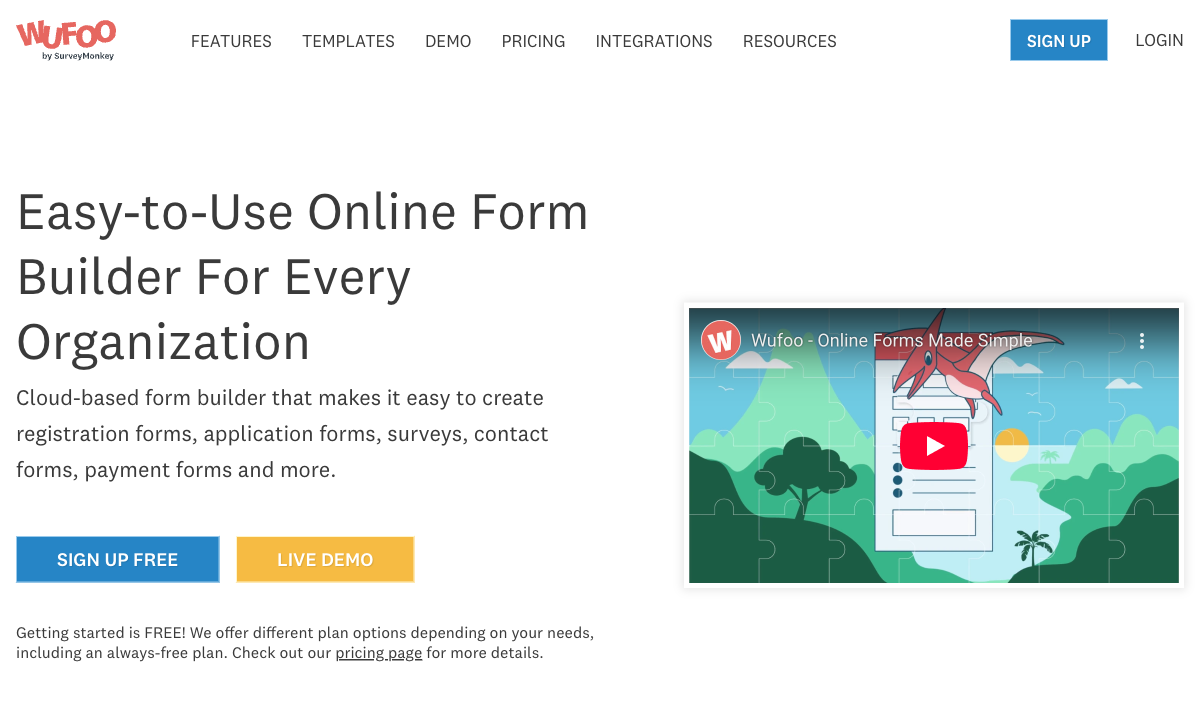
This is Wufoo's primary structural advantage. Wufoo creates forms -- contact forms, order forms, registration forms, feedback forms -- while SurveyMonkey creates surveys. The distinction matters: SurveyMonkey is designed for research and data collection with anonymous respondents. Wufoo is designed for website forms that collect identified data (name, email, address, payment). If you need an embeddable contact form for your website, Wufoo's approach is more natural than trying to use SurveyMonkey, which wasn't built for that use case.
Payment Collection
Wufoo includes Stripe payment integration for collecting payments through forms. Order forms, donation forms, and basic eCommerce are possible. SurveyMonkey has no payment processing capability -- it's a survey tool, not a transaction tool. This is the one functional area where Wufoo does something SurveyMonkey simply cannot. The implementation is basic (Stripe only, limited eCommerce features), but it exists. For simple payment collection through a form, Wufoo works; SurveyMonkey doesn't.
Simpler Pricing for Basic Needs
Wufoo's Starter plan at $14.08/month (annual billing) provides basic form functionality at a low price point. SurveyMonkey's Individual Advantage plan starts at $39/month. For users with extremely basic form needs -- a few simple forms with limited submissions -- Wufoo's entry price is significantly lower. The value proposition weakens quickly at higher tiers, but for budget-constrained users with minimal requirements, Wufoo's floor price is lower.
Embeddable Form Focus
Wufoo was designed from the beginning as an embeddable form tool. Its forms are meant to live on websites, in emails, and on landing pages. The embed codes are straightforward, and the forms are lightweight. SurveyMonkey surveys can be embedded, but they're designed as standalone experiences with SurveyMonkey branding and navigation. For simple website forms where the form blends into a page rather than being a standalone destination, Wufoo's embeddable DNA is slightly more appropriate.
Where SurveyMonkey Falls Short
- Not a form builder: SurveyMonkey creates surveys, not website forms. Contact forms, order forms, and embeddable data collection forms aren't its strength -- the tool assumes a survey context.
- No payment processing: Zero ability to collect payments through surveys. For transactional use cases, SurveyMonkey is a dead end.
- Expensive for basic needs: $39/month for Individual Advantage is steep if you just need simple feedback forms. The pricing reflects enterprise survey capabilities many users don't need.
- Complex for simple tasks: Survey science features, panel access, and enterprise tools add interface complexity that casual users don't need. Sometimes you just want a simple form, not a research platform.
- Response limits on lower tiers: Free plan caps at 10 questions per survey and 40 responses visible. Lower paid tiers have response limits that can catch casual users off guard.
Where Wufoo Falls Short
- Effectively abandoned: Wufoo hasn't received meaningful feature development since its 2011 acquisition. The interface, capabilities, and technology are a decade behind modern form builders.
- Outdated design output: Forms look dated. No modern design system, no responsive templates that match current web design standards, no visual editor comparable to modern tools.
- Minimal conditional logic: Basic rule-based field visibility exists, but nothing approaching the conditional logic depth of modern form builders. No calculations, no complex branching, no dynamic content.
- Stripe-only payments: One payment gateway. No PayPal, no Square, no subscription management, no coupon engine. Basic payment collection in an era of advanced eCommerce.
- Uncertain future: As a neglected product under corporate ownership (SurveyMonkey/Momentive), Wufoo's long-term viability is a legitimate concern. Products in maintenance mode can be sunset with little warning. Building new workflows on Wufoo carries platform risk.
- Small template library: Limited templates that haven't been refreshed. Modern competitors offer thousands to tens of thousands of professionally designed starting points.
Pricing Comparison
Different pricing models for different products. SurveyMonkey prices for survey volume and features. Wufoo prices for form count and submissions. Neither is expensive at entry level, but value diverges quickly.
| Tier | SurveyMonkey | Wufoo | Key Difference |
|---|---|---|---|
| Free | 10 questions/survey, 40 responses visible, limited analysis | 5 forms, 100 entries/mo, basic fields | Both heavily restricted; Wufoo is more usable as a free form tool |
| Entry Paid | Individual Advantage: $39/mo -- unlimited questions, 5,000 responses/mo | Starter: $14.08/mo -- 10 forms, 500 entries/mo, basic payments | Wufoo is much cheaper; SurveyMonkey adds survey analysis tools |
| Mid-Tier | Team Advantage: $25/user/mo -- collaboration, shared library, custom branding | Professional: $29.08/mo -- 100 forms, 2,000 entries/mo, file uploads | SurveyMonkey is per-user; Wufoo is per-account. Cost depends on team size. |
| Top Tier | Enterprise: Custom pricing -- SSO, HIPAA, admin controls | Advanced: $74.08/mo -- unlimited forms, 10,000 entries/mo | SurveyMonkey scales to enterprise; Wufoo tops out at basic growth |
SurveyMonkey
Wufoo
| Product | Plan | Monthly Price | Annual Price (per month) | Free Plan | Free Trial | Limits |
|---|---|---|---|---|---|---|
| SurveyMonkey | Basic (Free) | Free | Free | Yes | No | forms: Unlimited, submissions: 25 per survey, storage: N/A, users: 1 |
| SurveyMonkey | Individual Standard | $99/mo | $39/mo billed annually | forms: Unlimited, submissions: 1,000 per month, storage: N/A, users: 1 | ||
| SurveyMonkey | Individual Advantage | Free | $32/mo billed annually | forms: Unlimited, submissions: 15,000 per year, storage: N/A, users: 1 | ||
| SurveyMonkey | Individual Premier | Free | $99/mo billed annually | forms: Unlimited, submissions: 40,000 per year, storage: N/A, users: 1 | ||
| SurveyMonkey | Team Advantage | Free | $30/mo billed annually | forms: Unlimited, submissions: 50,000 per year (shared), storage: N/A, users: 3 minimum | ||
| SurveyMonkey | Team Premier | Free | $92/mo billed annually | forms: Unlimited, submissions: 100,000 per year (shared), storage: N/A, users: 3 minimum | ||
| Wufoo | Free | Free | Free | Yes | No | forms: 5, submissions: 100/month, storage: N/A, users: 1 |
| Wufoo | Starter | $16.25/mo | $16.25/mo billed annually | forms: 10, submissions: 1,000/month, storage: 1 GB, users: 1 | ||
| Wufoo | Professional | $33.25/mo | $33.25/mo billed annually | forms: Unlimited, submissions: 5,000/month, storage: 5 GB, users: 5 | ||
| Wufoo | Advanced | $83.25/mo | $83.25/mo billed annually | forms: Unlimited, submissions: 25,000/month, storage: 10 GB, users: 20 | ||
| Wufoo | Ultimate | $210.25/mo | $210.25/mo billed annually | forms: Unlimited, submissions: 200,000/month, storage: 20 GB, users: 60 |
What Users Say
SurveyMonkey averages 4.4/5 on G2 with thousands of reviews. Users praise the survey creation experience and analysis tools while noting pricing complexity and feature limitations on lower tiers. Wufoo averages around 4.2/5, with reviews increasingly noting the platform's age and lack of updates. Recent Wufoo reviews often read like eulogies -- "I used to love this tool" followed by frustration with outdated features and lack of development.
The review trajectory tells the story. SurveyMonkey reviews discuss current capabilities and compare to active competitors. Wufoo reviews increasingly ask whether the product still has a future. For teams making a new platform decision in 2026, the review sentiment should weight heavily toward the actively maintained product.
Consider Paperform: Modern Forms and Surveys in One Platform
If you need what Wufoo used to be good at (forms) combined with what SurveyMonkey excels at (surveys), Paperform handles both. Starting at $24/month, Paperform's document-style editor creates forms and surveys that look like designed landing pages -- not dated form widgets or clinical survey interfaces.
Paperform includes 5 payment gateways (Stripe, PayPal, Square, Braintree, Google Pay) that Wufoo's single Stripe connection can't match, plus an Excel-style calculation engine that powers dynamic pricing, quiz scoring, and conditional logic that neither SurveyMonkey nor Wufoo offer. Built-in e-signatures (Papersign), workflow automation (Stepper), and 30,000+ templates make it a modern replacement for both platforms. Bootstrapped and profitable since 2016 -- no acquisition risk, no maintenance-mode trajectory. See our Paperform vs SurveyMonkey and Wufoo alternatives analyses.
The Verdict
SurveyMonkey is the right choice when surveys and research are your primary need. It's the industry standard for online surveys, with AI-powered analysis, enterprise compliance, audience panels, and continuous feature development. If you're collecting feedback, conducting research, or running employee engagement surveys, SurveyMonkey is purpose-built and actively evolving.
Wufoo is hard to recommend for new projects in 2026. Its form-building DNA is sound -- it was a pioneering tool that shaped how we think about online forms. But a decade of minimal investment has left it behind modern competitors in design, features, integrations, and reliability. If you're an existing Wufoo user with simple, stable requirements, there may be no urgent reason to migrate. But for new form projects, modern alternatives offer dramatically better value, design, and long-term platform confidence.
The irony of this comparison is that SurveyMonkey acquired Wufoo to combine survey and form capabilities -- and instead let Wufoo stagnate while focusing exclusively on surveys. The result is two products that each do one thing (surveys or forms) when modern platforms like Paperform do both well. For more options, see our SurveyMonkey alternatives, Wufoo alternatives, or the full best form builders ranking.
Frequently Asked Questions
Did SurveyMonkey acquire Wufoo?
Yes. SurveyMonkey acquired Wufoo in 2011 for a reported $35 million. Wufoo was originally created by three Computer Science graduates from the University of South Florida and had been a beloved independent form builder since 2006. After the acquisition, Wufoo continued operating as a separate product but received minimal development investment. The platform's interface, features, and technology have largely stagnated since the acquisition. SurveyMonkey (now Momentive, then acquired by Momentive Global in a take-private deal) has focused its development resources on the SurveyMonkey survey platform rather than Wufoo. Many original Wufoo users have migrated to other platforms as the product fell behind modern competitors.
Is Wufoo still being actively developed?
Barely. Wufoo receives maintenance updates and occasional minor improvements, but it hasn't had significant feature development in years. The platform's design, interface, and capabilities feel stuck in the early 2010s. There's no modern drag-and-drop builder, no conditional logic depth, no AI features, no native payment variety, and no mobile-responsive form building interface. Compare this to SurveyMonkey, which receives regular feature updates, AI integrations, and enterprise capability additions. If you're choosing between the two today, SurveyMonkey is the actively developed product; Wufoo is the legacy product kept running but not meaningfully improved.
Why would anyone choose Wufoo over SurveyMonkey in ${CURRENT_YEAR}?
There are a few narrow reasons. Wufoo is a form builder, while SurveyMonkey is primarily a survey tool. If you need a simple embeddable form (contact form, registration, order form with basic payments), Wufoo's form-building approach is more natural than trying to use SurveyMonkey for non-survey data collection. Wufoo also has simpler pricing for basic needs and includes Stripe payment processing. But honestly, in 2026, there are better options than both for most form use cases. Wufoo's main appeal is to existing users who haven't migrated yet and teams with extremely simple requirements that Wufoo's basic toolset still covers.
Should I migrate away from Wufoo?
Probably yes, unless your needs are extremely basic and Wufoo still handles them adequately. The platform hasn't kept pace with modern form builders in design, features, mobile responsiveness, or integrations. Modern alternatives like Paperform (starting at $24/month with 5 payment gateways, calculations, and beautiful design), Jotform (massive template library and 40+ payment gateways), or even Google Forms (free with unlimited submissions) all offer superior experiences. If you're actively building new forms on Wufoo, you're working with a tool that's at least a decade behind the state of the art. The migration effort is worth it for any team building forms regularly.
Sources & References
- SurveyMonkey Acquires Wufoo — TechCrunch, 2011
- Best Online Form Builders Compared — EmailToolTester, 2026
Last updated March 21, 2026
Ready to try Paperform?
Create beautiful forms, payment pages, and workflows — no code required.