Paperform vs Zoho Forms: Which Is Better in 2026?
Paperform and Zoho Forms are both bootstrapped products, but they serve different purposes. Paperform is a standalone form builder with a document-style editor, five payment gateways, and an Excel-style calculation engine that works independently of any ecosystem. Zoho Forms is a data collection tool built primarily for organisations operating inside Zoho's 40+ app suite — good for mobile/offline collection, but limited as a standalone product.
The deciding factor is straightforward: if your organisation runs on Zoho, Zoho Forms has ecosystem advantages that are hard to replicate. If you use anything else — or need a form builder that stands on its own — Paperform delivers more capabilities, better design, and stronger integrations.
Quick Verdict
Choose Paperform if:
- You need a standalone form builder that works with any tech stack
- You need advanced payment processing (5 gateways, full eCommerce)
- You need calculations, scoring, or dynamic pricing in forms
- You want forms that look like designed landing pages
- You need more than 3 forms on a free plan
Choose Zoho Forms if:
- Your organisation runs on Zoho CRM, Desk, Projects, and other Zoho apps
- You need mobile/offline data collection in the field
- You need HIPAA compliance (Premium plan, $90/month annual)
- You want high-volume submissions at a low per-submission cost
Feature Comparison
Side-by-side across every feature category. Paperform is highlighted for reference.
| Feature | Paperform | Zoho Forms |
|---|---|---|
| Form Building | ||
| Document-style editor | Yes | No |
| AI form creation | Yes | Yes basic |
| Field types | 26+ | Yes |
| File uploads | Yes | No |
| Multi-page forms | Yes | Yes |
| Guided mode (one question at a time) | Yes | No |
| Conditional logic | Yes | Yes |
| Calculations field | Yes essentials | Yes basic |
| AI calculations assistant | Yes essentials | No |
| Scoring | Yes essentials | No |
| Answer piping | Yes | Yes basic |
| Pre-filling and hidden fields | Yes essentials | Yes |
| Save and resume | Yes | Yes basic |
| Auto-close by number | Yes essentials | Yes |
| Auto-close by date | Yes pro | Yes |
| Appointment/booking field | Yes | No |
| Signature field | Yes | Yes |
| Color picker field | Yes | No |
| API-powered dropdowns | Yes business | No |
| Google address search | Yes business | No |
| Payments | ||
| Stripe payments | Yes | No |
| PayPal payments | Yes | No |
| Square payments | Yes | No |
| Braintree payments | Yes | No |
| Google Pay | Yes | No |
| Product sales (eCommerce) | Yes essentials | No |
| Subscriptions | Yes essentials | No |
| Coupons and discounts | Yes essentials | No |
| Custom pricing rules | Yes essentials | No |
| Tax calculations | Yes | No |
| Quotes/invoices | Yes | Yes standard |
| Refunds | Yes | No |
| 3D Secure | Yes | No |
| Stripe | No | Yes |
| PayPal | No | Yes |
| Square | No | No |
| Braintree | No | No |
| Product sales | No | Yes basic |
| Coupons | No | No |
| Custom pricing | No | Yes basic |
| Design & Customization | ||
| Template gallery | 30,000+ | Yes |
| Rich media (images, GIFs, videos) | Yes | No |
| Unsplash and Giphy integration | Yes | No |
| Image editor | Yes | No |
| Adobe Creative Cloud | Yes | No |
| Language translation | Yes | Yes standard |
| Advanced theming | Yes pro | Yes basic |
| Custom form URL | Yes pro | No |
| Custom domains | Yes pro | No |
| Custom HTML & CSS | Yes pro | No |
| Remove branding | Yes pro | Yes basic |
| Custom email domains | Yes business | No |
| Rich media | No | Yes |
| Unsplash/Giphy | No | No |
| Adobe CC | No | No |
| Custom HTML/CSS | No | Yes standard |
| Analytics | ||
| Submission results and reports | Yes | No |
| AI report insights | Yes pro | No |
| Paperform analytics | Yes pro | No |
| Drop-off analysis | Yes pro | No |
| Google Analytics & Facebook Pixel | Yes essentials | No |
| Custom analytics scripts | Yes pro | No |
| Partial submissions | Yes pro | No |
| Submission results | No | Yes |
| AI insights | No | No |
| Form analytics | No | Yes standard |
| GA/FB Pixel | No | No |
| Custom scripts | No | No |
| Collaboration | ||
| Multi-user accounts | Yes pro | No |
| User permissions and management | Yes pro | No |
| Advanced permissions & admin | Yes enterprise | No |
| Form sharing (templates) | Yes | No |
| Spaces and tag management | Yes | No |
| Multi-user | No | Yes standard |
| Permissions | No | Yes standard |
| Advanced permissions | No | Yes professional |
| Form sharing | No | Yes |
| Spaces/tags | No | No |
| Security | ||
| SOC 2 Type II | Yes | No |
| GDPR compliant | Yes | No |
| SSL encryption | Yes | No |
| Two-factor authentication | Yes | No |
| Enforce 2FA for all users | Yes business | No |
| SSO (SAML) | Yes business | No |
| reCAPTCHA | Yes | Yes |
| Local data residency | Yes enterprise | No |
| Custom S3 storage (BYO) | Yes business | No |
| SOC 2 | No | Yes |
| GDPR | No | Yes |
| SSL | No | Yes |
| 2FA | No | Yes |
| Enforce 2FA | No | No |
| SSO SAML | No | Yes professional |
| Data residency | No | Yes |
| Custom S3 | No | No |
| Integrations & API | ||
| Native integrations | 2,000+ | No |
| Zapier | Yes | Yes basic |
| Make (Integromat) | Yes | No |
| Webhooks | Yes pro | Yes standard |
| Standard API | Yes pro | Yes basic |
| Business API | Yes business | No |
| WordPress plugin | Yes | No |
| oEmbed support | Yes | No |
| 2000+ | No | No |
| WordPress | No | Yes |
| oEmbed | No | Yes |
Where Paperform Wins

Standalone Value
This is the fundamental advantage. Paperform works as a complete platform without requiring any ecosystem. It integrates with 2,000+ tools via native connectors, Zapier, Make, webhooks, and a REST API. You can use it with Salesforce, HubSpot, Zoho, or no CRM at all. Zoho Forms delivers its best value inside the Zoho ecosystem — outside of it, reviews consistently note "limited integration with third-party tools can be restrictive for non-Zoho users."
Design Freedom
Paperform's document-style editor lets you build forms that look like professionally designed landing pages. Text, images, videos, and fields coexist freely. Custom CSS, custom domains, Unsplash and Giphy integration, and advanced theming give you complete control. Zoho Forms offers basic styling with limited customisation options — multiple G2 reviews cite "customisation of form appearance is very limited." No custom CSS on lower plans, no custom domains, and no rich media embedding. The free plan has no customisation at all.
The Calculation Engine
Paperform's Excel-style calculations compute dynamic pricing, risk scores, quiz results, tax amounts, and conditional totals — driving logic across questions, pages, emails, integrations, and success pages. An accountant can build a tax estimator. A trainer can create a scored fitness assessment. A retailer can generate dynamic quotes with volume discounts. Zoho Forms' Zia AI can auto-populate fields, but there's no calculation engine, no real-time formula evaluation, and no AI calculations assistant to help non-technical users build complex logic.
Payment Processing (5 Gateways vs 2)
Paperform connects Stripe, PayPal, Square, Braintree, and Google Pay on every plan, including free. Full eCommerce features — product management, subscriptions, coupons, discount codes, tax calculations, and refund processing — are included. Zoho Forms supports Stripe and PayPal on all plans (10 payment submissions on free), but lacks product management, advanced subscription handling, coupon codes, and refund processing. For businesses selling through forms, Paperform offers 2.5x the gateway options and substantially deeper eCommerce capabilities.
The payment gap matters most for service businesses, freelancers, and eCommerce operations that need multi-gateway flexibility. A photography studio that prefers Square, or a consultant whose clients use PayPal, can't accommodate those preferences with Zoho Forms.
More Generous Free Plan
Paperform's free plan includes unlimited forms, 30 submissions/month, conditional logic, five payment gateways, calculations, 2,000+ integrations, and AI form generation. Zoho's free plan limits you to 3 forms, 500 submissions/month, 200 MB storage, 1 user, and 10 payment submissions. Paperform's free tier lets you build as many forms as you need. Zoho's free tier is restrictive in form count but generous in submission volume.
Templates
Paperform offers 30,000+ professionally designed templates spanning eCommerce, bookings, payments, education, healthcare, and professional services. Zoho Forms has a smaller template library focused on basic data collection use cases. The 30,000+ Paperform templates also include payment forms, calculators, and signature workflows that Zoho's templates can't match because the platform lacks those features at the same depth.
Where Zoho Forms Wins
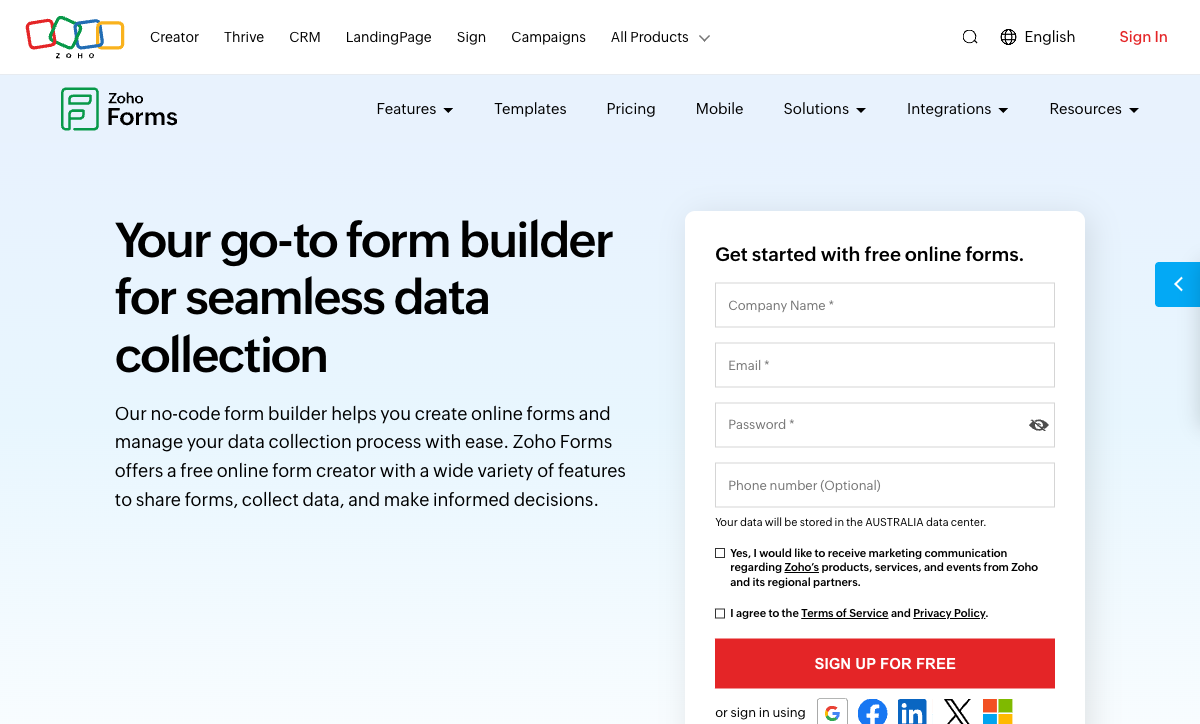
Zoho Ecosystem Integration
For organisations running Zoho CRM, Desk, Projects, Sign, Campaigns, Books, and other Zoho apps, Zoho Forms offers native integrations that no external form builder can fully replicate. Form submissions flow directly into Zoho CRM as contacts or leads. Approval workflows route through Zoho's internal systems. Data syncs across the suite without Zapier or middleware. If your organisation is committed to the Zoho ecosystem, this native connectivity is a genuine advantage.
Mobile and Offline Data Collection
Zoho Forms has a dedicated iOS and Android app with full offline data collection, QR code scanning, geolocation tagging, and image capture. For field teams collecting data at construction sites, outdoor events, remote locations, or areas with unreliable internet, this is best-in-class among form builders. Paperform does not have a native mobile app or offline capability. If offline data collection is critical to your workflow, Zoho Forms has a real edge.
Submission Volume at Low Cost
Zoho Forms' pricing is generous on submissions: 500 free per month, 10,000 on Basic ($10/month), and up to 150,000 on Premium ($90/month). For high-volume data collection (surveys, feedback, intake) where per-submission cost matters, Zoho Forms is extremely cost-effective. Paperform's submission limits are 30 (free), 100 (Essentials, $24/month), and 1,000 (Pro, $49/month) — designed for quality over quantity.
HIPAA Compliance
Zoho Forms offers HIPAA compliance with audit trails on the Premium plan ($90/month annual). For healthcare organisations collecting Protected Health Information through forms, this is a capability Paperform doesn't offer. Paperform has SOC 2 Type II and GDPR but no HIPAA compliance.
Bootstrapped Scale
Zoho Corporation is entirely bootstrapped and profitable — one of the largest privately held tech companies in the world with 100M+ users across its suite. Zoho Forms benefits from this stability: the platform isn't subject to VC-driven pricing pressure or acquisition risk. The company has been operating since 1996 (as ManageEngine/AdventNet), giving it nearly three decades of corporate track record. For organisations that value long-term vendor stability, Zoho's bootstrapped profitability is a meaningful trust signal.
Where Paperform Falls Short
- No mobile app or offline collection: Paperform has no native mobile app. Forms are responsive for respondents, but there's no offline data collection. Field teams needing offline capability should consider Zoho Forms.
- No HIPAA compliance: Healthcare organisations collecting PHI need HIPAA-compliant options like Zoho Forms (Premium), FormAssembly, or Jotform.
- Lower submission limits: Paperform's 30 free and 100 Essentials submissions per month are designed for businesses, not high-volume data collection. Zoho offers 500 free and 10,000 on its $10/month Basic plan.
- No native Zoho ecosystem integration: Paperform connects to Zoho via Zapier and Make, but the connection is never as seamless as Zoho Forms' native integration with 40+ Zoho apps.
Where Zoho Forms Falls Short
- Ecosystem lock-in: The best value exists only within Zoho. Third-party integrations are limited compared to Zoho-native connections. Non-Zoho users get significantly less value from the platform.
- Very limited form design: Basic styling options with no custom domains, no custom CSS on lower plans, and no rich media embedding. The free plan has no customisation at all. Multiple reviews cite "customisation of form appearance is very limited."
- Missing advanced form features: No document-style editor, no guided/conversational mode, no appointment booking, no colour picker, no Google address search. 60-field limit per form restricts complex forms.
- No calculation engine: Zia AI can auto-populate fields, but there's no Excel-style calculation engine, no real-time formulas, and no AI calculations assistant.
- Below-average support: G2 support rating of 4.1/5 and Capterra 4.3/5 are lower than competitors. Paperform is rated 4.7-4.9 for customer support across review platforms.
- No free eSignature or workflow automation: Zoho Sign exists as a separate paid product. No AI-native workflow builder. Paperform includes Papersign and Stepper at no extra cost.
- Limited template library: Industry templates exist but the library is significantly smaller than Paperform's 30,000+ templates.
Pricing Comparison
Zoho Forms wins on raw price-per-submission. Paperform wins on features-per-dollar:
| Tier | Paperform | Zoho Forms | Key Difference |
|---|---|---|---|
| Free | Unlimited forms, 30 subs, 5 gateways, calculations | 3 forms, 500 subs, 200 MB, 10 payment subs | Paperform: more forms and features. Zoho: more submissions. |
| ~$10-24/mo | Essentials: $24/mo — 100 subs, payments, eCommerce | Basic: $10/mo — unlimited forms, 10K subs | Zoho cheaper; Paperform includes eCommerce and 5 gateways |
| ~$25-49/mo | Pro: $49/mo — 1K subs, CSS, analytics, API | Standard: $25/mo — 25K subs, 10 users | Zoho has volume; Paperform has analytics, API, CSS |
| ~$50-99/mo | Business: $99/mo — 10K subs, SSO, S3 | Premium: $90/mo — 150K subs, HIPAA, 100 users | Zoho has HIPAA and massive volume; Paperform has SSO and API |
All prices shown are annual billing rates.
Paperform
Zoho Forms
| Product | Plan | Monthly Price | Annual Price (per month) | Free Plan | Free Trial | Limits |
|---|---|---|---|---|---|---|
| Paperform | Free | Free | Free | Yes | 14 days | forms: Unlimited, submissions: 30/month, storage: 100 submissions, users: 1, file uploads: 100 MB |
| Paperform | Essentials | $29/mo | $24/mo billed annually | forms: Unlimited, submissions: 100/month, storage: 1,000 submissions, users: 1, file uploads: 1 GB | ||
| Paperform | Pro | $59/mo | $49/mo billed annually | forms: Unlimited, submissions: 1,000/month, storage: 10,000 submissions, users: 3, file uploads: 10 GB | ||
| Paperform | Business | $129/mo | $99/mo billed annually | forms: Unlimited, submissions: 10,000/month, storage: 100,000 submissions, users: 5, file uploads: 100 GB | ||
| Zoho Forms | Free | Free | Free | Yes | 15 days | forms: 3, submissions: 500/month, storage: 200 MB, users: 1 |
| Zoho Forms | Basic | $12/mo | $10/mo billed annually | forms: Unlimited, submissions: 10,000/month, storage: 500 MB, users: 1 | ||
| Zoho Forms | Standard | $30/mo | $25/mo billed annually | forms: Unlimited, submissions: 25,000/month, storage: 2 GB, users: 10 | ||
| Zoho Forms | Professional | $60/mo | $50/mo billed annually | forms: Unlimited, submissions: 75,000/month, storage: 5 GB, users: 25 | ||
| Zoho Forms | Premium | $110/mo | $90/mo billed annually | forms: Unlimited, submissions: 150,000/month, storage: 10 GB, users: 100 |
What Users Say
Paperform averages 4.8/5 across ~498 reviews with high marks for customer support (4.7-4.9) and design flexibility. Zoho Forms has decent ratings but lower support scores — G2 quality of support is 8.2/10 versus Jotform's 8.8/10. The recurring theme in Zoho Forms reviews is ecosystem dependency: users inside Zoho love the integration, while users outside Zoho find the platform limiting and inflexible compared to standalone alternatives.
See Them in Action
Who Should Switch from Zoho Forms to Paperform?
If you're currently using Zoho Forms and running into these limitations, Paperform is worth evaluating:
- You don't use other Zoho products: Zoho Forms' primary value is ecosystem integration. Without Zoho CRM, Desk, and other apps, you're using a limited form builder at a premium relative to its capabilities.
- Your forms need to look professional: Zoho Forms' design options are basic. If brand presentation matters — client-facing intake, marketing landing pages, customer surveys — Paperform's document-style editor is a generational leap forward.
- You need calculations or dynamic pricing: Zoho Forms has no calculation engine. If your forms need to compute quotes, scores, taxes, or conditional pricing, Paperform is the right tool.
- You've hit the 60-field limit: Complex forms with many fields are blocked by Zoho Forms' 60-field cap. Paperform has no field limit.
- Customer support matters: Zoho Forms' G2 support rating (4.1/5) is below average. Paperform's support is rated 4.7-4.9 across platforms.
Who Should Stay on Zoho Forms?
Zoho Forms remains the practical choice if these conditions apply:
- Your organisation runs on Zoho CRM, Desk, Projects, and other Zoho apps, and native data flow between them is critical
- You need mobile/offline data collection for field teams — Zoho Forms' native app with offline support is best-in-class
- You need HIPAA compliance and are willing to pay for the Premium plan ($90/month annual)
- High-volume data collection (10,000+ submissions/month) is the priority and per-submission cost matters more than form features
The Verdict
Paperform is the better form builder for most organisations. It works independently of any ecosystem, offers five payment gateways versus two, includes an Excel-style calculation engine that Zoho Forms lacks entirely, and produces forms with design quality that Zoho can't match. The document-style editor, 30,000+ templates, built-in e-signatures (Papersign), and workflow automation (Stepper) make it a complete platform, not just a data collection tool.
Zoho Forms wins in two specific scenarios: your organisation already runs on the Zoho ecosystem and native integration with Zoho CRM, Desk, and other apps is more important than standalone form capabilities; or you need mobile/offline data collection for field teams. The HIPAA compliance on Premium is also a differentiator for healthcare use cases.
Both companies are bootstrapped and profitable — a meaningful signal of long-term stability. Zoho Corporation (parent of Zoho Forms, founded 1996) has 100M+ users and is entirely bootstrapped — one of the largest privately held tech companies in the world. Paperform (founded 2016) is smaller but equally independent, funded entirely by revenue. Neither faces the pricing pressure of VC-funded competitors. For more options, see our complete Zoho Forms alternatives analysis or the full best form builders ranking.
Frequently Asked Questions
Is Zoho Forms worth it if I don't use other Zoho products?
Generally, no. Zoho Forms' primary value proposition is deep integration with 40+ Zoho apps — CRM, Desk, Projects, Sign, Campaigns, and more. Without that ecosystem, you're using a limited form builder with basic styling, a 60-field limit per form, and restricted third-party integrations. Reviews consistently note that "limited integration with third-party tools can be restrictive for non-Zoho users." Paperform works as a complete standalone product with 2,000+ integrations via Zapier, Make, webhooks, and API — no ecosystem dependency required.
Does Zoho Forms have an offline mode?
Yes, and this is one of Zoho Forms' genuine strengths. The native iOS/Android app supports offline data collection, QR scanning, geolocation tagging, and image capture. For field teams that need to collect data in areas with no internet — construction sites, remote locations, outdoor events — Zoho Forms' offline capability is best-in-class among form builders. Paperform does not have a native mobile app or offline data collection. If offline capability is critical, Zoho Forms has a real edge here.
Can I connect Paperform to Zoho CRM?
Yes. Paperform integrates with Zoho CRM via Zapier, Make, webhooks, and API. You can create or update Zoho CRM contacts, leads, deals, and accounts from form submissions. The difference from Zoho Forms' native connection is an extra integration step — but Paperform also connects to 2,000+ other tools simultaneously, so you're not locked into one ecosystem.
Which has better payment processing: Paperform or Zoho Forms?
Paperform is significantly more capable. Paperform connects five gateways (Stripe, PayPal, Square, Braintree, Google Pay) on all plans including free, with full eCommerce: product management, subscriptions, coupons, tax calculations, and refunds. Zoho Forms supports Stripe and PayPal on all plans (including 10 payment submissions on free), but lacks product management, advanced subscription handling, coupon codes, and refund processing. For businesses that sell through forms, Paperform has materially more payment depth.
Does Zoho Forms have HIPAA compliance?
Yes, but only on the Premium plan at $90/month (annual billing). Zoho Forms' HIPAA compliance includes audit trails and is positioned for healthcare data collection. Paperform does not offer HIPAA compliance. If HIPAA is a requirement, Zoho Forms at Premium tier or alternatives like FormAssembly and Jotform offer compliant options.
Sources & References
- Zoho Forms Review: Features, Pricing, and Alternatives — G2, 2026
- Best Online Form Builder to Use in 2026 — Top 20 Tools — EmailToolTester, 2026
- Zoho Forms Pricing — Zoho, 2026
Last updated March 21, 2026
Ready to try Paperform?
Create beautiful forms, payment pages, and workflows — no code required.