Paperform vs Wufoo: Which Is Better in 2026?
Wufoo was a trailblazer. When it launched in 2006, it made online form building accessible to non-developers for the first time — before Google Forms, before Typeform, before the entire SaaS form category existed. But SurveyMonkey acquired Wufoo in 2011, and product development has effectively stalled since. The interface hasn't changed materially. The feature set reflects a pre-mobile, pre-payment, pre-automation era.
Paperform launched in 2016 with a fundamentally different vision: forms as designed pages, with an Excel-style calculation engine, five payment gateways, e-signatures, and workflow automation built into the core product. Where Wufoo collects data, Paperform processes it — computing prices, routing payments, triggering workflows, and generating signed documents.
This comparison is less about trade-offs and more about generational differences. Wufoo still works for the simplest use cases, but its 10-field free limit, dated interface, and missing features put it in a different era. Here's exactly where each platform stands today, what you get for your money, and which one makes sense for your specific needs.
Who Is Wufoo?
Wufoo was founded in 2006 by Kevin Hale, Chris Campbell, and Ryan Campbell in Tampa, Florida. It was one of the earliest web-based form builders — a Y Combinator-backed startup that made drag-and-drop form creation mainstream. SurveyMonkey acquired Wufoo in 2011 for a reported $35 million. Since the acquisition, Wufoo has operated as a subsidiary product within the SurveyMonkey (now Momentive) ecosystem. The team is small, the product roadmap is opaque, and feature additions have been minimal. Wufoo remains functional — it hasn't been shut down — but "maintained" describes its current state more accurately than "developed."
Paperform, by contrast, was founded in 2016 in Sydney, Australia by Dean and Diony McPherson. It's bootstrapped and profitable — no venture capital, no acquisition, no private equity. Growth is funded by customer revenue, and the team ships regular updates: AI form generation, Papersign (e-signatures), Stepper (workflow automation), expanded payment gateways, and an ever-growing template library. For anyone evaluating platform longevity, a bootstrapped company actively building is a safer bet than an acquired product in maintenance mode.
Quick Verdict
Choose Paperform if:
- You need payment processing, eCommerce, or subscriptions
- You want forms that look like designed landing pages
- You need calculations, conditional logic, or e-signatures
- You want a platform that's actively developed and improving
Choose Wufoo if:
- You need disposable, extremely simple forms (under 10 fields)
- You want a slightly higher free submission limit (100 vs 30)
- You're already embedded in the SurveyMonkey ecosystem
- Absolute simplicity matters more than any advanced feature
Feature Comparison
Side-by-side across every feature category. Paperform is highlighted for reference.
| Feature | Paperform | Wufoo |
|---|---|---|
| Form Building | ||
| Document-style editor | Yes | No |
| AI form creation | Yes | No |
| Field types | 26+ | Yes |
| File uploads | Yes | Yes starter |
| Multi-page forms | Yes | Yes starter |
| Guided mode (one question at a time) | Yes | No |
| Conditional logic | Yes | Yes starter |
| Calculations field | Yes essentials | No |
| AI calculations assistant | Yes essentials | No |
| Scoring | Yes essentials | No |
| Answer piping | Yes | No |
| Pre-filling and hidden fields | Yes essentials | Yes starter |
| Save and resume | Yes | No |
| Auto-close by number | Yes essentials | Yes starter |
| Auto-close by date | Yes pro | Yes starter |
| Appointment/booking field | Yes | No |
| Signature field | Yes | No |
| Color picker field | Yes | No |
| API-powered dropdowns | Yes business | No |
| Google address search | Yes business | No |
| 400+ templates | No | Yes |
| Payments | ||
| Stripe payments | Yes | Yes professional |
| PayPal payments | Yes | Yes professional |
| Square payments | Yes | Yes professional |
| Braintree payments | Yes | Yes professional |
| Google Pay | Yes | No |
| Product sales (eCommerce) | Yes essentials | No |
| Subscriptions | Yes essentials | No |
| Coupons and discounts | Yes essentials | No |
| Custom pricing rules | Yes essentials | No |
| Tax calculations | Yes | No |
| Quotes/invoices | Yes | No |
| Refunds | Yes | No |
| 3D Secure | Yes | No |
| Authorize.net payments | No | Yes professional |
| Design & Customization | ||
| Template gallery | 30,000+ | Yes |
| Rich media (images, GIFs, videos) | Yes | No |
| Unsplash and Giphy integration | Yes | No |
| Image editor | Yes | No |
| Adobe Creative Cloud | Yes | No |
| Language translation | Yes | No |
| Advanced theming | Yes pro | Yes starter |
| Custom form URL | Yes pro | Yes starter |
| Custom domains | Yes pro | No |
| Custom HTML & CSS | Yes pro | Yes starter |
| Remove branding | Yes pro | Yes starter |
| Custom email domains | Yes business | No |
| Theme designer | No | Yes |
| Analytics | ||
| Submission results and reports | Yes | Yes |
| AI report insights | Yes pro | No |
| Paperform analytics | Yes pro | No |
| Drop-off analysis | Yes pro | No |
| Google Analytics & Facebook Pixel | Yes essentials | No |
| Custom analytics scripts | Yes pro | No |
| Partial submissions | Yes pro | No |
| Google Analytics integration | No | Yes professional |
| Collaboration | ||
| Multi-user accounts | Yes pro | Yes professional |
| User permissions and management | Yes pro | Yes professional |
| Advanced permissions & admin | Yes enterprise | No |
| Form sharing (templates) | Yes | No |
| Spaces and tag management | Yes | No |
| Form sharing | No | Yes |
| Security | ||
| SOC 2 Type II | Yes | Yes |
| GDPR compliant | Yes | Yes |
| SSL encryption | Yes | Yes |
| Two-factor authentication | Yes | No |
| Enforce 2FA for all users | Yes business | No |
| SSO (SAML) | Yes business | No |
| reCAPTCHA | Yes | Yes |
| Local data residency | Yes enterprise | No |
| Custom S3 storage (BYO) | Yes business | No |
| HIPAA compliant | No | No |
| Field encryption | No | Yes professional |
| Password protection | No | Yes professional |
| PCI DSS | No | Yes |
| Integrations & API | ||
| Native integrations | 2,000+ | Yes starter |
| Zapier | Yes | Yes starter |
| Make (Integromat) | Yes | No |
| Webhooks | Yes pro | Yes starter |
| Standard API | Yes pro | No |
| Business API | Yes business | No |
| WordPress plugin | Yes | Yes |
| oEmbed support | Yes | No |
| API | No | Yes |
| Embed options | No | Yes |
Where Paperform Wins

Everything About Payments
The payment gap between these two platforms is enormous. Paperform connects five payment gateways — Stripe, PayPal, Square, Braintree, and Google Pay — on every plan including free. It includes full eCommerce: product catalogues, subscriptions, recurring payments, coupons, discount codes, tax calculations, and refund processing. You can sell products, accept donations, manage event registrations with fees, and run subscription services — all from form submissions.
Wufoo offers basic payment fields through Stripe, PayPal, and Authorize.Net on paid plans only — no subscriptions, no coupons, no product management, no tax handling. For any form that collects money, Paperform operates as a complete commerce tool while Wufoo provides a basic payment field.
The Calculation Engine
Paperform's Excel-style calculation engine has no equivalent in Wufoo. These formulas compute dynamic pricing, quiz scores, risk assessments, conditional totals, and custom outputs across questions, pages, emails, integrations, and success pages. A real estate agent can build a mortgage estimator. A fitness coach can generate personalised programme pricing. An accountant can create interactive tax worksheets.
Wufoo has no calculation capability at all — it's strictly a data collection tool with no computational layer. Every form on Wufoo captures input and stops there. Paperform forms can process that input, compute outputs, and drive what happens next. This isn't a feature gap — it's an architectural generation gap.
Design Freedom
Paperform's document-style editor treats every form as a page. Text, images, videos, and form fields coexist freely — you're building a landing page that happens to collect data, not filling in a widget. Custom fonts, brand colours, full-width images, and rich media are native. Forms can serve as standalone pages shared via URL, not just embedded widgets.
Wufoo's form builder uses a drag-and-drop widget approach that produces functional but visually dated forms. The design ceiling is low: limited themes, no rich content between fields, and a visual style that hasn't evolved since the late 2000s. For customer-facing forms where brand presentation matters, Paperform's output is in a different category entirely.
Template Library (30,000+ vs ~400)
Paperform offers 30,000+ professionally designed templates spanning eCommerce, bookings, payments, surveys, registrations, and workflow automation. Whether you're building an order form, a client intake questionnaire, or a registration page, there's likely a polished template ready to customise.
Wufoo's template library sits at roughly 400 templates, all constrained by the platform's limited feature set — no payment templates, no calculator templates, no signature workflows. The 75x gap isn't just volume; it's a reflection of how much more Paperform can do.
Active Development
Paperform is bootstrapped, profitable, and actively shipping features: AI form generation, Papersign (e-signatures), Stepper (workflow automation), expanded payment gateways, and regular template additions. The company has been building continuously since 2016 with a clear product vision and regular release cadence.
Wufoo's last significant product update is difficult to identify — the platform's feature set has been largely static since the SurveyMonkey acquisition in 2011. For anyone choosing a platform for the next 3-5 years, development trajectory matters as much as current features. Paperform's active roadmap offers substantially more confidence that the tool will grow with your needs.
Integration Depth
Paperform connects to 2,000+ tools natively and through Zapier, Make, and Pabbly — with direct integrations for Slack, Google Sheets, Mailchimp, ActiveCampaign, HubSpot, and dozens more. Wufoo's integration options are limited primarily to Zapier connections and a handful of native integrations. The breadth gap matters when you need forms to trigger complex workflows across your marketing, sales, and operations stack.
Built-in E-Signatures and Workflow Automation
Paperform includes Papersign for e-signatures (contracts, consent forms, NDAs) and Stepper for multi-step workflow automation — both at no additional cost. Wufoo has no e-signature capability and no workflow automation. Businesses currently using Wufoo alongside a separate signing tool and automation tool can consolidate into Paperform alone, reducing both cost and complexity.
Where Wufoo Wins
Extreme Simplicity for Disposable Forms
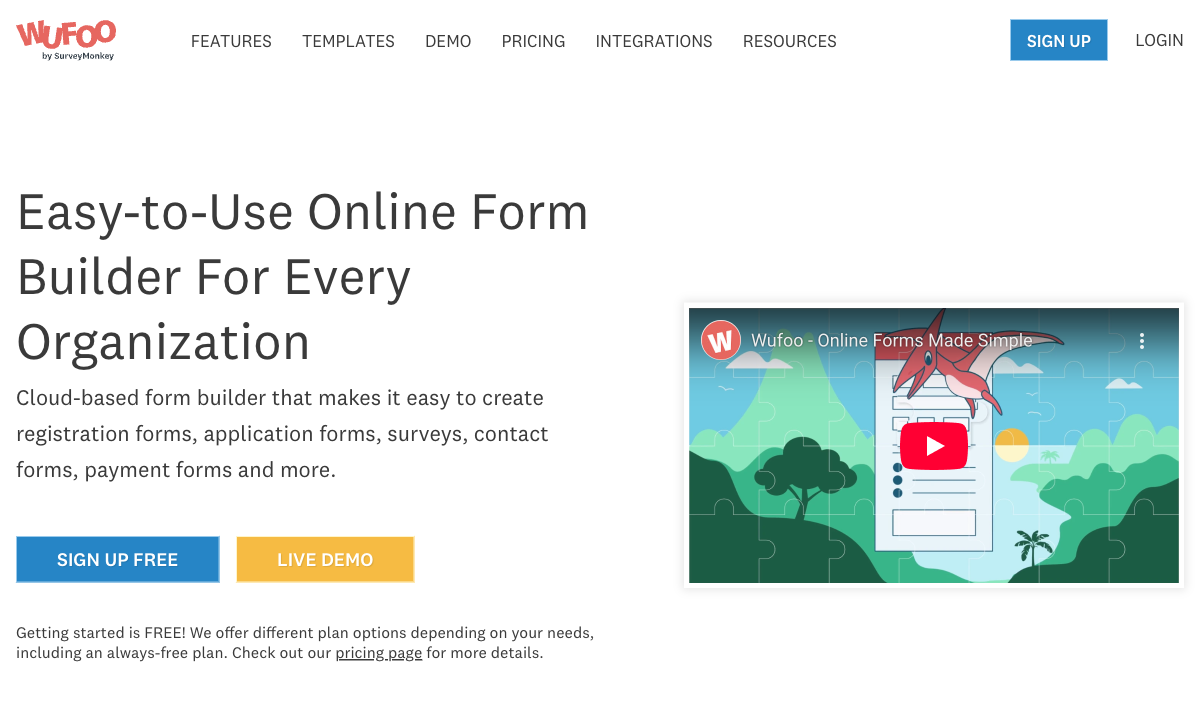
If you need a dead-simple contact form, RSVP, or feedback widget and don't care about design, payments, or calculations, Wufoo gets you there with minimal friction. The drag-and-drop builder is straightforward — arguably less of a learning curve than Paperform's document-style editor for someone who just needs five fields and a submit button. For truly throwaway forms with no complexity, Wufoo's simplicity is its remaining advantage.
More Free Submissions
Wufoo's free plan allows 100 submissions per month versus Paperform's 30. If you're running a low-volume form where submission count is the binding constraint, Wufoo gives you 3x the free headroom. However, Wufoo's free plan limits you to 5 forms, 10 fields per form, and no payment processing — so the extra submissions come with severe feature restrictions. For basic surveys or internal feedback forms where you need volume over capability, the 100-submission ceiling is a real advantage.
SurveyMonkey Ecosystem
If your organisation already relies heavily on SurveyMonkey for surveys and audience research, Wufoo offers some integration synergy within that ecosystem. The shared Momentive (now SurveyMonkey) platform means data can flow between Wufoo forms and SurveyMonkey analytics. This is a narrow advantage, but relevant for teams already invested in that toolchain.
Where Paperform Falls Short
- Lower free submission limit: 30 submissions/month versus Wufoo's 100 — for very low-volume, feature-light use cases, Wufoo's free tier offers more headroom
- Steeper learning curve for simple forms: Paperform's document-style editor is powerful but may feel like overkill if you genuinely only need a five-field contact form
- No HIPAA compliance: Neither platform offers HIPAA — healthcare organisations need to look at Jotform, FormAssembly, or Formstack
- No mobile editor: Forms are fully responsive for respondents, but there's no dedicated mobile app for building or editing forms on the go
Where Wufoo Falls Short
- 10-field limit on free plan: This single restriction makes the free tier unusable for most real-world forms. A basic event registration typically needs 8-12 fields; a job application needs 15+.
- Stagnant development: Acquired by SurveyMonkey in 2011, Wufoo has received minimal meaningful updates since. No calculation engine, no e-signatures, no AI features, no workflow automation. The product reflects 2010-era capabilities.
- Dated visual design: Wufoo's form themes and builder interface look outdated compared to modern alternatives. Limited customisation options, no rich content embedding, and no document-style layout options.
- Basic payment processing: Payment fields are available on paid plans only, limited to Stripe, PayPal, and Authorize.Net with no subscriptions, coupons, product management, or tax calculations.
- Limited template library: Roughly 400 templates, all constrained by the platform's basic feature set. No payment forms, calculators, or workflow templates because the platform can't support them.
- No calculation engine: Zero computational capability. Wufoo cannot calculate dynamic pricing, scores, totals, or conditional values. Every form is purely a data collection instrument.
- Weak integration ecosystem: Primarily reliant on Zapier for connectivity. Limited native integrations compared to Paperform's 2,000+ direct and third-party connections.
Pricing Comparison
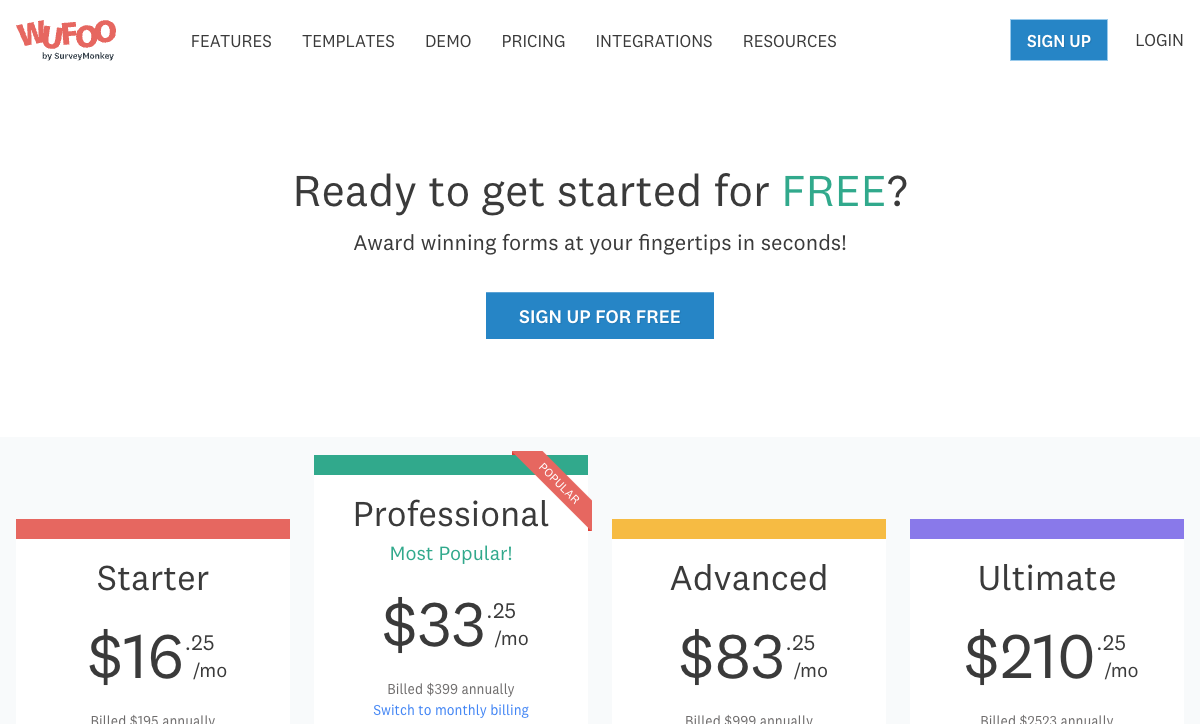
Wufoo appears cheaper at first glance, but feature-per-dollar favours Paperform at every tier.
| Tier | Paperform | Wufoo | Key Difference |
|---|---|---|---|
| Free | 30 responses, unlimited fields, 5 payment gateways, calculations | 100 responses, 5 forms, 10 fields/form, no payments | Wufoo has more submissions; Paperform has usable features |
| ~$19-29/mo | Essentials: unlimited forms, 100 responses, payments, eCommerce | Starter: 5 forms, 100 entries, 15 fields, basic payments | Paperform includes unlimited forms and full eCommerce for $10 more |
| ~$39-49/mo | Pro: 1,000 responses, custom CSS, analytics, API | Professional: 10 forms, 500 entries, 25 fields | Paperform offers 2x submissions, unlimited fields, and analytics |
| ~$99/mo | Business: 10,000 responses, SSO, API, S3 | Advanced: 25 forms, 1,000 entries, 50 fields | Paperform offers 10x the submissions with enterprise features |
All prices shown are annual billing rates. Monthly billing adds approximately 20-30% at both platforms.
Paperform
Wufoo
| Product | Plan | Monthly Price | Annual Price (per month) | Free Plan | Free Trial | Limits |
|---|---|---|---|---|---|---|
| Paperform | Free | Free | Free | Yes | 14 days | forms: Unlimited, submissions: 30/month, storage: 100 submissions, users: 1, file uploads: 100 MB |
| Paperform | Essentials | $29/mo | $24/mo billed annually | forms: Unlimited, submissions: 100/month, storage: 1,000 submissions, users: 1, file uploads: 1 GB | ||
| Paperform | Pro | $59/mo | $49/mo billed annually | forms: Unlimited, submissions: 1,000/month, storage: 10,000 submissions, users: 3, file uploads: 10 GB | ||
| Paperform | Business | $129/mo | $99/mo billed annually | forms: Unlimited, submissions: 10,000/month, storage: 100,000 submissions, users: 5, file uploads: 100 GB | ||
| Wufoo | Free | Free | Free | Yes | No | forms: 5, submissions: 100/month, storage: N/A, users: 1 |
| Wufoo | Starter | $16.25/mo | $16.25/mo billed annually | forms: 10, submissions: 1,000/month, storage: 1 GB, users: 1 | ||
| Wufoo | Professional | $33.25/mo | $33.25/mo billed annually | forms: Unlimited, submissions: 5,000/month, storage: 5 GB, users: 5 | ||
| Wufoo | Advanced | $83.25/mo | $83.25/mo billed annually | forms: Unlimited, submissions: 25,000/month, storage: 10 GB, users: 20 | ||
| Wufoo | Ultimate | $210.25/mo | $210.25/mo billed annually | forms: Unlimited, submissions: 200,000/month, storage: 20 GB, users: 60 |
What Users Say
Paperform averages 4.8/5 across review platforms, with particularly high marks for customer support and ease of use. Wufoo scores lower — around 4.3/5 on G2 and Capterra — with recurring complaints about the dated interface, field limits, and lack of development. Common Wufoo reviewer sentiment: "it works for basic forms but hasn't improved in years." Paperform's smaller review volume reflects its younger age (founded 2016 vs 2006), but review quality and scores are consistently higher.
Notably, many Wufoo reviewers who switch to modern alternatives cite the same frustrations: the 10-field limit on free plans, inability to create payment forms, and the general sense that the product hasn't evolved. Paperform reviewers, by contrast, frequently highlight the calculation engine, design quality, and responsive customer support as reasons they chose the platform over alternatives.
See Them in Action
The Verdict
Paperform is the better choice for virtually every use case. It offers more features in every category — payments (5 gateways vs basic fields), design (document editor vs dated widgets), calculations (Excel-style engine vs none), templates (30,000+ vs ~400), and integrations (2,000+ vs limited). The only areas where Wufoo edges ahead are free submission count (100 vs 30) and raw simplicity for throwaway forms.
Wufoo makes sense in one narrow scenario: you need a disposable, extremely simple form (under 10 fields), you don't need payments or calculations, and the 100 free submissions matter more than any advanced capability. For this specific use case — an internal feedback form, a quick RSVP, a basic contact widget — Wufoo's simplicity is adequate.
Wufoo was a pioneer that deserves credit for making form building accessible. But the product hasn't kept pace. SurveyMonkey's acquisition preserved the service without investing in its evolution. Paperform, founded a decade later, is bootstrapped, profitable, and actively building — a safer platform bet for anyone planning beyond next month. When you choose a form builder, you're choosing a platform for years of business processes. Paperform's active development and revenue-funded growth make it the more reliable long-term choice.
For details on more options, see our complete Wufoo alternatives analysis or the full best form builders ranking.
Frequently Asked Questions
Is Wufoo still being actively developed?
Barely. Wufoo was acquired by SurveyMonkey in 2011 and has received minimal feature updates since. The core product largely reflects its 2010-era capabilities — basic form building, simple reporting, and limited integrations. There is no public product roadmap, no changelog showing meaningful updates, and the 10-field limit on the free plan has been in place for over a decade. Paperform, by contrast, ships regular updates, added AI form generation in 2025, and continues expanding its calculation engine, payment integrations, and template library.
Can Wufoo handle payment processing like Paperform?
Wufoo supports basic payment collection through Stripe, PayPal, and Authorize.Net, but only on paid plans starting at $19/month. There's no product management, subscription handling, coupon system, or tax calculation — just simple one-time payment fields. Paperform connects five payment gateways (Stripe, PayPal, Square, Braintree, Google Pay) on every plan including free, with full eCommerce: subscriptions, recurring payments, coupons, discount codes, tax calculations, refund processing, and product catalogue management. If you sell anything through forms, Paperform is in a different category.
Why does Wufoo limit forms to 10 fields on the free plan?
Wufoo's 10-field limit on free forms dates back to its original freemium model from the mid-2000s. The restriction was designed to push users toward paid plans, but it makes the free tier nearly unusable for anything beyond the simplest contact forms. A basic event registration form typically needs 8-12 fields; a job application needs 15+. Paperform's free plan has no field limit — you get unlimited fields, conditional logic, calculations, and five payment gateways on up to 30 submissions per month.
Can I migrate my forms from Wufoo to Paperform?
There's no automated migration tool, but the process is straightforward. Export your Wufoo form submissions as CSV for your records. Then rebuild in Paperform — given Wufoo's 10-field limit, most Wufoo forms are simple enough to recreate in minutes using Paperform's document-style editor or one of its 30,000+ templates. Any Zapier integrations connected to Wufoo can be repointed to Paperform, since both platforms support Zapier triggers and actions. You'll likely find that Paperform lets you build the form you actually wanted but couldn't create within Wufoo's constraints.
Is Wufoo cheaper than Paperform?
At the surface level, Wufoo's Starter plan ($19/month) appears cheaper than Paperform's Essentials ($29/month). But compare what you get: Wufoo Starter gives you 5 forms, 100 submissions, and 10 fields per form with no payments. Paperform Essentials gives you unlimited forms, 100 submissions, unlimited fields, five payment gateways, eCommerce, calculations, e-signatures, and 2,000+ integrations. Per-feature, Paperform delivers dramatically more value. Wufoo's pricing is a legacy structure — you're paying 2006-era prices for 2006-era capabilities.
Sources & References
- Best Online Form Builder to Use in 2026 — Top 20 Tools — EmailToolTester, 2026
- Wufoo Review — Pros, Cons, and Alternatives — G2, 2026
- Paperform — Complete Beginners Guide (YouTube) — AppFind, 2025
Last updated March 21, 2026
Ready to try Paperform?
Create beautiful forms, payment pages, and workflows — no code required.