Paperform vs WPForms: Which Is Better in 2026?
Paperform and WPForms were both founded in 2016, both bootstrapped, and both profitable — but they took completely different paths. WPForms built the most popular WordPress form plugin with 6 million active installs and annual pricing as low as $49.50/year. Paperform built a standalone SaaS form builder with a document-style editor, five payment gateways, and an Excel-style calculation engine that works on any website, not just WordPress.
The core tension is platform independence versus WordPress simplicity. If your world is WordPress and only WordPress, WPForms is a solid, affordable choice. If you need forms that work everywhere — or capabilities that go beyond what a WordPress plugin can deliver — Paperform is the stronger platform.
Quick Verdict
Choose Paperform if:
- You need forms that work on any website (not just WordPress)
- You need advanced payment processing (5 gateways, full eCommerce)
- You need calculations, custom domains, API access, or e-signatures
- You want design freedom beyond WordPress theme constraints
- You need enterprise features (SSO, SOC 2, data residency)
Choose WPForms if:
- Your entire web presence is WordPress and will stay that way
- You need native WordPress theme integration (no iframe)
- Budget is the primary constraint and $49.50/year matters
- You want 6M+ install-base maturity for a WordPress plugin
Feature Comparison
Side-by-side across every feature category. Paperform is highlighted for reference.
| Feature | Paperform | WPForms |
|---|---|---|
| Form Building | ||
| Document-style editor | Yes | No |
| AI form creation | Yes | Yes basic |
| Field types | 26+ | Yes basic |
| File uploads | Yes | No |
| Multi-page forms | Yes | Yes basic |
| Guided mode (one question at a time) | Yes | Yes pro |
| Conditional logic | Yes | Yes basic |
| Calculations field | Yes essentials | Yes pro |
| AI calculations assistant | Yes essentials | No |
| Scoring | Yes essentials | Yes pro |
| Answer piping | Yes | No |
| Pre-filling and hidden fields | Yes essentials | Yes basic |
| Save and resume | Yes | Yes pro |
| Auto-close by number | Yes essentials | Yes basic |
| Auto-close by date | Yes pro | Yes basic |
| Appointment/booking field | Yes | No |
| Signature field | Yes | Yes pro |
| Color picker field | Yes | No |
| API-powered dropdowns | Yes business | No |
| Google address search | Yes business | Yes pro |
| Payments | ||
| Stripe payments | Yes | Yes pro |
| PayPal payments | Yes | Yes pro |
| Square payments | Yes | Yes pro |
| Braintree payments | Yes | No |
| Google Pay | Yes | No |
| Product sales (eCommerce) | Yes essentials | No |
| Subscriptions | Yes essentials | Yes pro |
| Coupons and discounts | Yes essentials | Yes pro |
| Custom pricing rules | Yes essentials | Yes pro |
| Tax calculations | Yes | No |
| Quotes/invoices | Yes | No |
| Refunds | Yes | No |
| 3D Secure | Yes | No |
| Design & Customization | ||
| Template gallery | 30,000+ | Yes pro |
| Rich media (images, GIFs, videos) | Yes | Yes basic |
| Unsplash and Giphy integration | Yes | No |
| Image editor | Yes | No |
| Adobe Creative Cloud | Yes | No |
| Language translation | Yes | Yes basic |
| Advanced theming | Yes pro | Yes basic |
| Custom form URL | Yes pro | Yes pro |
| Custom domains | Yes pro | Yes basic |
| Custom HTML & CSS | Yes pro | Yes basic |
| Remove branding | Yes pro | Yes basic |
| Custom email domains | Yes business | No |
| Analytics | ||
| Submission results and reports | Yes | Yes basic |
| AI report insights | Yes pro | No |
| Paperform analytics | Yes pro | No |
| Drop-off analysis | Yes pro | No |
| Google Analytics & Facebook Pixel | Yes essentials | No |
| Custom analytics scripts | Yes pro | No |
| Partial submissions | Yes pro | Yes pro |
| Collaboration | ||
| Multi-user accounts | Yes pro | Yes basic |
| User permissions and management | Yes pro | Yes pro |
| Advanced permissions & admin | Yes enterprise | Yes elite |
| Form sharing (templates) | Yes | Yes basic |
| Spaces and tag management | Yes | No |
| Security | ||
| SOC 2 Type II | Yes | No |
| GDPR compliant | Yes | Yes basic |
| SSL encryption | Yes | Yes basic |
| Two-factor authentication | Yes | No |
| Enforce 2FA for all users | Yes business | No |
| SSO (SAML) | Yes business | No |
| reCAPTCHA | Yes | Yes basic |
| Local data residency | Yes enterprise | Yes |
| Custom S3 storage (BYO) | Yes business | No |
| Custom S3 storage | No | No |
| Integrations & API | ||
| Native integrations | 2,000+ | No |
| Zapier | Yes | Yes pro |
| Make (Integromat) | Yes | Yes pro |
| Webhooks | Yes pro | Yes elite |
| Standard API | Yes pro | No |
| Business API | Yes business | No |
| WordPress plugin | Yes | Yes |
| oEmbed support | Yes | No |
| 2000+ integrations | No | Yes pro |
Where Paperform Wins

Works Everywhere, Not Just WordPress
This is the fundamental difference. Paperform is a standalone SaaS platform — forms can be embedded on WordPress, Shopify, Squarespace, Wix, custom-coded sites, or hosted on custom domains. Share a form via link, QR code, or popup. If you change website platforms, your forms keep working. WPForms is a WordPress plugin that requires a self-hosted WordPress installation. No WordPress, no forms. If you ever migrate to Shopify, Webflow, or a headless CMS, every WPForms form stops working.
Payment Processing (5 Gateways vs 3)
Paperform connects Stripe, PayPal, Square, Braintree, and Google Pay on every plan, including free. Full eCommerce capabilities — product management, subscriptions, coupons, discount codes, tax calculations, and refund processing — are included. WPForms supports Stripe, PayPal, and Square on the Pro plan ($199.50/year), but with basic payment collection only. No product catalog, no subscription management with full billing, and no refund processing through forms. For businesses that sell through forms, Paperform is significantly more capable.
The Calculation Engine
Paperform's Excel-style calculations are the feature WPForms can't match. These aren't simple calculators — they're formulas that compute dynamic pricing, risk scores, quiz results, tax amounts, and conditional totals across questions, pages, emails, integrations, and success pages. WPForms has a calculator addon on Pro that handles basic cost estimates, but it can't drive logic across the entire form experience or power real-time pricing in the way Paperform's calculation engine does.
Design Freedom
Paperform's document-style editor creates forms that look like professionally designed landing pages. Text, images, videos, and fields coexist freely. Custom CSS, custom domains, Unsplash and Giphy integration, and advanced theming provide complete brand control. WPForms' styling is tied to your WordPress theme — useful for consistency, but limiting when you need a form that stands on its own as a branded experience.
Built-in E-Signatures and Workflow Automation
Paperform includes Papersign (e-signatures for contracts and consent forms with full audit trails) and Stepper (multi-step workflow automation) at no additional cost. These are standalone products bundled into the platform.
WPForms has a digital signature field on Pro but no standalone e-signature product for contracts or agreements, and no visual workflow builder. For businesses that need forms + signatures + automation, Paperform consolidates all three into one platform at no extra cost.
Enterprise Security
Paperform is SOC 2 Type II certified with SSO, data residency options, and enterprise SLAs. WPForms has no independent security certifications — SOC 2, HIPAA, and ISO are all absent. Security depends entirely on your WordPress hosting provider's infrastructure. For organisations with compliance requirements — financial services, healthcare, education, government — Paperform provides certified assurance that a WordPress plugin cannot. This is particularly important for client-facing forms that collect sensitive personal or financial data.
Where WPForms Wins
Native WordPress Integration
WPForms renders natively within WordPress — no iframe, no external hosting, no cross-domain issues. Forms inherit your WordPress theme's styling automatically and work seamlessly with Elementor, Divi, Beaver Builder, and other page builders. Data stays on your WordPress server. For WordPress-only organisations that want forms to feel like a natural part of their site, this native integration is a genuine advantage over Paperform's embed approach.
Price Point for WordPress-Only Use
WPForms Basic costs $49.50/year ($4.13/month) for unlimited forms and submissions on one site. Even WPForms Pro at $199.50/year ($16.63/month) is cheaper than Paperform's Pro at $49/month. If your needs are basic contact forms and feedback collection on a WordPress site, WPForms is genuinely more cost-effective. The gap closes when you factor in WordPress hosting costs and the features WPForms lacks, but on raw license price, WPForms wins.
Beginner-Friendly for WordPress Users
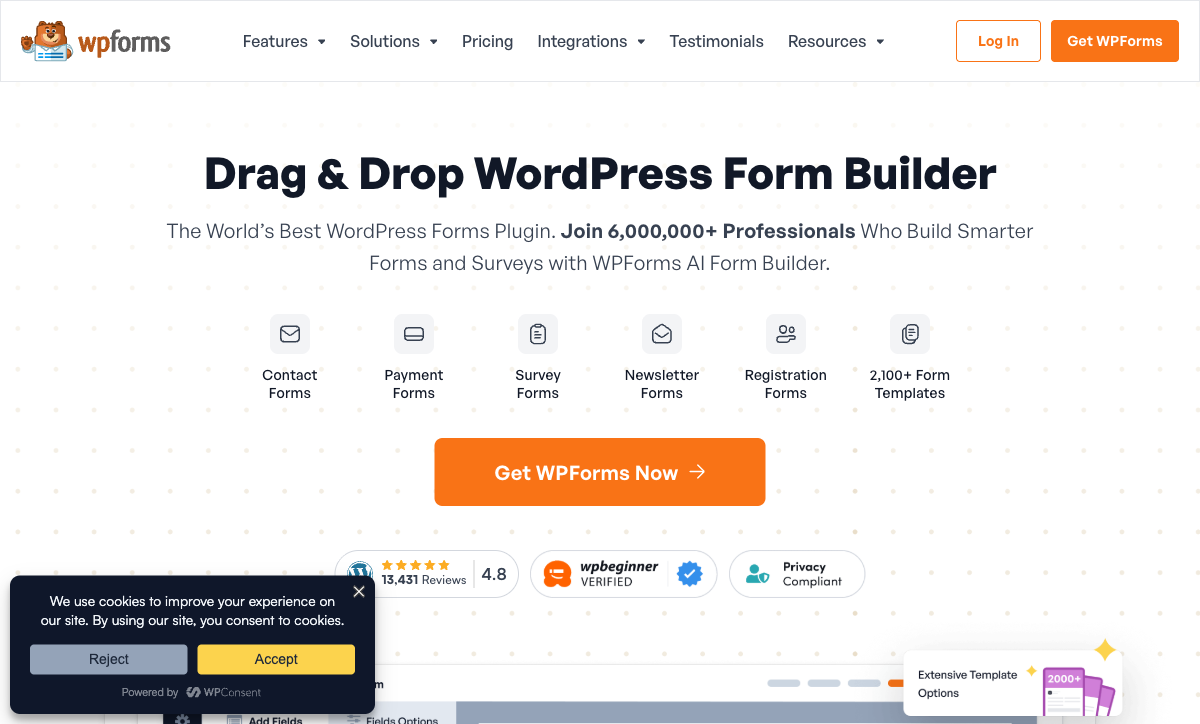
WPForms is consistently rated as the easiest WordPress form plugin — 4.8/5 across 13,000+ reviews with particular praise for its drag-and-drop simplicity. For non-technical WordPress site owners who need a contact form up and running in minutes, WPForms' learning curve is essentially flat. The Lite (free) plugin on WordPress.org provides basic forms with zero cost.
Massive Install Base
6,000,000+ active WordPress installs and 13,431 reviews give WPForms significant social proof and community support. Extensive documentation, tutorials, and third-party guides exist for nearly every use case. For WordPress users who value community resources and proven stability, WPForms' scale is reassuring. Notable customers include GoDaddy, QuickBooks, Zapier, DreamHost, WP Engine, CNET, and SAP — demonstrating adoption across both small and enterprise WordPress sites.
Data Stays on Your Server
As a WordPress plugin, WPForms stores all form data on your own server. There's no third-party SaaS holding your submissions. For organisations with data sovereignty requirements or those who prefer full control over their infrastructure, this self-hosted model is a genuine advantage. Paperform stores submissions on its own cloud infrastructure — secure (SOC 2 Type II certified), but ultimately third-party hosted.
Where Paperform Falls Short
- No native WordPress integration: Paperform forms embed via iframe on WordPress, which means they don't automatically inherit your WordPress theme's styling. They look great on their own, but there's a visual boundary between form and site.
- Higher price point: Paperform Essentials starts at $24/month (annual) versus WPForms Basic at $4.13/month. If your needs are simple WordPress contact forms, the price difference is significant.
- No WordPress-specific features: No integration with WordPress user roles, multisite support, or page builder native blocks. WPForms is purpose-built for WordPress; Paperform is platform-agnostic.
- No mobile editor: Like WPForms, Paperform lacks a dedicated mobile app for building forms — but Paperform's web-based editor works on any device without requiring a WordPress admin dashboard.
Where WPForms Falls Short
- Requires WordPress: WPForms is a WordPress plugin — no standalone forms, no embed on non-WordPress sites, no shareable form links independent of WordPress. If you leave WordPress, you lose everything.
- No REST API: No public API for programmatic access or custom integrations. Webhooks require the Elite plan at $299.50/year. Automation is limited to what the plugin's addons support.
- No enterprise security certifications: No SOC 2, no HIPAA, no ISO certifications. Security depends entirely on your WordPress hosting setup — a significant gap for compliance-sensitive industries.
- Feature gating across tiers: Payments, Zapier, surveys, signatures, and save/resume all require Pro ($199.50/year). CRM integrations and webhooks require Elite ($299.50/year). Renewal pricing is 2x the introductory rate — a detail many users discover too late.
- No eCommerce capabilities: No product catalog, no inventory management, no tax calculations, no refund processing. Basic payment collection only — not a platform for selling products or services through forms.
- Basic calculations: Calculator addon on Pro handles simple cost estimates, but cannot drive logic across questions, pages, emails, integrations, and success pages like Paperform's Excel-style calculation engine.
- No built-in analytics: No form analytics dashboard, no conversion tracking, no A/B testing. User journey reports on Pro exist but there's no real-time analytics layer.
Pricing Comparison
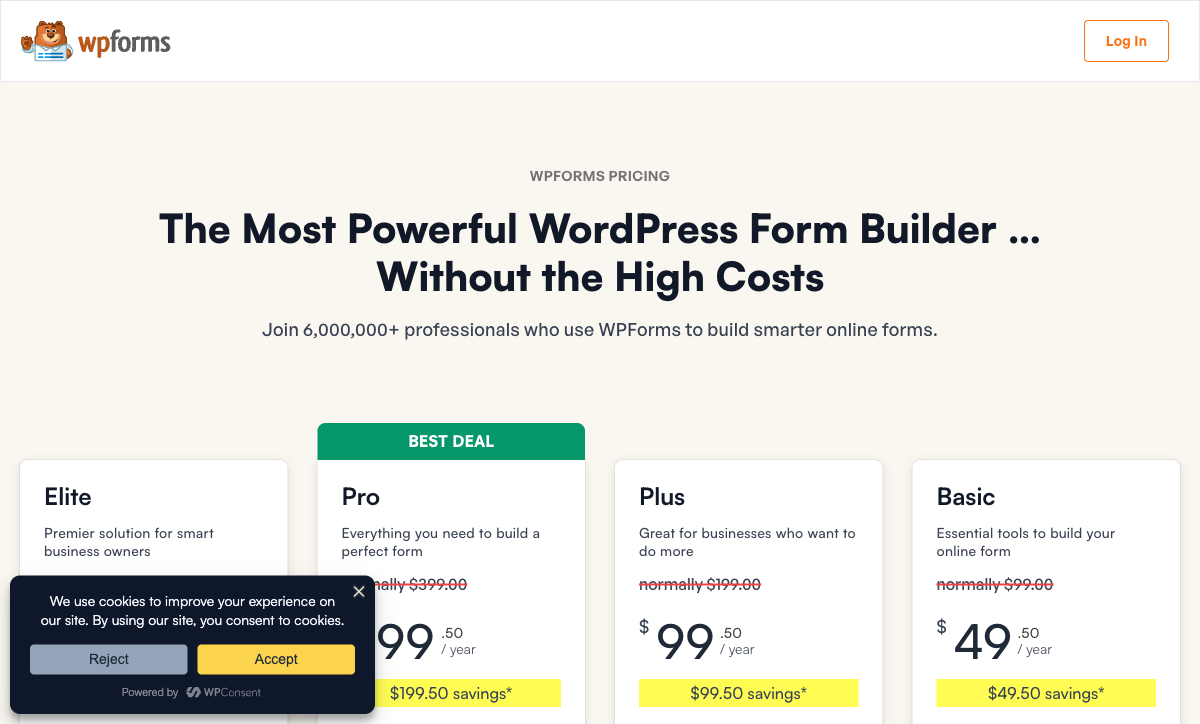
WPForms is cheaper on license price, but the feature gap is substantial:
| Tier | Paperform | WPForms | Key Difference |
|---|---|---|---|
| Free | 30 submissions, 5 payment gateways, calculations, 2,000+ integrations | Lite: basic fields, spam protection, email notifications | Paperform free is far more capable |
| Entry Level | Essentials: $24/mo — payments, eCommerce, scoring | Basic: $49.50/yr — advanced fields, conditional logic | WPForms cheaper but no payments, no integrations |
| Full Featured | Pro: $49/mo — CSS, analytics, API, webhooks | Pro: $199.50/yr — payments, Zapier, surveys, signatures | WPForms Pro matches some Paperform Essentials features |
| Business | Business: $99/mo — SSO, 10K submissions, S3 | Elite: $299.50/yr — CRMs, webhooks, unlimited sites | Paperform adds enterprise security; WPForms adds CRM addons |
Paperform prices are annual billing. WPForms prices are introductory annual rates — renewal doubles the price (e.g., Pro renews at $399/year).
Paperform
WPForms
| Product | Plan | Monthly Price | Annual Price (per month) | Free Plan | Free Trial | Limits |
|---|---|---|---|---|---|---|
| Paperform | Free | Free | Free | Yes | 14 days | forms: Unlimited, submissions: 30/month, storage: 100 submissions, users: 1, file uploads: 100 MB |
| Paperform | Essentials | $29/mo | $24/mo billed annually | forms: Unlimited, submissions: 100/month, storage: 1,000 submissions, users: 1, file uploads: 1 GB | ||
| Paperform | Pro | $59/mo | $49/mo billed annually | forms: Unlimited, submissions: 1,000/month, storage: 10,000 submissions, users: 3, file uploads: 10 GB | ||
| Paperform | Business | $129/mo | $99/mo billed annually | forms: Unlimited, submissions: 10,000/month, storage: 100,000 submissions, users: 5, file uploads: 100 GB | ||
| WPForms | Lite (Free) | Free | Free | Yes | 14 days | forms: Unlimited, submissions: Unlimited, users: Unlimited |
| WPForms | Basic | Not listed | $4.13/mo billed annually | forms: Unlimited, submissions: Unlimited, users: Unlimited | ||
| WPForms | Plus | Not listed | $8.29/mo billed annually | forms: Unlimited, submissions: Unlimited, users: Unlimited | ||
| WPForms | Pro | Not listed | $16.63/mo billed annually | forms: Unlimited, submissions: Unlimited, users: Unlimited | ||
| WPForms | Elite | Not listed | $24.96/mo billed annually | forms: Unlimited, submissions: Unlimited, users: Unlimited |
What Users Say
Both platforms enjoy strong ratings. WPForms averages 4.8/5 across 13,000+ reviews on WordPress.org, with praise for ease of use and reliability within WordPress. Paperform averages 4.8/5 across ~498 reviews with consistently high marks for customer support (4.7-4.9), design flexibility, and calculation capabilities. The key difference in feedback: WPForms users who outgrow WordPress feel stuck, while Paperform users occasionally wish for deeper WordPress-native integration.
See Them in Action
Who Should Switch from WPForms to Paperform?
If you're currently using WPForms and running into these limitations, Paperform is worth evaluating:
- You're outgrowing WordPress: If you're considering Shopify, Webflow, Squarespace, or a headless CMS, your WPForms forms won't survive the migration. Paperform works on any platform.
- You need real eCommerce: Product catalogs, subscription management, coupons, tax calculations, and refund processing — WPForms handles basic payments, but Paperform is a full eCommerce forms platform.
- You need an API: WPForms has no REST API. If you need programmatic form management, custom integrations, or developer workflows, Paperform's API is available on Pro.
- You need compliance certifications: WPForms has no SOC 2, no HIPAA, no ISO certifications. If your industry requires documented compliance, Paperform's SOC 2 Type II provides certified assurance.
- Renewal pricing shocked you: WPForms' introductory prices double on renewal. If you're facing a $399/year renewal for Pro, Paperform's consistent pricing at $588/year provides more features without surprises.
Who Should Stay on WPForms?
WPForms remains the right choice if these conditions are true for your situation:
- Your entire web presence is WordPress and you have no plans to migrate
- Native theme integration matters more to you than design flexibility
- Your form needs are basic — contact forms, feedback, simple lead capture
- Budget is the primary constraint and WPForms Basic at $49.50/year fits better than any SaaS alternative
- You prefer data stored on your own WordPress server rather than a third-party SaaS
The Verdict
Paperform is the better choice for most businesses because it works everywhere, offers five payment gateways versus three, includes a calculation engine that WPForms can't match, provides enterprise security certifications, and comes with built-in e-signatures and workflow automation. The document-style editor creates forms that stand alone as branded experiences, not just embedded widgets on a WordPress page.
WPForms wins for WordPress-only organisations on a tight budget where native theme integration matters and advanced features (payments, calculations, API, analytics) aren't needed. At $49.50/year for Basic, it's the most affordable way to add functional forms to a WordPress site. But that affordability comes with platform lock-in — if you ever leave WordPress, you start over.
Both companies share a similar story: founded in 2016, bootstrapped, profitable. WPForms (owned by Awesome Motive) has scale in the WordPress ecosystem with 6M+ installs. Paperform has breadth as a platform-independent form builder used by 500,000+ businesses. Neither depends on venture capital, which makes both stable long-term bets. For more options, see our complete WPForms alternatives analysis or the full best form builders ranking.
Frequently Asked Questions
Can I use Paperform on a WordPress site?
Yes. Paperform forms embed on any website — WordPress included — via iframe, popup, or direct link. The form is hosted by Paperform, so it loads independently of your WordPress theme and doesn't require a plugin installation. You can also use Paperform on custom domains, Shopify, Squarespace, Wix, or any other platform simultaneously. WPForms only works on WordPress, so if you ever move away from WordPress, you lose all your forms.
Is WPForms really cheaper than Paperform?
WPForms' annual pricing looks cheaper on the surface — $49.50/year for Basic versus Paperform's $288/year for Essentials. But WPForms Basic doesn't include payments, calculations, Zapier, surveys, or signatures. To get those features, you need WPForms Pro at $199.50/year ($16.63/month). Even then, WPForms Pro lacks custom domains, REST API, eCommerce product management, and built-in analytics. And crucially, you need to pay for WordPress hosting separately ($5-50/month), which closes the price gap significantly. Factor in hosting costs and the feature gap, and Paperform delivers more total value.
Does WPForms have an API?
No. WPForms has no public REST API. As a WordPress plugin, it relies entirely on the WordPress admin dashboard for management. Webhooks are only available on the Elite plan ($299.50/year). Paperform offers a full REST API on the Pro plan ($49/month) for programmatic form management, submission retrieval, and custom integrations — plus webhooks on Pro and above.
Which has better payment processing: Paperform or WPForms?
Paperform has significantly more payment capabilities. Paperform connects five gateways (Stripe, PayPal, Square, Braintree, Google Pay) on all plans including free, with full eCommerce: product management, subscriptions, coupons, tax calculations, and refunds. WPForms supports Stripe and PayPal on the Pro plan ($199.50/year) and Square on Pro, with basic payment collection but no product catalog, no subscription management with full billing, and no refund processing through forms.
What happens to my forms if I leave WordPress?
If you migrate away from WordPress, WPForms stops working entirely — it's a WordPress plugin with no standalone capability. Your form designs, logic, and templates are locked inside WordPress. Paperform is platform-independent: forms live on Paperform's infrastructure and work on any website, custom domain, or as standalone links. If you change website platforms, your Paperform forms continue working without any changes.
Sources & References
- WPForms Review 2026: Is It Still the Best WordPress Form Plugin? — WPBeginner, 2026
- Best Online Form Builder to Use in 2026 — Top 20 Tools — EmailToolTester, 2026
- WPForms Pricing — WPForms, 2026
Last updated March 21, 2026
Ready to try Paperform?
Create beautiful forms, payment pages, and workflows — no code required.