Paperform vs Microsoft Forms: Which Is Better in 2026?
This isn't really a fair fight — Paperform is a dedicated form builder with payment processing, calculations, e-signatures, and a design-forward editor. Microsoft Forms is a basic survey tool bundled into Microsoft 365. They exist in different categories. But the comparison matters because millions of businesses already have Microsoft Forms through their M365 subscription and wonder whether it's "good enough" or whether a dedicated tool is worth the investment.
The short answer: Microsoft Forms is excellent for internal data collection within Microsoft-powered organisations. Paperform is necessary when forms need to represent your brand, collect money, or do anything beyond basic Q&A.
Quick Verdict
Choose Paperform if:
- Your forms are customer-facing and need professional branding
- You need to collect payments through forms
- You need calculations, conditional logic, or e-signatures
- You want forms that work across any platform, not just Microsoft
Choose Microsoft Forms if:
- You only need internal surveys and team feedback
- Your organisation runs entirely on Microsoft 365
- Budget is zero and forms are simple data collection
- You need native Teams, Excel, and Power Automate integration
Feature Comparison
| Feature | Paperform | Microsoft Forms |
|---|---|---|
| Form Building | ||
| Document-style editor | Yes | No |
| AI form creation | Yes | Yes copilot |
| Field types | 26+ | No |
| File uploads | Yes | No |
| Multi-page forms | Yes | Yes |
| Guided mode (one question at a time) | Yes | No |
| Conditional logic | Yes | Yes |
| Calculations field | Yes essentials | No |
| AI calculations assistant | Yes essentials | No |
| Scoring | Yes essentials | Yes |
| Answer piping | Yes | No |
| Pre-filling and hidden fields | Yes essentials | No |
| Save and resume | Yes | No |
| Auto-close by number | Yes essentials | Yes |
| Auto-close by date | Yes pro | Yes |
| Appointment/booking field | Yes | No |
| Signature field | Yes | No |
| Color picker field | Yes | No |
| API-powered dropdowns | Yes business | No |
| Google address search | Yes business | No |
| Payments | ||
| Stripe payments | Yes | No |
| PayPal payments | Yes | No |
| Square payments | Yes | No |
| Braintree payments | Yes | No |
| Google Pay | Yes | No |
| Product sales (eCommerce) | Yes essentials | No |
| Subscriptions | Yes essentials | No |
| Coupons and discounts | Yes essentials | No |
| Custom pricing rules | Yes essentials | No |
| Tax calculations | Yes | No |
| Quotes/invoices | Yes | No |
| Refunds | Yes | No |
| 3D Secure | Yes | No |
| Design & Customization | ||
| Template gallery | 30,000+ | Yes |
| Rich media (images, GIFs, videos) | Yes | Yes |
| Unsplash and Giphy integration | Yes | No |
| Image editor | Yes | No |
| Adobe Creative Cloud | Yes | No |
| Language translation | Yes | Yes |
| Advanced theming | Yes pro | No |
| Custom form URL | Yes pro | No |
| Custom domains | Yes pro | No |
| Custom HTML & CSS | Yes pro | No |
| Remove branding | Yes pro | No |
| Custom email domains | Yes business | No |
| Analytics | ||
| Submission results and reports | Yes | Yes |
| AI report insights | Yes pro | Yes |
| Paperform analytics | Yes pro | No |
| Drop-off analysis | Yes pro | No |
| Google Analytics & Facebook Pixel | Yes essentials | No |
| Custom analytics scripts | Yes pro | No |
| Partial submissions | Yes pro | No |
| Collaboration | ||
| Multi-user accounts | Yes pro | Yes |
| User permissions and management | Yes pro | Yes |
| Advanced permissions & admin | Yes enterprise | Yes enterprise |
| Form sharing (templates) | Yes | Yes |
| Spaces and tag management | Yes | No |
| Security | ||
| SOC 2 Type II | Yes | Yes |
| GDPR compliant | Yes | Yes |
| SSL encryption | Yes | Yes |
| Two-factor authentication | Yes | Yes |
| Enforce 2FA for all users | Yes business | Yes enterprise |
| SSO (SAML) | Yes business | Yes |
| reCAPTCHA | Yes | No |
| Local data residency | Yes enterprise | Yes enterprise |
| Custom S3 storage (BYO) | Yes business | No |
| Integrations & API | ||
| Native integrations | 2,000+ | No |
| Zapier | Yes | No |
| Make (Integromat) | Yes | No |
| Webhooks | Yes pro | No |
| Standard API | Yes pro | No |
| Business API | Yes business | No |
| WordPress plugin | Yes | No |
| oEmbed support | Yes | Yes |
| 2000+ integrations | No | No |
Where Paperform Wins

Everything Microsoft Forms Can't Do
The list of features Paperform has that Microsoft Forms lacks is extensive: payment processing (five gateways), Excel-style calculations (dynamic pricing, scoring, conditional math), e-signatures (Papersign), workflow automation (Stepper), custom branding (fonts, colours, logos, domains), custom CSS, 30,000+ templates, 26+ field types versus roughly 11, and 2,000+ integrations beyond the Microsoft ecosystem. This isn't a feature-by-feature contest — it's a category difference.
Design Quality
Microsoft Forms produces functional but visually generic outputs — every form looks like a Microsoft Form. Paperform's document-style editor produces forms that look like custom-designed pages, with full control over layout, typography, colours, images, and spacing. For client-facing forms, this difference directly impacts brand perception and conversion rates.
Platform Independence
Paperform works everywhere: embed on any website (WordPress, Shopify, Webflow, Squarespace), share as standalone links, or use custom domains. Microsoft Forms is tethered to the Microsoft ecosystem — it works best within Teams and SharePoint, and embedding outside Microsoft properties is limited. If your business uses tools beyond Microsoft 365, Paperform connects to all of them.
Where Microsoft Forms Wins
Already Included in Microsoft 365
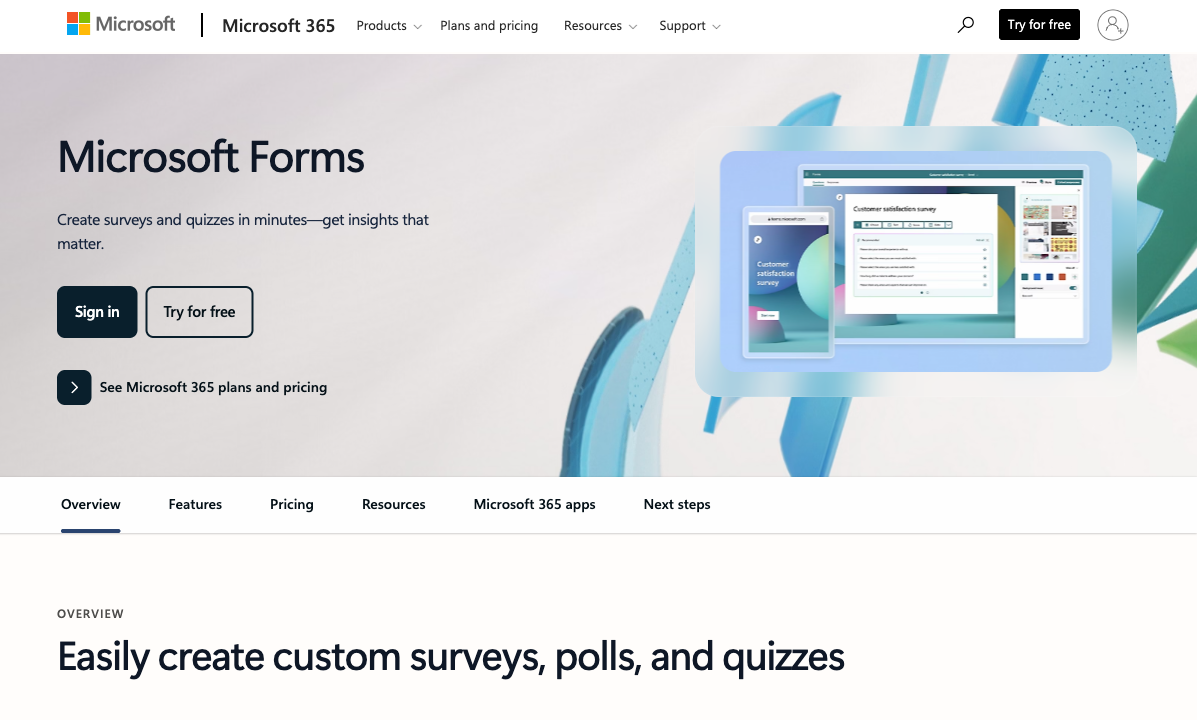
If your organisation pays for Microsoft 365 (and most do), Microsoft Forms costs nothing additional. No procurement process, no new vendor approval, no additional login. For IT departments that want to minimise tool sprawl and keep data within the Microsoft tenant, this is a genuine advantage.
Native Microsoft Integration
Responses flow directly into Excel. Forms can be shared in Teams channels. Power Automate triggers workflows from submissions. SharePoint sites embed forms natively. For organisations whose entire workflow lives in Microsoft 365, this seamless integration eliminates data silos without any middleware.
Simplicity and Familiarity
Microsoft Forms has a minimal learning curve — if you've used any Microsoft product, you already know how it works. For organisations with non-technical staff who need to create basic surveys and forms, the familiarity reduces training overhead to nearly zero.
Where Paperform Falls Short
- Not free: Paperform's free plan includes 30 submissions/month, but unlimited submissions require $29/month (Essentials). Microsoft Forms is free with M365.
- No native Microsoft integration: Connecting to Teams, Excel, or Power Automate requires Zapier/Make middleware — not as seamless as Microsoft Forms' native connections
- Another vendor to manage: For IT teams that prefer consolidating vendors, adding Paperform means another account, another security review, another data processor
Where Microsoft Forms Falls Short
- No payment processing: Zero support for collecting payments. Any form that involves money needs a separate tool.
- Minimal design control: You can change the header image and colour theme. That's it. No custom fonts, no layout control, no branding beyond basic colours.
- Limited field types: Roughly 11 field types versus Paperform's 26+. No file upload limits, no date/time pickers with availability, no signature fields, no rating scales beyond basic.
- No conditional logic depth: Basic branching (show/hide sections) but no calculations, no scored assessments, no dynamic content based on previous answers.
- Response caps: 200 responses per form on personal accounts (5,000 with M365 subscriptions). Large-scale surveys may hit this limit.
- Ecosystem lock-in: Forms only work well within Microsoft. Embedding outside SharePoint/Teams is limited. Data is trapped in the Microsoft graph.
Pricing Comparison
Paperform
Microsoft Forms
| Product | Plan | Monthly Price | Annual Price (per month) | Free Plan | Free Trial | Limits |
|---|---|---|---|---|---|---|
| Paperform | Free | Free | Free | Yes | 14 days | forms: Unlimited, submissions: 30/month, storage: 100 submissions, users: 1, file uploads: 100 MB |
| Paperform | Essentials | $29/mo | $24/mo billed annually | forms: Unlimited, submissions: 100/month, storage: 1,000 submissions, users: 1, file uploads: 1 GB | ||
| Paperform | Pro | $59/mo | $49/mo billed annually | forms: Unlimited, submissions: 1,000/month, storage: 10,000 submissions, users: 3, file uploads: 10 GB | ||
| Paperform | Business | $129/mo | $99/mo billed annually | forms: Unlimited, submissions: 10,000/month, storage: 100,000 submissions, users: 5, file uploads: 100 GB | ||
| Microsoft Forms | Free (Personal Microsoft Account) | Free | Free | Yes | 1 month | forms: 400, submissions: 200/form, storage: N/A, users: 1 |
| Microsoft Forms | Microsoft 365 Business Basic | $6/mo | $6/mo billed annually | forms: 400, submissions: 5,000,000/form, storage: 1 TB OneDrive, users: Per user | ||
| Microsoft Forms | Microsoft 365 Business Standard | $12.5/mo | $12.5/mo billed annually | forms: 400, submissions: 5,000,000/form, storage: 1 TB OneDrive, users: Per user | ||
| Microsoft Forms | Microsoft 365 Business Premium | $22/mo | $22/mo billed annually | forms: 400, submissions: 5,000,000/form, storage: 1 TB OneDrive, users: Per user |
Microsoft Forms is free with any Microsoft 365 subscription ($6-22/user/month for business plans). Paperform starts with a free tier (30 submissions/month) and scales to Essentials at $29/month for unlimited submissions. The real cost comparison is: does your form need capabilities that Microsoft Forms doesn't have? If yes, Paperform's $29/month is the cost of upgrading from basic data collection to a real form platform.
User Ratings
The Verdict
Use Microsoft Forms for internal operations — employee surveys, IT requests, team polls, meeting feedback. It's free, it's integrated, and it does simple data collection well enough within the Microsoft ecosystem.
Use Paperform for everything external — client intake, payment forms, lead capture, order pages, booking systems, branded surveys, contract signing. The moment a form represents your business to a customer, Paperform's design quality, payment processing, and calculation engine justify the investment. Many organisations run both: Microsoft Forms internally, Paperform externally.
For a broader view of options, see our Microsoft Forms alternatives or the complete form builder ranking.
Frequently Asked Questions
Is Microsoft Forms good enough for business use?
For internal business use — employee surveys, IT requests, team feedback — Microsoft Forms is perfectly adequate and free with any Microsoft 365 subscription. For external business use — client intake, payment collection, lead capture, branded landing pages — it falls short. No payment processing, minimal design control, and the generic Microsoft aesthetic doesn't represent your brand to customers. If your forms are customer-facing, Paperform delivers the polish, payments, and functionality that Microsoft Forms lacks.
Can Paperform integrate with Microsoft 365?
Yes. Paperform connects to Microsoft tools via Zapier and Make — submissions can populate Excel Online spreadsheets, create tasks in Microsoft To Do, send Teams notifications, trigger Power Automate flows, and update SharePoint lists. It's not as seamless as Microsoft Forms' native integration, but it bridges the gap for organisations that want Paperform's form-building power while keeping their data in the Microsoft ecosystem.
Why would I pay for Paperform when Microsoft Forms is free?
Microsoft Forms is free because it's a feature of Microsoft 365, not a standalone product. You're already paying for it through your M365 subscription. Paperform is worth the additional cost when you need: payment processing (5 gateways), calculations (dynamic pricing, scoring, conditional totals), professional branding (custom design, logos, domains), e-signatures (contracts, consent forms), or advanced integrations (2,000+ apps beyond Microsoft). If your forms only collect text responses for internal use, Microsoft Forms is fine. The moment forms represent your brand or process money, Paperform justifies the cost.
Which has better quiz and assessment features?
Microsoft Forms has solid quiz features for education and training — auto-grading, branching, math equations, and integration with Teams for assignment distribution. Paperform offers more sophisticated scoring via its calculation engine — weighted scoring across multiple dimensions, dynamic feedback based on score ranges, and the ability to gate access or trigger different outcomes based on results. For classroom quizzes, Microsoft Forms is simpler. For professional assessments, certification exams, or scored evaluations with complex rubrics, Paperform is more capable.
Sources & References
- Best Online Form Builder to Use in 2026 — Top 20 Tools — EmailToolTester, 2026
- Paperform — Complete Beginners Guide (YouTube) — AppFind, 2025
Last updated March 21, 2026
Ready to try Paperform?
Create beautiful forms, payment pages, and workflows — no code required.