Paperform vs 123FormBuilder: Which Is Better in 2026?
123FormBuilder has been building forms since 2008 — 18 years of operation that established it as a reliable enterprise-focused tool, particularly for healthcare (HIPAA) and Salesforce-heavy organisations. Acquired by Kiteworks (formerly Accellion), it now positions itself squarely around security and compliance, branding itself as "One Secure Form Builder." With 51-200 employees and 35,000+ businesses on the platform (including Airbus, LG, and the University of Oxford), it has real enterprise traction. But the product's interface and feature set haven't kept pace with modern form builders.
Paperform, founded in 2016, takes a different approach: a document-style editor that produces forms resembling designed landing pages, an Excel-style calculation engine, five payment gateways, built-in e-signatures, and workflow automation — all from a bootstrapped, profitable company serving 500,000+ businesses including Deloitte, AXA, and UNESCO.
This comparison lays out where each platform genuinely excels and where each falls short — because the right choice depends entirely on whether your primary needs are HIPAA compliance and Salesforce integration, or design quality, payment flexibility, and calculation depth.
Quick Verdict
Choose Paperform if:
- You want modern design quality — forms that look like landing pages
- You need payment processing (5 gateways on every plan including free)
- You need Excel-style calculations for dynamic pricing, scoring, or quoting
- You need e-signatures and workflow automation without extra tools
- You value an independently owned, bootstrapped platform
Choose 123FormBuilder if:
- HIPAA compliance is non-negotiable for your forms
- You need deep native Salesforce integration (field mapping, record updates)
- You're in an enterprise environment where Kiteworks/security positioning matters
- You need document generation from form submissions
Feature Comparison
Side-by-side across every feature category. Paperform is highlighted for reference.
| Feature | Paperform | 123FormBuilder |
|---|---|---|
| Form Building | ||
| Document-style editor | Yes | No |
| AI form creation | Yes | No |
| Field types | 26+ | Yes |
| File uploads | Yes | No |
| Multi-page forms | Yes | Yes |
| Guided mode (one question at a time) | Yes | No |
| Conditional logic | Yes | Yes |
| Calculations field | Yes essentials | Yes basic |
| AI calculations assistant | Yes essentials | No |
| Scoring | Yes essentials | No |
| Answer piping | Yes | Yes basic |
| Pre-filling and hidden fields | Yes essentials | Yes |
| Save and resume | Yes | Yes basic |
| Auto-close by number | Yes essentials | Yes |
| Auto-close by date | Yes pro | Yes |
| Appointment/booking field | Yes | No |
| Signature field | Yes | Yes basic |
| Color picker field | Yes | No |
| API-powered dropdowns | Yes business | No |
| Google address search | Yes business | No |
| Payments | ||
| Stripe payments | Yes | Yes basic |
| PayPal payments | Yes | Yes basic |
| Square payments | Yes | No |
| Braintree payments | Yes | No |
| Google Pay | Yes | No |
| Product sales (eCommerce) | Yes essentials | Yes basic |
| Subscriptions | Yes essentials | No |
| Coupons and discounts | Yes essentials | No |
| Custom pricing rules | Yes essentials | Yes basic |
| Tax calculations | Yes | No |
| Quotes/invoices | Yes | Yes basic |
| Refunds | Yes | No |
| 3D Secure | Yes | No |
| Design & Customization | ||
| Template gallery | 30,000+ | Yes |
| Rich media (images, GIFs, videos) | Yes | Yes |
| Unsplash and Giphy integration | Yes | No |
| Image editor | Yes | No |
| Adobe Creative Cloud | Yes | No |
| Language translation | Yes | No |
| Advanced theming | Yes pro | Yes basic |
| Custom form URL | Yes pro | No |
| Custom domains | Yes pro | No |
| Custom HTML & CSS | Yes pro | Yes basic |
| Remove branding | Yes pro | Yes basic |
| Custom email domains | Yes business | No |
| Unsplash/Giphy | No | No |
| Adobe CC | No | No |
| Analytics | ||
| Submission results and reports | Yes | No |
| AI report insights | Yes pro | No |
| Paperform analytics | Yes pro | No |
| Drop-off analysis | Yes pro | No |
| Google Analytics & Facebook Pixel | Yes essentials | No |
| Custom analytics scripts | Yes pro | No |
| Partial submissions | Yes pro | No |
| Submission results | No | Yes |
| AI insights | No | No |
| Form analytics | No | Yes basic |
| Google Analytics / Facebook Pixel | No | No |
| Custom scripts | No | No |
| Collaboration | ||
| Multi-user accounts | Yes pro | Yes basic |
| User permissions and management | Yes pro | Yes basic |
| Advanced permissions & admin | Yes enterprise | Yes enterprise |
| Form sharing (templates) | Yes | No |
| Spaces and tag management | Yes | No |
| Form sharing | No | Yes |
| Spaces/tags | No | No |
| Security | ||
| SOC 2 Type II | Yes | No |
| GDPR compliant | Yes | Yes |
| SSL encryption | Yes | Yes |
| Two-factor authentication | Yes | Yes |
| Enforce 2FA for all users | Yes business | No |
| SSO (SAML) | Yes business | Yes enterprise |
| reCAPTCHA | Yes | Yes |
| Local data residency | Yes enterprise | No |
| Custom S3 storage (BYO) | Yes business | No |
| Enforce 2FA | No | No |
| Data residency | No | Yes enterprise |
| Custom S3 | No | No |
| Integrations & API | ||
| Native integrations | 2,000+ | No |
| Zapier | Yes | Yes |
| Make (Integromat) | Yes | No |
| Webhooks | Yes pro | Yes basic |
| Standard API | Yes pro | No |
| Business API | Yes business | No |
| WordPress plugin | Yes | Yes |
| oEmbed support | Yes | No |
| Native integrations (2000+) | No | Yes |
| API | No | Yes basic |
| oEmbed | No | Yes |
Where Paperform Wins

Design Quality That Converts
123FormBuilder uses a traditional drag-and-drop builder that produces functional but generic-looking forms. Paperform's document-style editor lets you build forms that look like designed landing pages — text, images, videos, and fields coexist naturally on a page with full typographic and colour control. For customer-facing forms (lead capture, registrations, orders, client intake), design quality directly affects conversion rates and brand perception. Paperform forms look intentionally designed; 123FormBuilder forms look like forms.
Payment Processing Depth
Paperform connects five payment gateways — Stripe, PayPal, Square, Braintree, and Google Pay — on every plan, including free. Full eCommerce features are included: product management, subscriptions, coupons, discount codes, tax calculations, and refund processing. 123FormBuilder supports payment integrations (PayPal, Stripe, Square, Authorize.Net) on the Gold plan ($19/month annual) and above, but the eCommerce capabilities are more basic — no built-in product management, coupon engine, or subscription handling. Paperform treats payment forms as a core product; 123FormBuilder treats them as an add-on feature.
The Calculation Engine
Paperform's Excel-style calculations go far beyond what 123FormBuilder offers. Paperform's formulas compute dynamic pricing, conditional totals, risk scores, quiz results, tax amounts, and values that flow across questions, pages, emails, integrations, and success pages. A photographer can build a session pricing calculator where the calculation determines the final price, generates a custom invoice email, and triggers a payment. 123FormBuilder has calculations on the Gold plan and above, but they're more limited in scope — basic arithmetic and conditional display rather than the cross-form computational power that makes Paperform's engine a business tool.
Built-in E-Signatures and Workflow Automation
Paperform includes Papersign (e-signatures for contracts, NDAs, and consent forms) and Stepper (multi-step workflow automation) at no additional cost. 123FormBuilder offers eSignatures on the Gold plan and above, and has basic workflow capabilities, but nothing matching Stepper's multi-step approval routing and conditional automation paths. For businesses that need a form-to-signature-to-payment pipeline or a multi-step approval process, Paperform handles the complete chain natively.
Template Library: 30,000+ vs 3,000
Paperform offers 30,000+ templates versus 123FormBuilder's approximately 3,000. The 10x gap matters because Paperform templates span payment forms, booking pages, calculators, signature workflows, and eCommerce order forms — use cases that 123FormBuilder's templates can't fully match due to platform limitations. More templates means a faster start for more use cases, and the design quality of Paperform templates — which leverage the document-style editor — produces a more polished result than 123FormBuilder's standard form templates.
AI-Powered Form Building
Paperform includes AI form generation — describe what you need in plain language and the AI creates a complete form with appropriate fields, conditional logic, and styling. It also offers AI report insights for analysing submission patterns and data. 123FormBuilder has no AI capabilities. As AI becomes a standard expectation in SaaS tools, this gap signals which platform is investing in the future versus maintaining the status quo.
Where 123FormBuilder Wins
HIPAA Compliance
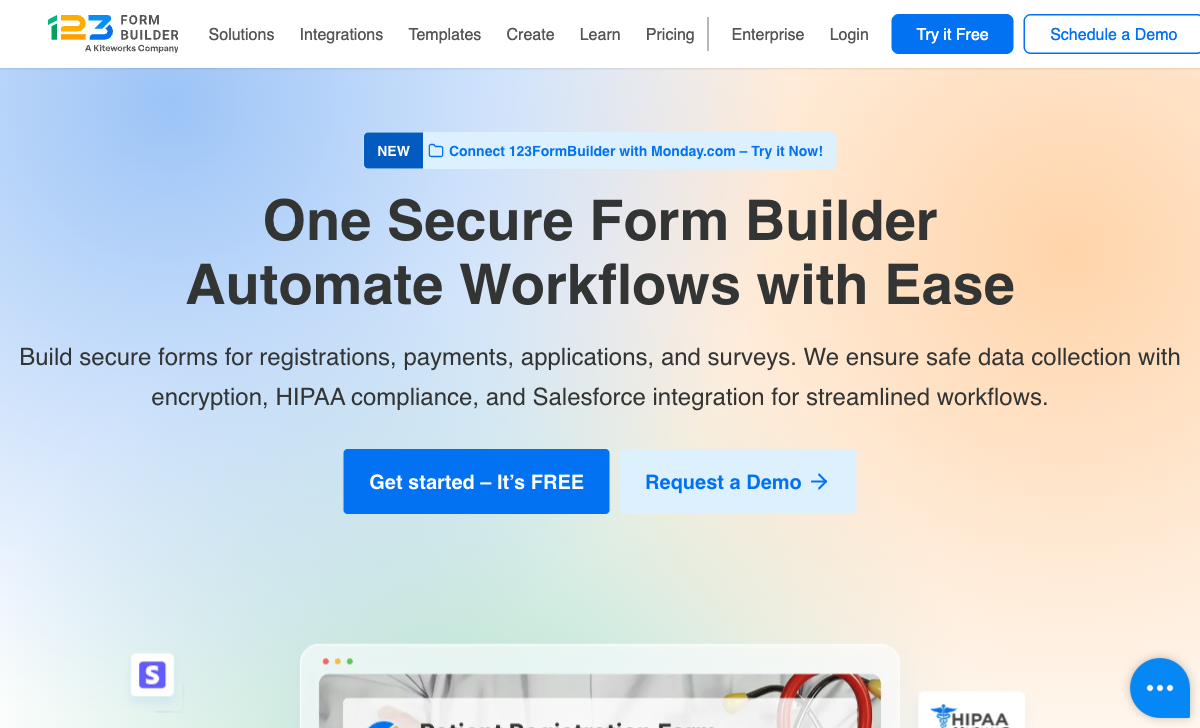
123FormBuilder offers HIPAA compliance on the Diamond plan ($79/month annual), including BAA signing, data encryption at rest and in transit, audit logging, and access controls. At $79/month, it's one of the more affordable HIPAA-compliant form builders in the market — cheaper than Formsite ($209/month) and competitive with Jotform's HIPAA offerings.
Paperform does not currently offer HIPAA compliance. For healthcare organisations collecting Protected Health Information through patient intake forms, medical questionnaires, or appointment bookings, this is a genuine and important gap. If HIPAA is a hard requirement, 123FormBuilder is a legitimate choice — though the overall platform is less feature-rich than Paperform in every other dimension.
Native Salesforce Integration
123FormBuilder's Salesforce integration is deeper than most competitors. Available on the Platinum plan ($39/month annual) and above, it supports direct field mapping to Salesforce objects (leads, contacts, cases, opportunities, custom objects), record updating, and Salesforce lookup fields. Paperform connects to Salesforce via Zapier and Make, which handles standard lead creation and data routing, but doesn't offer the same native depth. For teams whose CRM workflow depends on tight Salesforce-to-form mapping, 123FormBuilder delivers integration depth that most form builders — including Paperform — don't match.
18-Year Track Record
Founded in 2008 in Timisoara, Romania, 123FormBuilder has 18 years of operation and serves 35,000+ businesses including Airbus, LG, and the University of Oxford. That tenure provides confidence for enterprise buyers who value established vendors — especially in procurement processes where "years in business" is an evaluation criterion. The Kiteworks acquisition adds security credibility, positioning 123FormBuilder as part of a larger compliance-focused ecosystem rather than a standalone form builder.
More Free Submissions
123FormBuilder's free plan includes 100 submissions/month versus Paperform's 30. For users who need basic forms with moderate volume and don't need payment processing, 123FormBuilder's free tier allows more activity. However, Paperform's free plan includes payment gateways, integrations, and AI form generation that 123FormBuilder's does not — so "more submissions" comes with "fewer capabilities."
Document Generation
123FormBuilder can generate PDF and Word documents from form submissions on higher-tier plans. This is useful for creating formatted reports, contracts, or receipts directly from submitted data. Paperform generates custom PDFs, but 123FormBuilder's document generation with template support offers more flexibility for organisations that need formatted documents as an output of their form workflow.
Data Residency Options
On Enterprise plans, 123FormBuilder offers US or EU data residency — important for organisations with strict data sovereignty requirements. Combined with the Kiteworks security positioning, this appeals to regulated industries that need to demonstrate where data is stored. Paperform also offers data residency on Enterprise plans, so both platforms address this need at the top tier.
Where Paperform Falls Short
- No HIPAA compliance: Healthcare organisations collecting PHI cannot use Paperform — 123FormBuilder, Jotform, and FormAssembly offer HIPAA-compliant tiers
- No native Salesforce integration: Paperform connects to Salesforce via Zapier and Make, which works for standard use cases but lacks the deep field mapping and record updating that 123FormBuilder provides natively
- No document generation: 123FormBuilder can generate PDF and Word documents from form submissions on higher plans; Paperform generates custom PDFs but doesn't have the same document templating depth
- Fewer free submissions: 30/month versus 123FormBuilder's 100/month on the free plan, though Paperform's free plan is far more capable overall
- Newer company: Founded in 2016 versus 2008 — Paperform has 10 years of operation versus 123FormBuilder's 18. However, Paperform is bootstrapped and profitable while 123FormBuilder's direction is determined by its parent company Kiteworks
Where 123FormBuilder Falls Short
- Dated interface and design output: 123FormBuilder's drag-and-drop editor and resulting forms look generic and dated. For customer-facing forms where brand presentation matters, the visual quality gap versus Paperform is immediately apparent.
- Acquired company with external ownership: Now owned by Kiteworks, 123FormBuilder's product roadmap is driven by its parent company's security-focused strategy, not independent product vision. This creates uncertainty about how the form builder will evolve versus platforms that control their own direction.
- Shallower calculation engine: 123FormBuilder has calculations, but they lack the Excel-style depth that makes Paperform's engine a genuine business tool. Cross-form computed values, formula-driven emails, and calculation-powered integrations aren't possible at the same level.
- Less payment flexibility: 123FormBuilder supports PayPal, Stripe, Square, and Authorize.Net on paid plans, but lacks Google Pay and the full eCommerce suite (subscriptions, coupons, product management, tax calculations) that Paperform includes on every plan including free.
- Smaller template library: ~3,000 templates versus Paperform's 30,000+. The gap is amplified by the narrower range of use cases 123FormBuilder templates can cover due to platform limitations in design, payments, and calculations.
- No modern form experiences: No guided/conversational mode, no document-style editor, no forms-as-landing-pages approach. 123FormBuilder produces standard web forms — functional but not differentiated.
- Integration breadth: 123FormBuilder claims 4,000+ integrations via Zapier, but the number of direct/native integrations is limited. Paperform's 2,000+ integrations include more direct connections alongside Zapier, Make, and webhook support.
- No AI form generation: 123FormBuilder doesn't offer AI-powered form creation. Paperform includes AI form generation that creates complete forms from a text description, along with AI report insights for analysing submission data — reflecting the direction modern form tools are heading.
- Lower review scores across every dimension: 123FormBuilder's G2 and Capterra ratings (4.4-4.5) consistently trail Paperform (4.8) in ease of use, customer support, value for money, and feature depth. The 0.3-0.4 point gap across hundreds of reviews reflects a meaningful quality difference.
Pricing Comparison

Both platforms offer annual billing discounts. Here's the direct comparison:
| Tier | Paperform | 123FormBuilder | Key Difference |
|---|---|---|---|
| Free | Unlimited forms, 30 responses, 5 payment gateways | 5 forms, 100 submissions, conditional logic | 123FB has more submissions; Paperform includes payments and integrations |
| ~$19-24/mo | Essentials ($24): 100 responses, payments, eCommerce | Gold ($19): 2,000 submissions, 20 forms, payments, eSignatures | 123FB cheaper with more volume; Paperform has deeper eCommerce features |
| ~$39-49/mo | Pro ($49): 1,000 responses, CSS, analytics, API, e-signatures | Platinum ($39): 10,000 submissions, 100 forms, Salesforce, 5 users | 123FB offers more volume and Salesforce; Paperform has deeper analytics and design control |
| ~$79-99/mo | Business ($99): 10,000 responses, SSO, S3, business API | Diamond ($79): 50,000 submissions, unlimited forms, HIPAA | 123FB adds HIPAA at $79; Paperform adds SSO and enterprise API at $99 |
| Enterprise | Custom pricing, unlimited everything, SLA, data residency | From $225/mo: SSO, data residency, dedicated manager, SLA | Both offer full enterprise features; pricing varies by needs |
All prices shown are annual billing rates. 123FormBuilder's annual pricing offers significant discounts (e.g., Gold is $37/month monthly vs $19/month annually — nearly 50% off). Paperform's annual discount is approximately 17-23%.
The pricing comparison reveals an interesting dynamic. 123FormBuilder generally offers more raw submission volume at each tier (2,000/month on Gold vs 100/month on Paperform Essentials), but Paperform includes substantially more functionality — five payment gateways, an Excel-style calculation engine, e-signatures, workflow automation, and 30,000+ templates. 123FormBuilder's higher volume tiers make sense for organisations that need large-scale data collection without complex processing. Paperform's feature depth makes sense for businesses where each form submission needs to trigger payments, calculations, signatures, or multi-step workflows.
Paperform
123FormBuilder
| Product | Plan | Monthly Price | Annual Price (per month) | Free Plan | Free Trial | Limits |
|---|---|---|---|---|---|---|
| Paperform | Free | Free | Free | Yes | 14 days | forms: Unlimited, submissions: 30/month, storage: 100 submissions, users: 1, file uploads: 100 MB |
| Paperform | Essentials | $29/mo | $24/mo billed annually | forms: Unlimited, submissions: 100/month, storage: 1,000 submissions, users: 1, file uploads: 1 GB | ||
| Paperform | Pro | $59/mo | $49/mo billed annually | forms: Unlimited, submissions: 1,000/month, storage: 10,000 submissions, users: 3, file uploads: 10 GB | ||
| Paperform | Business | $129/mo | $99/mo billed annually | forms: Unlimited, submissions: 10,000/month, storage: 100,000 submissions, users: 5, file uploads: 100 GB | ||
| 123FormBuilder | Free | Free | Free | Yes | 30 days | forms: 5, submissions: 100/month, storage: 100 MB, users: 1 |
| 123FormBuilder | Gold | $37/mo | $19/mo billed annually | forms: 20, submissions: 2,000/month, storage: 500 MB, users: 1 | ||
| 123FormBuilder | Platinum | $79/mo | $39/mo billed annually | forms: 100, submissions: 10,000/month, storage: 1 GB, users: 5 | ||
| 123FormBuilder | Diamond | $159/mo | $79/mo billed annually | forms: unlimited, submissions: 50,000/month, storage: 10 GB, users: 25 | ||
| 123FormBuilder | Enterprise | $225/mo | Custom | forms: unlimited, submissions: unlimited, storage: unlimited, users: custom |
What Users Say
Paperform averages 4.8/5 across ~498 reviews, with top marks for customer support (4.7-4.9), ease of use (4.7-4.8), and value for money (4.6-4.7). 123FormBuilder averages 4.4-4.5/5 across ~346 reviews on G2 and Capterra, with ease of use at 4.4, customer support at 4.1-4.3, and value for money at 4.1-4.2.
123FormBuilder reviews consistently praise the Salesforce integration, HIPAA compliance, and overall reliability. Common complaints include the dated interface, limited design options, and customer support responsiveness that doesn't match Paperform's consistently high ratings. The value for money scores (4.1-4.2 vs Paperform's 4.6-4.7) suggest that users feel 123FormBuilder's pricing doesn't match the feature depth available from more modern competitors. Paperform's higher ratings across every measured dimension reflect a more polished product experience.
See Them in Action
The Verdict
Paperform is the better choice for most businesses. It delivers modern design quality, five payment gateways on every plan, a powerful Excel-style calculation engine, built-in e-signatures and workflow automation, 30,000+ templates, and a more polished user experience at competitive pricing. The document-style editor produces forms that function as branded landing pages — a meaningful advantage for any customer-facing use case.
123FormBuilder is the better choice in two specific scenarios: healthcare organisations that require HIPAA compliance at a reasonable price point ($79/month), and Salesforce-dependent teams that need deep native CRM integration beyond what Zapier or Make provide. If either of those is your primary requirement, 123FormBuilder addresses genuine needs Paperform doesn't currently cover.
The ownership question deserves consideration. 123FormBuilder was acquired by Kiteworks — a security-focused company — which adds compliance credibility but means the form builder's roadmap is shaped by its parent company's strategy. Paperform is bootstrapped and profitable, controlling its own direction. For a platform that will hold your business data, customer information, and payment flows, independence and financial self-sufficiency are meaningful signals of long-term reliability. For details on more options, see our complete 123FormBuilder alternatives analysis or the full best form builders ranking.
Frequently Asked Questions
Is 123FormBuilder still independently operated after being acquired?
123FormBuilder was acquired by Kiteworks (formerly Accellion), a secure content communication company. The product continues to operate under the 123FormBuilder brand, now marketed as "A Kiteworks Company." The acquisition positions 123FormBuilder as part of Kiteworks' security portfolio, which explains the heavy focus on HIPAA compliance and data encryption. However, being owned by a larger company means 123FormBuilder's roadmap is driven by Kiteworks' strategic priorities, not independent product vision. Paperform, by contrast, is bootstrapped and profitable — its development priorities are shaped by customer needs and the team's own product vision, without external ownership influencing direction.
How does 123FormBuilder's HIPAA compliance compare to other options?
123FormBuilder offers HIPAA compliance on its Diamond plan at $159/month (annual billing: $79/month). This includes BAA signing, data encryption, and audit logging. It's one of the more affordable HIPAA-compliant form builders — Formsite charges $209/month and Jotform offers it on Enterprise plans. Paperform does not currently offer HIPAA compliance. If HIPAA is a strict requirement, 123FormBuilder is a legitimate option, though the overall platform is less feature-rich than Paperform in every other dimension (design, payments, calculations, templates, and integrations).
Which has better Salesforce integration — Paperform or 123FormBuilder?
123FormBuilder has a deeper native Salesforce integration — it's one of their core selling points. The integration maps form fields directly to Salesforce objects (leads, contacts, cases, opportunities) and supports advanced features like record updating and lookup. It's available on the Platinum plan ($39/month annual) and above. Paperform connects to Salesforce via Zapier and Make, which covers most standard use cases (creating leads, contacts, and records from form submissions) but doesn't offer the same depth of native field mapping. If Salesforce is your CRM and you need tight, bidirectional form-to-CRM integration, 123FormBuilder has a genuine edge here. For everything else, Paperform's broader integration ecosystem (2,000+ tools) and superior form capabilities make it the stronger overall platform.
How do the free plans compare?
123FormBuilder's free plan includes 5 forms, 100 submissions/month, 100MB storage, conditional logic, and pre-filling — reasonably usable for basic testing. Paperform's free plan includes unlimited forms, 30 submissions/month, five payment gateways (Stripe, PayPal, Square, Braintree, Google Pay), conditional logic, calculations, 2,000+ integrations, and AI form generation. 123FormBuilder's free plan has more submissions (100 vs 30) and includes conditional logic, but Paperform's free plan includes payment processing, integrations, and AI generation that 123FormBuilder locks behind paid tiers. For actual business use, Paperform's free plan is more capable despite the lower submission count.
Can I migrate from 123FormBuilder to Paperform?
There's no automated migration tool, but the process is manageable. Export your 123FormBuilder submission data as CSV. Rebuild your forms in Paperform's document-style editor — the visual approach is different from 123FormBuilder's drag-and-drop, but most users find Paperform's editor intuitive once they adjust to the document metaphor. Paperform's 30,000+ templates provide starting points for nearly any form type. If you use Zapier or Make integrations with 123FormBuilder, these can be reconnected to Paperform with minimal reconfiguration. The main consideration is Salesforce: if you rely heavily on 123FormBuilder's native Salesforce integration, you'll need to rebuild that connection through Zapier or Make on Paperform.
Sources & References
- 123FormBuilder Reviews and Ratings — G2, 2026
- Best Online Form Builder to Use in 2026 — Top 20 Tools — EmailToolTester, 2026
- Paperform — Complete Beginners Guide (YouTube) — AppFind, 2025
Last updated March 21, 2026
Ready to try Paperform?
Create beautiful forms, payment pages, and workflows — no code required.