Microsoft Forms vs Typeform: Which Is Better in 2026?
Microsoft Forms and Typeform could hardly be more different. Microsoft Forms is free, basic, and built for internal use within the Microsoft 365 ecosystem -- employee surveys, team polls, training quizzes. Typeform is a premium design tool that treats form completion as a user experience -- one-question-at-a-time conversational flow, animated transitions, and visual polish that makes respondents actually want to finish. One prioritises cost. The other prioritises craft.
The tension between these two reflects a broader question: does form design matter enough to pay for? For internal surveys where employees complete forms because they're asked to, the answer is probably no -- Microsoft Forms works fine and costs nothing. For external-facing forms where completion rates directly affect revenue -- lead capture, customer feedback, event registration, onboarding -- design quality can measurably impact results. Typeform claims 2-3x higher completion rates with its conversational format, and independent studies suggest that one-question-at-a-time interfaces do reduce abandonment.
This comparison covers when free is good enough, when premium design is worth paying for, and whether there's a middle ground that doesn't force you to choose between cost and quality.
Quick Verdict
Choose Microsoft Forms if:
- You already use Microsoft 365 and want a free tool
- Forms are for internal use (employee surveys, team polls)
- Design quality is not a priority
- You need native Teams, Excel, and Power Automate integration
- You need quiz/assessment features with automatic grading
Choose Typeform if:
- Form completion rates directly impact revenue
- You need beautiful, brand-aligned external-facing forms
- The conversational one-at-a-time format fits your audience
- You want native integrations with CRMs and marketing tools
- You're willing to pay $29-99/month for premium UX
Feature Comparison
These platforms compete in different categories entirely. Microsoft Forms is a basic data collection tool. Typeform is a design-forward experience builder. The feature table reflects this fundamental gap in ambition and capability.
| Feature | Microsoft Forms | Typeform |
|---|---|---|
| Form Building | ||
| Document-style editor | No | No |
| AI form creation | Yes copilot | Yes |
| Field types | No | 20+ |
| Multi-page forms | Yes | Yes basic |
| Guided mode (one question at a time) | No | Yes |
| Conditional logic | Yes | Yes basic |
| Calculations field | No | Yes plus |
| AI calculations assistant | No | No |
| Scoring | Yes | Yes plus |
| Answer piping | No | Yes basic |
| Pre-filling and hidden fields | No | Yes basic |
| Save and resume | No | No |
| Auto-close by number | Yes | Yes basic |
| Auto-close by date | Yes | Yes basic |
| Appointment/booking field | No | Yes basic |
| Signature field | No | No |
| Color picker field | No | No |
| API-powered dropdowns | No | No |
| Google address search | No | No |
| File uploads | No | Yes basic |
| AI follow-up questions | No | Yes business |
| Video questions | No | Yes basic |
| Payments | ||
| Stripe payments | No | Yes basic |
| PayPal payments | No | No |
| Square payments | No | No |
| Braintree payments | No | No |
| Google Pay | No | No |
| Product sales (eCommerce) | No | No |
| Subscriptions | No | Yes basic |
| Coupons and discounts | No | No |
| Custom pricing rules | No | No |
| Tax calculations | No | No |
| Quotes/invoices | No | No |
| Refunds | No | No |
| 3D Secure | No | Yes basic |
| Design & Customization | ||
| Template gallery | Yes | 1,500+ |
| Rich media (images, GIFs, videos) | Yes | Yes |
| Unsplash and Giphy integration | No | Yes |
| Image editor | No | No |
| Adobe Creative Cloud | No | No |
| Language translation | Yes | Yes basic |
| Advanced theming | No | Yes plus |
| Custom form URL | No | Yes plus |
| Custom domains | No | No |
| Custom HTML & CSS | No | Yes business |
| Remove branding | No | Yes plus |
| Custom email domains | No | No |
| Analytics | ||
| Submission results and reports | Yes | Yes |
| AI report insights | Yes | Yes business |
| Paperform analytics | No | No |
| Google Analytics & Facebook Pixel | No | Yes basic |
| Custom analytics scripts | No | Yes basic |
| Partial submissions | No | Yes plus |
| Drop-off analysis | No | Yes business |
| Collaboration | ||
| Multi-user accounts | Yes | Yes plus |
| User permissions and management | Yes | Yes plus |
| Advanced permissions & admin | Yes enterprise | Yes enterprise |
| Form sharing (templates) | Yes | Yes |
| Spaces and tag management | No | No |
| Workspace organization | No | Yes |
| Security | ||
| SOC 2 Type II | Yes | Yes |
| GDPR compliant | Yes | Yes |
| SSL encryption | Yes | Yes |
| Two-factor authentication | Yes | Yes |
| Enforce 2FA for all users | Yes enterprise | No |
| SSO (SAML) | Yes | Yes enterprise |
| reCAPTCHA | No | Yes business |
| Local data residency | Yes enterprise | No |
| Custom S3 storage (BYO) | No | No |
| HIPAA compliant | No | Yes enterprise |
| ISO 27001 | No | Yes |
| PCI DSS | No | Yes |
| Integrations & API | ||
| 2000+ integrations | No | No |
| Zapier | No | Yes basic |
| Make (Integromat) | No | Yes basic |
| Webhooks | No | Yes basic |
| Standard API | No | No |
| Business API | No | No |
| WordPress plugin | No | Yes |
| oEmbed support | Yes | No |
| Native integrations | No | 120+ (basic) |
| API | No | Yes basic |
| Embed options | No | Yes |
Where Microsoft Forms Wins
Price: Free with Microsoft 365
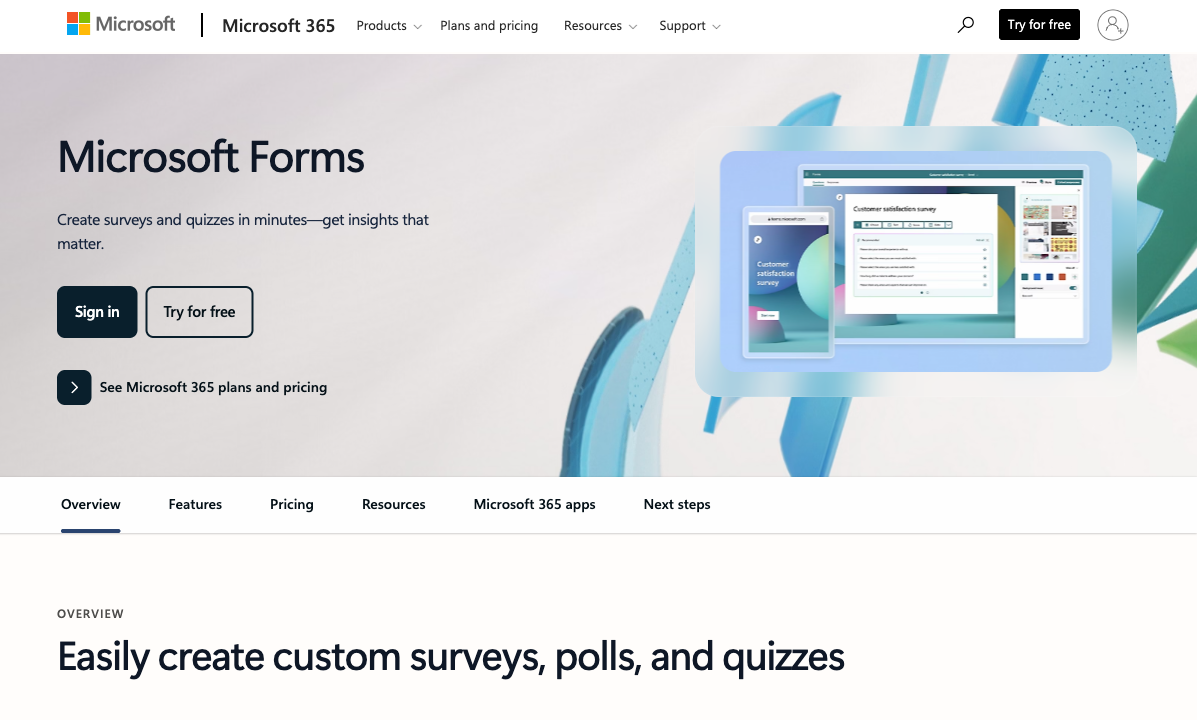
The most compelling argument for Microsoft Forms is that it costs nothing if your organisation already pays for Microsoft 365. No additional subscription, no per-form limits worth worrying about, no procurement approval needed. Typeform starts at $29/month for the Basic plan (limited to 100 responses/month) and goes up to $99/month for the Business plan. For internal surveys and simple feedback collection, paying $350-1,200/year for Typeform when Forms is free is difficult to justify.
Native Ecosystem Integration
Microsoft Forms flows natively into Teams, Excel, SharePoint, OneDrive, and Power Automate. Responses populate Excel workbooks in real time. Forms embed as tabs in Teams channels. Power Automate triggers fire instantly on submission. This isn't a third-party integration that occasionally breaks -- it's first-party infrastructure built by the same company. For organisations running on Microsoft 365, this native connectivity eliminates entire categories of integration friction.
Quiz and Assessment Tools
Microsoft Forms has purpose-built quiz functionality: point values per question, automatic grading, correct/incorrect answer feedback, and grade exports. For teachers, corporate trainers, and anyone running assessments, these features work well and integrate with Microsoft's education and enterprise tools. Typeform offers quizzes, but they're designed more for marketing engagement than formal assessment.
Simplicity and Speed
Creating a basic survey in Microsoft Forms takes 2-3 minutes. The interface is deliberately minimal -- add questions, set options, share the link. No design decisions, no template browsing, no configuration complexity. For a quick team poll or meeting feedback form, this simplicity is genuinely valuable. Typeform's design process takes longer because you're making visual and UX decisions at every step.
Real-Time Co-Authoring
Microsoft Forms supports simultaneous collaborative editing -- multiple team members can build and edit the same form at once, with changes appearing in real time. This is the same co-authoring model used in Word, Excel, and PowerPoint online. For teams that build surveys collaboratively, this eliminates the back-and-forth of sharing drafts. Typeform's collaboration features require higher-tier plans and don't offer the same real-time co-editing experience.
Data Residency and Compliance
Microsoft Forms inherits your M365 tenant's compliance posture -- SOC 1/2, ISO 27001, GDPR, and data residency configurations. If your organisation stores data in the EU, form responses stay in the EU. For compliance-conscious organisations, this inherited infrastructure avoids evaluating yet another vendor. Typeform has its own GDPR compliance and SOC 2 certification, but represents an additional vendor in your security review process.
Where Typeform Wins

Conversational UX and Design Quality
Typeform's one-question-at-a-time format is its defining feature. Each question fills the screen, animated transitions guide respondents forward, and the experience feels like a conversation rather than a form. This isn't just aesthetic preference -- it produces measurable results. Typeform's format reduces cognitive load, minimises the intimidation factor of long forms, and creates a sense of progress that encourages completion. For lead capture, customer onboarding, and product feedback where every completed response has monetary value, this UX advantage translates directly to business outcomes.
Brand-Aligned Design
Typeform offers extensive visual customisation: custom fonts, background images, brand colours, logos, and layout options that let forms match your website's design language. Microsoft Forms offers colour themes and a header image -- that's it. For customer-facing touchpoints where brand consistency matters, the gap is stark. A Typeform survey looks like it belongs on your website. A Microsoft Forms survey looks like a Microsoft product.
Logic and Personalisation
Typeform's conditional logic (Logic Jump) creates personalised question paths based on previous answers. Combined with hidden fields, URL parameters, and recall information (inserting previous answers into later questions), Typeform builds dynamic, personalised experiences. Microsoft Forms has basic section branching but no field-level logic, no answer recall, and no hidden field support. For forms that need to adapt based on who's filling them out, Typeform is significantly more capable.
Third-Party Integrations
Typeform connects natively to HubSpot, Salesforce, Slack, Google Sheets, Mailchimp, Airtable, Notion, and hundreds more through Zapier and Make. Microsoft Forms integrates deeply within the M365 ecosystem but has limited connections to non-Microsoft tools beyond Power Automate. If your tech stack includes Slack, HubSpot, or other non-Microsoft tools, Typeform's integration ecosystem is more useful.
Interactive Content Beyond Surveys
Typeform isn't just a survey tool -- it's used for interactive quizzes, product recommenders, lead qualification flows, and conversational landing pages. The one-question-at-a-time format lends itself to experiences that feel more like apps than forms. A Typeform product finder that asks about preferences and recommends products creates engagement that a Microsoft Forms survey never could. For marketing teams using forms as interactive content, Typeform opens creative possibilities that Microsoft Forms' traditional format simply can't support.
Respondent Experience Analytics
Typeform provides insights into how respondents interact with your forms -- drop-off points, average time per question, and completion funnels. This data helps optimise survey design by showing exactly where respondents abandon the form. Microsoft Forms shows total response counts and basic charts but provides no visibility into the respondent journey. For teams iterating on form performance, Typeform's interaction analytics are a meaningful advantage.
Where Microsoft Forms Falls Short
- No design customisation: Colour themes and header images are the extent of visual control. No custom fonts, no layout flexibility, no way to make forms match your brand.
- No payment collection: Zero payment capability. No Stripe, no PayPal, nothing.
- Basic conditional logic: Section-level branching only. No field-level show/hide, no answer recall, no hidden fields.
- Ecosystem dependency: Full features require Microsoft 365. Minimal value for organisations outside the Microsoft ecosystem.
- Not suited for external-facing forms: Generic appearance, limited branding, no custom domains. Forms look institutional rather than branded.
- No calculation engine: No dynamic pricing, scoring, or computed values within forms.
Where Typeform Falls Short
- Expensive for what you get: $29-99/month for a tool that's primarily about presentation. The Basic plan limits you to 100 responses/month -- a constraint that catches many users off guard.
- Low response limits: 100 responses/month on the Basic plan, 1,000 on Plus, 10,000 on Business. Compared to competitors offering unlimited or higher-volume plans at similar prices, Typeform's limits feel restrictive.
- Conversational format isn't always appropriate: One-question-at-a-time works for short surveys and lead capture but frustrates respondents on longer forms. Multi-page order forms, detailed applications, and complex intake forms often work better in a traditional layout.
- No calculation engine: No Excel-style formulas for dynamic pricing, scoring, or conditional totals. Basic math exists but nothing approaching true computed fields.
- Weak payment integration: Stripe integration exists but lacks product management, subscriptions, coupons, and tax handling that dedicated form builders offer.
- No e-signatures: No built-in contract signing or legally binding signature collection.
Pricing Comparison
The pricing gap is the elephant in the room. Microsoft Forms is free. Typeform starts at $29/month. The question isn't which is cheaper -- it's whether Typeform's design premium is worth paying for.
| Tier | Microsoft Forms | Typeform | Key Difference |
|---|---|---|---|
| Free | Free with Microsoft account (full features with M365) | Free plan: 10 responses/month, 10 questions/form | Microsoft's free tier is far more usable |
| Basic/Starter | Included with M365 ($6-22/user/mo) | Basic: $29/mo, 100 responses/mo | M365 is cheaper if you already have it |
| Professional | No additional tiers | Plus: $59/mo, 1,000 responses/mo | Typeform charges premium prices for premium UX |
| Business | No additional tiers | Business: $99/mo, 10,000 responses/mo | Typeform's highest tier costs more than most competitors' enterprise plans |
Microsoft Forms
Typeform
| Product | Plan | Monthly Price | Annual Price (per month) | Free Plan | Free Trial | Limits |
|---|---|---|---|---|---|---|
| Microsoft Forms | Free (Personal Microsoft Account) | Free | Free | Yes | 1 month | forms: 400, submissions: 200/form, storage: N/A, users: 1 |
| Microsoft Forms | Microsoft 365 Business Basic | $6/mo | $6/mo billed annually | forms: 400, submissions: 5,000,000/form, storage: 1 TB OneDrive, users: Per user | ||
| Microsoft Forms | Microsoft 365 Business Standard | $12.5/mo | $12.5/mo billed annually | forms: 400, submissions: 5,000,000/form, storage: 1 TB OneDrive, users: Per user | ||
| Microsoft Forms | Microsoft 365 Business Premium | $22/mo | $22/mo billed annually | forms: 400, submissions: 5,000,000/form, storage: 1 TB OneDrive, users: Per user | ||
| Typeform | Free | Free | Free | Yes | No | forms: 10, submissions: 10/month, users: 1 |
| Typeform | Basic | $39/mo | $28/mo billed annually | forms: Unlimited, submissions: 100/month, users: 1 | ||
| Typeform | Plus | $79/mo | $56/mo billed annually | forms: Unlimited, submissions: 1,000/month, users: 3 | ||
| Typeform | Business | $129/mo | $91/mo billed annually | forms: Unlimited, submissions: 10,000/month, users: 5 | ||
| Typeform | Growth Pro | $379/mo | $266/mo billed annually | forms: Unlimited, submissions: Expanded, users: Expanded |
What Users Say
Typeform earns strong ratings (4.5-4.7/5) with users praising the beautiful design, conversational UX, and high completion rates. Complaints focus on pricing, response limits, and the feeling that the tool is expensive relative to its functional depth. Microsoft Forms has fewer dedicated reviews as a standalone product, but feedback consistently highlights simplicity and ecosystem integration as strengths, and limited customisation and basic features as weaknesses.
The pricing complaint deserves attention: Typeform's 100-response limit on the $29/month Basic plan catches many users off guard. Several G2 and Capterra reviews mention upgrading sooner than expected because they hit response caps during their first survey. Microsoft Forms has no meaningful response limits for M365 users, which means the total cost of ownership comparison isn't just the subscription price -- it includes the risk of unexpected tier upgrades on Typeform.
Consider Paperform: Professional Design at Affordable Pricing
The Microsoft Forms vs Typeform comparison forces a choice between free-but-basic and beautiful-but-expensive. Paperform occupies the middle ground -- professional design quality at $29/month with capabilities that exceed both platforms.
Paperform's document-style editor produces forms that look like designed web pages -- clean typography, rich content between fields, embedded images and videos, and a visual polish that Microsoft Forms can't approach. Unlike Typeform's conversational format, Paperform uses a traditional page layout that works equally well for short surveys and long multi-section forms. The design output is closer to Typeform's quality than Microsoft Forms' utility, without the $59-99/month price tag.
Beyond design, Paperform includes capabilities neither competitor offers: an Excel-style calculation engine for dynamic pricing and scoring, 5 deeply integrated payment gateways, built-in e-signatures (Papersign), workflow automation (Stepper), and 2,000+ integrations that work with Microsoft tools through Zapier and Make. For teams that want better forms than Microsoft provides without Typeform's premium pricing, Paperform bridges the gap.
The Verdict
Microsoft Forms wins on cost and simplicity. For internal surveys, team polls, and training quizzes within a Microsoft 365 organisation, it's free, familiar, and frictionless. The native Teams and Excel integration eliminates setup friction. If your forms are internal-facing and design doesn't matter, paying for Typeform is unnecessary.
Typeform wins on design and completion rates. For external-facing surveys, lead capture, and customer touchpoints where form completion directly impacts revenue, Typeform's conversational UX and visual polish create measurably better experiences. The premium pricing ($29-99/month) is justified when higher completion rates translate to business value.
The gap between these two is also the opportunity: professional design at affordable pricing, with capabilities both lack. Paperform fills this space at $29/month with a document-style editor that produces polished forms, plus payment processing, calculations, and e-signatures that neither Microsoft Forms nor Typeform can match.
Who Is Each Platform Best For?
Microsoft Forms is ideal for: organisations on Microsoft 365 that need simple internal data collection -- employee surveys, team feedback, training quizzes, and meeting polls. Best when budget is zero, design doesn't matter, and native Teams/Excel integration is the priority.
Typeform is ideal for: marketing teams, product teams, and customer-facing organisations where form completion rates directly impact results. Best for lead capture, onboarding flows, product feedback, and any scenario where the form experience is part of the brand experience. Worth the premium when higher completion rates justify the cost.
Neither is ideal if: you need professional-looking forms with payment collection, calculations, e-signatures, and workflow automation at a reasonable price. Paperform delivers Typeform-calibre design with Microsoft Forms-friendly pricing and features neither platform can match. For more options, see our Microsoft Forms alternatives analysis.
Related Comparisons
Evaluating other options? These related comparisons may help:
- Microsoft Forms vs SurveyMonkey -- free basic vs paid survey specialist
- SurveyMonkey vs Typeform -- survey science vs survey design
- Jotform vs Microsoft Forms -- feature-rich paid vs free ecosystem tool
Frequently Asked Questions
Can Microsoft Forms create conversational forms like Typeform?
Not really. Microsoft Forms presents all questions on a single page or uses section-based navigation where respondents move through groups of questions. Typeform's signature one-question-at-a-time format creates a focused, conversational experience that feels like a chat rather than a form. Microsoft Forms can present questions one at a time using sections with single questions, but it lacks the animated transitions, visual focus, and design polish that make Typeform's conversational approach effective. If the conversational UX specifically is what you want, Typeform is the only choice between these two.
Is Typeform worth the price difference over free Microsoft Forms?
It depends entirely on the use case. For internal surveys, team polls, and employee feedback, Microsoft Forms does the job and costs nothing if you have M365. For external-facing forms -- lead capture, customer onboarding, brand-aligned surveys, product feedback -- Typeform's design quality can measurably improve completion rates. Typeform's own data shows 2-3x higher completion rates compared to traditional form formats. If higher completion rates translate to meaningful business value (more leads, better data, higher conversion), the $29-99/month investment can pay for itself quickly. If you're collecting internal feedback from employees who'll complete it regardless, paying for Typeform is unnecessary.
Which has better integrations?
Typeform has a stronger third-party integration ecosystem -- native connections to HubSpot, Salesforce, Slack, Google Sheets, Mailchimp, and hundreds more through Zapier and Make. Microsoft Forms integrates deeply within the M365 ecosystem: Teams, Excel, SharePoint, Power Automate, and Dynamics 365. If you live in Microsoft, Forms connects natively to everything you use. If you use a mix of tools (Slack for chat, HubSpot for CRM, Notion for docs), Typeform's broader integration options are more useful. Neither platform matches Paperform's 2,000+ integrations combined with its calculation engine that passes computed values to downstream tools.
Can I use Typeform for quizzes and assessments?
Yes, but with limitations. Typeform offers quiz functionality with scoring and outcome screens, but it's designed more for interactive content marketing (personality quizzes, product recommenders) than formal assessments. Microsoft Forms has purpose-built quiz features: automatic grading, point assignment per question, correct/incorrect feedback, and results that sync to Excel for grade tracking. For educators and trainers, Microsoft Forms' quiz tools are more practical. For marketing teams creating engaging interactive content, Typeform's visual quiz experience is superior.
Is there a form builder that combines professional design with affordable pricing?
This is the gap between Microsoft Forms (free but basic) and Typeform (beautiful but expensive). Paperform bridges it: a document-style editor that produces professionally designed forms -- not conversational one-at-a-time like Typeform, but visually polished pages with rich content, images, and inline fields. At $29/month for the Essentials plan, Paperform costs less than Typeform's Basic plan while including payment processing, calculations, e-signatures, and 2,000+ integrations. It works with Microsoft tools through Zapier and Make. For teams that want better design than Microsoft Forms without Typeform's premium pricing, Paperform is the practical middle ground.
Sources & References
- The Best Online Form Builders for 2025 — Zapier, 2025
- Typeform vs Google Forms: Which Should You Use? — Zapier, 2025
- Microsoft Forms vs Google Forms: Which Is Better? — Zapier, 2025
Last updated March 21, 2026
Ready to try Paperform?
Create beautiful forms, payment pages, and workflows — no code required.