Best Microsoft Forms Alternatives for 2026
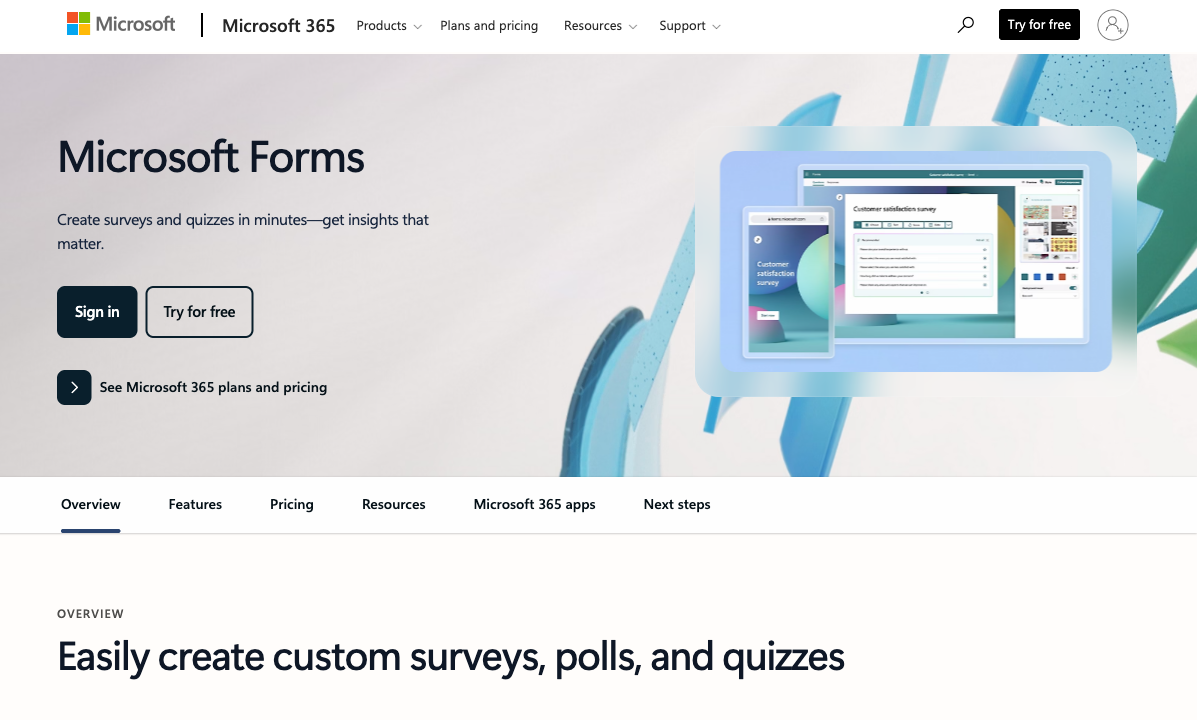
Microsoft Forms makes sense in exactly one context: your organisation runs Microsoft 365, you need a quick internal survey or quiz, and it needs to flow into Teams, Excel, or SharePoint. Within that bubble, it's free, it's fast, and it works. The moment you step outside that bubble — customer-facing forms, payment collection, custom branding, advanced logic, or any integration beyond Microsoft's ecosystem — you discover that Microsoft Forms was never designed to be a form builder. It was designed to be a survey widget inside a productivity suite.
The limitations are fundamental, not cosmetic. No payment processing. No API. No custom fonts or CSS. No way to remove Microsoft branding. Limited field types. A 200-response-per-form cap on personal accounts. No conditional calculations. Forms look like Microsoft products, not like your business. For internal HR surveys and quick team polls, those constraints don't matter. For anything a customer or client will see, they're disqualifying.
The alternatives below work everywhere — not just inside Microsoft 365. For how Microsoft Forms compares to its closest equivalent, see Google Forms vs Microsoft Forms. For the most capable upgrade, see Paperform vs Microsoft Forms.
| Feature | Microsoft Forms | Paperform | Google Forms | Jotform | Typeform | Cognito Forms | SurveyMonkey | HubSpot Forms |
|---|---|---|---|---|---|---|---|---|
| Form Building | ||||||||
| Document-style editor | No | Yes | No | No | No | No | No | No |
| AI form creation | Yes copilot | Yes | Yes | Yes starter | Yes | No | Yes | No |
| Field types | No | 26+ | 11 | 30+ (starter) | 20+ | 20+ | 15+ | No |
| Guided mode (one question at a time) | No | Yes | No | Yes starter | Yes | No | Yes | No |
| Calculations field | No | Yes essentials | No | Yes starter | Yes plus | Yes | No | No |
| Payments | ||||||||
| Stripe payments | No | Yes | No | Yes starter | Yes basic | Yes | Yes Individual Advantage | Yes starter |
| PayPal payments | No | Yes | No | Yes starter | No | Yes team | Yes Individual Advantage | No |
| Square payments | No | Yes | No | Yes starter | No | Yes team | No | No |
| Braintree payments | No | Yes | No | Yes starter | No | No | No | No |
| Google Pay | No | Yes | No | Yes starter | No | No | No | No |
| Design & Customization | ||||||||
| Template gallery | Yes | 30,000+ | 20+ | 20,000+ (starter) | 1,500+ | Yes | 500+ | Yes |
| Rich media (images, GIFs, videos) | Yes | Yes | Yes | Yes starter | Yes | Yes | Yes | No |
| Unsplash and Giphy integration | No | Yes | No | No | Yes | No | No | No |
| Image editor | No | Yes | No | No | No | No | No | No |
| Adobe Creative Cloud | No | Yes | No | No | No | No | No | No |
| Analytics | ||||||||
| AI report insights | Yes | Yes pro | No | No | Yes business | No | Yes Individual Standard | No |
| Paperform analytics | No | Yes pro | No | No | No | No | No | No |
| Google Analytics & Facebook Pixel | No | Yes essentials | No | No | Yes basic | Yes pro | No | Yes |
| Custom analytics scripts | No | Yes pro | No | No | Yes basic | No | No | No |
| Partial submissions | No | Yes pro | No | No | Yes plus | No | Yes Individual Standard | No |
| Collaboration | ||||||||
| Form sharing (templates) | Yes | Yes | Yes | No | Yes | Yes | Yes Team Advantage | Yes |
| Spaces and tag management | No | Yes | No | No | No | No | No | No |
| Form sharing | No | No | No | Yes starter | No | No | No | No |
| Assign forms | No | No | No | Yes enterprise | No | No | No | No |
| Workspace organization | No | No | No | No | Yes | No | No | No |
| Security | ||||||||
| SOC 2 Type II | Yes | Yes | Yes | Yes enterprise | Yes | No | Yes | Yes |
| Enforce 2FA for all users | Yes enterprise | Yes business | Yes Business Starter | No | No | No | Yes enterprise | No |
| reCAPTCHA | No | Yes | No | Yes starter | Yes business | Yes | Yes | No |
| Local data residency | Yes enterprise | Yes enterprise | Yes Business Plus | No | No | No | Yes enterprise | No |
| Custom S3 storage (BYO) | No | Yes business | No | No | No | No | No | No |
| Integrations & API | ||||||||
| Zapier | No | Yes | Yes | Yes starter | Yes basic | Yes | Yes | Yes starter |
| Make (Integromat) | No | Yes | Yes | No | Yes basic | Yes | Yes | Yes starter |
| Webhooks | No | Yes pro | No | Yes starter | Yes basic | Yes | Yes Individual Standard | Yes starter |
| Standard API | No | Yes pro | Yes | No | No | No | Yes Individual Standard | No |
| Business API | No | Yes business | No | No | No | No | Yes enterprise | No |
| Additional Products | ||||||||
| Jotform Tables | No | No | No | Yes starter | No | No | No | No |
| Jotform Sign | No | No | No | Yes starter | No | No | No | No |
| Jotform Apps | No | No | No | Yes starter | No | No | No | No |
| Jotform Workflows | No | No | No | Yes starter | No | No | No | No |
| Jotform Report Builder | No | No | No | Yes starter | No | No | No | No |
 Paperform — Best Overall Microsoft Forms Alternative

Paperform addresses every limitation that makes Microsoft Forms unsuitable for customer-facing work. The document-style editor produces professional, branded forms that look like they belong on your website — custom fonts, colours, backgrounds, and layouts that represent your business rather than Microsoft's design language. Five payment gateways (Stripe, PayPal, Square, Braintree, Google Pay) handle transactions Microsoft Forms can't process at all. The Excel-style calculation engine powers dynamic pricing, scoring, and conditional logic far beyond Microsoft Forms' basic branching.
Consider the practical difference: in Microsoft Forms, you can create a registration form with text fields and a submit button. In Paperform, you can create a registration form with custom branding, tiered pricing calculated in real time, early-bird discounts applied automatically, Stripe or PayPal payment processing, a signed waiver via Papersign, and a confirmation email with personalised details — all from one form. The gap isn't incremental; it's generational.
Critically, Paperform isn't ecosystem-locked. It works on any website, connects to 2,000+ apps through Zapier and Make, and includes built-in e-signatures (Papersign) and workflow automation (Stepper). You don't need a Microsoft 365 subscription, a Google account, or any specific tech stack to use it. For organisations that chose Microsoft Forms because it was "already there" but now need forms that represent their brand and process transactions, Paperform is the upgrade that removes the ecosystem constraint. Bootstrapped and profitable since 2016, Paperform's pricing reflects sustainable economics — not enterprise software licence models. For a full side-by-side, see our Paperform vs Microsoft Forms comparison.
Strengths over Microsoft Forms
- Five payment gateways on all plans including free (Microsoft Forms: zero payment capability)
- Professional design control — custom fonts, CSS, branded layouts (Microsoft Forms: basic themes only)
- Excel-style calculations — dynamic pricing, scoring, tax logic, conditional totals
- No ecosystem lock-in — works with any tech stack, not just Microsoft 365
- Full REST API for developer integrations (Microsoft Forms: no API)
- Built-in e-signatures and workflow automation at no extra cost
Key limitations
- No native Teams, SharePoint, or Power Automate integration (connects through Zapier)
- Free plan caps at 30 submissions/month (Microsoft Forms: 200 responses per form)
- No HIPAA compliance (Microsoft Forms is HIPAA-eligible within M365 with BAA)
Best for: Organisations that need customer-facing forms with branding, payments, and calculations — without being locked into Microsoft 365.
 Google Forms — Best Free Ecosystem Alternative

Google Forms is the Microsoft Forms of the Google world — same simplicity, same limitations, different ecosystem. Free with any Google account, unlimited forms, unlimited responses, automatic Google Sheets integration. If you're moving away from Microsoft 365 to Google Workspace (or already use both), Google Forms provides the same basic form-building capability with Sheets instead of Excel, Drive instead of SharePoint, and Google Chat instead of Teams.
The limitations are nearly identical: no payments, no branding, no advanced logic. But if your question is "which free ecosystem form tool is better?" — Google Forms offers unlimited responses versus Microsoft Forms' 200-per-form cap on personal accounts, and the Google Sheets integration is slightly more flexible than the Excel Online connection. This isn't a meaningful upgrade in capability — it's a lateral move to a different ecosystem. For a genuine capability upgrade, look at the other alternatives on this list.
Strengths over Microsoft Forms
- Unlimited responses versus Microsoft Forms' 200-per-form cap (personal accounts)
- Simpler access — any Google account, no M365 subscription needed for full functionality
- Google Sheets integration — for organisations already in the Google ecosystem
Key limitations
- Same fundamental limitations as Microsoft Forms — no payments, no branding, no advanced logic
- Ecosystem-locked to Google rather than Microsoft
- No native Teams or Power Automate integration
Best for: Google Workspace organisations that need the same basic form capability Microsoft Forms provides, but in the Google ecosystem.
 Jotform — Best for Maximum Features and Templates

If Microsoft Forms' limitation is that it can barely do anything, Jotform's approach is to do everything. Its 20,000+ templates, 40+ payment gateways, e-signatures, PDF generation, approval workflows, and native Power Automate connector make it the most feature-rich replacement for organisations that need to graduate from Microsoft Forms' basic capabilities to enterprise-grade form building. Jotform also has a native Power Automate connector, which eases the transition for M365-heavy organisations. The free tier (5 forms, 100 submissions) is more restrictive than Microsoft Forms but includes capabilities Microsoft Forms doesn't offer at all.
Strengths over Microsoft Forms
- 40+ payment gateways — covers virtually any payment provider
- Native Power Automate connector — maintains Microsoft workflow integration
- HIPAA compliance on paid plans with purpose-built healthcare features
- 20,000+ templates for every industry and use case
Key limitations
- Free tier limited to 5 forms (Microsoft Forms: up to 400 with M365)
- Significantly more complex than Microsoft Forms' simple interface
- Paid plans start at $39/month — a real cost versus "free with M365"
Best for: Microsoft 365 organisations that need payments, templates, and HIPAA compliance while maintaining Power Automate workflows.
 Cognito Forms — Best Free Tier With Advanced Capabilities
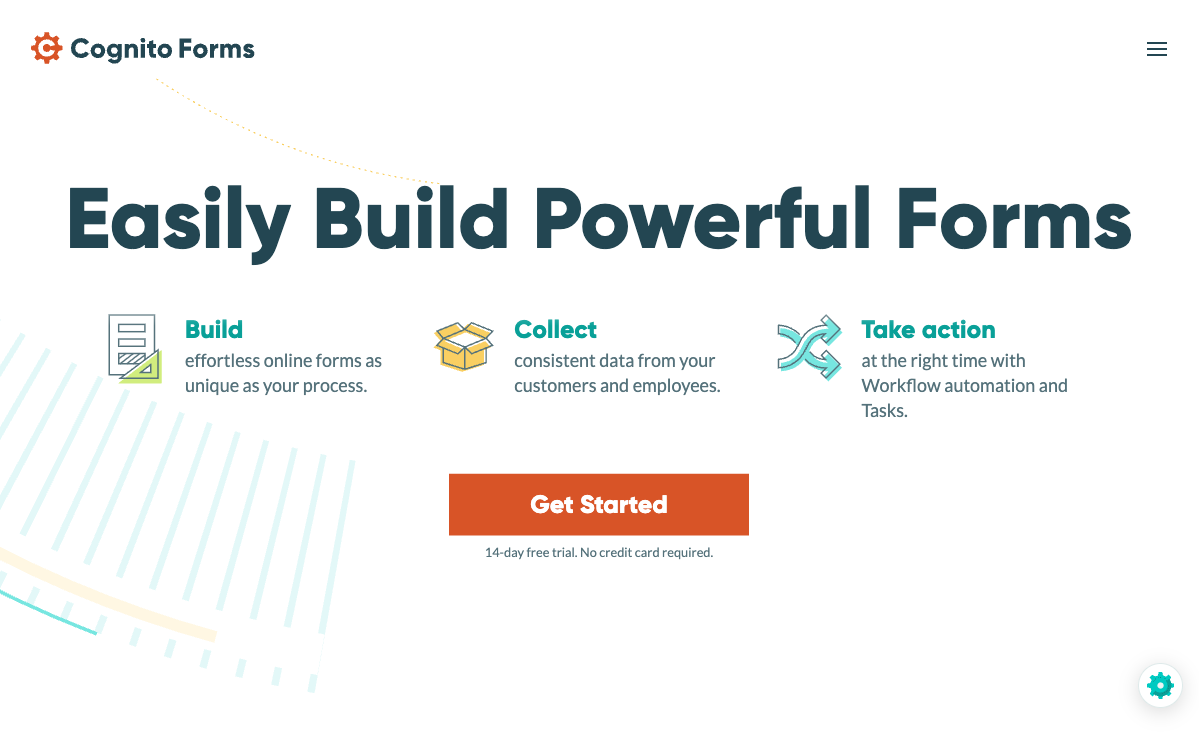
Cognito Forms is the best option for teams that want to stay on a free plan but need capabilities Microsoft Forms lacks. Its free tier includes unlimited forms, 100 submissions/month, conditional logic, calculations, e-signatures, and Stripe payments — features Microsoft Forms doesn't offer at any level. The builder maintains a straightforward approach that won't overwhelm teams accustomed to Microsoft Forms' simplicity, while adding the advanced logic and payment capabilities that business forms require. HIPAA compliance is available at just $15/month, making it the most affordable path to HIPAA-compliant forms outside of Microsoft 365.
Strengths over Microsoft Forms
- Stripe payments on the free plan — Microsoft Forms has zero payment capability
- Calculations and conditional logic far beyond Microsoft Forms' basic branching
- E-signatures included on the free tier
- HIPAA compliance at $15/month — cheaper than any M365 business plan
Key limitations
- No native Microsoft ecosystem integration (Teams, SharePoint, Power Automate)
- Limited design customisation — functional but not visually distinctive
- Smaller integration ecosystem than Microsoft's native connections
Best for: Teams that need payments, calculations, and e-signatures at zero cost — a genuine capability upgrade from Microsoft Forms.
Full Feature Comparison
Every feature across all alternatives, grouped by category. Microsoft Forms included for reference, Paperform highlighted.
| Feature | Microsoft Forms | Paperform | Google Forms | Jotform | Typeform | Cognito Forms | SurveyMonkey | HubSpot Forms |
|---|---|---|---|---|---|---|---|---|
| Form Building | ||||||||
| Document-style editor | No | Yes | No | No | No | No | No | No |
| AI form creation | Yes copilot | Yes | Yes | Yes starter | Yes | No | Yes | No |
| Field types | No | 26+ | 11 | 30+ (starter) | 20+ | 20+ | 15+ | No |
| Multi-page forms | Yes | Yes | Yes | Yes starter | Yes basic | Yes | Yes | Yes starter |
| Guided mode (one question at a time) | No | Yes | No | Yes starter | Yes | No | Yes | No |
| Conditional logic | Yes | Yes | Yes | Yes starter | Yes basic | Yes | Yes Individual Standard | Yes professional |
| Calculations field | No | Yes essentials | No | Yes starter | Yes plus | Yes | No | No |
| AI calculations assistant | No | Yes essentials | No | No | No | No | No | No |
| Scoring | Yes | Yes essentials | Yes | Yes starter | Yes plus | Yes | Yes | No |
| Answer piping | No | Yes | No | Yes starter | Yes basic | Yes | Yes Individual Standard | No |
| Pre-filling and hidden fields | No | Yes essentials | Yes | Yes starter | Yes basic | Yes | Yes Individual Standard | Yes |
| Save and resume | No | Yes | No | Yes starter | No | Yes pro | Yes Individual Standard | No |
| Auto-close by number | Yes | Yes essentials | Yes | Yes starter | Yes basic | Yes | Yes Individual Standard | No |
| Auto-close by date | Yes | Yes pro | Yes | Yes starter | Yes basic | Yes | Yes Individual Standard | No |
| Appointment/booking field | No | Yes | No | Yes starter | Yes basic | No | No | No |
| Signature field | No | Yes | No | Yes starter | No | Yes team | No | No |
| Color picker field | No | Yes | No | No | No | No | No | No |
| API-powered dropdowns | No | Yes business | No | No | No | Yes | No | No |
| Google address search | No | Yes business | No | No | No | Yes | No | No |
| File uploads | No | Yes | Yes | Yes starter | Yes basic | Yes | Yes | Yes |
| Drag-and-drop builder | No | No | No | Yes starter | No | No | No | No |
| Form widgets | No | No | No | Yes starter | No | No | No | No |
| Template gallery | No | No | No | 20,000+ (starter) | No | No | No | No |
| AI follow-up questions | No | No | No | No | Yes business | No | No | No |
| Video questions | No | No | No | No | Yes basic | No | No | No |
| Question types | No | No | No | No | No | No | No | Yes |
| Payments | ||||||||
| Stripe payments | No | Yes | No | Yes starter | Yes basic | Yes | Yes Individual Advantage | Yes starter |
| PayPal payments | No | Yes | No | Yes starter | No | Yes team | Yes Individual Advantage | No |
| Square payments | No | Yes | No | Yes starter | No | Yes team | No | No |
| Braintree payments | No | Yes | No | Yes starter | No | No | No | No |
| Google Pay | No | Yes | No | Yes starter | No | No | No | No |
| Product sales (eCommerce) | No | Yes essentials | No | Yes starter | No | Yes | No | No |
| Subscriptions | No | Yes essentials | No | Yes starter | Yes basic | No | No | No |
| Coupons and discounts | No | Yes essentials | No | Yes starter | No | Yes | No | No |
| Custom pricing rules | No | Yes essentials | No | Yes starter | No | Yes | No | No |
| Tax calculations | No | Yes | No | Yes starter | No | Yes | No | No |
| Quotes/invoices | No | Yes | No | No | No | Yes team | No | No |
| Refunds | No | Yes | No | No | No | No | No | No |
| 3D Secure | No | Yes | No | No | Yes basic | No | No | No |
| 40+ payment gateways | No | No | No | Yes starter | No | No | No | No |
| No transaction fees | No | No | No | Yes starter | No | No | No | No |
| Design & Customization | ||||||||
| Template gallery | Yes | 30,000+ | 20+ | 20,000+ (starter) | 1,500+ | Yes | 500+ | Yes |
| Rich media (images, GIFs, videos) | Yes | Yes | Yes | Yes starter | Yes | Yes | Yes | No |
| Unsplash and Giphy integration | No | Yes | No | No | Yes | No | No | No |
| Image editor | No | Yes | No | No | No | No | No | No |
| Adobe Creative Cloud | No | Yes | No | No | No | No | No | No |
| Language translation | Yes | Yes | No | Yes starter | Yes basic | Yes pro | Yes Individual Premier | No |
| Advanced theming | No | Yes pro | No | Yes starter | Yes plus | Yes pro | Yes Individual Standard | Yes starter |
| Custom form URL | No | Yes pro | No | No | Yes plus | No | Yes Individual Standard | No |
| Custom domains | No | Yes pro | No | Yes enterprise | No | No | No | No |
| Custom HTML & CSS | No | Yes pro | No | Yes starter | Yes business | Yes pro | No | Yes starter |
| Remove branding | No | Yes pro | No | Yes bronze | Yes plus | Yes pro | Yes Individual Standard | Yes starter |
| Custom email domains | No | Yes business | Yes Business Starter | No | No | No | No | No |
| Form themes | No | No | No | Yes starter | No | No | No | No |
| Analytics | ||||||||
| Submission results and reports | Yes | Yes | Yes | Yes starter | Yes | Yes | Yes | Yes |
| AI report insights | Yes | Yes pro | No | No | Yes business | No | Yes Individual Standard | No |
| Paperform analytics | No | Yes pro | No | No | No | No | No | No |
| Google Analytics & Facebook Pixel | No | Yes essentials | No | No | Yes basic | Yes pro | No | Yes |
| Custom analytics scripts | No | Yes pro | No | No | Yes basic | No | No | No |
| Partial submissions | No | Yes pro | No | No | Yes plus | No | Yes Individual Standard | No |
| Drop-off analysis | No | Yes pro | No | No | Yes business | No | No | No |
| Form analytics | No | No | No | Yes starter | No | No | No | No |
| Google Analytics integration | No | No | No | Yes starter | No | No | No | No |
| Conversion analytics | No | No | No | No | No | No | No | Yes professional |
| Collaboration | ||||||||
| Multi-user accounts | Yes | Yes pro | Yes | Yes bronze | Yes plus | Yes pro | Yes Team Advantage | Yes |
| User permissions and management | Yes | Yes pro | Yes | Yes enterprise | Yes plus | Yes team | Yes Team Advantage | Yes starter |
| Advanced permissions & admin | Yes enterprise | Yes enterprise | Yes Business Starter | Yes enterprise | Yes enterprise | Yes enterprise | Yes enterprise | Yes enterprise |
| Form sharing (templates) | Yes | Yes | Yes | No | Yes | Yes | Yes Team Advantage | Yes |
| Spaces and tag management | No | Yes | No | No | No | No | No | No |
| Form sharing | No | No | No | Yes starter | No | No | No | No |
| Assign forms | No | No | No | Yes enterprise | No | No | No | No |
| Workspace organization | No | No | No | No | Yes | No | No | No |
| Security | ||||||||
| SOC 2 Type II | Yes | Yes | Yes | Yes enterprise | Yes | No | Yes | Yes |
| GDPR compliant | Yes | Yes | Yes | Yes starter | Yes | Yes | Yes | Yes |
| SSL encryption | Yes | Yes | Yes | Yes starter | Yes | Yes | Yes | Yes |
| Two-factor authentication | Yes | Yes | Yes | Yes starter | Yes | Yes | Yes | Yes |
| Enforce 2FA for all users | Yes enterprise | Yes business | Yes Business Starter | No | No | No | Yes enterprise | No |
| SSO (SAML) | Yes | Yes business | Yes Business Plus | Yes enterprise | Yes enterprise | Yes enterprise | Yes enterprise | Yes enterprise |
| reCAPTCHA | No | Yes | No | Yes starter | Yes business | Yes | Yes | No |
| Local data residency | Yes enterprise | Yes enterprise | Yes Business Plus | No | No | No | Yes enterprise | No |
| Custom S3 storage (BYO) | No | Yes business | No | No | No | No | No | No |
| HIPAA compliant | No | No | No | Yes gold | Yes enterprise | No | No | No |
| 256-bit SSL | No | No | No | Yes starter | No | No | No | No |
| Data residency | No | No | No | Yes enterprise | No | No | No | Yes enterprise |
| Form encryption | No | No | No | Yes starter | No | No | No | No |
| PCI DSS | No | No | No | Yes starter | Yes | No | No | No |
| ISO 27001 | No | No | No | No | Yes | No | No | No |
| Custom S3 storage | No | No | No | No | No | No | No | No |
| Integrations & API | ||||||||
| 2000+ integrations | No | No | No | No | No | No | No | No |
| Zapier | No | Yes | Yes | Yes starter | Yes basic | Yes | Yes | Yes starter |
| Make (Integromat) | No | Yes | Yes | No | Yes basic | Yes | Yes | Yes starter |
| Webhooks | No | Yes pro | No | Yes starter | Yes basic | Yes | Yes Individual Standard | Yes starter |
| Standard API | No | Yes pro | Yes | No | No | No | Yes Individual Standard | No |
| Business API | No | Yes business | No | No | No | No | Yes enterprise | No |
| WordPress plugin | No | Yes | No | Yes starter | Yes | Yes | No | Yes |
| oEmbed support | Yes | Yes | No | No | No | Yes | No | No |
| Native integrations | No | 2,000+ | No | 150+ (starter) | 120+ (basic) | No | 200+ | Yes |
| API | No | No | No | Yes starter | Yes basic | No | No | Yes |
| Salesforce AppExchange | No | No | No | Yes starter | No | No | No | No |
| Embed options | No | No | No | Yes starter | Yes | No | No | Yes |
| Mobile apps | No | No | No | Yes starter | No | No | No | No |
| Additional Products | ||||||||
| Jotform Tables | No | No | No | Yes starter | No | No | No | No |
| Jotform Sign | No | No | No | Yes starter | No | No | No | No |
| Jotform Apps | No | No | No | Yes starter | No | No | No | No |
| Jotform Workflows | No | No | No | Yes starter | No | No | No | No |
| Jotform Report Builder | No | No | No | Yes starter | No | No | No | No |
| Jotform AI Agents | No | No | No | Yes starter | No | No | No | No |
| Jotform Store Builder | No | No | No | Yes starter | No | No | No | No |
Pricing Comparison

Microsoft Forms is free within Microsoft 365 — but the real cost is what you can't do with it. Here's what alternatives charge for the capabilities Microsoft Forms lacks.
Paperform
Microsoft Forms
| Product | Plan | Monthly Price | Annual Price (per month) | Free Plan | Free Trial | Limits |
|---|---|---|---|---|---|---|
| Microsoft Forms | Free (Personal Microsoft Account) | Free | Free | Yes | 1 month | forms: 400, submissions: 200/form, storage: N/A, users: 1 |
| Microsoft Forms | Microsoft 365 Business Basic | $6/mo | $6/mo billed annually | forms: 400, submissions: 5,000,000/form, storage: 1 TB OneDrive, users: Per user | ||
| Microsoft Forms | Microsoft 365 Business Standard | $12.5/mo | $12.5/mo billed annually | forms: 400, submissions: 5,000,000/form, storage: 1 TB OneDrive, users: Per user | ||
| Microsoft Forms | Microsoft 365 Business Premium | $22/mo | $22/mo billed annually | forms: 400, submissions: 5,000,000/form, storage: 1 TB OneDrive, users: Per user | ||
| Paperform | Free | Free | Free | Yes | 14 days | forms: Unlimited, submissions: 30/month, storage: 100 submissions, users: 1, file uploads: 100 MB |
| Paperform | Essentials | $29/mo | $24/mo billed annually | forms: Unlimited, submissions: 100/month, storage: 1,000 submissions, users: 1, file uploads: 1 GB | ||
| Paperform | Pro | $59/mo | $49/mo billed annually | forms: Unlimited, submissions: 1,000/month, storage: 10,000 submissions, users: 3, file uploads: 10 GB | ||
| Paperform | Business | $129/mo | $99/mo billed annually | forms: Unlimited, submissions: 10,000/month, storage: 100,000 submissions, users: 5, file uploads: 100 GB | ||
| Google Forms | Free (Personal) | Free | Free | Yes | 14 days | forms: Unlimited, submissions: Unlimited, storage: 15 GB (shared across Google Drive), users: 1, file uploads: Included in 15 GB storage |
| Google Forms | Business Starter | $7/mo | $7/mo billed annually | forms: Unlimited, submissions: Unlimited, storage: 30 GB per user, users: Up to 300, file uploads: Included in storage | ||
| Google Forms | Business Standard | $14/mo | $14/mo billed annually | forms: Unlimited, submissions: Unlimited, storage: 2 TB per user, users: Up to 300, file uploads: Included in storage | ||
| Google Forms | Business Plus | $22/mo | $22/mo billed annually | forms: Unlimited, submissions: Unlimited, storage: 5 TB per user, users: Up to 300, file uploads: Included in storage | ||
| Jotform | Starter | Free | Free | Yes | No | forms: 5, submissions: 100/month, storage: 100 MB, users: 1 |
| Jotform | Bronze | $39/mo | $34/mo billed annually | forms: 25, submissions: 1,000/month, storage: 1 GB, users: 1 | ||
| Jotform | Silver | $49/mo | $39/mo billed annually | forms: 50, submissions: 2,500/month, storage: 10 GB, users: 1 | ||
| Jotform | Gold | $129/mo | $99/mo billed annually | forms: 100, submissions: 10,000/month, storage: 100 GB, users: 1 | ||
| Typeform | Free | Free | Free | Yes | No | forms: 10, submissions: 10/month, users: 1 |
| Typeform | Basic | $39/mo | $28/mo billed annually | forms: Unlimited, submissions: 100/month, users: 1 | ||
| Typeform | Plus | $79/mo | $56/mo billed annually | forms: Unlimited, submissions: 1,000/month, users: 3 | ||
| Typeform | Business | $129/mo | $91/mo billed annually | forms: Unlimited, submissions: 10,000/month, users: 5 | ||
| Typeform | Growth Pro | $379/mo | $266/mo billed annually | forms: Unlimited, submissions: Expanded, users: Expanded | ||
| Cognito Forms | Individual (Free) | Free | Free | Yes | 14 days | forms: Unlimited, submissions: 100/month, storage: 100 MB, users: 1 |
| Cognito Forms | Pro | $19/mo | $16/mo billed annually | forms: Unlimited, submissions: 2,000/month, storage: 1 GB, users: 2 | ||
| Cognito Forms | Team | $39/mo | $33/mo billed annually | forms: Unlimited, submissions: 10,000/month, storage: 10 GB, users: 5 | ||
| Cognito Forms | Enterprise | $129/mo | $109/mo billed annually | forms: Unlimited, submissions: Unlimited, storage: 100 GB, users: 20 | ||
| SurveyMonkey | Basic (Free) | Free | Free | Yes | No | forms: Unlimited, submissions: 25 per survey, storage: N/A, users: 1 |
| SurveyMonkey | Individual Standard | $99/mo | $39/mo billed annually | forms: Unlimited, submissions: 1,000 per month, storage: N/A, users: 1 | ||
| SurveyMonkey | Individual Advantage | Free | $32/mo billed annually | forms: Unlimited, submissions: 15,000 per year, storage: N/A, users: 1 | ||
| SurveyMonkey | Individual Premier | Free | $99/mo billed annually | forms: Unlimited, submissions: 40,000 per year, storage: N/A, users: 1 | ||
| SurveyMonkey | Team Advantage | Free | $30/mo billed annually | forms: Unlimited, submissions: 50,000 per year (shared), storage: N/A, users: 3 minimum | ||
| SurveyMonkey | Team Premier | Free | $92/mo billed annually | forms: Unlimited, submissions: 100,000 per year (shared), storage: N/A, users: 3 minimum | ||
| HubSpot Forms | Free | Free | Free | Yes | 14 days | forms: Unlimited, submissions: Unlimited, users: 2 |
| HubSpot Forms | Marketing Hub Starter | $20/mo | $20/mo billed annually | forms: Unlimited, submissions: Unlimited, users: Per seat | ||
| HubSpot Forms | Marketing Hub Professional | $890/mo | $890/mo billed annually | forms: Unlimited, submissions: Unlimited, users: 3 included (additional seats extra) | ||
| HubSpot Forms | Marketing Hub Enterprise | $3600/mo | $3600/mo billed annually | forms: Unlimited, submissions: Unlimited, users: 5 included (additional seats extra) |
Review Ratings Across Platforms
Weighted average ratings from G2, Capterra, Trustpilot, and other major review sites.
Who Should Stay With Microsoft Forms?
Microsoft Forms works well within its intended scope. Not everyone needs an alternative — the platform is the right choice when ecosystem integration outweighs form-building capability.
- Internal M365 surveys and polls: Team feedback, meeting polls, employee satisfaction surveys — anything internal where the form needs to flow into Teams channels, trigger Power Automate workflows, and populate Excel dashboards. The native M365 integration is genuinely seamless for these use cases.
- Education within M365: Schools and universities running Microsoft 365 for Education get Forms with quiz auto-grading, Teams integration, and student analytics. The ecosystem integration with Microsoft Classroom makes it the path of least resistance for educators already in M365.
- Quick internal data collection: If you need to collect structured data from colleagues in 5 minutes and route it to Excel — without any design, branding, or payment requirements — Microsoft Forms' simplicity is its strength. No alternative is faster for this specific use case within M365.
- Organisations with strict Microsoft-only policies: Some enterprise IT departments mandate Microsoft-only tools for data governance, compliance, or security reasons. In these environments, Microsoft Forms is the only option regardless of alternatives' capabilities.
How We Evaluated Microsoft Forms Alternatives
We assessed each alternative against the specific limitations that drive people away from Microsoft Forms, focusing on five criteria:
- Ecosystem independence (25%): Microsoft Forms only makes sense within M365. Alternatives that work across any tech stack — not locked to Microsoft, Google, or WordPress — scored highest.
- Customer-facing quality (25%): Microsoft Forms is unsuitable for public-facing forms due to design limitations and mandatory branding. Alternatives that produce professional, branded experiences scored significantly higher.
- Payment processing (20%): Microsoft Forms has zero payment capability. Alternatives with multiple gateways on free or low-cost plans scored highest.
- Feature depth (15%): Microsoft Forms offers basic fields and branching. Alternatives with calculations, e-signatures, workflows, and advanced logic scored higher.
- Migration ease (15%): Teams leaving Microsoft Forms may lose workflow integrations (Power Automate, Teams). Alternatives with broad integration ecosystems or native Microsoft connectors scored higher.
The Verdict: Which Microsoft Forms Alternative Should You Choose?
For most teams outgrowing Microsoft Forms, Paperform is the best upgrade. It removes the ecosystem lock-in, adds professional design control and five payment gateways, and includes an Excel-style calculation engine that powers dynamic pricing and conditional logic. At $24/month (with a free tier to start), it's the most capable replacement for organisations that need customer-facing forms, payment processing, and brand-quality design Microsoft Forms can't provide. The document-style editor is approachable enough that teams accustomed to Microsoft Forms' simplicity won't feel overwhelmed.
Choose Google Forms if you're switching to Google Workspace and want the same basic free form capability in a different ecosystem. Choose Jotform if you need maximum features and a native Power Automate connector to maintain Microsoft workflow integration. Choose Cognito Forms if you want to stay free while adding payments, calculations, and e-signatures.
Microsoft Forms remains the right choice for internal-only surveys and quizzes within M365 organisations where ecosystem integration matters more than form capabilities — quick team polls in Teams, student quizzes in a school running M365, employee feedback routed through Power Automate. For anything customer-facing, payment-related, or brand-sensitive, the alternatives above are substantially more capable. See our full best form builders ranking for additional options.
Frequently Asked Questions
Why are people looking for Microsoft Forms alternatives in 2026?
Microsoft Forms works well for one scenario: internal surveys and quizzes within organisations already running Microsoft 365. The problems surface when you need customer-facing forms with custom branding, payment processing, advanced conditional logic, or integrations outside Microsoft's ecosystem. There's no payment processing, minimal design control (you can't even remove Microsoft branding), limited field types, no API for developers, and forms look unmistakably like Microsoft products. For anything public-facing or transaction-oriented, Microsoft Forms hits a wall.
Is Microsoft Forms really free?
Microsoft Forms is free with any Microsoft account (personal or work). However, full functionality — including advanced collaboration, organization-wide sharing, and Power Automate integration — requires a paid Microsoft 365 subscription ($6-22/user/month for business plans). So while Forms itself doesn't cost extra, many users are already paying for it through their M365 subscription. For comparison, Google Forms is genuinely free with a free Google account. Paperform and Cognito Forms also offer free tiers with substantially more features than Microsoft Forms.
Can I use Microsoft Forms outside the Microsoft ecosystem?
Technically yes — forms can be shared via link or embedded on websites. But the value proposition collapses outside Microsoft's ecosystem. The native integrations (Teams, Excel, SharePoint, Power Automate) that make Microsoft Forms useful all require Microsoft 365. Without those, you have a basic form builder with limited field types, no payments, no advanced logic, and no API. If you're not in the Microsoft ecosystem, Paperform, Jotform, or Google Forms are all better standalone options.
Which Microsoft Forms alternative is best for customer-facing forms?
Paperform is the strongest option for customer-facing forms. Its document-style editor produces professional, branded forms that look like they belong on your website — not like a Microsoft product embedded on your page. Custom fonts, colours, backgrounds, layouts, and the ability to mix content with form fields means every form is also a landing page. Typeform also excels at polished customer-facing experiences through its conversational format. Microsoft Forms' design limitations make it unsuitable for anything customer-facing where brand presentation matters.
Can I accept payments with a Microsoft Forms alternative?
Microsoft Forms has no payment processing capability. Alternatives fill this gap: Paperform connects five payment gateways (Stripe, PayPal, Square, Braintree, Google Pay) on all plans including free. Jotform supports 40+ gateways. Cognito Forms handles Stripe payments on its free tier. For any business that needs to collect money through forms — orders, registrations, donations, bookings — any of these alternatives addresses a gap Microsoft Forms can never fill.
How does Microsoft Forms compare to Google Forms?
They're nearly identical in capability and limitations. Both are free, ecosystem-locked tools for basic data collection. Google Forms integrates with Google Sheets, Drive, and Workspace. Microsoft Forms integrates with Excel, Teams, SharePoint, and Power Automate. Neither offers payments, advanced logic, custom branding, or meaningful design control. The right choice is purely ecosystem-dependent — pick whichever matches your organisation's productivity suite. For a full breakdown, see our Google Forms vs Microsoft Forms comparison.
Does Microsoft Forms have an API?
No. Microsoft Forms does not offer a public API for developers. This means no custom integrations, no programmatic form creation, and no automated data extraction beyond what Power Automate and Microsoft Graph provide within the M365 ecosystem. For teams that need API access, Paperform, Jotform, Cognito Forms, and most other alternatives offer full REST APIs for custom development and integration.
Which Microsoft Forms alternative integrates with Power Automate?
Several alternatives connect to Power Automate through its built-in connectors or through Zapier/Make. Jotform has a native Power Automate connector. Paperform and Cognito Forms connect through Zapier, which integrates with Power Automate. However, if Power Automate integration is your primary requirement, Microsoft Forms' native connection will always be deeper than any third-party alternative. The question is whether that native connection justifies Microsoft Forms' feature limitations.
Is Microsoft Forms HIPAA compliant?
Yes — Microsoft Forms is HIPAA-eligible within Microsoft 365 with a signed Business Associate Agreement (BAA). This makes it one of the few free (within M365) HIPAA-compliant form tools. However, the form-building capabilities remain basic: no file upload encryption, limited field types, and no audit trails. For dedicated HIPAA-compliant form building with advanced features, Jotform and Cognito Forms offer HIPAA on paid plans with purpose-built healthcare form features.
What's the best Microsoft Forms alternative for enterprise organisations?
For enterprise teams already in Microsoft 365, Formstack offers enterprise-grade forms with document generation, e-signatures, and HIPAA compliance — capabilities Microsoft Forms lacks. Jotform provides enterprise plans with SSO, HIPAA, and dedicated support. Paperform offers SSO, SLA, API access, and data residency on its Business plan. For enterprise teams specifically needing Salesforce integration, FormAssembly is the strongest option. The right choice depends on which enterprise features matter most and which ecosystem you're invested in.
Sources & References
- Best Online Form Builder to Use in 2026 — Top 20 Tools — EmailToolTester, 2026
- The 13 Best Online Form Builder Apps — Zapier, 2025
- Best 120 Free Online Form Builder Software Picks — G2, 2026
Last updated March 21, 2026
Ready to try Paperform?
Create beautiful forms, payment pages, and workflows — no code required.