Jotform vs Zoho Forms: Standalone Builder vs Ecosystem Tool in 2026
Jotform and Zoho Forms represent two fundamentally different product philosophies. Jotform is a standalone SaaS form builder — 35+ million users, 20,000+ templates, 40+ payment gateways, bootstrapped and profitable with $144.9 million in revenue. It exists to build forms, and it does that one thing with exceptional breadth. Zoho Forms is part of the Zoho ecosystem — a 40+ app suite serving 100 million+ users, backed by a bootstrapped, profitable company with 10,000+ employees headquartered in Chennai, India. Zoho Forms isn't just a form builder; it's a data collection entry point into Zoho CRM, Zoho Analytics, Zoho Desk, and the rest of the Zoho universe.
The right choice often reduces to a single question: are you already in the Zoho ecosystem? If yes, Zoho Forms is the natural fit. If no, the comparison becomes about standalone form building capabilities, where Jotform's depth and breadth generally lead. But Zoho Forms surprises on pricing — offering dramatically more submission volume per dollar than Jotform at every tier.
Quick Verdict
Choose Jotform if:
- You need a standalone form builder with no ecosystem dependency
- You want the widest template library (20,000+) and payment gateway options (40+)
- You need advanced features like e-signatures, approval workflows, and PDF generation
- You need the deepest third-party integration ecosystem via native connectors
- You want a mobile app for form building and data collection
Choose Zoho Forms if:
- You already use Zoho CRM, Zoho One, or other Zoho products
- You need the best submission volume per dollar (10,000/month for $10)
- You need native CRM integration without third-party connectors
- You need offline mobile data collection with GPS and QR scanning
- You want HIPAA compliance at a lower price point ($90/month vs $99)
Feature Comparison
Side-by-side: a standalone form powerhouse versus an ecosystem-integrated data collection tool.
| Feature | Jotform | Zoho Forms |
|---|---|---|
| Form Building | ||
| Document-style editor | No | No |
| AI form creation | Yes starter | Yes basic |
| Field types | 30+ (starter) | Yes |
| Multi-page forms | Yes starter | Yes |
| Guided mode (one question at a time) | Yes starter | No |
| Conditional logic | Yes starter | Yes |
| Calculations field | Yes starter | Yes basic |
| Scoring | Yes starter | No |
| Answer piping | Yes starter | Yes basic |
| Pre-filling and hidden fields | Yes starter | Yes |
| Save and resume | Yes starter | Yes basic |
| Auto-close by number | Yes starter | Yes |
| Auto-close by date | Yes starter | Yes |
| Appointment/booking field | Yes starter | No |
| Signature field | Yes starter | Yes |
| Color picker field | No | No |
| File uploads | Yes starter | No |
| Drag-and-drop builder | Yes starter | No |
| Form widgets | Yes starter | No |
| Template gallery | 20,000+ (starter) | No |
| AI calculations assistant | No | No |
| API-powered dropdowns | No | No |
| Google address search | No | No |
| Payments | ||
| Stripe payments | Yes starter | No |
| PayPal payments | Yes starter | No |
| Square payments | Yes starter | No |
| Braintree payments | Yes starter | No |
| Google Pay | Yes starter | No |
| 40+ payment gateways | Yes starter | No |
| Product sales (eCommerce) | Yes starter | No |
| Subscriptions | Yes starter | No |
| Coupons and discounts | Yes starter | No |
| Custom pricing rules | Yes starter | No |
| Tax calculations | Yes starter | No |
| No transaction fees | Yes starter | No |
| Stripe | No | Yes |
| PayPal | No | Yes |
| Square | No | No |
| Braintree | No | No |
| Product sales | No | Yes basic |
| Coupons | No | No |
| Custom pricing | No | Yes basic |
| Quotes/invoices | No | Yes standard |
| Refunds | No | No |
| 3D Secure | No | No |
| Design & Customization | ||
| Template gallery | 20,000+ (starter) | Yes |
| Rich media (images, GIFs, videos) | Yes starter | No |
| Form themes | Yes starter | No |
| Language translation | Yes starter | Yes standard |
| Advanced theming | Yes starter | Yes basic |
| Custom form URL | No | No |
| Custom domains | Yes enterprise | No |
| Custom HTML & CSS | Yes starter | No |
| Remove branding | Yes bronze | Yes basic |
| Custom email domains | No | No |
| Rich media | No | Yes |
| Unsplash/Giphy | No | No |
| Image editor | No | No |
| Adobe CC | No | No |
| Custom HTML/CSS | No | Yes standard |
| Analytics | ||
| Submission results and reports | Yes starter | No |
| Form analytics | Yes starter | Yes standard |
| Google Analytics integration | Yes starter | No |
| Partial submissions | No | No |
| Submission results | No | Yes |
| AI insights | No | No |
| GA/FB Pixel | No | No |
| Custom scripts | No | No |
| Collaboration | ||
| Multi-user accounts | Yes bronze | No |
| User permissions and management | Yes enterprise | No |
| Advanced permissions & admin | Yes enterprise | No |
| Form sharing | Yes starter | Yes |
| Assign forms | Yes enterprise | No |
| Multi-user | No | Yes standard |
| Permissions | No | Yes standard |
| Advanced permissions | No | Yes professional |
| Spaces/tags | No | No |
| Security | ||
| SOC 2 Type II | Yes enterprise | No |
| GDPR compliant | Yes starter | No |
| HIPAA compliant | Yes gold | No |
| SSL encryption | Yes starter | No |
| 256-bit SSL | Yes starter | No |
| Two-factor authentication | Yes starter | No |
| SSO (SAML) | Yes enterprise | No |
| reCAPTCHA | Yes starter | Yes |
| Data residency | Yes enterprise | Yes |
| Form encryption | Yes starter | No |
| PCI DSS | Yes starter | No |
| SOC 2 | No | Yes |
| GDPR | No | Yes |
| SSL | No | Yes |
| 2FA | No | Yes |
| Enforce 2FA | No | No |
| SSO SAML | No | Yes professional |
| Custom S3 | No | No |
| Integrations & API | ||
| Native integrations | 150+ (starter) | No |
| Zapier | Yes starter | Yes basic |
| Make (Integromat) | No | No |
| Webhooks | Yes starter | Yes standard |
| API | Yes starter | No |
| WordPress plugin | Yes starter | No |
| Salesforce AppExchange | Yes starter | No |
| Embed options | Yes starter | No |
| Mobile apps | Yes starter | No |
| 2000+ | No | No |
| Standard API | No | Yes basic |
| Business API | No | No |
| WordPress | No | Yes |
| oEmbed | No | Yes |
| Additional Products | ||
| Jotform Tables | Yes starter | No |
| Jotform Sign | Yes starter | No |
| Jotform Apps | Yes starter | No |
| Jotform Workflows | Yes starter | No |
| Jotform Report Builder | Yes starter | No |
| Jotform AI Agents | Yes starter | No |
| Jotform Store Builder | Yes starter | No |
Where Jotform Wins

Standalone Breadth and Depth
Jotform offers more of everything as a standalone tool: 20,000+ templates versus Zoho Forms' smaller library, 40+ payment gateways versus Zoho's handful (PayPal, Stripe, 2Checkout, Razorpay), native e-signatures (Jotform Sign), approval workflows, PDF generation, and AI agents. If you evaluate form builders purely on form building capabilities, Jotform's feature set is broader and deeper than Zoho Forms across nearly every dimension.
Payment Gateway Breadth
Jotform supports 40+ payment gateways on every plan — Stripe, PayPal, Square, Venmo, Mollie, PayFast, and dozens of regional processors. Zoho Forms supports PayPal, Stripe, 2Checkout, Razorpay, and PayTabs. For businesses outside the US/Europe or those needing niche payment processors, Jotform's gateway selection is dramatically wider. The gap matters most for international businesses with region-specific payment needs.
Template Library Scale
20,000+ templates covering every industry and use case — registration forms, payment forms, surveys, healthcare intake, education, HR, and more. Zoho Forms offers a smaller template selection that covers standard use cases but doesn't approach Jotform's breadth. More templates means faster implementation for niche or industry-specific requirements.
E-Signatures and Approval Workflows
Jotform Sign provides native e-signature functionality — send documents for signing, track status, and store signed copies. Jotform also includes approval workflow capabilities for multi-step review processes. Zoho Forms has approval workflows within the Zoho ecosystem but doesn't offer native e-signatures at the same level. For teams that need form-to-signature pipelines, Jotform handles the complete chain.
Third-Party Integration Ecosystem
Jotform offers 150+ direct integrations plus Zapier connectivity. The direct integrations include CRMs (Salesforce, HubSpot), project management (Monday.com, Asana), cloud storage (Google Drive, Dropbox), and marketing tools (Mailchimp, ActiveCampaign). Zoho Forms' third-party integrations outside the Zoho ecosystem are more limited — its strength is internal Zoho connectivity, not external platform integration. If your tech stack isn't Zoho-centric, Jotform connects more easily to what you already use.
Brand Recognition and Community
With 35+ million users, extensive documentation, YouTube tutorials, and a large community, Jotform has more readily available resources for learning and troubleshooting. Zoho Forms' community is smaller and often blended with the broader Zoho ecosystem community. Finding specific Zoho Forms help can be harder than finding Jotform-specific guidance.
Where Zoho Forms Wins
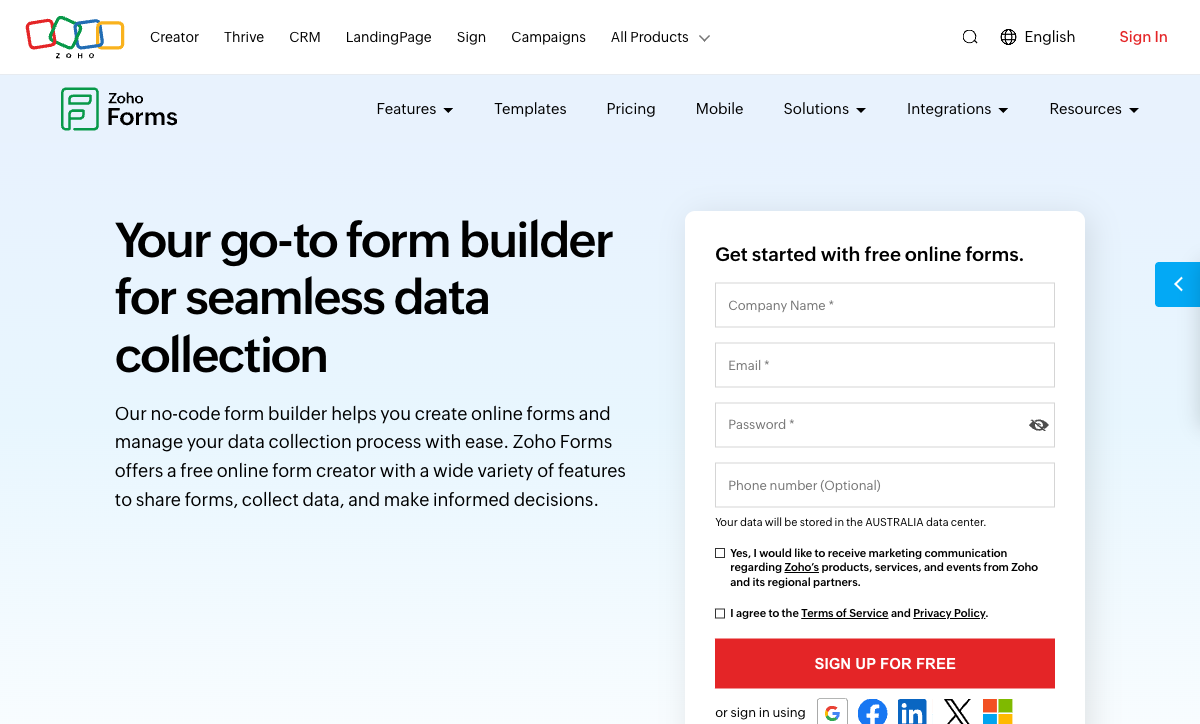
Zoho Ecosystem Integration
This is Zoho Forms' defining advantage. Native, seamless integration with Zoho CRM, Zoho Desk, Zoho Analytics, Zoho Mail, Zoho Projects, Zoho Creator, and 40+ other Zoho apps — no Zapier needed, no webhook configuration, no middleware. Form submissions push directly into CRM contacts, support tickets, analytics dashboards, and project tasks. For organisations running Zoho One ($45/user/month for the entire suite), Zoho Forms is included at no additional cost and functions as the native data collection layer across the entire business toolkit.
Dramatically Better Pricing Per Submission
Zoho Forms' pricing-to-volume ratio is remarkable. The Basic plan at $10/month (annual) includes 10,000 submissions/month and unlimited forms. Jotform's equivalent volume (10,000 submissions) requires the Gold plan at $99/month — nearly 10x the price. Even the free tier offers 500 submissions/month versus Jotform's 100. For volume-sensitive use cases like event registration, feedback collection, or lead generation, Zoho Forms delivers an order of magnitude more capacity per dollar.
Offline Mobile Data Collection
Zoho Forms' mobile app includes purpose-built features for field data collection: offline mode with automatic sync, QR code scanning, GPS geolocation capture, and camera integration. While Jotform also has mobile apps with offline mode, Zoho Forms' field-specific features (QR scanner, GPS tagging) are more tailored for teams collecting data in physical environments — construction sites, warehouses, healthcare facilities, and field service operations.
Multi-User Teams at Lower Cost
Zoho Forms Standard ($25/month annual) supports 10 users. Professional ($50/month) supports 25 users. Premium ($90/month) supports 100 users. Jotform's Bronze through Gold plans are single-user — multi-user access requires Enterprise pricing. For teams that need shared form management across multiple people, Zoho Forms is dramatically cheaper to scale.
Data Residency on Premium
Zoho Corporation operates data centres globally and offers data residency options — your data stays in the region you choose. Combined with Zoho's bootstrapped, profitable corporate structure (no VC pressure, no acquisition risk), this provides assurance for data-sensitive organisations. Jotform offers data residency on Enterprise plans, but Zoho's infrastructure and corporate stability — 10,000+ employees, bootstrapped, profitable — provide confidence at a structural level.
Where Jotform Falls Short
- Expensive for high volume: 10,000 submissions/month costs $99/month on Jotform versus $10/month on Zoho Forms. The 10x pricing gap for equivalent volume is Jotform's most significant weakness in this comparison.
- No ecosystem integration: Jotform connects to other tools via integrations, but it doesn't offer the seamless, native connectivity that Zoho Forms provides within the Zoho ecosystem. Every external connection requires configuration.
- Single-user plans until Enterprise: Bronze, Silver, and Gold plans are single-user. Teams need Enterprise pricing for multi-user access, making Jotform expensive for collaborative form management.
- Form design is functional, not premium: Jotform's drag-and-drop builder produces standard-looking forms. The design output is adequate but won't differentiate your brand.
- Free plan branding: Jotform branding appears on all free-plan forms. Removing it requires the Bronze plan at $34/month.
Where Zoho Forms Falls Short
- Limited standalone capabilities: Outside the Zoho ecosystem, Zoho Forms is a competent but unremarkable form builder. Its standout features are ecosystem integration and pricing — not form building innovation.
- Smaller template library: Zoho Forms has fewer templates than Jotform's 20,000+. For niche or industry-specific form needs, Jotform offers more starting points.
- Fewer payment gateways: PayPal, Stripe, 2Checkout, Razorpay, and PayTabs versus Jotform's 40+. International businesses with region-specific payment needs will find Zoho Forms' options limiting.
- No native e-signatures: Zoho Forms doesn't offer built-in e-signature functionality comparable to Jotform Sign. Signing workflows require Zoho Sign as a separate product.
- Ecosystem dependency for best value: Zoho Forms' strongest advantage — ecosystem integration — only matters if you use Zoho products. For non-Zoho organisations, this advantage disappears entirely.
- Lower brand awareness: Zoho Forms is less well-known than Jotform, with a smaller community and fewer tutorials. Finding specific help can be harder.
- Design limitations: Zoho Forms produces clean but basic-looking forms. No document-style editing, no landing-page-quality design output, and limited visual customisation compared to modern form builders.
Pricing Comparison
Both platforms use SaaS pricing with submission limits, but Zoho Forms offers dramatically more volume per dollar.
| Tier | Jotform | Zoho Forms | Key Difference |
|---|---|---|---|
| Free | 5 forms, 100 subs/mo, 40+ gateways | 3 forms, 500 subs/mo, 10 payment subs | Zoho has 5x more submissions; Jotform has more payment gateways |
| ~$10-34/mo | Bronze: $34/mo, 1,000 subs, 25 forms | Basic: $10/mo, 10,000 subs, unlimited forms | Zoho: 10x volume at 30% of the price |
| ~$25-39/mo | Silver: $39/mo, 2,500 subs, 50 forms | Standard: $25/mo, 25,000 subs, 10 users | Zoho: 10x volume, multi-user, cheaper |
| ~$50-99/mo | Gold: $99/mo, 10,000 subs, HIPAA | Professional: $50/mo, 75,000 subs, 25 users | Zoho: 7.5x volume at half the price; Jotform adds HIPAA |
| ~$90-99/mo | Gold: $99/mo (HIPAA, 10,000 subs) | Premium: $90/mo, 150,000 subs, 100 users, HIPAA | Both offer HIPAA; Zoho has 15x more volume and 100 users |
The pricing gap is the most dramatic in this comparison. Zoho Forms delivers 10-15x more submission volume at similar or lower price points. Jotform justifies its premium through standalone features — templates, payment gateways, e-signatures, and third-party integrations. The choice depends on whether you need Jotform's feature breadth or Zoho's volume and ecosystem integration.
Jotform
Zoho Forms
| Product | Plan | Monthly Price | Annual Price (per month) | Free Plan | Free Trial | Limits |
|---|---|---|---|---|---|---|
| Jotform | Starter | Free | Free | Yes | No | forms: 5, submissions: 100/month, storage: 100 MB, users: 1 |
| Jotform | Bronze | $39/mo | $34/mo billed annually | forms: 25, submissions: 1,000/month, storage: 1 GB, users: 1 | ||
| Jotform | Silver | $49/mo | $39/mo billed annually | forms: 50, submissions: 2,500/month, storage: 10 GB, users: 1 | ||
| Jotform | Gold | $129/mo | $99/mo billed annually | forms: 100, submissions: 10,000/month, storage: 100 GB, users: 1 | ||
| Zoho Forms | Free | Free | Free | Yes | 15 days | forms: 3, submissions: 500/month, storage: 200 MB, users: 1 |
| Zoho Forms | Basic | $12/mo | $10/mo billed annually | forms: Unlimited, submissions: 10,000/month, storage: 500 MB, users: 1 | ||
| Zoho Forms | Standard | $30/mo | $25/mo billed annually | forms: Unlimited, submissions: 25,000/month, storage: 2 GB, users: 10 | ||
| Zoho Forms | Professional | $60/mo | $50/mo billed annually | forms: Unlimited, submissions: 75,000/month, storage: 5 GB, users: 25 | ||
| Zoho Forms | Premium | $110/mo | $90/mo billed annually | forms: Unlimited, submissions: 150,000/month, storage: 10 GB, users: 100 |
What Users Say
Jotform averages 4.7/5 across thousands of reviews, with praise for template variety, ease of use, and payment integrations. Common complaints include submission limits and pricing escalation at higher volumes.
Zoho Forms averages 4.3-4.5/5, with strong marks for Zoho ecosystem integration, pricing value, and mobile data collection. Complaints focus on the learning curve for non-Zoho users, limited design options, and smaller community resources. Users in the Zoho ecosystem rate it higher than standalone users — reflecting that its value proposition is tied to the broader platform.
Consider Paperform
If you want standalone form building capability without ecosystem dependency, but with design quality that surpasses both Jotform and Zoho Forms, Paperform offers a compelling third option. Its document-style editor creates forms that look like designed landing pages — a visual step above both platforms. Every plan includes five payment gateways (Stripe, PayPal, Square, Braintree, Google Pay), an Excel-style calculation engine that powers dynamic pricing across questions, pages, emails, and integrations, built-in e-signatures, and 30,000+ templates. Paperform is bootstrapped and profitable, serving 500,000+ businesses. It combines design quality and feature depth that neither Jotform nor Zoho Forms matches in a single package. See the full form builders ranking for details.
Frequently Asked Questions
Do I need to use other Zoho products to get value from Zoho Forms?
No, Zoho Forms works as a standalone form builder. However, its strongest advantages emerge when paired with the Zoho ecosystem — Zoho CRM, Zoho Desk, Zoho Analytics, Zoho Mail, and 40+ other Zoho apps. The native integrations between Zoho products are seamless and require no third-party connectors. If you already use Zoho CRM or Zoho One, Zoho Forms is the obvious choice. If you don't use any Zoho products and aren't planning to, Jotform's standalone capabilities and broader third-party integration ecosystem will likely serve you better.
Which is better for mobile data collection?
Both platforms offer strong mobile capabilities, but with different strengths. Zoho Forms has a dedicated mobile app with offline data collection, QR code scanning, geolocation capture, and image capture — purpose-built for field teams. Jotform also offers iOS and Android apps with offline mode and mobile form building. Jotform's mobile app is more polished for general use, but Zoho Forms' field-specific features (QR scanner, GPS, camera integration) give it an edge for teams collecting data in physical locations like warehouses, construction sites, or healthcare facilities.
How do HIPAA compliance options compare?
Both platforms offer HIPAA compliance but at different price points. Jotform provides HIPAA on the Gold plan at $99/month (annual), including BAA signing, data encryption, and audit logging. Zoho Forms includes HIPAA compliance on the Premium plan at $90/month (annual), also with BAA, encryption, and audit trails. Zoho Forms is slightly cheaper for HIPAA ($90 vs $99/month), but Jotform offers more form features and templates alongside the compliance. For healthcare organisations, both are legitimate options — the decision may depend on whether you're already in the Zoho ecosystem.
Which has better pricing for high-volume use?
Zoho Forms wins decisively on volume-to-price ratio. The Basic plan ($10/month annual) includes 10,000 submissions/month. Jotform's comparable volume (10,000 submissions) requires the Gold plan at $99/month — nearly 10x the price. Even Zoho Forms' free plan offers 500 submissions/month versus Jotform's 100. If raw submission volume is your primary concern, Zoho Forms delivers dramatically more capacity per dollar at every tier.
Sources & References
- Jotform vs Zoho Forms: Feature Comparison — G2, 2026
- Best Form Builders for Business in 2026 — PCMag, 2026
Last updated March 21, 2026
Ready to try Paperform?
Create beautiful forms, payment pages, and workflows — no code required.