Jotform vs Wufoo: Which Is Better in 2026?
This isn't a close comparison. Jotform is one of the most actively developed form builders in the market — 20,000+ templates, 40+ payment gateways, AI form generation, mobile app building, and a product ecosystem that keeps expanding. Wufoo was a pioneer when it launched in 2006, but SurveyMonkey's acquisition in 2011 effectively froze the product in time. The 10-field limit on free forms, the dated interface, and the absence of modern features make this a generational mismatch.
We're presenting this comparison because people still search for it, and there are still Wufoo users who haven't evaluated alternatives. Here's the honest breakdown — where each platform stands today, what you get for your money, and why most Wufoo users would be better served by switching.
Who Are These Platforms?
Jotform was founded in 2006 in San Francisco by Aytekin Tank. It has grown to over 25 million users while remaining bootstrapped — no venture capital, no acquisition, no private equity. Revenue funds development, and the team ships continuously: AI form generation, Jotform Tables, Jotform Apps, Jotform Approvals, PDF generation, and an ever-expanding template library. For a company founded the same year as Wufoo, the trajectories could not be more different. Being bootstrapped and profitable since founding makes Jotform one of the more stable platform bets in the category.
Wufoo was founded in 2006 by Kevin Hale, Chris Campbell, and Ryan Campbell as a Y Combinator-backed startup. It was one of the first web-based form builders and helped define the category. SurveyMonkey acquired Wufoo in 2011 for roughly $35 million. Since the acquisition, product development has been minimal. The interface, feature set, and pricing structure largely reflect 2010-era capabilities. Wufoo continues to function — it hasn't been shut down — but "maintained" is a more accurate description than "developed."
Quick Verdict
Choose Jotform if:
- You want a free tier that's actually usable (no 10-field limit)
- You need payment processing (40+ gateways)
- You want access to 20,000+ templates
- You want a platform that's actively developed and expanding
Choose Wufoo if:
- You're deeply embedded in the SurveyMonkey ecosystem
- You need extremely simple forms and prefer Wufoo's familiar interface
- You have existing Wufoo forms and the migration cost outweighs the benefit
- You specifically need Wufoo's webhook notification system
Feature Comparison
Side-by-side across every feature category.
| Feature | Jotform | Wufoo |
|---|---|---|
| Form Building | ||
| Document-style editor | No | No |
| AI form creation | Yes starter | No |
| Field types | 30+ (starter) | Yes |
| Multi-page forms | Yes starter | Yes starter |
| Guided mode (one question at a time) | Yes starter | No |
| Conditional logic | Yes starter | Yes starter |
| Calculations field | Yes starter | No |
| Scoring | Yes starter | No |
| Answer piping | Yes starter | No |
| Pre-filling and hidden fields | Yes starter | Yes starter |
| Save and resume | Yes starter | No |
| Auto-close by number | Yes starter | Yes starter |
| Auto-close by date | Yes starter | Yes starter |
| Appointment/booking field | Yes starter | No |
| Signature field | Yes starter | No |
| Color picker field | No | No |
| File uploads | Yes starter | Yes starter |
| Drag-and-drop builder | Yes starter | No |
| Form widgets | Yes starter | No |
| Template gallery | 20,000+ (starter) | No |
| 400+ templates | No | Yes |
| Payments | ||
| Stripe payments | Yes starter | Yes professional |
| PayPal payments | Yes starter | Yes professional |
| Square payments | Yes starter | Yes professional |
| Braintree payments | Yes starter | Yes professional |
| Google Pay | Yes starter | No |
| 40+ payment gateways | Yes starter | No |
| Product sales (eCommerce) | Yes starter | No |
| Subscriptions | Yes starter | No |
| Coupons and discounts | Yes starter | No |
| Custom pricing rules | Yes starter | No |
| Tax calculations | Yes starter | No |
| No transaction fees | Yes starter | No |
| Authorize.net payments | No | Yes professional |
| Design & Customization | ||
| Template gallery | 20,000+ (starter) | Yes |
| Rich media (images, GIFs, videos) | Yes starter | No |
| Form themes | Yes starter | No |
| Language translation | Yes starter | No |
| Advanced theming | Yes starter | Yes starter |
| Custom form URL | No | Yes starter |
| Custom domains | Yes enterprise | No |
| Custom HTML & CSS | Yes starter | Yes starter |
| Remove branding | Yes bronze | Yes starter |
| Custom email domains | No | No |
| Theme designer | No | Yes |
| Analytics | ||
| Submission results and reports | Yes starter | Yes |
| Form analytics | Yes starter | No |
| Google Analytics integration | Yes starter | Yes professional |
| Partial submissions | No | No |
| Collaboration | ||
| Multi-user accounts | Yes bronze | Yes professional |
| User permissions and management | Yes enterprise | Yes professional |
| Advanced permissions & admin | Yes enterprise | No |
| Form sharing | Yes starter | Yes |
| Assign forms | Yes enterprise | No |
| Security | ||
| SOC 2 Type II | Yes enterprise | Yes |
| GDPR compliant | Yes starter | Yes |
| HIPAA compliant | Yes gold | No |
| SSL encryption | Yes starter | Yes |
| 256-bit SSL | Yes starter | No |
| Two-factor authentication | Yes starter | No |
| SSO (SAML) | Yes enterprise | No |
| reCAPTCHA | Yes starter | Yes |
| Data residency | Yes enterprise | No |
| Form encryption | Yes starter | No |
| PCI DSS | Yes starter | Yes |
| Field encryption | No | Yes professional |
| Password protection | No | Yes professional |
| Integrations & API | ||
| Native integrations | 150+ (starter) | Yes starter |
| Zapier | Yes starter | Yes starter |
| Make (Integromat) | No | No |
| Webhooks | Yes starter | Yes starter |
| API | Yes starter | Yes |
| WordPress plugin | Yes starter | Yes |
| Salesforce AppExchange | Yes starter | No |
| Embed options | Yes starter | Yes |
| Mobile apps | Yes starter | No |
| Additional Products | ||
| Jotform Tables | Yes starter | No |
| Jotform Sign | Yes starter | No |
| Jotform Apps | Yes starter | No |
| Jotform Workflows | Yes starter | No |
| Jotform Report Builder | Yes starter | No |
| Jotform AI Agents | Yes starter | No |
| Jotform Store Builder | Yes starter | No |
Where Jotform Wins

20,000+ Templates vs ~400
Jotform's template library is the largest in the form builder category — over 20,000 templates covering healthcare, education, events, payments, HR, surveys, and every other form use case. Each template comes pre-configured with relevant fields, conditional logic, and integrations. Wufoo offers roughly 400 templates, all constrained by the platform's limited capabilities — no payment templates, no calculator templates, no workflow templates. The 50x gap in template volume reflects the 50x gap in platform capability.
Payment Gateway Diversity
Jotform supports over 40 payment gateways: Stripe, PayPal, Square, Venmo, Apple Pay, Google Pay, Mollie, Paytm, and dozens of regional processors. Payment fields are available on the free plan. Wufoo supports only Stripe, PayPal, and Authorize.Net — and only on paid plans starting at $19/month. For any form that collects money, Jotform provides dramatically more options and doesn't charge extra for the privilege.
Modern Feature Set
Jotform's feature set reflects active, ongoing development: AI-powered form generation, Jotform Tables (database-style submission management), Jotform Apps (no-code mobile app builder), Jotform Approvals (workflow routing), PDF Editor (document generation), e-signatures, advanced conditional logic, and HIPAA compliance on enterprise plans. Wufoo has none of these features. The gap isn't incremental — it's a decade of development that Wufoo missed while in maintenance mode.
Usable Free Tier
Jotform's free plan includes 5 forms with no field limit, 100 monthly submissions, 100MB upload space, payment processing, conditional logic, and access to the full template library. Wufoo's free plan limits you to 5 forms, 10 fields per form, and 100 submissions — with no payment processing. The 10-field cap is the critical difference: most real-world forms need more than 10 fields. A basic event registration needs 8-12 fields; a job application needs 15+. Wufoo's free tier is a demo; Jotform's is a functional product.
Active Development and Platform Stability
Jotform is bootstrapped, profitable, and actively building. Founded the same year as Wufoo (2006), it has taken a fundamentally different path: organic growth funded by customer revenue, no acquisition, no venture capital pressure. This translates to continuous feature development, a visible product roadmap, and confidence that the platform will keep improving. Wufoo's development trajectory since 2011 offers no such confidence. For anyone choosing a form builder for the next 3-5 years, Jotform's active development and financial independence make it the safer long-term bet.
Mobile Apps and PDF Generation
Jotform Apps lets you turn forms into standalone mobile applications — no coding required. Jotform Mobile lets you fill forms offline and sync when connected. Jotform PDF Editor generates formatted documents from submissions. None of these capabilities exist in Wufoo. For teams that need mobile data collection or document generation from form submissions, Jotform provides tools that Wufoo simply doesn't have.
Where Wufoo Wins
Extreme Simplicity
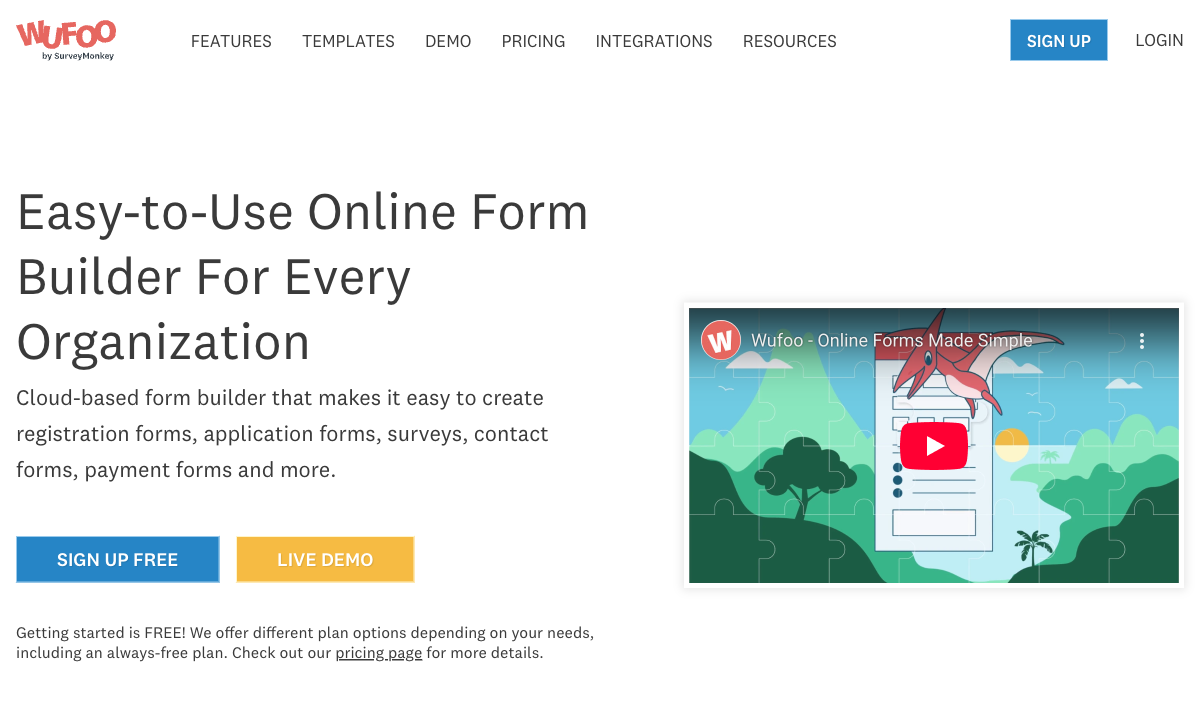
Wufoo's interface is simple to the point of being sparse. For someone who wants a dead-simple drag-and-drop builder with no advanced features to navigate around, Wufoo's minimal interface may feel less overwhelming than Jotform's feature-rich environment. This is a narrow advantage — Jotform's builder is also intuitive — but for users who are intimidated by options, Wufoo's simplicity-through-limitation could be perceived as clarity.
SurveyMonkey Ecosystem
If your organisation relies heavily on SurveyMonkey for surveys and audience research, Wufoo offers some integration synergy within that ecosystem. The shared Momentive platform means data can flow between Wufoo forms and SurveyMonkey analytics. This is a very narrow advantage, relevant only to teams already invested in SurveyMonkey's toolchain.
Pricing Comparison
Jotform offers more at every price point — including free.
| Tier | Jotform | Wufoo | Key Difference |
|---|---|---|---|
| Free | 5 forms, 100 submissions, unlimited fields, payments | 5 forms, 100 submissions, 10 fields/form, no payments | Jotform's free tier is usable; Wufoo's is crippled by the 10-field cap |
| ~$19-39/mo | Bronze: 25 forms, 1,000 submissions, 100MB, all features | Starter: 5 forms, 100 entries, 15 fields, basic payments | Jotform offers 5x the forms and 10x the submissions at similar pricing |
| ~$39-49/mo | Silver: 50 forms, 2,500 submissions, 500MB | Professional: 10 forms, 500 entries, 25 fields | Jotform offers 5x the forms with unlimited fields |
| ~$99/mo | Gold: 100 forms, 10,000 submissions, 1GB | Advanced: 25 forms, 1,000 entries, 50 fields | Same price; Jotform offers 4x forms and 10x submissions |
Jotform
Wufoo
| Product | Plan | Monthly Price | Annual Price (per month) | Free Plan | Free Trial | Limits |
|---|---|---|---|---|---|---|
| Jotform | Starter | Free | Free | Yes | No | forms: 5, submissions: 100/month, storage: 100 MB, users: 1 |
| Jotform | Bronze | $39/mo | $34/mo billed annually | forms: 25, submissions: 1,000/month, storage: 1 GB, users: 1 | ||
| Jotform | Silver | $49/mo | $39/mo billed annually | forms: 50, submissions: 2,500/month, storage: 10 GB, users: 1 | ||
| Jotform | Gold | $129/mo | $99/mo billed annually | forms: 100, submissions: 10,000/month, storage: 100 GB, users: 1 | ||
| Wufoo | Free | Free | Free | Yes | No | forms: 5, submissions: 100/month, storage: N/A, users: 1 |
| Wufoo | Starter | $16.25/mo | $16.25/mo billed annually | forms: 10, submissions: 1,000/month, storage: 1 GB, users: 1 | ||
| Wufoo | Professional | $33.25/mo | $33.25/mo billed annually | forms: Unlimited, submissions: 5,000/month, storage: 5 GB, users: 5 | ||
| Wufoo | Advanced | $83.25/mo | $83.25/mo billed annually | forms: Unlimited, submissions: 25,000/month, storage: 10 GB, users: 20 | ||
| Wufoo | Ultimate | $210.25/mo | $210.25/mo billed annually | forms: Unlimited, submissions: 200,000/month, storage: 20 GB, users: 60 |
What Users Say
Jotform averages around 4.6/5 across review platforms with over 3,000 reviews on G2 alone — praise centres on template variety, ease of use, and the generous free tier. Wufoo scores lower (approximately 4.3/5) with significantly fewer recent reviews. Common Wufoo complaints: the dated interface, field limits, lack of modern features, and the sense that the product "hasn't changed in years." Many Wufoo reviewers explicitly compare it unfavourably to Jotform and other modern alternatives.
Where Both Fall Short
- No document-style editor: Neither platform offers a page-builder approach where text, images, and form fields coexist as a designed page. Both use traditional drag-and-drop form widget builders.
- No Excel-style calculations: Neither offers a deep calculation engine for dynamic pricing, conditional scoring, or computed outputs that flow across questions, pages, and integrations.
- Limited design ceiling: Both produce forms that look like forms, not branded landing pages. Jotform offers more themes and CSS access than Wufoo, but neither achieves the design quality of purpose-built page builders.
- No built-in e-signatures (Wufoo): Wufoo has no signature capability at all. Jotform offers e-signatures on higher-tier plans, but they're not as deeply integrated as dedicated e-signature platforms.
The Verdict
Jotform wins decisively. On features, templates, payments, pricing, development trajectory, and platform stability, Jotform is the superior choice at every tier — including free. Wufoo's only remaining advantages are extreme simplicity and SurveyMonkey ecosystem integration, neither of which justifies choosing a platform that hasn't meaningfully evolved in over a decade.
If you're currently on Wufoo, it's time to evaluate alternatives. Given Wufoo's 10-field limit, most Wufoo forms are simple enough to recreate in Jotform in minutes. The migration cost is low; the capability gain is enormous. Jotform's bootstrapped model and active development provide the long-term platform confidence that Wufoo's acquisition-driven stagnation does not.
Wufoo deserves credit for pioneering web-based form building. But in 2026, gratitude for past innovation isn't a reason to stay on a stagnant platform when superior alternatives are free.
Consider Paperform
If you want to go beyond what either Jotform or Wufoo offers, Paperform takes a fundamentally different approach. Its document-style editor creates forms that look like designed landing pages — not traditional form widgets. An Excel-style calculation engine powers dynamic pricing, scoring, and conditional logic across questions, pages, emails, integrations, and success pages.
Five payment gateways (Stripe, PayPal, Square, Braintree, Google Pay) come standard on every plan including free, with full eCommerce: subscriptions, recurring payments, coupons, and product catalogues. Built-in e-signatures (Papersign), workflow automation (Stepper), and 30,000+ templates round out the package. Bootstrapped and profitable since 2016 — like Jotform, it's built on customer revenue, not acquisition risk.
Try Paperform free | Jotform alternatives | Wufoo alternatives
Frequently Asked Questions
Is Wufoo still worth considering in 2026?
For most use cases, no. Wufoo was a groundbreaking form builder when it launched in 2006, but SurveyMonkey's acquisition in 2011 effectively ended meaningful product development. The 10-field limit on free forms, the dated interface, and the absence of modern features (no AI, no advanced calculations, no e-signatures, no workflow automation) make it a poor choice when better alternatives exist at every price point. Jotform offers more features on its free plan than Wufoo offers on its $39/month plan. The only scenario where Wufoo makes sense is if you're deeply embedded in the SurveyMonkey ecosystem and need basic form collection within that toolchain.
How do the free plans compare?
Jotform's free plan is substantially more generous: 5 forms, 100 monthly submissions, 100MB upload space, payment processing, conditional logic, and access to 20,000+ templates. Wufoo's free plan allows 5 forms and 100 submissions, but limits each form to just 10 fields and excludes payment processing. The 10-field cap makes Wufoo's free tier nearly unusable — a basic event registration form typically needs 8-12 fields, and a job application needs 15+. On free tiers alone, Jotform is dramatically more capable.
Which has better payment processing?
Jotform, by a wide margin. Jotform supports over 40 payment gateways — Stripe, PayPal, Square, Venmo, Apple Pay, Google Pay, Mollie, and dozens of regional processors — with payment fields available on the free plan. Wufoo supports only Stripe, PayPal, and Authorize.Net, and only on paid plans starting at $19/month. Neither offers subscriptions, product catalogues, or advanced eCommerce, but Jotform's gateway diversity and free-tier access make it the clear winner for payment collection.
Can I migrate from Wufoo to Jotform?
Yes, and it's relatively straightforward. Export your Wufoo form submissions as CSV files for your records. Then rebuild your forms in Jotform — given Wufoo's 10-field limit, most Wufoo forms are simple enough to recreate in minutes using Jotform's drag-and-drop builder or one of its 20,000+ templates. Any Zapier integrations connected to Wufoo can be repointed to Jotform triggers. Jotform also offers an import feature that can recreate basic form structures from URLs, though manual review is recommended for accuracy.
Which has better templates?
Jotform wins decisively with over 20,000 templates spanning every category: healthcare intake, event registration, job applications, order forms, surveys, quizzes, payment forms, and more. Each template is functional with pre-configured fields, conditional logic, and integrations. Wufoo's template library contains roughly 400 templates, all constrained by the platform's limited feature set — no payment form templates, no calculator templates, no workflow templates, because the platform can't support those features. The template gap reflects the broader capability gap between the two platforms.
Sources & References
- Jotform vs Wufoo: Detailed Feature Comparison — G2, 2026
- Best Online Form Builders — 2026 Rankings — EmailToolTester, 2026
- Wufoo Alternatives: Why Users Are Switching — Capterra, 2026
Last updated March 21, 2026
Ready to try Paperform?
Create beautiful forms, payment pages, and workflows — no code required.