Jotform vs Typeform vs Wufoo: Which Form Builder Wins in 2026?
Jotform wins on breadth, with payments, logic, and integrations all on its free plan. Typeform wins on design with its conversational format, and Wufoo wins only on a low entry price ($16.25/month) while trailing badly on features. Choose Jotform for capability, Typeform for brand-led forms, and Wufoo for simple, cheap basics. If you want design and capability without the trade-offs, Paperform beats all three.
These three form builders are easy to confuse because two of them, Jotform and Wufoo, both launched in 2006 and both started as simple drag-and-drop builders. Twenty years later they could not be more different. Jotform kept adding until it became the broadest toolkit in the category. Wufoo was acquired by SurveyMonkey in 2011 and has barely changed since, coasting on simplicity and a low price. Typeform arrived in 2012 with a completely different idea, that a form could be a beautiful, conversational brand experience, and built a business on presentation. The right choice between them depends almost entirely on whether you value capability, design, or cost.
Below we compare all three on the dimensions that actually decide a purchase (pricing, integrations and API, conditional logic, payments, and compliance) using current figures pulled from each product, then lay out exactly when to pick which. We close with what to reach for when none of the three covers the whole job on its own.
Quick verdict: who each one is for
 Jotform
Best for: operational teams that want the widest capability set in one tool — 40+ payment gateways, HIPAA forms, native apps, and logic on the free plan — and can absorb the occasional rough edge.
 Typeform
Best for: marketers and brand teams running short, high-conversion lead and feedback forms where presentation drives revenue and Stripe is the only processor needed.
 Wufoo
Wufoo
Best for: individuals and small teams who want a cheap, no-frills form for basic contact, registration, or survey collection and don't need payments, calculations, or modern design.
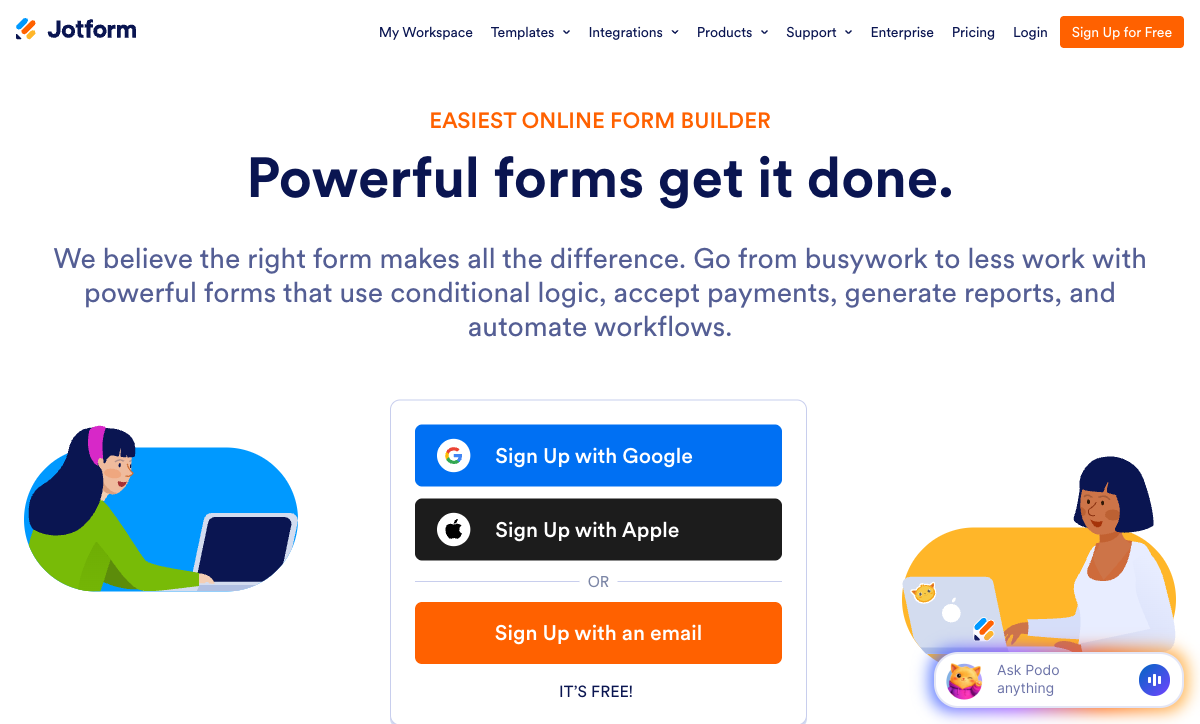
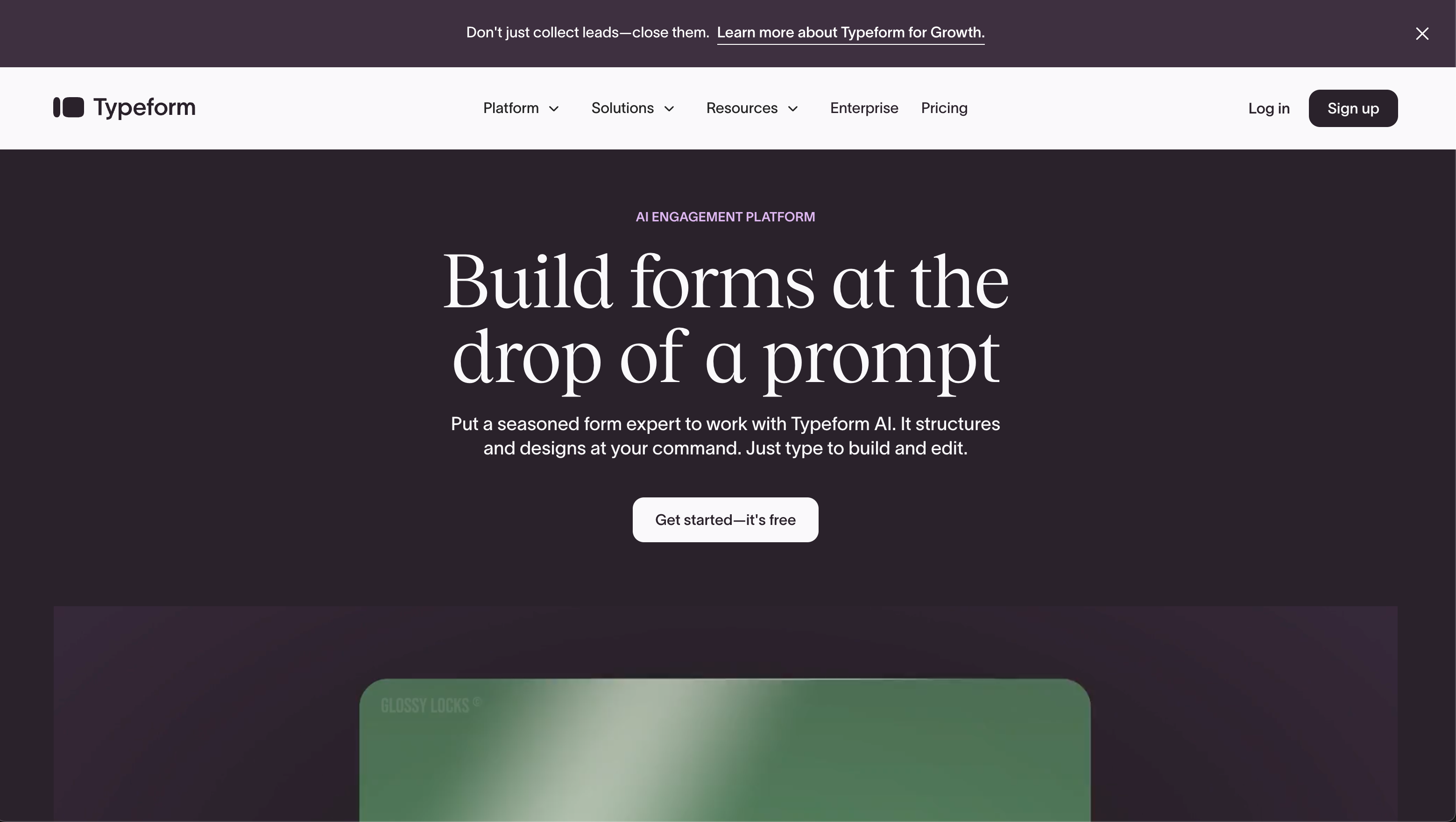
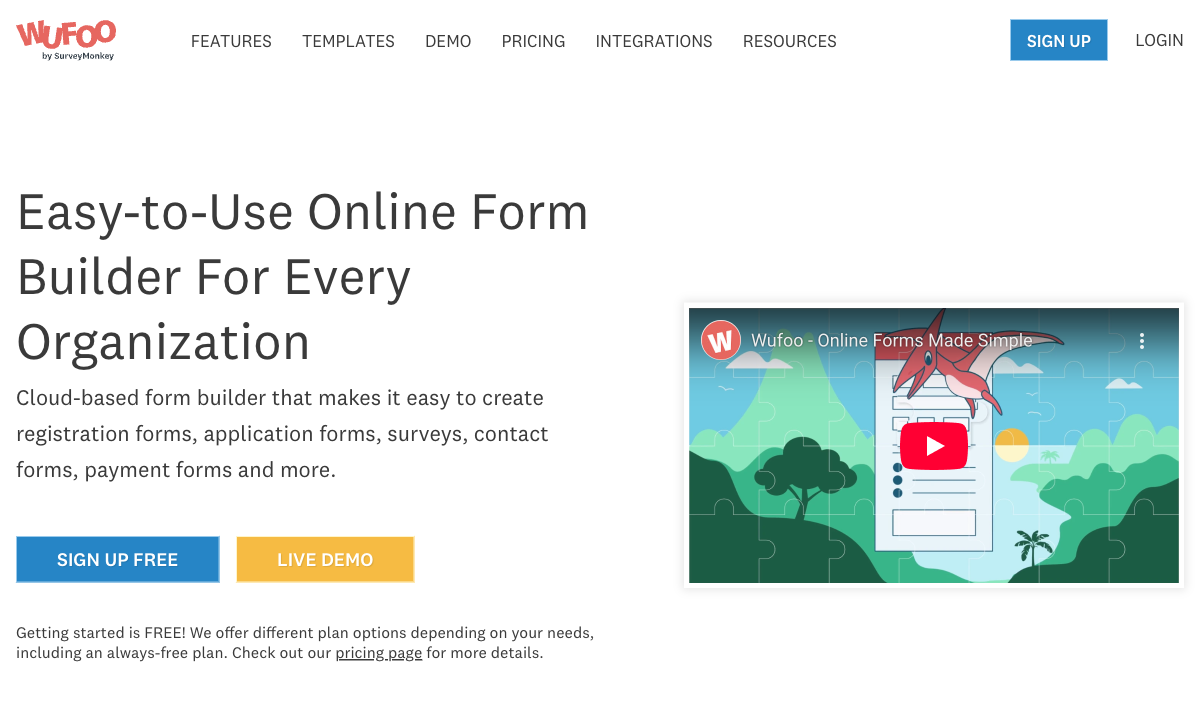
Three eras of form building, side by side
These tools represent three different moments in the category's history, and it shows the instant you look at them. The same job, collecting a handful of answers, produces three very different respondent experiences.
Feature comparison
Every category across all three, side by side. The logic, payments, and modern-feature rows are where the breadth-versus-design-versus-simplicity split turns into a real capability gap.
| Feature | Jotform | Typeform | Wufoo |
|---|---|---|---|
| Form Building | |||
| Document-style editor | No | No | No |
| AI form creation | Yes starter | Yes | No |
| Field types | 30+ (starter) | 20+ | Yes |
| Multi-page forms | Yes starter | Yes basic | Yes starter |
| Guided mode (one question at a time) | Yes starter | Yes | No |
| Conditional logic | Yes starter | Yes basic | Yes starter |
| Calculations field | Yes starter | Yes plus | No |
| Scoring | Yes starter | Yes plus | No |
| Answer piping | Yes starter | Yes basic | No |
| Pre-filling and hidden fields | Yes starter | Yes basic | Yes starter |
| Save and resume | Yes starter | No | No |
| Auto-close by number | Yes starter | Yes basic | Yes starter |
| Auto-close by date | Yes starter | Yes basic | Yes starter |
| Appointment/booking field | Yes starter | Yes basic | No |
| Signature field | Yes starter | Yes basic | No |
| Color picker field | No | No | No |
| File uploads | Yes starter | Yes basic | Yes starter |
| Drag-and-drop builder | Yes starter | No | No |
| Form widgets | Yes starter | No | No |
| Template gallery | 20,000+ (starter) | No | No |
| AI follow-up questions | No | Yes business | No |
| AI extended thinking & memory | No | Yes growth | No |
| Workflow / automation builder | No | Yes growth | No |
| AI-moderated research (Research Flow) | No | Yes enterprise | No |
| Video questions | No | Yes basic | No |
| 400+ templates | No | No | Yes |
| Payments | |||
| Stripe payments | Yes starter | Yes basic | Yes professional |
| PayPal payments | Yes starter | No | Yes professional |
| Square payments | Yes starter | No | Yes professional |
| Braintree payments | Yes starter | No | Yes professional |
| Google Pay | Yes starter | No | No |
| 40+ payment gateways | Yes starter | No | No |
| Product sales (eCommerce) | Yes starter | No | No |
| Subscriptions | Yes starter | Yes basic | No |
| Coupons and discounts | Yes starter | No | No |
| Custom pricing rules | Yes starter | No | No |
| Tax calculations | Yes starter | No | No |
| No transaction fees | Yes starter | No | No |
| Quotes/invoices | No | No | No |
| Refunds | No | No | No |
| 3D Secure | No | Yes basic | No |
| Authorize.net payments | No | No | Yes professional |
| Design & Customization | |||
| Template gallery | 20,000+ (starter) | 1,500+ | Yes |
| Rich media (images, GIFs, videos) | Yes starter | Yes | No |
| Form themes | Yes starter | No | No |
| Language translation | Yes starter | Yes basic | No |
| Advanced theming | Yes starter | Yes plus | Yes starter |
| Custom form URL | No | Yes plus | Yes starter |
| Custom domains | Yes enterprise | No | No |
| Custom HTML & CSS | Yes starter | Yes business | Yes starter |
| Remove branding | Yes bronze | Yes plus | Yes starter |
| Custom email domains | No | No | No |
| Unsplash and Giphy integration | No | Yes | No |
| Theme designer | No | No | Yes |
| Analytics | |||
| Submission results and reports | Yes starter | Yes | Yes |
| Form analytics | Yes starter | No | No |
| Google Analytics integration | Yes starter | No | Yes professional |
| Partial submissions | No | Yes plus | No |
| AI report insights | No | Yes business | No |
| Drop-off analysis | No | Yes business | No |
| Google Analytics & Facebook Pixel | No | Yes basic | No |
| Custom analytics scripts | No | Yes basic | No |
| Collaboration | |||
| Multi-user accounts | Yes bronze | Yes plus | Yes professional |
| User permissions and management | Yes enterprise | Yes plus | Yes professional |
| Advanced permissions & admin | Yes enterprise | Yes enterprise | No |
| Form sharing | Yes starter | No | Yes |
| Assign forms | Yes enterprise | No | No |
| Form sharing (templates) | No | Yes | No |
| Workspace organization | No | Yes | No |
| Security | |||
| SOC 2 Type II | Yes enterprise | Yes | Yes |
| GDPR compliant | Yes starter | Yes | Yes |
| HIPAA compliant | Yes gold | Yes enterprise | No |
| SSL encryption | Yes starter | Yes | Yes |
| 256-bit SSL | Yes starter | No | No |
| Two-factor authentication | Yes starter | Yes | No |
| SSO (SAML) | Yes enterprise | Yes enterprise | No |
| reCAPTCHA | Yes starter | Yes business | Yes |
| Data residency | Yes enterprise | No | No |
| Form encryption | Yes starter | No | No |
| PCI DSS | Yes starter | Yes | Yes |
| ISO 27001 | No | Yes | No |
| Field encryption | No | No | Yes professional |
| Password protection | No | No | Yes professional |
| Integrations & API | |||
| Native integrations | 150+ (starter) | 120+ (basic) | Yes starter |
| Zapier | Yes starter | Yes basic | Yes starter |
| Make (Integromat) | Yes starter | Yes basic | No |
| Webhooks | Yes starter | Yes basic | Yes starter |
| API | Yes starter | Yes basic | Yes |
| WordPress plugin | Yes starter | Yes | Yes |
| Salesforce AppExchange | Yes starter | No | No |
| Embed options | Yes starter | Yes | Yes |
| Mobile apps | Yes starter | No | No |
| Claude / MCP server | No | Yes basic | No |
| AI data enrichment | No | Yes growth | No |
The five dimensions that decide it
Past the homepage impressions, most decisions come down to five questions. Here is exactly where each tool lands on every one.
Pricing
Wufoo's paid plans start lowest at $16.25/month (annual), Typeform's at $28/month, and Jotform's at $34/month. But the entry price hides the value gap: Wufoo Starter covers 1,000 entries a month, Jotform Bronze ($34/mo annual) covers 1,000 submissions with every feature unlocked, and Typeform Basic ($28/mo annual) covers just 100 responses. On responses-per-dollar, Wufoo and Jotform are roughly ten times cheaper than Typeform at the entry tier — but Wufoo's low price buys a far thinner product than Jotform's.
Integrations & API
Jotform offers 150+ native integrations, Typeform 120+, and Wufoo around 50. All three expose a REST API and support webhooks, and Wufoo puts API access (100 requests/day) on its free plan, one of its few generous traits. Jotform reaches the widest set of business apps natively, including a Salesforce AppExchange listing, while Typeform leans toward marketing and CRM tools like HubSpot and Klaviyo. Wufoo's integration list is the shortest and, like the rest of the product, hasn't grown much in years.
Conditional logic
Jotform offers unlimited field-level logic and calculations from its free plan; Typeform gates advanced logic and calculations to its Plus tier ($56/month annual); Wufoo caps logic at 50 rules total and has no calculations at all. Wufoo's free plan allows only 3 rules, and reviewers report splitting forms apart to dodge the 50-rule ceiling. Jotform is the most capable here, with the standard caveat that complex logic on a busy form gets visually crowded and, per reviewers, occasionally unreliable.
Payments
Jotform supports 40+ payment processors on every plan including free, Typeform supports exactly one (Stripe) from its Basic plan, and Wufoo supports three (Stripe, PayPal, Authorize.net) but only from its Professional plan ($33.25/month). Jotform is the clear winner on both gateway count and accessibility — no plan blocks payments, only the monthly submission volume is capped. Typeform works only if Stripe is your processor, and Wufoo makes you pay for its mid-tier before it will take any money at all.
Compliance (HIPAA / GDPR / SOC 2)
All three are GDPR and SOC 2 compliant. Jotform is HIPAA compliant on its Gold tier and above; Typeform is HIPAA compliant on its Business tier; Wufoo is not HIPAA compliant and will not sign a BAA. Jotform and Typeform also carry ISO 27001 and PCI DSS; Wufoo carries PCI DSS through parent company SurveyMonkey but lacks ISO 27001. If you handle protected health information, Wufoo is immediately out, and the floor is Jotform Gold or Typeform Business.
Jotform: the broadest toolkit of the three
Jotform's pitch is breadth, and against Typeform and Wufoo it wins that argument decisively. Founded in 2006 and bootstrapped to roughly $144.9M in annual revenue with no outside funding, it has spent two decades adding capability: 40+ payment gateways, 150+ integrations, native iOS and Android apps for offline collection, a Salesforce AppExchange listing, e-signatures, and 20,000+ templates. Crucially, every feature is available on the free Starter plan, and only the limits (5 forms, 100 submissions) scale with price, which makes it far more generous on the free tier than either Typeform's 10-response cap or Wufoo's 10-fields-per-form ceiling. It is the #1 Online Form Builder on G2 with a 4.7 rating across nearly 5,000 reviews.
The trade-off of twenty years of accumulation is that not every part is equally polished. Reviewers consistently report that advanced widgets, custom fields, and complex conditional logic can behave inconsistently, and that the interface grows visually crowded as forms get complex, a problem Wufoo avoids only by not having those features at all. Support response times draw frequent complaints, sometimes a week or more for email. There are hard ceilings too: even the Gold plan ($99/mo) caps you at 100 forms, and every individual plan from Starter to Gold is single-user. Jotform gives you the most capability of these three; not all of it works as smoothly as the spec sheet implies.
Typeform: the best-looking, at a price
Typeform is the only one of these three that anyone would call beautiful, and for the right job that matters a great deal. Its one-question-at-a-time conversational format, smooth animations, and considered typography produce forms that feel like a brand experience rather than a survey, far removed from Wufoo's dated output or Jotform's functional drag-and-drop. The company reports completion rates well above the traditional-form average, it is trusted by 95% of the Fortune 500, and it integrates cleanly with marketing tools like HubSpot, Klaviyo, and Salesforce. For a short, high-stakes lead or feedback form, Typeform's presentation can move the conversion numbers.
What you pay for that polish is the recurring theme in its reviews: 46% of reviewers cite pricing negatively. The free plan allows just 10 responses a month, Basic ($28/mo annual) covers only 100, and reCAPTCHA and drop-off analysis sit behind the Business tier ($91/mo annual). The conversational format is also the only format: there's no traditional layout, so a 30-question intake form makes respondents click through 30 separate screens, exactly the kind of long, complex form where both Jotform and Wufoo's classic layouts are easier to fill out. Payments are Stripe-only, and there's no standalone eSignature product. Typeform is excellent at one specific job and expensive at everything outside it.
Wufoo: simple and cheap, but stuck in time
Wufoo's appeal is straightforward: it is the cheapest paid plan of the three at $16.25/month, it is easy to learn, and after seventeen-plus years and 3+ million users it is stable and well-understood. For a basic contact form, a small event registration, or a simple survey, it does the job without fuss, and it puts API access on its free plan, which few competitors match. If all you need is to collect a handful of fields and never touch the form again, Wufoo's simplicity is a feature rather than a limitation.
The problem is everything beyond the basics. Acquired by SurveyMonkey in 2011 for $35M, Wufoo has seen little investment since, and it shows: no AI form creation, no calculations, no scoring, no answer piping, no save-and-resume, no guided mode, no signature field, and no booking field, a list of absences that both Jotform and Typeform have largely filled. Its conditional logic is capped at 50 rules total (3 on the free plan), payments are locked to the $33.25/month Professional tier, and it cannot be made HIPAA compliant at any price. Support is email-only and rated the lowest of the three. Its 4.2 G2 rating reflects a product that works but has fallen behind the category it helped start.
Pricing comparison
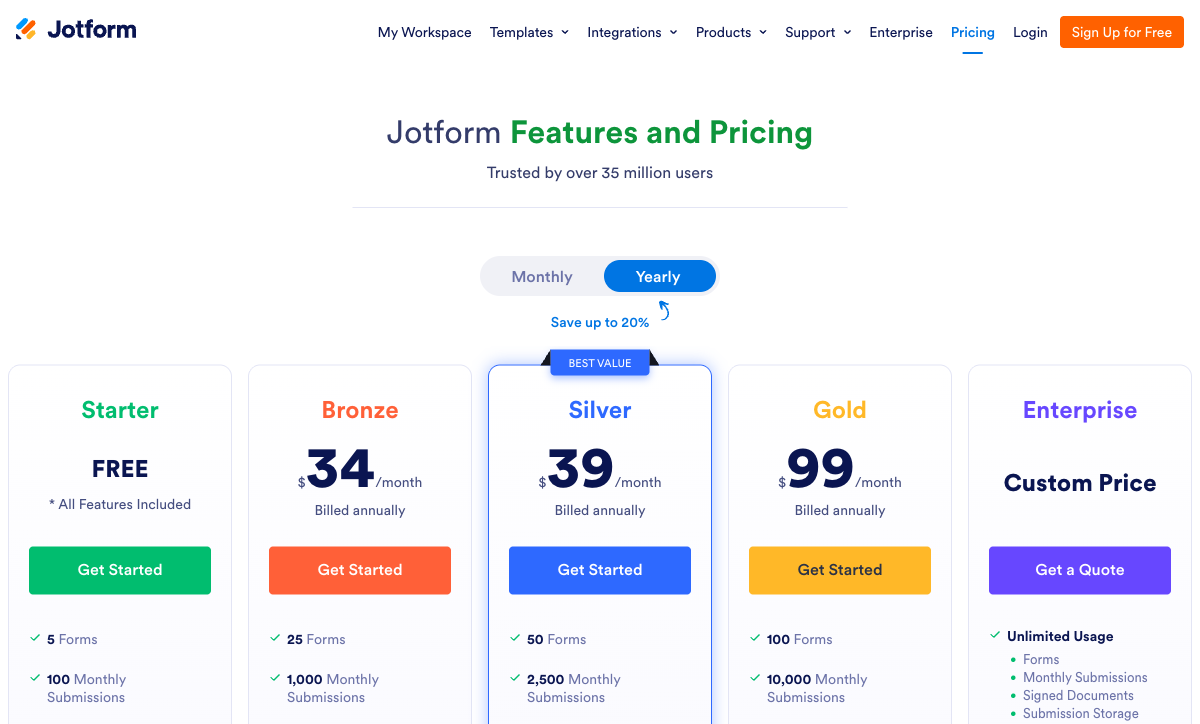
Read the volume limits as carefully as the headline price. Typeform meters tightly by responses, so cost climbs fast with usage; Jotform meters by submissions with all features unlocked from free; Wufoo offers the lowest sticker price but gates payments and most useful features behind its Professional tier. At a similar starting point, Jotform Bronze gives you ten times Typeform Basic's monthly volume with every feature switched on, while Wufoo Starter is cheaper still but buys a much thinner toolkit.
Jotform
Typeform
| Product | Plan | Monthly Price | Annual Price (per month) | Free Plan | Free Trial | Limits |
|---|---|---|---|---|---|---|
| Jotform | Starter | Free | Free | Yes | No | forms: 5, submissions: 100/month, storage: 100 MB, users: 1 |
| Jotform | Bronze | $39/mo | $34/mo billed annually | forms: 25, submissions: 1,000/month, storage: 1 GB, users: 1 | ||
| Jotform | Silver | $49/mo | $39/mo billed annually | forms: 50, submissions: 2,500/month, storage: 10 GB, users: 1 | ||
| Jotform | Gold | $129/mo | $99/mo billed annually | forms: 100, submissions: 10,000/month, storage: 100 GB, users: 1 | ||
| Typeform | Free | Free | Free | Yes | No | forms: 10, submissions: 10/month, users: 1 |
| Typeform | Basic | $39/mo | $28/mo billed annually | forms: Unlimited, submissions: 100/month, users: 1 | ||
| Typeform | Plus | $79/mo | $56/mo billed annually | forms: Unlimited, submissions: 1,000/month, users: 3 | ||
| Typeform | Business | $129/mo | $91/mo billed annually | forms: Unlimited, submissions: 10,000/month, users: 5 | ||
| Typeform | Growth Flow | $379/mo | $266/mo billed annually | forms: Unlimited, submissions: Expanded, users: Expanded | ||
| Typeform | Talent | $169/mo | $119/mo billed annually | forms: Unlimited, users: HR teams | ||
| Wufoo | Free | Free | Free | Yes | No | forms: 5, submissions: 100/month, storage: N/A, users: 1 |
| Wufoo | Starter | $16.25/mo | $16.25/mo billed annually | forms: 10, submissions: 1,000/month, storage: 1 GB, users: 1 | ||
| Wufoo | Professional | $33.25/mo | $33.25/mo billed annually | forms: Unlimited, submissions: 5,000/month, storage: 5 GB, users: 5 | ||
| Wufoo | Advanced | $83.25/mo | $83.25/mo billed annually | forms: Unlimited, submissions: 25,000/month, storage: 10 GB, users: 20 | ||
| Wufoo | Ultimate | $210.25/mo | $210.25/mo billed annually | forms: Unlimited, submissions: 200,000/month, storage: 20 GB, users: 60 |
What users say
The ratings line up with the analysis. Jotform tops G2's Online Form Builder category at 4.7 across nearly 5,000 reviews, with praise for breadth and recurring complaints about support speed and reliability. Typeform sits at 4.5 on G2, its reviews split between admiration for the design and frustration with the cost. Wufoo trails at 4.2, the lowest of the three, pulled down by poor support ratings and a product that reviewers repeatedly describe as dated and stagnant. The gap between Jotform and Wufoo, two tools founded the same year, shows what two decades of investment versus stagnation produces.
The verdict: a decision tree
- Choose Jotform if you need the widest capability in one tool — multiple payment gateways, HIPAA forms (Gold and up), offline mobile collection, real conditional logic and calculations, or Salesforce integration — and you can tolerate occasional rough edges and slow support in exchange for that breadth.
- Choose Typeform if the form is customer-facing, short, and revenue-attached, presentation drives completion, Stripe is your only payment processor, and the per-response cost is justified by the conversion lift.
- Choose Wufoo if you want the cheapest paid plan, the form is simple, and you don't need payments before its Professional tier, calculations, modern design, HIPAA, or a product that's still actively developed.
The honest pattern is that these three rarely compete for the same buyer. Jotform and Wufoo started in the same place in 2006 and diverged completely: Jotform is now the choice when you want everything, Wufoo when you want the minimum at the lowest price. Typeform sits apart from both, winning on design and losing on cost. The mistake is forcing one into the wrong job, like Wufoo for a payment-heavy intake form, Typeform for a 50-field application, or Jotform for a single high-traffic form where its rough edges cost conversions.
The tie-breaker: Paperform doesn't make you trade off
The frustrating thing about this matchup is that each tool is strong in exactly the place the other two are weak. Typeform owns the design but charges for it; Jotform owns the breadth but with rough edges; Wufoo owns the low price but trails on everything else. A growing business usually needs at least two of those qualities at once, and none of these three delivers all of them. Paperform exists to resolve that tension in a single tool.
Paperform's document-style editor produces forms that look like landing pages, the polish Typeform charges a premium for, without locking you into one rigid format, and its Guided Mode renders forms one question at a time in the conversational style Typeform built its name on, with one customer reporting a 91% conversion lift after switching. Its five-gateway payment engine (Stripe, PayPal, Square, Braintree, Google Pay) plus full eCommerce (products, subscriptions, coupons, tax) covers real-world payment needs more practically than Wufoo's three-processor, paywalled setup, and an Excel-style calculation engine runs scoring, pricing, and routing logic across questions, pages, emails, and integrations that Wufoo can't do at all and Jotform doesn't always do reliably.
Paperform is SOC 2 Type II certified and GDPR compliant, bootstrapped and profitable like Jotform, with 2,000+ integrations and 30,000+ templates, the largest library in the category. Paid plans start at $24/month annual, below both Typeform Basic and Jotform Bronze, and Papersign (eSignatures) and Stepper (AI-native workflow automation) are bundled in at no extra cost, capabilities Wufoo lacks entirely. One honest caveat: if HIPAA is a hard requirement, Paperform isn't HIPAA compliant today, so a regulated healthcare team should weigh Jotform Gold or Typeform Business instead.
For the head-to-head detail, see Paperform vs Jotform, Paperform vs Typeform, and Paperform vs Wufoo. Comparing just two of these three? See Jotform vs Typeform, Jotform vs Wufoo, or Typeform vs Wufoo. For the wider field, the best form builders ranking covers every option.
Frequently Asked Questions
Is Wufoo or Jotform the cheaper way to start collecting payments?
Jotform, by a wide margin. Wufoo blocks payment collection until its Professional plan at $33.25/month, and even then you are limited to Stripe, PayPal, and Authorize.net. Jotform includes all 40+ of its payment gateways on the free Starter plan, where the only limit is volume (10 payment submissions a month free, 100 on Bronze at $34/month annual). Typeform sits between them: payments are available from its Basic plan ($28/month annual) but it accepts Stripe and nothing else. So the cheapest paid entry to payments is Jotform Bronze, the cheapest free option is Jotform Starter, and Wufoo is the most expensive of the three to start taking money. If you want payments without paying for the privilege at all, Paperform includes its five-gateway engine on the free plan.
Does Jotform, Typeform, or Wufoo have real conditional logic and calculations?
Jotform is the only one of the three with both, and you don't have to pay for them. It offers field-level show/hide rules and calculation fields from its free Starter plan, with no cap on the number of rules. Typeform has visual logic and calculations but gates them to its Plus tier ($56/month annual), and the one-question-at-a-time format makes deep branching hard to follow. Wufoo is the weakest of the three: its "form rules" are capped at 50 lines of logic total (three rules on the free plan), and it has no calculation engine at all, so reviewers report splitting forms in two to work around the ceiling. Jotform wins the feature on paper, though its advanced logic is also the part reviewers most often call glitchy. For calculations that drive scoring, pricing, and routing reliably across an entire form, Paperform's Excel-style engine runs them on every plan including free.
Which is HIPAA compliant — Jotform, Typeform, or Wufoo?
Two of the three, and Wufoo is not one of them. Jotform offers HIPAA-compliant forms with a signed BAA on its Gold tier ($99/month annual) and Enterprise. Typeform includes HIPAA with a BAA on its Business tier ($91/month annual). Wufoo explicitly does not support HIPAA and will not sign a BAA at any price, which rules it out for any form touching protected health information. All three carry GDPR and SOC 2; Jotform and Typeform add ISO 27001 and PCI DSS, while Wufoo carries PCI DSS through SurveyMonkey but no ISO 27001. For HIPAA at the lowest entry point of these three, Typeform Business narrowly undercuts Jotform Gold, but see our best form builders for healthcare guide for purpose-built options.
Is Wufoo outdated compared to Jotform and Typeform?
Materially, yes. Wufoo launched in 2006 and was acquired by SurveyMonkey in 2011 for $35M, and reviewers across platforms consistently describe both its builder and its output as dated, with no meaningful visual refresh or feature push in years. It has no AI form creation, no calculations, no scoring, no save-and-resume, no guided mode, and no signature or booking fields, all of which Jotform and Typeform now offer in some form. Jotform, founded the same year as Wufoo, took the opposite path and kept accumulating capability for two decades; Typeform, founded in 2012, built its whole identity on modern design. Wufoo's appeal is that it is simple and cheap to start, not that it keeps pace. Its 4.2 G2 rating is the lowest of the three, dragged down by support complaints and its stalled roadmap.
Why is Typeform so much more expensive than Wufoo for the same number of responses?
Because the premium buys design, not capacity. Wufoo Starter costs $16.25/month for 1,000 monthly entries; Typeform Basic costs $28/month annual for just 100 responses, roughly ten times the per-response cost. Typeform meters tightly by responses and charges a premium for its conversational presentation and animation, which is why 46% of its reviewers cite pricing negatively and why its free plan was cut to 10 responses a month. Wufoo's low price reflects what it is: a stable but feature-light tool that hasn't changed much in years. Neither value proposition is wrong; they are aimed at different buyers. If you want Typeform-style polish without Typeform's per-response bill, Paperform's Guided Mode delivers a one-question-at-a-time experience starting at $24/month annual.
Which is the safest long-term bet: Jotform, Typeform, or Wufoo?
Each carries a different kind of risk. Jotform is the most durable: bootstrapped, profitable, and 20 years old on roughly $144.9M annual revenue with zero venture capital, so there is no investor pressure and no acquisition overhang. Typeform raised $193M through Series C, and venture funding tends to push aggressive monetization, which is the pattern behind its shrinking free tier and rising prices. Wufoo is the most uncertain despite its age: as a small subsidiary of SurveyMonkey (Momentive), it receives minimal investment and sits in the category where parent companies let products stagnate rather than sunset them. On financial stability and independence, Jotform is the clear pick of these three.
When should you skip all three of Jotform, Typeform, and Wufoo?
When you need more than one of their best traits at once and can't accept the catch attached to each. Jotform gives you breadth but with reliability and support complaints; Typeform gives you design but at a steep per-response price and only one rigid format; Wufoo gives you a low price but a dated, feature-thin product. Most growing businesses need beauty and capability and sensible pricing, which is the gap Paperform fills. Its document-style editor produces landing-page-quality forms (the design Typeform charges for), a five-gateway payment engine with full eCommerce (broader real-world payment coverage than Wufoo, simpler than Jotform), an Excel-style calculation engine, and Papersign plus Stepper bundled in. It is SOC 2 Type II certified and bootstrapped like Jotform. See Paperform vs Jotform, Paperform vs Typeform, and Paperform vs Wufoo for the head-to-head detail.
Sources & References
- Jotform vs. Typeform: Which is best? — Zapier, 2026
- Jotform Review 2026: Pricing, Features, Pros & Cons, Ratings & More — Research.com, 2026
- Typeform Review 2026: We Tested Everything — Hackceleration, 2026
- Wufoo Review: What You Need to Know Before Using Wufoo — BrightSEO Tools, 2025
- Top 8 Wufoo Alternatives for Powerful Form Building — Heyflow, 2025
Last updated June 26, 2026
Ready to try Paperform?
Create beautiful forms, payment pages, and workflows — no code required.