Jotform vs SurveyMonkey vs Typeform: Which Form Builder Wins in 2026?
These three pull in different directions: SurveyMonkey wins on research and analytics, Typeform wins on design and completion rates, and Jotform wins on raw capability across payments, integrations, and breadth. Choose SurveyMonkey for serious survey data, Typeform for branded lead and feedback forms, and Jotform when a form must take payments or do more than one job. If you need analysis, design, and payments in one tool, Paperform beats all three.
This is the trio people weigh when the job is somewhere between "run a real survey" and "build a working business form." All three are credible, but each was built around a different center of gravity. SurveyMonkey is the original survey platform: founded in 1999, built for researchers, and unmatched at turning responses into statistics. Typeform reframed the form as a conversational brand experience, one question at a time, and leans hard into design and AI. Jotform is the 20-year veteran that has accumulated more features than anyone else, treating the form as an operational tool rather than a survey or a showpiece.
Because this group skews toward surveys and research, we weight survey analytics, respondent limits, and reporting heavily below, alongside the dimensions that decide every form-builder purchase: pricing, integrations and API, conditional logic, payments, and compliance. Current figures are pulled from each product. We close with what to reach for when no single one of these three covers the whole job.
Quick verdict: who each one is for
 Jotform
Best for: operational teams that need a form to do things (collect payments through 40+ gateways, run HIPAA-compliant intake, or work offline on mobile) and can live with a busy interface.
 SurveyMonkey
Best for: researchers and CX/HR teams who need statistically sound surveys (NPS, MaxDiff, benchmarking, AI analysis, and a 335M-person panel) and have the budget for enterprise pricing.
 Typeform
Best for: marketers and brand teams running short, high-conversion lead and feedback forms where presentation lifts response rates and Stripe is the only processor needed.
Three approaches to the same question
Ask all three to gather a handful of answers and you get three very different respondent experiences: operational, analytical, and conversational.
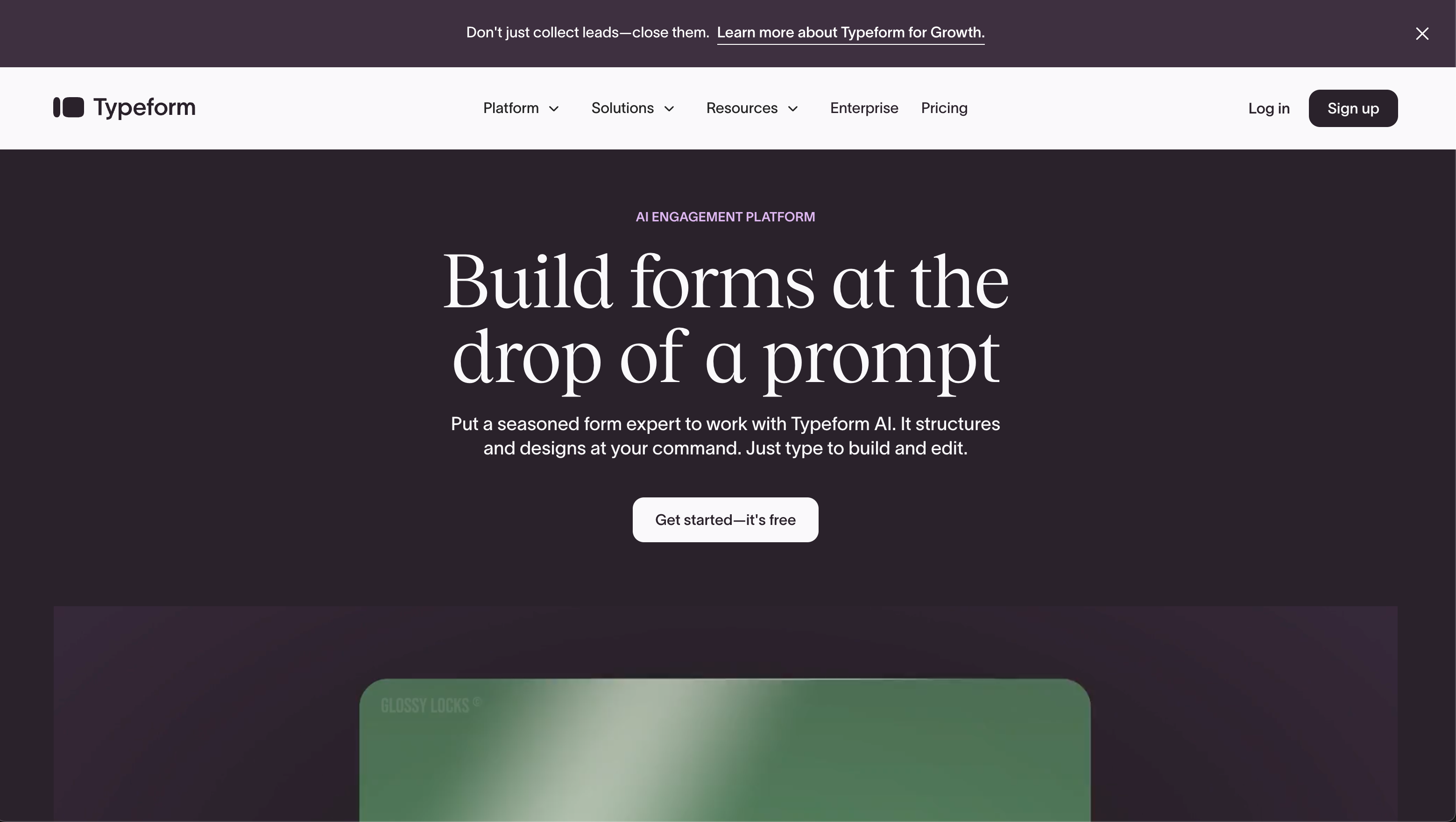
Feature comparison
Every category across all three, side by side. The payments, analytics, and customization rows are where the difference in purpose turns into a difference in what each tool can actually be used for.
| Feature | Jotform | SurveyMonkey | Typeform |
|---|---|---|---|
| Form Building | |||
| Document-style editor | No | No | No |
| AI form creation | Yes starter | Yes | Yes |
| Field types | 30+ (starter) | 15+ | 20+ |
| Multi-page forms | Yes starter | Yes | Yes basic |
| Guided mode (one question at a time) | Yes starter | Yes | Yes |
| Conditional logic | Yes starter | Yes Individual Standard | Yes basic |
| Calculations field | Yes starter | No | Yes plus |
| Scoring | Yes starter | Yes | Yes plus |
| Answer piping | Yes starter | Yes Individual Standard | Yes basic |
| Pre-filling and hidden fields | Yes starter | Yes Individual Standard | Yes basic |
| Save and resume | Yes starter | Yes Individual Standard | No |
| Auto-close by number | Yes starter | Yes Individual Standard | Yes basic |
| Auto-close by date | Yes starter | Yes Individual Standard | Yes basic |
| Appointment/booking field | Yes starter | No | Yes basic |
| Signature field | Yes starter | No | Yes basic |
| Color picker field | No | No | No |
| File uploads | Yes starter | Yes | Yes basic |
| Drag-and-drop builder | Yes starter | No | No |
| Form widgets | Yes starter | No | No |
| Template gallery | 20,000+ (starter) | No | No |
| AI calculations assistant | No | No | No |
| API-powered dropdowns | No | No | No |
| Google address search | No | No | No |
| AI follow-up questions | No | No | Yes business |
| AI extended thinking & memory | No | No | Yes growth |
| Workflow / automation builder | No | No | Yes growth |
| AI-moderated research (Research Flow) | No | No | Yes enterprise |
| Video questions | No | No | Yes basic |
| Payments | |||
| Stripe payments | Yes starter | Yes Individual Advantage | Yes basic |
| PayPal payments | Yes starter | Yes Individual Advantage | No |
| Square payments | Yes starter | No | No |
| Braintree payments | Yes starter | No | No |
| Google Pay | Yes starter | No | No |
| 40+ payment gateways | Yes starter | No | No |
| Product sales (eCommerce) | Yes starter | No | No |
| Subscriptions | Yes starter | No | Yes basic |
| Coupons and discounts | Yes starter | No | No |
| Custom pricing rules | Yes starter | No | No |
| Tax calculations | Yes starter | No | No |
| No transaction fees | Yes starter | No | No |
| Quotes/invoices | No | No | No |
| Refunds | No | No | No |
| 3D Secure | No | No | Yes basic |
| Design & Customization | |||
| Template gallery | 20,000+ (starter) | 500+ | 1,500+ |
| Rich media (images, GIFs, videos) | Yes starter | Yes | Yes |
| Form themes | Yes starter | No | No |
| Language translation | Yes starter | Yes Individual Premier | Yes basic |
| Advanced theming | Yes starter | Yes Individual Standard | Yes plus |
| Custom form URL | No | Yes Individual Standard | Yes plus |
| Custom domains | Yes enterprise | No | No |
| Custom HTML & CSS | Yes starter | No | Yes business |
| Remove branding | Yes bronze | Yes Individual Standard | Yes plus |
| Custom email domains | No | No | No |
| Unsplash and Giphy integration | No | No | Yes |
| Image editor | No | No | No |
| Adobe Creative Cloud | No | No | No |
| Analytics | |||
| Submission results and reports | Yes starter | Yes | Yes |
| Form analytics | Yes starter | No | No |
| Google Analytics integration | Yes starter | No | No |
| Partial submissions | No | Yes Individual Standard | Yes plus |
| AI report insights | No | Yes Individual Standard | Yes business |
| Paperform analytics | No | No | No |
| Google Analytics & Facebook Pixel | No | No | Yes basic |
| Custom analytics scripts | No | No | Yes basic |
| Drop-off analysis | No | No | Yes business |
| Collaboration | |||
| Multi-user accounts | Yes bronze | Yes Team Advantage | Yes plus |
| User permissions and management | Yes enterprise | Yes Team Advantage | Yes plus |
| Advanced permissions & admin | Yes enterprise | Yes enterprise | Yes enterprise |
| Form sharing | Yes starter | No | No |
| Assign forms | Yes enterprise | No | No |
| Form sharing (templates) | No | Yes Team Advantage | Yes |
| Review Sessions | No | Yes Team Advantage | No |
| Persistent Magic Link | No | Yes Team Advantage | No |
| Spaces and tag management | No | No | No |
| Workspace organization | No | No | Yes |
| Security | |||
| SOC 2 Type II | Yes enterprise | Yes | Yes |
| GDPR compliant | Yes starter | Yes | Yes |
| HIPAA compliant | Yes gold | No | Yes enterprise |
| SSL encryption | Yes starter | Yes | Yes |
| 256-bit SSL | Yes starter | No | No |
| Two-factor authentication | Yes starter | Yes | Yes |
| SSO (SAML) | Yes enterprise | Yes enterprise | Yes enterprise |
| reCAPTCHA | Yes starter | Yes | Yes business |
| Data residency | Yes enterprise | No | No |
| Form encryption | Yes starter | No | No |
| PCI DSS | Yes starter | No | Yes |
| Enforce 2FA for all users | No | Yes enterprise | No |
| Local data residency | No | Yes enterprise | No |
| Custom S3 storage (BYO) | No | No | No |
| ISO 27001 | No | No | Yes |
| Integrations & API | |||
| Native integrations | 150+ (starter) | 200+ | 120+ (basic) |
| Zapier | Yes starter | Yes | Yes basic |
| Make (Integromat) | Yes starter | Yes | Yes basic |
| Webhooks | Yes starter | Yes Individual Standard | Yes basic |
| API | Yes starter | No | Yes basic |
| WordPress plugin | Yes starter | No | Yes |
| Salesforce AppExchange | Yes starter | No | No |
| Embed options | Yes starter | No | Yes |
| Mobile apps | Yes starter | No | No |
| Claude (Anthropic) integration | No | Yes Individual Standard | No |
| Standard API | No | Yes Individual Standard | No |
| Business API | No | Yes enterprise | No |
| oEmbed support | No | No | No |
| Claude / MCP server | No | No | Yes basic |
| AI data enrichment | No | No | Yes growth |
The dimensions that decide it
For a survey-leaning trio, the decision usually comes down to these six dimensions. Here is where each tool lands on every one.
Survey analytics & research
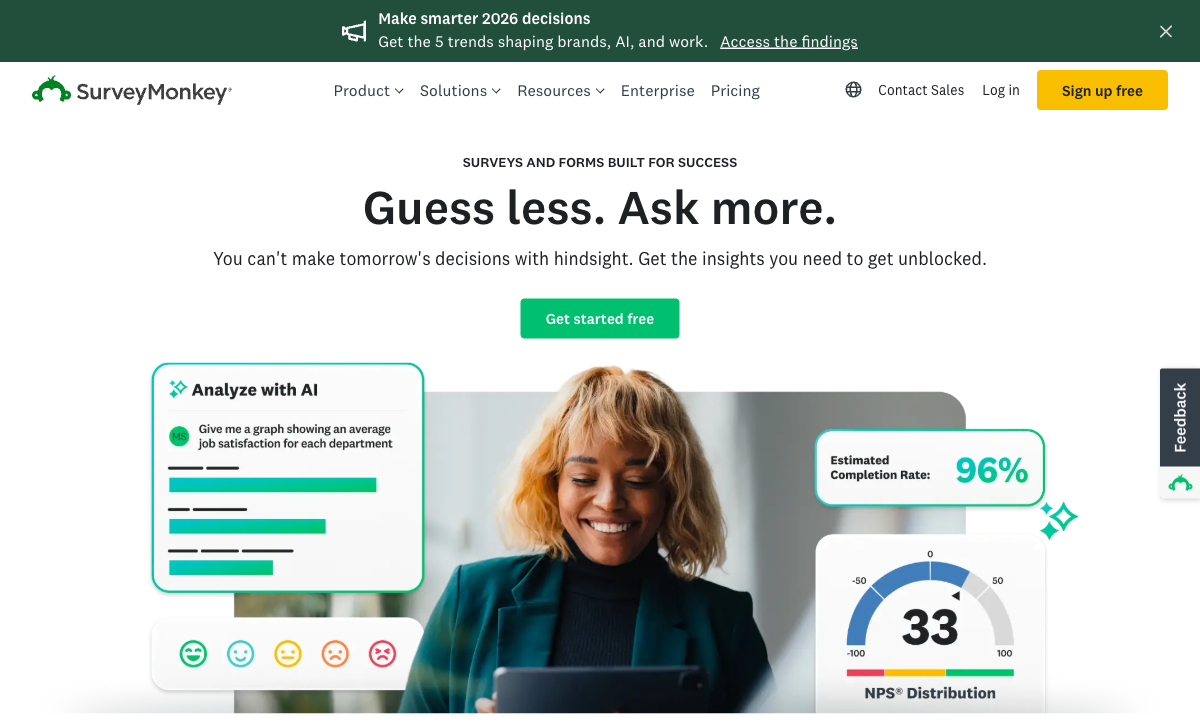
SurveyMonkey has the deepest analytics by a wide margin: cross-tabulation, sentiment analysis, NPS/CSAT/CES, industry benchmarks, MaxDiff, Van Westendorp price testing, and an AI Analysis Suite that answers plain-English questions about your data. Typeform offers Insights AI for response analysis and clean reporting, but nothing approaching SurveyMonkey's statistical toolkit. Jotform reports submissions and builds basic dashboards but is the weakest of the three for analysis — and notably cannot view data from partial submissions. Only SurveyMonkey also sells access to a 335M-person global respondent panel across 130+ countries.
Pricing
Jotform's paid plans start at $34/month (annual), Typeform's at $28/month (annual), and SurveyMonkey's only monthly individual plan is $99/month — with team plans gated behind a 3-user, annually-billed minimum. SurveyMonkey also adds $0.15 per response in overage charges once you pass a tier's cap, and its Team Advantage floor is $1,080/year. Typeform Basic covers just 100 responses a month; Jotform Bronze covers 1,000 submissions with every feature unlocked. On entry cost and transparency, Jotform is comfortably the cheapest of the three.
Integrations & API
SurveyMonkey lists 200+ native integrations, Jotform 150+, and Typeform 120+ — and all three expose a REST API plus webhooks. SurveyMonkey is the only one with first-party connectors into the analytics stack (Tableau, Power BI) alongside Salesforce, HubSpot, and Microsoft Teams. Jotform reaches Salesforce via the AppExchange and a broad productivity-and-payments spread; Typeform leans toward marketing tools like Klaviyo and Pipedrive. For piping survey data into a BI tool, SurveyMonkey is the cleanest fit.
Conditional logic
Jotform offers field-level logic and calculation fields from the free plan; Typeform gates advanced logic and calculations to its Plus tier ($56/month annual); SurveyMonkey puts skip logic on paid plans and advanced branching higher still (Advantage and above). All three can branch a respondent based on an answer, but Jotform is the most generous about when you get it. The caveat with Jotform is reliability — reviewers report that complex logic and custom widgets can behave inconsistently on busy forms.
Payments
Jotform supports 40+ payment processors, SurveyMonkey supports two (Stripe and PayPal, on Advantage tiers only), and Typeform supports exactly one (Stripe). Jotform covers Stripe, PayPal, Square, Authorize.net, Mollie, and dozens of regional gateways with no added transaction fees — though payment submissions are capped per plan. SurveyMonkey treats payments as a bolt-on with no subscriptions, coupons, or tax handling. Typeform works only if Stripe is your processor. For anything resembling a checkout, Jotform is the only realistic option of the three.
Compliance (HIPAA / GDPR / SOC 2)
All three are GDPR, SOC 2, and HIPAA compliant, but the HIPAA terms differ. Jotform is HIPAA compliant with a signed BAA on its Gold tier ($99/month annual) and Enterprise; Typeform offers HIPAA with a BAA on its Business tier ($91/month annual); SurveyMonkey provides HIPAA compliance on its Enterprise plan. Jotform and Typeform also carry ISO 27001 and PCI DSS, while SurveyMonkey adds Section 508 and lists FedRAMP as in progress (it is not ISO 27001 certified). For PHI, treat Jotform Gold or Typeform Business as the lowest entry point between the three — SurveyMonkey's HIPAA sits behind a sales conversation.
Jotform: the broadest toolkit, with rough edges
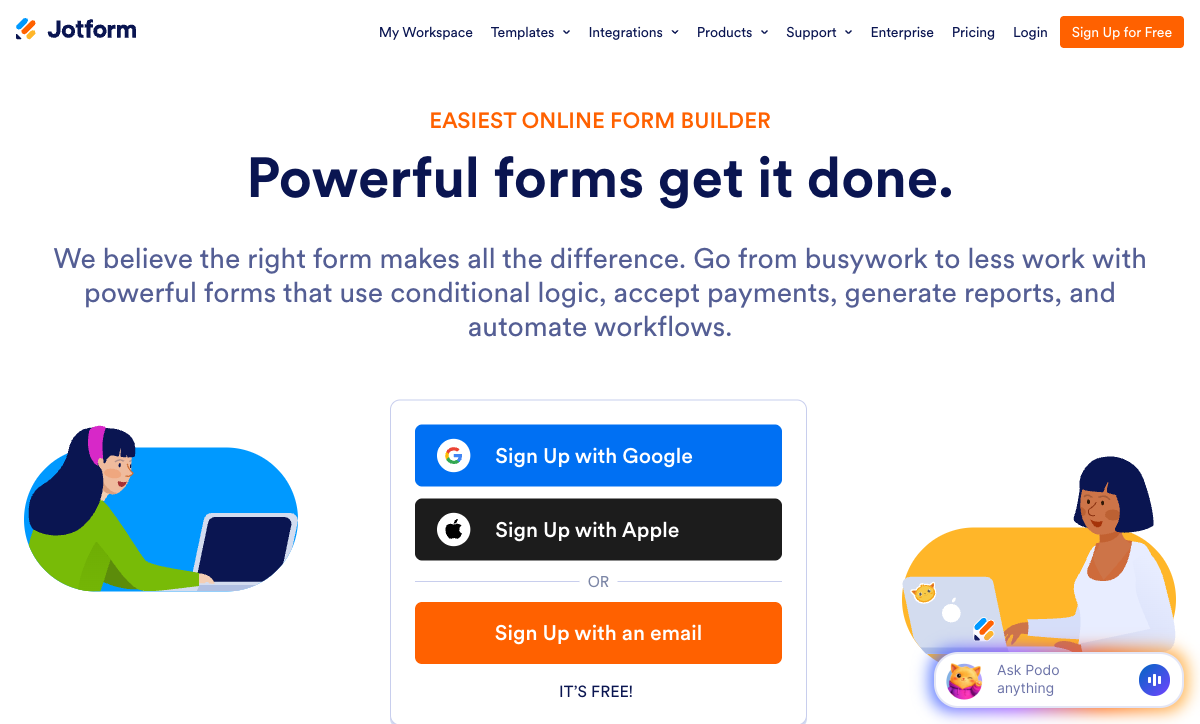
Jotform's whole pitch is breadth, and against a survey specialist and a design specialist it stands out as the generalist that can actually take money and run a process. Founded in 2006 and bootstrapped to roughly $144.9M in annual revenue, it has spent two decades stacking capability: 40+ payment gateways, 150+ integrations, native iOS and Android apps for offline collection, a Salesforce AppExchange listing, e-signatures, and 20,000+ templates. Unusually for this group, every feature is available on the free Starter plan, and only the limits (5 forms, 100 submissions) scale with price. It is the #1 Online Form Builder on G2 and holds a 4.7 rating there across nearly 5,000 reviews.
The price of twenty years of accumulation is that the polish is uneven. Reviewers consistently report that advanced widgets, custom fields, and complex conditional logic can be glitchy or behave inconsistently, and the interface grows visually crowded as forms get complicated. Support response times draw frequent complaints. There are hard ceilings, too: even the Gold plan ($99/mo) caps you at 100 forms, every individual plan from Starter to Gold is single-user, and as an analytics tool it lags well behind SurveyMonkey, to the point that it can't even surface partial-submission data. Jotform gives you the most capability of the three; not all of it works as smoothly as the spec sheet implies.
SurveyMonkey: the research engine that struggles outside surveys
SurveyMonkey is the one tool here that researchers reach for on purpose. Founded in 1999, it is the most recognized survey brand in the world, used by 260,000+ organizations including Uber, Samsung, and Harvard, and its strength is everything that happens after the response comes in. Built-in NPS, CSAT, and CES scoring, cross-tabulation, sentiment analysis, industry benchmarks, MaxDiff, Van Westendorp price testing, and a new AI Analysis Suite that answers plain-English questions about your data put it in a different analytical league than Jotform or Typeform. Add a 335M-person global respondent panel and 70+ language support, and for serious market research it is the obvious pick of the three.
The problem is everything that isn't a survey. SurveyMonkey is survey-centric by design: it lacks signature fields, appointment booking, custom domains, and document-style layouts, and its payment support tops out at Stripe and PayPal on higher tiers with no real eCommerce. Pricing is the loudest complaint. The only monthly individual plan is $99/month, capable team plans demand a 3-user annual minimum, and per-response overage charges of $0.15 apply past every cap. That cost-and-billing friction shows up in a Trustpilot score of 3.2 (62% one-star reviews, overwhelmingly about auto-renewal and cancellation), even as its professional-platform scores sit around 4.4–4.6. It is the best of the three at analysis and the worst at being a flexible, fairly-priced form builder.
Typeform: beautiful forms, narrow format, premium price
Typeform is the best-looking tool of the three, and for short, high-stakes forms that matters. Its one-question-at-a-time conversational format, smooth animations, and considered typography make a form feel like a brand experience rather than a questionnaire, and the company reports completion rates well above the traditional-form average. It is trusted by 95% of the Fortune 500, integrates cleanly with marketing tools like HubSpot, Klaviyo, and Salesforce, and has built three distinct AI features (Creator, Interaction, and Insights) into the platform. For a lead-capture or feedback form where presentation drives the response rate, Typeform's polish can move the numbers.
What you pay for that polish is the recurring theme in its reviews, with value-for-money sitting at 4.0 on G2, the lowest of the three. The free plan allows just 10 responses a month, Basic ($28/mo annual) covers only 100, and reCAPTCHA plus drop-off analysis sit behind the Business tier ($91/mo annual). The conversational format is also the only format: there's no traditional layout, so a 30-question research survey forces respondents through 30 separate screens, exactly the kind of long-form work SurveyMonkey handles comfortably. Payments are Stripe-only, and analytics are shallow next to SurveyMonkey's. Typeform is excellent at one specific job and expensive at everything outside it.
See them in action
If you'd rather watch than read, this independent comparison sizes up SurveyMonkey's analytics-first approach against a simpler alternative, a useful way to judge whether the research depth that separates SurveyMonkey from Jotform and Typeform is worth its price for your use case.
Pricing comparison
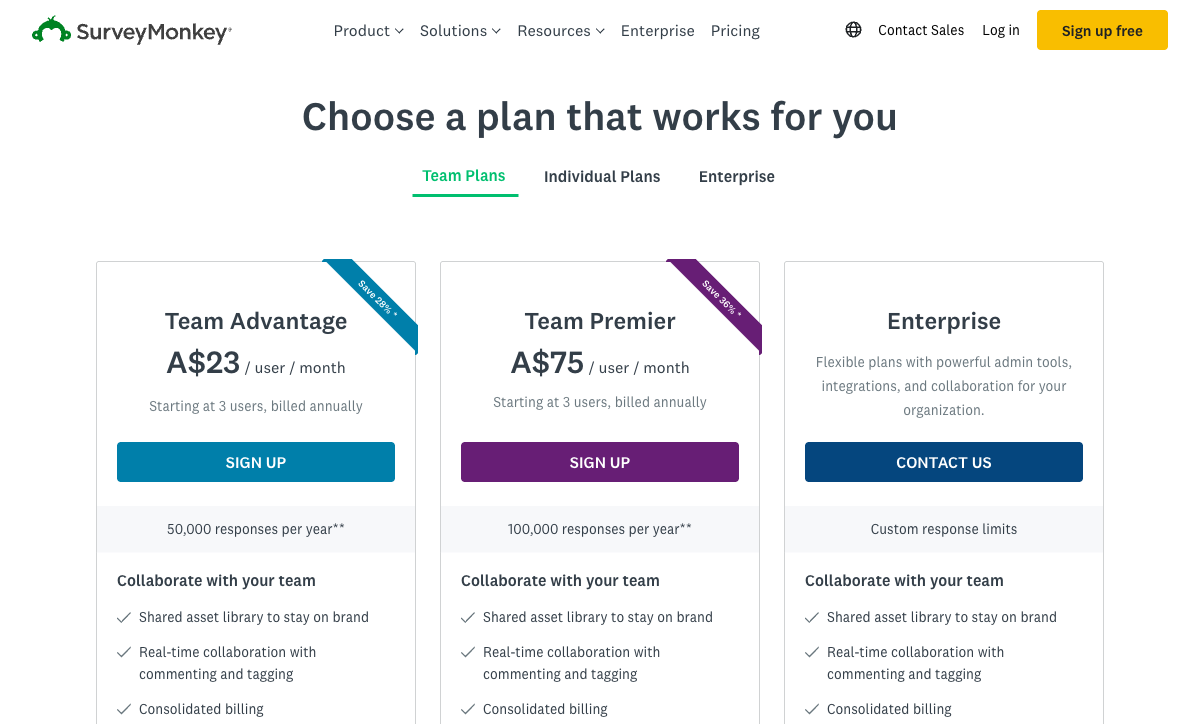
Read the metering as carefully as the headline price. SurveyMonkey caps responses per tier and charges $0.15 for each one over the limit, with its strongest plans locked to a 3-user annual commitment; Typeform meters by responses, so cost rises directly with volume; Jotform meters by submissions with per-tier ceilings and additionally caps payment submissions. At their entry points Jotform Bronze ($34/mo annual) is the most generous on volume, Typeform Basic ($28/mo annual) is the cheapest sticker but the tightest on responses, and SurveyMonkey's real capability only unlocks once you are paying enterprise-adjacent sums.
Jotform
SurveyMonkey
| Product | Plan | Monthly Price | Annual Price (per month) | Free Plan | Free Trial | Limits |
|---|---|---|---|---|---|---|
| Jotform | Starter | Free | Free | Yes | No | forms: 5, submissions: 100/month, storage: 100 MB, users: 1 |
| Jotform | Bronze | $39/mo | $34/mo billed annually | forms: 25, submissions: 1,000/month, storage: 1 GB, users: 1 | ||
| Jotform | Silver | $49/mo | $39/mo billed annually | forms: 50, submissions: 2,500/month, storage: 10 GB, users: 1 | ||
| Jotform | Gold | $129/mo | $99/mo billed annually | forms: 100, submissions: 10,000/month, storage: 100 GB, users: 1 | ||
| SurveyMonkey | Basic (Free) | Free | Free | Yes | No | forms: Unlimited, submissions: 25 per survey, storage: N/A, users: 1 |
| SurveyMonkey | Individual Standard | $99/mo | $39/mo billed annually | forms: Unlimited, submissions: 1,000 per month, storage: N/A, users: 1 | ||
| SurveyMonkey | Individual Advantage | Free | $32/mo billed annually | forms: Unlimited, submissions: 15,000 per year, storage: N/A, users: 1 | ||
| SurveyMonkey | Individual Premier | Free | $99/mo billed annually | forms: Unlimited, submissions: 40,000 per year, storage: N/A, users: 1 | ||
| SurveyMonkey | Team Advantage | Free | $30/mo billed annually | forms: Unlimited, submissions: 50,000 per year (shared), storage: N/A, users: 3 minimum | ||
| SurveyMonkey | Team Premier | Free | $92/mo billed annually | forms: Unlimited, submissions: 100,000 per year (shared), storage: N/A, users: 3 minimum | ||
| Typeform | Free | Free | Free | Yes | No | forms: 10, submissions: 10/month, users: 1 |
| Typeform | Basic | $39/mo | $28/mo billed annually | forms: Unlimited, submissions: 100/month, users: 1 | ||
| Typeform | Plus | $79/mo | $56/mo billed annually | forms: Unlimited, submissions: 1,000/month, users: 3 | ||
| Typeform | Business | $129/mo | $91/mo billed annually | forms: Unlimited, submissions: 10,000/month, users: 5 | ||
| Typeform | Growth Flow | $379/mo | $266/mo billed annually | forms: Unlimited, submissions: Expanded, users: Expanded | ||
| Typeform | Talent | $169/mo | $119/mo billed annually | forms: Unlimited, users: HR teams |
What users say
The professional-platform scores land in a tight band, but the stories behind them diverge sharply. Jotform has the deepest pool of paid-software reviews and tops G2's Online Form Builder category, with praise for breadth and recurring complaints about support speed and reliability. SurveyMonkey carries by far the largest review volume overall (23,000+ on G2 alone), yet its Trustpilot score collapses to 3.2 under a wave of auto-renewal and billing complaints, a gap that says more about its commercial practices than its product. Typeform's reviews split cleanly between admiration for its design and frustration with its cost, reflected in the lowest value-for-money rating of the three.
The verdict: a decision tree
- Choose SurveyMonkey if the work is genuine research — NPS programs, concept testing, employee engagement, academic studies — and you need benchmarking, statistical analysis, multilingual surveys, or panel access more than you need a flexible, affordable form. Budget for enterprise-tier pricing and annual commitments.
- Choose Jotform if the form has to do something beyond collecting answers — take payments through any of 40+ gateways, run HIPAA-compliant intake (Gold and up), collect data offline on mobile — and you can tolerate a crowded interface, slower support, and occasional feature glitches in exchange for that breadth.
- Choose Typeform if the form is short, customer-facing, and revenue-attached, presentation drives completion, Stripe is your only processor, and you don't need deep analytics or long-form layouts to justify the per-response cost.
In practice many teams end up running two of these: SurveyMonkey for the research, and a separate tool for the customer-facing forms it can't make look good or take payment on. That's workable but expensive. The mistake is forcing one to do a job it wasn't built for, like SurveyMonkey for a payment-enabled order form, Typeform for a 50-question research survey, or Jotform for a CX program that lives or dies on its analytics.
The tie-breaker: Paperform won't make you pick a corner
The frustration with this comparison is that the strengths are split three ways. SurveyMonkey owns the analysis, Typeform owns the design, and Jotform owns the breadth, yet a growing team usually needs at least two of those at once, which is how people end up paying for multiple subscriptions. Paperform exists to collapse that stack.
Paperform's document-style editor produces forms that look like landing pages, closer to Typeform's polish than Jotform's drag-and-drop output, and its Guided Mode renders forms one question at a time in the conversational style Typeform built its name on, without locking you into that single format. For the research side, built-in analytics and AI Insights summarize responses into readable reports and surface trends, covering the everyday survey work most teams need without SurveyMonkey's price tag. An Excel-style calculation engine runs scoring, pricing, and routing logic across questions, pages, emails, and integrations, useful for quizzes and assessments that none of these three handles as cleanly.
On the operational side, a five-gateway payment engine (Stripe, PayPal, Square, Braintree, Google Pay) with full eCommerce (products, subscriptions, coupons, tax) covers what pushes people toward Jotform, and Papersign (eSignatures) plus Stepper (AI-native workflow automation) come bundled at no extra cost. Paperform is SOC 2 Type II certified and GDPR compliant, bootstrapped and profitable like Jotform, with 2,000+ integrations and 30,000+ templates, the largest library of the bunch. Paid plans start at $24/month annual, below Typeform Basic, Jotform Bronze, and well below SurveyMonkey's $99/month individual plan. One honest caveat: if HIPAA is a hard requirement, Paperform isn't HIPAA compliant today, so a regulated healthcare team should weigh Jotform Gold or Typeform Business instead.
For the head-to-head detail, see Paperform vs Jotform, Paperform vs SurveyMonkey, and Paperform vs Typeform. Comparing just two of these three? See Jotform vs Typeform, Jotform vs SurveyMonkey, or SurveyMonkey vs Typeform. For the wider field, the best form builders ranking covers every option.
Frequently Asked Questions
For serious survey analytics, is SurveyMonkey, Jotform, or Typeform the strongest?
SurveyMonkey is built for analytics in a way neither Jotform nor Typeform is. It ships with cross-tabulation, sentiment analysis, industry benchmarks, NPS/CSAT/CES scoring, and an AI Analysis Suite that lets you query results in plain English, plus market-research methods like MaxDiff and Van Westendorp price testing. Jotform and Typeform both report responses competently and Typeform adds AI-driven Insights, but neither offers SurveyMonkey's statistical depth or its 335M-person global respondent panel. The limitation is that all that analytics horsepower is wasted on anything that isn't a survey: SurveyMonkey can't take payments properly, onboard a client, or build a branded landing-page form. If you want survey-grade insight and a form that does more than collect answers, Paperform pairs built-in analytics and AI Insights with a full form-and-payment engine.
Which is most expensive at scale — SurveyMonkey, Jotform, or Typeform?
SurveyMonkey is the most expensive to run seriously, largely because of how it meters and bills. Its only monthly individual plan is Individual Standard at $99/month, its capable Team tiers require a 3-user minimum billed annually (a $1,080/year floor for Team Advantage, $3,312/year for Team Premier), and every plan caps responses with $0.15-per-response overage charges once you exceed the limit. Typeform is the next most punishing: Basic ($28/month annual) covers only 100 responses, and reCAPTCHA, drop-off analysis, and Salesforce all sit behind the Business tier ($91/month annual). Jotform is the cheapest of the three at the entry point, with Bronze at $34/month annual for 1,000 submissions and every feature unlocked, though it caps payment submissions and forms on every tier. None of the three bills as predictably as Paperform, which starts at $24/month annual with no per-response overage.
Can Jotform, SurveyMonkey, or Typeform actually collect payments?
All three can technically take money, but the gap between them is wide. Jotform supports 40+ payment gateways, including Stripe, PayPal, Square, Authorize.net, Mollie, and dozens of regional processors, with no added transaction fees, though payment submissions are capped per plan (100/month on Bronze, 1,000/month on Gold). Typeform supports exactly one processor, Stripe. SurveyMonkey supports two, Stripe and PayPal, and only on its higher Advantage tiers, with no subscriptions, coupons, product catalogs, or tax handling. So for anything resembling a checkout, Jotform is the only one of the three that really qualifies. For comparison, Paperform runs five gateways (Stripe, PayPal, Square, Braintree, Google Pay) with a real eCommerce engine, covering products, subscriptions, coupons, and tax, on every plan including free.
Is SurveyMonkey or Typeform better for customer feedback and NPS?
It depends on whether you care more about the numbers or the experience. SurveyMonkey is the better tool for rigorous, repeatable feedback programs. It has native NPS, CSAT, and CES question types, benchmark data to compare your scores against an industry baseline, and the analytics to track sentiment over time. Typeform wins on the front end. Its one-question-at-a-time conversational format lifts completion rates on short feedback prompts and feels like part of your brand rather than a corporate survey. The trade-off is that Typeform's analysis is shallower and its cost climbs fast past 100 responses a month, while SurveyMonkey's presentation is plain and its billing is the most complained-about in the category (Trustpilot 3.2, 62% one-star, mostly auto-renewal grievances). Many teams running ongoing CX programs end up looking at dedicated form builders that combine readable design with response-level insight.
Does Jotform or SurveyMonkey have more integrations, and which connects to Salesforce and Tableau?
SurveyMonkey lists 200+ native integrations to Jotform's 150+ and Typeform's 120+, and it is the only one of the three with first-party connectors into the analytics stack most enterprises run: Salesforce, HubSpot, Tableau, Power BI, Microsoft Teams, and Marketo. Jotform also offers Salesforce (via the AppExchange) and reaches a broad spread of productivity and payment tools, while Typeform leans toward marketing destinations like HubSpot, Klaviyo, and Pipedrive. All three expose a REST API and webhooks. If your survey data needs to land in Tableau or Power BI without a middleware layer, SurveyMonkey is the natural pick of the three. Paperform's 2,000+ integrations plus its built-in Stepper workflow automation cover a far wider surface than any single one of them.
Which is the safest long-term bet: Jotform, SurveyMonkey, or Typeform?
Each carries a different risk profile. Jotform is bootstrapped, profitable, and 20 years old, running on roughly $144.9M annual revenue with no outside capital, which makes it one of the most durable independents in the category. SurveyMonkey is the oldest of the three (founded 1999) and the most recognized survey brand, but it was taken private by Symphony Technology Group, and private-equity ownership tends to bring price increases and aggressive renewal practices. Both show up loudly in its recent reviews. Typeform raised $193M through Series C; venture funding creates pressure to monetize, which is why its free tier was cut to 10 responses a month. On pure independence and financial durability, Jotform is the steadiest of the three.
When is none of Jotform, SurveyMonkey, or Typeform the right choice?
When the same project needs to do market-grade analysis, look like your brand, and take payments or run a workflow, because no single one of these three does all three well. SurveyMonkey has the research depth but can't run a checkout or a custom-domain landing form; Typeform has the polish but only Stripe and a one-question format; Jotform has the breadth but a crowded interface and feature reliability that reviewers question. That combination is where Paperform fits: a document-style editor that builds landing-page-quality forms, a Guided Mode that matches Typeform's conversational style, built-in analytics and AI Insights for survey results, five payment gateways with full eCommerce, and an Excel-style calculation engine for scoring and pricing. It is SOC 2 Type II certified and bootstrapped like Jotform. See Paperform vs Jotform, Paperform vs SurveyMonkey, and Paperform vs Typeform for the head-to-head detail.
Sources & References
- Jotform vs. Typeform: Which is best? — Zapier, 2026
- 15 Best SurveyMonkey Alternatives & Competitors in 2026 — SurveySparrow, 2026
- SurveyMonkey Pricing Guide 2026: Costs, Plans, and Hidden Fees — Featurebase, 2026
- SurveyMonkey Review 2026: Features, Pricing & Honest Verdict — HamsterStack, 2026
- Typeform Review 2026: We Tested Everything — Hackceleration, 2026
- Jotform Review 2026: Pricing, Features, Pros & Cons — Research.com, 2026
Last updated June 26, 2026
Ready to try Paperform?
Create beautiful forms, payment pages, and workflows — no code required.