Jotform vs SurveyMonkey: Which Is Better in 2026?
Jotform and SurveyMonkey sit on opposite sides of the data collection spectrum. Jotform is a general-purpose form builder -- 20,000+ templates, 40+ payment gateways, conditional logic, and the flexibility to build everything from contact forms to order pages. SurveyMonkey is a survey specialist -- question banks designed by research methodologists, benchmarking against millions of responses, Audience panels for targeted research, and analytics tools built for statistical rigour. One platform does everything. The other does one thing exceptionally well.
The tension matters because most businesses need both capabilities at different times. You need a contact form on your website and a customer satisfaction survey after purchase. You need an event registration page that collects payments and a post-event feedback survey that measures NPS. Choosing between Jotform and SurveyMonkey often means accepting a gap in one direction -- either your surveys lack methodological depth or your forms lack functional breadth.
This comparison examines where each platform genuinely excels, where each falls short, and whether the gap between "form builder" and "survey tool" is as wide as the marketing suggests. Both are established platforms -- Jotform with 20 years of bootstrapped growth and SurveyMonkey as a publicly traded company (now part of Momentive) -- so platform stability isn't a concern for either.
A note on pricing models: Jotform charges per account with submission limits (no per-seat fees for teams). SurveyMonkey charges per user, which means costs scale linearly with team size. This pricing structure difference affects the total cost comparison dramatically for teams larger than one person. We'll break down the math in the pricing section below.
Quick Verdict
Choose Jotform if:
- You need forms AND surveys in one platform
- You need payment collection (40+ gateways)
- You want a generous free tier (5 forms, 100 submissions)
- You need HIPAA compliance for healthcare data
- Budget matters -- Jotform is cheaper at every tier
Choose SurveyMonkey if:
- Survey methodology and question design quality matter
- You need benchmarking against industry data
- You need Audience panels to reach targeted respondents
- Advanced analytics (cross-tabs, sentiment, significance testing) are required
- You're conducting formal market research or academic studies
Feature Comparison
Side-by-side across feature categories. The fundamental split is clear: Jotform leads on form-building capabilities, payment processing, and template variety. SurveyMonkey leads on survey design, analytics, and research methodology tools.
| Feature | Jotform | SurveyMonkey |
|---|---|---|
| Form Building | ||
| Document-style editor | No | No |
| AI form creation | Yes starter | Yes |
| Field types | 30+ (starter) | 15+ |
| Multi-page forms | Yes starter | Yes |
| Guided mode (one question at a time) | Yes starter | Yes |
| Conditional logic | Yes starter | Yes Individual Standard |
| Calculations field | Yes starter | No |
| Scoring | Yes starter | Yes |
| Answer piping | Yes starter | Yes Individual Standard |
| Pre-filling and hidden fields | Yes starter | Yes Individual Standard |
| Save and resume | Yes starter | Yes Individual Standard |
| Auto-close by number | Yes starter | Yes Individual Standard |
| Auto-close by date | Yes starter | Yes Individual Standard |
| Appointment/booking field | Yes starter | No |
| Signature field | Yes starter | No |
| Color picker field | No | No |
| File uploads | Yes starter | Yes |
| Drag-and-drop builder | Yes starter | No |
| Form widgets | Yes starter | No |
| Template gallery | 20,000+ (starter) | No |
| AI calculations assistant | No | No |
| API-powered dropdowns | No | No |
| Google address search | No | No |
| Payments | ||
| Stripe payments | Yes starter | Yes Individual Advantage |
| PayPal payments | Yes starter | Yes Individual Advantage |
| Square payments | Yes starter | No |
| Braintree payments | Yes starter | No |
| Google Pay | Yes starter | No |
| 40+ payment gateways | Yes starter | No |
| Product sales (eCommerce) | Yes starter | No |
| Subscriptions | Yes starter | No |
| Coupons and discounts | Yes starter | No |
| Custom pricing rules | Yes starter | No |
| Tax calculations | Yes starter | No |
| No transaction fees | Yes starter | No |
| Quotes/invoices | No | No |
| Refunds | No | No |
| 3D Secure | No | No |
| Design & Customization | ||
| Template gallery | 20,000+ (starter) | 500+ |
| Rich media (images, GIFs, videos) | Yes starter | Yes |
| Form themes | Yes starter | No |
| Language translation | Yes starter | Yes Individual Premier |
| Advanced theming | Yes starter | Yes Individual Standard |
| Custom form URL | No | Yes Individual Standard |
| Custom domains | Yes enterprise | No |
| Custom HTML & CSS | Yes starter | No |
| Remove branding | Yes bronze | Yes Individual Standard |
| Custom email domains | No | No |
| Unsplash and Giphy integration | No | No |
| Image editor | No | No |
| Adobe Creative Cloud | No | No |
| Analytics | ||
| Submission results and reports | Yes starter | Yes |
| Form analytics | Yes starter | No |
| Google Analytics integration | Yes starter | No |
| Partial submissions | No | Yes Individual Standard |
| AI report insights | No | Yes Individual Standard |
| Paperform analytics | No | No |
| Google Analytics & Facebook Pixel | No | No |
| Custom analytics scripts | No | No |
| Collaboration | ||
| Multi-user accounts | Yes bronze | Yes Team Advantage |
| User permissions and management | Yes enterprise | Yes Team Advantage |
| Advanced permissions & admin | Yes enterprise | Yes enterprise |
| Form sharing | Yes starter | No |
| Assign forms | Yes enterprise | No |
| Form sharing (templates) | No | Yes Team Advantage |
| Spaces and tag management | No | No |
| Security | ||
| SOC 2 Type II | Yes enterprise | Yes |
| GDPR compliant | Yes starter | Yes |
| HIPAA compliant | Yes gold | No |
| SSL encryption | Yes starter | Yes |
| 256-bit SSL | Yes starter | No |
| Two-factor authentication | Yes starter | Yes |
| SSO (SAML) | Yes enterprise | Yes enterprise |
| reCAPTCHA | Yes starter | Yes |
| Data residency | Yes enterprise | No |
| Form encryption | Yes starter | No |
| PCI DSS | Yes starter | No |
| Enforce 2FA for all users | No | Yes enterprise |
| Local data residency | No | Yes enterprise |
| Custom S3 storage (BYO) | No | No |
| Integrations & API | ||
| Native integrations | 150+ (starter) | 200+ |
| Zapier | Yes starter | Yes |
| Make (Integromat) | No | Yes |
| Webhooks | Yes starter | Yes Individual Standard |
| API | Yes starter | No |
| WordPress plugin | Yes starter | No |
| Salesforce AppExchange | Yes starter | No |
| Embed options | Yes starter | No |
| Mobile apps | Yes starter | No |
| Standard API | No | Yes Individual Standard |
| Business API | No | Yes enterprise |
| oEmbed support | No | No |
| Additional Products | ||
| Jotform Tables | Yes starter | No |
| Jotform Sign | Yes starter | No |
| Jotform Apps | Yes starter | No |
| Jotform Workflows | Yes starter | No |
| Jotform Report Builder | Yes starter | No |
| Jotform AI Agents | Yes starter | No |
| Jotform Store Builder | Yes starter | No |
Where Jotform Wins

Versatility Beyond Surveys
Jotform builds forms for virtually any use case: contact forms, registration pages, order forms, booking systems, approval workflows, PDF generation, and more. SurveyMonkey is laser-focused on surveys and questionnaires. If your business needs a contact form on the website, a payment page for events, and a feedback survey -- Jotform handles all three. SurveyMonkey handles one and leaves you finding other tools for the rest.
This versatility compounds over time. A business that starts with Jotform for a contact form can later add payment collection, event registration, and employee intake without switching platforms. A business that starts with SurveyMonkey for customer feedback will need a separate tool the moment they need to collect a payment or build a registration page. Platform consolidation reduces costs, training, and integration complexity.
Payment Collection
Jotform supports 40+ payment gateways including Stripe, PayPal, Square, and dozens of regional processors. You can build order forms, donation pages, and registration forms with integrated checkout. SurveyMonkey offers limited Stripe integration for basic payment collection, but it's clearly an afterthought -- no product management, no subscription billing, no coupon codes. For any workflow that involves collecting money, Jotform is the obvious choice between these two.
Pricing and Value
Jotform's free tier is substantially more generous: 5 forms, 100 monthly submissions versus SurveyMonkey's Basic plan with 10-question and 25-response-per-survey limits. On paid plans, Jotform starts at $39/month for a single user with no per-seat pricing. SurveyMonkey's team plans start at $25/user/month with a 3-user minimum ($75/month). For teams of any size, Jotform's flat pricing is significantly more affordable. SurveyMonkey's per-seat model adds up fast -- a 10-person team costs $250/month versus Jotform's $49-99/month depending on the tier.
Templates and Customisation
Jotform's library of 20,000+ templates covers an enormous range of use cases -- from restaurant order forms to medical intake questionnaires to event RSVP pages. The drag-and-drop editor lets you customise layout, branding, and field types extensively. SurveyMonkey has survey templates, but the customisation options are limited to themes, colours, and logos. If you care about how your data collection looks and want it to match your brand, Jotform offers far more design control.
HIPAA Compliance
Jotform offers HIPAA compliance with Business Associate Agreements on paid plans -- enabling healthcare organisations to collect patient intake data, appointment information, and medical surveys through web forms. SurveyMonkey offers HIPAA compliance only on Enterprise plans with custom pricing, making it inaccessible to smaller healthcare practices. For medical and health-related data collection, Jotform provides compliant options at a more accessible price point.
20-Year Track Record
Founded in 2006, Jotform has grown to 35 million users and $144.9 million in annual revenue -- entirely bootstrapped. Two decades of continuous operation without venture capital signals exceptional stability. SurveyMonkey has been around even longer (founded 1999) but went through a public offering, CEO transition, and rebrand to Momentive before reverting. For organisations evaluating long-term vendor stability, both are proven, but Jotform's bootstrapped profitability is a uniquely strong signal of sustainable business health.
Where SurveyMonkey Wins
Survey Methodology and Question Design
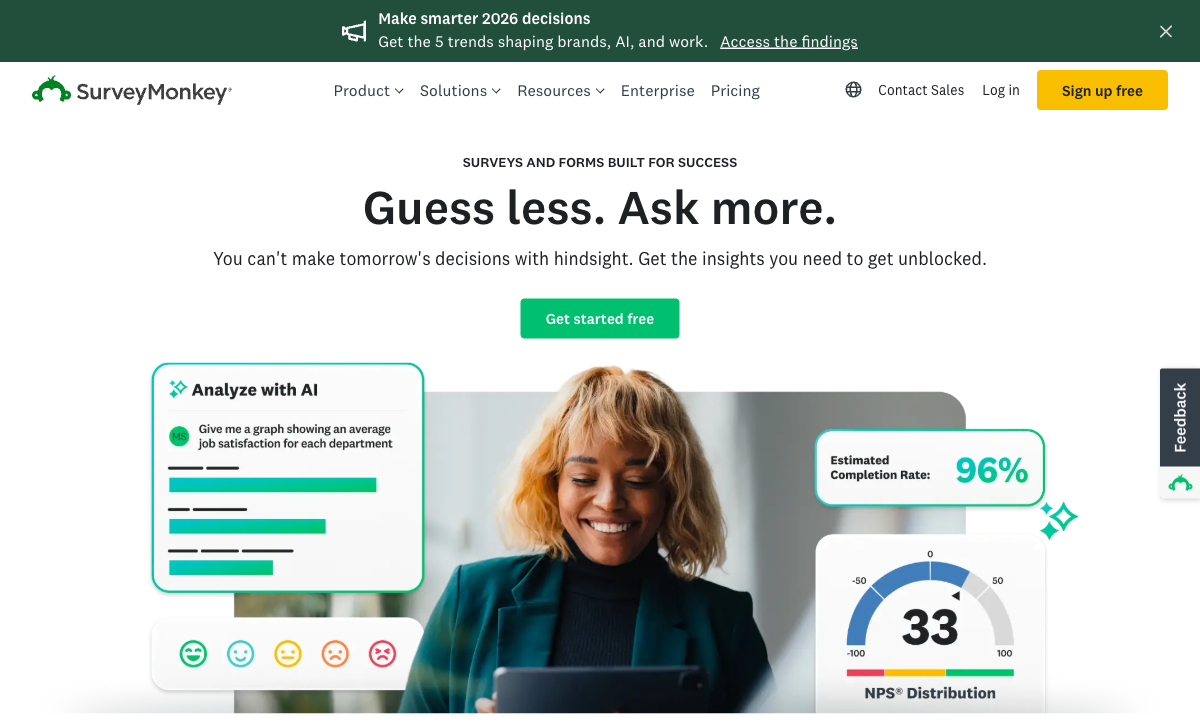
SurveyMonkey's question bank includes hundreds of pre-written, methodologist-reviewed questions across categories like customer satisfaction, employee engagement, market research, and event feedback. Their Genius feature analyses your survey in real-time, flagging potential bias, suggesting question improvements, and predicting completion rates. Jotform has question templates, but they lack the research validation and design guidance that SurveyMonkey provides. For anyone who cares about survey science -- minimising bias, maximising completion, ensuring statistical validity -- SurveyMonkey's methodology tools are genuinely superior.
Benchmarking and Industry Data
SurveyMonkey lets you compare your results against industry benchmarks derived from millions of survey responses. Running a customer satisfaction survey? See how your NPS compares to your industry average. Measuring employee engagement? Benchmark against companies of similar size. This contextual data transforms raw numbers into actionable insights. Jotform has no equivalent -- your data exists in isolation without external reference points.
Audience Panels
SurveyMonkey Audience lets you purchase access to targeted respondent panels -- filtered by demographics, geography, profession, and behaviour. Need 500 responses from US-based marketers aged 25-45? SurveyMonkey can deliver them. This is a research capability that Jotform doesn't attempt. For market research, product validation, concept testing, and any scenario where you need responses from people who aren't already in your database, Audience panels are a unique and powerful feature.
Advanced Analytics
SurveyMonkey's analytics suite includes cross-tabulation, sentiment analysis, word clouds, trend tracking, statistical significance testing, and exportable presentation-ready reports. These are tools designed for understanding patterns in large response sets, not just counting submissions. Jotform's reporting covers basic visualisations -- charts, graphs, and filtered tables -- which is adequate for tracking form submissions but insufficient for research-grade analysis.
The practical impact: a SurveyMonkey user can slice NPS data by customer segment, identify statistically significant differences between regions, and generate a presentation-ready report in 15 minutes. A Jotform user would need to export to Excel or Google Sheets, build pivot tables manually, and create their own charts. If you run surveys occasionally, the manual approach works. If survey analysis is a regular part of your workflow, SurveyMonkey's built-in analytics save hours per survey cycle.
Brand Recognition and Trust
SurveyMonkey is one of the most recognised names in the survey space. Respondents receiving a SurveyMonkey link generally trust it -- the brand has decades of consumer familiarity. This recognition can improve response rates, particularly for external surveys sent to customers or partners who might be wary of unfamiliar survey tools. Jotform is well-known among form builders but less recognised among survey respondents. For cold outreach surveys, SurveyMonkey's brand familiarity provides a subtle but real advantage in open and completion rates.
Where Jotform Falls Short
- No survey methodology tools: No question banks designed by researchers, no bias detection, no completion prediction. Survey design quality depends entirely on the user's expertise.
- No benchmarking: Results exist in isolation -- you can't compare your NPS or satisfaction scores against industry averages.
- Basic reporting: Charts and tables are functional but lack cross-tabulation, statistical significance testing, and sentiment analysis that serious survey work requires.
- Cluttered interface: 20 years of feature additions have produced an editor packed with menus and options. Multiple reviewers note the learning curve and visual density.
- No calculation engine: Basic conditional logic exists, but there's no Excel-style formula system for dynamic pricing, scoring, or computed values across form elements.
Where SurveyMonkey Falls Short
- Expensive per-seat pricing: Team plans at $25/user/month add up quickly. A 10-person team pays $250/month -- more than most form builders charge for their highest tiers.
- Limited form capabilities: SurveyMonkey is a survey tool, not a form builder. No multi-column layouts, no file upload handling for complex workflows, and limited customisation beyond themes.
- Weak payment integration: Basic Stripe support exists but lacks product management, subscriptions, coupons, or tax handling. Not a viable payment collection tool.
- Restrictive free tier: 10 questions per survey and 25 responses per survey make the free plan nearly unusable for real work. Jotform's free tier is far more generous.
- No HIPAA compliance on standard plans: Healthcare organisations need Enterprise-level plans for HIPAA, which requires custom pricing and sales engagement.
- Template limitations: Survey templates exist but customisation is constrained to colours, fonts, and logos. No real control over layout or structure beyond the linear survey format.
Pricing Comparison
The pricing models are fundamentally different. Jotform charges per account with submission limits. SurveyMonkey charges per user with response limits. This makes direct comparison tricky, but the practical impact is clear: Jotform is cheaper for teams and more generous on free usage.
| Tier | Jotform | SurveyMonkey | Key Difference |
|---|---|---|---|
| Free | 5 forms, 100 submissions/mo | 10 questions/survey, 25 responses/survey | Jotform's free tier is far more usable for real work |
| ~$39/mo | Starter: $39/mo, 100 submissions, 40+ payment gateways | Individual Advantage: $39/mo, 1 user, unlimited surveys | Same price but different models -- per-account vs per-user |
| Team | Bronze: $49/mo, 250 submissions, full features | Team Advantage: $25/user/mo (min 3 = $75/mo) | Jotform is cheaper for teams of any size |
| Enterprise | Enterprise: custom pricing, SSO, SLA, HIPAA | Enterprise: custom pricing, admin controls, HIPAA | Both offer enterprise features at custom pricing |
Jotform
SurveyMonkey
| Product | Plan | Monthly Price | Annual Price (per month) | Free Plan | Free Trial | Limits |
|---|---|---|---|---|---|---|
| Jotform | Starter | Free | Free | Yes | No | forms: 5, submissions: 100/month, storage: 100 MB, users: 1 |
| Jotform | Bronze | $39/mo | $34/mo billed annually | forms: 25, submissions: 1,000/month, storage: 1 GB, users: 1 | ||
| Jotform | Silver | $49/mo | $39/mo billed annually | forms: 50, submissions: 2,500/month, storage: 10 GB, users: 1 | ||
| Jotform | Gold | $129/mo | $99/mo billed annually | forms: 100, submissions: 10,000/month, storage: 100 GB, users: 1 | ||
| SurveyMonkey | Basic (Free) | Free | Free | Yes | No | forms: Unlimited, submissions: 25 per survey, storage: N/A, users: 1 |
| SurveyMonkey | Individual Standard | $99/mo | $39/mo billed annually | forms: Unlimited, submissions: 1,000 per month, storage: N/A, users: 1 | ||
| SurveyMonkey | Individual Advantage | Free | $32/mo billed annually | forms: Unlimited, submissions: 15,000 per year, storage: N/A, users: 1 | ||
| SurveyMonkey | Individual Premier | Free | $99/mo billed annually | forms: Unlimited, submissions: 40,000 per year, storage: N/A, users: 1 | ||
| SurveyMonkey | Team Advantage | Free | $30/mo billed annually | forms: Unlimited, submissions: 50,000 per year (shared), storage: N/A, users: 3 minimum | ||
| SurveyMonkey | Team Premier | Free | $92/mo billed annually | forms: Unlimited, submissions: 100,000 per year (shared), storage: N/A, users: 3 minimum |
What Users Say
Jotform carries a massive review footprint with solid ratings (4.6-4.7/5) across G2, Capterra, and Trustpilot. Users praise the template variety, integration breadth, and generous free tier. Common complaints include interface complexity and performance issues on large forms. SurveyMonkey has similarly strong overall ratings, with users praising the ease of creating basic surveys and the quality of analytics. Complaints centre on pricing -- particularly the per-seat model and restrictive free plan -- and limited customisation options.
A telling pattern in reviews: Jotform users praise what the platform can do (breadth of features), while SurveyMonkey users praise what the platform shows them (quality of insights). This mirrors the fundamental split -- Jotform is about capability, SurveyMonkey is about understanding. The right tool depends on which outcome matters more for your use case.
Consider Paperform: The Best of Both Worlds
The Jotform vs SurveyMonkey comparison often boils down to choosing between form versatility and survey depth. Paperform eliminates this trade-off. Built as a document-style editor, Paperform handles surveys with conditional logic, scoring, and branching while simultaneously offering full form capabilities -- payment collection through 5 deeply integrated gateways (Stripe, PayPal, Square, Braintree, Google Pay), an Excel-style calculation engine for dynamic pricing and scoring, built-in e-signatures via Papersign, and workflow automation through Stepper.
Where Jotform gives you breadth without survey methodology and SurveyMonkey gives you survey science without form functionality, Paperform delivers both in a single platform. The calculation engine -- which neither Jotform nor SurveyMonkey offers -- transforms forms and surveys into active computation layers: quiz scoring, dynamic pricing, risk assessment, and conditional totals that flow into emails, success pages, and 2,000+ integrations.
At $29/month for the Essentials plan (100 submissions, payments, calculations, integrations), Paperform undercuts both competitors while offering more integrated functionality. For businesses tired of maintaining separate tools for forms and surveys -- or compromising on one to have the other -- Paperform is worth a serious look.
The Verdict
Jotform is the better choice for businesses that need a versatile data collection platform. It handles forms, surveys, payments, and registrations in one tool at a reasonable price. The 40+ payment gateways, 20,000+ templates, and HIPAA compliance make it a Swiss-army knife for data collection. The free tier is genuinely usable for small projects and testing.
SurveyMonkey is the better choice for organisations where survey quality drives decisions. If your customer satisfaction programme, employee engagement study, or market research needs methodological rigour, benchmarking context, and statistical analysis, SurveyMonkey's research tools justify the premium. The Audience panels are unique -- no other platform in this comparison lets you reach respondents you don't already know.
The honest truth: most businesses need both form versatility and survey capability but can't justify two separate platforms. Jotform covers more ground but leaves survey methodology to the user. SurveyMonkey excels at surveys but can't build a payment form. Paperform bridges this gap -- surveys with logic and scoring, forms with payments and calculations, all in one platform at $29/month.
Who Is Each Platform Best For?
Jotform is ideal for: businesses that need a versatile form builder covering multiple use cases -- contact forms, order pages, registrations, and basic surveys -- at an affordable price. Teams that need payment collection, HIPAA compliance, or a strong free tier. Organisations where survey methodology isn't critical but functional data collection is.
SurveyMonkey is ideal for: research teams, market researchers, HR departments running engagement studies, and organisations where survey design quality and analytics rigour matter more than form versatility. Companies that need Audience panels, benchmarking data, or presentation-ready analytics reports.
Neither is ideal if: you need both capable forms and capable surveys without compromise. For that combination -- plus payments, calculations, and workflow automation -- Paperform fills the gap both platforms leave open. For more options, see our Jotform alternatives or SurveyMonkey alternatives analysis.
Related Comparisons
Looking at other matchups? These related comparisons cover adjacent decisions:
- Jotform vs Microsoft Forms -- feature-rich paid vs free ecosystem tool
- Microsoft Forms vs SurveyMonkey -- free basic vs paid specialist for surveys
- SurveyMonkey vs Typeform -- survey science vs survey design
- Paperform vs Jotform -- document-style editor vs drag-and-drop builder
Frequently Asked Questions
Can Jotform replace SurveyMonkey for surveys?
For basic surveys -- customer feedback, event evaluations, employee pulse checks -- Jotform works fine. It has conditional logic, multiple question types, and basic reporting. Where it falls short is survey methodology: Jotform doesn't offer question banks validated by research experts, benchmarking against industry norms, or statistical significance testing. SurveyMonkey's Genius feature analyses your questions and suggests improvements based on response data from millions of surveys. If you're running academic research, brand tracking, or anything where survey design rigour matters, SurveyMonkey's methodology tools are genuinely valuable. For general-purpose data collection that happens to look like a survey, Jotform is more than capable.
Which is cheaper: Jotform or SurveyMonkey?
Jotform is significantly cheaper at every tier. Jotform's free plan offers 5 forms and 100 submissions per month. SurveyMonkey's free plan (Basic) limits you to 10 questions per survey and 25 responses per survey -- far more restrictive. Jotform's paid plans start at $39/month for 100 submissions. SurveyMonkey's Individual Advantage plan starts at $39/month but only covers one user. For teams, SurveyMonkey's Team Advantage plan jumps to $25/user/month (minimum 3 users = $75/month). Jotform's team features are included in standard plans without per-seat pricing. If cost is a primary factor, Jotform offers substantially more value per dollar.
Does SurveyMonkey support payment collection?
SurveyMonkey has limited payment capabilities through Stripe integration, but it's not designed for eCommerce. You can collect one-off payments within a survey, but there's no product management, subscription billing, coupon codes, or tax calculations. Jotform supports 40+ payment gateways with dedicated payment form templates. If collecting payments is a core requirement -- selling products, booking services, collecting registration fees -- Jotform is the clear choice between these two. For dedicated payment forms with deeper eCommerce, consider Paperform, which offers subscriptions, coupons, and tax handling built into every form.
Which platform has better reporting and analytics?
SurveyMonkey wins on survey-specific analytics. It offers cross-tabulation, sentiment analysis, word clouds, trend tracking, statistical significance testing, and benchmarking against industry data. These are research-grade tools designed for understanding survey responses at scale. Jotform's reporting is functional -- pie charts, bar graphs, response tables, and basic filters -- but it's designed for form submissions rather than survey analysis. If you need to present survey findings to stakeholders, run statistical comparisons, or track sentiment over time, SurveyMonkey's analytics are in a different league. For basic submission tracking and CSV exports, Jotform is adequate.
Is there a platform that does both forms and surveys well?
This is the core tension between Jotform and SurveyMonkey -- one does forms well, the other does surveys well, but neither excels at both. Paperform bridges this gap effectively: it handles surveys with conditional logic, scoring, and branching, while also offering full form capabilities including payment collection, calculations, e-signatures, and workflow automation. The document-style editor works equally well for a 3-question feedback survey and a complex multi-page order form. If you're tired of choosing between form functionality and survey capability, Paperform is worth evaluating as the middle ground.
Sources & References
- Best Online Survey Tools and Software in 2026 — Zapier, 2026
- Best Online Form Builder to Use in 2026 -- Top 20 Tools — EmailToolTester, 2026
Last updated March 21, 2026
Ready to try Paperform?
Create beautiful forms, payment pages, and workflows — no code required.