Jotform vs Microsoft Forms: Which Is Better in 2026?
Jotform and Microsoft Forms represent opposite ends of the form builder spectrum. Jotform is a feature-rich, standalone platform with 20,000+ templates, 40+ payment gateways, HIPAA compliance, and enough configuration options to build almost anything. Microsoft Forms is a basic, free tool bundled into the Microsoft 365 ecosystem -- simple surveys, quizzes, and feedback forms that integrate natively with Teams, Excel, SharePoint, and Power Automate. One is a dedicated form platform. The other is a feature inside a larger productivity suite.
The choice often depends on context rather than capability. If your organisation already runs on Microsoft 365, Forms is free, familiar, and frictionless -- no additional vendor, no additional login, no additional budget approval. If you need professional forms with payment processing, advanced logic, HIPAA compliance, or branded design -- Forms can't do any of it, and Jotform becomes the obvious upgrade.
This comparison breaks down where each platform fits, where each fails, and the common scenario where neither is quite right -- where you need professional standalone forms that also play nicely with the Microsoft ecosystem.
Worth noting upfront: this isn't a fair fight on features. Jotform is a dedicated form product with 20 years of development. Microsoft Forms is a small feature within a $200 billion productivity suite. The comparison is valuable not because these platforms are equivalent, but because millions of organisations face this exact choice: use what's already included for free, or pay for something better.
Quick Verdict
Choose Jotform if:
- You need payment collection (Microsoft Forms has none)
- You need advanced conditional logic beyond basic branching
- You need HIPAA compliance for healthcare data
- You want 20,000+ templates with full design customisation
- You need a standalone form platform not tied to any ecosystem
Choose Microsoft Forms if:
- Your organisation already uses Microsoft 365
- You need simple internal surveys and feedback forms
- Budget is zero -- Forms is free with M365
- You need native Teams, Excel, and SharePoint integration
- Power Automate is already part of your workflow
Feature Comparison
The feature gap between these two platforms is substantial. Jotform is a full-featured form builder competing with Typeform, Paperform, and Formstack. Microsoft Forms is a lightweight tool competing with Google Forms. The table below makes the capability divide clear.
| Feature | Jotform | Microsoft Forms |
|---|---|---|
| Form Building | ||
| Document-style editor | No | No |
| AI form creation | Yes starter | Yes copilot |
| Field types | 30+ (starter) | No |
| Multi-page forms | Yes starter | Yes |
| Guided mode (one question at a time) | Yes starter | No |
| Conditional logic | Yes starter | Yes |
| Calculations field | Yes starter | No |
| Scoring | Yes starter | Yes |
| Answer piping | Yes starter | No |
| Pre-filling and hidden fields | Yes starter | No |
| Save and resume | Yes starter | No |
| Auto-close by number | Yes starter | Yes |
| Auto-close by date | Yes starter | Yes |
| Appointment/booking field | Yes starter | No |
| Signature field | Yes starter | No |
| Color picker field | No | No |
| File uploads | Yes starter | No |
| Drag-and-drop builder | Yes starter | No |
| Form widgets | Yes starter | No |
| Template gallery | 20,000+ (starter) | No |
| AI calculations assistant | No | No |
| API-powered dropdowns | No | No |
| Google address search | No | No |
| Payments | ||
| Stripe payments | Yes starter | No |
| PayPal payments | Yes starter | No |
| Square payments | Yes starter | No |
| Braintree payments | Yes starter | No |
| Google Pay | Yes starter | No |
| 40+ payment gateways | Yes starter | No |
| Product sales (eCommerce) | Yes starter | No |
| Subscriptions | Yes starter | No |
| Coupons and discounts | Yes starter | No |
| Custom pricing rules | Yes starter | No |
| Tax calculations | Yes starter | No |
| No transaction fees | Yes starter | No |
| Quotes/invoices | No | No |
| Refunds | No | No |
| 3D Secure | No | No |
| Design & Customization | ||
| Template gallery | 20,000+ (starter) | Yes |
| Rich media (images, GIFs, videos) | Yes starter | Yes |
| Form themes | Yes starter | No |
| Language translation | Yes starter | Yes |
| Advanced theming | Yes starter | No |
| Custom form URL | No | No |
| Custom domains | Yes enterprise | No |
| Custom HTML & CSS | Yes starter | No |
| Remove branding | Yes bronze | No |
| Custom email domains | No | No |
| Unsplash and Giphy integration | No | No |
| Image editor | No | No |
| Adobe Creative Cloud | No | No |
| Analytics | ||
| Submission results and reports | Yes starter | Yes |
| Form analytics | Yes starter | No |
| Google Analytics integration | Yes starter | No |
| Partial submissions | No | No |
| AI report insights | No | Yes |
| Paperform analytics | No | No |
| Google Analytics & Facebook Pixel | No | No |
| Custom analytics scripts | No | No |
| Collaboration | ||
| Multi-user accounts | Yes bronze | Yes |
| User permissions and management | Yes enterprise | Yes |
| Advanced permissions & admin | Yes enterprise | Yes enterprise |
| Form sharing | Yes starter | No |
| Assign forms | Yes enterprise | No |
| Form sharing (templates) | No | Yes |
| Spaces and tag management | No | No |
| Security | ||
| SOC 2 Type II | Yes enterprise | Yes |
| GDPR compliant | Yes starter | Yes |
| HIPAA compliant | Yes gold | No |
| SSL encryption | Yes starter | Yes |
| 256-bit SSL | Yes starter | No |
| Two-factor authentication | Yes starter | Yes |
| SSO (SAML) | Yes enterprise | Yes |
| reCAPTCHA | Yes starter | No |
| Data residency | Yes enterprise | No |
| Form encryption | Yes starter | No |
| PCI DSS | Yes starter | No |
| Enforce 2FA for all users | No | Yes enterprise |
| Local data residency | No | Yes enterprise |
| Custom S3 storage (BYO) | No | No |
| Integrations & API | ||
| Native integrations | 150+ (starter) | No |
| Zapier | Yes starter | No |
| Make (Integromat) | No | No |
| Webhooks | Yes starter | No |
| API | Yes starter | No |
| WordPress plugin | Yes starter | No |
| Salesforce AppExchange | Yes starter | No |
| Embed options | Yes starter | No |
| Mobile apps | Yes starter | No |
| 2000+ integrations | No | No |
| Standard API | No | No |
| Business API | No | No |
| oEmbed support | No | Yes |
| Additional Products | ||
| Jotform Tables | Yes starter | No |
| Jotform Sign | Yes starter | No |
| Jotform Apps | Yes starter | No |
| Jotform Workflows | Yes starter | No |
| Jotform Report Builder | Yes starter | No |
| Jotform AI Agents | Yes starter | No |
| Jotform Store Builder | Yes starter | No |
Where Jotform Wins

Payment Collection
This is the single biggest differentiator. Jotform supports 40+ payment gateways -- Stripe, PayPal, Square, Mollie, and dozens of regional processors. You can build order forms, donation pages, registration forms with fees, and invoice collection workflows. Microsoft Forms has zero payment capability. No Stripe, no PayPal, nothing. If collecting money through forms is any part of your workflow, Microsoft Forms is immediately disqualified.
Advanced Conditional Logic
Jotform's conditional logic lets you show/hide fields, skip pages, calculate values, and change form behaviour based on multi-condition rules. Microsoft Forms offers "branching" that routes respondents to different sections based on answers, but you can't control individual field visibility or build complex rule chains. For forms that need dynamic behaviour -- insurance quote generators, multi-path intake forms, diagnostic questionnaires -- Jotform's logic is categorically more capable.
Templates and Design Freedom
Jotform's 20,000+ templates span every conceivable use case. The drag-and-drop editor allows full layout customisation, custom CSS, branded themes, and responsive design. Microsoft Forms offers a handful of built-in themes with limited customisation -- you can change colours and add a header image, but you can't control layout, add custom CSS, or create forms that match a specific brand identity. For external-facing forms where design matters, Jotform is the clear winner.
HIPAA Compliance
Jotform offers HIPAA compliance with Business Associate Agreements on paid plans. Healthcare organisations, medical practices, and any business handling Protected Health Information can use Jotform for patient intake and medical surveys. Microsoft Forms has no HIPAA compliance offering -- Microsoft 365 itself can be HIPAA-compliant at certain tiers, but Forms specifically isn't designed for PHI collection with the necessary audit controls.
Standalone Independence
Jotform works for anyone with an email address. No Microsoft account required, no ecosystem dependency, no IT department approval needed. For freelancers, agencies, and businesses that don't use Microsoft 365, Jotform is immediately accessible. Microsoft Forms requires a Microsoft account and delivers its best experience only within the M365 ecosystem.
Mobile App
Jotform offers dedicated mobile apps for iOS and Android that let you manage forms, view submissions, receive push notifications, and even collect data offline. This is particularly useful for event staff, field workers, and sales teams at trade shows. Microsoft Forms is accessible through the mobile browser and integrates with the Teams mobile app, but there's no dedicated Forms app with offline capability. For teams that manage form responses on the go, Jotform's mobile experience is more capable.
20-Year Track Record
Founded in 2006, Jotform has built to 35 million users and $144.9 million in annual revenue -- entirely bootstrapped, no venture capital. This is rare in SaaS and signals long-term stability. Microsoft Forms has the backing of Microsoft Corporation, which is a different kind of stability guarantee. But Jotform's bootstrapped profitability means its pricing and feature decisions are driven by user needs rather than investor pressure -- a meaningful distinction when choosing infrastructure your business depends on.
Where Microsoft Forms Wins
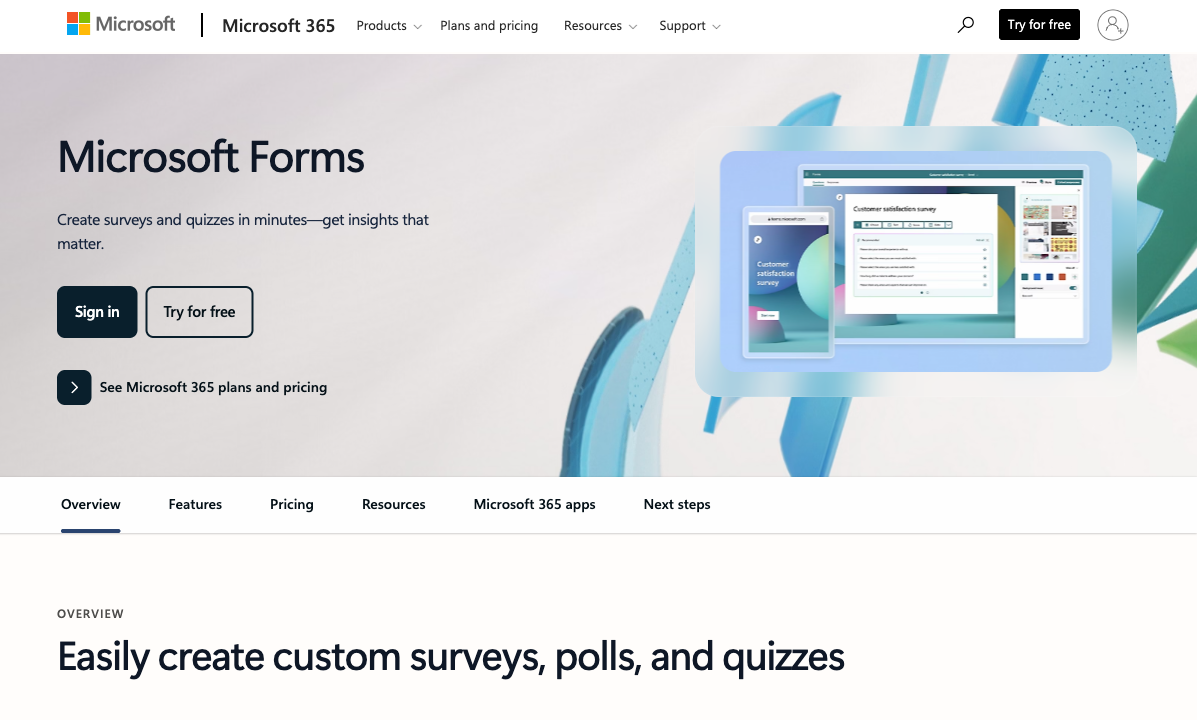
Price: Free with Microsoft 365
If your organisation already pays for Microsoft 365, Forms costs nothing extra. No additional subscription, no per-form fees, no submission limits that matter for typical internal use. For budget-constrained teams or organisations with strict procurement processes, "it's already included" is the most powerful argument in software. Jotform's free tier works, but paid plans start at $39/month -- an additional line item that requires approval.
Native Microsoft Ecosystem Integration
Microsoft Forms integrates natively with Teams, Excel, SharePoint, OneDrive, and Power Automate -- no third-party connectors, no API setup, no Zapier subscription. Form responses flow directly into Excel workbooks in real time. Forms can be embedded as tabs in Teams channels. Power Automate workflows trigger on submission with native connectors that are more reliable than third-party integrations. For organisations built on Microsoft 365, this native integration eliminates friction that any external tool introduces.
Simplicity for Internal Use
Microsoft Forms is deliberately simple. Creating a basic survey, quiz, or feedback form takes minutes. The interface is clean, familiar to anyone who uses Microsoft products, and requires zero training. For internal use cases -- employee satisfaction surveys, team polls, training quizzes, meeting feedback -- this simplicity is a feature, not a limitation. Jotform's power comes with complexity that's unnecessary for a 5-question employee pulse survey.
Quiz and Assessment Features
Microsoft Forms has strong quiz functionality: automatic grading, point assignment, correct answer feedback, and results synced to Excel for grade tracking. For educators and trainers already in the Microsoft ecosystem, this is a practical tool. Jotform has quiz capabilities too, but they require more setup and don't integrate as naturally with school management systems built on Microsoft.
Real-Time Collaboration
Microsoft Forms supports real-time co-authoring -- multiple team members can edit the same form simultaneously, similar to how Google Docs handles collaborative editing. Changes appear in real time, and there's no conflict resolution needed. Jotform allows team collaboration through shared accounts, but simultaneous editing of the same form isn't supported in the same seamless way. For teams that build forms collaboratively, Microsoft Forms' co-authoring is a genuine productivity advantage.
Compliance and Data Residency
Microsoft Forms inherits Microsoft 365's compliance certifications, including SOC 1/2, ISO 27001, and GDPR. Data residency follows your M365 tenant configuration -- if your organisation's data is stored in the EU, form responses stay in the EU. For organisations with strict data sovereignty requirements, this inherited compliance infrastructure avoids the need to evaluate yet another vendor's security posture. Jotform has its own compliance certifications (SOC 2, HIPAA on paid plans), but each represents a separate vendor evaluation.
Where Jotform Falls Short
- Cluttered interface: 20 years of feature additions have created an editor with hundreds of widgets and nested menus. The learning curve is real, especially compared to Microsoft Forms' simplicity.
- Cost adds up: Jotform's free tier has a 100-submission limit. Paid plans start at $39/month -- a hard sell when Microsoft Forms is free for M365 users.
- No native Microsoft integration: Jotform connects to Excel and Teams through Zapier or Make, but it's never as seamless as Microsoft Forms' native integration.
- Performance issues: Complex forms with many fields can slow down. G2 and Capterra reviews consistently mention lag and slow loading.
- No calculation engine: Basic conditional logic exists, but no Excel-style formulas for dynamic pricing, scoring, or computed values.
Where Microsoft Forms Falls Short
- No payment collection: Zero. No Stripe, no PayPal, no checkout. If you need to collect money, Microsoft Forms is not an option.
- Minimal design customisation: Colour themes and header images are the extent of visual control. No custom CSS, no layout flexibility, no brand-matching capability.
- Basic conditional logic only: Section-level branching but no field-level show/hide, no multi-condition rules, no computed values.
- No HIPAA compliance: Not designed for collecting Protected Health Information with appropriate controls.
- Ecosystem dependency: Requires a Microsoft account. Full features require M365 subscription. Teams and organisations outside the Microsoft ecosystem get limited value.
- No templates library: A handful of basic templates versus Jotform's 20,000+. Starting from scratch every time for anything beyond a basic survey.
- Not suited for external-facing forms: Generic appearance, limited branding, no custom domains. Forms look like internal Microsoft tools, not branded business touchpoints.
Pricing Comparison
The pricing comparison is asymmetric: Microsoft Forms is free (with M365), while Jotform is a paid product with a limited free tier. The real question is whether Jotform's capabilities justify the cost over what you already get for free.
| Tier | Jotform | Microsoft Forms | Key Difference |
|---|---|---|---|
| Free | 5 forms, 100 submissions/mo, basic features | Free with Microsoft account (limited features) | Both free, but Microsoft requires M365 for full features |
| Starter | $39/mo, 100 submissions, 40+ payment gateways | Included with M365 ($6-22/user/mo) | M365 is cheaper if you already have it; Jotform if you don't |
| Professional | Bronze $49/mo, Silver $99/mo, Gold $159/mo | No additional tiers -- all features included with M365 | Jotform scales features by tier; Forms is flat |
Jotform
Microsoft Forms
| Product | Plan | Monthly Price | Annual Price (per month) | Free Plan | Free Trial | Limits |
|---|---|---|---|---|---|---|
| Jotform | Starter | Free | Free | Yes | No | forms: 5, submissions: 100/month, storage: 100 MB, users: 1 |
| Jotform | Bronze | $39/mo | $34/mo billed annually | forms: 25, submissions: 1,000/month, storage: 1 GB, users: 1 | ||
| Jotform | Silver | $49/mo | $39/mo billed annually | forms: 50, submissions: 2,500/month, storage: 10 GB, users: 1 | ||
| Jotform | Gold | $129/mo | $99/mo billed annually | forms: 100, submissions: 10,000/month, storage: 100 GB, users: 1 | ||
| Microsoft Forms | Free (Personal Microsoft Account) | Free | Free | Yes | 1 month | forms: 400, submissions: 200/form, storage: N/A, users: 1 |
| Microsoft Forms | Microsoft 365 Business Basic | $6/mo | $6/mo billed annually | forms: 400, submissions: 5,000,000/form, storage: 1 TB OneDrive, users: Per user | ||
| Microsoft Forms | Microsoft 365 Business Standard | $12.5/mo | $12.5/mo billed annually | forms: 400, submissions: 5,000,000/form, storage: 1 TB OneDrive, users: Per user | ||
| Microsoft Forms | Microsoft 365 Business Premium | $22/mo | $22/mo billed annually | forms: 400, submissions: 5,000,000/form, storage: 1 TB OneDrive, users: Per user |
What Users Say
Jotform has a massive review presence with strong ratings (4.6-4.7/5) across review platforms. Users praise the breadth of features, template library, and integration options while noting interface complexity. Microsoft Forms has fewer dedicated reviews since it's bundled with M365, but users consistently praise its simplicity and native ecosystem integration. Complaints centre on limited customisation and the inability to do anything beyond basic data collection.
The review disparity itself is instructive: Jotform has thousands of reviews because users actively chose it as a standalone product. Microsoft Forms has fewer standalone reviews because users don't "choose" it -- they discover it within a suite they already pay for. This affects the review sentiment: Jotform users evaluate it against alternatives, while Microsoft Forms users evaluate it against doing nothing. Both sets of reviews are genuine but reflect different expectations.
Consider Paperform: Professional Forms with Ecosystem Flexibility
The Jotform vs Microsoft Forms decision often comes down to a frustrating trade-off: pay for a powerful but complex standalone tool, or settle for a limited free tool that works within your ecosystem. Paperform offers a third path -- professional, standalone form building at $29/month with integration flexibility that works with Microsoft 365 through Zapier and Make.
Paperform's document-style editor produces forms that look like designed landing pages, not generic widgets or basic surveys. It includes 5 deeply integrated payment gateways, an Excel-style calculation engine for dynamic pricing and scoring, built-in e-signatures via Papersign, and workflow automation through Stepper. These are capabilities that neither Jotform nor Microsoft Forms delivers as a cohesive package.
For organisations on Microsoft 365 that need more than Forms can offer but find Jotform's interface overwhelming, Paperform hits the sweet spot: professional design quality, powerful features, affordable pricing, and integration with your existing Microsoft tools through 2,000+ connections. Explore Paperform as an alternative.
The Verdict
Microsoft Forms is the right choice when it's already in your toolbox. If your organisation runs on Microsoft 365, Forms is free, familiar, and frictionless for internal surveys, team feedback, and training quizzes. The native Teams and Excel integration eliminates setup friction that any external tool introduces. For simple internal data collection, paying for Jotform when Forms is free is hard to justify.
Jotform is the right choice when you need professional form capabilities. Payment collection, advanced conditional logic, HIPAA compliance, branded design, and 20,000+ templates -- these are features Microsoft Forms fundamentally cannot provide. For external-facing forms, client intake, event registration, and any workflow involving payments, Jotform is the upgrade path from Microsoft Forms.
The common scenario neither fully addresses: you need professional, standalone forms that also integrate smoothly with your Microsoft 365 environment. Jotform's Microsoft integrations work but aren't native. Microsoft Forms is native but isn't professional. Paperform bridges this gap -- professional design, payments, calculations, and 2,000+ integrations (including Microsoft tools via Zapier and Make) at $29/month.
Who Is Each Platform Best For?
Jotform is ideal for: businesses that need a full-featured, standalone form platform -- payment collection, advanced conditional logic, HIPAA compliance, branded design, and 20,000+ templates. Best for organisations that aren't locked into the Microsoft ecosystem or need capabilities that Microsoft Forms fundamentally cannot provide.
Microsoft Forms is ideal for: organisations already on Microsoft 365 that need simple internal surveys, quizzes, and feedback forms. Perfect for employee polls, training assessments, team feedback, and any internal data collection where native Teams/Excel integration matters more than design or advanced features.
Neither is ideal if: you want professional forms with clean design, calculations, and payments without Jotform's interface complexity or Microsoft Forms' limitations. Paperform bridges that gap with a simpler editor, deeper payment integration, and Excel-style calculations that neither competitor offers. For more options, see our Jotform alternatives or Microsoft Forms alternatives analysis.
Related Comparisons
Exploring other matchups? These related comparisons cover adjacent decisions:
- Jotform vs SurveyMonkey -- general-purpose form builder vs survey specialist
- Microsoft Forms vs Typeform -- free ecosystem tool vs premium design tool
- Microsoft Forms vs SurveyMonkey -- free basic vs paid survey specialist
- Paperform vs Jotform -- document-style editor vs drag-and-drop builder
Frequently Asked Questions
Is Microsoft Forms really free?
Yes, but with caveats. Microsoft Forms is free for anyone with a Microsoft account (personal or work). However, the full feature set -- including branching logic, form sharing within organisations, and integration with Power Automate -- requires a Microsoft 365 subscription ($6-22/user/month depending on the plan). If your organisation already pays for Microsoft 365, Forms is effectively a free add-on. If you'd need to buy M365 just for Forms, it's not truly free -- and at that point, Jotform's $39/month Starter plan or Paperform's $29/month Essentials plan may be better value since they include features Forms lacks.
Can Jotform integrate with Microsoft Teams and Excel?
Jotform offers direct integrations with Microsoft Excel and OneDrive, plus connection to Teams through Zapier or Make. However, the integration isn't as seamless as Microsoft Forms, which is natively embedded in the M365 ecosystem -- form responses flow directly into Excel workbooks, Forms can be embedded as tabs in Teams channels, and Power Automate workflows trigger instantly on submission. Jotform's integrations work but require setup and occasionally break when APIs update. If your team lives in Microsoft 365, the native integration advantage of Microsoft Forms is real and measurable in daily workflow friction.
Which has better conditional logic: Jotform or Microsoft Forms?
Jotform has significantly more powerful conditional logic. It supports show/hide fields, skip pages, calculate values (basic), enable/disable fields, and change form behaviour based on complex multi-condition rules. Microsoft Forms offers "branching" -- which lets you route respondents to different sections based on answers -- but it's limited to section-level routing rather than field-level control. You can't show or hide individual fields based on previous answers in Microsoft Forms. For forms that need dynamic behaviour beyond basic branching, Jotform (or Paperform, with its Excel-style calculation engine) is the better choice.
Can Microsoft Forms collect payments?
No. Microsoft Forms has no payment collection capability whatsoever. There's no Stripe integration, no PayPal widget, no checkout functionality. If you need to collect money -- registrations, orders, donations, booking fees -- Microsoft Forms cannot help. Jotform supports 40+ payment gateways with dedicated payment form templates. This is one of the clearest differentiators: if payments matter, Microsoft Forms is not an option. For deeper payment integration with subscriptions, coupons, and tax handling, Paperform goes further than Jotform.
Should I use Microsoft Forms for external-facing forms?
Microsoft Forms works best for internal use -- employee surveys, team feedback, internal requests within a Microsoft 365 organisation. For external-facing forms (customer intake, lead capture, event registration), Microsoft Forms has notable limitations: minimal branding customisation, no custom domains, basic design options, and no payment collection. The forms look functional but generic, and there's no way to make them match your brand's visual identity. Jotform's 20,000+ templates and customisation options are better suited for external-facing use. For the most polished external-facing forms, Paperform's document-style editor produces results that look like designed landing pages.
Sources & References
- Best Online Form Builder to Use in 2026 -- Top 20 Tools — EmailToolTester, 2026
- Microsoft Forms vs Google Forms: Which Is Better? — Zapier, 2025
Last updated March 21, 2026
Ready to try Paperform?
Create beautiful forms, payment pages, and workflows — no code required.