HubSpot Forms vs Typeform: CRM Integration vs Form Design in 2026
HubSpot Forms and Typeform represent opposite philosophies in the form builder market. HubSpot Forms is a feature embedded inside a CRM platform — basic as a form builder, but powerful when connected to HubSpot's marketing, sales, and service ecosystem. Typeform is a standalone design-first form builder — beautiful, engaging, and optimised for respondent experience, but expensive per response and disconnected from any CRM by default.
The decision between them usually comes down to one question: is your priority what happens after the form submission (CRM workflows, lead scoring, sales sequences) or what happens during the form experience (design, engagement, completion rates)? Neither platform excels at both. Understanding where each one shines — and where each one struggles — will clarify which trade-off makes sense for your team.
Quick Verdict
Choose HubSpot Forms if:
- Your team already uses HubSpot CRM daily
- Auto-creating CRM contacts and triggering workflows is critical
- You need progressive profiling to build contact records over time
- Your budget is zero and you only need basic lead capture
- The HubSpot marketing automation stack (email, ads, chatbots) is part of your workflow
Choose Typeform if:
- Form design and respondent experience are your top priorities
- You want higher completion rates on short surveys and lead capture
- You don't use HubSpot CRM (or prefer CRM-agnostic tools)
- You need video questions, interactive quizzes, or branded experiences
- You use multiple CRMs or marketing tools and need flexible integrations
Feature Comparison
Side-by-side across every feature category.
| Feature | HubSpot Forms | Typeform |
|---|---|---|
| Form Building | ||
| Document-style editor | No | No |
| AI form creation | No | Yes |
| Question types | Yes | No |
| Multi-page forms | Yes starter | Yes basic |
| Guided mode (one question at a time) | No | Yes |
| Conditional logic | Yes professional | Yes basic |
| Calculations field | No | Yes plus |
| AI calculations assistant | No | No |
| Scoring | No | Yes plus |
| Answer piping | No | Yes basic |
| Pre-filling and hidden fields | Yes | Yes basic |
| Save and resume | No | No |
| Appointment/booking field | No | Yes basic |
| Signature field | No | Yes basic |
| Color picker field | No | No |
| API-powered dropdowns | No | No |
| Google address search | No | No |
| File uploads | Yes | Yes basic |
| Form unpublishing | Yes | No |
| Automatic lead enrichment | Yes professional | No |
| Automatic deal creation from forms | Yes professional | No |
| Field types | No | 20+ |
| AI follow-up questions | No | Yes business |
| AI extended thinking & memory | No | Yes growth |
| Workflow / automation builder | No | Yes growth |
| AI-moderated research (Research Flow) | No | Yes enterprise |
| Auto-close by number | No | Yes basic |
| Auto-close by date | No | Yes basic |
| Video questions | No | Yes basic |
| Payments | ||
| Stripe payments | Yes starter | Yes basic |
| PayPal payments | No | No |
| Square payments | No | No |
| Braintree payments | No | No |
| Google Pay | No | No |
| Product sales (eCommerce) | No | No |
| Subscriptions | No | Yes basic |
| Coupons and discounts | No | No |
| Custom pricing rules | No | No |
| Tax calculations | No | No |
| Quotes/invoices | No | No |
| Refunds | No | No |
| 3D Secure | No | Yes basic |
| Design & Customization | ||
| Template gallery | Yes | 1,500+ |
| Rich media (images, GIFs, videos) | No | Yes |
| Unsplash and Giphy integration | No | Yes |
| Image editor | No | No |
| Adobe Creative Cloud | No | No |
| Language translation | No | Yes basic |
| Advanced theming | Yes starter | Yes plus |
| Custom form URL | No | Yes plus |
| Custom domains | No | No |
| Custom HTML & CSS | Yes starter | Yes business |
| Remove branding | Yes starter | Yes plus |
| Custom email domains | No | No |
| Analytics | ||
| Submission results and reports | Yes | Yes |
| AI report insights | No | Yes business |
| Drop-off analysis | No | Yes business |
| Conversion analytics | Yes professional | No |
| Google Analytics & Facebook Pixel | Yes | Yes basic |
| Custom analytics scripts | No | Yes basic |
| Partial submissions | No | Yes plus |
| Collaboration | ||
| Multi-user accounts | Yes | Yes plus |
| User permissions and management | Yes starter | Yes plus |
| Advanced permissions & admin | Yes enterprise | Yes enterprise |
| Form sharing (templates) | Yes | Yes |
| Workspace organization | No | Yes |
| Security | ||
| SOC 2 Type II | Yes | Yes |
| GDPR compliant | Yes | Yes |
| HIPAA compliant | No | Yes enterprise |
| SSL encryption | Yes | Yes |
| Two-factor authentication | Yes | Yes |
| SSO (SAML) | Yes enterprise | Yes enterprise |
| reCAPTCHA | No | Yes business |
| Data residency | Yes enterprise | No |
| Custom S3 storage | No | No |
| ISO 27001 | No | Yes |
| PCI DSS | No | Yes |
| Integrations & API | ||
| Native integrations | Yes | 120+ (basic) |
| Zapier | Yes starter | Yes basic |
| Make (Integromat) | Yes starter | Yes basic |
| Webhooks | Yes starter | Yes basic |
| API | Yes | Yes basic |
| WordPress plugin | Yes | Yes |
| Embed options | Yes | Yes |
| Claude / MCP server | No | Yes basic |
| AI data enrichment | No | Yes growth |
Where HubSpot Forms Wins
Native CRM Pipeline
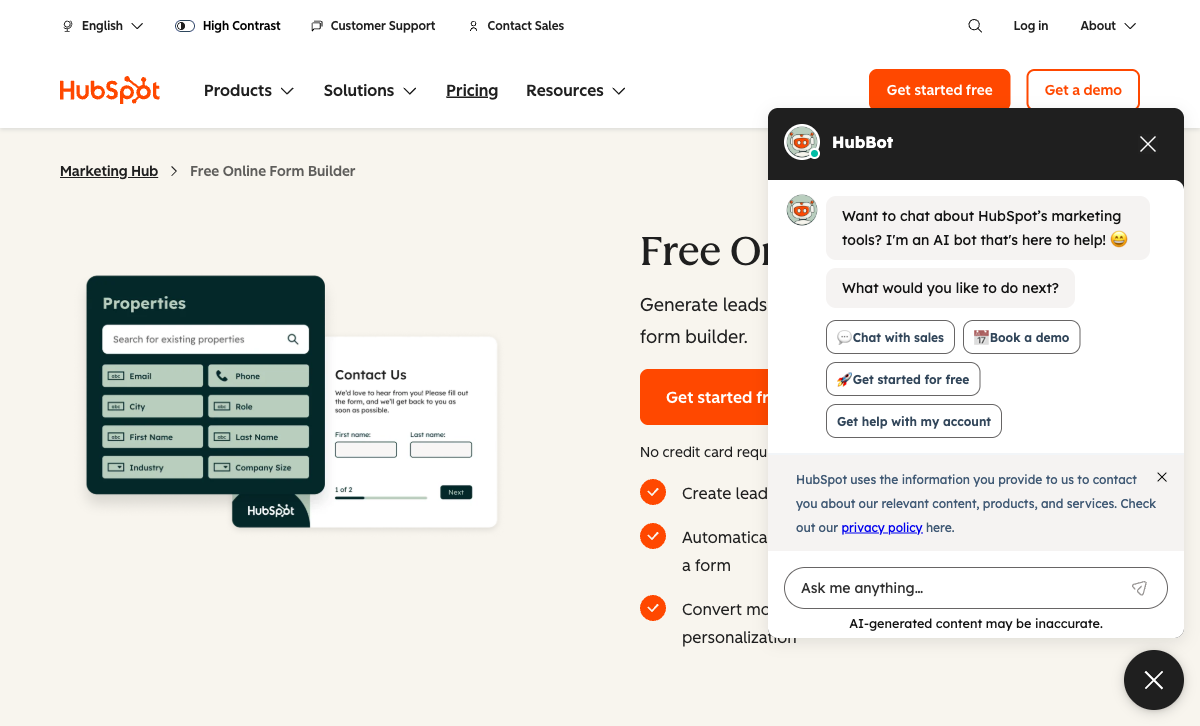
Every HubSpot form submission automatically creates or updates a contact in HubSpot CRM. No integration to configure. No Zapier. No API calls. The contact record includes every form field, the page they submitted from, their browsing history on your site, and their lifecycle stage. From there, lead scoring calculates automatically, sales notifications fire, and marketing sequences trigger — all within milliseconds. For teams that measure success by pipeline velocity, this zero-friction form-to-CRM flow is HubSpot Forms' killer feature.
Progressive Profiling
On Marketing Hub Professional ($890/month), HubSpot Forms can show different questions to returning visitors based on what they've already answered. If a contact already provided their company name, the form swaps that field for industry or company size on the next visit. Over multiple interactions, you build increasingly rich contact profiles without asking the same questions twice. Typeform has no equivalent — every respondent sees the same form regardless of history.
Unlimited Free Submissions
HubSpot's free plan allows unlimited forms and unlimited submissions. Yes, they carry HubSpot branding and offer limited field types — but the volume is genuinely unlimited. Typeform's free plan caps at 10 responses/month, which is barely a test run. For teams on a zero-dollar budget collecting basic lead data, HubSpot's free tier is dramatically more usable.
Marketing Automation Stack
HubSpot Forms is one piece of a comprehensive marketing platform: email marketing, landing pages, ad tracking, chatbots, live chat, social publishing, and reporting — all connected natively. Form submissions feed directly into campaign workflows. A Typeform submission can reach HubSpot via integration, but the connection is always one step removed from the native experience. For marketing teams running multi-channel campaigns entirely inside HubSpot, the native form is the path of least resistance.
Enterprise Scale and Trust
HubSpot is a publicly traded company (NYSE: HUBS) founded in 2006 with $2B+ in annual revenue, 10,000+ employees, and 200,000+ customers. It offers SOC 2 Type II, SSO, and enterprise SLAs. For procurement teams at large organisations where vendor stability and compliance certifications are requirements, HubSpot's scale provides confidence that Typeform — a smaller (though still substantial) company — may not match in enterprise procurement contexts.
Where Typeform Wins

Form Design and Respondent Experience
Typeform's one-question-at-a-time format is the most visually polished form experience available. Smooth animations, custom fonts, full-bleed backgrounds, embedded images and videos, and a conversational flow that feels more like an interview than a form. User reports consistently show 20-30% higher completion rates for short forms compared to traditional layouts. HubSpot Forms uses a standard multi-field layout with limited styling — functional but visually generic. For brand-conscious teams where form completion rate directly impacts revenue, Typeform's design advantage translates to measurable business results.
Standalone Flexibility
Typeform works as a standalone product that integrates with any CRM, email tool, or workflow platform. You're not locked into an ecosystem. Use Salesforce? Typeform integrates. Use Pipedrive? Typeform integrates. Use no CRM? Typeform works fine. HubSpot Forms only works within HubSpot. If you switch CRMs, your forms break. Typeform's CRM-agnostic approach means your forms survive any change to your tech stack.
Video Questions and Interactive Content
Typeform supports video questions where creators record or upload video prompts for each question. This makes forms feel personal and engaging — especially for customer research, onboarding surveys, and internal feedback. HubSpot Forms has no video capability. For teams that want a human touch in their data collection, video questions are a unique Typeform feature.
Logic Jumps and Conversational Branching
Typeform's logic jumps create branching paths that feel natural in the conversational format. Based on answers, respondents are routed to different follow-up questions — creating personalised experiences without the respondent realising they're being filtered. HubSpot Forms has basic conditional show/hide, but the traditional multi-field layout makes branching feel mechanical rather than conversational.
Where HubSpot Forms Falls Short
- Very basic form builder: Limited field types, no calculations, no scoring within forms, no answer piping, no repeating sections. Forms are data collection widgets, not designed experiences.
- Extreme pricing cliff: Free to Starter ($20/seat/month) is reasonable. Starter to Professional ($890/month) is one of the steepest jumps in SaaS. Advanced form features are locked behind that $890/month tier.
- CRM lock-in: Forms exist inside HubSpot's platform. Switching CRMs means rebuilding every form. Data portability is limited. You're committing to an ecosystem, not just a form builder.
- Stripe-only payments on paid plans: No PayPal, no Square, no multi-gateway support. No product catalog, subscriptions, or eCommerce features.
- No custom CSS on free/Starter: Brand customisation is limited. Forms look like HubSpot Forms — functional but generic.
- No e-signatures: Not available on any plan. Contract and consent workflows require a separate tool.
Where Typeform Falls Short
- Expensive per response: 10 responses free, 100 for $39/month, 1,000 for $79/month. At scale, costs climb fast. HubSpot's free plan has unlimited submissions.
- No native CRM: Typeform integrates with CRMs but doesn't include one. The integration always adds a step compared to HubSpot's native pipeline.
- Poor for long forms: The one-question-at-a-time format becomes tedious for 20+ field forms. Applications, registrations, and complex workflows suffer.
- No calculations or dynamic pricing: Basic quiz scoring exists but no formula engine. Dynamic pricing, conditional totals, and computed fields require external tools.
- No standalone e-signatures or HIPAA: Typeform added a native in-form signature field in 2026, but there's no standalone document eSignature product, and HIPAA isn't available on any plan.
- No progressive profiling: Every visitor sees the same form regardless of history. No way to build contact profiles over multiple visits.
Pricing Comparison
Both platforms charge significant premiums for advanced features — but the cost structures are very different:
| Need | HubSpot Forms | Typeform | Key Difference |
|---|---|---|---|
| Free tier | Unlimited submissions, HubSpot branding, basic fields | 10 responses/mo, basic logic, no payments | HubSpot's free tier is far more usable for volume |
| Remove branding | Starter: $20/seat/mo | Basic: $39/mo (100 responses) | Comparable cost, but Typeform caps responses |
| Advanced features | Professional: $890/mo — progressive profiling, A/B testing | Plus: $79/mo — 1,000 responses, custom branding | Typeform is cheaper for form features; HubSpot's cost is for the CRM stack |
| Scale | Enterprise: $3,600/mo — full CRM + marketing platform | Business: $129/mo — 10,000 responses, priority support | Typeform is a fraction of the cost if you only need forms |
HubSpot Forms
Typeform
| Product | Plan | Monthly Price | Annual Price (per month) | Free Plan | Free Trial | Limits |
|---|---|---|---|---|---|---|
| HubSpot Forms | Free | Free | Free | Yes | 14 days | forms: Unlimited, submissions: Unlimited, users: 2 |
| HubSpot Forms | Marketing Hub Starter | $20/mo | $20/mo billed annually | forms: Unlimited, submissions: Unlimited, users: Per seat | ||
| HubSpot Forms | Marketing Hub Professional | $890/mo | $890/mo billed annually | forms: Unlimited, submissions: Unlimited, users: 3 included (additional seats extra) | ||
| HubSpot Forms | Marketing Hub Enterprise | $3600/mo | $3600/mo billed annually | forms: Unlimited, submissions: Unlimited, users: 5 included (additional seats extra) | ||
| Typeform | Free | Free | Free | Yes | No | forms: 10, submissions: 10/month, users: 1 |
| Typeform | Basic | $39/mo | $28/mo billed annually | forms: Unlimited, submissions: 100/month, users: 1 | ||
| Typeform | Plus | $79/mo | $56/mo billed annually | forms: Unlimited, submissions: 1,000/month, users: 3 | ||
| Typeform | Business | $129/mo | $91/mo billed annually | forms: Unlimited, submissions: 10,000/month, users: 5 | ||
| Typeform | Growth Flow | $379/mo | $266/mo billed annually | forms: Unlimited, submissions: Expanded, users: Expanded | ||
| Typeform | Talent | $169/mo | $119/mo billed annually | forms: Unlimited, users: HR teams |
What Users Say
Both platforms are well-reviewed, but for different reasons. HubSpot's reviews reflect the overall platform — CRM, marketing automation, and sales tools — not just the form builder. Form-specific feedback on G2 frequently notes the builder is "basic" and the pricing cliff from free to Professional is "shocking." Typeform reviews consistently praise the design and user experience while criticising the per-response pricing model. Common sentiment: "Beautiful forms, but we pay through the nose once we get traction."
The Verdict
HubSpot Forms wins when the CRM pipeline matters more than the form itself. If your marketing team lives in HubSpot daily and the native form-to-contact-to-workflow pipeline is critical to your lead management process, HubSpot Forms' seamless CRM integration is worth its form-building limitations. The unlimited free submissions also make it attractive for basic lead capture at scale.
Typeform wins when the form experience drives conversion. For public-facing lead capture, customer surveys, and branded experiences where completion rate directly impacts results, Typeform's conversational design creates measurably better engagement. Its CRM-agnostic approach also makes it the better choice for teams not committed to HubSpot's ecosystem.
Both platforms share notable weaknesses: neither offers payment processing beyond basic Stripe, neither has calculations or e-signatures, and both get expensive quickly. HubSpot's $890/month cliff and Typeform's per-response pricing both punish growth. Teams that need more form capability than either provides should evaluate standalone form builders.
Consider Paperform: CRM Integration and Great Design Without the Trade-offs
If you want forms that look as good as Typeform's and connect to HubSpot CRM (plus any other tool), Paperform eliminates the trade-off between design and integration. Paperform's document-style editor produces forms that look like professionally designed landing pages — with full CSS control, custom domains, rich media, and 30,000+ templates. And it integrates with HubSpot CRM, Salesforce, Pipedrive, and 2,000+ other apps via native connectors, Zapier, Make, and API.
Beyond design and integration, Paperform adds capabilities neither HubSpot Forms nor Typeform can match: five payment gateways (Stripe, PayPal, Square, Braintree, Google Pay), an Excel-style calculation engine that powers dynamic pricing and scoring across questions, pages, emails, and integrations, built-in e-signatures via Papersign, and multi-step workflow automation via Stepper. Starting at $24/month (Essentials), Paperform costs a fraction of HubSpot Professional and less than Typeform Plus — while delivering more functionality than both combined.
Bootstrapped and profitable since 2016, Paperform is a stable, independent platform. For teams tired of choosing between CRM integration and form design, it's worth a serious evaluation. See the full HubSpot Forms alternatives analysis or compare all form builders.
Frequently Asked Questions
Can Typeform integrate with HubSpot CRM?
Yes. Typeform has a native HubSpot integration that maps form fields to HubSpot contact properties, creates or updates contacts on submission, and can trigger HubSpot workflows. It's one of Typeform's strongest integrations. However, it's not as seamless as HubSpot's own forms — there's a slight delay in syncing, field mapping requires manual configuration, and some HubSpot-specific features (progressive profiling, smart content) only work with native HubSpot Forms. For HubSpot-heavy teams, the native forms are smoother. For teams that want great form design and HubSpot data, Typeform's integration is a solid middle ground.
Is HubSpot Forms or Typeform better for lead generation?
It depends on your priority. HubSpot Forms feeds leads directly into HubSpot CRM with zero setup — contacts are created automatically, lead scoring triggers instantly, and marketing sequences fire immediately. The form-to-pipeline flow is unmatched for HubSpot users. Typeform, however, generates more leads per impression thanks to its engaging conversational format. Multiple user reports suggest Typeform's completion rates are 20-30% higher for short lead capture forms. So: HubSpot Forms is better at processing leads; Typeform is better at capturing them.
Which is more expensive: HubSpot Forms or Typeform?
Both can get expensive, but in different ways. HubSpot Forms is free for basic lead capture (with branding), but removing branding requires Starter ($20/seat/month) and advanced features require Professional at $890/month. Typeform's free plan allows just 10 responses/month. The Basic plan is $39/month for 100 responses, Plus is $79/month for 1,000, and Business is $129/month for 10,000. HubSpot has the steeper cliff (free to $890), while Typeform charges incrementally per response. Neither is budget-friendly at scale.
Does HubSpot Forms support the one-question-at-a-time format?
No. HubSpot Forms uses a traditional multi-field layout where all questions appear on one page (or across sections). There's no conversational mode, no animated transitions, and no single-question presentation. If the conversational format is important to your brand or conversion strategy, HubSpot Forms cannot replicate it. You'd need to use Typeform (or another conversational tool) and integrate it with HubSpot via the native connector.
Can I use HubSpot Forms without a HubSpot CRM subscription?
You need a HubSpot account, but the free CRM is genuinely free. So technically, you can use HubSpot Forms without paying for CRM — but every submission will create a contact in HubSpot's free CRM regardless. If you don't want or need a CRM, HubSpot Forms adds unnecessary overhead. Typeform is a standalone form builder that doesn't require any CRM commitment — it integrates with whatever CRM you choose, or none at all.
Sources & References
- Best Online Form Builders — Complete Comparison — EmailToolTester, 2026
- HubSpot Forms vs Typeform — G2 Comparison — G2, 2026
- HubSpot Marketing Hub Pricing — HubSpot, 2026
Updates
We re-audit the form builders we compare on a regular cadence and log every change here — a public record of what changed and when.
- Updated June 4, 2026 — Corrected Typeform pricing to current rates: Basic $39/month for 100 responses, Plus $79/month for 1,000, and Business $129/month for 10,000 (previously $29, $59, and $99). Updated the e-signature note to reflect that Typeform added a native in-form signature field in 2026 but still has no standalone document eSignature product or HIPAA.
Last updated June 25, 2026
Ready to try Paperform?
Create beautiful forms, payment pages, and workflows — no code required.