HubSpot Forms vs Jotform: Ecosystem vs Standalone in 2026
HubSpot Forms and Jotform approach form building from opposite directions. HubSpot Forms is a feature within a CRM platform — limited as a standalone form builder but deeply integrated into HubSpot's marketing, sales, and service tools. Jotform is one of the most feature-rich standalone form builders on the market — thousands of templates, 30+ payment gateways, a drag-and-drop builder, and a massive widget ecosystem. It works independently of any CRM.
The choice between them is usually clear once you answer one question: does your organisation live inside HubSpot CRM? If yes, HubSpot Forms' native integration creates a seamless lead pipeline that's hard to replicate with external tools. If no — or if you need forms that do more than basic lead capture — Jotform's standalone feature set leaves HubSpot Forms in the dust.
Quick Verdict
Choose HubSpot Forms if:
- Your team uses HubSpot CRM daily and needs native form-to-contact creation
- You rely on HubSpot workflows, lead scoring, and marketing sequences
- You need progressive profiling to build contact records over time
- Your forms are basic lead capture (name, email, company) and design doesn't matter
- Your budget is zero and you only need unlimited basic lead capture
Choose Jotform if:
- You need a powerful standalone form builder not tied to a CRM
- You need payment processing (30+ gateways vs Stripe-only)
- You need HIPAA compliance without enterprise pricing ($49/mo vs $3,600/mo)
- You want thousands of templates and a drag-and-drop builder
- Your forms require widgets, conditional logic, or specialised field types
Feature Comparison
Side-by-side across every feature category.
| Feature | HubSpot Forms | Jotform |
|---|---|---|
| Form Building | ||
| Document-style editor | No | No |
| AI form creation | No | Yes starter |
| Question types | Yes | No |
| Multi-page forms | Yes starter | Yes starter |
| Guided mode (one question at a time) | No | Yes starter |
| Conditional logic | Yes professional | Yes starter |
| Calculations field | No | Yes starter |
| AI calculations assistant | No | No |
| Scoring | No | Yes starter |
| Answer piping | No | Yes starter |
| Pre-filling and hidden fields | Yes | Yes starter |
| Save and resume | No | Yes starter |
| Appointment/booking field | No | Yes starter |
| Signature field | No | Yes starter |
| Color picker field | No | No |
| API-powered dropdowns | No | No |
| Google address search | No | No |
| File uploads | Yes | Yes starter |
| Field types | No | 30+ (starter) |
| Auto-close by number | No | Yes starter |
| Auto-close by date | No | Yes starter |
| Drag-and-drop builder | No | Yes starter |
| Form widgets | No | Yes starter |
| Template gallery | No | 20,000+ (starter) |
| Payments | ||
| Stripe payments | Yes starter | Yes starter |
| PayPal payments | No | Yes starter |
| Square payments | No | Yes starter |
| Braintree payments | No | Yes starter |
| Google Pay | No | Yes starter |
| Product sales (eCommerce) | No | Yes starter |
| Subscriptions | No | Yes starter |
| Coupons and discounts | No | Yes starter |
| Custom pricing rules | No | Yes starter |
| Tax calculations | No | Yes starter |
| Quotes/invoices | No | No |
| Refunds | No | No |
| 3D Secure | No | No |
| 40+ payment gateways | No | Yes starter |
| No transaction fees | No | Yes starter |
| Design & Customization | ||
| Template gallery | Yes | 20,000+ (starter) |
| Rich media (images, GIFs, videos) | No | Yes starter |
| Unsplash and Giphy integration | No | No |
| Image editor | No | No |
| Adobe Creative Cloud | No | No |
| Language translation | No | Yes starter |
| Advanced theming | Yes starter | Yes starter |
| Custom form URL | No | No |
| Custom domains | No | Yes enterprise |
| Custom HTML & CSS | Yes starter | Yes starter |
| Remove branding | Yes starter | Yes bronze |
| Custom email domains | No | No |
| Form themes | No | Yes starter |
| Analytics | ||
| Submission results and reports | Yes | Yes starter |
| AI report insights | No | No |
| Drop-off analysis | No | No |
| Conversion analytics | Yes professional | No |
| Google Analytics & Facebook Pixel | Yes | No |
| Custom analytics scripts | No | No |
| Partial submissions | No | No |
| Form analytics | No | Yes starter |
| Google Analytics integration | No | Yes starter |
| Collaboration | ||
| Multi-user accounts | Yes | Yes bronze |
| User permissions and management | Yes starter | Yes enterprise |
| Advanced permissions & admin | Yes enterprise | Yes enterprise |
| Form sharing (templates) | Yes | No |
| Workspace organization | No | No |
| Form sharing | No | Yes starter |
| Assign forms | No | Yes enterprise |
| Security | ||
| SOC 2 Type II | Yes | Yes enterprise |
| GDPR compliant | Yes | Yes starter |
| HIPAA compliant | No | Yes gold |
| SSL encryption | Yes | Yes starter |
| Two-factor authentication | Yes | Yes starter |
| SSO (SAML) | Yes enterprise | Yes enterprise |
| reCAPTCHA | No | Yes starter |
| Data residency | Yes enterprise | Yes enterprise |
| Custom S3 storage | No | No |
| 256-bit SSL | No | Yes starter |
| Form encryption | No | Yes starter |
| PCI DSS | No | Yes starter |
| Integrations & API | ||
| Native integrations | Yes | 150+ (starter) |
| Zapier | Yes starter | Yes starter |
| Make (Integromat) | Yes starter | No |
| Webhooks | Yes starter | Yes starter |
| API | Yes | Yes starter |
| WordPress plugin | Yes | Yes starter |
| Embed options | Yes | Yes starter |
| Salesforce AppExchange | No | Yes starter |
| Mobile apps | No | Yes starter |
| Additional Products | ||
| Jotform Tables | No | Yes starter |
| Jotform Sign | No | Yes starter |
| Jotform Apps | No | Yes starter |
| Jotform Workflows | No | Yes starter |
| Jotform Report Builder | No | Yes starter |
| Jotform AI Agents | No | Yes starter |
| Jotform Store Builder | No | Yes starter |
Where HubSpot Forms Wins
Native CRM Integration
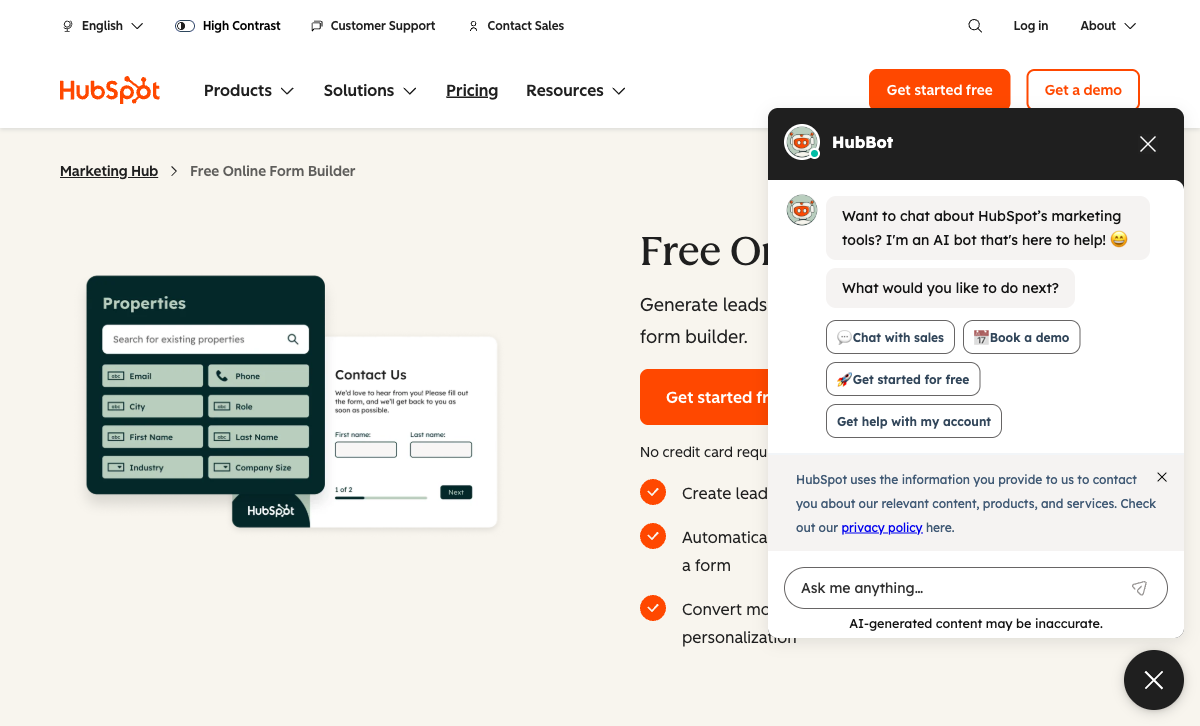
Every HubSpot form submission instantly creates or updates a contact in HubSpot CRM — no integration setup, no field mapping, no API configuration. The contact record includes form data, browsing history, lifecycle stage, and lead score. Workflows trigger automatically: sales notifications, email sequences, deal creation, and list membership. Jotform integrates with HubSpot via a native connector, but it requires manual field mapping, introduces processing delays, and doesn't support HubSpot-specific features like progressive profiling or smart content. For teams where form-to-CRM speed and fidelity are critical, HubSpot's native pipeline is unmatched.
Progressive Profiling
On Marketing Hub Professional ($890/month), HubSpot Forms shows different questions to returning visitors based on previously collected data. If a contact already provided their job title, the form swaps that field for a different question on the next visit. Over time, you build detailed contact profiles without re-asking known information. Jotform has no equivalent — every visitor sees identical forms. For B2B lead nurturing where data accumulation across interactions matters, progressive profiling is a genuine HubSpot advantage.
Unlimited Free Submissions
HubSpot's free plan offers unlimited forms and unlimited submissions — with HubSpot branding and limited field types. Jotform's free plan includes 5 forms and 100 monthly submissions. For high-volume basic lead capture at zero cost, HubSpot's free tier is significantly more generous on volume (though far less capable on features).
Marketing Automation Ecosystem
HubSpot Forms connects natively to HubSpot's email marketing, landing pages, ad tracking, chatbots, live chat, and reporting. Submissions feed into a unified marketing platform. Jotform is a standalone tool — it connects to marketing platforms via integrations, but each connection is a separate configuration. For marketing teams running full-funnel campaigns inside HubSpot, the native ecosystem eliminates integration friction.
Enterprise Trust
HubSpot is a publicly traded company (NYSE: HUBS) founded in 2006 with over $2B in annual revenue and 200,000+ customers. It offers SOC 2 Type II, SSO, and enterprise SLAs. While Jotform is also a large company (25M+ users), HubSpot's public-company governance and enterprise compliance certifications carry weight in procurement decisions where vendor risk assessment is standard practice.
Where Jotform Wins

Feature-Rich Form Builder
Jotform is a dedicated form builder with depth that HubSpot Forms can't approach. The drag-and-drop editor supports 100+ field types, conditional logic, multi-page forms, file uploads, appointment scheduling, and e-signatures. A widget marketplace adds hundreds of specialised components — CAPTCHA variants, image pickers, star ratings, matrix grids, and more. HubSpot Forms offers roughly 15 standard CRM field types. For forms that need to do anything beyond basic data capture, Jotform's feature set is in a different league.
Payment Processing (30+ Gateways)
Jotform supports over 30 payment gateways including Stripe, PayPal, Square, Authorize.Net, Mollie, and regional providers. It handles product listings, order forms, subscription payments, donation collection, and invoicing. HubSpot Forms supports Stripe-only payment on paid plans with no product catalog, no subscriptions, and no multi-gateway support. For eCommerce, nonprofit fundraising, or any form collecting money, Jotform is dramatically more capable.
HIPAA at an Accessible Price
Jotform offers HIPAA compliance with a signed BAA on its Gold plan ($49/month annual) and above. HubSpot's HIPAA compliance requires Marketing Hub Enterprise at $3,600/month. That's a 73x price difference for the same compliance requirement. For healthcare practices, clinics, and medical researchers who need HIPAA-compliant forms, Jotform is the practical choice unless you're already paying for HubSpot Enterprise.
Templates and Specialisation
Jotform offers 10,000+ form templates organised by industry and use case: healthcare intake, job applications, event registration, customer surveys, order forms, and more. HubSpot Forms has a small set of basic lead generation templates. For teams that want a starting point rather than building from scratch, Jotform's template library saves hours of work and covers use cases HubSpot's templates don't address.
Standalone Independence
Jotform works independently of any CRM or platform. It integrates with HubSpot, Salesforce, Pipedrive, Monday.com, Google Sheets, and hundreds of other tools — but it's not dependent on any of them. Switch CRMs and your forms keep working. HubSpot Forms only works inside HubSpot. Switch away from HubSpot CRM and your forms break. For organisations that value platform independence, Jotform's standalone nature is a significant advantage.
Jotform Tables and Apps
Jotform includes Jotform Tables (a spreadsheet/database for submission data with collaboration features) and Jotform Apps (no-code app builder for mobile-friendly form experiences). These extend form data beyond simple submission storage. HubSpot stores form data in CRM contacts — powerful for sales and marketing, but limited for operational data management. Jotform Tables gives you a flexible database layer that HubSpot's CRM structure doesn't provide.
Where HubSpot Forms Falls Short
- Very basic form builder: ~15 field types, no widgets, no drag-and-drop flexibility. Forms are functional data collection widgets, not designed experiences.
- $890/month pricing cliff: The jump from Starter ($20/seat/month) to Professional ($890/month) is the steepest in the form builder market. Advanced form features are locked behind that wall.
- Stripe-only payments: No PayPal, Square, or other gateways. No product management, subscriptions, or eCommerce features.
- CRM lock-in: Forms exist inside HubSpot's platform. Switching CRMs means rebuilding everything.
- No e-signatures: Not available on any HubSpot plan. Consent forms, contracts, and agreements require a separate tool.
- HIPAA at $3,600/month: Enterprise-only compliance pricing makes HubSpot inaccessible for small healthcare practices.
Where Jotform Falls Short
- No native CRM: Jotform Tables is a data layer, not a CRM. The HubSpot integration works but is never as seamless as native HubSpot Forms for CRM-centric workflows.
- No progressive profiling: Every visitor sees the same form. No returning-visitor intelligence or data accumulation across sessions.
- Limited free plan: 5 forms and 100 submissions/month on the free tier vs HubSpot's unlimited. High-volume basic lead capture is cheaper on HubSpot.
- Design can feel dated: Jotform's forms are functional but can look generic compared to modern design-first builders. The drag-and-drop builder prioritises capability over aesthetics.
- Form limits on paid plans: Even Jotform's Silver plan ($39/month) limits you to 25 forms. HubSpot's free plan has unlimited forms.
Pricing Comparison
The pricing models are fundamentally different — HubSpot charges for platform access, Jotform charges for form volume:
| Need | HubSpot Forms | Jotform | Key Difference |
|---|---|---|---|
| Free tier | Unlimited forms, unlimited submissions, HubSpot branding | 5 forms, 100 submissions/mo, Jotform branding | HubSpot has far more volume; Jotform has more features |
| Entry paid plan | Starter: $20/seat/mo — remove branding, basic features | Bronze: $29/mo — 25 forms, 1,000 submissions, payments | Comparable pricing; Jotform includes payments and more features |
| Mid-tier | Professional: $890/mo — progressive profiling, A/B testing | Silver: $39/mo — 50 forms, 2,500 submissions, HIPAA eligible | Jotform is 22x cheaper for advanced form features |
| Full-featured | Enterprise: $3,600/mo — full CRM + marketing platform | Gold: $49/mo (annual) — 100 forms, 10,000 submissions, HIPAA | Jotform Gold with HIPAA is 73x cheaper than HubSpot Enterprise |
HubSpot Forms
Jotform
| Product | Plan | Monthly Price | Annual Price (per month) | Free Plan | Free Trial | Limits |
|---|---|---|---|---|---|---|
| HubSpot Forms | Free | Free | Free | Yes | 14 days | forms: Unlimited, submissions: Unlimited, users: 2 |
| HubSpot Forms | Marketing Hub Starter | $20/mo | $20/mo billed annually | forms: Unlimited, submissions: Unlimited, users: Per seat | ||
| HubSpot Forms | Marketing Hub Professional | $890/mo | $890/mo billed annually | forms: Unlimited, submissions: Unlimited, users: 3 included (additional seats extra) | ||
| HubSpot Forms | Marketing Hub Enterprise | $3600/mo | $3600/mo billed annually | forms: Unlimited, submissions: Unlimited, users: 5 included (additional seats extra) | ||
| Jotform | Starter | Free | Free | Yes | No | forms: 5, submissions: 100/month, storage: 100 MB, users: 1 |
| Jotform | Bronze | $39/mo | $34/mo billed annually | forms: 25, submissions: 1,000/month, storage: 1 GB, users: 1 | ||
| Jotform | Silver | $49/mo | $39/mo billed annually | forms: 50, submissions: 2,500/month, storage: 10 GB, users: 1 | ||
| Jotform | Gold | $129/mo | $99/mo billed annually | forms: 100, submissions: 10,000/month, storage: 100 GB, users: 1 |
What Users Say
Jotform is one of the most-reviewed form builders on G2 and Capterra, with users praising its template variety, ease of use, and payment integrations. Common complaints include occasional form-loading speed issues and the form limits on lower-tier plans. HubSpot reviews reflect the broader platform — the CRM and marketing tools are well-regarded, but form-specific feedback consistently notes the builder is "basic" and "limited compared to dedicated form tools." The pricing cliff between Starter and Professional is a recurring frustration across review platforms.
The Verdict
HubSpot Forms wins for teams deeply embedded in the HubSpot ecosystem. The native form-to-CRM pipeline with automatic contact creation, lead scoring, and workflow triggering is seamless in a way that external tools can't fully replicate. If your marketing and sales teams live in HubSpot and your forms are basic lead capture, native forms are the path of least resistance.
Jotform wins for everything else. More templates, more payment gateways, more field types, HIPAA compliance at 73x less cost, and standalone independence from any CRM. For teams that need forms to do real work — collect payments, handle complex data, support regulated industries — Jotform's feature set is in a completely different class.
Consider Paperform: Standalone Power With Design and Depth
If Jotform's feature set appeals but you want better design, or if HubSpot's CRM integration matters but you need more form capability, Paperform offers a compelling alternative. Paperform combines a document-style editor that produces forms as polished as designed landing pages with an Excel-style calculation engine, five payment gateways (Stripe, PayPal, Square, Braintree, Google Pay), built-in e-signatures via Papersign, and 30,000+ templates.
Paperform integrates natively with HubSpot CRM — so you get the CRM pipeline without being locked into HubSpot's limited form builder. And unlike Jotform, Paperform's calculations engine powers dynamic pricing, scoring, and conditional logic across questions, pages, emails, integrations, and success pages. It's the depth of a spreadsheet inside a beautiful form.
Bootstrapped and profitable since 2016, Paperform is a stable, independent platform with no venture capital pressure — a safer long-term bet for teams that value platform stability. Starting at $24/month (Essentials), it sits between HubSpot's free tier and Jotform's paid plans while exceeding both on form sophistication. See the full HubSpot Forms alternatives analysis or explore Jotform alternatives.
Frequently Asked Questions
Can Jotform send data to HubSpot CRM?
Yes. Jotform has a native HubSpot integration that creates or updates contacts in HubSpot CRM from form submissions. You can map Jotform fields to HubSpot contact properties, create deals, and trigger workflows. It's not as instantaneous as HubSpot's native forms — there's a slight processing delay and the integration requires manual field mapping — but it works reliably. For teams that want Jotform's form-building power with HubSpot's CRM, the integration bridges the gap.
Which has more templates: HubSpot Forms or Jotform?
Jotform wins decisively with over 10,000 form templates spanning industries from healthcare to eCommerce to education. HubSpot Forms offers a limited set of basic lead generation templates — contact forms, newsletter signups, demo requests. If you need a starting point for a specialised form (patient intake, event registration, order form, job application), Jotform's template library is orders of magnitude larger.
Is Jotform or HubSpot Forms better for payment collection?
Jotform. It supports over 30 payment gateways including Stripe, PayPal, Square, and Authorize.Net — all available on paid plans (and some on the free plan). Jotform includes product listings, order forms, subscription payments, and donation collection. HubSpot Forms supports Stripe-only payments on paid Marketing Hub plans, with no product catalog, no subscriptions, and no multi-gateway support. For any form involving money, Jotform is the stronger choice.
Does HubSpot Forms or Jotform offer HIPAA compliance?
Both offer HIPAA compliance, but at very different price points. Jotform includes HIPAA compliance on its Gold plan ($49/month annual) and above, with a signed BAA. HubSpot's HIPAA compliance requires Enterprise-level plans — starting at $3,600/month for Marketing Hub Enterprise. For healthcare organisations on a budget, Jotform's HIPAA option is dramatically more affordable.
Which is better for non-technical users?
Jotform is slightly easier for standalone form creation thanks to its drag-and-drop builder, massive template library, and widget marketplace. You can build a functional form in minutes without any technical knowledge. HubSpot Forms is also easy to use, but the forms live inside HubSpot's platform — which means you need to understand HubSpot's interface, contact management, and publishing tools. For someone who just needs to create a form, Jotform has a lower barrier to entry. For someone already working in HubSpot daily, the native forms feel natural.
Sources & References
- Jotform vs HubSpot — G2 Comparison — G2, 2026
- HubSpot Marketing Hub Pricing — HubSpot, 2026
- Best Online Form Builders Compared — EmailToolTester, 2026
Last updated March 21, 2026
Ready to try Paperform?
Create beautiful forms, payment pages, and workflows — no code required.