Gravity Forms vs WPForms: Which WordPress Form Plugin Is Better in 2026?
This is the classic WordPress form plugin comparison. Both are WordPress-native, both are premium plugins with free Lite versions, and both are built by companies deeply embedded in the WordPress ecosystem. The difference is philosophy: Gravity Forms is built for power users and developers who need maximum extensibility. WPForms is built for simplicity — designed so anyone can build professional forms without touching code.
Both are excellent plugins. The right choice depends on your team's technical skill level and the complexity of your form requirements. This guide breaks down where each wins and where each falls short.
Who Are These Plugins?
Gravity Forms was created by Rocketgenius, Inc., founded in 2008 by Carl Hancock. It was one of the first premium WordPress form plugins and has maintained its position as the go-to choice for developers and agencies. With over 5 million active installations, it's deeply established in the WordPress developer community. Bootstrapped from day one — no VC funding, no acquisitions — Gravity Forms has been profitable and stable for nearly two decades.
WPForms was created by Jared Atchison and launched in 2016 by Awesome Motive — the company behind WPBeginner, OptinMonster, MonsterInsights, and other popular WordPress products. WPForms was built specifically to be the "easy" alternative to Gravity Forms, with a drag-and-drop builder designed for non-developers. It has grown to over 6 million active installations, surpassing Gravity Forms in raw install count. Awesome Motive is also bootstrapped, making both plugins products of self-funded WordPress businesses.
Quick Verdict
Choose Gravity Forms if:
- You're a developer who needs PHP hooks, filters, and custom extensions
- You build complex forms with advanced conditional logic
- You need deep integration with WordPress custom post types and user system
- You want maximum extensibility through a mature developer ecosystem
Choose WPForms if:
- Your form builders are non-technical — content editors, marketers, business owners
- You want the easiest drag-and-drop builder in WordPress
- You need Stripe payments on the cheapest possible paid plan
- You want a polished, intuitive interface without a learning curve
Feature Comparison
Side-by-side across every feature category — both WordPress-native plugins with overlapping but distinct capabilities.
| Feature | Gravity Forms | WPForms |
|---|---|---|
| Form Building | ||
| Drag-and-drop builder | Yes Basic | No |
| AI form creation | No | Yes basic |
| 30+ field types | Yes Basic | No |
| Multi-page forms | Yes Basic | Yes basic |
| Guided mode (one question at a time) | Yes Elite | Yes pro |
| Conditional logic | Yes Basic | Yes basic |
| Calculations field | Yes Basic | Yes pro |
| AI calculations assistant | No | No |
| Scoring | Yes Elite | Yes pro |
| Answer piping | Yes Basic | No |
| Pre-filling and hidden fields | Yes Basic | Yes basic |
| Save and resume | Yes Basic | Yes pro |
| Auto-close by number | No | Yes basic |
| Auto-close by date | No | Yes basic |
| Appointment/booking field | No | No |
| Signature field | Yes Elite | Yes pro |
| Color picker field | No | No |
| API-powered dropdowns | No | No |
| Google address search | No | Yes pro |
| Document-style editor | No | No |
| Field types | No | Yes basic |
| Payments | ||
| Stripe payments | Yes Pro | Yes pro |
| PayPal payments | Yes Pro | Yes pro |
| Square payments | Yes Pro | Yes pro |
| Braintree payments | No | No |
| Google Pay | Yes Pro | No |
| Product sales (eCommerce) | Yes Basic | No |
| Subscriptions | Yes Pro | Yes pro |
| Coupons and discounts | Yes Elite | Yes pro |
| Custom pricing rules | No | Yes pro |
| Tax calculations | No | No |
| Quotes/invoices | No | No |
| Refunds | Yes Pro | No |
| 3D Secure | Yes Pro | No |
| Design & Customization | ||
| Template gallery | Yes Basic | Yes pro |
| Rich media (images, GIFs, videos) | Yes Basic | Yes basic |
| Unsplash and Giphy integration | No | No |
| Image editor | No | No |
| Language translation | Yes Basic | Yes basic |
| Advanced theming | Yes Basic | Yes basic |
| Custom form URL | No | Yes pro |
| Custom domains | No | Yes basic |
| Custom HTML & CSS | Yes Basic | Yes basic |
| Remove branding | Yes Basic | Yes basic |
| Custom email domains | Yes Elite | No |
| Adobe Creative Cloud | No | No |
| Analytics | ||
| Submission results and reports | Yes Basic | Yes basic |
| AI report insights | No | No |
| Paperform analytics | No | No |
| Google Analytics & Facebook Pixel | Yes Elite | No |
| Custom analytics scripts | Yes Basic | No |
| Partial submissions | Yes Elite | Yes pro |
| Collaboration | ||
| Multi-user accounts | Yes Basic | Yes basic |
| User permissions and management | Yes Basic | Yes pro |
| Advanced permissions & admin | No | Yes elite |
| Form sharing (templates) | Yes Basic | Yes basic |
| Spaces and tag management | No | No |
| Security | ||
| SOC 2 Type II | No | No |
| GDPR compliant | Yes Basic | Yes basic |
| SSL encryption | Yes Basic | Yes basic |
| Two-factor authentication | No | No |
| Enforce 2FA for all users | No | No |
| SSO (SAML) | No | No |
| reCAPTCHA | Yes Basic | Yes basic |
| Local data residency | Yes Basic | Yes |
| Custom S3 storage (BYO) | No | No |
| Custom S3 storage | No | No |
| Integrations & API | ||
| 50+ official add-ons | Yes Basic | No |
| Zapier | Yes Pro | Yes pro |
| Make (Integromat) | No | Yes pro |
| Webhooks | Yes Elite | Yes elite |
| Standard API | Yes Basic | No |
| Business API | No | No |
| WordPress plugin | Yes Basic | Yes |
| oEmbed support | No | No |
| Stepper workflow automation | No | No |
| 2000+ integrations | No | Yes pro |
Where Gravity Forms Wins
Developer Extensibility
This is Gravity Forms' defining advantage. Hundreds of documented PHP hooks and filters allow developers to customise virtually every aspect of form behaviour — custom validation, dynamic field population, submission processing, notification routing, and custom field types. WordPress agencies build entire client solutions on Gravity Forms because it can be bent to do almost anything with PHP. WPForms has hooks and filters too, but the ecosystem is younger and less extensively documented. For developers, Gravity Forms is a platform; WPForms is a tool.
Advanced Conditional Logic
Gravity Forms' conditional logic is more granular and flexible than WPForms'. You can conditionally show/hide fields, sections, pages, and submit buttons based on complex multi-condition rules. Conditional pricing, conditional notification routing, and conditional confirmation messages are all built in. WPForms has conditional logic — and it's improved significantly — but Gravity Forms handles more complex rule chains and edge cases that power users encounter in enterprise forms.
Custom Post Type Integration
Gravity Forms can create WordPress posts and custom post types directly from form submissions — mapping form fields to post title, content, custom fields, taxonomies, and featured images. This enables front-end content submission, directory listings, event submissions, and user-generated content workflows natively within WordPress. WPForms supports basic post creation but with less granular field mapping and custom post type support.
REST API and Headless Workflows
Gravity Forms has a well-documented REST API that allows external applications to create, read, update, and delete forms, entries, and settings. This enables headless WordPress setups where forms are managed in WordPress but rendered by a separate front-end framework. WPForms' API capabilities are more limited — designed for basic data access rather than full headless workflow integration.
Mature Ecosystem
Founded in 2008 — a decade before WPForms — Gravity Forms has a deeper third-party ecosystem. Hundreds of third-party add-ons, thousands of tutorials, extensive Stack Overflow coverage, and a large community of agency developers with deep expertise. Finding pre-built solutions, hiring specialists, or getting community support is easier for Gravity Forms simply because it's been around longer.
Where WPForms Wins
Ease of Use
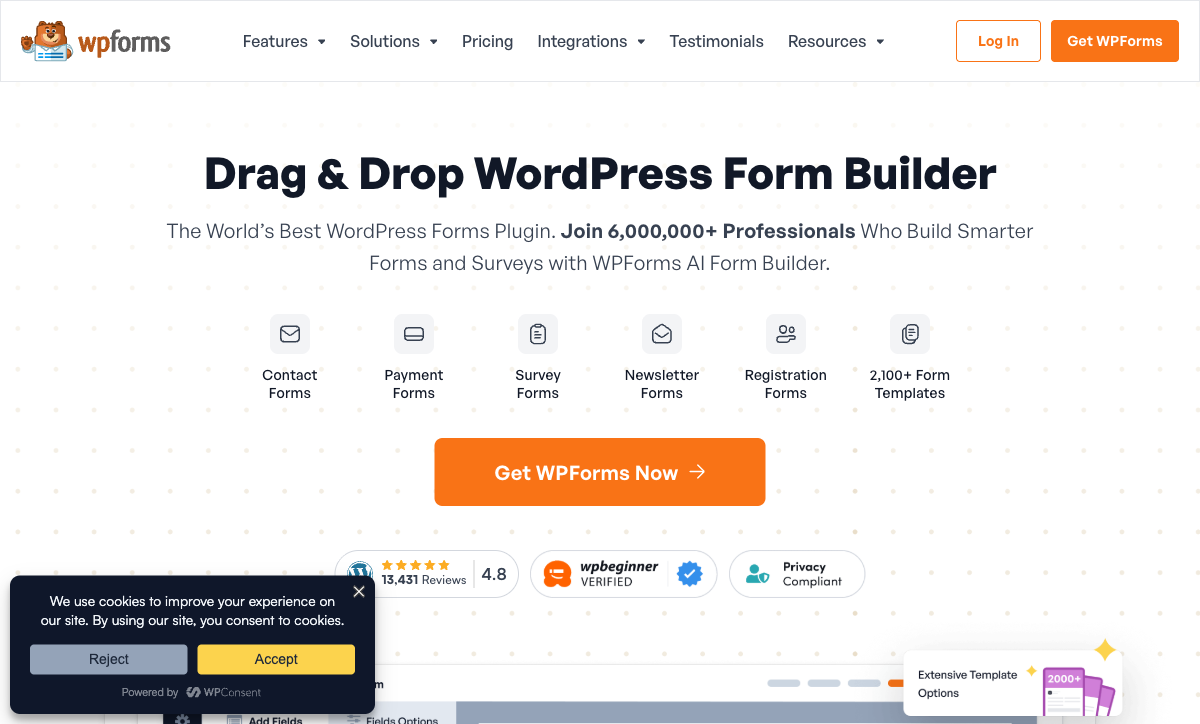
WPForms was designed from the ground up to be the easiest WordPress form builder. Its drag-and-drop interface is genuinely intuitive — non-technical users can build professional forms in minutes without reading documentation. The form preview updates in real-time, field settings are clearly labelled, and the entire experience is polished. Gravity Forms' interface is functional but dated by comparison — it works, but it was designed for developers who prioritise power over polish. For teams where non-technical staff build and manage forms, WPForms' usability is a material advantage.
Better Free Tier (WPForms Lite)
WPForms Lite is arguably the best free WordPress form plugin. It includes a visual drag-and-drop builder, pre-built templates (contact form, suggestion form, newsletter signup), spam protection via reCAPTCHA and hCaptcha, and a polished, modern interface. Over 6 million sites use it. Gravity Forms Lite exists but is more limited — fewer templates, a less intuitive interface, and a general "this is a demo for the paid version" feel. For basic contact forms, WPForms Lite is more than sufficient and easier to use.
Entry-Level Pricing
WPForms Basic costs $49.50/year and includes Stripe payments, basic integrations, and all core form features. Gravity Forms Basic is $59/year but doesn't include Stripe (that requires the $159/year Pro license). For simple forms with payment processing, WPForms' entry tier is cheaper and includes more. The pricing difference narrows at higher tiers, but for small businesses and solopreneurs, WPForms' entry pricing is more accessible.
Built-in Survey and Poll Features
WPForms Pro includes surveys and polls with visual reporting — Likert scales, star ratings, NPS, and results displayed in charts and graphs without add-ons or extra cost. Gravity Forms has a survey add-on, but it requires the Elite license ($259/year). For WordPress sites that need occasional survey functionality, WPForms bundles it more affordably.
Form Templates
WPForms offers 1,800+ pre-built form templates — contact forms, registration forms, payment forms, surveys, booking forms, and industry-specific templates. Each is one-click installable and fully customisable. Gravity Forms has a smaller template library. For users who want to start from a template rather than build from scratch, WPForms' library is significantly larger.
Where Gravity Forms Falls Short
- Steeper learning curve: The interface prioritises power over usability. Non-technical users often struggle with form configuration, conditional logic setup, and add-on management.
- Dated interface: Despite updates, Gravity Forms' builder feels less polished than WPForms' modern drag-and-drop interface. The UX gap is noticeable side-by-side.
- Stripe requires Pro license: Payment processing via Stripe needs the $159/year Pro license. WPForms includes Stripe on its $49.50/year Basic plan.
- Fewer templates: A smaller template library means more forms built from scratch. Less convenient for non-developers.
- Add-on gating: Many useful features (surveys, quizzes, Stripe, polls) require higher-tier licenses. The $59/year headline price doesn't reflect what most users actually need.
Where WPForms Falls Short
- Limited developer extensibility: Fewer documented hooks and filters, less mature third-party add-on ecosystem, and less flexibility for custom PHP extensions. Developers hit the ceiling faster.
- Simpler conditional logic: Handles standard show/hide scenarios well, but complex multi-condition chains and edge cases are more limited than Gravity Forms.
- Less granular post creation: Basic post creation from submissions, but less flexible custom post type mapping and field-to-post-field controls compared to Gravity Forms.
- Owned by a conglomerate: Awesome Motive owns many WordPress products. While bootstrapped, the multi-product strategy means WPForms competes for internal development resources with OptinMonster, MonsterInsights, SeedProd, and others.
- REST API limitations: Less robust API for headless or external integrations compared to Gravity Forms' documented REST endpoints.
The Shared Limitation: WordPress Lock-in
Both Gravity Forms and WPForms are WordPress plugins. Both require a self-hosted WordPress installation to function. Both stop working entirely if you migrate to any other platform — Shopify, Squarespace, Webflow, headless CMS, or a custom stack. This is the most important consideration for anyone choosing between them: you're committing your form infrastructure to WordPress permanently.
If there's any chance you'll move away from WordPress in the next 3-5 years, or if you need forms on non-WordPress properties, neither plugin is the right choice. A platform-independent form builder eliminates this risk entirely.
Pricing Comparison
| Tier | Gravity Forms | WPForms | Key Difference |
|---|---|---|---|
| Free | Lite — basic fields, limited | Lite — drag-and-drop, templates, reCAPTCHA | WPForms Lite is significantly more polished and capable |
| Entry Paid | Basic: $59/yr — 1 site, basic add-ons, no Stripe | Basic: $49.50/yr — 1 site, Stripe included | WPForms is cheaper AND includes Stripe |
| Mid-Tier | Pro: $159/yr — 3 sites, Stripe, more add-ons | Plus: $99.50/yr — 3 sites, more integrations | WPForms Plus is 37% cheaper than GF Pro |
| Pro/Top | Elite: $259/yr — unlimited sites, all add-ons | Pro: $199.50/yr — 5 sites, surveys, polls, all features | WPForms Pro is cheaper; GF Elite covers unlimited sites |
| Agency | — | Elite: $299.50/yr — unlimited sites | WPForms Elite matches GF Elite scope at slightly higher price |
WPForms is cheaper at every comparable tier and includes Stripe payments on its entry plan. Gravity Forms' pricing premium buys developer extensibility and a more mature add-on ecosystem — valuable for agencies and developers, less so for standard users.
Gravity Forms
WPForms
| Product | Plan | Monthly Price | Annual Price (per month) | Free Plan | Free Trial | Limits |
|---|---|---|---|---|---|---|
| Gravity Forms | Basic | Not listed | $59/mo billed annually | No | 14 days | forms: Unlimited, submissions: Unlimited, storage: WordPress database (self-hosted), users: Unlimited (WordPress users) |
| Gravity Forms | Pro | Not listed | $159/mo billed annually | forms: Unlimited, submissions: Unlimited, storage: WordPress database (self-hosted), users: Unlimited (WordPress users) | ||
| Gravity Forms | Elite | Not listed | $259/mo billed annually | forms: Unlimited, submissions: Unlimited, storage: WordPress database (self-hosted), users: Unlimited (WordPress users) | ||
| Gravity Forms | Nonprofit | Not listed | $129/mo billed annually | forms: Unlimited, submissions: Unlimited, storage: WordPress database (self-hosted), users: Unlimited (WordPress users) | ||
| WPForms | Lite (Free) | Free | Free | Yes | 14 days | forms: Unlimited, submissions: Unlimited, users: Unlimited |
| WPForms | Basic | Not listed | $4.13/mo billed annually | forms: Unlimited, submissions: Unlimited, users: Unlimited | ||
| WPForms | Plus | Not listed | $8.29/mo billed annually | forms: Unlimited, submissions: Unlimited, users: Unlimited | ||
| WPForms | Pro | Not listed | $16.63/mo billed annually | forms: Unlimited, submissions: Unlimited, users: Unlimited | ||
| WPForms | Elite | Not listed | $24.96/mo billed annually | forms: Unlimited, submissions: Unlimited, users: Unlimited |
What Users Say
Both plugins are highly rated within the WordPress ecosystem. WPForms averages around 4.8/5 on WordPress.org (from 6M+ installs), consistently praised for ease of use and customer support. Gravity Forms averages around 4.6/5 on G2 and WordPress.org, praised for power and extensibility but with a notable learning curve criticism. The pattern is clear: WPForms wins on usability, Gravity Forms wins on capability depth. Both have loyal user bases, and switching between them is disruptive enough that most teams stick with their initial choice.
Consider Paperform: Beyond WordPress Plugins
Before committing to either WordPress plugin, consider whether a platform-independent form builder might serve you better. Paperform works on any website — WordPress, Squarespace, Shopify, Webflow, or standalone — so your forms survive any future platform migration. No WordPress dependency means no hosting management, no plugin conflicts, and no security patches.
Paperform offers capabilities neither WordPress plugin can match: an Excel-style calculation engine for dynamic pricing and scoring, five payment gateways (Stripe, PayPal, Square, Braintree, Google Pay) on every plan, built-in e-signatures via Papersign, and a document-style editor that creates forms resembling designed landing pages. With 30,000+ templates, the library dwarfs both Gravity Forms and WPForms.
At $29/month for Essentials (including hosting, SSL, and all features), Paperform costs more annually than either WordPress plugin — but eliminates WordPress infrastructure costs and the risk of platform lock-in. For teams who want powerful forms without the WordPress dependency, Paperform is the platform-independent alternative.
The Verdict
Gravity Forms is the right choice for developers and agencies. If your team writes PHP, needs custom form extensions, builds complex multi-condition workflows, or manages forms across many client WordPress sites, Gravity Forms' extensibility and mature developer ecosystem justify its higher price and steeper learning curve. It's a development platform that happens to be a form plugin.
WPForms is the right choice for everyone else in WordPress. If your form builders are non-technical, you want the easiest possible setup, you need Stripe payments on a budget, or you value 1,800+ templates and a polished interface, WPForms delivers a better experience at a lower price. It handles 90% of form use cases with less friction.
Both are stable, WordPress-native plugins from bootstrapped companies. Gravity Forms has been around since 2008; WPForms since 2016. Neither is going anywhere. The choice isn't about quality — it's about audience: developers choose Gravity Forms, non-developers choose WPForms. Both lock you into WordPress permanently, which is the most important factor to weigh before choosing either. For details on more options, see our Gravity Forms alternatives or WPForms alternatives analysis.
Frequently Asked Questions
Which is easier to use: WPForms or Gravity Forms?
WPForms is easier for beginners. Its drag-and-drop builder was designed specifically for non-technical WordPress users — every feature is visual and requires no code. Gravity Forms is more powerful but has a steeper learning curve. Its interface is functional rather than intuitive, and unlocking its full potential often requires understanding WordPress hooks, filters, and PHP. If your team includes WordPress developers, Gravity Forms' complexity is a feature. If your form builders are content editors or marketing staff, WPForms' simplicity is the safer choice.
Can WPForms do everything Gravity Forms can?
Not quite. WPForms covers 90% of common form use cases — contact forms, registrations, surveys, payments, and email marketing integrations. But Gravity Forms pulls ahead in advanced scenarios: complex conditional logic chains, developer hooks and filters for custom PHP extensions, custom field type creation, REST API depth, and integration with WordPress custom post types. For standard forms, WPForms is fully capable. For complex, developer-extended workflows, Gravity Forms offers capabilities WPForms doesn't match.
Is WPForms Lite good enough for a basic contact form?
Yes. WPForms Lite (free) is one of the best free contact form solutions for WordPress. It includes a drag-and-drop builder, pre-built contact form template, spam protection (reCAPTCHA/hCaptcha), email notifications, and basic field types. For a simple "name, email, message" contact form, WPForms Lite is genuinely sufficient. Gravity Forms Lite is more limited by comparison — it works but the free version has fewer templates and a less intuitive interface. Over 6 million sites use WPForms Lite for exactly this purpose.
Which plugin has better payment processing?
Both support Stripe and PayPal on their paid tiers, but the implementation differs. WPForms includes Stripe on all paid plans (including Basic at $49.50/year) and offers a clean, simple payment setup. Gravity Forms requires the Pro license ($159/year) for Stripe and has additional payment add-ons. For simple payment collection, WPForms is easier to set up and available at a lower price point. For complex payment workflows integrated with WooCommerce or custom WordPress logic, Gravity Forms' developer extensibility gives it an edge. Neither approaches the payment gateway variety of standalone SaaS form builders.
Should I switch from Gravity Forms to WPForms (or vice versa)?
Switching WordPress form plugins is painful — you lose submission data, break existing forms, and need to rebuild everything. Only switch if there's a compelling reason. Switch from Gravity Forms to WPForms if: your team finds GF too complex, you don't use developer hooks, and you want a simpler interface. Switch from WPForms to Gravity Forms if: you need advanced conditional logic, custom PHP extensions, or deeper WordPress integration than WPForms provides. If your current plugin works, the switching cost rarely justifies the change. Consider whether a platform-independent solution like Paperform might be worth evaluating before committing deeper to either WordPress plugin.
Sources & References
- WPForms vs Gravity Forms: Which Plugin Is Better? — WPBeginner, 2026
- Best WordPress Form Plugins Compared — Elegant Themes, 2025
Last updated March 21, 2026
Ready to try Paperform?
Create beautiful forms, payment pages, and workflows — no code required.