Gravity Forms vs Typeform: Which Is Better in 2026?
This comparison pits two completely different approaches to form building against each other. Gravity Forms is a WordPress plugin — technically deep, developer-friendly, and inseparable from the WordPress ecosystem. Typeform is a design-first SaaS platform — famous for its one-question-at-a-time conversational interface that prioritises engagement and completion rates over information density.
They barely compete for the same users. Gravity Forms serves WordPress developers building operational forms. Typeform serves marketers and designers building engaging lead capture and survey experiences. The overlap is small, but for teams evaluating both, the differences are stark.
Who Are These Platforms?
Gravity Forms was created by Rocketgenius, Inc., founded in 2008 by Carl Hancock. It grew into the most popular premium WordPress form plugin with over 5 million active installations. Bootstrapped and self-funded from day one, Gravity Forms has been profitable for nearly two decades — a rarity in the software industry. Revenue comes exclusively from annual license sales, with no venture capital influence on product direction.
Typeform was founded in 2012 in Barcelona by David Okuniev and Robert Muñoz. Unlike Gravity Forms, Typeform is venture-backed — it has raised over $185 million in funding. The company popularised conversational forms (one question at a time) and built a strong brand around design quality. Typeform's VC funding has enabled aggressive feature expansion and marketing, but also creates growth pressure that bootstrapped Gravity Forms doesn't face.
Quick Verdict
Choose Gravity Forms if:
- Your site runs on WordPress and you need native integration
- You're a developer who wants PHP hooks, filters, and full extensibility
- You need dense, multi-field operational forms (applications, registrations)
- Budget is a priority — $59/year vs Typeform's $39/month
Choose Typeform if:
- Design and engagement matter more than WordPress integration
- You want conversational one-question-at-a-time experiences
- You're building lead generation forms, quizzes, or surveys
- You need platform independence — forms that work anywhere
Feature Comparison
Side-by-side across every feature category.
| Feature | Gravity Forms | Typeform |
|---|---|---|
| Form Building | ||
| Drag-and-drop builder | Yes Basic | No |
| AI form creation | No | Yes |
| 30+ field types | Yes Basic | No |
| Multi-page forms | Yes Basic | Yes basic |
| Guided mode (one question at a time) | Yes Elite | Yes |
| Conditional logic | Yes Basic | Yes basic |
| Calculations field | Yes Basic | Yes plus |
| AI calculations assistant | No | No |
| Scoring | Yes Elite | Yes plus |
| Answer piping | Yes Basic | Yes basic |
| Pre-filling and hidden fields | Yes Basic | Yes basic |
| Save and resume | Yes Basic | No |
| Auto-close by number | No | Yes basic |
| Auto-close by date | No | Yes basic |
| Appointment/booking field | No | Yes basic |
| Signature field | Yes Elite | No |
| Color picker field | No | No |
| API-powered dropdowns | No | No |
| Google address search | No | No |
| Document-style editor | No | No |
| Field types | No | 20+ |
| File uploads | No | Yes basic |
| AI follow-up questions | No | Yes business |
| Video questions | No | Yes basic |
| Payments | ||
| Stripe payments | Yes Pro | Yes basic |
| PayPal payments | Yes Pro | No |
| Square payments | Yes Pro | No |
| Braintree payments | No | No |
| Google Pay | Yes Pro | No |
| Product sales (eCommerce) | Yes Basic | No |
| Subscriptions | Yes Pro | Yes basic |
| Coupons and discounts | Yes Elite | No |
| Custom pricing rules | No | No |
| Tax calculations | No | No |
| Quotes/invoices | No | No |
| Refunds | Yes Pro | No |
| 3D Secure | Yes Pro | Yes basic |
| Design & Customization | ||
| Template gallery | Yes Basic | 1,500+ |
| Rich media (images, GIFs, videos) | Yes Basic | Yes |
| Unsplash and Giphy integration | No | Yes |
| Image editor | No | No |
| Language translation | Yes Basic | Yes basic |
| Advanced theming | Yes Basic | Yes plus |
| Custom form URL | No | Yes plus |
| Custom domains | No | No |
| Custom HTML & CSS | Yes Basic | Yes business |
| Remove branding | Yes Basic | Yes plus |
| Custom email domains | Yes Elite | No |
| Analytics | ||
| Submission results and reports | Yes Basic | Yes |
| AI report insights | No | Yes business |
| Paperform analytics | No | No |
| Google Analytics & Facebook Pixel | Yes Elite | Yes basic |
| Custom analytics scripts | Yes Basic | Yes basic |
| Partial submissions | Yes Elite | Yes plus |
| Drop-off analysis | No | Yes business |
| Collaboration | ||
| Multi-user accounts | Yes Basic | Yes plus |
| User permissions and management | Yes Basic | Yes plus |
| Advanced permissions & admin | No | Yes enterprise |
| Form sharing (templates) | Yes Basic | Yes |
| Spaces and tag management | No | No |
| Workspace organization | No | Yes |
| Security | ||
| SOC 2 Type II | No | Yes |
| GDPR compliant | Yes Basic | Yes |
| SSL encryption | Yes Basic | Yes |
| Two-factor authentication | No | Yes |
| Enforce 2FA for all users | No | No |
| SSO (SAML) | No | Yes enterprise |
| reCAPTCHA | Yes Basic | Yes business |
| Local data residency | Yes Basic | No |
| Custom S3 storage (BYO) | No | No |
| HIPAA compliant | No | Yes enterprise |
| ISO 27001 | No | Yes |
| PCI DSS | No | Yes |
| Integrations & API | ||
| 50+ official add-ons | Yes Basic | No |
| Zapier | Yes Pro | Yes basic |
| Make (Integromat) | No | Yes basic |
| Webhooks | Yes Elite | Yes basic |
| Standard API | Yes Basic | No |
| Business API | No | No |
| WordPress plugin | Yes Basic | Yes |
| oEmbed support | No | No |
| Stepper workflow automation | No | No |
| Native integrations | No | 120+ (basic) |
| API | No | Yes basic |
| Embed options | No | Yes |
Where Gravity Forms Wins
WordPress Ecosystem Integration
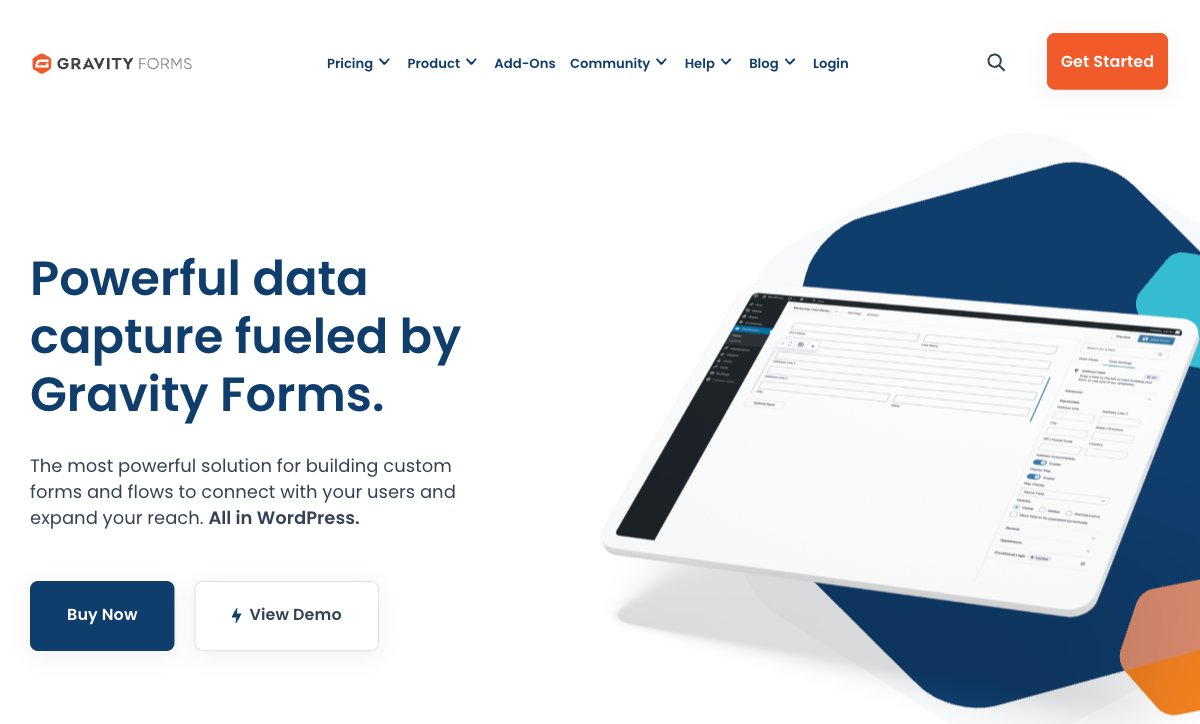
Gravity Forms operates as a native part of WordPress. It hooks into WordPress actions and filters, integrates with the user system, works with custom post types, respects roles and permissions, and cooperates with virtually every major WordPress plugin — WooCommerce, ACF, Elementor, Divi, and hundreds more. Typeform lives outside WordPress entirely; it can be embedded but cannot interact with WordPress internals. For teams whose entire workflow runs through WordPress, Gravity Forms' integration depth is unmatched.
Developer Extensibility
Hundreds of documented PHP hooks and filters, custom field types, a REST API, and a massive developer community. WordPress agencies routinely build custom client solutions on Gravity Forms — custom validation, dynamic population from external APIs, complex conditional workflows, and custom notification routing. Typeform offers JavaScript embed customisation, webhooks, and an API, but the extensibility depth for developers is significantly shallower. If your team writes PHP, Gravity Forms is a development platform, not just a form tool.
Dense Multi-Field Forms
Gravity Forms excels at traditional, information-dense forms: application forms with 20+ fields, multi-page registrations, complex intake forms with conditional sections. Multiple fields display simultaneously, allowing users to scan, review, and complete sections efficiently. Typeform's one-question-at-a-time approach, while engaging for short forms, becomes tedious for long operational forms where users want to see the full picture and fill fields in any order.
Cost Efficiency
Gravity Forms Basic License costs $59/year. Typeform Basic starts at $39/month ($468/year). That's an 8x price difference at the entry tier. Even Gravity Forms Elite at $259/year is cheaper than Typeform's cheapest paid plan. For WordPress teams where hosting costs are already covered, Gravity Forms is dramatically more affordable. The cost gap remains significant even when factoring in WordPress hosting ($60-360/year).
No Submission Limits on Paid Plans
Gravity Forms paid licenses include unlimited submissions — no caps, no overage charges. Typeform imposes response limits on every plan: 100 on Basic, 1,000 on Plus, 10,000 on Business. High-volume forms can hit Typeform's limits and require expensive upgrades. For forms that receive thousands of submissions monthly, Gravity Forms' unlimited model is more predictable and cost-effective.
Where Typeform Wins

Conversational Design
Typeform invented the one-question-at-a-time format, and it remains the best implementation of conversational forms. Each question fills the screen, transitions are smooth, and the experience feels like a conversation rather than a bureaucratic form. This format is proven to increase completion rates for surveys, lead generation, and quiz-style forms. Gravity Forms produces functional forms — they collect data efficiently, but they don't create an experience. For use cases where engagement and completion rates directly impact results (lead capture, customer feedback), Typeform's design is a genuine competitive advantage.
Visual Design Quality
Typeform forms are beautiful by default. Custom fonts, brand colours, background images, video headers, and animated transitions create forms that feel like designed experiences rather than data collection tools. The design system is opinionated — Typeform forms look like Typeform — but the baseline quality is high. Gravity Forms renders within your WordPress theme, which means form aesthetics depend entirely on your theme's CSS. Without custom styling, Gravity Forms outputs functional but visually unremarkable form widgets.
Platform Independence
Typeform works anywhere: embedded on any website (WordPress, Squarespace, Wix, Shopify), shared as a standalone URL, or opened as a popup/slider. No CMS dependency, no server management, no infrastructure overhead. Gravity Forms is permanently locked to WordPress. If you migrate away from WordPress — or need forms on non-WordPress properties — Gravity Forms stops working. Typeform's platform independence removes this risk entirely.
Marketing and CRM Integrations
Typeform integrates natively with the marketing stack: HubSpot, Salesforce, Mailchimp, ActiveCampaign, Slack, Google Sheets, Zapier, and dozens more. These integrations are built for marketing workflows — lead scoring, drip campaigns, CRM pipeline updates. Gravity Forms integrates with many of the same tools via add-ons, but the integrations are WordPress-centric. For marketing teams running campaigns across multiple platforms, Typeform's integration ecosystem is more naturally aligned.
Where Gravity Forms Falls Short
- WordPress lock-in: 100% dependent on WordPress. Migrate away and your forms break. No standalone form URLs, no embedding on non-WordPress sites without workarounds.
- Form aesthetics: Forms inherit your WordPress theme styling — functional but rarely beautiful. Creating visually engaging forms requires custom CSS and design effort.
- No conversational format: Traditional multi-field layouts only. The one-question-at-a-time experience that drives higher completion rates isn't available.
- Technical barrier: Requires WordPress knowledge to install, configure, and maintain. Non-technical users find the learning curve steep compared to SaaS alternatives.
- Add-on cost stacking: Many features require paid add-ons or higher license tiers. Stripe requires Pro ($159/year), survey features require add-ons, and the real cost often exceeds the $59/year headline.
Where Typeform Falls Short
- Response limits on every plan: Even paid plans cap responses (100 on Basic, 1,000 on Plus, 10,000 on Business). High-volume forms require expensive upgrades or Enterprise pricing.
- Expensive for what you get: Typeform Basic at $39/month provides 100 responses — that's $0.39 per response. For data collection at scale, the per-response cost is significant.
- One-question format can frustrate: For long operational forms, the conversational format is tedious. Users who want to scan, skip around, or complete sections non-linearly are forced into a linear path.
- VC-backed growth pressure: With $185M+ in venture funding, Typeform faces growth pressure that can lead to price increases, feature gates, and strategic pivots. Gravity Forms' bootstrapped model is more predictable long-term.
- No WordPress-native integration: Cannot access WordPress hooks, user system, custom post types, or plugin ecosystem. Embeds via iframe only.
- Limited calculation capabilities: Basic calculated fields exist but nothing approaching an Excel-style computation engine for dynamic pricing or scoring.
Pricing Comparison
| Tier | Gravity Forms | Typeform | Key Difference |
|---|---|---|---|
| Free | Lite plugin — basic fields, limited functionality | Free: 10 questions, 10 responses/month | Both free tiers are very limited |
| Entry Paid | Basic: $59/yr — 1 site, basic add-ons | Basic: $39/mo ($468/yr) — 100 responses/mo | Gravity Forms is 8x cheaper annually at entry tier |
| Mid-Tier | Pro: $159/yr — 3 sites, Stripe, more add-ons | Plus: $59/mo ($708/yr) — 1,000 responses/mo | GF Pro is 4.5x cheaper than Typeform Plus |
| Top Tier | Elite: $259/yr — unlimited sites, all add-ons | Business: $99/mo ($1,188/yr) — 10,000 responses/mo | GF Elite is under 25% of Typeform Business cost |
Gravity Forms is dramatically cheaper at every tier — but requires WordPress hosting infrastructure. Typeform is fully hosted with no infrastructure costs, but charges a premium for its design-first experience.
Gravity Forms
Typeform
| Product | Plan | Monthly Price | Annual Price (per month) | Free Plan | Free Trial | Limits |
|---|---|---|---|---|---|---|
| Gravity Forms | Basic | Not listed | $59/mo billed annually | No | 14 days | forms: Unlimited, submissions: Unlimited, storage: WordPress database (self-hosted), users: Unlimited (WordPress users) |
| Gravity Forms | Pro | Not listed | $159/mo billed annually | forms: Unlimited, submissions: Unlimited, storage: WordPress database (self-hosted), users: Unlimited (WordPress users) | ||
| Gravity Forms | Elite | Not listed | $259/mo billed annually | forms: Unlimited, submissions: Unlimited, storage: WordPress database (self-hosted), users: Unlimited (WordPress users) | ||
| Gravity Forms | Nonprofit | Not listed | $129/mo billed annually | forms: Unlimited, submissions: Unlimited, storage: WordPress database (self-hosted), users: Unlimited (WordPress users) | ||
| Typeform | Free | Free | Free | Yes | No | forms: 10, submissions: 10/month, users: 1 |
| Typeform | Basic | $39/mo | $28/mo billed annually | forms: Unlimited, submissions: 100/month, users: 1 | ||
| Typeform | Plus | $79/mo | $56/mo billed annually | forms: Unlimited, submissions: 1,000/month, users: 3 | ||
| Typeform | Business | $129/mo | $91/mo billed annually | forms: Unlimited, submissions: 10,000/month, users: 5 | ||
| Typeform | Growth Pro | $379/mo | $266/mo billed annually | forms: Unlimited, submissions: Expanded, users: Expanded |
What Users Say
Gravity Forms averages around 4.6/5, praised by developers for extensibility and WordPress integration but criticised by non-technical users for complexity. Typeform averages around 4.5/5 on G2, loved for its beautiful design and user experience but criticised for response limits and pricing. The review patterns reveal the audience split: developers gravitate toward Gravity Forms, marketers and designers gravitate toward Typeform.
Consider Paperform: Design Quality Without the Tradeoffs
If you want Typeform's design quality without response limits and Gravity Forms' feature depth without WordPress lock-in, Paperform bridges both worlds. Paperform's document-style editor creates forms that look like designed landing pages — rich content, images, videos, and fields coexist on a single page. It's platform-independent (like Typeform) but includes an Excel-style calculation engine, five payment gateways, built-in e-signatures, and workflow automation that neither competitor offers.
At $29/month for Essentials with no response limits on paid plans, Paperform is cheaper than Typeform Basic ($39/month for 100 responses) and more feature-rich than Gravity Forms at any tier. No WordPress dependency, no per-response pricing, no design compromises.
Founded in 2016 and bootstrapped like Gravity Forms, Paperform shares the financial stability of self-funded software without the WordPress lock-in. For teams who want beautiful forms with powerful features on any platform, Paperform deserves consideration.
The Verdict
Gravity Forms is the right choice for WordPress developers building operational forms. If your workflow lives inside WordPress, you need dense multi-field forms, developer extensibility matters, and budget is a priority, Gravity Forms delivers the deepest WordPress integration at a fraction of Typeform's cost. It's a development platform for WordPress professionals.
Typeform is the right choice for engagement-focused, design-first forms. If you're building lead capture forms, surveys, quizzes, or any experience where completion rates and visual impact drive results, Typeform's conversational format is proven to outperform traditional forms. It works on any platform, requires no technical skills, and creates a brand experience that Gravity Forms simply can't match.
These tools serve different users solving different problems. A WordPress developer building a complex client application form should never choose Typeform. A marketing team building a lead magnet quiz should never choose Gravity Forms. The right answer is usually obvious from the use case. For details on more options, see our Gravity Forms alternatives or best form builders ranking.
Frequently Asked Questions
Can Typeform be used on a WordPress site?
Yes, but not natively. Typeform forms can be embedded on WordPress via iframe, popup, or slider using Typeform's embed SDK. There's also a WordPress plugin for easier embedding. However, Typeform forms run on Typeform's servers — they don't integrate with WordPress internals like user roles, custom post types, or PHP hooks. Gravity Forms is a WordPress-native plugin that renders within your theme and hooks into the entire WordPress ecosystem. If you just need a beautiful embedded form on WordPress, Typeform works. If you need deep WordPress integration, only Gravity Forms delivers that.
Which has better completion rates: Typeform or Gravity Forms?
Typeform's one-question-at-a-time conversational format is specifically designed to maximise completion rates, especially for longer surveys and lead generation forms. The format reduces cognitive load and feels more like a conversation than a form. Gravity Forms uses traditional multi-field layouts (or multi-page forms), which can feel denser but allow users to see and complete multiple fields at once. For short, operational forms (3-5 fields), the difference is negligible. For longer forms (10+ questions), Typeform's conversational approach generally produces better completion rates — Typeform claims up to 2x higher for certain use cases.
Is Gravity Forms cheaper than Typeform?
For WordPress users, yes — significantly. Gravity Forms Basic License costs $59/year versus Typeform Basic at $39/month ($468/year). Even Gravity Forms Elite at $259/year is cheaper than Typeform's entry paid tier. However, Gravity Forms requires WordPress hosting ($60-360/year extra), maintenance, and security management. Typeform is a fully hosted SaaS with no infrastructure costs. When you factor in the total cost of WordPress ownership, the gap narrows — but Gravity Forms is still cheaper for teams already paying for WordPress hosting.
Which platform is better for lead generation?
Typeform is generally stronger for lead generation. Its conversational format feels engaging and personal, producing higher completion rates for lead capture forms. Typeform's native integrations with HubSpot, Salesforce, Mailchimp, and other CRM/marketing tools make it a natural fit for marketing funnels. The design quality also creates a strong brand impression. Gravity Forms can build lead capture forms within WordPress, and its deep WordPress integration means leads can be routed to WordPress-based CRMs or membership plugins. For marketing teams focused on top-of-funnel lead capture, Typeform is the more popular choice. For WordPress-native lead workflows, Gravity Forms integrates more deeply.
Can I build complex multi-step forms with Typeform?
Typeform supports logic jumps (conditional branching), hidden fields, and calculated fields — enough for moderately complex forms. However, its one-question-at-a-time format can make very long, complex workflows feel tedious. Forms with 30+ fields or complex section-based layouts are more naturally built in Gravity Forms, which supports traditional multi-page forms with field groups, conditional section visibility, and complex validation rules. Typeform excels at 5-15 question conversational flows; Gravity Forms excels at dense, operational multi-step forms.
Sources & References
- Typeform vs Gravity Forms Comparison — G2, 2026
- Best Form Builder Plugins for WordPress — WPBeginner, 2026
- Typeform Review: Pricing, Pros, Cons & Features — Forbes Advisor, 2025
Last updated March 21, 2026
Ready to try Paperform?
Create beautiful forms, payment pages, and workflows — no code required.