Gravity Forms vs SurveyMonkey: Which Is Better in 2026?
Gravity Forms and SurveyMonkey serve different primary functions. Gravity Forms is a WordPress form plugin — built for data collection, payments, registrations, and custom workflows inside WordPress. SurveyMonkey is a dedicated survey platform — built for research, feedback collection, and data analysis with 25+ years of survey methodology expertise.
They overlap only on basic surveys and feedback forms. This comparison covers where each tool genuinely excels and which is right for your specific use case — whether that's WordPress form building or survey research.
Who Are These Platforms?
Gravity Forms launched in 2009 by Rocketgenius as a premium WordPress form plugin. It's the developer's choice for advanced WordPress forms — conditional logic, payment processing, API extensibility, and a mature add-on ecosystem. Annual licenses range from $59-259/year. The company remains independent and exclusively focused on WordPress.
SurveyMonkey was founded in 1999 (now part of Momentive Global, recently acquired by Symphony Technology Group). It's one of the oldest and most recognised survey platforms, used by 98% of Fortune 500 companies. SurveyMonkey offers a free tier with paid plans from $25-119+/month for individuals and higher for teams. The platform specialises in survey creation, distribution, analysis, and audience access.
Quick Verdict
Choose Gravity Forms if:
- You run WordPress and need forms beyond surveys
- Payment processing, registrations, and file uploads are needed
- You want data in your WordPress database
- Budget is a primary concern ($59-259/year vs $300+/year)
Choose SurveyMonkey if:
- Surveys and research are your primary use case
- You need advanced analytics, cross-tabs, and statistical analysis
- Access to survey respondent panels matters
- You don't use WordPress or need platform independence
Feature Comparison
Side-by-side across every feature category.
| Feature | Gravity Forms | SurveyMonkey |
|---|---|---|
| Form Building | ||
| Drag-and-drop builder | Yes Basic | No |
| AI form creation | No | Yes |
| 30+ field types | Yes Basic | No |
| Multi-page forms | Yes Basic | Yes |
| Guided mode (one question at a time) | Yes Elite | Yes |
| Conditional logic | Yes Basic | Yes Individual Standard |
| Calculations field | Yes Basic | No |
| AI calculations assistant | No | No |
| Scoring | Yes Elite | Yes |
| Answer piping | Yes Basic | Yes Individual Standard |
| Pre-filling and hidden fields | Yes Basic | Yes Individual Standard |
| Save and resume | Yes Basic | Yes Individual Standard |
| Auto-close by number | No | Yes Individual Standard |
| Auto-close by date | No | Yes Individual Standard |
| Appointment/booking field | No | No |
| Signature field | Yes Elite | No |
| Color picker field | No | No |
| API-powered dropdowns | No | No |
| Google address search | No | No |
| Document-style editor | No | No |
| Field types | No | 15+ |
| File uploads | No | Yes |
| Payments | ||
| Stripe payments | Yes Pro | Yes Individual Advantage |
| PayPal payments | Yes Pro | Yes Individual Advantage |
| Square payments | Yes Pro | No |
| Braintree payments | No | No |
| Google Pay | Yes Pro | No |
| Product sales (eCommerce) | Yes Basic | No |
| Subscriptions | Yes Pro | No |
| Coupons and discounts | Yes Elite | No |
| Custom pricing rules | No | No |
| Tax calculations | No | No |
| Quotes/invoices | No | No |
| Refunds | Yes Pro | No |
| 3D Secure | Yes Pro | No |
| Design & Customization | ||
| Template gallery | Yes Basic | 500+ |
| Rich media (images, GIFs, videos) | Yes Basic | Yes |
| Unsplash and Giphy integration | No | No |
| Image editor | No | No |
| Language translation | Yes Basic | Yes Individual Premier |
| Advanced theming | Yes Basic | Yes Individual Standard |
| Custom form URL | No | Yes Individual Standard |
| Custom domains | No | No |
| Custom HTML & CSS | Yes Basic | No |
| Remove branding | Yes Basic | Yes Individual Standard |
| Custom email domains | Yes Elite | No |
| Adobe Creative Cloud | No | No |
| Analytics | ||
| Submission results and reports | Yes Basic | Yes |
| AI report insights | No | Yes Individual Standard |
| Paperform analytics | No | No |
| Google Analytics & Facebook Pixel | Yes Elite | No |
| Custom analytics scripts | Yes Basic | No |
| Partial submissions | Yes Elite | Yes Individual Standard |
| Collaboration | ||
| Multi-user accounts | Yes Basic | Yes Team Advantage |
| User permissions and management | Yes Basic | Yes Team Advantage |
| Advanced permissions & admin | No | Yes enterprise |
| Form sharing (templates) | Yes Basic | Yes Team Advantage |
| Spaces and tag management | No | No |
| Security | ||
| SOC 2 Type II | No | Yes |
| GDPR compliant | Yes Basic | Yes |
| SSL encryption | Yes Basic | Yes |
| Two-factor authentication | No | Yes |
| Enforce 2FA for all users | No | Yes enterprise |
| SSO (SAML) | No | Yes enterprise |
| reCAPTCHA | Yes Basic | Yes |
| Local data residency | Yes Basic | Yes enterprise |
| Custom S3 storage (BYO) | No | No |
| Integrations & API | ||
| 50+ official add-ons | Yes Basic | No |
| Zapier | Yes Pro | Yes |
| Make (Integromat) | No | Yes |
| Webhooks | Yes Elite | Yes Individual Standard |
| Standard API | Yes Basic | Yes Individual Standard |
| Business API | No | Yes enterprise |
| WordPress plugin | Yes Basic | No |
| oEmbed support | No | No |
| Stepper workflow automation | No | No |
| Native integrations | No | 200+ |
Where Gravity Forms Wins
Form Versatility Beyond Surveys
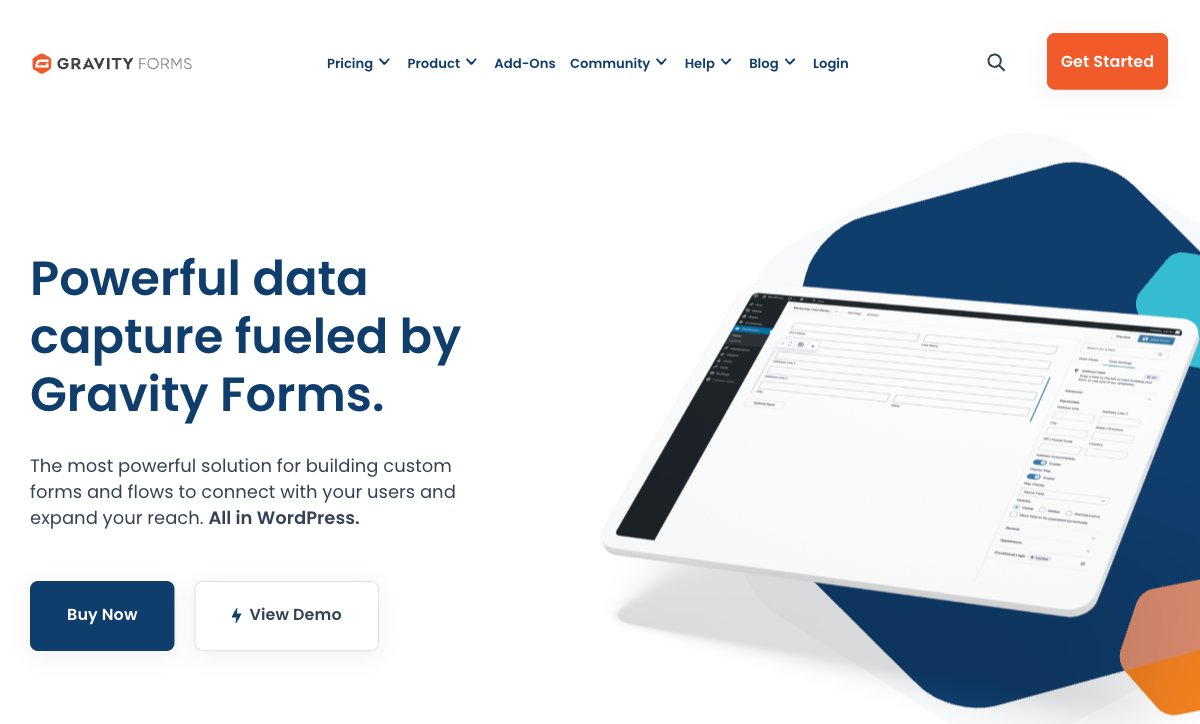
Gravity Forms handles use cases SurveyMonkey was never designed for: payment processing (Stripe, PayPal, Square), user registration, file uploads, multi-page applications with save-and-resume, post creation, conditional pricing fields, and WordPress user management. SurveyMonkey is a survey tool — it doesn't process payments, create user accounts, or generate WordPress content. For WordPress sites needing forms that do more than ask questions, Gravity Forms is the versatile platform.
WordPress-Native Data Control
Submissions live in your WordPress database. You control backups, access, retention, and export. Your data doesn't leave your server. SurveyMonkey stores all responses on its servers — subject to its terms, data policies, and regional data handling. For organisations with data sovereignty requirements or who prefer self-hosted data, Gravity Forms provides complete ownership.
Cost Efficiency
Gravity Forms costs $59-259/year for unlimited forms and submissions. SurveyMonkey's useful paid plans cost $300-1,400+/year. The savings are significant, especially for teams that need basic survey capabilities alongside other form types. Gravity Forms' Survey add-on covers Likert scales, ratings, and basic survey logic — adequate for most business surveys at a fraction of SurveyMonkey's cost.
Developer Extensibility
Hundreds of hooks, filters, and actions let developers customise every aspect of form behaviour. The add-on ecosystem connects Gravity Forms to virtually any CRM, email platform, or business tool. SurveyMonkey has an API, but it's designed for data extraction, not deep customisation of the survey experience. For teams needing custom form behaviour, Gravity Forms is the extensible platform.
Where SurveyMonkey Wins

Survey Methodology Expertise
SurveyMonkey has 25+ years of survey science built into the platform. Question bank with pre-validated questions, AI-powered suggestions to improve question quality, skip logic optimised for survey completion rates, and question types designed for research (MaxDiff, conjoint, matrix, semantic differential). Gravity Forms offers basic survey fields but none of the methodology intelligence. For surveys that need to produce reliable, actionable data, SurveyMonkey's expertise is a genuine differentiator.
Analytics and Reporting
Real-time dashboards, cross-tabulation, statistical significance testing, sentiment analysis, word clouds, trend analysis, and exportable reports with charts. SurveyMonkey turns responses into insights without leaving the platform. Gravity Forms shows submission data in a basic table view — analysis requires exporting to Google Sheets or Excel. For teams that need to understand survey data quickly, SurveyMonkey's analytics save hours of manual analysis.
Audience Panels
SurveyMonkey Audience lets you reach survey respondents you don't already have — target by demographics, industry, job title, and more. This is invaluable for market research, product validation, and customer discovery. Gravity Forms can only collect data from people who visit your WordPress site. For research that requires reaching beyond your existing audience, SurveyMonkey provides access to millions of potential respondents.
Platform Independence and Distribution
SurveyMonkey works everywhere — web links, email embeds, social media, QR codes, website embeds, mobile app. Surveys can be distributed through multiple channels simultaneously. Gravity Forms is WordPress-only. For teams running multi-channel survey campaigns, SurveyMonkey's distribution flexibility is essential.
Brand Recognition and Response Rates
SurveyMonkey is one of the most recognised survey brands globally. Respondents trust it. This brand recognition can increase survey response rates — people are more comfortable completing a SurveyMonkey survey than an unknown form on a WordPress site. For external surveys sent to customers, partners, or the public, the SurveyMonkey brand adds credibility.
Pricing Comparison
| Tier | Gravity Forms | SurveyMonkey | Key Difference |
|---|---|---|---|
| Free | No free plan | Free — 10 questions/survey, 25 responses | SurveyMonkey has a limited free tier |
| Entry | $59/yr — 1 site, basic add-ons | $25/mo ($300/yr) — Standard, unlimited responses | Gravity Forms is 80% cheaper at entry level |
| Full | $259/yr — all add-ons, unlimited sites | $119/mo ($1,428/yr) — Premier, advanced analytics | SurveyMonkey Premier costs 5.5x Gravity Forms Elite |
Gravity Forms
SurveyMonkey
| Product | Plan | Monthly Price | Annual Price (per month) | Free Plan | Free Trial | Limits |
|---|---|---|---|---|---|---|
| Gravity Forms | Basic | Not listed | $59/mo billed annually | No | 14 days | forms: Unlimited, submissions: Unlimited, storage: WordPress database (self-hosted), users: Unlimited (WordPress users) |
| Gravity Forms | Pro | Not listed | $159/mo billed annually | forms: Unlimited, submissions: Unlimited, storage: WordPress database (self-hosted), users: Unlimited (WordPress users) | ||
| Gravity Forms | Elite | Not listed | $259/mo billed annually | forms: Unlimited, submissions: Unlimited, storage: WordPress database (self-hosted), users: Unlimited (WordPress users) | ||
| Gravity Forms | Nonprofit | Not listed | $129/mo billed annually | forms: Unlimited, submissions: Unlimited, storage: WordPress database (self-hosted), users: Unlimited (WordPress users) | ||
| SurveyMonkey | Basic (Free) | Free | Free | Yes | No | forms: Unlimited, submissions: 25 per survey, storage: N/A, users: 1 |
| SurveyMonkey | Individual Standard | $99/mo | $39/mo billed annually | forms: Unlimited, submissions: 1,000 per month, storage: N/A, users: 1 | ||
| SurveyMonkey | Individual Advantage | Free | $32/mo billed annually | forms: Unlimited, submissions: 15,000 per year, storage: N/A, users: 1 | ||
| SurveyMonkey | Individual Premier | Free | $99/mo billed annually | forms: Unlimited, submissions: 40,000 per year, storage: N/A, users: 1 | ||
| SurveyMonkey | Team Advantage | Free | $30/mo billed annually | forms: Unlimited, submissions: 50,000 per year (shared), storage: N/A, users: 3 minimum | ||
| SurveyMonkey | Team Premier | Free | $92/mo billed annually | forms: Unlimited, submissions: 100,000 per year (shared), storage: N/A, users: 3 minimum |
What Users Say
Gravity Forms is praised by WordPress developers for reliability, conditional logic power, and extensibility. SurveyMonkey is praised for ease of survey creation, analytics quality, and brand trust — but frequently criticised for aggressive pricing and feature gating (the free plan is quite limited). Both have loyal user bases that rarely overlap: WordPress developers choose Gravity Forms; researchers and business users choose SurveyMonkey.
Where Both Fall Short
- Design quality: Neither creates forms/surveys that look like designed landing pages. Gravity Forms inherits theme styling; SurveyMonkey surveys have a recognisable SurveyMonkey look.
- Calculation engine: Neither offers Excel-style formulas for dynamic pricing, conditional scoring, or computed outputs across form elements and integrations.
- E-signatures: Neither includes built-in e-signature capabilities.
- Payment breadth: Gravity Forms supports Stripe/PayPal/Square. SurveyMonkey has limited payment support. Neither offers comprehensive eCommerce features.
Consider Paperform
If you need both form versatility and survey capabilities without WordPress dependency or SurveyMonkey's pricing, Paperform handles both in one platform. Its document-style editor creates forms and surveys that look like designed landing pages. An Excel-style calculation engine powers dynamic scoring, pricing, and conditional logic. Five payment gateways (Stripe, PayPal, Square, Braintree, Google Pay) come standard on every plan including free.
Paperform is bootstrapped and profitable since 2016, starting at $29/month with a free tier, 30,000+ templates covering both surveys and business forms, built-in e-signatures (Papersign), and works on any website.
Try Paperform free | Gravity Forms alternatives | SurveyMonkey alternatives
The Verdict
Choose Gravity Forms if you run WordPress and need versatile forms. Payments, registrations, applications, conditional workflows, and basic surveys — Gravity Forms handles all of it at $59-259/year. The Survey add-on covers most business survey needs. For WordPress-centric teams, it's the most capable and cost-effective option.
Choose SurveyMonkey if surveys are your primary use case. Advanced question types, statistical analysis, audience panels, and 25+ years of survey methodology make it the right tool for research, customer feedback programs, and data-driven decision making. The platform independence and brand recognition also matter for external-facing surveys.
These tools don't genuinely compete. Gravity Forms is a WordPress form plugin that can do surveys. SurveyMonkey is a survey platform that can embed on WordPress. Each is best-in-class for its primary purpose. Choose based on whether your core need is WordPress forms or survey research. Both parent companies are established — Gravity Forms since 2009 (independent), SurveyMonkey since 1999 (now STG-owned).
Frequently Asked Questions
Can Gravity Forms replace SurveyMonkey for surveys?
For basic surveys on WordPress, yes. Gravity Forms' Survey add-on (available on Pro and Elite licenses) supports Likert scales, star ratings, ranking fields, and basic survey logic. But SurveyMonkey is a dedicated survey platform with decades of refinement: advanced question types (MaxDiff, conjoint analysis, matrix questions), statistical analysis, benchmarking against industry data, AI-powered question suggestions, and audience panel access for reaching respondents you don't already have. For simple customer feedback or event surveys, Gravity Forms is adequate. For research-grade surveys with statistical analysis, SurveyMonkey is purpose-built.
Does SurveyMonkey work with WordPress?
SurveyMonkey surveys can be embedded on WordPress via iframe or linked from any page. There's also a WordPress plugin that simplifies embedding. However, the experience is an embedded external survey — it doesn't integrate with WordPress natively. Data stays on SurveyMonkey's servers, not in your WordPress database. Gravity Forms, by contrast, is a native WordPress plugin — surveys render with your theme, data lives in your database, and submissions integrate with your WordPress plugins. For WordPress-native survey experiences, Gravity Forms is better. For survey functionality depth, SurveyMonkey is better.
Which is more expensive?
SurveyMonkey is more expensive for individual and team use. SurveyMonkey Advantage starts at $39/month ($468/year). Premier is $119/month ($1,428/year). Team plans start higher. Gravity Forms' entire license range is $59-259/year — dramatically cheaper. However, SurveyMonkey includes hosting, survey distribution, analytics, audience panels, and statistical tools. Gravity Forms requires WordPress hosting (separate cost) and is limited to form building. The price comparison isn't apples-to-apples, but for WordPress users, Gravity Forms delivers significant savings.
Which has better analytics?
SurveyMonkey, decisively. It offers real-time results dashboards, cross-tabulation, statistical significance testing, sentiment analysis, word clouds, trend tracking, and exportable reports. SurveyMonkey has been refining survey analytics for over 25 years. Gravity Forms provides basic submission views, entry exports, and simple charts via third-party add-ons (GravityView, GFChart). For data analysis, SurveyMonkey's built-in analytics are leagues ahead. Gravity Forms users typically export data to Google Sheets or Excel for analysis.
Sources & References
- SurveyMonkey vs WordPress Form Plugins — G2, 2026
- Best Survey Tools for Small Business — TechRadar, 2026
Last updated March 21, 2026
Ready to try Paperform?
Create beautiful forms, payment pages, and workflows — no code required.