Gravity Forms vs Microsoft Forms: Two Ecosystems, Two Form Builders in 2026
Gravity Forms and Microsoft Forms share an important characteristic: neither is a standalone product. Gravity Forms requires WordPress. Microsoft Forms requires a Microsoft account (and delivers its full value only with Microsoft 365). You can't use either without buying into its parent ecosystem first.
This makes the comparison less about form features and more about where your organisation already lives. WordPress shops that need customer-facing forms with payments and customisation will lean toward Gravity Forms. Microsoft 365 organisations that need internal surveys, quizzes, and automated workflows will lean toward Microsoft Forms. Here's how they stack up across every dimension, and when you might want to look beyond both ecosystems entirely.
Who Is Gravity Forms?
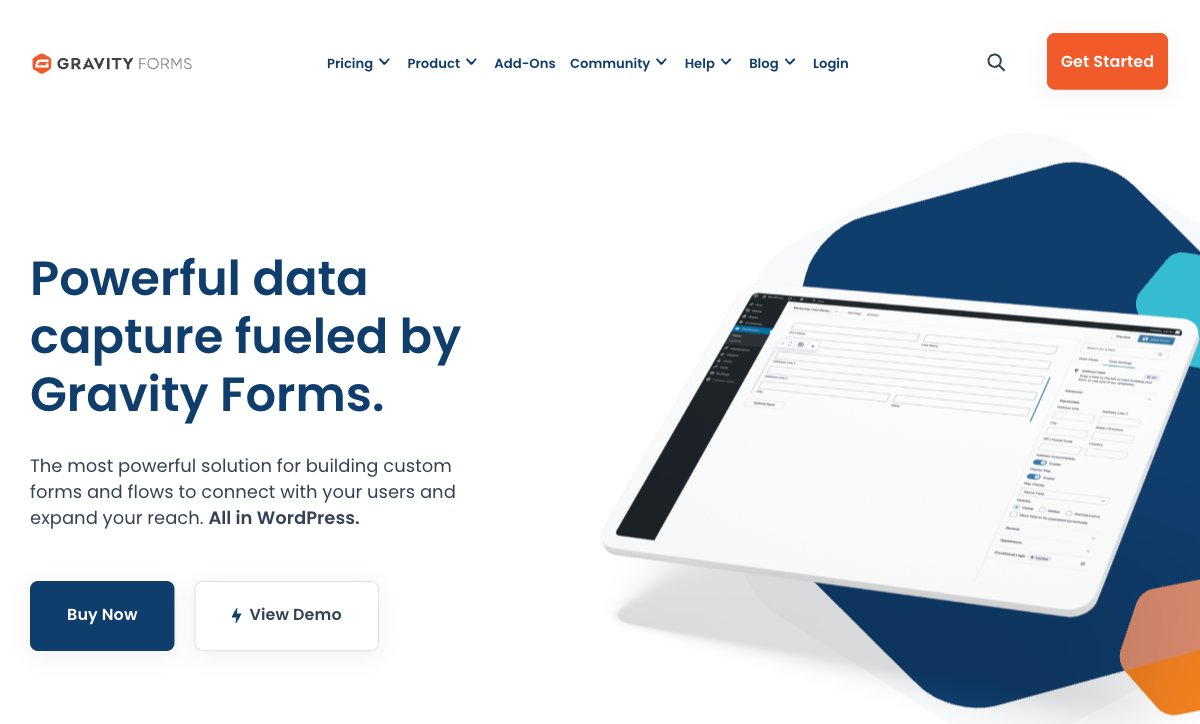
Gravity Forms was created in 2008 by Rocketgenius, Inc. in Virginia Beach, Virginia. It's bootstrapped — no venture capital, no private equity, no acquisition in 16 years. The company (11-50 employees) built the most popular premium form plugin in WordPress, powering over 5 million active websites. Gravity Forms dominates its niche with 56% market share in WordPress forms. Its strengths are developer extensibility (500+ hooks, REST API, Add-On Framework), payment processing (Stripe, PayPal, Square), and a massive third-party ecosystem. Being bootstrapped since 2008 makes it one of the most proven, stable platforms in the WordPress ecosystem.
Who Is Microsoft Forms?
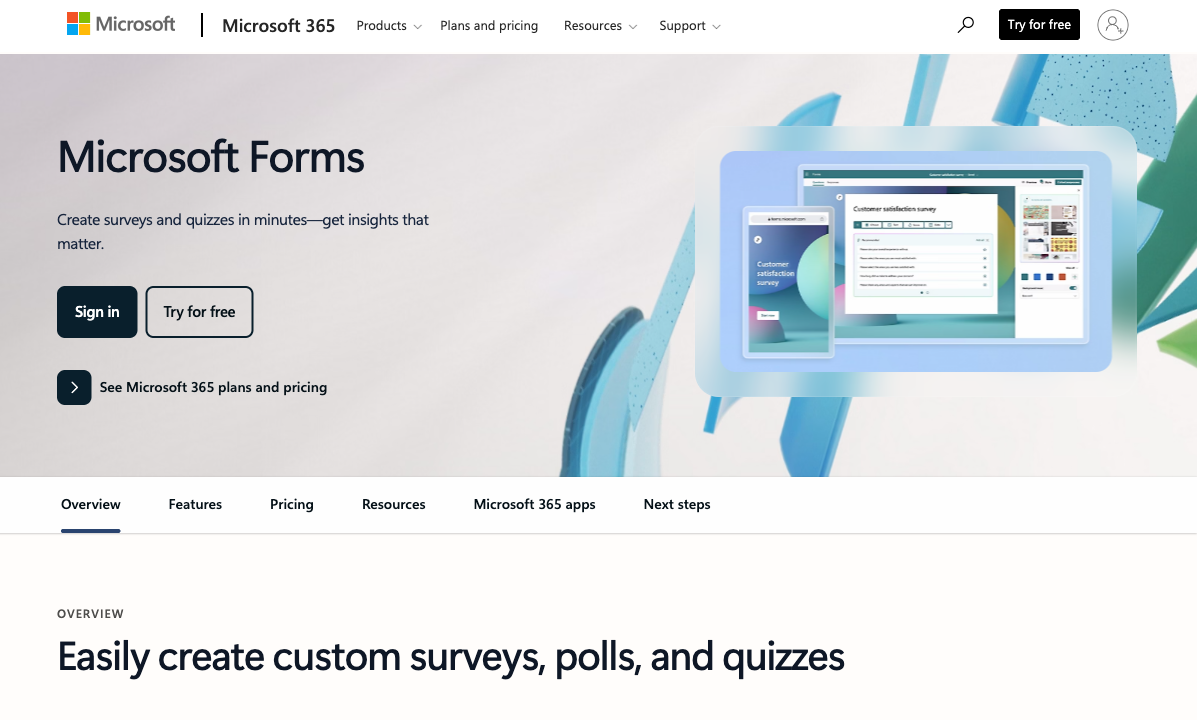
Microsoft Forms launched in 2016 as a feature within Microsoft 365. It's maintained by Microsoft Corporation — a public company with 10,000+ employees and a market cap exceeding $3 trillion. Forms is not sold separately; it comes bundled with every M365 subscription and is available free with a personal Microsoft account. The tool integrates with Teams (embedded forms in channels), SharePoint (form-driven pages), Power Automate (workflow automation), Excel (automatic data sync), and OneDrive. It's designed for surveys, polls, quizzes, and basic data collection within the Microsoft ecosystem.
Quick Verdict
Choose Gravity Forms if:
- You have a WordPress site and need forms integrated with it
- You need payment processing (Stripe, PayPal, Square)
- You want complete data ownership on your own server
- You need developer extensibility with custom add-ons and hooks
Choose Microsoft Forms if:
- Your organisation runs on Microsoft 365 and you already have it
- You need internal surveys, quizzes, or employee feedback tools
- Power Automate, Teams, and SharePoint integration matter
- Enterprise compliance (SOC 2, ISO 27001, FedRAMP) is required
Feature Comparison
Side-by-side across every feature category.
| Feature | Gravity Forms | Microsoft Forms |
|---|---|---|
| Form Building | ||
| Drag-and-drop builder | Yes Basic | No |
| AI form creation | No | Yes copilot |
| 30+ field types | Yes Basic | No |
| Multi-page forms | Yes Basic | Yes |
| Guided mode (one question at a time) | Yes Elite | No |
| Conditional logic | Yes Basic | Yes |
| Calculations field | Yes Basic | No |
| AI calculations assistant | No | No |
| Scoring | Yes Elite | Yes |
| Answer piping | Yes Basic | No |
| Pre-filling and hidden fields | Yes Basic | No |
| Save and resume | Yes Basic | No |
| Auto-close by number | No | Yes |
| Auto-close by date | No | Yes |
| Appointment/booking field | No | No |
| Signature field | Yes Elite | No |
| Color picker field | No | No |
| API-powered dropdowns | No | No |
| Google address search | No | No |
| Document-style editor | No | No |
| Field types | No | No |
| Payments | ||
| Stripe payments | Yes Pro | No |
| PayPal payments | Yes Pro | No |
| Square payments | Yes Pro | No |
| Braintree payments | No | No |
| Google Pay | Yes Pro | No |
| Product sales (eCommerce) | Yes Basic | No |
| Subscriptions | Yes Pro | No |
| Coupons and discounts | Yes Elite | No |
| Custom pricing rules | No | No |
| Tax calculations | No | No |
| Quotes/invoices | No | No |
| Refunds | Yes Pro | No |
| 3D Secure | Yes Pro | No |
| Design & Customization | ||
| Template gallery | Yes Basic | Yes |
| Rich media (images, GIFs, videos) | Yes Basic | Yes |
| Unsplash and Giphy integration | No | No |
| Image editor | No | No |
| Language translation | Yes Basic | Yes |
| Advanced theming | Yes Basic | No |
| Custom form URL | No | No |
| Custom domains | No | No |
| Custom HTML & CSS | Yes Basic | No |
| Remove branding | Yes Basic | No |
| Custom email domains | Yes Elite | No |
| Adobe Creative Cloud | No | No |
| Analytics | ||
| Submission results and reports | Yes Basic | Yes |
| AI report insights | No | Yes |
| Paperform analytics | No | No |
| Google Analytics & Facebook Pixel | Yes Elite | No |
| Custom analytics scripts | Yes Basic | No |
| Partial submissions | Yes Elite | No |
| Collaboration | ||
| Multi-user accounts | Yes Basic | Yes |
| User permissions and management | Yes Basic | Yes |
| Advanced permissions & admin | No | Yes enterprise |
| Form sharing (templates) | Yes Basic | Yes |
| Spaces and tag management | No | No |
| Security | ||
| SOC 2 Type II | No | Yes |
| GDPR compliant | Yes Basic | Yes |
| SSL encryption | Yes Basic | Yes |
| Two-factor authentication | No | Yes |
| Enforce 2FA for all users | No | Yes enterprise |
| SSO (SAML) | No | Yes |
| reCAPTCHA | Yes Basic | No |
| Local data residency | Yes Basic | Yes enterprise |
| Custom S3 storage (BYO) | No | No |
| Integrations & API | ||
| 50+ official add-ons | Yes Basic | No |
| Zapier | Yes Pro | No |
| Make (Integromat) | No | No |
| Webhooks | Yes Elite | No |
| Standard API | Yes Basic | No |
| Business API | No | No |
| WordPress plugin | Yes Basic | No |
| oEmbed support | No | Yes |
| Stepper workflow automation | No | No |
| 2000+ integrations | No | No |
Where Gravity Forms Wins
Payment Processing
Gravity Forms supports Stripe, PayPal, Square, and Mollie for payment collection, with coupons and discount codes on the Elite plan. Microsoft Forms has no payment capability whatsoever — not a single payment gateway, not a single payment field type. For any form that needs to collect money (orders, registrations, donations, bookings), Microsoft Forms is immediately disqualified. This is the single biggest functional gap between the platforms.
Data Sovereignty
Gravity Forms stores all data in your WordPress database on your own server. You control where data lives, how it's encrypted, who can access it, and how backups work. Microsoft Forms data resides on Microsoft's Azure infrastructure, subject to Microsoft's data processing agreements and geographic data centre policies. For organisations with strict data residency requirements — particularly in the EU, healthcare, or government sectors that mandate on-premises data — Gravity Forms' self-hosted model provides control that cloud-only Microsoft Forms cannot match.
Developer Extensibility
Gravity Forms provides 500+ actions and filters, a full REST API, and an Add-On Framework. Third-party ecosystems (Gravity Wiz, GravityKit, CosmicGiant) add advanced calculations, approval workflows, CRM connectors, and custom entry management. A competent PHP developer can make Gravity Forms do virtually anything. Microsoft Forms has no developer API, no hooks, no custom extensions — what Microsoft ships is what you get. For organisations with development resources, Gravity Forms' extensibility is unmatched.
Design Control on Your Site
Gravity Forms produces forms that are native to your WordPress site — they inherit your theme's styles, can be customised with CSS, and feel like part of your website. Microsoft Forms always looks like a Microsoft product: clean and functional, but distinctly Microsoft. You cannot match Microsoft Forms to your brand, embed it seamlessly in a custom design, or make it feel native to your site. For customer-facing forms where brand consistency matters, Gravity Forms' WordPress integration gives you full control.
Signatures and Advanced Field Types
The Elite plan ($259/year) includes signature capture, conversational forms, partial entries, user registration, and webhooks. Microsoft Forms offers basic field types — text, choice, rating, date, ranking, and file upload. No signatures, no conversational mode, no user registration fields. For forms that need to capture more than basic data types, Gravity Forms has the richer field library.
Where Microsoft Forms Wins
Zero Additional Cost for M365 Users
Over 400 million Microsoft 365 subscribers already have Microsoft Forms. No additional purchase, no plugin to install, no hosting to manage. Open a browser, create a form, share the link. Gravity Forms costs $59-259/year for the plugin license plus $60-600+/year for WordPress hosting. For organisations already on M365, the cost comparison isn't close — Microsoft Forms is effectively free.
Microsoft Ecosystem Integration
Microsoft Forms connects natively to Power Automate, Teams, SharePoint, Excel, and OneDrive. A form response can trigger a Power Automate flow that creates a Planner task, sends a Teams notification, updates a SharePoint list, and logs data to Excel — all without third-party tools. Gravity Forms connects to the WordPress ecosystem (plugins, themes, hooks) but has no native Microsoft integration. For organisations whose workflows run through M365, Microsoft Forms' ecosystem depth is unmatched.
Enterprise Compliance
Microsoft Forms inherits M365's compliance portfolio: SOC 2 Type II, ISO 27001, GDPR, CCPA, HIPAA (with BAA), FedRAMP, and FERPA. Gravity Forms has no HIPAA compliance, no SOC 2 certification, and no enterprise compliance guarantees — security is the customer's responsibility. For regulated industries and government, Microsoft's compliance posture is dramatically stronger.
Quiz Mode for Education and Training
Microsoft Forms includes purpose-built quiz functionality: automatic scoring, point values, answer feedback, math equations, and integration with Microsoft Classroom. It's a standard tool in K-12 and corporate training. Gravity Forms offers quizzes only through the Quiz add-on on Elite ($259/year) with more manual setup. For assessment-focused use cases, Microsoft Forms is more polished and accessible.
Accessibility for Non-Technical Users
Microsoft Forms requires zero technical knowledge. It works in a browser, has a simple drag-and-drop interface, and produces usable forms in minutes. Gravity Forms requires WordPress experience: managing hosting, installing plugins, navigating the WordPress admin, and understanding add-ons. For teams without dedicated WordPress expertise, Microsoft Forms' browser-based simplicity removes an entire layer of technical overhead.
Where Both Fall Short
- Ecosystem lock-in: This is the defining limitation of both platforms. Gravity Forms requires WordPress — you can't use it without maintaining a WordPress site. Microsoft Forms requires a Microsoft account and delivers its full value only with M365. Neither works as a standalone, platform-independent form builder.
- No AI form creation: Neither platform offers AI-powered form generation. Microsoft has Copilot AI across M365 but hasn't meaningfully brought it to form creation. Gravity Forms has no AI features. Both rely on manual drag-and-drop building.
- Limited calculations: Microsoft Forms has no calculation capability. Gravity Forms offers basic merge-tag math but needs third-party add-ons for conditional formulas. Neither provides the Excel-style calculation engines available in dedicated form builders.
- No eSignature workflows: Microsoft Forms has no signature capability. Gravity Forms offers signature capture on Elite only ($259/year) without full eSignature workflows. Neither competes with platforms that include send-to-sign, audit trails, and legally binding signatures.
- Design constraints: Microsoft Forms always looks like Microsoft. Gravity Forms inherits WordPress themes but has only 2 built-in form themes and no rich media tools. Neither offers Unsplash, Giphy, image editors, or document-style editing for branded, visually striking forms.
Pricing Comparison
These platforms have completely different pricing models — annual plugin license vs. per-user subscription bundled with productivity tools.
| Tier | Gravity Forms | Microsoft Forms | Key Difference |
|---|---|---|---|
| Entry | Basic: $59/year — 1 site, no payments, 16+ add-ons | Free with personal MS account (200 responses/form) | Microsoft is free; Gravity Forms requires purchase + hosting |
| Standard | Pro: $159/year — 3 sites, Stripe/PayPal/Square, Zapier | M365 Business Basic: $6/user/mo — 5M responses, Power Automate | Gravity Forms adds payments; M365 adds full productivity suite |
| Full | Elite: $259/year — unlimited sites, all add-ons, signatures | M365 Business Standard: $12.50/user/mo — desktop apps, webinars | Both unlock full features; completely different value propositions |
Gravity Forms prices are annual licenses (hosting cost not included). Microsoft 365 pricing is per-user/month with annual commitment.
Gravity Forms
Microsoft Forms
| Product | Plan | Monthly Price | Annual Price (per month) | Free Plan | Free Trial | Limits |
|---|---|---|---|---|---|---|
| Gravity Forms | Basic | Not listed | $59/mo billed annually | No | 14 days | forms: Unlimited, submissions: Unlimited, storage: WordPress database (self-hosted), users: Unlimited (WordPress users) |
| Gravity Forms | Pro | Not listed | $159/mo billed annually | forms: Unlimited, submissions: Unlimited, storage: WordPress database (self-hosted), users: Unlimited (WordPress users) | ||
| Gravity Forms | Elite | Not listed | $259/mo billed annually | forms: Unlimited, submissions: Unlimited, storage: WordPress database (self-hosted), users: Unlimited (WordPress users) | ||
| Gravity Forms | Nonprofit | Not listed | $129/mo billed annually | forms: Unlimited, submissions: Unlimited, storage: WordPress database (self-hosted), users: Unlimited (WordPress users) | ||
| Microsoft Forms | Free (Personal Microsoft Account) | Free | Free | Yes | 1 month | forms: 400, submissions: 200/form, storage: N/A, users: 1 |
| Microsoft Forms | Microsoft 365 Business Basic | $6/mo | $6/mo billed annually | forms: 400, submissions: 5,000,000/form, storage: 1 TB OneDrive, users: Per user | ||
| Microsoft Forms | Microsoft 365 Business Standard | $12.5/mo | $12.5/mo billed annually | forms: 400, submissions: 5,000,000/form, storage: 1 TB OneDrive, users: Per user | ||
| Microsoft Forms | Microsoft 365 Business Premium | $22/mo | $22/mo billed annually | forms: 400, submissions: 5,000,000/form, storage: 1 TB OneDrive, users: Per user |
What Users Say
Gravity Forms holds a strong 4.7/5 on G2, with WordPress developers praising its extensibility and reliability over 16 years. Common criticisms include the learning curve for non-technical users and key features being locked behind the $259/year Elite plan. Microsoft Forms is generally praised for simplicity and M365 integration, with the most frequent critique being its limited capabilities for anything beyond basic surveys. The review patterns mirror the platform divide: Gravity Forms users want more power, Microsoft Forms users want more simplicity.
The Verdict
The answer depends on your ecosystem, not the form builder. If you're a WordPress shop, Gravity Forms gives you payments, extensibility, and data ownership that Microsoft Forms can't match. If you're an M365 organisation, Microsoft Forms gives you seamless Teams/SharePoint/Power Automate integration that Gravity Forms can't replicate.
Many organisations legitimately use both. Microsoft Forms for internal surveys and employee feedback (where Teams integration shines), Gravity Forms for customer-facing forms on the website (where payments and branding matter). They serve different purposes and don't conflict.
The uncomfortable truth: both platforms are ecosystem-locked, and that lock-in is the primary limitation of each. If you want a form builder that works everywhere — on your website, as a standalone page, embedded anywhere, integrated with any CRM — neither WordPress-only Gravity Forms nor M365-centric Microsoft Forms is the answer. That's where platform-independent SaaS builders come in.
Consider Paperform
If you don't want to be locked into either the WordPress or Microsoft ecosystem, Paperform is a platform-independent alternative that works everywhere. It's a hosted SaaS — no WordPress needed, no M365 dependency — with a document-style editor, an Excel-style calculation engine that powers logic across questions, pages, emails, integrations, and success pages, and five payment gateways (Stripe, PayPal, Square, Braintree, Google Pay) on every plan including free.
Paperform includes built-in eSignatures (Papersign) and workflow automation (Stepper) at no extra cost — capabilities that require add-ons on Gravity Forms and don't exist on Microsoft Forms. At $29/month for Essentials, it's platform-agnostic and connects to 2,000+ tools. Bootstrapped and profitable since 2016. For organisations that want powerful forms without ecosystem lock-in, Paperform removes that constraint entirely. See the Gravity Forms alternatives or Microsoft Forms alternatives pages for more.
Frequently Asked Questions
Can I use both Gravity Forms and Microsoft Forms together?
Yes, and many organisations do. A common pattern: use Microsoft Forms for internal surveys, employee feedback, and quick polls (where Teams and SharePoint integration shine), and use Gravity Forms for customer-facing forms on your WordPress site (where payments, branding, and design control matter). The tools serve different purposes within the same organisation. There's no integration between them, but they don't compete for the same use cases in most workflows.
Which has better data security?
It depends on your definition. Microsoft Forms inherits M365's enterprise certifications: SOC 2 Type II, ISO 27001, GDPR, CCPA, HIPAA, FedRAMP, and FERPA. Data is stored on Microsoft's cloud infrastructure with enterprise-grade encryption. Gravity Forms stores data in your WordPress database on your own server — you control the infrastructure, but security is your responsibility. If you have competent server administration, Gravity Forms offers data sovereignty. If you want vendor-managed security with compliance certifications, Microsoft Forms' posture is stronger out of the box.
Can Microsoft Forms accept payments?
No. Microsoft Forms has zero payment processing capability. Gravity Forms supports Stripe, PayPal, Square, and Mollie on its Pro plan ($159/year) and above, with coupons and discount codes on Elite ($259/year). If any form needs to collect money — registration fees, donations, orders, bookings — Microsoft Forms is disqualified and Gravity Forms is the only option between these two.
Which is easier to learn for non-technical users?
Microsoft Forms is significantly easier. It works in a browser, requires no installation, and has a simple drag-and-drop interface designed for anyone. Gravity Forms requires WordPress knowledge — installing the plugin, navigating the WordPress admin, understanding add-ons, and potentially managing hosting and security. A marketing manager can create a Microsoft Form in 5 minutes. Setting up Gravity Forms from scratch requires either WordPress experience or developer assistance. For teams without WordPress expertise, Microsoft Forms' accessibility is a decisive advantage.
Sources & References
- Gravity Forms vs Microsoft Forms — User Reviews — G2, 2026
- Best Form Builder Plugins for WordPress in 2026 — WPBeginner, 2026
Last updated March 21, 2026
Ready to try Paperform?
Create beautiful forms, payment pages, and workflows — no code required.