Gravity Forms vs Jotform: Which Is Better in 2026?
This is a comparison between two different architectural philosophies. Gravity Forms is a WordPress plugin — installed on your WordPress site, running on your server, deeply integrated with the WordPress ecosystem. Jotform is a standalone SaaS platform — hosted on Jotform's infrastructure, accessible from any browser, embeddable on any website, with over 20,000 templates and a drag-and-drop builder that requires zero technical knowledge.
Gravity Forms offers depth within WordPress. Jotform offers breadth across every platform. The right choice depends on whether WordPress is your world, or just one of many places your forms need to live.
Who Are These Platforms?
Gravity Forms was created by Rocketgenius, Inc., founded in 2008 by Carl Hancock. It launched as a premium WordPress form plugin and has grown to over 5 million active installations, making it the most popular paid form solution in the WordPress ecosystem. The company is bootstrapped — no venture capital, no acquisitions — funded entirely by annual license sales. This nearly two-decade track record of self-funded development makes it a reliable long-term bet for WordPress users.
Jotform was founded in 2006 by Aytekin Tank in San Francisco. Also bootstrapped, Jotform has grown to over 25 million users with a platform-independent approach: forms hosted on Jotform's servers that work anywhere. Jotform's growth strategy centres on volume — 20,000+ templates, a generous free tier, and constant feature expansion. With nearly 20 years of bootstrapped operation, Jotform is one of the most established independent form builders in the market.
Quick Verdict
Choose Gravity Forms if:
- Your site runs on WordPress and you want native integration
- You're a developer who needs PHP hooks, filters, and custom extensions
- You want forms styled natively by your WordPress theme
- You need deep integration with WordPress plugins (WooCommerce, ACF, etc.)
Choose Jotform if:
- You want forms that work on any website, not just WordPress
- You need a free tier with meaningful functionality
- You want to start from 20,000+ pre-built templates
- You need 30+ payment gateways without per-gateway add-on costs
Feature Comparison
Side-by-side across every feature category.
| Feature | Gravity Forms | Jotform |
|---|---|---|
| Form Building | ||
| Drag-and-drop builder | Yes Basic | Yes starter |
| AI form creation | No | Yes starter |
| 30+ field types | Yes Basic | No |
| Multi-page forms | Yes Basic | Yes starter |
| Guided mode (one question at a time) | Yes Elite | Yes starter |
| Conditional logic | Yes Basic | Yes starter |
| Calculations field | Yes Basic | Yes starter |
| AI calculations assistant | No | No |
| Scoring | Yes Elite | Yes starter |
| Answer piping | Yes Basic | Yes starter |
| Pre-filling and hidden fields | Yes Basic | Yes starter |
| Save and resume | Yes Basic | Yes starter |
| Auto-close by number | No | Yes starter |
| Auto-close by date | No | Yes starter |
| Appointment/booking field | No | Yes starter |
| Signature field | Yes Elite | Yes starter |
| Color picker field | No | No |
| API-powered dropdowns | No | No |
| Google address search | No | No |
| Document-style editor | No | No |
| Field types | No | 30+ (starter) |
| File uploads | No | Yes starter |
| Form widgets | No | Yes starter |
| Template gallery | No | 20,000+ (starter) |
| Payments | ||
| Stripe payments | Yes Pro | Yes starter |
| PayPal payments | Yes Pro | Yes starter |
| Square payments | Yes Pro | Yes starter |
| Braintree payments | No | Yes starter |
| Google Pay | Yes Pro | Yes starter |
| Product sales (eCommerce) | Yes Basic | Yes starter |
| Subscriptions | Yes Pro | Yes starter |
| Coupons and discounts | Yes Elite | Yes starter |
| Custom pricing rules | No | Yes starter |
| Tax calculations | No | Yes starter |
| Quotes/invoices | No | No |
| Refunds | Yes Pro | No |
| 3D Secure | Yes Pro | No |
| 40+ payment gateways | No | Yes starter |
| No transaction fees | No | Yes starter |
| Design & Customization | ||
| Template gallery | Yes Basic | 20,000+ (starter) |
| Rich media (images, GIFs, videos) | Yes Basic | Yes starter |
| Unsplash and Giphy integration | No | No |
| Image editor | No | No |
| Language translation | Yes Basic | Yes starter |
| Advanced theming | Yes Basic | Yes starter |
| Custom form URL | No | No |
| Custom domains | No | Yes enterprise |
| Custom HTML & CSS | Yes Basic | Yes starter |
| Remove branding | Yes Basic | Yes bronze |
| Custom email domains | Yes Elite | No |
| Form themes | No | Yes starter |
| Analytics | ||
| Submission results and reports | Yes Basic | Yes starter |
| AI report insights | No | No |
| Paperform analytics | No | No |
| Google Analytics & Facebook Pixel | Yes Elite | No |
| Custom analytics scripts | Yes Basic | No |
| Partial submissions | Yes Elite | No |
| Form analytics | No | Yes starter |
| Google Analytics integration | No | Yes starter |
| Collaboration | ||
| Multi-user accounts | Yes Basic | Yes bronze |
| User permissions and management | Yes Basic | Yes enterprise |
| Advanced permissions & admin | No | Yes enterprise |
| Form sharing (templates) | Yes Basic | No |
| Spaces and tag management | No | No |
| Form sharing | No | Yes starter |
| Assign forms | No | Yes enterprise |
| Security | ||
| SOC 2 Type II | No | Yes enterprise |
| GDPR compliant | Yes Basic | Yes starter |
| SSL encryption | Yes Basic | Yes starter |
| Two-factor authentication | No | Yes starter |
| Enforce 2FA for all users | No | No |
| SSO (SAML) | No | Yes enterprise |
| reCAPTCHA | Yes Basic | Yes starter |
| Local data residency | Yes Basic | No |
| Custom S3 storage (BYO) | No | No |
| HIPAA compliant | No | Yes gold |
| 256-bit SSL | No | Yes starter |
| Data residency | No | Yes enterprise |
| Form encryption | No | Yes starter |
| PCI DSS | No | Yes starter |
| Integrations & API | ||
| 50+ official add-ons | Yes Basic | No |
| Zapier | Yes Pro | Yes starter |
| Make (Integromat) | No | No |
| Webhooks | Yes Elite | Yes starter |
| Standard API | Yes Basic | No |
| Business API | No | No |
| WordPress plugin | Yes Basic | Yes starter |
| oEmbed support | No | No |
| Stepper workflow automation | No | No |
| Native integrations | No | 150+ (starter) |
| API | No | Yes starter |
| Salesforce AppExchange | No | Yes starter |
| Embed options | No | Yes starter |
| Mobile apps | No | Yes starter |
| Additional Products | ||
| Jotform Tables | No | Yes starter |
| Jotform Sign | No | Yes starter |
| Jotform Apps | No | Yes starter |
| Jotform Workflows | No | Yes starter |
| Jotform Report Builder | No | Yes starter |
| Jotform AI Agents | No | Yes starter |
| Jotform Store Builder | No | Yes starter |
Where Gravity Forms Wins
WordPress Integration Depth
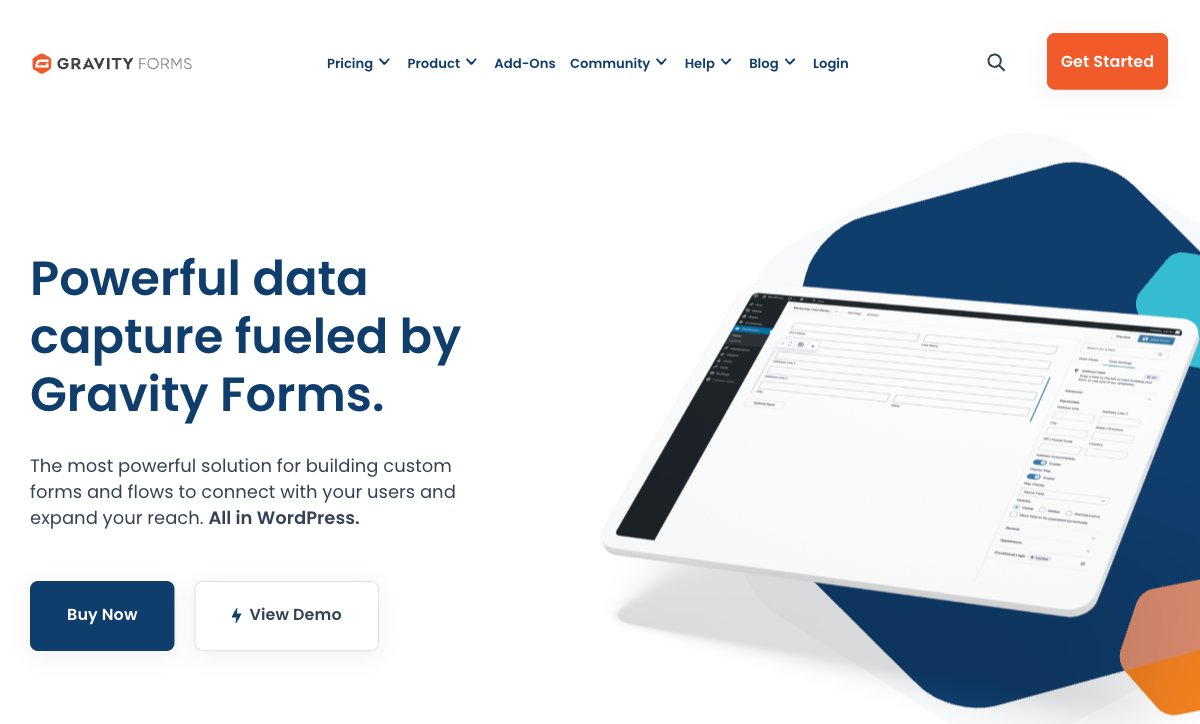
Gravity Forms is part of WordPress in a way no external SaaS can replicate. It uses WordPress hooks and filters, integrates with the WordPress user system (pre-populate forms with logged-in user data, restrict access by role), creates custom post types from submissions, and works natively with virtually every major WordPress plugin — WooCommerce, Advanced Custom Fields, Elementor, Divi, and hundreds more. Jotform can embed on WordPress via plugin or iframe, but it runs on external servers and cannot interact with WordPress internals.
Developer Extensibility
With hundreds of documented hooks and filters, a REST API, and custom field type creation, Gravity Forms is a developer's playground. WordPress agencies build entire client solutions on Gravity Forms because it can be extended with custom PHP to do almost anything — custom validation, dynamic field population from external APIs, complex multi-step workflows triggered by WordPress events. Jotform offers API access and webhooks, but the extensibility ceiling is lower for developers who think in PHP and WordPress.
Native Theming
Gravity Forms renders within your WordPress theme — forms inherit your site's fonts, colours, and styling without iframe borders or cross-origin style conflicts. For WordPress sites where every element should feel native, Gravity Forms delivers seamless visual integration. Jotform's embedded forms sit inside iframes, which can create subtle visual disconnects — different scrollbars, border styling, and responsive behaviour from the host page.
Lower Cost on Existing WordPress Sites
For teams already paying for WordPress hosting and maintenance, Gravity Forms' $59/year Basic License is remarkably cheap. Even the Elite License at $259/year (unlimited sites, all add-ons) is less than Jotform's Bronze plan at $468/year. The cost advantage only applies when WordPress infrastructure costs are already sunk — but for established WordPress sites, the savings are real.
Where Jotform Wins

20,000+ Templates
Jotform's template library is one of the largest in the industry. Over 20,000 pre-built forms covering every imaginable use case: restaurant orders, medical intake, job applications, event registrations, school enrolments, real estate inquiries, and hundreds more. Each template is fully customisable and includes conditional logic, integrations, and styling. Gravity Forms has a modest template collection — functional starting points but nowhere near Jotform's breadth.
Platform Independence
Jotform forms live on Jotform's hosted infrastructure and work everywhere: WordPress, Squarespace, Wix, Shopify, Webflow, static sites, or shared as standalone URLs. No server to manage, no CMS dependency, no infrastructure overhead. Gravity Forms is permanently tied to WordPress — if you migrate to any other platform, your forms break completely. For businesses that aren't committed to WordPress forever, Jotform's independence is a significant advantage.
Free Tier
Jotform's free plan includes 5 forms, 100 monthly submissions, conditional logic, payment integration, and access to the full template library. It's one of the most generous free tiers in the form builder market. Gravity Forms' free Lite plugin is extremely limited — basic fields only, no payments, no add-ons, no premium features. For individuals, small businesses, or teams evaluating options, Jotform's free plan is a legitimate starting point. Gravity Forms essentially requires a paid license.
Payment Gateway Variety
Jotform supports 30+ payment gateways including Stripe, PayPal, Square, Venmo, Apple Pay, and dozens of regional processors — available on all plans including free. Gravity Forms supports Stripe and PayPal via paid add-ons (Pro license $159/year minimum), with additional gateways through third-party extensions at extra cost. For payment form flexibility without per-gateway licensing, Jotform offers dramatically more options.
No Technical Skills Required
Jotform's drag-and-drop builder requires zero coding knowledge, zero WordPress expertise, and zero server management. Pick a template, customise it, publish. Gravity Forms requires WordPress — which means domain management, hosting configuration, plugin updates, security patches, and at least basic WordPress proficiency. For non-technical users, Jotform's barrier to entry is meaningfully lower.
Where Gravity Forms Falls Short
- WordPress lock-in: 100% dependent on WordPress. Migrating away from WordPress means your forms stop working entirely. This is the biggest long-term risk.
- No meaningful free tier: The Lite plugin is too limited for serious use. Any real work requires a paid license.
- Small template library: A fraction of Jotform's 20,000+ templates. Starting from scratch is the norm.
- Limited payment gateways: Stripe and PayPal via paid add-ons only. No Square, no regional processors, no free-tier payments.
- Add-on cost accumulation: Many features require the Pro ($159/year) or Elite ($259/year) license. Stripe alone requires Pro. Costs add up beyond the headline $59/year price.
- Infrastructure overhead: Requires WordPress hosting, domain, SSL, maintenance, security updates, and backups — all your responsibility.
Where Jotform Falls Short
- No WordPress-native integration: Jotform embeds via iframe — it can't access WordPress hooks, filters, user roles, or custom post types.
- Submission limits: Free plan caps at 100 monthly submissions. Paid plans have submission ceilings (1,000 on Bronze, 10,000 on Silver) that can be restrictive for high-volume use.
- Design constraints: Despite many templates, Jotform forms have a recognisable aesthetic — functional but not design-forward. Forms look like "forms" rather than designed pages.
- Branding on free tier: Free plan forms display Jotform branding. Removal requires a paid plan.
- No calculation engine: Jotform has basic calculation fields but nothing approaching Excel-style formulas that compute across the entire form ecosystem — pricing, scores, and conditional logic simultaneously.
- Storage limits: Cloud storage is capped per plan (100MB free, 1GB Bronze, 10GB Silver). Large file upload forms can hit limits quickly.
Pricing Comparison
| Tier | Gravity Forms | Jotform | Key Difference |
|---|---|---|---|
| Free | Lite plugin — basic fields, no payments | 5 forms, 100 submissions/mo, payments, logic | Jotform's free tier is substantially more capable |
| Entry Paid | Basic: $59/yr — 1 site, basic add-ons | Bronze: $39/mo ($468/yr) — 25 forms, 1,000 submissions | GF is cheaper annually but requires WordPress hosting |
| Mid-Tier | Pro: $159/yr — 3 sites, Stripe, more add-ons | Silver: $49/mo ($588/yr) — 50 forms, 10,000 submissions | GF Pro adds Stripe; Jotform Silver adds capacity |
| Top Tier | Elite: $259/yr — unlimited sites, all add-ons | Gold: $129/mo ($1,548/yr) — 100 forms, 100K submissions | GF Elite is much cheaper; Jotform Gold scales further on volume |
Gravity Forms prices are annual license fees (add WordPress hosting costs). Jotform prices are monthly with annual discount available. For WordPress-committed teams, Gravity Forms is cheaper. For everyone else, Jotform's free tier and platform independence justify the premium.
Gravity Forms
Jotform
| Product | Plan | Monthly Price | Annual Price (per month) | Free Plan | Free Trial | Limits |
|---|---|---|---|---|---|---|
| Gravity Forms | Basic | Not listed | $59/mo billed annually | No | 14 days | forms: Unlimited, submissions: Unlimited, storage: WordPress database (self-hosted), users: Unlimited (WordPress users) |
| Gravity Forms | Pro | Not listed | $159/mo billed annually | forms: Unlimited, submissions: Unlimited, storage: WordPress database (self-hosted), users: Unlimited (WordPress users) | ||
| Gravity Forms | Elite | Not listed | $259/mo billed annually | forms: Unlimited, submissions: Unlimited, storage: WordPress database (self-hosted), users: Unlimited (WordPress users) | ||
| Gravity Forms | Nonprofit | Not listed | $129/mo billed annually | forms: Unlimited, submissions: Unlimited, storage: WordPress database (self-hosted), users: Unlimited (WordPress users) | ||
| Jotform | Starter | Free | Free | Yes | No | forms: 5, submissions: 100/month, storage: 100 MB, users: 1 |
| Jotform | Bronze | $39/mo | $34/mo billed annually | forms: 25, submissions: 1,000/month, storage: 1 GB, users: 1 | ||
| Jotform | Silver | $49/mo | $39/mo billed annually | forms: 50, submissions: 2,500/month, storage: 10 GB, users: 1 | ||
| Jotform | Gold | $129/mo | $99/mo billed annually | forms: 100, submissions: 10,000/month, storage: 100 GB, users: 1 |
What Users Say
Gravity Forms averages around 4.6/5 on G2 and WordPress.org, with high marks for reliability and developer flexibility but criticism of add-on costs and the learning curve for non-developers. Jotform averages around 4.7/5 on G2, praised for its template library, ease of use, and free tier — but criticised for submission limits and form branding on free plans. Both are well-regarded platforms; the sentiment aligns with use case: developers praise Gravity Forms, non-technical users prefer Jotform.
Consider Paperform: Design Meets Power
If Gravity Forms feels too WordPress-locked and Jotform's forms look too generic, Paperform offers a compelling middle ground. Paperform's document-style editor creates forms that look like professionally designed landing pages — not traditional form widgets. It works on any platform (like Jotform) but with a level of design quality and feature depth that surpasses both competitors.
Paperform includes an Excel-style calculation engine that drives dynamic pricing, scores, and logic across questions, pages, emails, and integrations — something neither Gravity Forms nor Jotform can match. Five payment gateways (Stripe, PayPal, Square, Braintree, Google Pay) are included on every plan, plus built-in e-signatures via Papersign and workflow automation via Stepper.
At $29/month for Essentials, Paperform is more affordable than Jotform Bronze ($39/month) with superior design tools and calculations. Founded in 2016 and bootstrapped since day one, Paperform is a stable, independent platform without WordPress lock-in or submission caps on paid plans. See how Paperform compares.
The Verdict
Gravity Forms is the better choice for WordPress developers. If your site runs on WordPress, you have development resources, and you want forms deeply integrated with the WordPress ecosystem — hooks, filters, user system, custom post types — Gravity Forms offers a level of native integration that no external SaaS can replicate. At $59-259/year for the license, it's also the cheaper option when WordPress hosting costs are already sunk.
Jotform is the better choice for platform independence and accessibility. If you want forms that work anywhere, a generous free tier, 20,000+ templates, and 30+ payment gateways without WordPress knowledge required, Jotform removes every barrier. It's the safer choice for teams who might change platforms, need forms on multiple websites, or lack WordPress development resources.
The risk profile differs meaningfully. Gravity Forms locks your form investment into WordPress permanently. Jotform forms survive any website migration. Both platforms are bootstrapped and long-established (Gravity Forms since 2008, Jotform since 2006), so neither has VC-driven instability. The choice is architectural: WordPress-native power versus platform-independent accessibility. For details on more options, see our Gravity Forms alternatives or Jotform alternatives analysis.
Frequently Asked Questions
Can I use Jotform on a WordPress site instead of Gravity Forms?
Yes. Jotform forms can be embedded on any website, including WordPress, via iframe or embed code. Jotform also offers a dedicated WordPress plugin for easier embedding. However, Jotform forms run on Jotform's servers — they don't integrate with WordPress internals like user roles, custom post types, or PHP hooks the way Gravity Forms does natively. If you just need forms on a WordPress site and don't require deep WordPress integration, Jotform works fine. If your workflow depends on WordPress hooks and filters, Gravity Forms' native integration is irreplaceable.
Is Gravity Forms really cheaper than Jotform long-term?
It depends on your infrastructure. Gravity Forms costs $59-259/year for the license, but requires WordPress hosting ($60-360/year), a domain, SSL, and ongoing maintenance. Total cost of ownership is typically $120-620/year. Jotform's Starter plan is free (5 forms, 100 submissions/month). The Bronze plan at $39/month ($468/year) includes 25 forms and 1,000 submissions. For small-scale use, Jotform's free tier wins. For heavy usage on an existing WordPress site, Gravity Forms can be cheaper. The real cost question is whether you already pay for WordPress hosting.
Which has more templates: Gravity Forms or Jotform?
Jotform, by a massive margin. Jotform offers over 20,000 templates across virtually every industry and use case — from restaurant orders to medical intake forms to event registrations. Gravity Forms has a modest library of pre-built form templates, primarily functional starting points. Jotform's template library is one of the largest in the form builder industry. If starting from a template matters to your workflow, Jotform's breadth is unmatched.
Does Jotform have a free plan? Does Gravity Forms?
Jotform has a generous free tier: 5 forms, 100 monthly submissions, 100MB storage, and access to most features including conditional logic, payments, and the template library. Gravity Forms offers a free "Lite" plugin through WordPress.org with very limited functionality — basic fields, no payments, no add-ons, and no premium support. For meaningful free usage, Jotform's free plan is substantially more capable. Gravity Forms essentially requires a paid license for any serious use.
Which platform is better for payment forms?
Jotform offers broader payment processing out of the box: Stripe, PayPal, Square, and 30+ additional payment gateways on all plans including free. Gravity Forms supports Stripe and PayPal, but payment add-ons require the Pro license ($159/year) or Elite license ($259/year). Third-party add-ons can extend Gravity Forms' payment options, but at additional cost. For payment form variety and accessibility, Jotform wins — especially since payments work on the free plan. For WordPress-native payment workflows integrated with WooCommerce, Gravity Forms may have an edge.
Sources & References
- Gravity Forms vs Jotform: Features, Pricing & User Reviews — G2, 2026
- Best Online Form Builders in 2026 — PCMag, 2026
Last updated March 21, 2026
Ready to try Paperform?
Create beautiful forms, payment pages, and workflows — no code required.