Google Forms vs Gravity Forms: Free SaaS vs WordPress Plugin in 2026
These two form builders exist on entirely different platforms, serve different audiences, and solve different problems. Google Forms is a free, cloud-based tool that anyone with a Google account can use instantly — no installation, no hosting, no technical knowledge required. Gravity Forms is a premium WordPress plugin ($59-259/year) that requires a self-hosted WordPress site and lives entirely within the WordPress ecosystem.
Comparing them isn't about which is "better" in the abstract — it's about which platform fits your technical environment. If you don't have WordPress, Gravity Forms isn't an option. If you do have WordPress and need forms that accept payments, run calculations, or integrate deeply with your site, Google Forms can't deliver that. Here's the complete breakdown.
Who Is Google Forms?
Google Forms launched in 2008 as part of Google's productivity suite (now Google Workspace). It's maintained by Alphabet Inc., a company with 10,000+ employees and a market cap exceeding $2 trillion. Forms is a free tool bundled with every Google account — personal and Workspace alike. It integrates natively with Google Sheets, Drive, Classroom, and the broader Google ecosystem. The tool is designed for surveys, quizzes, data collection, and event registration — with an emphasis on simplicity and accessibility over advanced form features.
Who Is Gravity Forms?
Gravity Forms was created in 2008 by Rocketgenius, Inc. in Virginia Beach, Virginia. It's a bootstrapped company with 11-50 employees — no venture capital, no private equity, no acquisition. The product is the dominant premium form plugin in the WordPress ecosystem, powering over 5 million active websites with 56% market share in WordPress forms. Gravity Forms' strength is its extensibility: 500+ developer hooks, a REST API, and a massive ecosystem of first-party and third-party add-ons (Gravity Wiz, GravityKit, CosmicGiant) that extend its capabilities far beyond basic form building.
Quick Verdict
Choose Google Forms if:
- You need free surveys, quizzes, or data collection with zero setup
- You don't have or don't want WordPress
- Google Sheets integration for data analysis is important
- You need collaborative form building with shared editing
Choose Gravity Forms if:
- You have a WordPress site and need forms that integrate with it
- You need payment processing (Stripe, PayPal, Square)
- You want complete data ownership on your own server
- You need developer-level extensibility with hooks and custom add-ons
Feature Comparison
Side-by-side across every feature category.
| Feature | Google Forms | Gravity Forms |
|---|---|---|
| Form Building | ||
| Document-style editor | No | No |
| AI form creation | Yes | No |
| Field types | 11 | No |
| Multi-page forms | Yes | Yes Basic |
| Guided mode (one question at a time) | No | Yes Elite |
| Conditional logic | Yes | Yes Basic |
| Calculations field | No | Yes Basic |
| AI calculations assistant | No | No |
| Scoring | Yes | Yes Elite |
| Answer piping | No | Yes Basic |
| Pre-filling and hidden fields | Yes | Yes Basic |
| Save and resume | No | Yes Basic |
| Auto-close by number | Yes | No |
| Auto-close by date | Yes | No |
| Appointment/booking field | No | No |
| Signature field | No | Yes Elite |
| Color picker field | No | No |
| API-powered dropdowns | No | No |
| Google address search | No | No |
| File uploads | Yes | No |
| Drag-and-drop builder | No | Yes Basic |
| 30+ field types | No | Yes Basic |
| Payments | ||
| Stripe payments | No | Yes Pro |
| PayPal payments | No | Yes Pro |
| Square payments | No | Yes Pro |
| Braintree payments | No | No |
| Google Pay | No | Yes Pro |
| Product sales (eCommerce) | No | Yes Basic |
| Subscriptions | No | Yes Pro |
| Coupons and discounts | No | Yes Elite |
| Custom pricing rules | No | No |
| Tax calculations | No | No |
| Quotes/invoices | No | No |
| Refunds | No | Yes Pro |
| 3D Secure | No | Yes Pro |
| Design & Customization | ||
| Template gallery | 20+ | Yes Basic |
| Rich media (images, GIFs, videos) | Yes | Yes Basic |
| Unsplash and Giphy integration | No | No |
| Image editor | No | No |
| Adobe Creative Cloud | No | No |
| Language translation | No | Yes Basic |
| Advanced theming | No | Yes Basic |
| Custom form URL | No | No |
| Custom domains | No | No |
| Custom HTML & CSS | No | Yes Basic |
| Remove branding | No | Yes Basic |
| Custom email domains | Yes Business Starter | Yes Elite |
| Analytics | ||
| Submission results and reports | Yes | Yes Basic |
| AI report insights | No | No |
| Paperform analytics | No | No |
| Google Analytics & Facebook Pixel | No | Yes Elite |
| Custom analytics scripts | No | Yes Basic |
| Partial submissions | No | Yes Elite |
| Collaboration | ||
| Multi-user accounts | Yes | Yes Basic |
| User permissions and management | Yes | Yes Basic |
| Advanced permissions & admin | Yes Business Starter | No |
| Form sharing (templates) | Yes | Yes Basic |
| Spaces and tag management | No | No |
| Security | ||
| SOC 2 Type II | Yes | No |
| GDPR compliant | Yes | Yes Basic |
| SSL encryption | Yes | Yes Basic |
| Two-factor authentication | Yes | No |
| Enforce 2FA for all users | Yes Business Starter | No |
| SSO (SAML) | Yes Business Plus | No |
| reCAPTCHA | No | Yes Basic |
| Local data residency | Yes Business Plus | Yes Basic |
| Custom S3 storage (BYO) | No | No |
| Integrations & API | ||
| Native integrations | No | No |
| Zapier | Yes | Yes Pro |
| Make (Integromat) | Yes | No |
| Webhooks | No | Yes Elite |
| Standard API | Yes | Yes Basic |
| Business API | No | No |
| WordPress plugin | No | Yes Basic |
| oEmbed support | No | No |
| 50+ official add-ons | No | Yes Basic |
| Stepper workflow automation | No | No |
Where Google Forms Wins

Zero Barrier to Entry
Google Forms requires nothing: no hosting, no installation, no WordPress site, no technical knowledge, no credit card, no trial period. Sign into a Google account and start building. Forms are hosted by Google, shared via URL, and responses flow automatically to Google Sheets. For the 1.8 billion Google account holders worldwide, it's the most accessible form builder that exists. Gravity Forms requires a WordPress installation, hosting, plugin management, and ongoing site maintenance — a fundamentally different level of commitment.
Free with Unlimited Responses
Google Forms is completely free for personal accounts — unlimited forms, unlimited responses, no field limits, no submission caps. Google Workspace adds admin controls and storage but doesn't change the core Forms features. Gravity Forms costs $59-259/year depending on the plan, plus whatever you're paying for WordPress hosting ($5-50+/month). For pure cost comparison, Google Forms wins by default.
Quiz and Assessment Mode
Google Forms has a dedicated quiz mode with automatic grading, point values per question, answer feedback, timer functionality, and integration with Google Classroom. It's widely used in K-12, higher education, and corporate training. Gravity Forms offers quizzes only through the Quiz add-on on the Elite plan ($259/year), with more setup required. For education use cases, Google Forms is the standard tool.
Real-Time Collaboration
Multiple people can edit a Google Form simultaneously — the same real-time collaboration that makes Google Docs and Sheets popular. Gravity Forms is a WordPress plugin where form editing happens in the WordPress admin by one user at a time. For teams that build forms collaboratively, Google's co-editing is a genuine workflow advantage.
Where Gravity Forms Wins
Payment Processing
Gravity Forms supports Stripe, PayPal, Square, and Mollie for payment collection on its Pro plan ($159/year) and above. The Elite plan adds coupons and discount codes. Google Forms has no payment capability whatsoever. For order forms, donation pages, registration fees, or any form that needs to collect money, Gravity Forms is the only option between these two.
Complete Data Ownership
All Gravity Forms data is stored in your WordPress database on your own server. You control where data lives, how it's backed up, and who can access it. Google Forms data resides on Google's servers — subject to Google's privacy policies, data processing agreements, and infrastructure decisions. For organisations with strict data residency requirements or those uncomfortable with Google's data practices, Gravity Forms' self-hosted model offers genuine sovereignty over form data.
Developer Extensibility
Gravity Forms provides 500+ actions and filters, a full REST API, and an Add-On Framework for building custom integrations. The ecosystem includes Gravity Wiz (advanced calculations, conditional logic extensions), GravityKit (entry management, approval workflows), and CosmicGiant (CRM connectors). A developer can extend Gravity Forms to do virtually anything. Google Forms offers Google Apps Script for basic automation but nothing comparable to Gravity Forms' extensibility.
WordPress Integration Depth
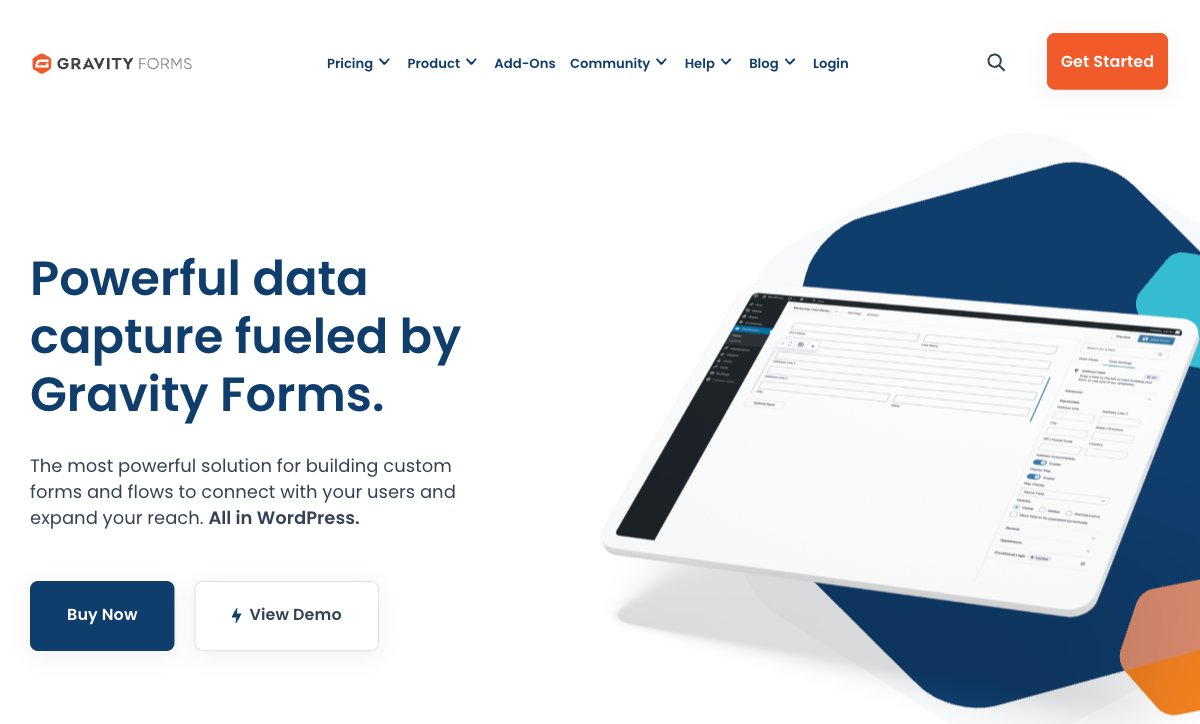
Gravity Forms is native to WordPress — forms appear in the WordPress admin, submissions are stored in the database, and the plugin integrates with WordPress user management, themes, and other plugins seamlessly. Forms are part of your site, not embedded from an external service. Google Forms can be embedded in any website via iframe, but it always looks and feels like a Google product sitting inside your page.
Signatures and Advanced Fields
Gravity Forms' Elite plan ($259/year) includes signature capture, file uploads, conversational forms, partial entries, and user registration. Google Forms supports file uploads (to Google Drive) but has no signature capability, no conversational mode, and no advanced field types beyond the basics. For forms requiring signatures or specialised input, Gravity Forms has the edge.
Where Both Fall Short
- No AI form creation: Neither platform offers AI-powered form generation from natural language prompts. Both rely on traditional manual form building. Google has Gemini AI in Workspace but hasn't brought it to Forms creation. Gravity Forms has no AI features at all.
- Limited calculation engines: Google Forms has no calculation capability whatsoever. Gravity Forms offers basic merge-tag math but lacks Excel-style formulas with conditional functions — advanced calculations require third-party add-ons (Gravity Wiz). Neither matches the calculation depth of dedicated form builders.
- No eSignature capability: Google Forms has no signature fields. Gravity Forms offers signature capture only on the Elite plan ($259/year). Neither includes full eSignature workflows (send-to-sign, audit trails, legally binding signatures).
- Limited design polish: Google Forms produces clean but generic-looking forms with minimal customisation. Gravity Forms inherits WordPress themes but has limited built-in design tools — no Unsplash, no Giphy, no rich media editor. Neither matches the visual quality of design-focused form builders.
- Ecosystem dependency: Google Forms requires Google. Gravity Forms requires WordPress. Neither works as a standalone tool. If you leave the ecosystem, you leave the form builder — and neither offers easy export or migration to other platforms.
Pricing Comparison
The cost comparison is unusual: one tool is free, the other is a paid plugin that also requires paid hosting.
| Tier | Google Forms | Gravity Forms | Key Difference |
|---|---|---|---|
| Free/Basic | Free — unlimited forms, unlimited responses, all features | Basic: $59/year — 1 site, no payments, basic add-ons | Google is free; Gravity Forms requires annual license + hosting |
| Mid-Tier | Workspace Starter: $7/user/mo (same Forms features) | Pro: $159/year — 3 sites, Stripe/PayPal/Square, Zapier | Gravity Forms adds payments; Google adds admin and storage |
| Full | Workspace Business: $14/user/mo (same Forms features) | Elite: $259/year — unlimited sites, all add-ons, signatures | Gravity Forms unlocks full feature set; Google Forms is unchanged |
Gravity Forms prices are annual licenses. Google Workspace pricing is per-user/month; Google Forms features are identical across all tiers.
Google Forms
Gravity Forms
| Product | Plan | Monthly Price | Annual Price (per month) | Free Plan | Free Trial | Limits |
|---|---|---|---|---|---|---|
| Google Forms | Free (Personal) | Free | Free | Yes | 14 days | forms: Unlimited, submissions: Unlimited, storage: 15 GB (shared across Google Drive), users: 1, file uploads: Included in 15 GB storage |
| Google Forms | Business Starter | $7/mo | $7/mo billed annually | forms: Unlimited, submissions: Unlimited, storage: 30 GB per user, users: Up to 300, file uploads: Included in storage | ||
| Google Forms | Business Standard | $14/mo | $14/mo billed annually | forms: Unlimited, submissions: Unlimited, storage: 2 TB per user, users: Up to 300, file uploads: Included in storage | ||
| Google Forms | Business Plus | $22/mo | $22/mo billed annually | forms: Unlimited, submissions: Unlimited, storage: 5 TB per user, users: Up to 300, file uploads: Included in storage | ||
| Gravity Forms | Basic | Not listed | $59/mo billed annually | No | 14 days | forms: Unlimited, submissions: Unlimited, storage: WordPress database (self-hosted), users: Unlimited (WordPress users) |
| Gravity Forms | Pro | Not listed | $159/mo billed annually | forms: Unlimited, submissions: Unlimited, storage: WordPress database (self-hosted), users: Unlimited (WordPress users) | ||
| Gravity Forms | Elite | Not listed | $259/mo billed annually | forms: Unlimited, submissions: Unlimited, storage: WordPress database (self-hosted), users: Unlimited (WordPress users) | ||
| Gravity Forms | Nonprofit | Not listed | $129/mo billed annually | forms: Unlimited, submissions: Unlimited, storage: WordPress database (self-hosted), users: Unlimited (WordPress users) |
What Users Say
Google Forms is universally praised for accessibility and simplicity, with the most common critique being its limited customisation and lack of advanced features. Gravity Forms scores highly (4.7/5 on G2) with WordPress users who value its power and extensibility, though non-technical users cite a steeper learning curve and the overhead of WordPress management. The reviews reflect the platform divide: Google Forms users want simplicity, Gravity Forms users want power.
The Verdict
Google Forms wins for accessibility and cost. Free, instant, no technical overhead. For surveys, quizzes, event RSVPs, and basic data collection, Google Forms is the fastest path from "I need a form" to "here's the link." If your needs are simple and you value speed over power, Google Forms is the rational choice.
Gravity Forms wins for WordPress site owners who need power. Payment processing, developer extensibility, data ownership, and deep WordPress integration make it the dominant choice for its niche. If you already run WordPress and need forms that collect money or integrate tightly with your site, Gravity Forms is the industry standard.
The core question is platform: do you have WordPress? If yes, Gravity Forms unlocks capabilities Google Forms cannot touch. If no, Gravity Forms isn't an option — and adopting WordPress specifically for a form plugin is rarely the right move. For non-WordPress users outgrowing Google Forms, the upgrade path leads to SaaS form builders, not WordPress plugins.
Consider Paperform
If Google Forms is too basic and you don't want to manage WordPress for Gravity Forms, Paperform offers the best of both worlds. It's a hosted SaaS (no WordPress required) with a document-style editor, an Excel-style calculation engine that powers logic across questions, pages, emails, integrations, and success pages, five payment gateways (Stripe, PayPal, Square, Braintree, Google Pay) on every plan including free, and 30,000+ templates.
Paperform costs $29/month for Essentials — more than Google Forms (free) but comparable to Gravity Forms Pro ($159/year) without the WordPress hosting overhead. It's bootstrapped and profitable since 2016. For anyone outgrowing Google Forms who doesn't want to adopt WordPress specifically for forms, Paperform is the natural upgrade. See the Google Forms alternatives or Gravity Forms alternatives pages for more.
Frequently Asked Questions
Can Google Forms accept payments?
No. Google Forms has no payment processing capability — no Stripe, no PayPal, no payment fields of any kind. If you need a form that collects money, Google Forms is immediately disqualified. Gravity Forms supports Stripe, PayPal, and Square on the Pro plan ($159/year), with coupons and discount codes available on Elite ($259/year). For payment forms, Gravity Forms is the clear winner between these two, though both trail behind dedicated SaaS form builders in payment feature depth.
Do I need WordPress hosting to use Gravity Forms?
Yes, absolutely. Gravity Forms is a WordPress plugin that requires a self-hosted WordPress installation. You need a web hosting account, a WordPress site, and the technical ability (or a developer) to manage updates, security, and backups. There's no hosted version, no standalone form pages, and no way to use Gravity Forms without WordPress. Google Forms, by contrast, works instantly in any browser with a Google account — no hosting, no installation, no maintenance. This architectural difference is the fundamental divide between these platforms.
Which is better for quizzes and assessments?
Google Forms has a purpose-built quiz mode with automatic scoring, point values per question, answer feedback, and timer options — all completely free. It's widely used in education and corporate training. Gravity Forms offers quiz functionality through its Quiz add-on (Elite plan, $259/year), which provides scoring and instant feedback but requires more setup. For straightforward quizzes and assessments, Google Forms is the easier, cheaper, and more polished option.
Can Gravity Forms replace Google Forms for a small business?
It depends on whether you have WordPress. If your business runs on WordPress, Gravity Forms adds payment collection, advanced calculations, signatures, and deeper customisation — capabilities Google Forms lacks entirely. If you don't have WordPress, Gravity Forms isn't an option. For a small business without WordPress that needs more than Google Forms offers, a SaaS form builder (Paperform, Jotform, Typeform) is a better upgrade path than adopting WordPress specifically for Gravity Forms.
Sources & References
- Google Forms vs Gravity Forms — User Comparison — G2, 2026
- Best WordPress Form Plugins Compared — WPBeginner, 2026
Last updated March 21, 2026
Ready to try Paperform?
Create beautiful forms, payment pages, and workflows — no code required.