Best Gravity Forms Alternatives for 2026
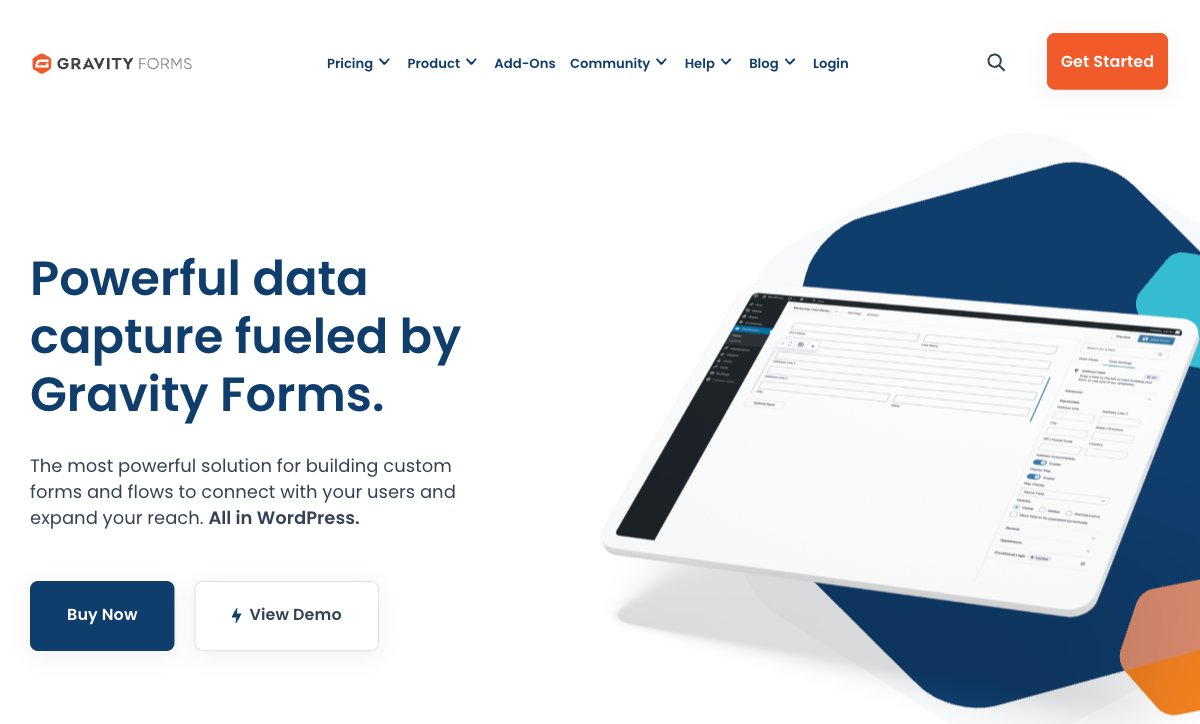
Gravity Forms has been the default form plugin for serious WordPress users since 2008. Within that ecosystem, it earned its reputation — deep extensibility, a massive add-on marketplace, and the kind of developer-first architecture that agencies and power users rely on. If WordPress is your world, Gravity Forms has been a dependable foundation for nearly two decades.
The trouble starts when WordPress stops being your whole world. A standalone form link you can share without a website. An embed on a Webflow or Shopify page. A hosted landing page for a marketing campaign. Forms that work without managing server updates, PHP compatibility, and plugin conflicts. These are table-stakes features for SaaS form builders that simply don't exist in WordPress-only tools. Gravity Forms' greatest strength — deep WordPress integration — becomes its ceiling the moment your needs extend beyond that single platform.
Whether you're outgrowing WordPress entirely or just need forms that work everywhere, these alternatives free you from platform lock-in without sacrificing the power Gravity Forms is known for.
| Feature | Gravity Forms | Paperform | Jotform | WPForms | Typeform | Cognito Forms | Formstack | Google Forms |
|---|---|---|---|---|---|---|---|---|
| Form Building | ||||||||
| Drag-and-drop builder | Yes Basic | No | Yes starter | No | No | No | Yes forms | No |
| AI form creation | No | Yes | Yes starter | Yes basic | Yes | No | Yes forms | Yes |
| 30+ field types | Yes Basic | No | No | No | No | No | No | No |
| Guided mode (one question at a time) | Yes Elite | Yes | Yes starter | Yes pro | Yes | No | Yes forms | No |
| Calculations field | Yes Basic | Yes essentials | Yes starter | Yes pro | Yes plus | Yes | Yes forms | No |
| Payments | ||||||||
| Stripe payments | Yes Pro | Yes | Yes starter | Yes pro | Yes basic | Yes | Yes forms | No |
| PayPal payments | Yes Pro | Yes | Yes starter | Yes pro | No | Yes team | Yes forms | No |
| Square payments | Yes Pro | Yes | Yes starter | Yes pro | No | Yes team | No | No |
| Braintree payments | No | Yes | Yes starter | No | No | No | No | No |
| Google Pay | Yes Pro | Yes | Yes starter | No | No | No | No | No |
| Design & Customization | ||||||||
| Template gallery | Yes Basic | 30,000+ | 20,000+ (starter) | Yes pro | 1,500+ | Yes | Yes forms | 20+ |
| Unsplash and Giphy integration | No | Yes | No | No | Yes | No | No | No |
| Image editor | No | Yes | No | No | No | No | No | No |
| Language translation | Yes Basic | Yes | Yes starter | Yes basic | Yes basic | Yes pro | No | No |
| Advanced theming | Yes Basic | Yes pro | Yes starter | Yes basic | Yes plus | Yes pro | Yes forms | No |
| Analytics | ||||||||
| AI report insights | No | Yes pro | No | No | Yes business | No | No | No |
| Paperform analytics | No | Yes pro | No | No | No | No | Yes forms | No |
| Google Analytics & Facebook Pixel | Yes Elite | Yes essentials | No | No | Yes basic | Yes pro | Yes forms | No |
| Custom analytics scripts | Yes Basic | Yes pro | No | No | Yes basic | No | No | No |
| Partial submissions | Yes Elite | Yes pro | No | Yes pro | Yes plus | No | Yes forms | No |
| Collaboration | ||||||||
| Advanced permissions & admin | No | Yes enterprise | Yes enterprise | Yes elite | Yes enterprise | Yes enterprise | Yes enterprise | Yes Business Starter |
| Form sharing (templates) | Yes Basic | Yes | No | Yes basic | Yes | Yes | Yes forms | Yes |
| Spaces and tag management | No | Yes | No | No | No | No | Yes forms | No |
| Form sharing | No | No | Yes starter | No | No | No | No | No |
| Assign forms | No | No | Yes enterprise | No | No | No | No | No |
| Security | ||||||||
| SOC 2 Type II | No | Yes | Yes enterprise | No | Yes | No | No | Yes |
| Two-factor authentication | No | Yes | Yes starter | No | Yes | Yes | Yes forms | Yes |
| Enforce 2FA for all users | No | Yes business | No | No | No | No | Yes enterprise | Yes Business Starter |
| SSO (SAML) | No | Yes business | Yes enterprise | No | Yes enterprise | Yes enterprise | Yes enterprise | Yes Business Plus |
| reCAPTCHA | Yes Basic | Yes | Yes starter | Yes basic | Yes business | Yes | Yes forms | No |
| Integrations & API | ||||||||
| 50+ official add-ons | Yes Basic | No | No | No | No | No | No | No |
| Make (Integromat) | No | Yes | No | Yes pro | Yes basic | Yes | No | Yes |
| Webhooks | Yes Elite | Yes pro | Yes starter | Yes elite | Yes basic | Yes | Yes forms | No |
| Standard API | Yes Basic | Yes pro | No | No | No | No | Yes forms | Yes |
| Business API | No | Yes business | No | No | No | No | Yes enterprise | No |
| Additional Products | ||||||||
| Jotform Tables | No | No | Yes starter | No | No | No | No | No |
| Jotform Sign | No | No | Yes starter | No | No | No | No | No |
| Jotform Apps | No | No | Yes starter | No | No | No | No | No |
| Jotform Workflows | No | No | Yes starter | No | No | No | No | No |
| Jotform Report Builder | No | No | Yes starter | No | No | No | No | No |
 #1 Paperform — Best Platform-Independent Alternative

Paperform is what Gravity Forms would look like if it wasn't tied to WordPress. The core form-building power is comparable — conditional logic, multi-step forms, payments, integrations — but delivered as a hosted SaaS that works everywhere. Drop an embed code on a WordPress site, a Webflow page, a Shopify store, or share a standalone link. No plugin conflicts, no PHP version worries, no server-side rendering dependencies.
The document-style editor is Paperform's sharpest divergence from Gravity Forms' widget-based builder. Instead of dragging blocks into a column, you write content and insert form fields inline — headings, paragraphs, images, and fields coexist on a single canvas. The result is forms that look like branded pages rather than data-capture widgets. Pair that with an Excel-style calculation engine (substantially more powerful than Gravity Forms' merge-tag arithmetic) and five payment gateways on every plan, and you get Gravity Forms' power without the platform constraint. Bootstrapped since 2016 and SOC 2 Type II certified.
- Strengths over Gravity Forms: Platform-independent, works on any site or standalone. AI form creation, Excel-style calculations, 5 payment gateways on free plan, Papersign e-signatures, SOC 2 Type II certified
- Limitations: Higher annual cost ($24/month vs $59/year for Gravity Forms Basic), no WordPress-native rendering, no developer hooks or PHP extensibility
- Best for: Teams that need Gravity Forms-level form power on any website, not just WordPress
 #2 WPForms — Best WordPress Alternative for Non-Developers
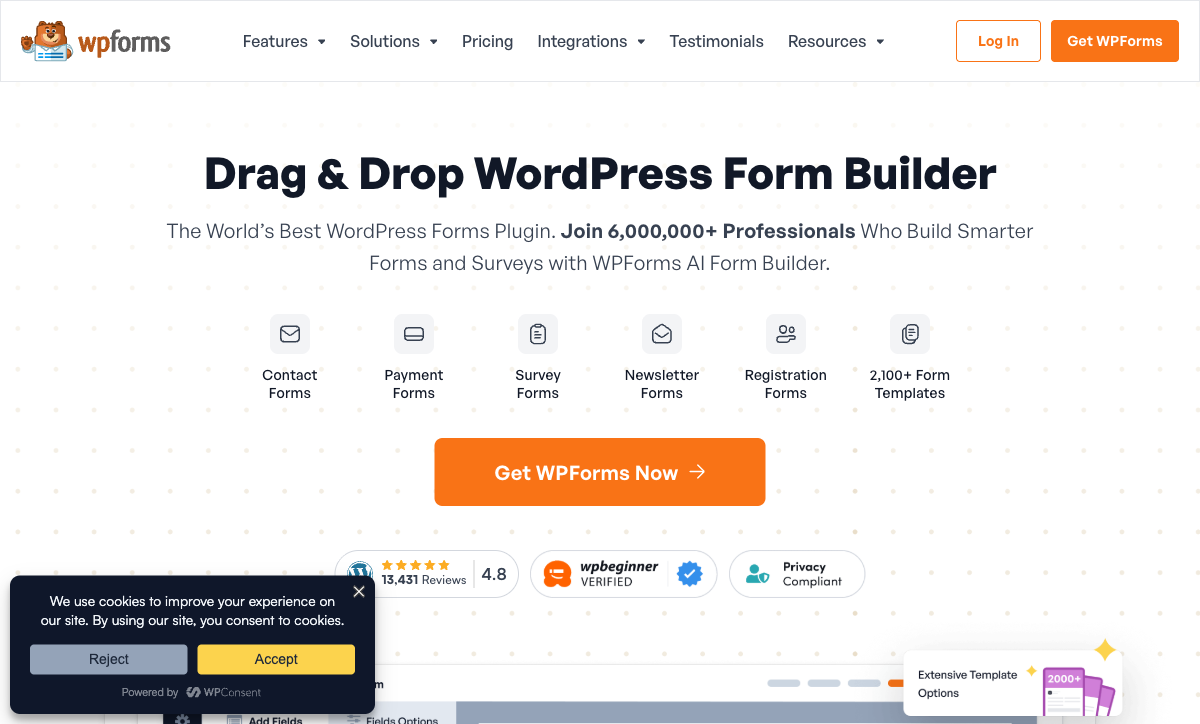
If you're staying on WordPress but Gravity Forms feels over-engineered for your needs, WPForms occupies the opposite end of the WordPress form spectrum. Where Gravity Forms gives you 500+ developer hooks and expects you to assemble functionality from add-ons, WPForms gives you a drag-and-drop builder that non-technical users can operate in minutes. The free Lite version powers basic contact forms; paid plans start at $49.50/year.
The trade-off is depth. WPForms' conditional logic is simpler, its calculation support is limited to basic cost estimates via a Pro-tier addon, and the developer extensibility is a fraction of Gravity Forms'. But with 6 million active installations and 2,100+ templates, WPForms has proven that most WordPress users don't need developer-grade complexity — they need forms that work reliably with minimal configuration. It shares Gravity Forms' WordPress-only constraint, so if platform independence matters, look at Paperform or Jotform instead.
- Strengths over Gravity Forms: Dramatically easier to use, faster initial setup, 2,100+ templates vs ~15, lower starting price ($49.50/year), no-transaction-fee payments on Pro
- Limitations: WordPress-only (same constraint), shallower feature ceiling, fewer developer hooks, useful features gated behind Pro tier ($199.50/year)
- Best for: WordPress users who want simple, reliable forms without learning Gravity Forms' add-on architecture
 #3 Jotform — Largest Feature Set Outside WordPress

Gravity Forms users are accustomed to assembling functionality from a marketplace of add-ons. Jotform flips that model: almost everything is built in. E-signatures, PDF generation, approval workflows, 40+ payment gateways, and a mobile app — no add-ons, no third-party plugins, no compatibility concerns. The 20,000+ template library dwarfs Gravity Forms' roughly 15 built-in templates.
Where Jotform falls short of Gravity Forms is in customisation depth. Gravity Forms' developer hooks let you shape form behaviour at a code level that Jotform's interface simply doesn't expose. And while Jotform's feature breadth is impressive, individual features occasionally feel less polished than what Gravity Forms' focused add-on developers produce. For non-developers who want maximum built-in capability without managing a WordPress stack, Jotform delivers. For developers who value extensibility over convenience, it may feel constraining. See our Jotform alternatives for more.
- Strengths over Gravity Forms: Platform-independent, free tier, 40+ payment gateways, 20,000+ templates, HIPAA compliance, no server management
- Limitations: Less developer extensibility, individual features can lack polish, free plan capped at 100 submissions/month
- Best for: Non-developers migrating off WordPress who want the broadest built-in feature set
 #4 Cognito Forms — Most Affordable SaaS Alternative
Gravity Forms' annual pricing ($59/year Basic, $159/year Pro, $259/year Elite) is compelling until you add hosting costs, SSL certificates, WordPress maintenance, and the premium add-ons that fill in gaps. Cognito Forms offers a genuinely free plan with calculations, conditional logic, Stripe payments, and e-signatures — no hosting required. Its $19/month Pro plan is a fraction of the total cost of ownership for a fully kitted-out Gravity Forms installation.
Cognito's calculation engine will feel familiar to Gravity Forms users who relied on merge-tag math — it's significantly more capable, though the syntax leans toward scripting rather than spreadsheet formulas. The design flexibility is the weak spot: forms can look functional but dated compared to Paperform or Typeform's visual polish. If your Gravity Forms usage was primarily about data capture and workflow logic rather than brand aesthetics, Cognito's free plan covers an impressive amount of ground. For more detail, see Cognito Forms alternatives.
- Strengths over Gravity Forms: Free plan with payments and e-signatures, no WordPress/hosting required, HIPAA compliance, repeating sections, client portal
- Limitations: Utilitarian design, slower innovation pace, no AI features, calculation syntax has a steeper learning curve
- Best for: Budget-conscious teams who need calculation-heavy forms without WordPress infrastructure costs
Full Feature Comparison
Every feature across all alternatives, grouped by category. Gravity Forms' WordPress-only features are included for a fair comparison.
| Feature | Gravity Forms | Paperform | Jotform | WPForms | Typeform | Cognito Forms | Formstack | Google Forms |
|---|---|---|---|---|---|---|---|---|
| Form Building | ||||||||
| Drag-and-drop builder | Yes Basic | No | Yes starter | No | No | No | Yes forms | No |
| AI form creation | No | Yes | Yes starter | Yes basic | Yes | No | Yes forms | Yes |
| 30+ field types | Yes Basic | No | No | No | No | No | No | No |
| Multi-page forms | Yes Basic | Yes | Yes starter | Yes basic | Yes basic | Yes | Yes forms | Yes |
| Guided mode (one question at a time) | Yes Elite | Yes | Yes starter | Yes pro | Yes | No | Yes forms | No |
| Conditional logic | Yes Basic | Yes | Yes starter | Yes basic | Yes basic | Yes | Yes forms | Yes |
| Calculations field | Yes Basic | Yes essentials | Yes starter | Yes pro | Yes plus | Yes | Yes forms | No |
| AI calculations assistant | No | Yes essentials | No | No | No | No | No | No |
| Scoring | Yes Elite | Yes essentials | Yes starter | Yes pro | Yes plus | Yes | No | Yes |
| Answer piping | Yes Basic | Yes | Yes starter | No | Yes basic | Yes | Yes forms | No |
| Pre-filling and hidden fields | Yes Basic | Yes essentials | Yes starter | Yes basic | Yes basic | Yes | Yes forms | Yes |
| Save and resume | Yes Basic | Yes | Yes starter | Yes pro | No | Yes pro | Yes forms | No |
| Auto-close by number | No | Yes essentials | Yes starter | Yes basic | Yes basic | Yes | No | Yes |
| Auto-close by date | No | Yes pro | Yes starter | Yes basic | Yes basic | Yes | No | Yes |
| Appointment/booking field | No | Yes | Yes starter | No | Yes basic | No | No | No |
| Signature field | Yes Elite | Yes | Yes starter | Yes pro | No | Yes team | Yes suite | No |
| Color picker field | No | Yes | No | No | No | No | No | No |
| API-powered dropdowns | No | Yes business | No | No | No | Yes | Yes forms | No |
| Google address search | No | Yes business | No | Yes pro | No | Yes | No | No |
| Document-style editor | No | Yes | No | No | No | No | No | No |
| Field types | No | 26+ | 30+ (starter) | Yes basic | 20+ | 20+ | 15 | 11 |
| File uploads | No | Yes | Yes starter | No | Yes basic | Yes | No | Yes |
| Form widgets | No | No | Yes starter | No | No | No | No | No |
| Template gallery | No | No | 20,000+ (starter) | No | No | No | No | No |
| AI follow-up questions | No | No | No | No | Yes business | No | No | No |
| Video questions | No | No | No | No | Yes basic | No | No | No |
| Payments | ||||||||
| Stripe payments | Yes Pro | Yes | Yes starter | Yes pro | Yes basic | Yes | Yes forms | No |
| PayPal payments | Yes Pro | Yes | Yes starter | Yes pro | No | Yes team | Yes forms | No |
| Square payments | Yes Pro | Yes | Yes starter | Yes pro | No | Yes team | No | No |
| Braintree payments | No | Yes | Yes starter | No | No | No | No | No |
| Google Pay | Yes Pro | Yes | Yes starter | No | No | No | No | No |
| Product sales (eCommerce) | Yes Basic | Yes essentials | Yes starter | No | No | Yes | No | No |
| Subscriptions | Yes Pro | Yes essentials | Yes starter | Yes pro | Yes basic | No | No | No |
| Coupons and discounts | Yes Elite | Yes essentials | Yes starter | Yes pro | No | Yes | Yes forms | No |
| Custom pricing rules | No | Yes essentials | Yes starter | Yes pro | No | Yes | Yes forms | No |
| Tax calculations | No | Yes | Yes starter | No | No | Yes | No | No |
| Quotes/invoices | No | Yes | No | No | No | Yes team | No | No |
| Refunds | Yes Pro | Yes | No | No | No | No | No | No |
| 3D Secure | Yes Pro | Yes | No | No | Yes basic | No | No | No |
| 40+ payment gateways | No | No | Yes starter | No | No | No | No | No |
| No transaction fees | No | No | Yes starter | No | No | No | No | No |
| Design & Customization | ||||||||
| Template gallery | Yes Basic | 30,000+ | 20,000+ (starter) | Yes pro | 1,500+ | Yes | Yes forms | 20+ |
| Rich media (images, GIFs, videos) | Yes Basic | Yes | Yes starter | Yes basic | Yes | Yes | Yes forms | Yes |
| Unsplash and Giphy integration | No | Yes | No | No | Yes | No | No | No |
| Image editor | No | Yes | No | No | No | No | No | No |
| Language translation | Yes Basic | Yes | Yes starter | Yes basic | Yes basic | Yes pro | No | No |
| Advanced theming | Yes Basic | Yes pro | Yes starter | Yes basic | Yes plus | Yes pro | Yes forms | No |
| Custom form URL | No | Yes pro | No | Yes pro | Yes plus | No | Yes forms | No |
| Custom domains | No | Yes pro | Yes enterprise | Yes basic | No | No | Yes forms | No |
| Custom HTML & CSS | Yes Basic | Yes pro | Yes starter | Yes basic | Yes business | Yes pro | Yes forms | No |
| Remove branding | Yes Basic | Yes pro | Yes bronze | Yes basic | Yes plus | Yes pro | Yes forms | No |
| Custom email domains | Yes Elite | Yes business | No | No | No | No | No | Yes Business Starter |
| Adobe Creative Cloud | No | Yes | No | No | No | No | No | No |
| Form themes | No | No | Yes starter | No | No | No | No | No |
| Analytics | ||||||||
| Submission results and reports | Yes Basic | Yes | Yes starter | Yes basic | Yes | Yes | Yes forms | Yes |
| AI report insights | No | Yes pro | No | No | Yes business | No | No | No |
| Paperform analytics | No | Yes pro | No | No | No | No | Yes forms | No |
| Google Analytics & Facebook Pixel | Yes Elite | Yes essentials | No | No | Yes basic | Yes pro | Yes forms | No |
| Custom analytics scripts | Yes Basic | Yes pro | No | No | Yes basic | No | No | No |
| Partial submissions | Yes Elite | Yes pro | No | Yes pro | Yes plus | No | Yes forms | No |
| Drop-off analysis | No | Yes pro | No | No | Yes business | No | No | No |
| Form analytics | No | No | Yes starter | No | No | No | No | No |
| Google Analytics integration | No | No | Yes starter | No | No | No | No | No |
| Collaboration | ||||||||
| Multi-user accounts | Yes Basic | Yes pro | Yes bronze | Yes basic | Yes plus | Yes pro | Yes forms | Yes |
| User permissions and management | Yes Basic | Yes pro | Yes enterprise | Yes pro | Yes plus | Yes team | Yes forms | Yes |
| Advanced permissions & admin | No | Yes enterprise | Yes enterprise | Yes elite | Yes enterprise | Yes enterprise | Yes enterprise | Yes Business Starter |
| Form sharing (templates) | Yes Basic | Yes | No | Yes basic | Yes | Yes | Yes forms | Yes |
| Spaces and tag management | No | Yes | No | No | No | No | Yes forms | No |
| Form sharing | No | No | Yes starter | No | No | No | No | No |
| Assign forms | No | No | Yes enterprise | No | No | No | No | No |
| Workspace organization | No | No | No | No | Yes | No | No | No |
| Security | ||||||||
| SOC 2 Type II | No | Yes | Yes enterprise | No | Yes | No | No | Yes |
| GDPR compliant | Yes Basic | Yes | Yes starter | Yes basic | Yes | Yes | Yes forms | Yes |
| SSL encryption | Yes Basic | Yes | Yes starter | Yes basic | Yes | Yes | Yes forms | Yes |
| Two-factor authentication | No | Yes | Yes starter | No | Yes | Yes | Yes forms | Yes |
| Enforce 2FA for all users | No | Yes business | No | No | No | No | Yes enterprise | Yes Business Starter |
| SSO (SAML) | No | Yes business | Yes enterprise | No | Yes enterprise | Yes enterprise | Yes enterprise | Yes Business Plus |
| reCAPTCHA | Yes Basic | Yes | Yes starter | Yes basic | Yes business | Yes | Yes forms | No |
| Local data residency | Yes Basic | Yes enterprise | No | Yes | No | No | No | Yes Business Plus |
| Custom S3 storage (BYO) | No | Yes business | No | No | No | No | No | No |
| HIPAA compliant | No | No | Yes gold | No | Yes enterprise | No | No | No |
| 256-bit SSL | No | No | Yes starter | No | No | No | No | No |
| Data residency | No | No | Yes enterprise | No | No | No | No | No |
| Form encryption | No | No | Yes starter | No | No | No | No | No |
| PCI DSS | No | No | Yes starter | No | Yes | No | No | No |
| Custom S3 storage | No | No | No | No | No | No | No | No |
| ISO 27001 | No | No | No | No | Yes | No | No | No |
| Integrations & API | ||||||||
| 50+ official add-ons | Yes Basic | No | No | No | No | No | No | No |
| Zapier | Yes Pro | Yes | Yes starter | Yes pro | Yes basic | Yes | Yes forms | Yes |
| Make (Integromat) | No | Yes | No | Yes pro | Yes basic | Yes | No | Yes |
| Webhooks | Yes Elite | Yes pro | Yes starter | Yes elite | Yes basic | Yes | Yes forms | No |
| Standard API | Yes Basic | Yes pro | No | No | No | No | Yes forms | Yes |
| Business API | No | Yes business | No | No | No | No | Yes enterprise | No |
| WordPress plugin | Yes Basic | Yes | Yes starter | Yes | Yes | Yes | Yes forms | No |
| oEmbed support | No | Yes | No | No | No | Yes | No | No |
| Stepper workflow automation | No | No | No | No | No | No | No | No |
| Native integrations | No | 2,000+ | 150+ (starter) | No | 120+ (basic) | No | No | No |
| API | No | No | Yes starter | No | Yes basic | No | No | No |
| Salesforce AppExchange | No | No | Yes starter | No | No | No | No | No |
| Embed options | No | No | Yes starter | No | Yes | No | No | No |
| Mobile apps | No | No | Yes starter | No | No | No | No | No |
| 2000+ integrations | No | No | No | Yes pro | No | No | No | No |
| Additional Products | ||||||||
| Jotform Tables | No | No | Yes starter | No | No | No | No | No |
| Jotform Sign | No | No | Yes starter | No | No | No | No | No |
| Jotform Apps | No | No | Yes starter | No | No | No | No | No |
| Jotform Workflows | No | No | Yes starter | No | No | No | No | No |
| Jotform Report Builder | No | No | Yes starter | No | No | No | No | No |
| Jotform AI Agents | No | No | Yes starter | No | No | No | No | No |
| Jotform Store Builder | No | No | Yes starter | No | No | No | No | No |
Pricing Comparison
Gravity Forms' annual pricing looks cheap at first glance — until you factor in hosting, maintenance, and add-on costs. SaaS alternatives include infrastructure in their price.
Paperform
Gravity Forms
| Product | Plan | Monthly Price | Annual Price (per month) | Free Plan | Free Trial | Limits |
|---|---|---|---|---|---|---|
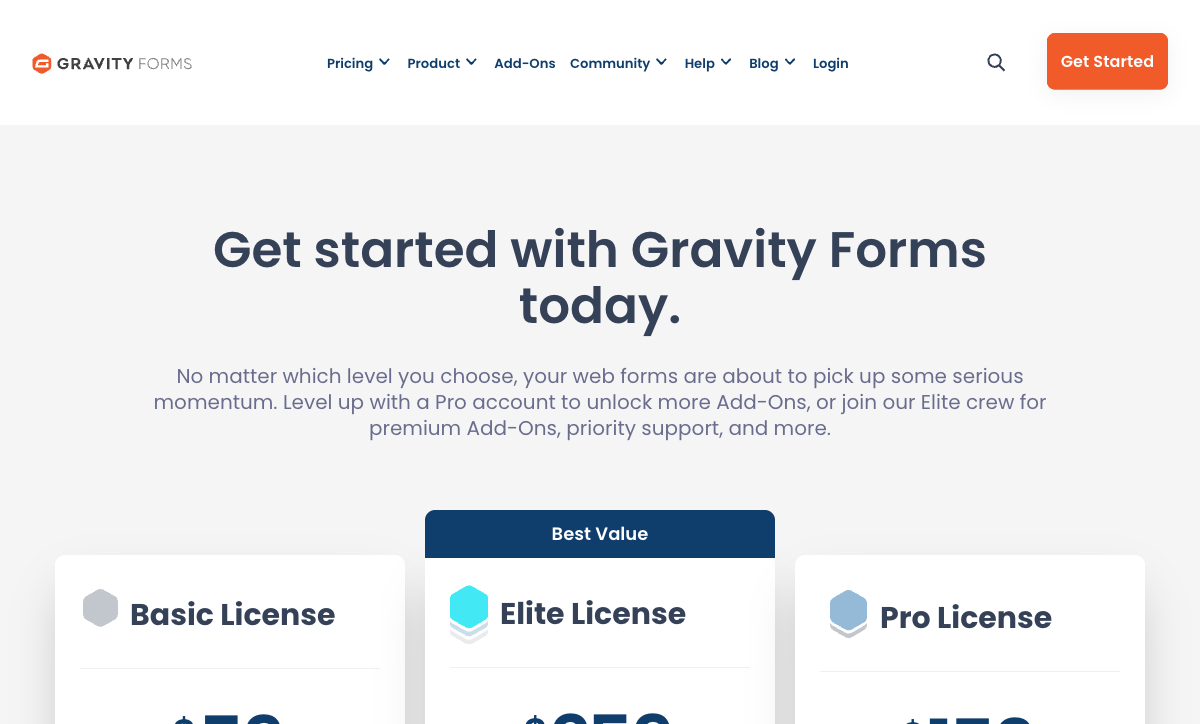
| Gravity Forms | Basic | Not listed | $59/mo billed annually | No | 14 days | forms: Unlimited, submissions: Unlimited, storage: WordPress database (self-hosted), users: Unlimited (WordPress users) |
| Gravity Forms | Pro | Not listed | $159/mo billed annually | forms: Unlimited, submissions: Unlimited, storage: WordPress database (self-hosted), users: Unlimited (WordPress users) | ||
| Gravity Forms | Elite | Not listed | $259/mo billed annually | forms: Unlimited, submissions: Unlimited, storage: WordPress database (self-hosted), users: Unlimited (WordPress users) | ||
| Gravity Forms | Nonprofit | Not listed | $129/mo billed annually | forms: Unlimited, submissions: Unlimited, storage: WordPress database (self-hosted), users: Unlimited (WordPress users) | ||
| Paperform | Free | Free | Free | Yes | 14 days | forms: Unlimited, submissions: 30/month, storage: 100 submissions, users: 1, file uploads: 100 MB |
| Paperform | Essentials | $29/mo | $24/mo billed annually | forms: Unlimited, submissions: 100/month, storage: 1,000 submissions, users: 1, file uploads: 1 GB | ||
| Paperform | Pro | $59/mo | $49/mo billed annually | forms: Unlimited, submissions: 1,000/month, storage: 10,000 submissions, users: 3, file uploads: 10 GB | ||
| Paperform | Business | $129/mo | $99/mo billed annually | forms: Unlimited, submissions: 10,000/month, storage: 100,000 submissions, users: 5, file uploads: 100 GB | ||
| Jotform | Starter | Free | Free | Yes | No | forms: 5, submissions: 100/month, storage: 100 MB, users: 1 |
| Jotform | Bronze | $39/mo | $34/mo billed annually | forms: 25, submissions: 1,000/month, storage: 1 GB, users: 1 | ||
| Jotform | Silver | $49/mo | $39/mo billed annually | forms: 50, submissions: 2,500/month, storage: 10 GB, users: 1 | ||
| Jotform | Gold | $129/mo | $99/mo billed annually | forms: 100, submissions: 10,000/month, storage: 100 GB, users: 1 | ||
| WPForms | Lite (Free) | Free | Free | Yes | 14 days | forms: Unlimited, submissions: Unlimited, users: Unlimited |
| WPForms | Basic | Not listed | $4.13/mo billed annually | forms: Unlimited, submissions: Unlimited, users: Unlimited | ||
| WPForms | Plus | Not listed | $8.29/mo billed annually | forms: Unlimited, submissions: Unlimited, users: Unlimited | ||
| WPForms | Pro | Not listed | $16.63/mo billed annually | forms: Unlimited, submissions: Unlimited, users: Unlimited | ||
| WPForms | Elite | Not listed | $24.96/mo billed annually | forms: Unlimited, submissions: Unlimited, users: Unlimited | ||
| Typeform | Free | Free | Free | Yes | No | forms: 10, submissions: 10/month, users: 1 |
| Typeform | Basic | $39/mo | $28/mo billed annually | forms: Unlimited, submissions: 100/month, users: 1 | ||
| Typeform | Plus | $79/mo | $56/mo billed annually | forms: Unlimited, submissions: 1,000/month, users: 3 | ||
| Typeform | Business | $129/mo | $91/mo billed annually | forms: Unlimited, submissions: 10,000/month, users: 5 | ||
| Typeform | Growth Pro | $379/mo | $266/mo billed annually | forms: Unlimited, submissions: Expanded, users: Expanded | ||
| Cognito Forms | Individual (Free) | Free | Free | Yes | 14 days | forms: Unlimited, submissions: 100/month, storage: 100 MB, users: 1 |
| Cognito Forms | Pro | $19/mo | $16/mo billed annually | forms: Unlimited, submissions: 2,000/month, storage: 1 GB, users: 2 | ||
| Cognito Forms | Team | $39/mo | $33/mo billed annually | forms: Unlimited, submissions: 10,000/month, storage: 10 GB, users: 5 | ||
| Cognito Forms | Enterprise | $129/mo | $109/mo billed annually | forms: Unlimited, submissions: Unlimited, storage: 100 GB, users: 20 | ||
| Formstack | Forms | $99/mo | $83/mo billed annually | No | 14 days | forms: 25, submissions: 1,000/form, storage: 2 GB, users: 1, file uploads: 2 GB |
| Formstack | Suite | $299/mo | $250/mo billed annually | forms: 100, submissions: 5,000/form, storage: 10 GB, users: 3, file uploads: 10 GB | ||
| Google Forms | Free (Personal) | Free | Free | Yes | 14 days | forms: Unlimited, submissions: Unlimited, storage: 15 GB (shared across Google Drive), users: 1, file uploads: Included in 15 GB storage |
| Google Forms | Business Starter | $7/mo | $7/mo billed annually | forms: Unlimited, submissions: Unlimited, storage: 30 GB per user, users: Up to 300, file uploads: Included in storage | ||
| Google Forms | Business Standard | $14/mo | $14/mo billed annually | forms: Unlimited, submissions: Unlimited, storage: 2 TB per user, users: Up to 300, file uploads: Included in storage | ||
| Google Forms | Business Plus | $22/mo | $22/mo billed annually | forms: Unlimited, submissions: Unlimited, storage: 5 TB per user, users: Up to 300, file uploads: Included in storage |
Review Ratings Across Platforms
How Gravity Forms and its alternatives rate on G2, Capterra, and Trustpilot.
Verdict: Which Gravity Forms Alternative Is Right for You?
If you're leaving WordPress entirely, Paperform is the cleanest transition — it matches Gravity Forms' power with a more intuitive editor, stronger calculations, and works on every platform without server management. If you're staying on WordPress but want something simpler, WPForms trades extensibility for ease of use at a similar price point.
For maximum built-in features without any WordPress dependency, Jotform replaces Gravity Forms' add-on model with an everything-included approach. And for teams where budget is the top priority, Cognito Forms offers a generous free tier that covers most of what Gravity Forms users actually use — minus the WordPress hosting bills.
Gravity Forms remains an excellent tool within its domain. The question is whether that domain — WordPress-only, self-hosted, plugin-dependent — still matches how you build and share forms in 2026. For a growing number of teams, the answer is no, and the alternatives have never been stronger.
Frequently Asked Questions
Can I use a Gravity Forms alternative without WordPress?
Yes — and this is the primary reason people look for alternatives. Paperform, Jotform, Typeform, and Cognito Forms are all standalone SaaS platforms that work on any website (or no website at all). They generate shareable links, embed codes for any CMS, and host forms on their own domains. You get full functionality without maintaining a WordPress installation, managing hosting, or worrying about plugin conflicts. Paperform even lets you use custom domains so your forms live at your own URL.
Is Gravity Forms still worth it if I stay on WordPress?
If your entire operation runs on WordPress and you never need forms outside that ecosystem, Gravity Forms remains a strong choice. Its 500+ developer hooks, third-party add-on ecosystem (Gravity Wiz, GravityKit), and native WordPress integration are unmatched. At $59/year for unlimited forms, the raw cost is hard to beat. But the value equation shifts if you need any of: standalone form links, AI form creation, Excel-style calculations, HIPAA compliance, SOC 2 certification, or more than basic payment processing on the entry tier. At that point, a SaaS tool like Paperform ($24/month) may save you add-on costs and plugin management time.
What happens to my forms if I leave WordPress entirely?
They stay behind. Gravity Forms data lives in your WordPress database and forms are rendered by the plugin. There's no export-and-import path to another platform. You'll need to rebuild forms in your new tool and migrate submission data via CSV exports. Jotform has a form importer that can partially automate this for some platforms. Paperform doesn't have an auto-importer, but its drag-and-drop editor makes rebuilding forms quick — especially with AI form creation that can generate a first draft from a text description of what your form does.
Which Gravity Forms alternative has the best calculations?
Paperform offers the most powerful calculation engine among these alternatives. Its Excel-style formulas can drive conditional visibility, page routing, dynamic pricing, email content, integration payloads, and success page customisation — all from a single calculation field. Gravity Forms' native math is limited to merge-tag arithmetic; you need the third-party Gravity Wiz "Advanced Calculations" perk for anything beyond basic addition and multiplication. Cognito Forms also has strong calculations, though its syntax leans toward scripting rather than spreadsheet formulas.
How does Gravity Forms compare to WPForms for WordPress users?
They target different WordPress users. WPForms prioritises ease of use — it's the fastest way to add a basic form to a WordPress site with minimal configuration. Gravity Forms targets power users who need developer-grade extensibility, complex conditional logic, and deep add-on integrations. WPForms has 6M+ active installs (vs Gravity Forms' 5M+) but a shallower feature ceiling. If you're a developer or need advanced workflows, Gravity Forms wins. If you want forms working in 10 minutes without documentation, WPForms wins. For a detailed breakdown, see our Gravity Forms vs WPForms comparison.
Is Gravity Forms safe as a long-term investment?
Gravity Forms has been maintained by Rocketgenius, Inc. since 2008 — that's 18 years of continuous development with no acquisition, no VC funding, and 5 million+ active installations. It's one of the most entrenched WordPress plugins in existence. The risk isn't that Gravity Forms disappears — it's that WordPress itself becomes less central to your tech stack. If you're evaluating longevity, Gravity Forms is one of the safest WordPress bets. But if you're hedging against a potential move away from WordPress, a platform-independent tool like Paperform (bootstrapped since 2016) eliminates that dependency entirely.
Can any alternative match Gravity Forms' payment processing?
Gravity Forms supports Stripe, PayPal, and Square — but only on the Pro tier ($159/year). The Basic plan ($59/year) has zero payment processing. Paperform includes five payment gateways (Stripe, PayPal, Square, Braintree, Google Pay) on every plan, including its free tier. Jotform supports 40+ gateways but limits free-plan payments to 10/month. Cognito Forms includes Stripe on its free plan. If payment forms are a regular need, SaaS alternatives generally offer more gateways with fewer tier restrictions than Gravity Forms.
Do I lose SEO value by moving forms off WordPress?
No. Embedded SaaS forms render within your page's DOM, so they inherit your page's SEO context. Search engines don't penalise embedded content from form builders. In fact, SaaS forms often load faster than WordPress-plugin-rendered forms because they're served from optimised CDNs rather than your WordPress server. Paperform forms can be embedded on any page, including WordPress, and also offer standalone hosted pages with custom domains — useful for campaign landing pages where you want the form to be the page.
Who founded Gravity Forms and is it still independent?
Gravity Forms was created by Carl Hancock and his team at Rocketgenius, Inc. in 2008. It remains fully independent — bootstrapped, privately held, and never acquired. This contrasts with competitors like Formstack (acquired by private equity, now under Intellistack) and WPForms (part of Awesome Motive's portfolio of WordPress products). Gravity Forms' independence means its roadmap is driven by user needs rather than investor growth targets, though it also means development resources are smaller than venture-backed alternatives.
What's the best Gravity Forms alternative overall?
Paperform is the best alternative for teams that want Gravity Forms-level power without the WordPress dependency. It works on any website, offers AI form creation, Excel-style calculations, 5 payment gateways on every plan, built-in e-signatures, and a document-style editor that produces professional forms without custom CSS or theme dependencies. At $24/month, it costs more annually than Gravity Forms' $59/year Basic plan — but once you factor in the Pro tier ($159/year) needed for payments, the Elite tier ($259/year) needed for surveys and signatures, and the hosting costs of running WordPress, Paperform's total cost of ownership is often comparable or lower.
Sources & References
- The 13 Best Online Form Builder Apps — Zapier, 2025
- Gravity Forms vs WPForms — Which Is Better? — WPBeginner, 2025
- Best WordPress Form Plugins Compared — Elegant Themes, 2025
Last updated March 21, 2026
Ready to try Paperform?
Create beautiful forms, payment pages, and workflows — no code required.