Google Forms vs Wufoo: Which Is Better in 2026?
This is a comparison between two very different eras of form building. Google Forms is the free, no-nonsense default that ships with every Google account — unlimited forms, unlimited fields, unlimited submissions, zero cost. Wufoo was a trailblazer when it launched in 2006, but SurveyMonkey acquired it in 2011 and development has effectively stalled since. The 10-field limit on free forms, the dated interface, and the lack of modern features make this a surprisingly one-sided comparison.
If you're deciding between these two, the question isn't really which has more features — Google Forms wins on value by being completely free. The question is whether either one meets your actual needs, or whether you should be looking at a more capable alternative entirely.
Who Are These Platforms?
Google Forms launched in 2008 as part of Google's productivity suite. It's maintained by one of the largest technology companies in the world and integrated deeply into the Google Workspace ecosystem (Sheets, Drive, Calendar, Classroom). It's not a standalone form-builder company — it's a free utility within a broader productivity platform. Google doesn't publish a product roadmap for Forms specifically, but it receives periodic updates as part of the Workspace suite.
Wufoo was founded in 2006 by Kevin Hale, Chris Campbell, and Ryan Campbell — a Y Combinator-backed startup that helped define the web-based form builder category. SurveyMonkey acquired Wufoo in 2011 for a reported $35 million. Since the acquisition, Wufoo has operated as a subsidiary product within the SurveyMonkey (now Momentive) ecosystem with minimal feature development. The product largely reflects its 2010-era capabilities.
Quick Verdict
Choose Google Forms if:
- You want a completely free form builder with no limits on fields or submissions
- You live in the Google ecosystem (Sheets, Drive, Calendar)
- You need simple surveys, quizzes, or data collection
- Budget is the primary constraint
Choose Wufoo if:
- You need slightly more form customisation and theme options
- You need basic payment processing via Stripe or PayPal
- You're already embedded in the SurveyMonkey ecosystem
- You need simple webhook or Zapier-based workflow triggers
Feature Comparison
Side-by-side across every feature category.
| Feature | Google Forms | Wufoo |
|---|---|---|
| Form Building | ||
| Document-style editor | No | No |
| AI form creation | Yes | No |
| Field types | 11 | Yes |
| Multi-page forms | Yes | Yes starter |
| Guided mode (one question at a time) | No | No |
| Conditional logic | Yes | Yes starter |
| Calculations field | No | No |
| AI calculations assistant | No | No |
| Scoring | Yes | No |
| Answer piping | No | No |
| Pre-filling and hidden fields | Yes | Yes starter |
| Save and resume | No | No |
| Auto-close by number | Yes | Yes starter |
| Auto-close by date | Yes | Yes starter |
| Appointment/booking field | No | No |
| Signature field | No | No |
| Color picker field | No | No |
| API-powered dropdowns | No | No |
| Google address search | No | No |
| File uploads | Yes | Yes starter |
| 400+ templates | No | Yes |
| Payments | ||
| Stripe payments | No | Yes professional |
| PayPal payments | No | Yes professional |
| Square payments | No | Yes professional |
| Braintree payments | No | Yes professional |
| Google Pay | No | No |
| Product sales (eCommerce) | No | No |
| Subscriptions | No | No |
| Coupons and discounts | No | No |
| Custom pricing rules | No | No |
| Tax calculations | No | No |
| Quotes/invoices | No | No |
| Refunds | No | No |
| 3D Secure | No | No |
| Authorize.net payments | No | Yes professional |
| Design & Customization | ||
| Template gallery | 20+ | Yes |
| Rich media (images, GIFs, videos) | Yes | No |
| Unsplash and Giphy integration | No | No |
| Image editor | No | No |
| Adobe Creative Cloud | No | No |
| Language translation | No | No |
| Advanced theming | No | Yes starter |
| Custom form URL | No | Yes starter |
| Custom domains | No | No |
| Custom HTML & CSS | No | Yes starter |
| Remove branding | No | Yes starter |
| Custom email domains | Yes Business Starter | No |
| Theme designer | No | Yes |
| Analytics | ||
| Submission results and reports | Yes | Yes |
| AI report insights | No | No |
| Paperform analytics | No | No |
| Google Analytics & Facebook Pixel | No | No |
| Custom analytics scripts | No | No |
| Partial submissions | No | No |
| Google Analytics integration | No | Yes professional |
| Collaboration | ||
| Multi-user accounts | Yes | Yes professional |
| User permissions and management | Yes | Yes professional |
| Advanced permissions & admin | Yes Business Starter | No |
| Form sharing (templates) | Yes | No |
| Spaces and tag management | No | No |
| Form sharing | No | Yes |
| Security | ||
| SOC 2 Type II | Yes | Yes |
| GDPR compliant | Yes | Yes |
| SSL encryption | Yes | Yes |
| Two-factor authentication | Yes | No |
| Enforce 2FA for all users | Yes Business Starter | No |
| SSO (SAML) | Yes Business Plus | No |
| reCAPTCHA | No | Yes |
| Local data residency | Yes Business Plus | No |
| Custom S3 storage (BYO) | No | No |
| HIPAA compliant | No | No |
| Field encryption | No | Yes professional |
| Password protection | No | Yes professional |
| PCI DSS | No | Yes |
| Integrations & API | ||
| Native integrations | No | Yes starter |
| Zapier | Yes | Yes starter |
| Make (Integromat) | Yes | No |
| Webhooks | No | Yes starter |
| Standard API | Yes | No |
| Business API | No | No |
| WordPress plugin | No | Yes |
| oEmbed support | No | No |
| API | No | Yes |
| Embed options | No | Yes |
Where Google Forms Wins

Completely Free — No Catches
Google Forms is genuinely free with no meaningful limitations. Unlimited forms, unlimited fields per form, unlimited submissions, and unlimited response storage via Google Sheets. There's no paid upgrade required to unlock essential features — conditional logic, quizzes, file uploads, and collaboration are all included at zero cost. For anyone on a tight budget, this alone makes Google Forms the obvious choice over Wufoo's restrictive free tier (5 forms, 10 fields, 100 submissions).
Google Ecosystem Integration
Every Google Form response flows automatically into Google Sheets for analysis, sorting, and sharing. Forms integrate natively with Google Drive (file storage), Google Calendar (event scheduling), Google Classroom (education), and the broader Google Workspace suite. If your organisation already uses Google tools, Forms slots in seamlessly with zero configuration. Wufoo requires separate integrations — mostly through Zapier — to achieve similar data flow.
Real-Time Collaboration
Multiple users can edit the same Google Form simultaneously, just like Google Docs. Changes sync in real time, comments can be added, and version history tracks every modification. Wufoo has no real-time collaboration — forms are edited by one user at a time. For teams building surveys or intake forms together, Google's collaborative editing is a significant productivity advantage.
Quiz and Assessment Features
Google Forms includes a built-in quiz mode with auto-grading, point values, answer explanations, and grade release controls. Teachers and trainers can create assessments that grade themselves instantly. Wufoo has no quiz or assessment capability at all — it's purely a data collection tool. For education and training use cases, Google Forms is meaningfully ahead.
Better Mobile Experience
Google Forms are fully responsive out of the box, and there's a dedicated Google Forms mobile app for both creating and responding to forms. The mobile editing experience is functional — you can build and modify forms from your phone. Wufoo's mobile experience is limited to responsive form filling; there's no mobile editor for form creation.
Where Wufoo Wins
More Form Customisation
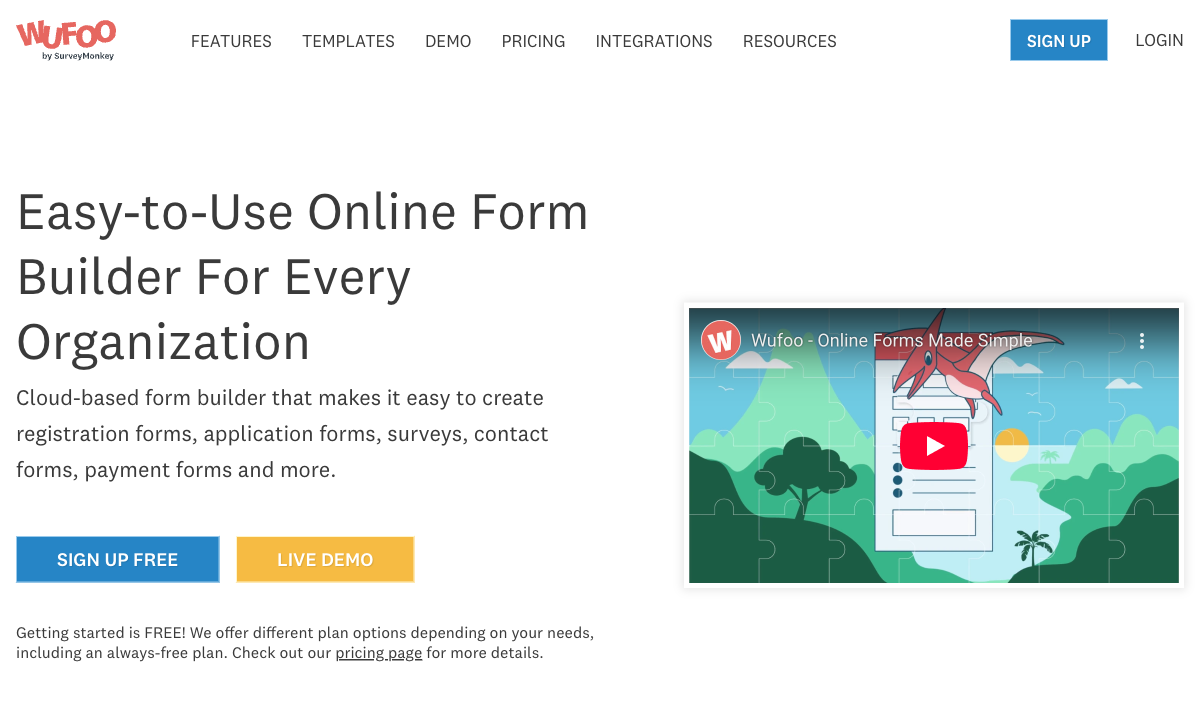
Wufoo offers more visual customisation than Google Forms — custom themes, CSS access on paid plans, and more control over form styling. Google Forms is notoriously rigid: a header image, an accent colour, and a font choice. That's it. Every Google Form is instantly recognisable as a Google Form. If matching your brand's visual identity matters, Wufoo provides more design flexibility, even if the output still looks somewhat dated by modern standards.
Basic Payment Processing
On paid plans ($19+/month), Wufoo can collect payments through Stripe, PayPal, and Authorize.Net. It's basic — no subscriptions, no coupons, no product catalogues — but it exists. Google Forms has no native payment capability whatsoever. If you need a simple one-time payment field on a form and don't want to use a third-party tool, Wufoo can handle it.
Webhooks and Notifications
Wufoo supports webhook notifications and more granular email notification rules than Google Forms. You can set up conditional notification routing based on field values — useful for directing form submissions to different team members based on department, priority, or topic. Google Forms' notification system is more basic: you get email alerts for new submissions but limited routing logic.
Pricing Comparison
This is where the gap is starkest. Google Forms is free; Wufoo charges for features that Google gives away.
| Tier | Google Forms | Wufoo | Key Difference |
|---|---|---|---|
| Free | Unlimited forms, unlimited fields, unlimited submissions | 5 forms, 10 fields/form, 100 submissions, no payments | Google Forms is unrestricted; Wufoo's free tier is barely usable |
| ~$19/mo | N/A (still free) | Starter: 5 forms, 100 entries, 15 fields, basic payments | You're paying Wufoo $19/mo for less than Google offers free |
| ~$39/mo | N/A (still free) | Professional: 10 forms, 500 entries, 25 fields | Wufoo's mid-tier still imposes field and form limits |
| ~$99/mo | N/A (still free) | Advanced: 25 forms, 1,000 entries, 50 fields | At $99/mo, Wufoo still caps forms and fields |
Google Workspace ($7/user/month) adds admin controls and custom branding, but the core form builder remains identical to the free version.
Google Forms
Wufoo
| Product | Plan | Monthly Price | Annual Price (per month) | Free Plan | Free Trial | Limits |
|---|---|---|---|---|---|---|
| Google Forms | Free (Personal) | Free | Free | Yes | 14 days | forms: Unlimited, submissions: Unlimited, storage: 15 GB (shared across Google Drive), users: 1, file uploads: Included in 15 GB storage |
| Google Forms | Business Starter | $7/mo | $7/mo billed annually | forms: Unlimited, submissions: Unlimited, storage: 30 GB per user, users: Up to 300, file uploads: Included in storage | ||
| Google Forms | Business Standard | $14/mo | $14/mo billed annually | forms: Unlimited, submissions: Unlimited, storage: 2 TB per user, users: Up to 300, file uploads: Included in storage | ||
| Google Forms | Business Plus | $22/mo | $22/mo billed annually | forms: Unlimited, submissions: Unlimited, storage: 5 TB per user, users: Up to 300, file uploads: Included in storage | ||
| Wufoo | Free | Free | Free | Yes | No | forms: 5, submissions: 100/month, storage: N/A, users: 1 |
| Wufoo | Starter | $16.25/mo | $16.25/mo billed annually | forms: 10, submissions: 1,000/month, storage: 1 GB, users: 1 | ||
| Wufoo | Professional | $33.25/mo | $33.25/mo billed annually | forms: Unlimited, submissions: 5,000/month, storage: 5 GB, users: 5 | ||
| Wufoo | Advanced | $83.25/mo | $83.25/mo billed annually | forms: Unlimited, submissions: 25,000/month, storage: 10 GB, users: 20 | ||
| Wufoo | Ultimate | $210.25/mo | $210.25/mo billed annually | forms: Unlimited, submissions: 200,000/month, storage: 20 GB, users: 60 |
What Users Say
Google Forms benefits from massive adoption — it's the default form tool for millions of Google Workspace users. Reviews tend to praise its simplicity and price (free) while noting the lack of design customisation and advanced features. Wufoo reviews are more mixed, with recurring complaints about the dated interface, field limits, and stagnant development. Common Wufoo sentiment: "it was great in 2010 but hasn't kept up."
Where Both Fall Short
- No calculation engine: Neither platform can compute dynamic pricing, scores, or conditional totals. Both are strictly data collection tools with no computational layer.
- No e-signatures: Neither offers built-in e-signature collection for contracts, consent forms, or agreements.
- Limited payment processing: Google Forms has none; Wufoo's is basic and gated behind paid plans. Neither supports subscriptions, product catalogues, or multi-gateway checkout.
- No workflow automation: Neither platform includes built-in multi-step workflow automation. Both rely on external tools (Zapier, Google Apps Script) for post-submission processing.
- Design limitations: Google Forms looks like Google Forms. Wufoo looks like 2010. Neither produces forms that could pass as branded landing pages.
The Verdict
Google Forms is the better choice for most use cases. It's free, unlimited, reliable, and deeply integrated with the Google ecosystem. Wufoo's only genuine advantages are slightly more design customisation and basic payment processing — but you're paying $19-99/month for features that are modest at best and dated at worst.
Wufoo makes sense in one narrow scenario: you specifically need payment collection on a form and you don't want to use a dedicated payment tool or a more capable form builder. Even then, Wufoo's payment capabilities are basic — no subscriptions, no coupons, no product management.
The honest assessment: Wufoo was a pioneer, but it hasn't evolved since its 2011 acquisition. Google Forms surpasses it on value by being free, unlimited, and continuously maintained. If you need capabilities beyond what either platform offers — payments, calculations, design freedom, e-signatures — you need a different category of tool entirely.
Consider Paperform
If you've read this far and neither Google Forms nor Wufoo fits your needs, Paperform bridges the gap. It combines the design freedom neither platform offers with an Excel-style calculation engine, five payment gateways (Stripe, PayPal, Square, Braintree, Google Pay) on every plan including free, built-in e-signatures, and 30,000+ templates.
Where Google Forms is free but limited in design and payments, and Wufoo charges for features that still feel dated, Paperform delivers modern form building with full eCommerce, conditional logic, and workflow automation — starting with a free tier. It's bootstrapped, profitable, and actively developed since 2016.
Try Paperform free | Paperform vs Wufoo | Google Forms alternatives
Frequently Asked Questions
Is Google Forms really completely free?
Yes. Google Forms is 100% free for anyone with a Google account. You get unlimited forms, unlimited fields, unlimited submissions, and unlimited storage for responses in Google Sheets. There are no paid tiers, no feature gates, and no submission caps. The only paid option is Google Workspace (starting at $7/user/month), which adds custom branding, admin controls, and business-grade storage — but the core form builder is identical. For basic data collection, Google Forms is the most cost-effective option in the entire category.
Is Wufoo still being maintained?
Technically, yes — Wufoo's servers are running and forms still work. But in terms of active product development, Wufoo has been essentially stagnant since SurveyMonkey acquired it in 2011. There's no public changelog showing meaningful updates, no product roadmap, and the interface hasn't materially changed in over a decade. The 10-field limit on the free plan, the dated theme system, and the lack of modern features (no AI, no advanced logic, no e-signatures) all reflect a product in maintenance mode rather than active development.
Which is better for payment collection?
Neither is strong here. Google Forms has no native payment processing at all — you'd need to use a third-party add-on or redirect users elsewhere. Wufoo supports basic payment fields through Stripe, PayPal, and Authorize.Net, but only on paid plans starting at $19/month, with no subscriptions, coupons, or product management. If payment collection is important, both platforms fall short. Consider alternatives like Paperform (5 payment gateways on every plan), Jotform, or Typeform for genuine eCommerce capability.
Can I customise the design of Google Forms?
Google Forms offers limited design customisation: you can add a header image, change the accent colour, and pick from a few fonts. That's essentially it. Every Google Form looks like a Google Form — there's no custom CSS, no rich media embedding between questions, and no way to make it match your brand identity. Wufoo offers slightly more visual customisation with themes and CSS access, but the output still looks dated. If form design matters to your brand, neither platform is ideal.
Which has better integrations?
Google Forms benefits from deep native integration with the entire Google ecosystem — Sheets, Drive, Calendar, Classroom, and Google Workspace. Data flows automatically into Sheets for analysis. Beyond Google's ecosystem, you can extend with Zapier or Google Apps Script. Wufoo's integrations are more limited, primarily relying on Zapier connections and a handful of native integrations like Mailchimp and Salesforce. For most users, Google's native ecosystem connectivity is the stronger option.
Sources & References
- Best Online Form Builder to Use in 2026 — Top 20 Tools — EmailToolTester, 2026
- Google Forms vs Wufoo: Feature Comparison — G2, 2026
Last updated March 21, 2026
Ready to try Paperform?
Create beautiful forms, payment pages, and workflows — no code required.