Google Forms vs WPForms: Which Is Better in 2026?
Google Forms and WPForms represent the two most accessible ways to create online forms — one free and universal, the other purpose-built for WordPress. Google Forms costs nothing and works anywhere with a Google account. WPForms has a free Lite version and paid plans ($49-299/year), but it only works on WordPress.
If you don't use WordPress, this comparison is simple: Google Forms wins by default. If you do use WordPress, the decision is more nuanced. Here's the complete breakdown.
Who Are These Platforms?
Google Forms launched in 2008 as part of Google's productivity suite. It's free for all Google account holders, with no premium individual tier. Google Workspace business plans add admin controls but the form builder is identical. With hundreds of millions of users, Google Forms is the world's most widely-used form tool — valued for simplicity, speed, and zero cost.
WPForms was created in 2016 by Jared Atchison and Syed Balkhi (WPBeginner founder) as the "most beginner-friendly WordPress form plugin." Part of the Awesome Motive portfolio, it has grown to 6 million+ active WordPress installations. WPForms Lite is free on WordPress.org; paid plans add payment processing, surveys, user registration, and advanced features. The plugin is designed exclusively for WordPress — it doesn't work outside that ecosystem.
Quick Verdict
Choose Google Forms if:
- You don't use WordPress
- You want completely free forms with no feature restrictions
- Google Sheets is your primary data destination
- Real-time collaboration on form building matters
Choose WPForms if:
- You run a WordPress website
- You need payment processing through forms
- Forms should match your WordPress site's design
- You need user registration, surveys, or conditional logic
Feature Comparison
Side-by-side across every feature category.
| Feature | Google Forms | WPForms |
|---|---|---|
| Form Building | ||
| Document-style editor | No | No |
| AI form creation | Yes | Yes basic |
| Field types | 11 | Yes basic |
| Multi-page forms | Yes | Yes basic |
| Guided mode (one question at a time) | No | Yes pro |
| Conditional logic | Yes | Yes basic |
| Calculations field | No | Yes pro |
| AI calculations assistant | No | No |
| Scoring | Yes | Yes pro |
| Answer piping | No | No |
| Pre-filling and hidden fields | Yes | Yes basic |
| Save and resume | No | Yes pro |
| Auto-close by number | Yes | Yes basic |
| Auto-close by date | Yes | Yes basic |
| Appointment/booking field | No | No |
| Signature field | No | Yes pro |
| Color picker field | No | No |
| API-powered dropdowns | No | No |
| Google address search | No | Yes pro |
| File uploads | Yes | No |
| Payments | ||
| Stripe payments | No | Yes pro |
| PayPal payments | No | Yes pro |
| Square payments | No | Yes pro |
| Braintree payments | No | No |
| Google Pay | No | No |
| Product sales (eCommerce) | No | No |
| Subscriptions | No | Yes pro |
| Coupons and discounts | No | Yes pro |
| Custom pricing rules | No | Yes pro |
| Tax calculations | No | No |
| Quotes/invoices | No | No |
| Refunds | No | No |
| 3D Secure | No | No |
| Design & Customization | ||
| Template gallery | 20+ | Yes pro |
| Rich media (images, GIFs, videos) | Yes | Yes basic |
| Unsplash and Giphy integration | No | No |
| Image editor | No | No |
| Adobe Creative Cloud | No | No |
| Language translation | No | Yes basic |
| Advanced theming | No | Yes basic |
| Custom form URL | No | Yes pro |
| Custom domains | No | Yes basic |
| Custom HTML & CSS | No | Yes basic |
| Remove branding | No | Yes basic |
| Custom email domains | Yes Business Starter | No |
| Analytics | ||
| Submission results and reports | Yes | Yes basic |
| AI report insights | No | No |
| Paperform analytics | No | No |
| Google Analytics & Facebook Pixel | No | No |
| Custom analytics scripts | No | No |
| Partial submissions | No | Yes pro |
| Collaboration | ||
| Multi-user accounts | Yes | Yes basic |
| User permissions and management | Yes | Yes pro |
| Advanced permissions & admin | Yes Business Starter | Yes elite |
| Form sharing (templates) | Yes | Yes basic |
| Spaces and tag management | No | No |
| Security | ||
| SOC 2 Type II | Yes | No |
| GDPR compliant | Yes | Yes basic |
| SSL encryption | Yes | Yes basic |
| Two-factor authentication | Yes | No |
| Enforce 2FA for all users | Yes Business Starter | No |
| SSO (SAML) | Yes Business Plus | No |
| reCAPTCHA | No | Yes basic |
| Local data residency | Yes Business Plus | Yes |
| Custom S3 storage (BYO) | No | No |
| Custom S3 storage | No | No |
| Integrations & API | ||
| Native integrations | No | No |
| Zapier | Yes | Yes pro |
| Make (Integromat) | Yes | Yes pro |
| Webhooks | No | Yes elite |
| Standard API | Yes | No |
| Business API | No | No |
| WordPress plugin | No | Yes |
| oEmbed support | No | No |
| 2000+ integrations | No | Yes pro |
Where Google Forms Wins

Completely Free, No Restrictions
Google Forms has no submission limits, no form limits, no feature tiers, and no branding to remove. Every feature is available to everyone for free. WPForms Lite is free but limited — paid plans ($49-299/year) unlock payments, surveys, conditional logic, and advanced features. For users who want full-featured form building at zero cost, Google Forms has no equivalent.
Works Anywhere
Google Forms works on any platform — share a link, embed on Squarespace, Shopify, Wix, or any website. No WordPress required. WPForms is WordPress-only. For teams using Shopify, Webflow, custom web apps, or no website at all, Google Forms is the only option between these two.
Native Google Sheets
Form responses automatically populate a connected Google Sheet in real time — zero configuration, instant data analysis capability. For teams that live in Google Workspace, this native connection saves hours of manual data handling. WPForms can export to CSV or connect via Zapier, but the integration isn't as seamless or real-time.
Real-Time Collaboration
Multiple people can edit a Google Form simultaneously with real-time cursors, comments, and version history — the same collaboration model as Google Docs. WPForms is edited by one person at a time in the WordPress admin. For teams that co-build forms, Google's collaboration is significantly more fluid.
Google Infrastructure Security
Data stored on Google's servers benefits from enterprise-grade security — SOC 2/3, ISO 27001, encryption at rest and in transit, and Google's security team. Security is handled for you. WPForms' security depends on your WordPress hosting environment, which varies dramatically in quality.
Where WPForms Wins
WordPress-Native Integration
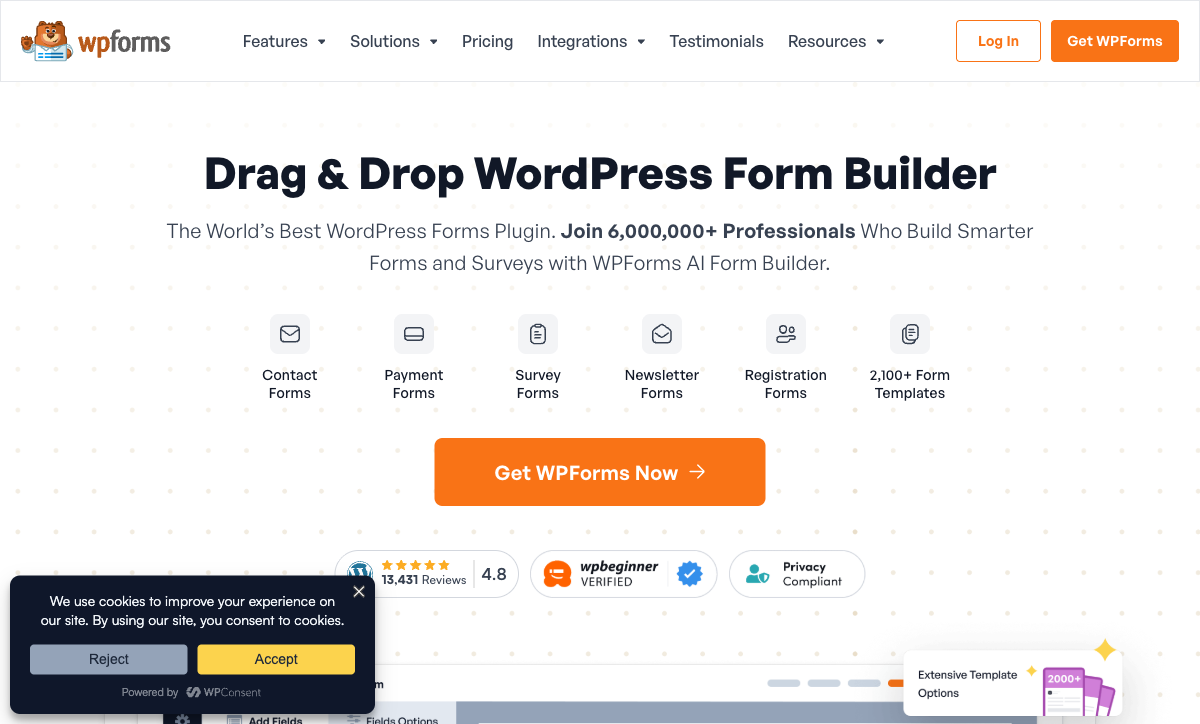
WPForms is built for WordPress. Forms render with your theme's styles, data stays in your WordPress database, and the Gutenberg block makes embedding instant. Google Forms on WordPress means iframe embeds that don't match your design, external data storage, and a visually jarring user experience. For WordPress sites, WPForms produces forms that look like they belong; Google Forms embeds look like third-party widgets.
Payment Processing
WPForms Pro supports Stripe and PayPal payments with recurring billing, coupon codes, and conditional payment logic. You can build order forms, donation pages, registration forms with fees, and service payment collection. Google Forms has no payment capability. For WordPress businesses collecting money through forms, WPForms fills a gap Google Forms can't.
Conditional Logic
WPForms offers field-level conditional logic — show/hide fields based on previous answers, smart form routing, and conditional email notifications. Google Forms has basic section-based branching but no field-level conditional logic. For forms that need to adapt dynamically based on user input, WPForms provides more granular control.
User Registration and Advanced Fields
WPForms handles WordPress user registration, file uploads with custom size limits, geolocation, signatures, and rich field types that integrate with WordPress's user system. Google Forms supports basic file uploads (to Google Drive) but has no user registration or WordPress-specific field types. For WordPress sites that need forms tied to user accounts, WPForms is purpose-built.
Spam Protection
WPForms includes built-in anti-spam, honeypot fields, custom CAPTCHA, Google reCAPTCHA, and hCaptcha integration. Google Forms relies on Google's account-based spam protection and optional "Require sign-in" settings. For WordPress sites battling form spam, WPForms' multi-layered approach is more configurable and effective.
Pricing Comparison
| Tier | Google Forms | WPForms | Key Difference |
|---|---|---|---|
| Free | All features, no limits | WPForms Lite — basic forms | Google's free is fuller; WPForms Lite is WordPress-native |
| Basic/Plus | Still free | $49-99/yr — conditional logic, templates | WPForms paid adds WordPress-specific features |
| Pro/Elite | Google Workspace: $7-25/user/mo | $199-299/yr — payments, surveys, all add-ons | WPForms Pro adds payments and surveys Google lacks |
Google Forms
WPForms
| Product | Plan | Monthly Price | Annual Price (per month) | Free Plan | Free Trial | Limits |
|---|---|---|---|---|---|---|
| Google Forms | Free (Personal) | Free | Free | Yes | 14 days | forms: Unlimited, submissions: Unlimited, storage: 15 GB (shared across Google Drive), users: 1, file uploads: Included in 15 GB storage |
| Google Forms | Business Starter | $7/mo | $7/mo billed annually | forms: Unlimited, submissions: Unlimited, storage: 30 GB per user, users: Up to 300, file uploads: Included in storage | ||
| Google Forms | Business Standard | $14/mo | $14/mo billed annually | forms: Unlimited, submissions: Unlimited, storage: 2 TB per user, users: Up to 300, file uploads: Included in storage | ||
| Google Forms | Business Plus | $22/mo | $22/mo billed annually | forms: Unlimited, submissions: Unlimited, storage: 5 TB per user, users: Up to 300, file uploads: Included in storage | ||
| WPForms | Lite (Free) | Free | Free | Yes | 14 days | forms: Unlimited, submissions: Unlimited, users: Unlimited |
| WPForms | Basic | Not listed | $4.13/mo billed annually | forms: Unlimited, submissions: Unlimited, users: Unlimited | ||
| WPForms | Plus | Not listed | $8.29/mo billed annually | forms: Unlimited, submissions: Unlimited, users: Unlimited | ||
| WPForms | Pro | Not listed | $16.63/mo billed annually | forms: Unlimited, submissions: Unlimited, users: Unlimited | ||
| WPForms | Elite | Not listed | $24.96/mo billed annually | forms: Unlimited, submissions: Unlimited, users: Unlimited |
What Users Say
Google Forms is praised universally for being free, simple, and reliable. Criticism focuses on limited design customisation and lack of advanced features. WPForms holds a 4.8/5 rating on WordPress.org with 6 million+ installations — users praise ease of use, customer support, and WordPress integration. Criticism centres on features gated behind paid plans. Both are well-loved tools that serve their specific audiences extremely well.
Where Both Fall Short
- Design limitations: Neither produces forms that look like designed landing pages. Google Forms has the Google aesthetic; WPForms inherits your WordPress theme's style (which varies widely in quality).
- Calculation engine: Neither offers Excel-style formulas for dynamic pricing, conditional scoring, or computed outputs across form elements.
- Payment depth: Google Forms has no payments. WPForms supports Stripe and PayPal but lacks broader gateway options, product catalogues, or subscription management.
- E-signatures: Neither includes built-in e-signature capabilities.
Consider Paperform
If you've outgrown Google Forms but don't want to be locked into WordPress (WPForms), Paperform offers a platform-independent alternative with significantly more power. Its document-style editor creates forms that look like designed landing pages. An Excel-style calculation engine handles dynamic pricing, scoring, and conditional logic. Five payment gateways (Stripe, PayPal, Square, Braintree, Google Pay) come standard on every plan including free.
Paperform is bootstrapped and profitable since 2016, starting at $29/month with a free tier, 30,000+ templates, built-in e-signatures (Papersign), and Google Sheets integration. It works on any website — WordPress, Shopify, Squarespace, or standalone.
Try Paperform free | Google Forms alternatives | WPForms alternatives
The Verdict
Choose Google Forms if you don't use WordPress. It's free, works everywhere, integrates with Google Sheets, and has zero learning curve. For simple data collection — surveys, feedback, registrations — Google Forms is the rational default choice.
Choose WPForms if you run WordPress. Native integration, theme matching, payment processing, conditional logic, and user registration make WPForms the proper form solution for WordPress sites. Even WPForms Lite (free) is better than embedding Google Forms on WordPress.
The decision is fundamentally about platform: WordPress users should use WPForms; everyone else should use Google Forms (or a more powerful standalone tool if they've outgrown Google's limitations). Embedding Google Forms on WordPress is a workaround, not a solution. Using WPForms without WordPress is impossible. Each tool is best-in-class for its platform.
Frequently Asked Questions
Should I use Google Forms or WPForms on my WordPress site?
WPForms, almost certainly. While you can embed Google Forms on WordPress via iframe, the experience is subpar — the form doesn't match your site's design, data lives in Google's systems, and you lose WordPress-native features like user registration, payment processing, and plugin integrations. WPForms integrates natively with WordPress: forms match your theme, data stays in your database, and it connects with WooCommerce, Elementor, and hundreds of WordPress plugins. Google Forms on WordPress is a workaround. WPForms on WordPress is the proper solution.
Is WPForms Lite as good as Google Forms?
For WordPress users, WPForms Lite is a better alternative to Google Forms. It's also free, integrates natively with WordPress, and supports basic contact forms, simple surveys, and email notifications. WPForms Lite lacks some of Google Forms' features (quiz mode, real-time collaboration, Sheets integration) but gains WordPress-native rendering, theme matching, and plugin compatibility. For non-WordPress users, Google Forms is more accessible. For WordPress users, WPForms Lite is the more appropriate free option.
Can Google Forms handle payments like WPForms?
No. Google Forms has no payment processing capability. WPForms Pro supports Stripe and PayPal payments with recurring billing, coupon codes, and conditional payment logic. For WordPress businesses that need to collect payments through forms — order forms, donations, registration fees, service deposits — WPForms is a capable payment collection tool. Google Forms would require directing users to a separate payment page, breaking the user experience.
Which is more secure: Google Forms or WPForms?
Different security models. Google Forms benefits from Google's infrastructure — data encrypted in transit and at rest, SOC 2/3, ISO 27001 compliance at the platform level. Your data lives on Google's servers with Google's security team protecting it. WPForms' security depends on your WordPress hosting environment — the plugin itself is secure, but your overall security posture depends on your host, SSL certificate, WordPress version, and other plugins. A well-configured WordPress site with quality hosting can be very secure. A poorly maintained WordPress installation can be vulnerable. Google Forms provides security by default; WPForms requires you to manage it.
Sources & References
- WPForms vs Google Forms: Which Should You Use? — WPBeginner, 2026
- Best WordPress Contact Form Plugins — G2, 2026
Last updated March 21, 2026
Ready to try Paperform?
Create beautiful forms, payment pages, and workflows — no code required.