Google Forms vs SurveyMonkey: Which Is Better in 2026?
Google Forms and SurveyMonkey approach the same problem from fundamentally different angles. Google Forms is a free, minimal data collection tool -- it collects responses and dumps them into a spreadsheet. SurveyMonkey is a professional survey platform built around survey methodology -- expert-written question banks, statistical analysis, benchmarking, and respondent panels. One is a tool for collecting answers. The other is a platform for conducting research.
The core tension: Google Forms is "good enough" for most surveys. Employee satisfaction? Google Forms handles it. Event feedback? Google Forms works fine. Quick poll? Google Forms takes 30 seconds. But "good enough" isn't the same as "methodologically sound." If your survey results inform hiring decisions, product roadmaps, marketing budgets, or academic publications, the quality of your questions and analysis tools matters -- and that's where SurveyMonkey justifies its price tag.
This comparison breaks down when free simplicity is genuinely sufficient and when professional survey tools earn their cost. Both are established platforms -- Google Forms backed by Alphabet, SurveyMonkey (now Momentive) publicly traded since 2018 -- so platform stability isn't a concern for either.
Quick Verdict
Choose Google Forms if:
- You need free, unlimited surveys with no response caps
- You're collecting basic feedback, RSVPs, or simple data
- You want responses in Google Sheets with zero setup
- Survey methodology and advanced analytics aren't critical
- You're in the Google Workspace ecosystem
Choose SurveyMonkey if:
- Survey quality and methodology matter for your decisions
- You need expert question banks and benchmarking data
- You want advanced analytics, cross-tabs, and significance testing
- You need to survey people outside your existing contacts (Audience panels)
- You're running professional market research or academic studies
Feature Comparison
Google Forms is a basic form builder that can make surveys. SurveyMonkey is a survey platform with decades of methodology built in. The feature comparison below reflects that fundamental difference in purpose.
| Feature | Google Forms | SurveyMonkey |
|---|---|---|
| Form Building | ||
| Document-style editor | No | No |
| AI form creation | Yes | Yes |
| Field types | 11 | 15+ |
| Multi-page forms | Yes | Yes |
| Guided mode (one question at a time) | No | Yes |
| Conditional logic | Yes | Yes Individual Standard |
| Calculations field | No | No |
| AI calculations assistant | No | No |
| Scoring | Yes | Yes |
| Answer piping | No | Yes Individual Standard |
| Pre-filling and hidden fields | Yes | Yes Individual Standard |
| Save and resume | No | Yes Individual Standard |
| Auto-close by number | Yes | Yes Individual Standard |
| Auto-close by date | Yes | Yes Individual Standard |
| Appointment/booking field | No | No |
| Signature field | No | No |
| Color picker field | No | No |
| API-powered dropdowns | No | No |
| Google address search | No | No |
| File uploads | Yes | Yes |
| Payments | ||
| Stripe payments | No | Yes Individual Advantage |
| PayPal payments | No | Yes Individual Advantage |
| Square payments | No | No |
| Braintree payments | No | No |
| Google Pay | No | No |
| Product sales (eCommerce) | No | No |
| Subscriptions | No | No |
| Coupons and discounts | No | No |
| Custom pricing rules | No | No |
| Tax calculations | No | No |
| Quotes/invoices | No | No |
| Refunds | No | No |
| 3D Secure | No | No |
| Design & Customization | ||
| Template gallery | 20+ | 500+ |
| Rich media (images, GIFs, videos) | Yes | Yes |
| Unsplash and Giphy integration | No | No |
| Image editor | No | No |
| Adobe Creative Cloud | No | No |
| Language translation | No | Yes Individual Premier |
| Advanced theming | No | Yes Individual Standard |
| Custom form URL | No | Yes Individual Standard |
| Custom domains | No | No |
| Custom HTML & CSS | No | No |
| Remove branding | No | Yes Individual Standard |
| Custom email domains | Yes Business Starter | No |
| Analytics | ||
| Submission results and reports | Yes | Yes |
| AI report insights | No | Yes Individual Standard |
| Paperform analytics | No | No |
| Google Analytics & Facebook Pixel | No | No |
| Custom analytics scripts | No | No |
| Partial submissions | No | Yes Individual Standard |
| Collaboration | ||
| Multi-user accounts | Yes | Yes Team Advantage |
| User permissions and management | Yes | Yes Team Advantage |
| Advanced permissions & admin | Yes Business Starter | Yes enterprise |
| Form sharing (templates) | Yes | Yes Team Advantage |
| Spaces and tag management | No | No |
| Security | ||
| SOC 2 Type II | Yes | Yes |
| GDPR compliant | Yes | Yes |
| SSL encryption | Yes | Yes |
| Two-factor authentication | Yes | Yes |
| Enforce 2FA for all users | Yes Business Starter | Yes enterprise |
| SSO (SAML) | Yes Business Plus | Yes enterprise |
| reCAPTCHA | No | Yes |
| Local data residency | Yes Business Plus | Yes enterprise |
| Custom S3 storage (BYO) | No | No |
| Integrations & API | ||
| Native integrations | No | 200+ |
| Zapier | Yes | Yes |
| Make (Integromat) | Yes | Yes |
| Webhooks | No | Yes Individual Standard |
| Standard API | Yes | Yes Individual Standard |
| Business API | No | Yes enterprise |
| WordPress plugin | No | No |
| oEmbed support | No | No |
Where Google Forms Wins

Completely Free With No Limits
Google Forms offers unlimited surveys, unlimited questions, and unlimited responses at zero cost. SurveyMonkey's free plan is almost unusable: 10 questions per survey and 40 responses per survey. That's not a free tier -- it's a demo. To do anything meaningful with SurveyMonkey, you need a paid plan starting at $25/month. For teams that run dozens of surveys per year with thousands of total responses, Google Forms saves $300-900/year in subscription costs. The math is simple: if survey methodology tools don't change your outcomes, the free option is the smart one.
Zero Learning Curve
Google Forms can be learned in under 5 minutes. Open it, add questions, share the link. SurveyMonkey has a more complex interface with question banks, logic configurators, analysis dashboards, and team features that take time to learn. The complexity is justified for professional researchers, but for someone who needs a quick feedback form or event RSVP, SurveyMonkey's feature depth is overhead rather than value. Non-technical team members can create and distribute Google Forms without any training.
Google Sheets Integration
Responses flow directly into Google Sheets -- no configuration, no API, no export step. For teams that already analyse data in Sheets, this native integration eliminates friction. SurveyMonkey can export to Google Sheets and Excel, but it's a manual export or a configured integration rather than a live connection. Google Forms' spreadsheet integration also means you can build custom dashboards, pivot tables, and analyses in Sheets using the raw response data -- no additional tools needed.
Good Enough for Most Surveys
Here's the uncomfortable truth for SurveyMonkey: the vast majority of surveys don't need professional methodology tools. Employee feedback, event satisfaction, meeting polls, volunteer signups, class evaluations, and internal team surveys all work perfectly fine in Google Forms. The question types are adequate (multiple choice, short answer, rating scales, grids), basic charts summarise responses, and Google Sheets handles any custom analysis. SurveyMonkey's premium features -- benchmarking, question banks, significance testing -- genuinely matter for professional research, but most surveys aren't professional research.
Where SurveyMonkey Wins
Expert Question Banks
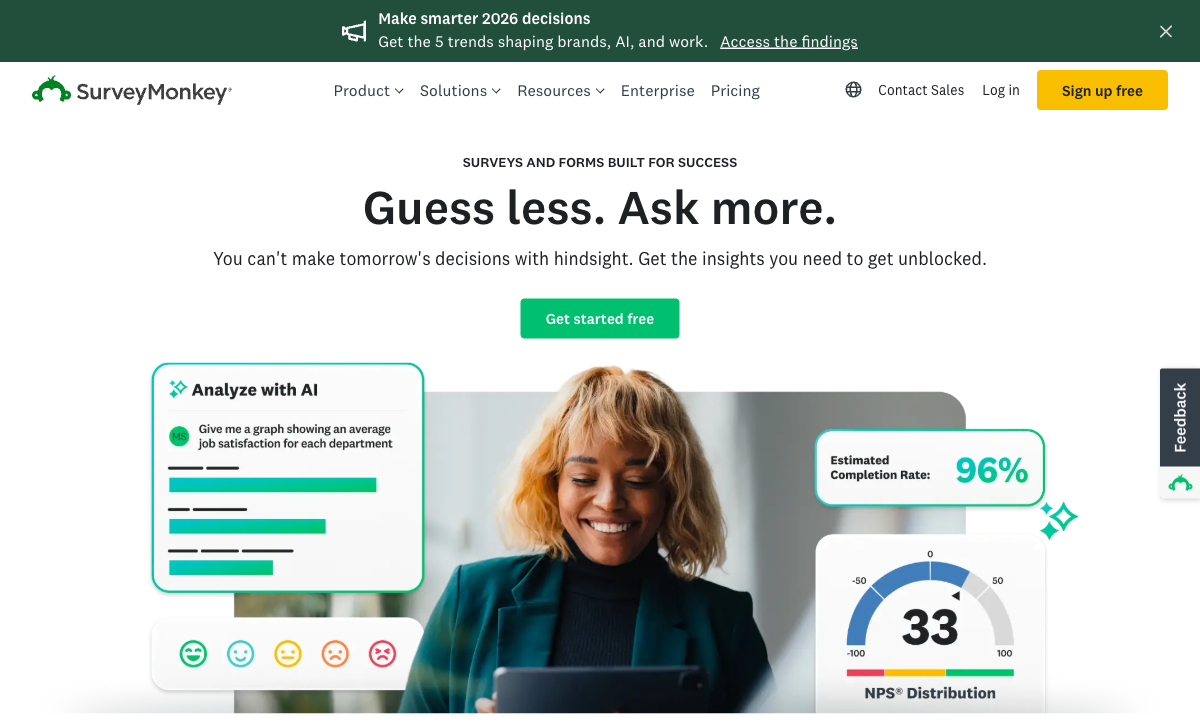
SurveyMonkey offers hundreds of expert-written, methodologically validated questions organised by category: employee engagement, customer satisfaction (NPS, CSAT), market research, healthcare, education, and more. These aren't just templates -- they're questions designed by survey methodology experts to reduce bias, improve response quality, and produce statistically reliable results. Google Forms gives you a blank canvas. SurveyMonkey gives you a head start built on decades of survey science. For anyone who isn't a survey design expert (most people), pre-validated questions prevent common mistakes that corrupt data.
Benchmarking and Industry Comparisons
When you use SurveyMonkey's standard question sets (NPS, employee satisfaction, etc.), the platform compares your results against aggregated benchmark data from millions of other surveys. You don't just see that your NPS is 42 -- you see how that compares to your industry average. Google Forms gives you raw numbers with no context. For business leaders making decisions based on survey data, benchmarks transform "our score is 42" into "our score is 42, which is 15 points above our industry average" -- a fundamentally more useful insight.
SurveyMonkey Audience (Respondent Panels)
Audience is SurveyMonkey's respondent panel service: define your target demographics (age, gender, location, industry, income, education) and SurveyMonkey delivers your survey to matching respondents from a panel of millions. This is the feature Google Forms simply cannot replicate. Google Forms requires you to distribute surveys to your own contacts -- your email list, social media followers, website visitors. If you need responses from people you don't already know (market research, product validation, brand studies), Audience is the only path between these two platforms.
Advanced Analytics
SurveyMonkey's analytics go far beyond basic charts: cross-tabulation (compare responses across demographic segments), statistical significance testing (know whether differences are real or noise), sentiment analysis on open-ended responses, word clouds, and trend tracking across survey waves. Google Forms gives you bar charts and pie charts. For anyone doing serious analysis -- identifying which customer segments are most dissatisfied, whether a product change moved satisfaction scores significantly, or which employee concerns vary by department -- SurveyMonkey's analytics save hours of manual spreadsheet work.
Methodology Tools
SurveyMonkey includes survey design features that prevent common methodology errors: question randomisation (reduce order bias), A/B testing of question wording, piping (insert previous answers into later questions), quotas (ensure demographic balance), and skip logic that goes beyond basic branching. These aren't flashy features -- they're the kind of rigour that separates casual data collection from reliable research. Google Forms' section-level branching is the only comparable feature, and it's primitive by comparison.
Team Collaboration and Shared Libraries
SurveyMonkey's team plans include shared survey libraries, brand assets, approved question banks, and collaborative editing with role-based permissions. Large organisations can maintain survey quality standards across departments by controlling which questions, themes, and branding elements are available to team members. Google Forms supports basic sharing and collaboration, but there's no concept of a shared question library, approved templates, or brand enforcement across an organisation. For enterprises that need survey governance -- ensuring every department sends professionally crafted, on-brand surveys -- SurveyMonkey's team features provide structure that Google Forms lacks.
Multilingual Survey Support
SurveyMonkey's Premier plan includes built-in multilingual survey support: create a survey in one language, add translations for additional languages, and distribute a single link that automatically displays the correct language based on respondent preference. Google Forms has no native multilingual support -- you'd need to create a separate form for each language and manage distribution manually. For global organisations surveying employees, customers, or research subjects across multiple countries, SurveyMonkey's multilingual tooling eliminates significant manual overhead.
Where Google Forms Falls Short
- No survey methodology tools: No question banks, no benchmarking, no significance testing, no randomisation. You're building surveys blind, relying on your own question-writing ability.
- Basic analytics only: Summary charts and Google Sheets export. No cross-tabulation, no sentiment analysis, no trend tracking without manual spreadsheet work.
- No respondent panels: You can only survey people you can already reach. No way to access representative samples of specific demographics.
- Minimal design customisation: Header image and accent colour only. Professional surveys that represent your brand need more visual control than Google Forms provides. Every Google Form looks identical to every other Google Form.
- No payment processing: Cannot collect payments, donations, or fees through forms. Event registrations with fees, fundraising campaigns, and product orders all require separate payment tools.
Where SurveyMonkey Falls Short
- Nearly unusable free tier: 10 questions and 40 responses per survey. This forces a paid commitment before you can properly evaluate the platform against Google Forms' unlimited free offering.
- Expensive for small teams: Team plans start at $25/user/month (billed annually). For a 5-person team, that's $1,500/year for survey software -- hard to justify if you run surveys occasionally rather than constantly.
- Overkill for simple surveys: If you need a quick feedback form or event RSVP, SurveyMonkey's methodology tools are unnecessary complexity. The platform is designed for professional research, not casual data collection. The feature density creates overhead for simple use cases.
- No form-building versatility: SurveyMonkey is a survey tool, not a form builder. It doesn't handle payments, e-signatures, file uploads (well), or non-survey use cases. Google Forms, despite being basic, handles a wider variety of data collection scenarios.
- Limited payment capabilities: SurveyMonkey supports basic payment collection through Stripe on higher tiers, but it's not designed for eCommerce, product sales, or transactional forms.
See Them in Action
The difference between Google Forms and SurveyMonkey becomes most apparent in the post-survey experience. Both platforms let you create and distribute surveys quickly, but SurveyMonkey's analysis dashboard -- with cross-tabulation, sentiment analysis, and benchmark comparisons -- transforms raw responses into actionable insights. Google Forms gives you a summary page with basic charts and a link to Google Sheets for manual analysis.
For survey creation, both are intuitive. Google Forms is faster for simple surveys (fewer clicks, no account upgrade prompts). SurveyMonkey's editor offers more question types, question bank suggestions, and design options that slow down creation slightly but improve survey quality. The trade-off between speed of creation and quality of output mirrors the broader comparison.
Pricing Comparison
The pricing gap between these two platforms is stark. Google Forms is free for everything. SurveyMonkey charges for anything beyond a basic demo.
| Tier | Google Forms | SurveyMonkey | Key Difference |
|---|---|---|---|
| Free | Unlimited forms, unlimited responses | 10 questions/survey, 40 responses/survey | Google Forms is usable free. SurveyMonkey's free tier is a demo. |
| ~$25/mo | N/A (still free) | Team Advantage: unlimited questions/responses, question bank, logic | SurveyMonkey's entry tier unlocks methodology tools Google Forms lacks. |
| ~$75/mo | N/A | Premier: benchmarking, advanced analytics, multilingual, phone support | Professional research features at a professional research price. |
| Audience Panels | N/A | $1-5+ per response, custom targeting | Google Forms has no equivalent. Access to millions of respondents. |
Google Forms
SurveyMonkey
| Product | Plan | Monthly Price | Annual Price (per month) | Free Plan | Free Trial | Limits |
|---|---|---|---|---|---|---|
| Google Forms | Free (Personal) | Free | Free | Yes | 14 days | forms: Unlimited, submissions: Unlimited, storage: 15 GB (shared across Google Drive), users: 1, file uploads: Included in 15 GB storage |
| Google Forms | Business Starter | $7/mo | $7/mo billed annually | forms: Unlimited, submissions: Unlimited, storage: 30 GB per user, users: Up to 300, file uploads: Included in storage | ||
| Google Forms | Business Standard | $14/mo | $14/mo billed annually | forms: Unlimited, submissions: Unlimited, storage: 2 TB per user, users: Up to 300, file uploads: Included in storage | ||
| Google Forms | Business Plus | $22/mo | $22/mo billed annually | forms: Unlimited, submissions: Unlimited, storage: 5 TB per user, users: Up to 300, file uploads: Included in storage | ||
| SurveyMonkey | Basic (Free) | Free | Free | Yes | No | forms: Unlimited, submissions: 25 per survey, storage: N/A, users: 1 |
| SurveyMonkey | Individual Standard | $99/mo | $39/mo billed annually | forms: Unlimited, submissions: 1,000 per month, storage: N/A, users: 1 | ||
| SurveyMonkey | Individual Advantage | Free | $32/mo billed annually | forms: Unlimited, submissions: 15,000 per year, storage: N/A, users: 1 | ||
| SurveyMonkey | Individual Premier | Free | $99/mo billed annually | forms: Unlimited, submissions: 40,000 per year, storage: N/A, users: 1 | ||
| SurveyMonkey | Team Advantage | Free | $30/mo billed annually | forms: Unlimited, submissions: 50,000 per year (shared), storage: N/A, users: 3 minimum | ||
| SurveyMonkey | Team Premier | Free | $92/mo billed annually | forms: Unlimited, submissions: 100,000 per year (shared), storage: N/A, users: 3 minimum |
What Users Say
Google Forms is universally praised for being free and simple. The criticism is equally universal: it's too basic for professional use. Users don't passionately love or hate Google Forms -- it's a utility, like a calculator.
SurveyMonkey reviews (4.4-4.6/5 across platforms) praise the question banks, analytics, and professional features. The consistent criticism is pricing -- users frequently describe SurveyMonkey as overpriced, especially given the restrictive free tier. The per-user pricing model for team plans is a particular pain point for organisations with occasional survey needs. As Zapier's 2025 survey tools roundup noted, SurveyMonkey remains the most full-featured survey platform but faces increasing competition from cheaper alternatives.
Who Is Each Platform Best For?
Google Forms is ideal for: anyone running basic surveys where methodology isn't critical. Internal team feedback, event RSVPs, class evaluations, quick polls, volunteer signups, and casual data collection. If you need answers and don't need analysis tools, Google Forms is free and immediate. Educators, students, nonprofit organisations, and small teams that collect data without budget constraints.
SurveyMonkey is ideal for: professional researchers, HR teams running engagement surveys with benchmarking, marketing teams conducting market research, product teams running customer satisfaction tracking, and anyone who needs to survey people outside their existing contacts. If survey data informs business decisions with real financial impact, SurveyMonkey's methodology tools reduce the risk of bad data. Enterprises needing survey governance across departments and global organisations requiring multilingual support.
Neither platform is ideal for: businesses that need forms to collect payments, process transactions, capture e-signatures, or trigger multi-step workflows. Neither Google Forms nor SurveyMonkey is a general-purpose form builder -- they're data collection tools optimised for surveys. For versatile forms that combine surveys, payments, branding, and automation in one tool, dedicated form builders are the better path.
Need Surveys + Payments + Forms in One Tool?
Google Forms and SurveyMonkey both excel at surveys but lack broader form capabilities. If your business needs surveys and payment collection and branded forms and workflow automation, Paperform fills the gap between these two platforms.
Starting at $24/month, Paperform combines professional form design with 5 integrated payment gateways, an Excel-style calculation engine (dynamic pricing, scoring, conditional totals), built-in e-signatures, and 2,000+ integrations. It handles surveys, order forms, booking pages, lead capture, and client intake in a single tool -- use cases that would require Google Forms + a payment processor + a signing tool + an automation platform.
Paperform isn't a survey science platform like SurveyMonkey (no question banks, no benchmarking, no audience panels). But for businesses that need versatile forms that do more than collect data, it's the all-in-one solution that neither Google Forms' simplicity nor SurveyMonkey's specialisation provides. See our Google Forms alternatives and SurveyMonkey alternatives for the full comparison.
The Verdict
Google Forms is the right choice for most surveys. That's not a slight against SurveyMonkey -- it's an honest acknowledgement that most surveys are simple enough that free and basic tools handle them adequately. Employee feedback, event satisfaction, class evaluations, team polls, and casual data collection don't need expert question banks or statistical significance testing. They need a form that collects answers, and Google Forms does that for free. The Google Sheets integration makes basic analysis straightforward, and the collaborative editing lets teams build surveys together without any friction.
SurveyMonkey is the right choice when survey quality directly impacts decisions with real consequences. If you're measuring employee engagement to inform retention strategy, running market research to guide a product launch, or conducting academic research that will be published and scrutinised, SurveyMonkey's methodology tools, benchmarking data, and analytics are worth the $25-75/month investment. The Audience panel service is the killer feature -- no other platform in this comparison lets you survey representative samples of specific demographics on demand. The expert question banks alone prevent the kind of poorly worded questions that corrupt survey data.
The deciding factor is the stakes of your survey data. Low-stakes surveys (event feedback, team polls, class evaluations) don't need methodology tools -- Google Forms is the obvious choice. High-stakes surveys (employee engagement driving retention strategy, market research informing product launches, brand perception studies guiding marketing spend) benefit from SurveyMonkey's rigour. Match the tool to the decision the data will inform.
For businesses that need more than either platform offers -- surveys plus payments, forms plus branding, data collection plus workflow automation -- dedicated form builders like Paperform provide the versatility that neither Google Forms' simplicity nor SurveyMonkey's specialisation covers. For more options, see our Google Forms alternatives, SurveyMonkey alternatives, or the full best form builders ranking.
Frequently Asked Questions
Is Google Forms good enough for professional surveys?
For basic surveys -- employee feedback, event satisfaction, quick polls -- Google Forms is perfectly adequate. It collects responses, feeds them into Google Sheets, and provides basic charts. Where it falls short is survey methodology: no question banks vetted by research experts, no benchmarking against industry data, no statistical significance testing, no advanced analysis tools, and no audience panel access. If your survey results inform business decisions, academic research, or marketing strategy, SurveyMonkey's methodology tools reduce the risk of poorly designed questions leading to misleading data. For casual data collection, Google Forms is fine. For surveys where data quality matters, SurveyMonkey is the professional choice.
How much does SurveyMonkey cost compared to Google Forms?
Google Forms is completely free with unlimited responses. SurveyMonkey's free plan limits you to 10 questions per survey and 40 responses per survey -- barely usable for real work. Paid plans start at $25/month (Team Advantage) for unlimited questions and responses, with the Premier plan at $75/month adding advanced analytics, benchmarking, and multilingual surveys. SurveyMonkey Audience (paid respondent panels) is priced separately starting around $1-5 per response depending on targeting. The cost gap is significant: Google Forms is unlimited at $0, while serious SurveyMonkey usage costs $300-900/year.
Can SurveyMonkey do everything Google Forms does?
Yes, and significantly more. Every basic feature Google Forms offers -- multiple question types, section-based logic, response collection, basic charts -- SurveyMonkey matches or exceeds. SurveyMonkey then adds expert question banks, benchmarking, advanced analytics, A/B testing of questions, audience panels, multilingual surveys, team collaboration, and compliance features. The only areas where Google Forms has an advantage are price (free vs paid), Google Workspace integration (native vs configured), and simplicity (fewer features means less to learn). If you need a survey tool that does everything and cost isn't a constraint, SurveyMonkey is strictly more capable.
What is SurveyMonkey Audience and does Google Forms have anything similar?
SurveyMonkey Audience is a paid respondent panel service: you define your target demographics (age, location, industry, income) and SurveyMonkey delivers your survey to matching respondents from their panel of millions. This is invaluable for market research, product testing, and brand studies where you need representative data from specific populations -- not just responses from people you already know. Google Forms has nothing equivalent. With Google Forms, you're limited to distributing surveys to your own contacts, social media followers, or website visitors. If you need responses from people outside your existing network, SurveyMonkey Audience is the only option between these two.
Which is better for academic or scientific research?
SurveyMonkey, by a significant margin. Academic research requires methodological rigour: validated question types, randomisation, piping, skip logic, data export in SPSS-compatible formats, and sometimes IRB-compliant consent workflows. SurveyMonkey offers all of these. Google Forms offers basic question types and CSV export -- functional but lacking the methodology tools researchers need. That said, many student researchers and small-scale academic projects use Google Forms successfully because it's free and "good enough" for preliminary data collection. For published research, funded studies, or any project where methodology will be scrutinised, SurveyMonkey's research-grade features are worth the investment.
Sources & References
- Best Online Form Builder to Use in 2026 -- Top 20 Tools — EmailToolTester, 2026
- Google Forms vs SurveyMonkey: Which Should You Use? — Zapier, 2025
- The Best Survey Tools for 2025 — Zapier, 2025
Last updated March 21, 2026
Ready to try Paperform?
Create beautiful forms, payment pages, and workflows — no code required.